Course
This feature allows menu categories to automatically assign ordered items to a specific course whenever Courses are enabled on a table.
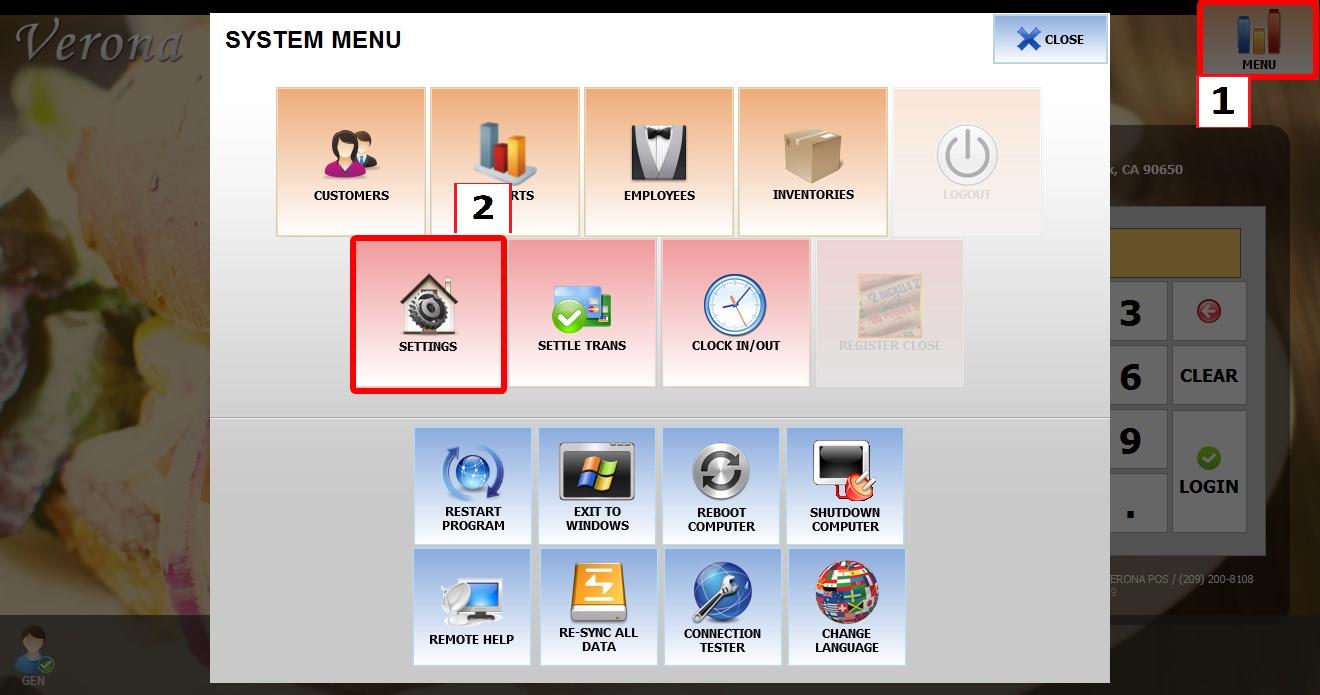
Main Screen> MENU> SETTINGS > REPO > EDIT MENU
Before configuring Course Categories, make sure the Courses feature is enabled and course names have already been created in the Courses settings.
Go to MENU, then click on SETTINGS.
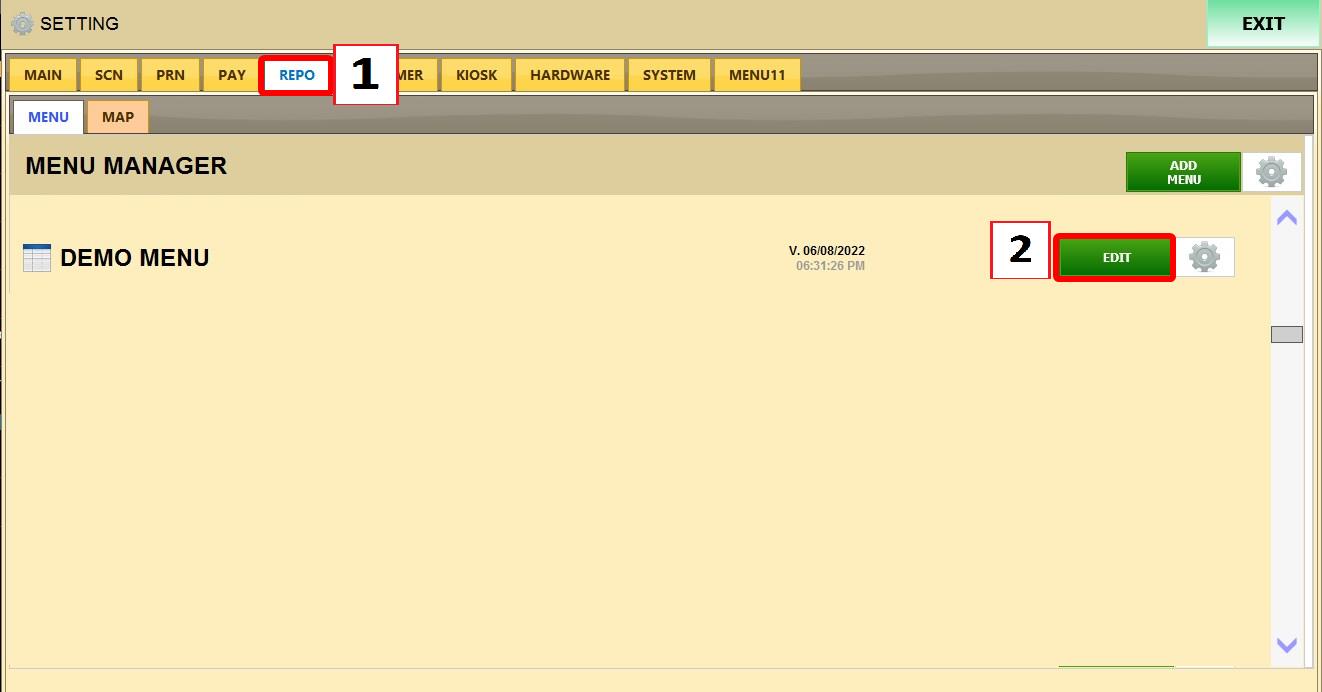
Open REPO, locate your menu and click EDIT
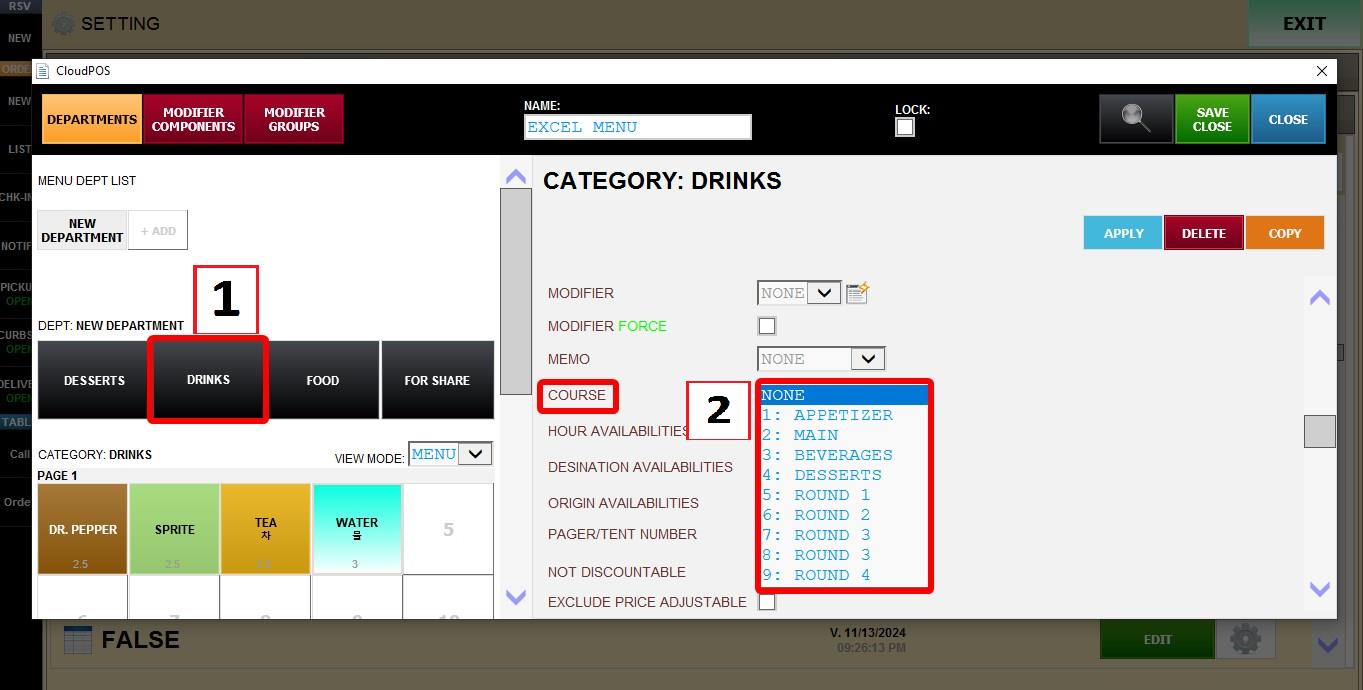
Select the category you want to configure.
Scroll down through the category settings until you find the COURSES dropdown menu. Select the course that should automatically apply to items ordered from this category.
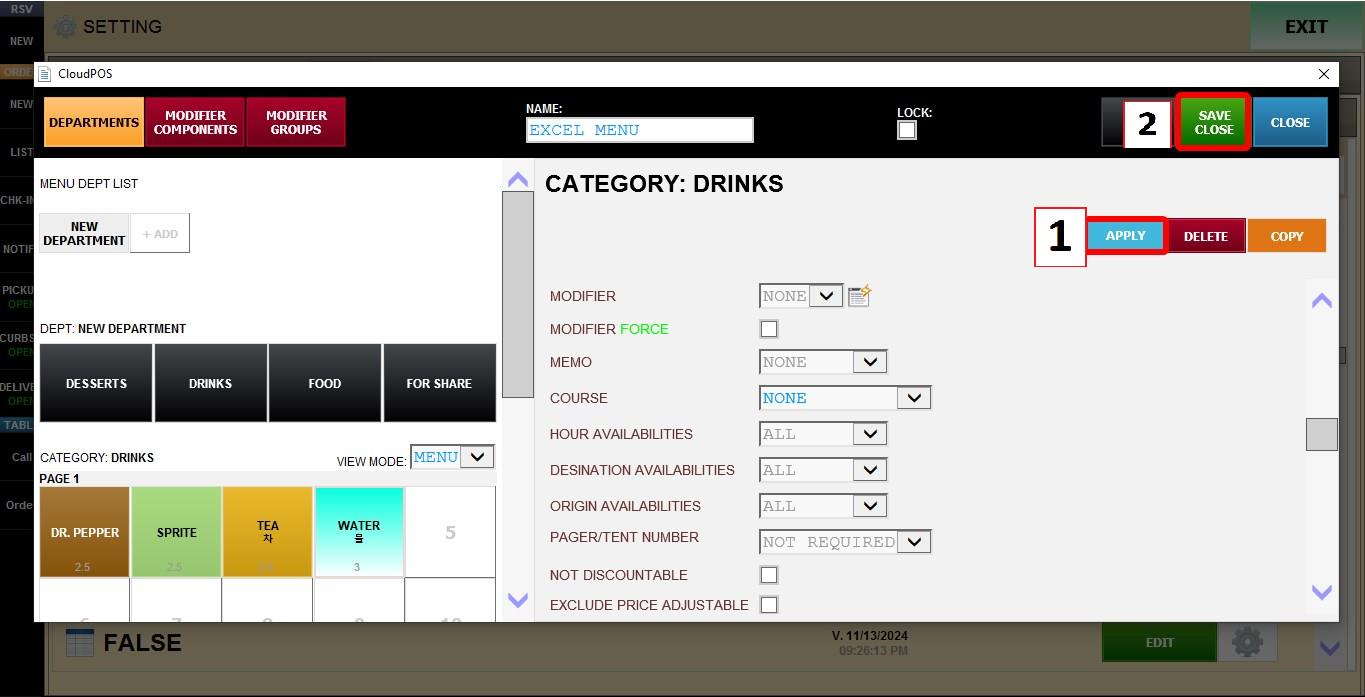
Press APPLY then SAVE CLOSE to apply the changes. Then restart the program.
Once configured, any item ordered from this category while Courses are enabled on a table will automatically appear under the selected course.
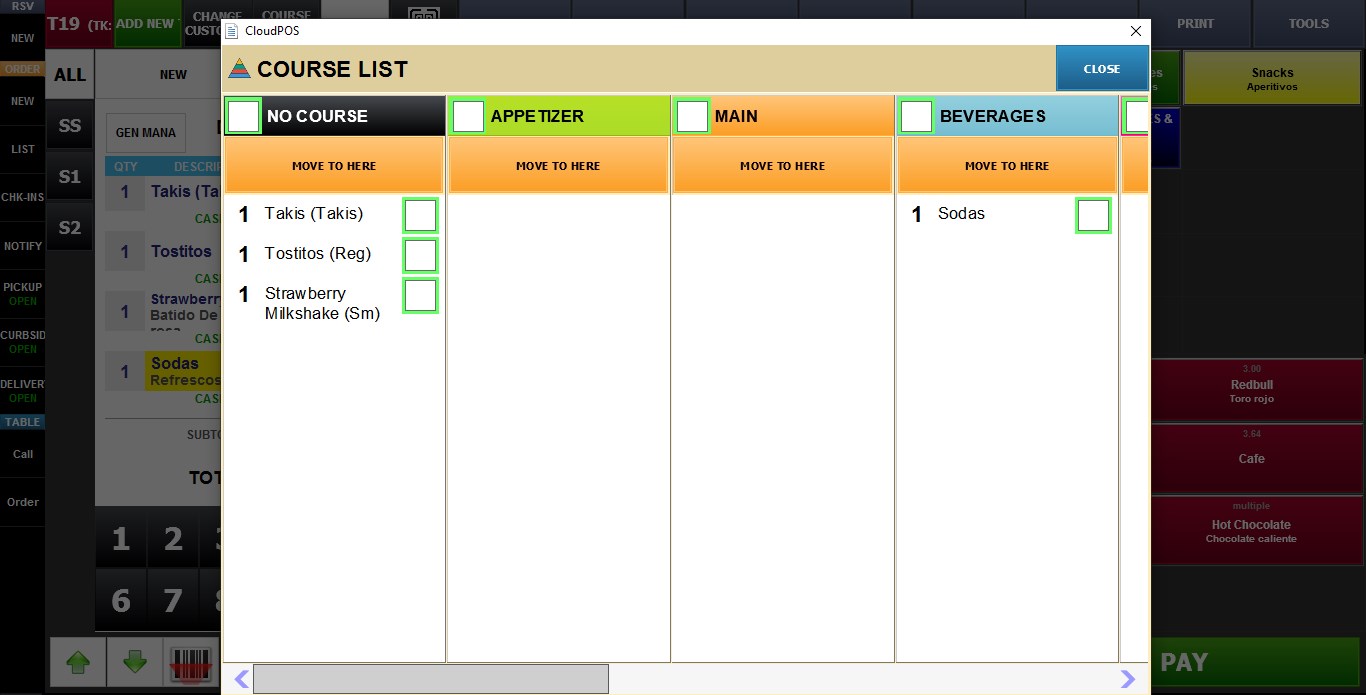
Hint: See the Course Operation guide, to learn how to manually organize and manage courses during an active order.