POS is telling me there is an open tickets when I try to close the register
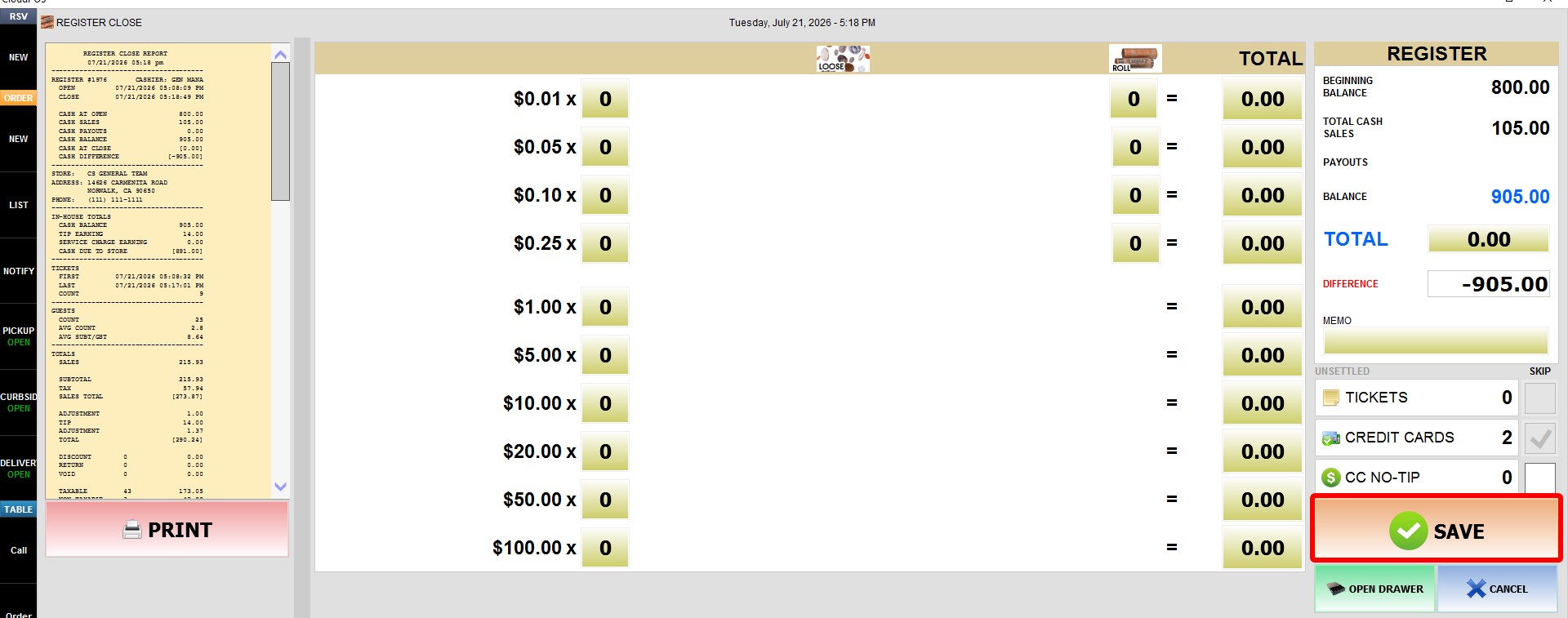
If the SAVE button is disabled during a register close, there are one or more unsettled tickets that must be closed before the register can be closed.
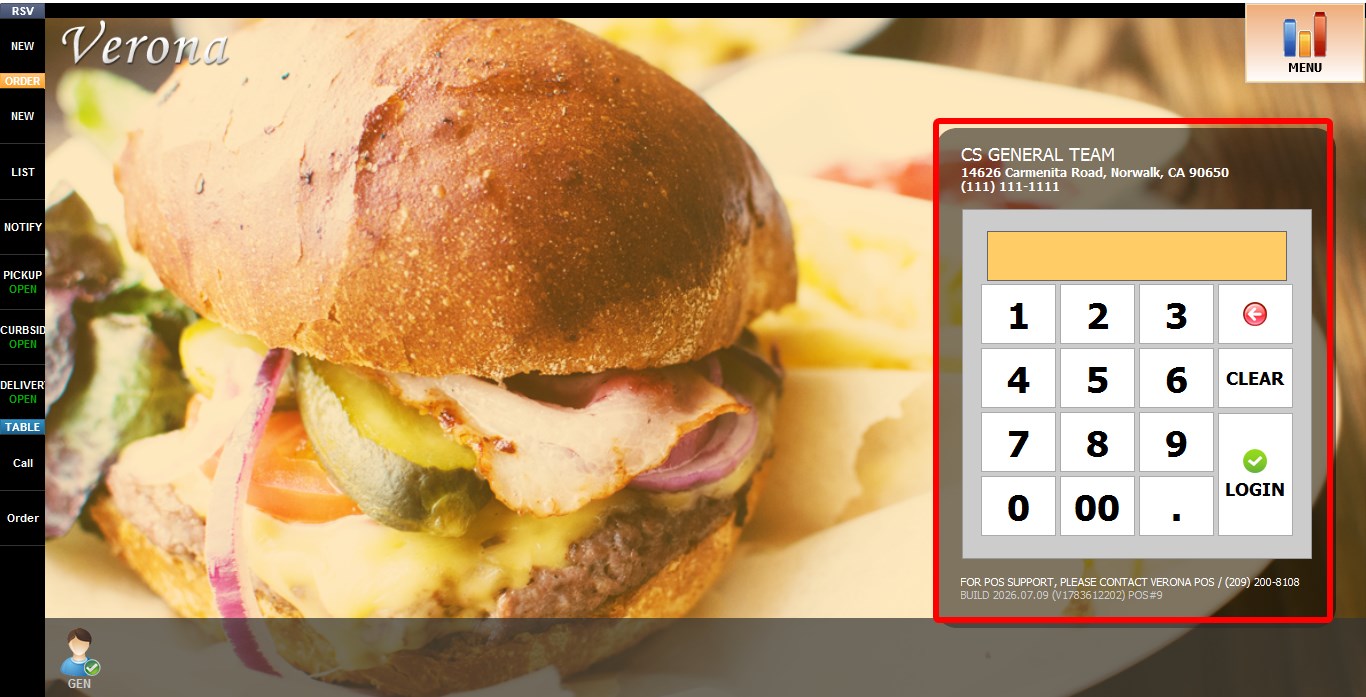
Go to Main Screen Keypad > Sales Screen
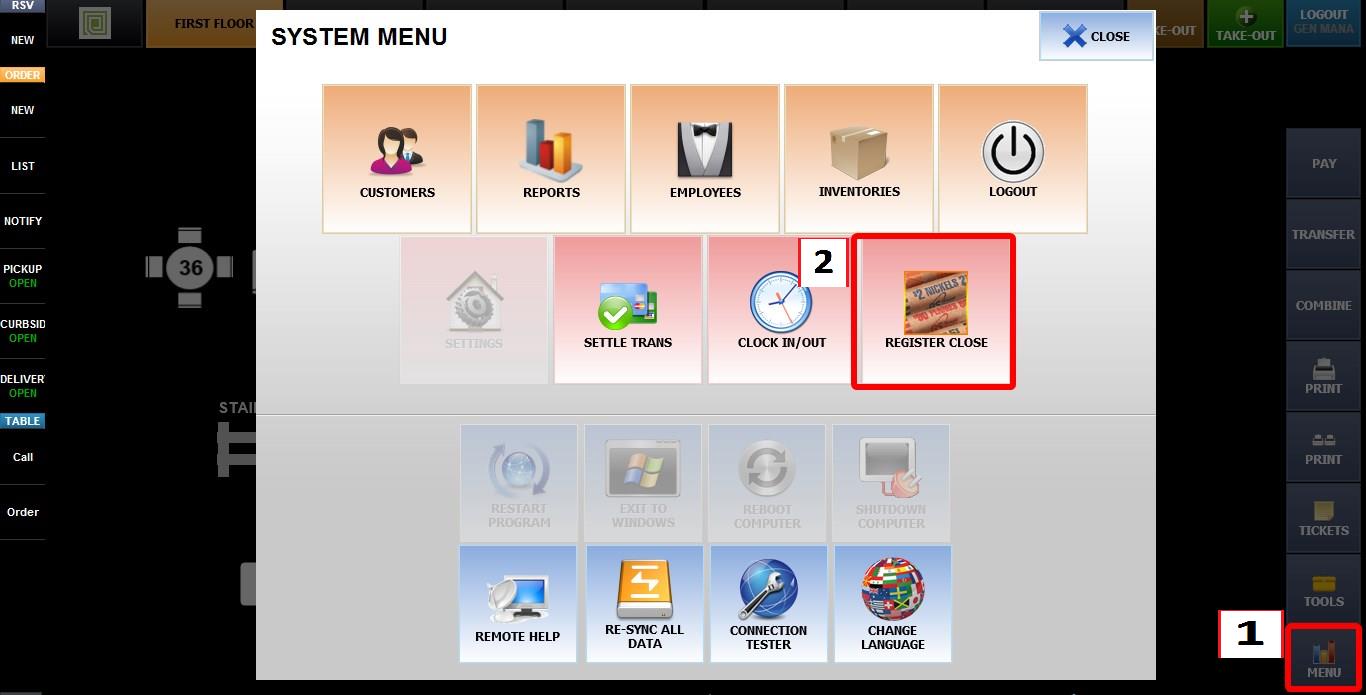
Go to MENU > REGISTER CLOSE
During a register close, any open tickets will be highlighted in ORANGE.
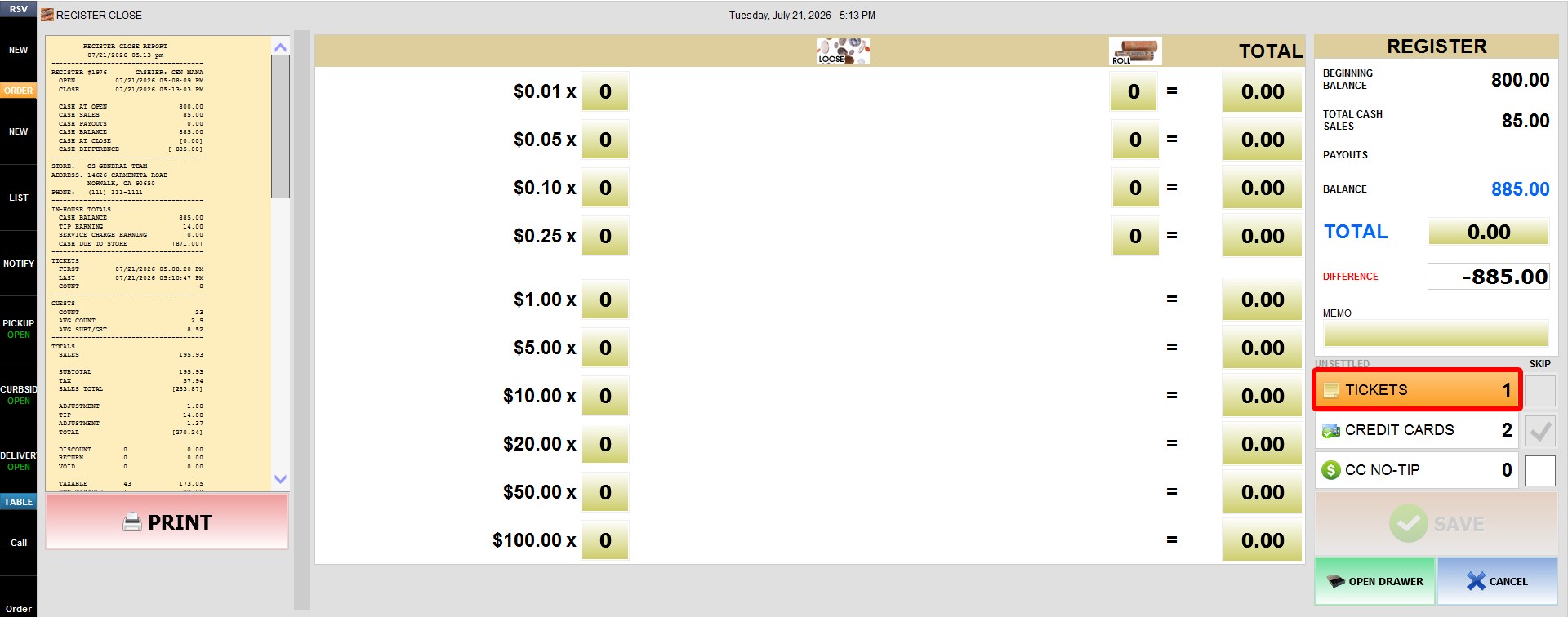
While these orange tickets exist, the SAVE button will remain disabled.
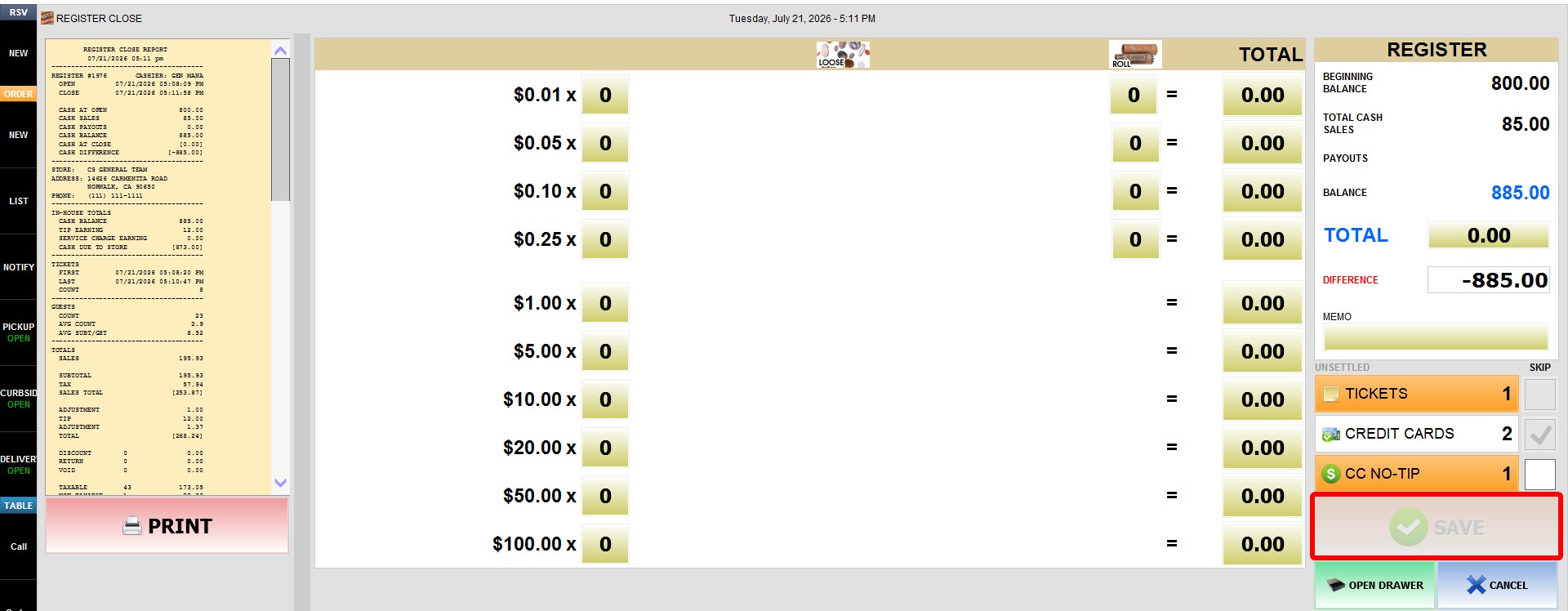
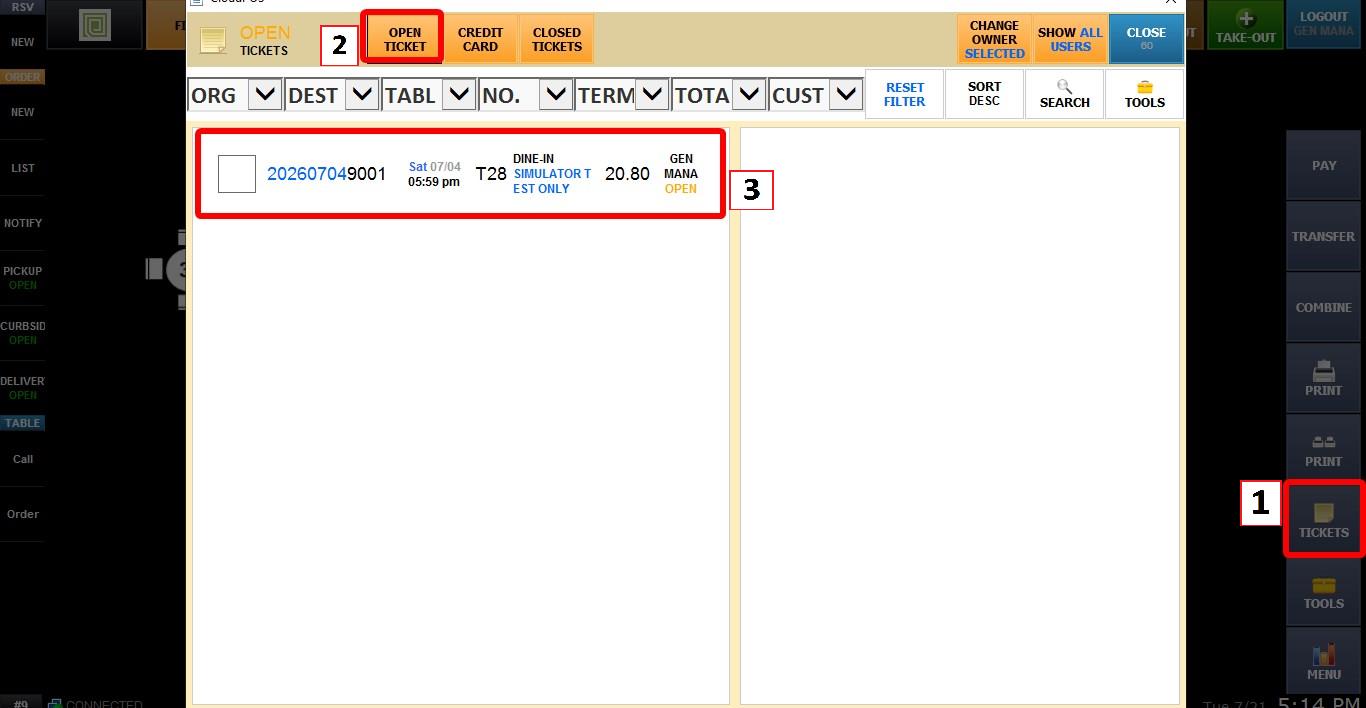
To view all open tickets, from the SALES screen, click the TICKETS section on the SALES screen. Then select OPEN TICKET then Select each open ticket and complete the payment using the PAY function.
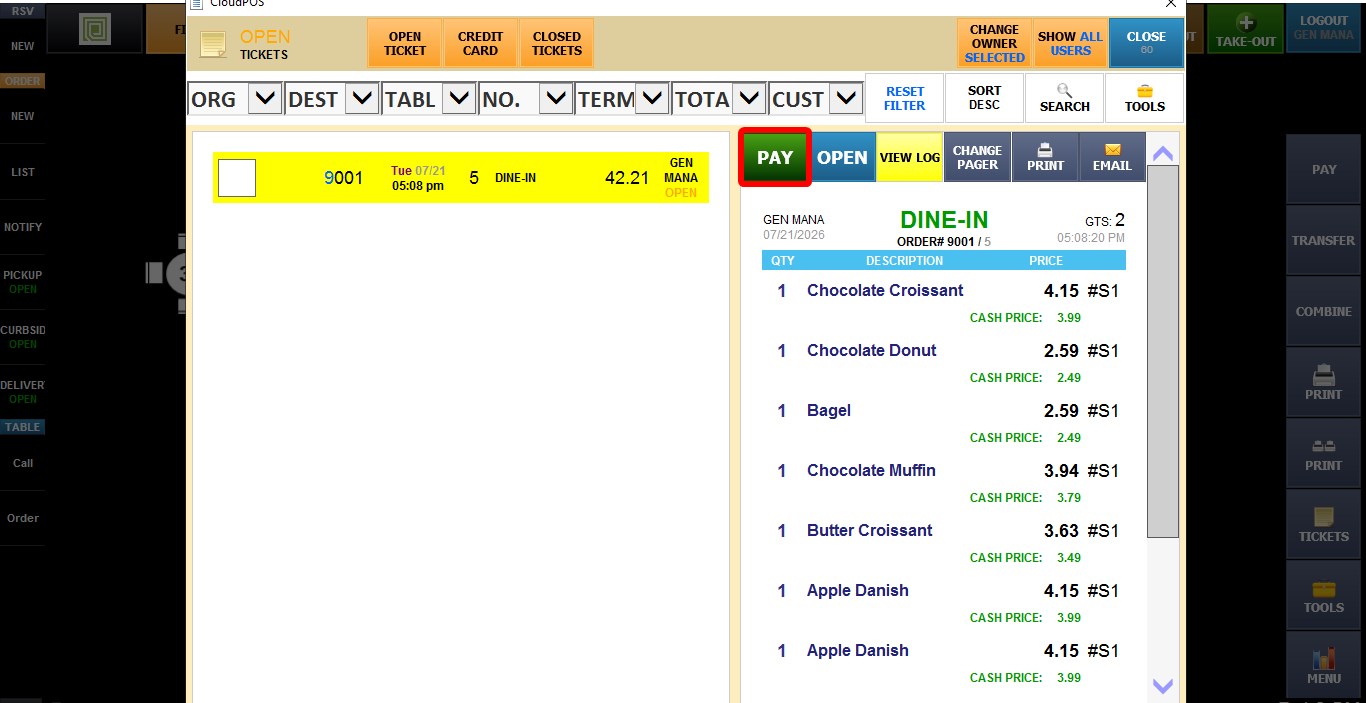
Once all open tickets have been settled, return to the register close screen. The SAVE button will be enabled, allowing you to complete the register close.
For more information about this feature, refer to the How to Perform A Register Close guides.