How to Use QR Contactless Dining in Buffet or All You Can Eat (AYCE) Mode.
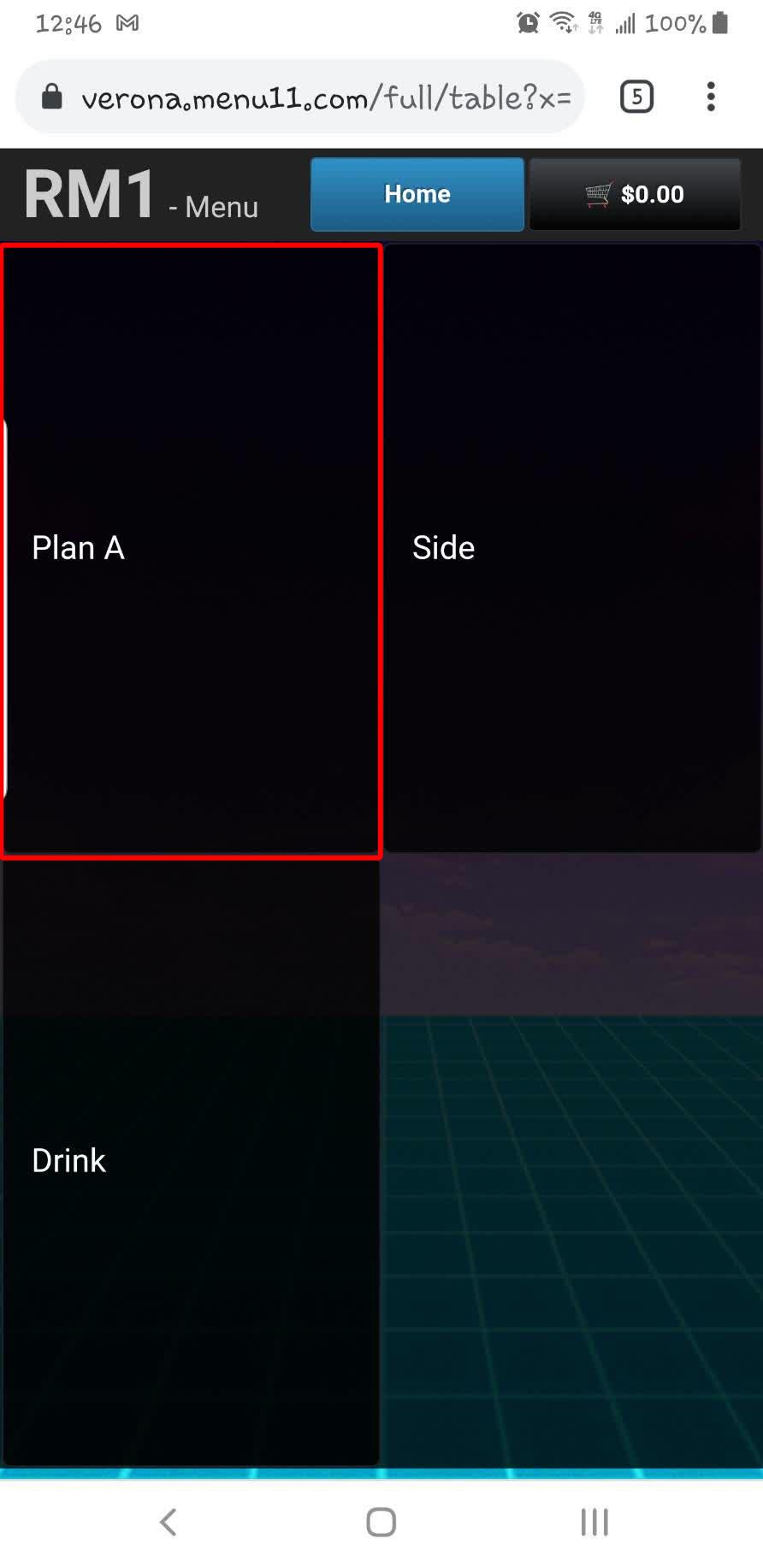
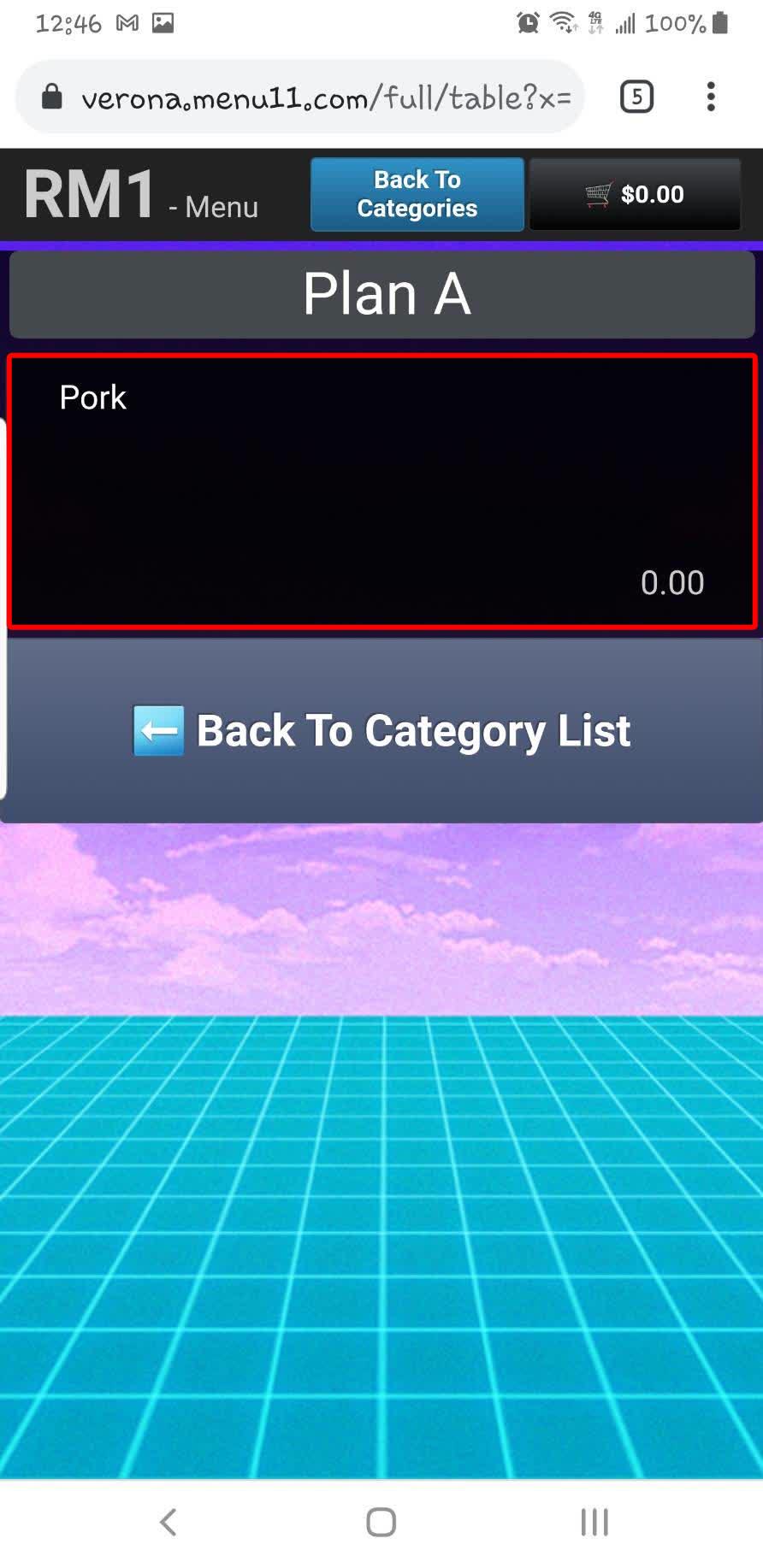
Buffet / All You Can Eat Mode allows restaurants to offer different dining plans through QR Contactless Dining. Customers will only see the menu items included in the plan assigned to their table.
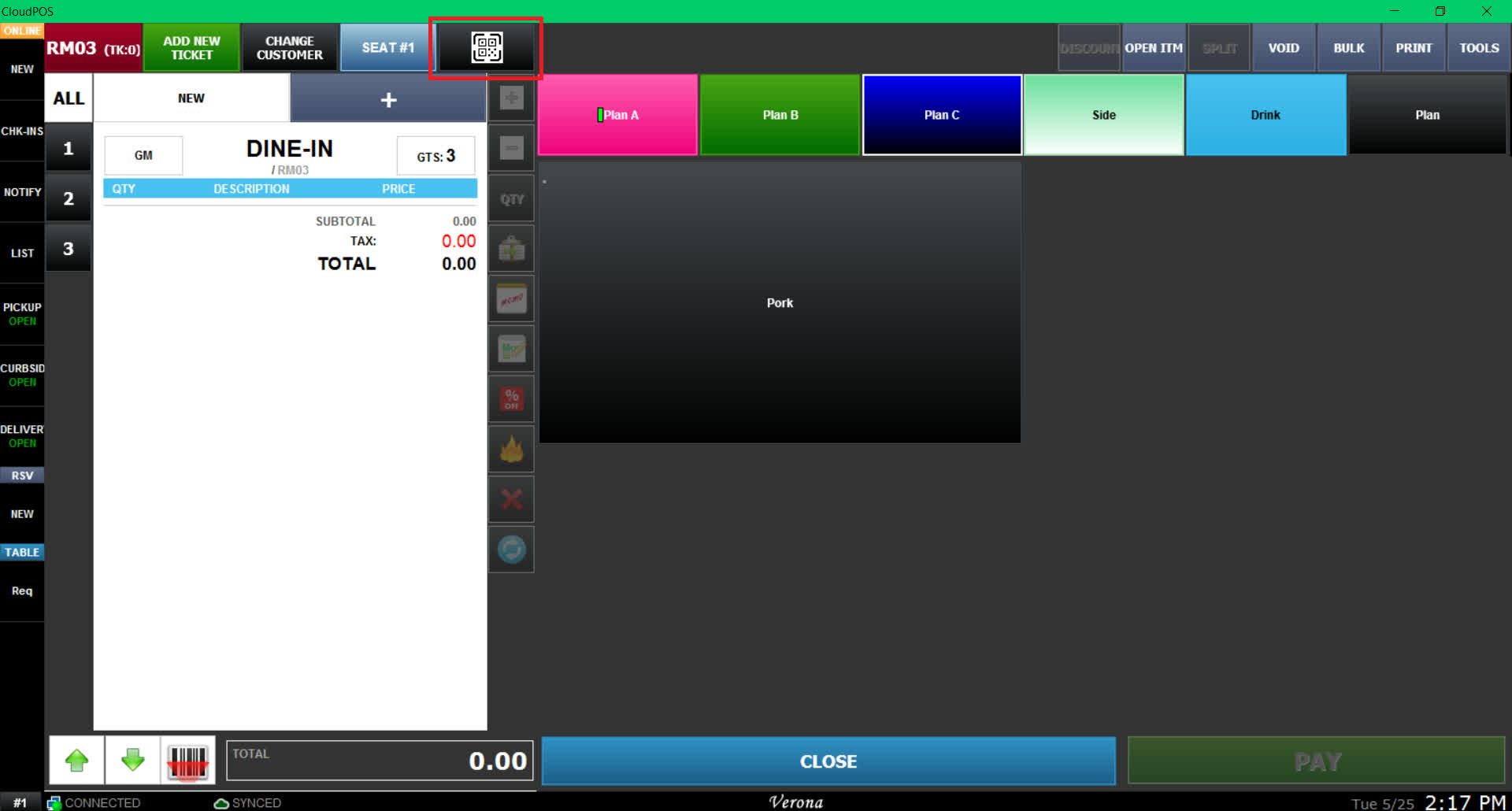
SALES SCREEN > QR CODE BUTTON
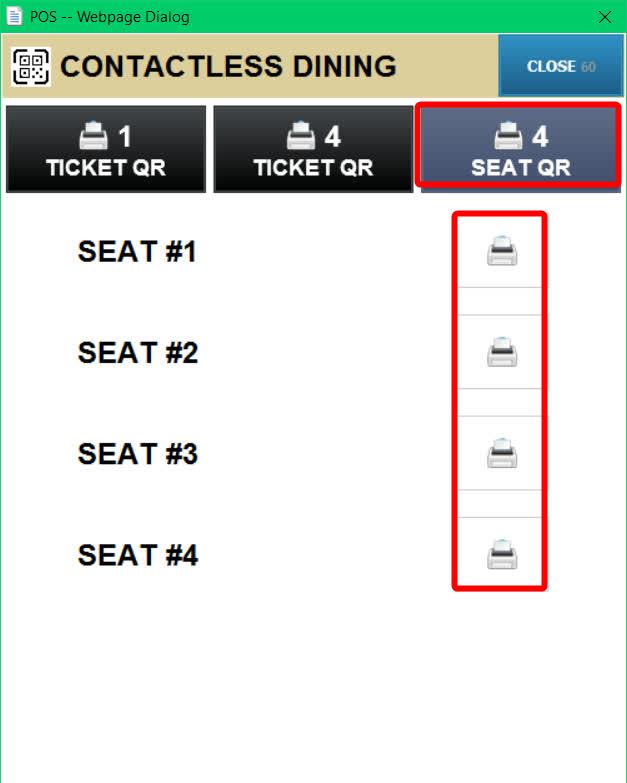
From the Sales Screen go to any table and click the QR CODE button.
You can print a single QR code for the entire table or print one QR code for each guest seated at the table.
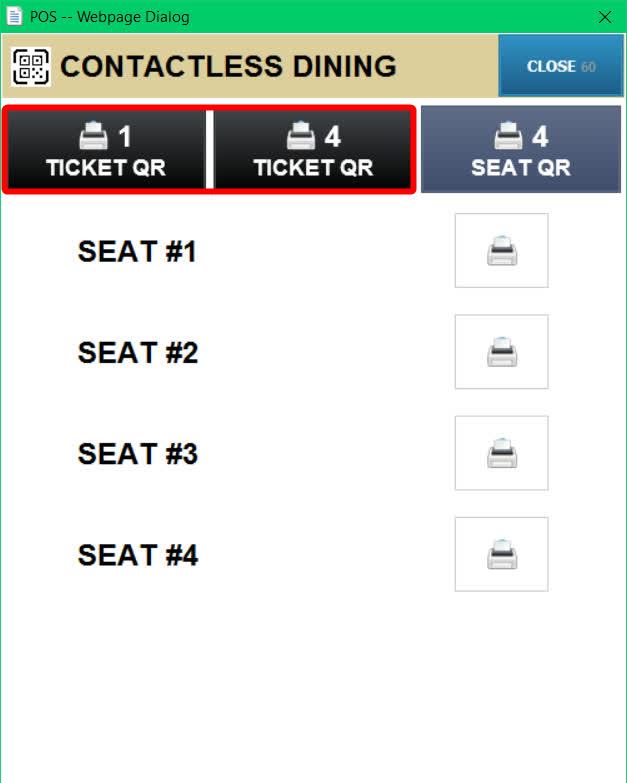
You can also choose to print QR codes for specific seats only.
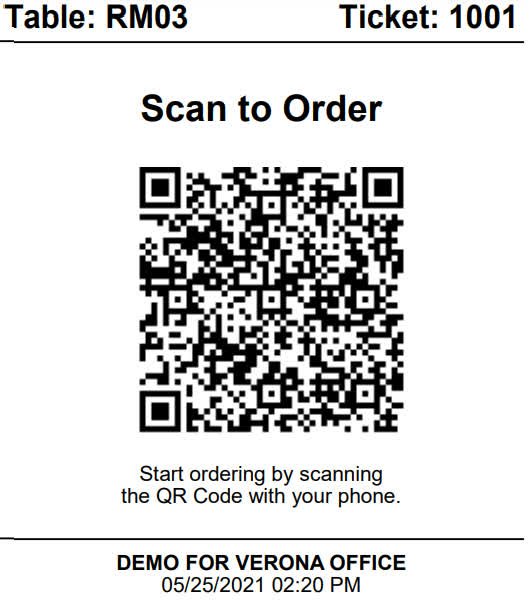
A QR code receipt will be printed from the receipt printer.
Selecting the plan
To learn how to configure contactless dining to operate as the buffet/All You Can Eat mode (AYCE), please refer to the Order (Buffet, All You Can Eat) QR Guide.
Before giving the QR code to the customer, select the dining plan that will be assigned to the table.
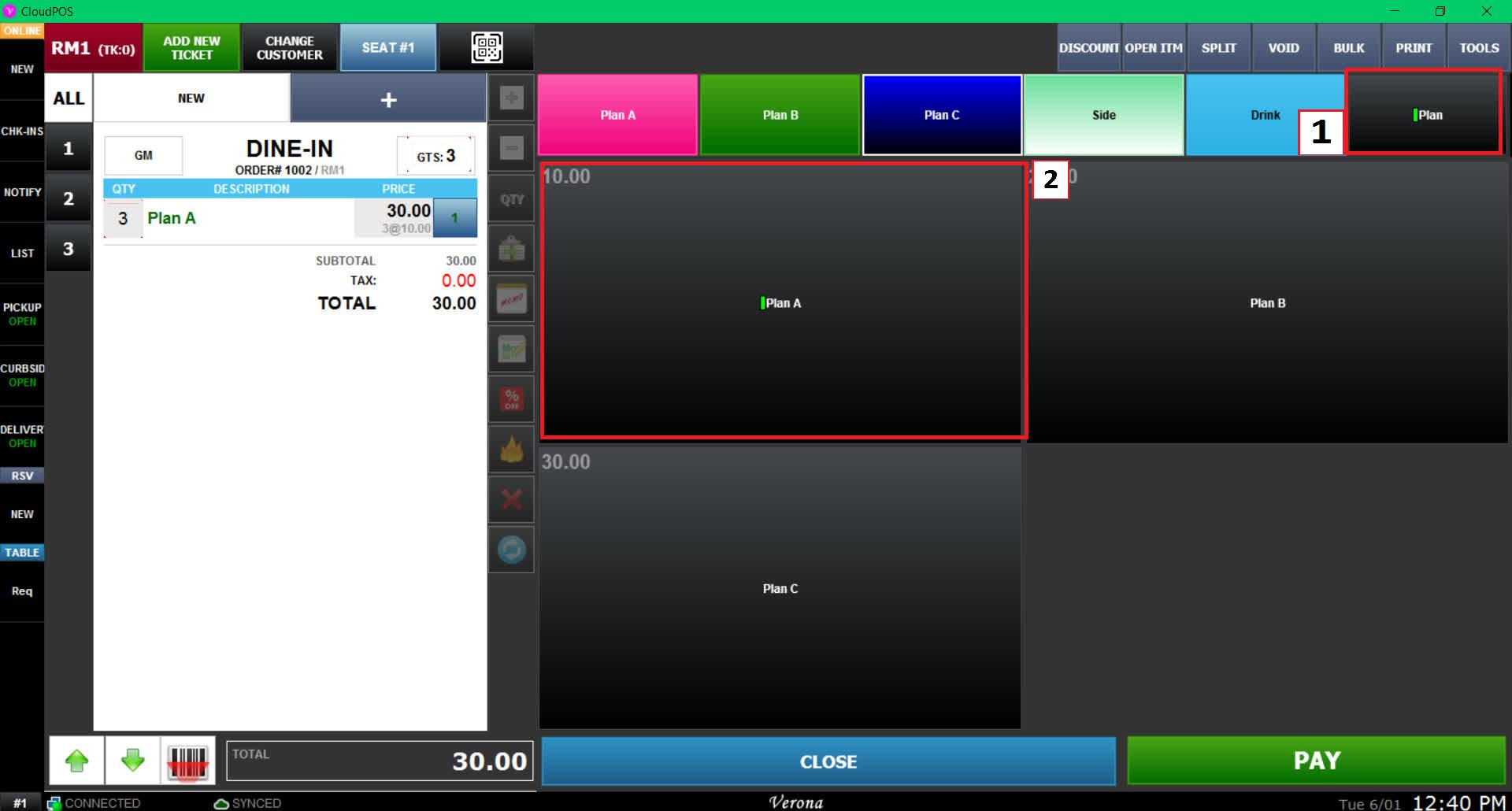
The customer will only be able to view and order items included in the selected plan.
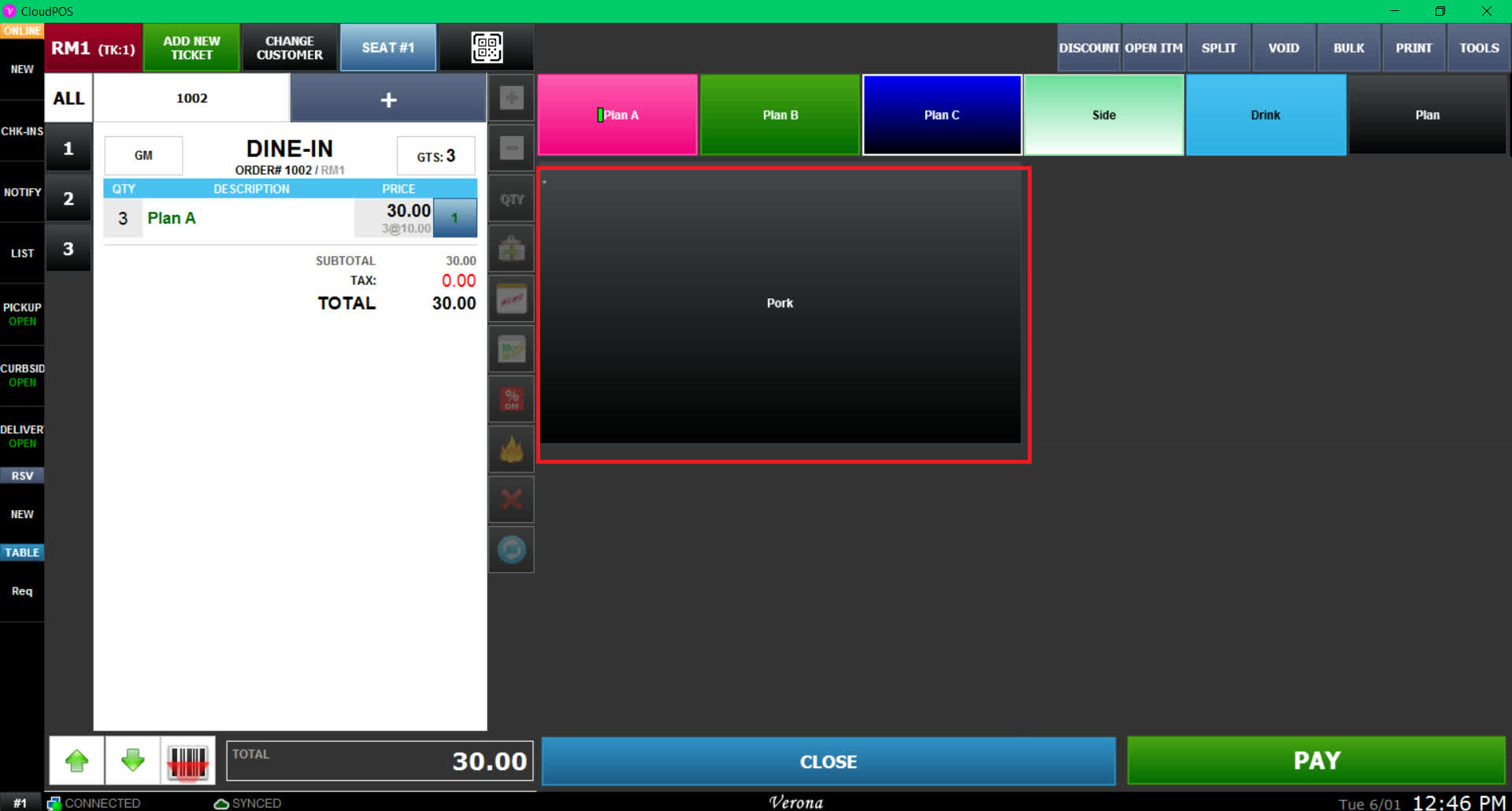
Result
Customers will only be able to order items available within that plan.