Market Price Item
This section allows you to configure a menu item whose selling price can be updated as needed. The price can be entered when prompted at the beginning of the business day or updated at any time through the Market Price tool. This is useful for products with frequently changing prices, such as seafood, seasonal items, or daily specials.
Main Screen> MENU> SETTINGS> REPO> MENU> EDIT> DEPARTMENTS> CATEGORY> ITEM
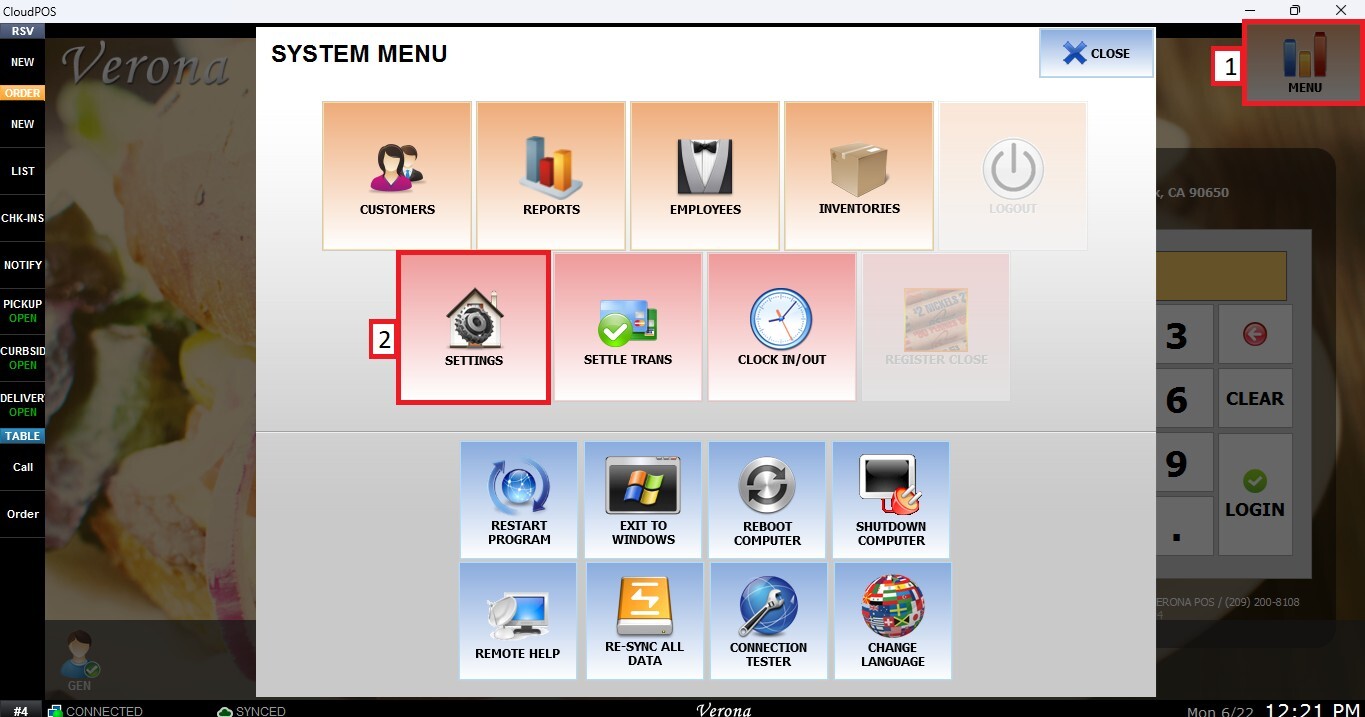
Go to MENU then SETTINGS.
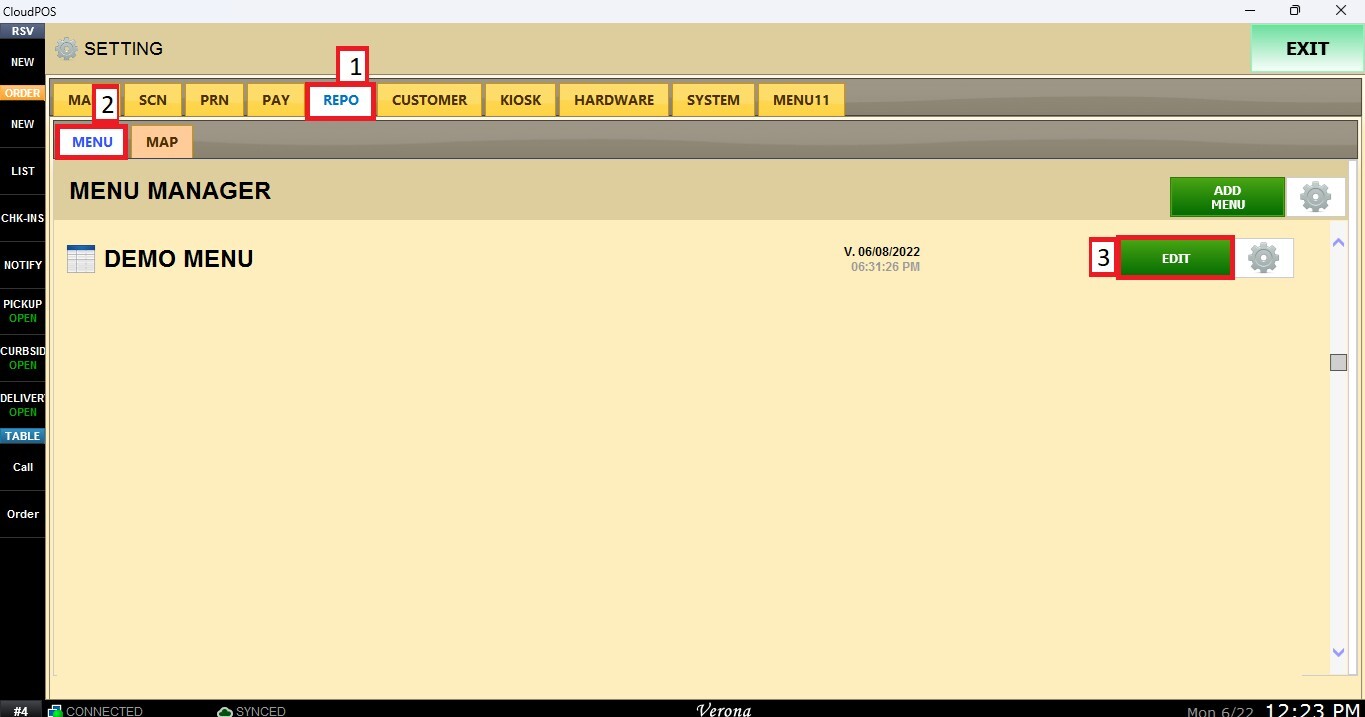
Open the REPO tab, select MENU and Locate the menu you want to modify and click EDIT.
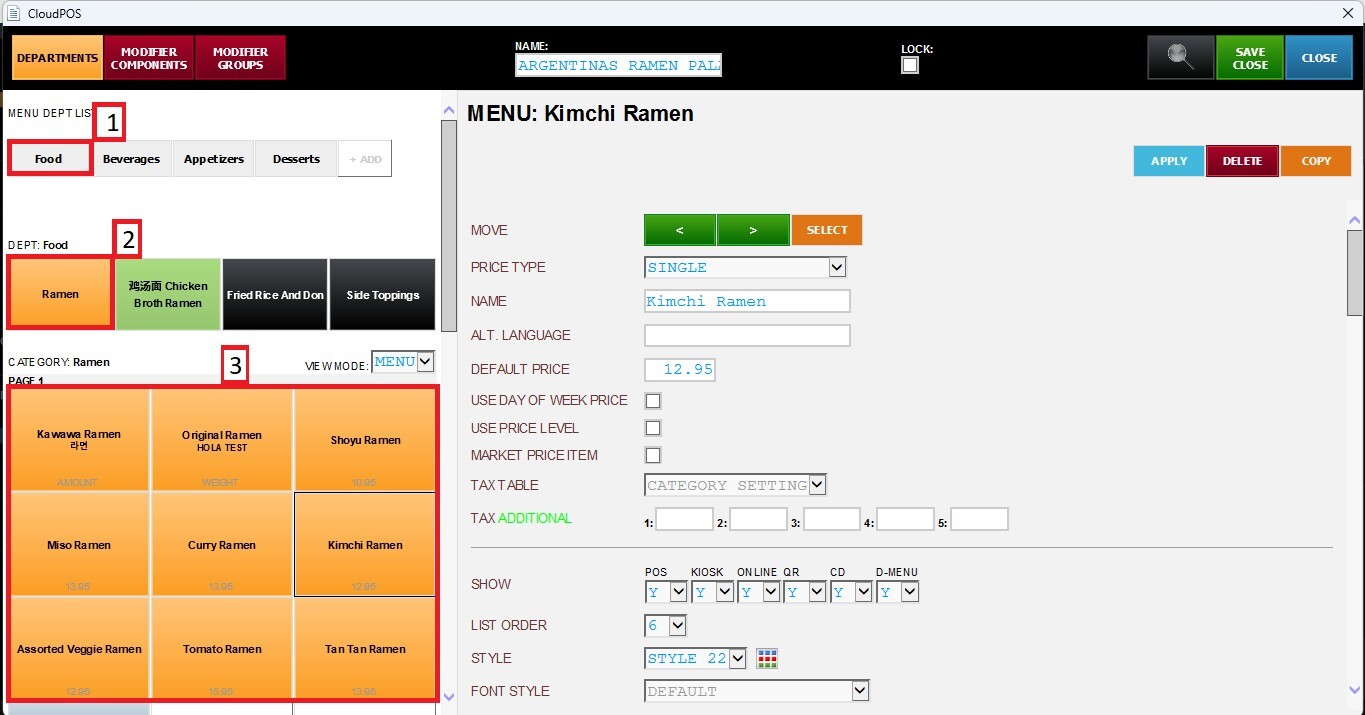
Navigate to the corresponding Department and Category, then select the Item you want to configure.
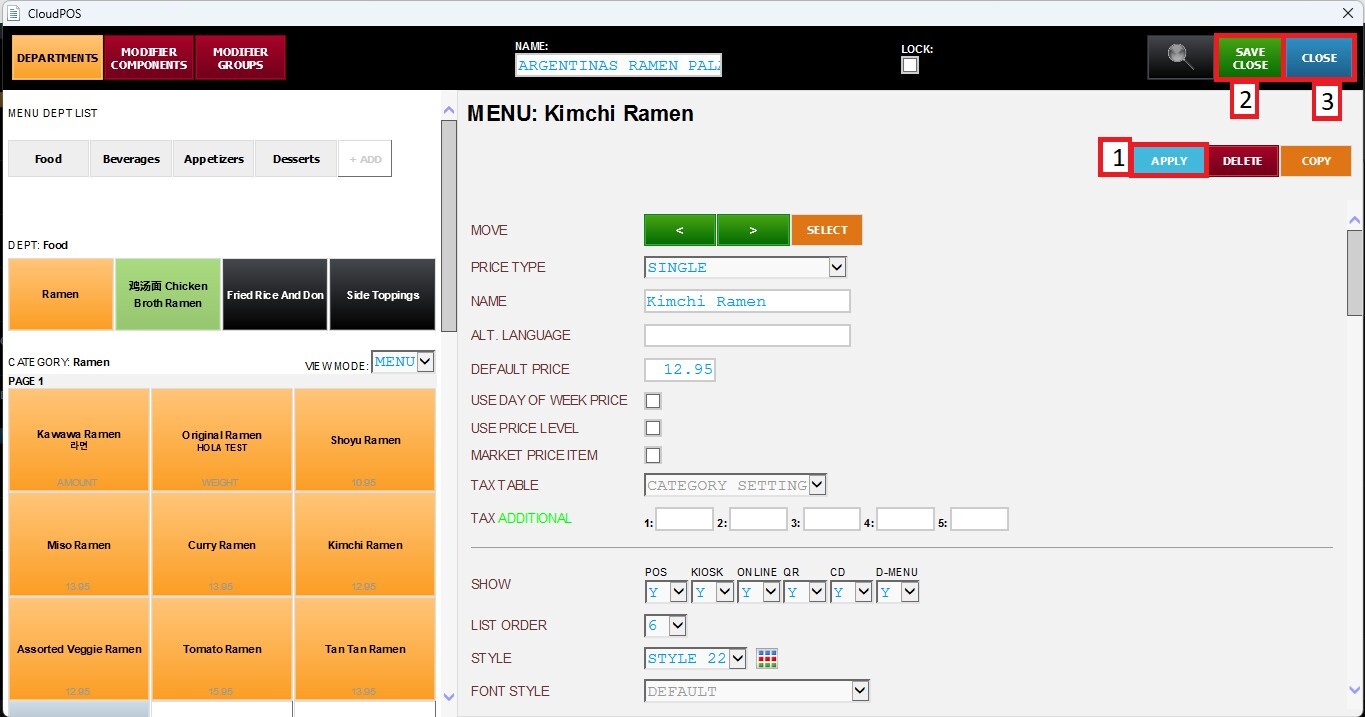
Scroll down to the Market Price section and select the checkbox to enable the feature for the selected item.
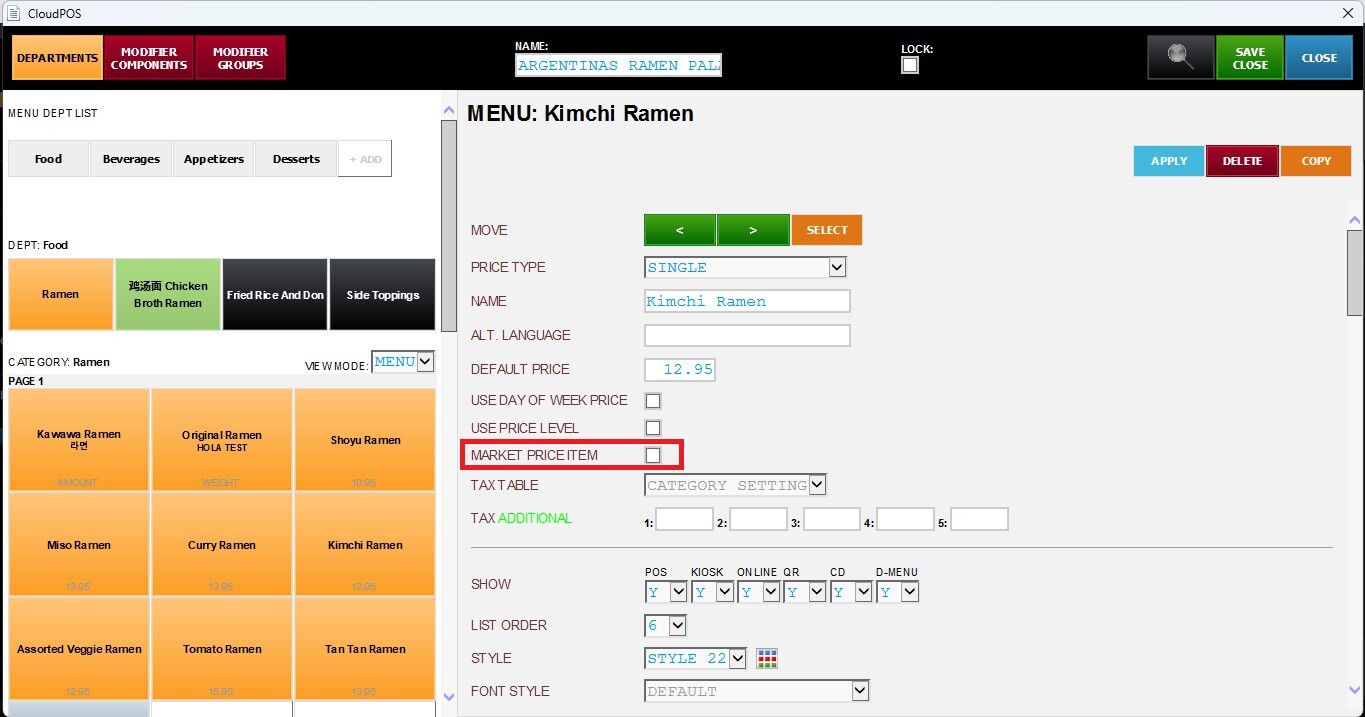
Click APPLY, then SAVE & CLOSE to save all changes.
For information on how the Market Price feature works, refer to the Market Price Operation KB.
For more information about how to set up Market Price items, refer to the Market Price section in the ACTION CONTROL KB.