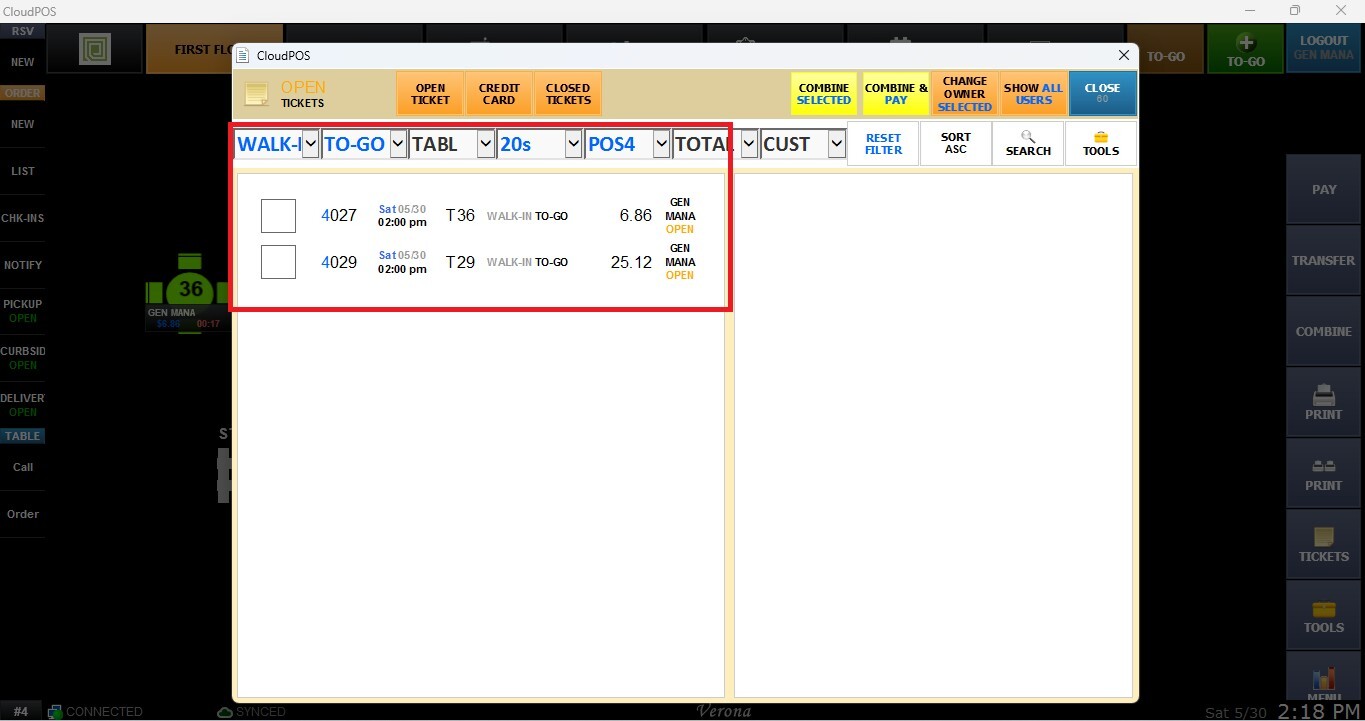
Ticket Management Filters
This function allows users to quickly locate and organize tickets by applying different filtering, sorting, and search criteria. These tools help narrow down large ticket lists and simplify transaction management.
Main Screen> Number Pad> Table Screen> TICKET LIST
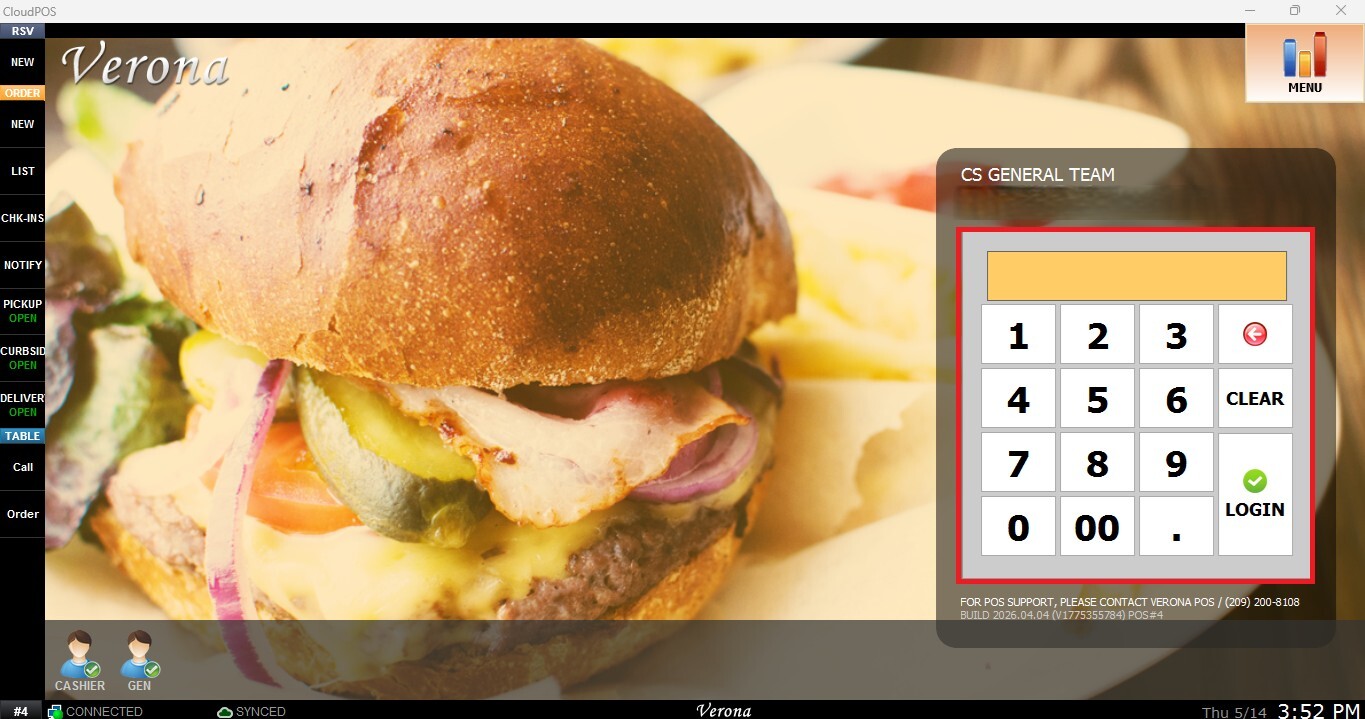
From the Main Screen, use the number pad and enter the assigned employee's password to log in.
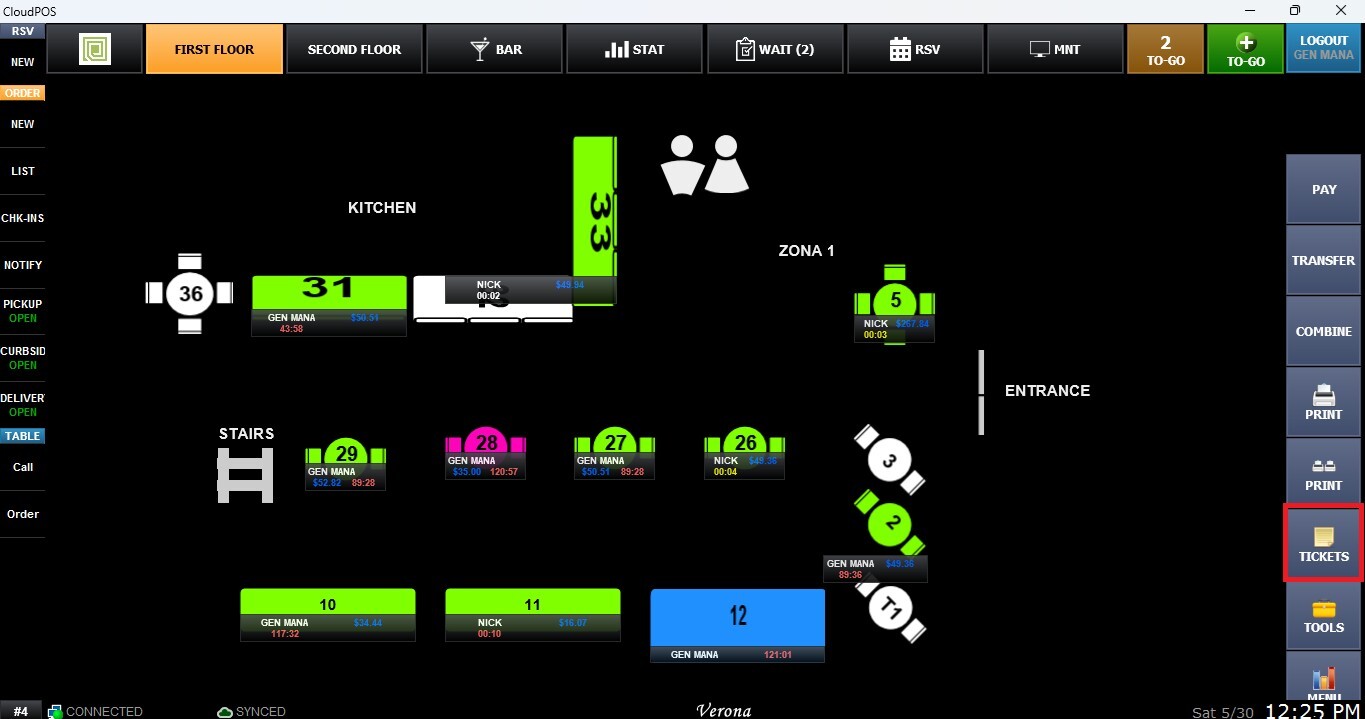
On the toolbar of the Table Screen, click on TICKET
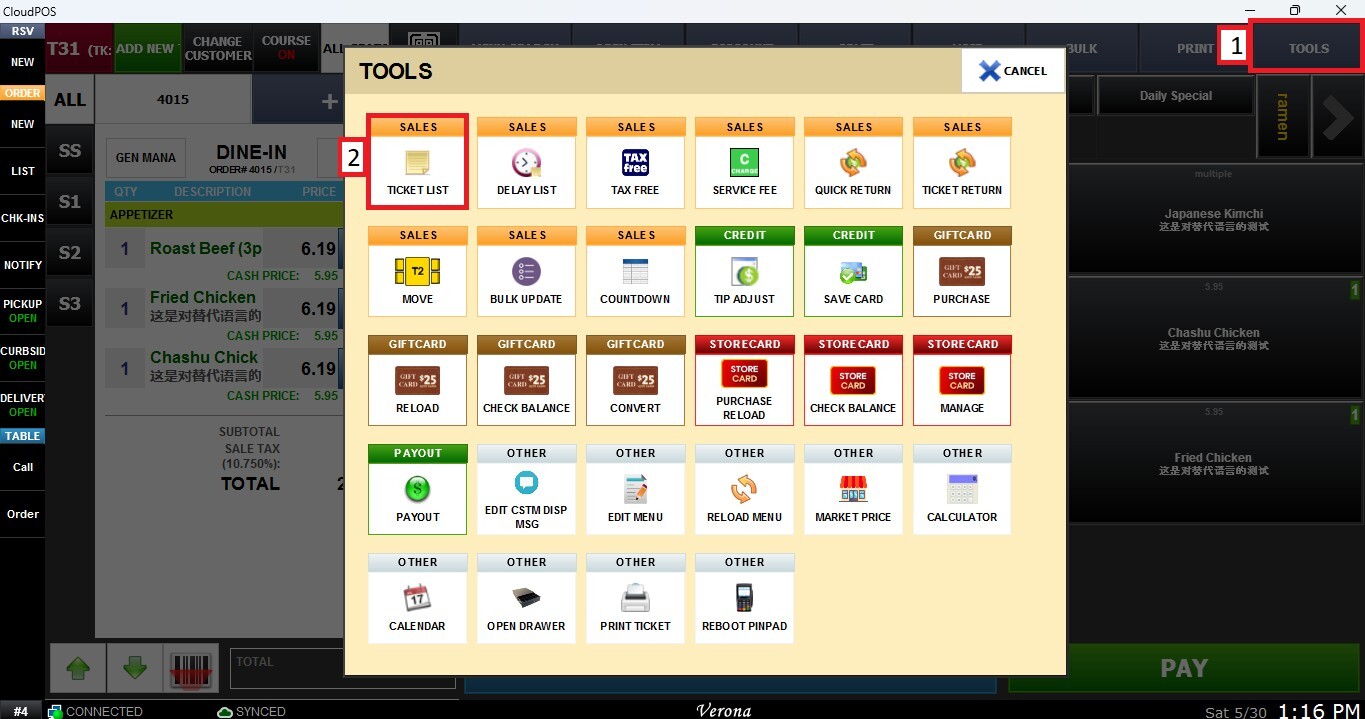
You can also access the Ticket List from the Sales Screen by selecting TOOLS and TICKET LIST.
Filters
ORG (Origination)
Filters tickets based on where the transaction originated, such as the source area or order type.
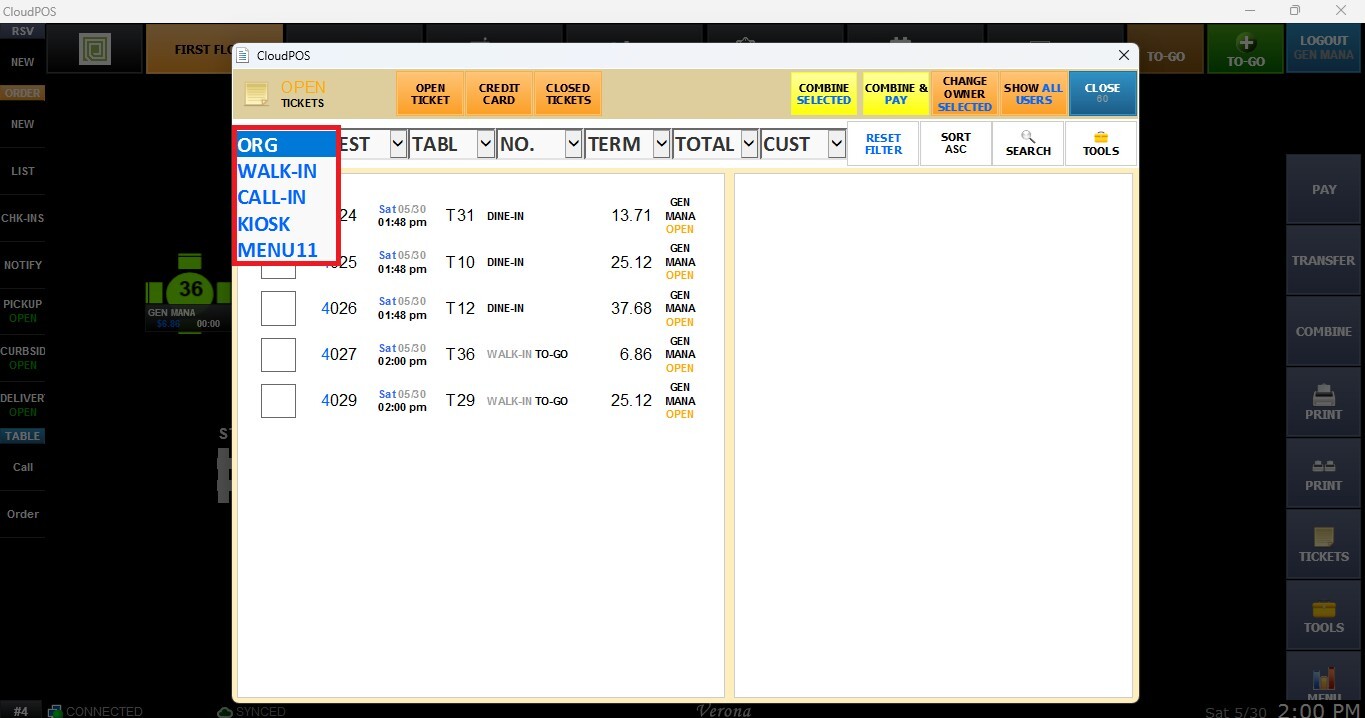
DEST (Destination)
Filters tickets based on their current destination or assigned area.
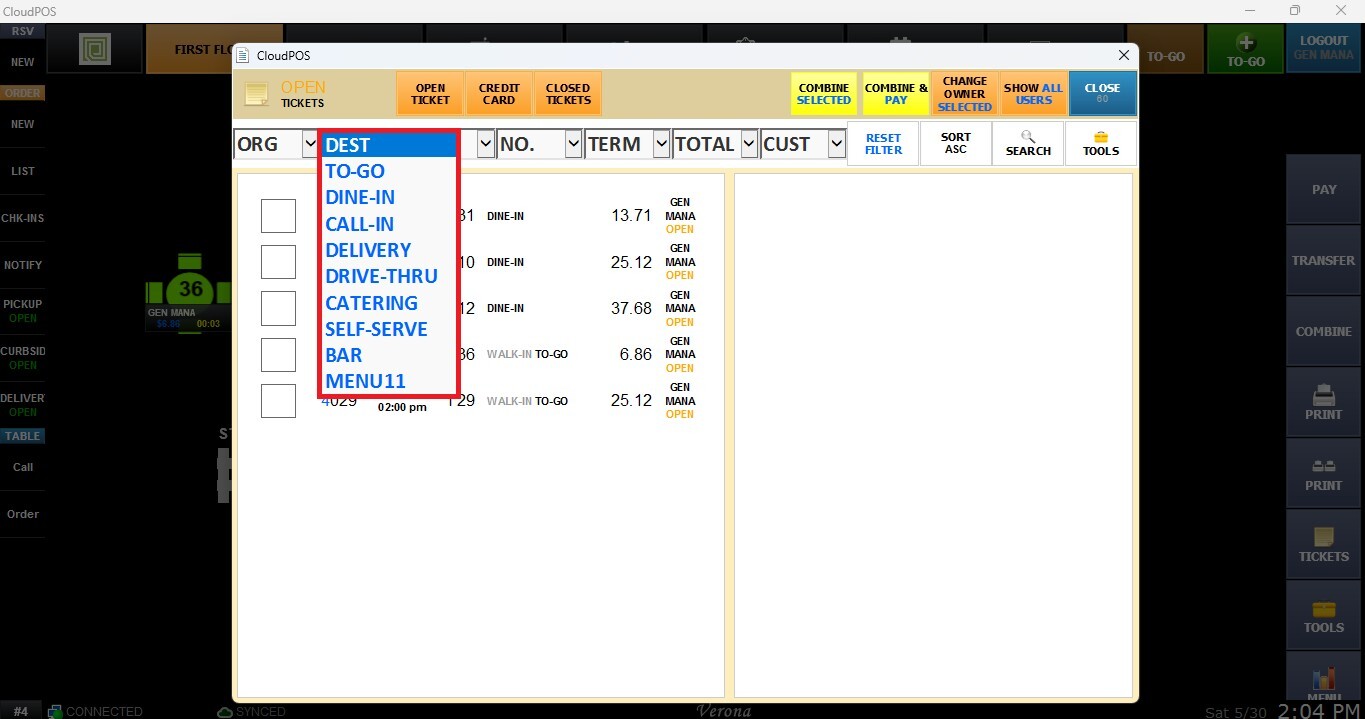
For more information about creating or configuring Origination/Destination options, please review org/dest Settings
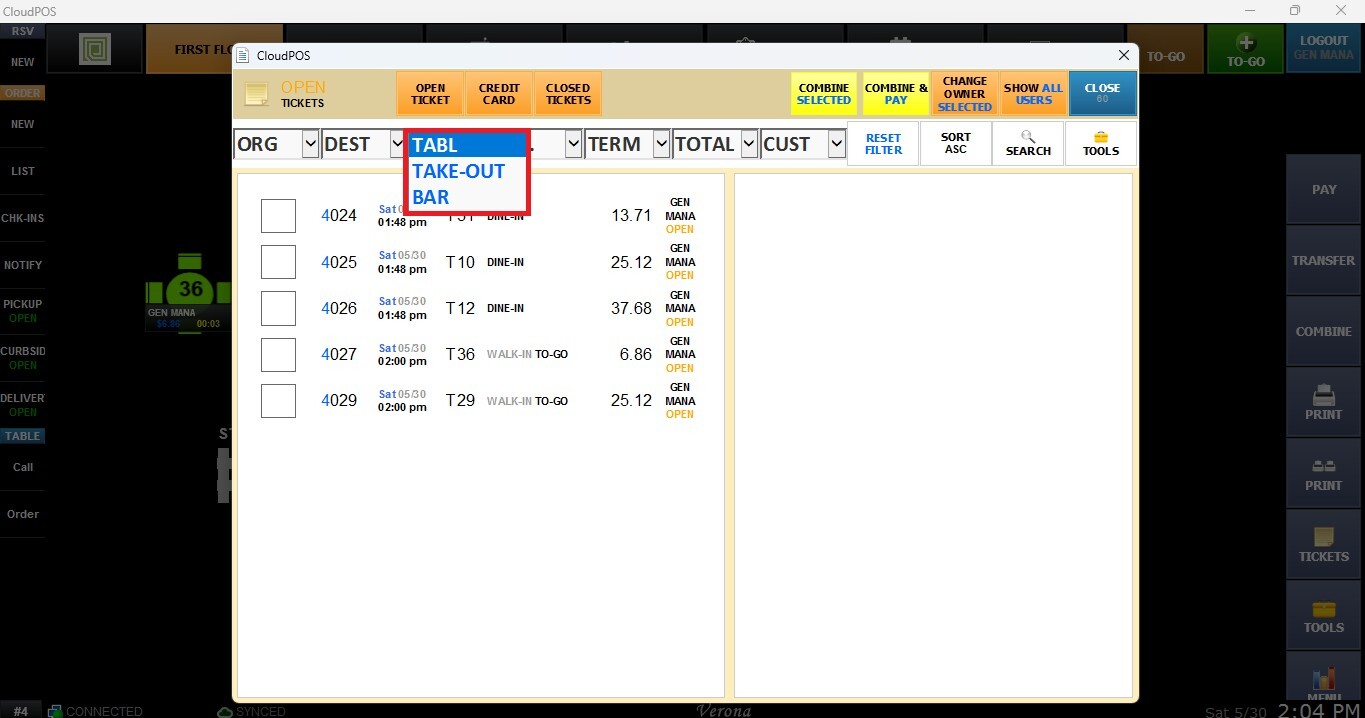
TABL
Filters tickets by location type, such as Bar, Take-out, or Table transactions.
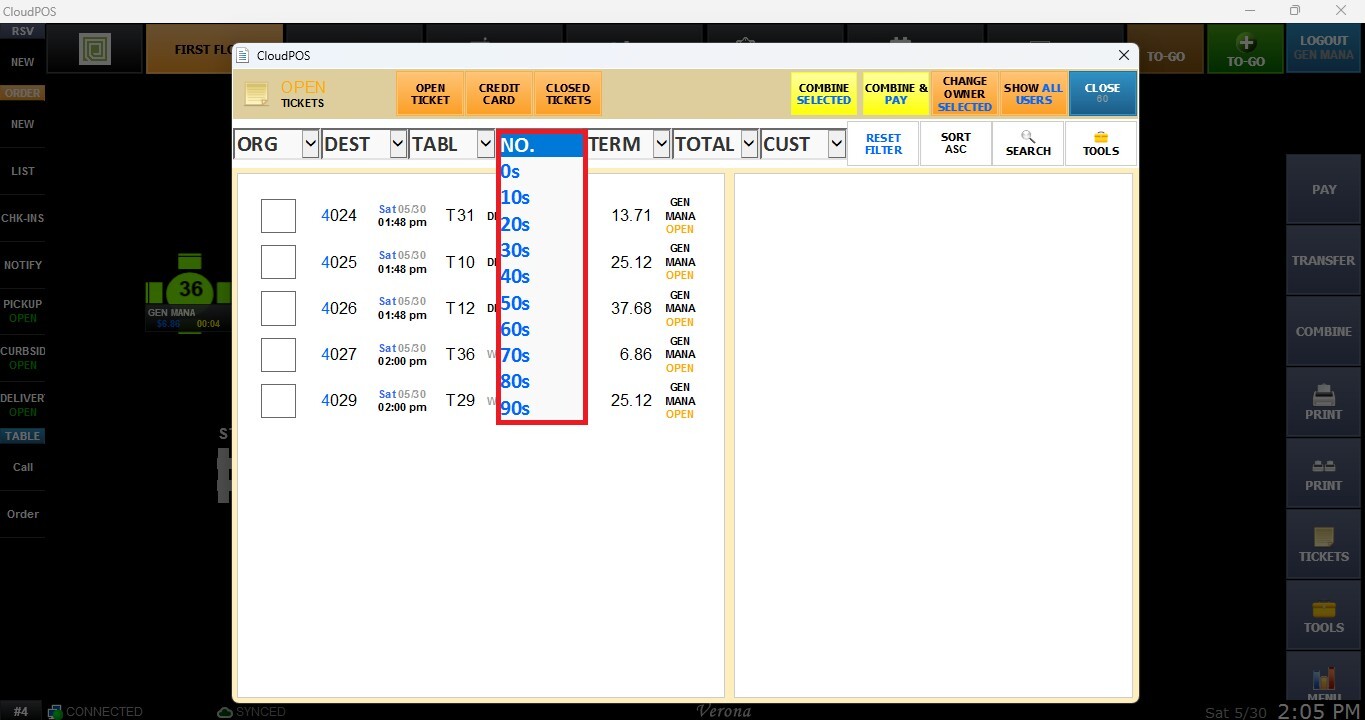
NO.
Filters tickets by ticket number ranges, allowing users to quickly locate specific groups of ticket numbers.
USER
If you want to filter tickets assigned to a specific employee or user, click SHOW ALL USERS to enable the USER filter.
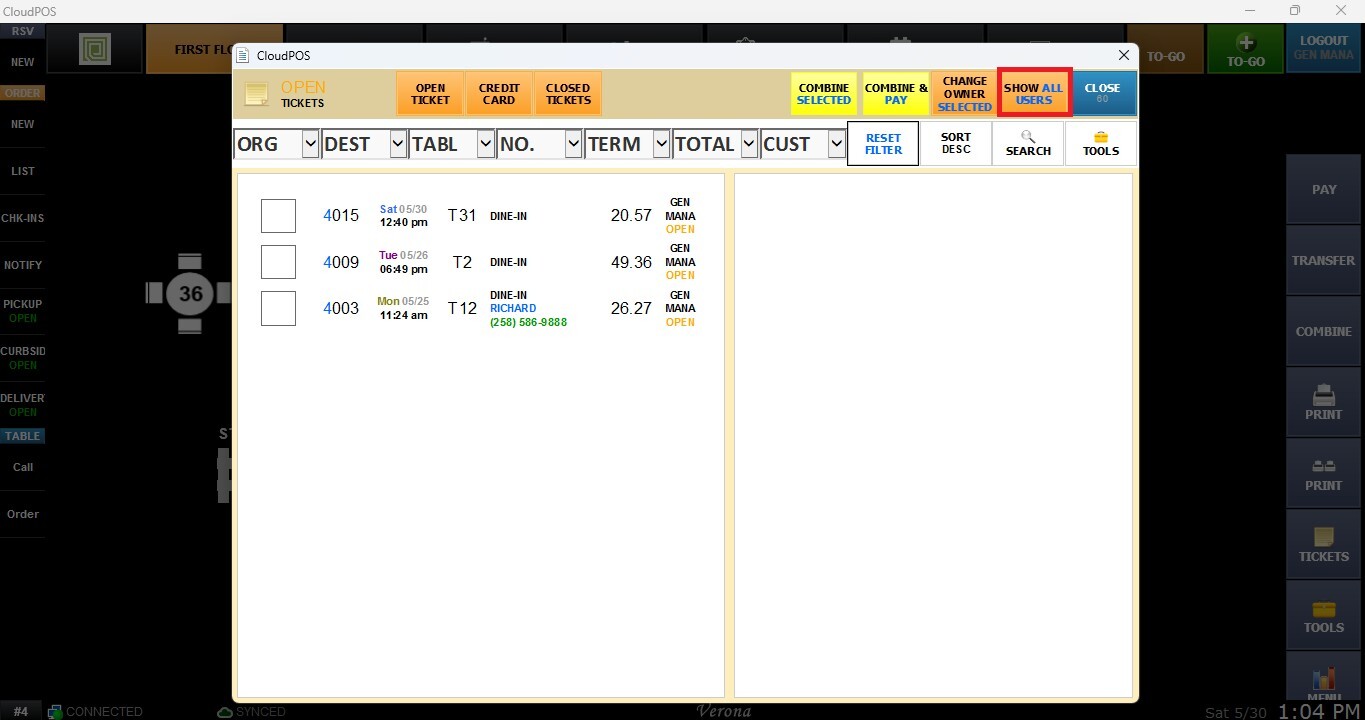
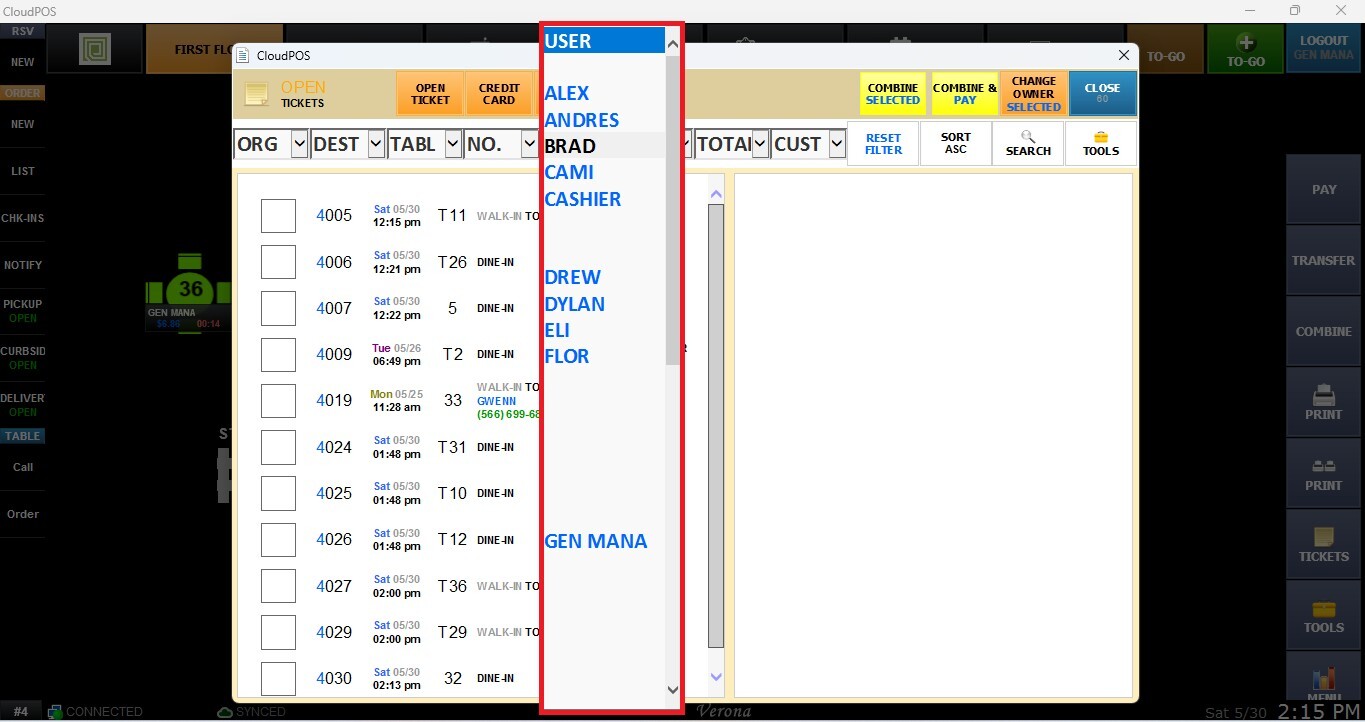
For more information about the ticket management tools, please review this Link.
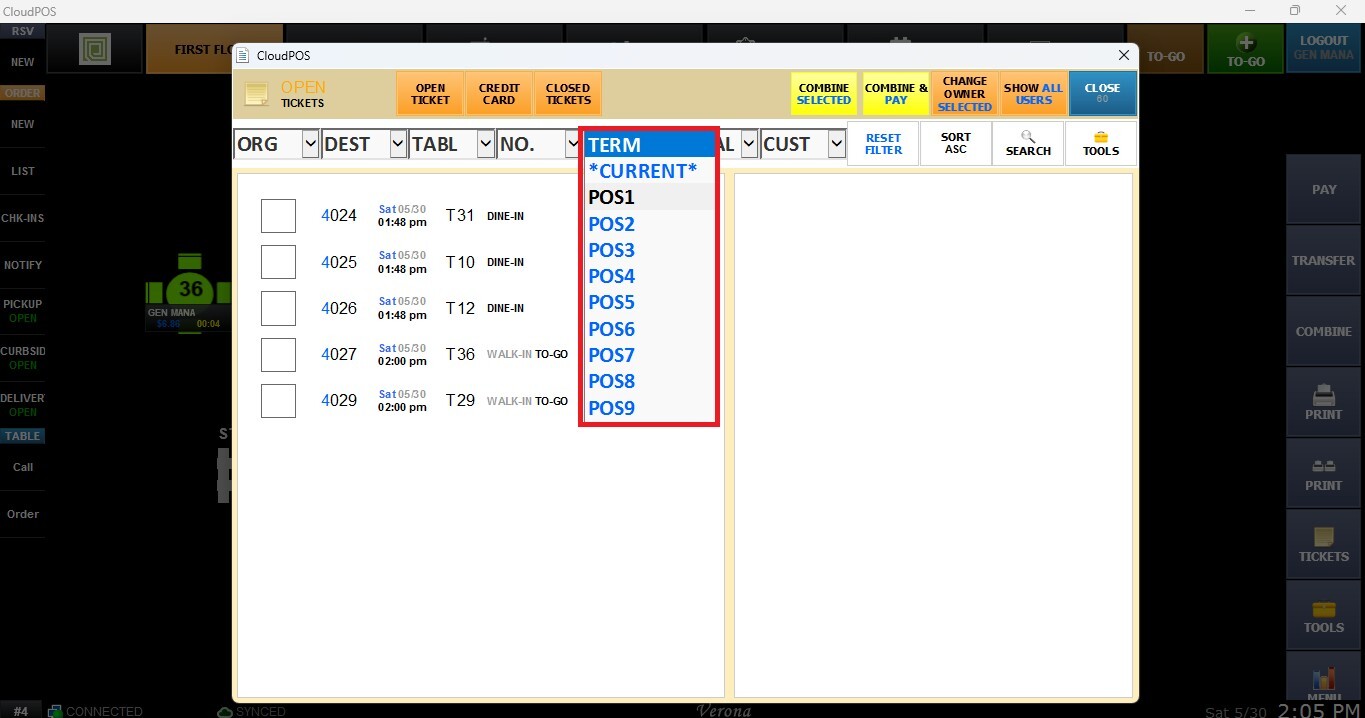
TERM (Terminal)
Filters tickets by the POS terminal where the transaction was created.
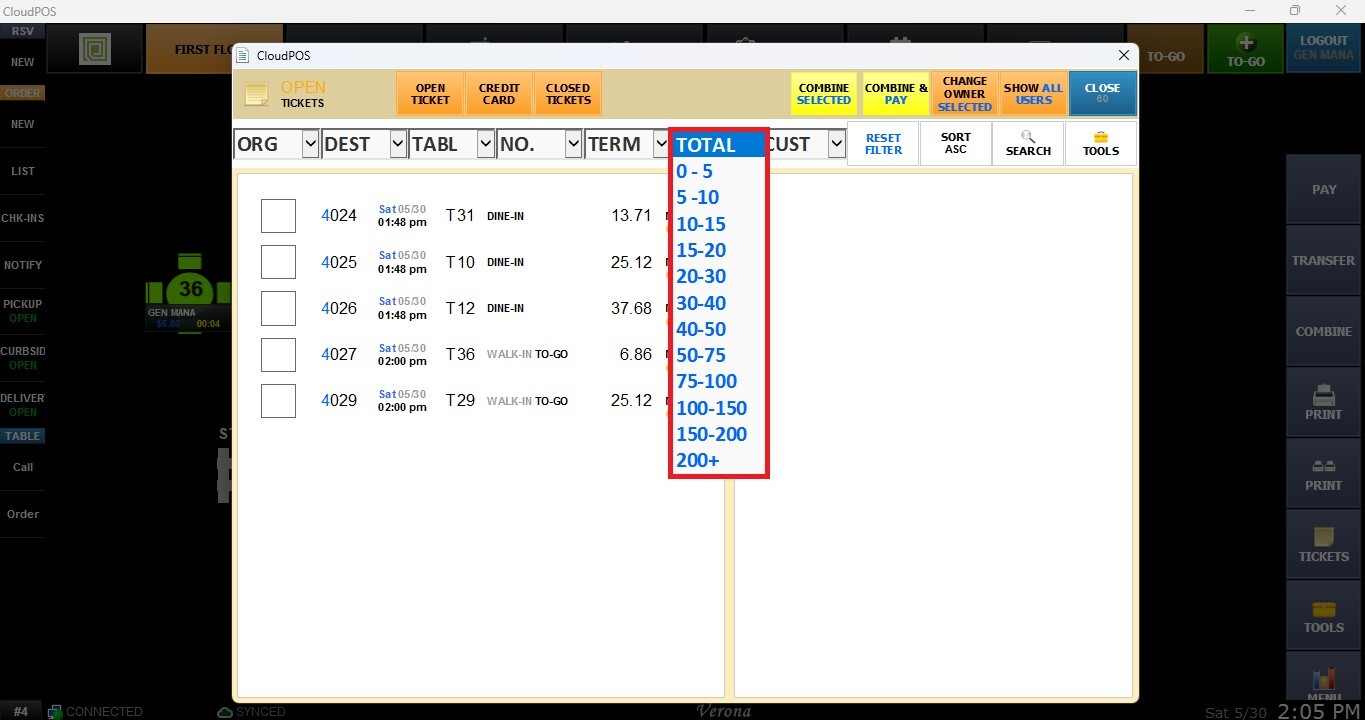
TOTAL
Filters tickets based on the total balance or transaction amount.
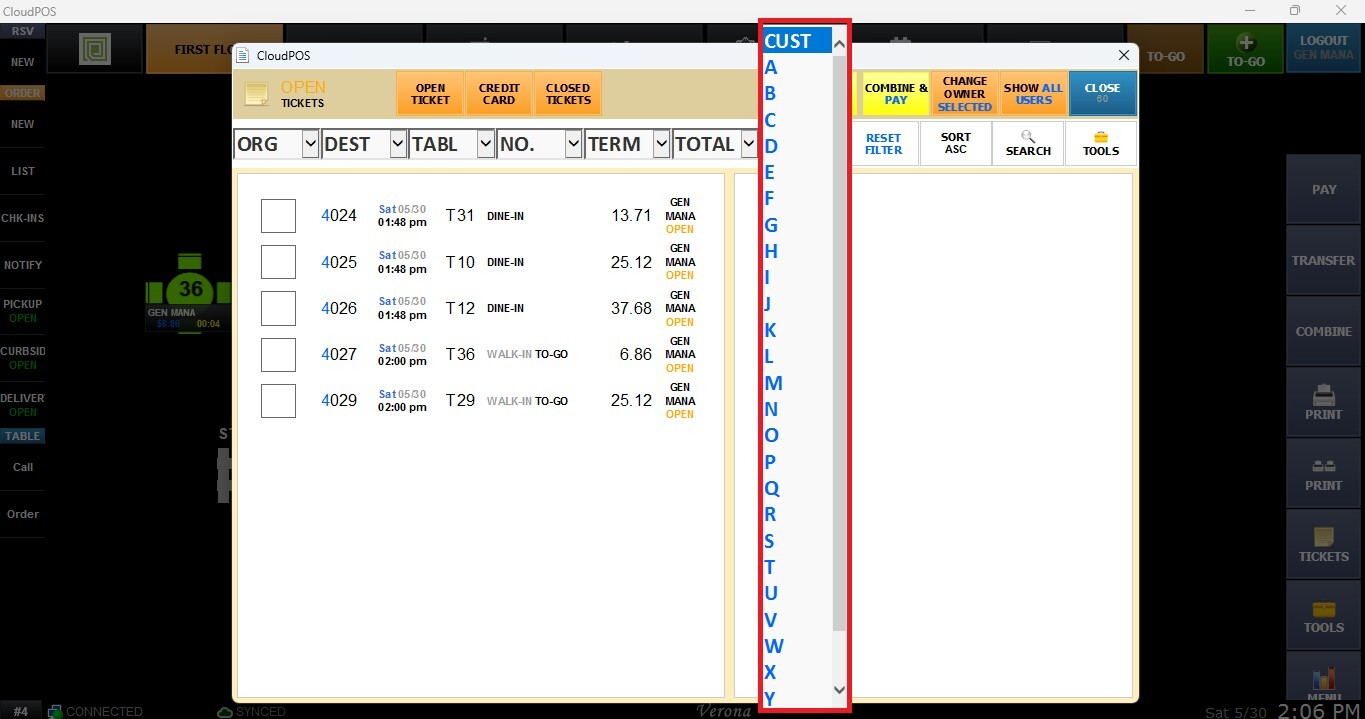
CUST
Displays tickets based on customer name. Select a letter to show customers whose names begin with that letter.
Reset Filter
Clears all active filters and returns the Ticket List to its default view.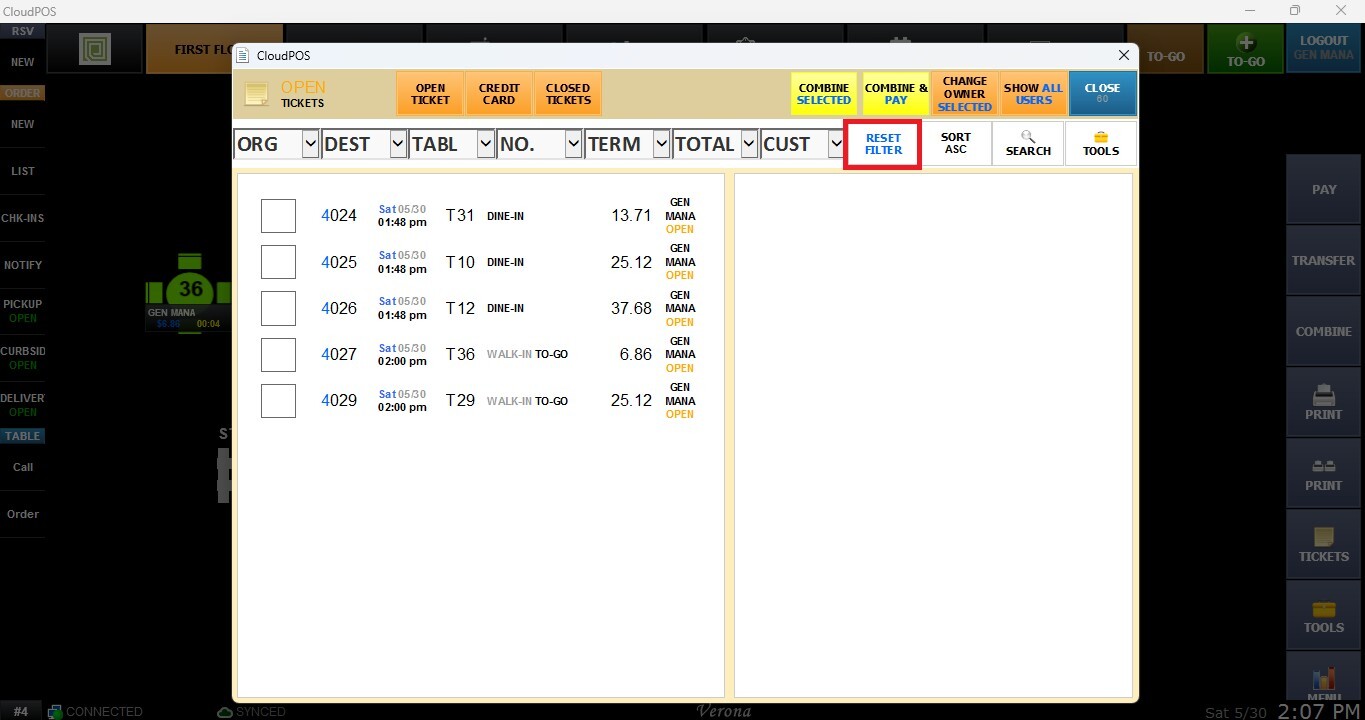
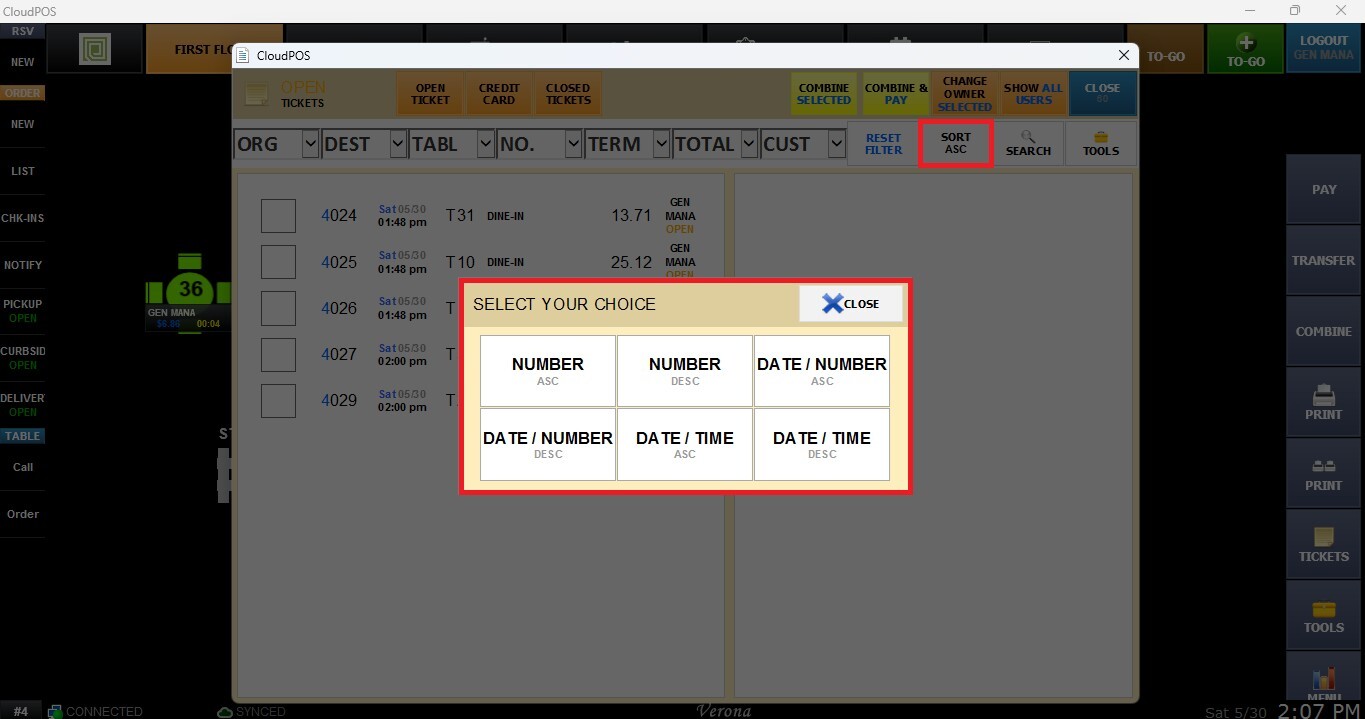
Sort
Opens a sorting options window allowing users to organize tickets using the following methods: Number Ascending-Descending, Date/Number Ascending-Descending, Date/Time Ascending- Descending.
Search
Opens a search window where users can select a search criteria and enter the desired value. The available search criteria include: Ticket #, Ticket Total, Card #, Card Amount, Customer Name, Employee Name, and Table Tag.
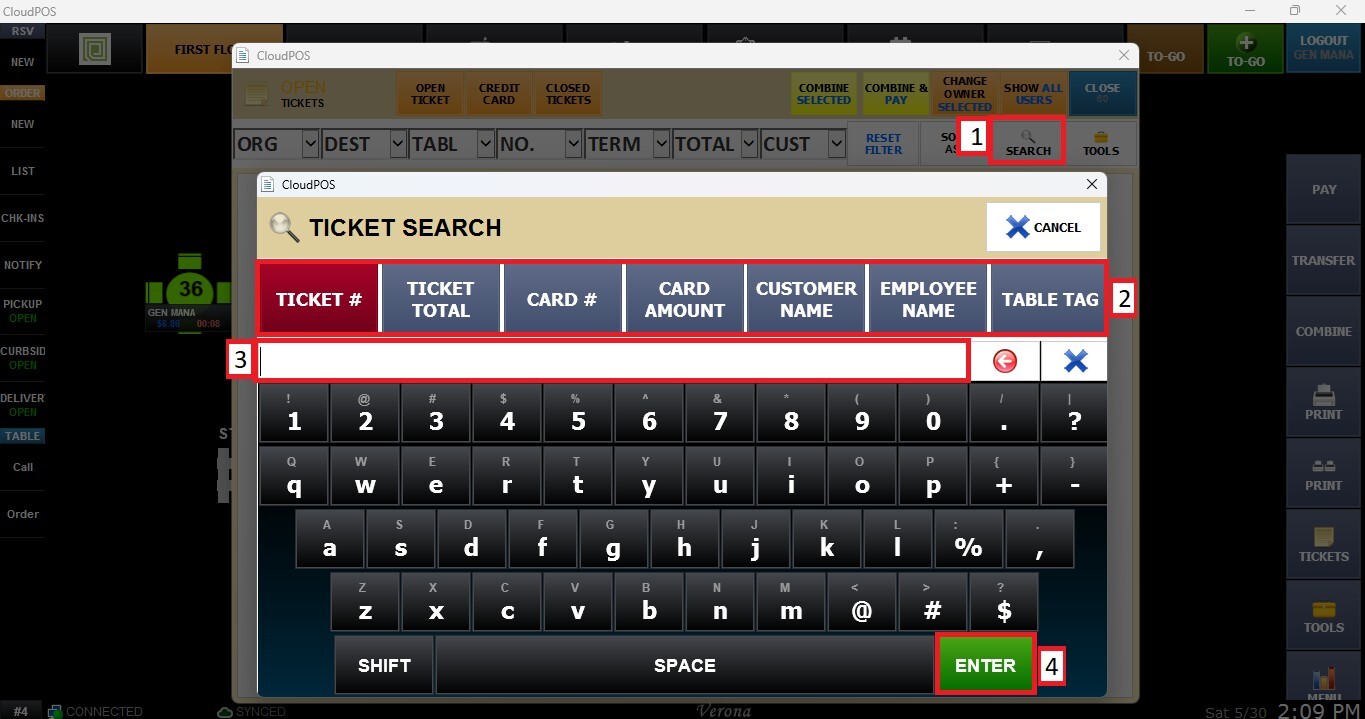
After selecting the search criteria, enter the desired value and press ENTER to perform the action.
Result:
The Ticket List will update automatically and display only the tickets matching the selected filters, sorting options, or search criteria.