Quick Sale
The Quick Sale feature allows staff to quickly process counter, takeout, and other non-table transactions without assigning the order to a table. It provides a streamlined ordering experience while maintaining access to the same menu, modifiers, and payment options available in Table Ordering.
Accessing the Quick Sale Screen
From the Home Screen, tap the Quick Sale button (lightning icon).
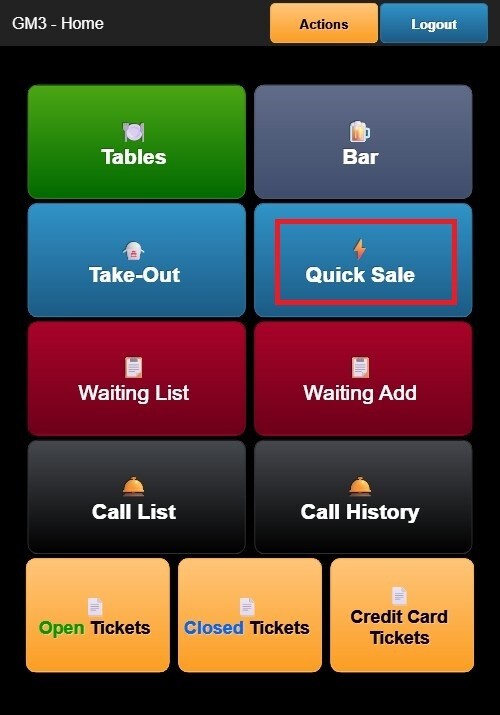
The Quick Sale screen opens a new ticket with QUICK SALE displayed in the header.
The screen layout is similar to the Table Ordering interface:
- Left Panel: Displays the current order, including item quantities, descriptions, and prices.
- Right Panel: Displays menu categories and items available for ordering.
The header includes:
- Register identifier
- QUICK SALE label
- Order number
- Date and time
Note: Since Quick Sales are not associated with dine-in service, no table assignment or guest count is displayed.
Creating a Quick Sale Order
Select a menu category from the right panel, tap an item to add it to the order. If the selected item includes modifiers, complete the modifier selection before adding it to the order.
As items are added:
- The order list updates automatically.
- Item quantities, descriptions, and prices are displayed.
- The Subtotal, Tax, and Total are recalculated in real time.
Completing a Quick Sale
Once the order is complete, use the available action buttons:
- Print (Red): Prints the order ticket.
- Order (Blue): Returns to the ordering screen to continue adding items.
- Pay (Green): Opens the Payment Options screen to complete the transaction.
Review the Payment Options Guide to learn how to complete the transaction.
The payment workflow is the same as Table Ordering, allowing you to:
- Select a payment method.
- Collect tips (if enabled).
- Capture a customer signature (when applicable).
- Print or send the receipt after payment.
This allows Quick Sale transactions to be completed efficiently while providing the same payment functionality available for dine-in orders.