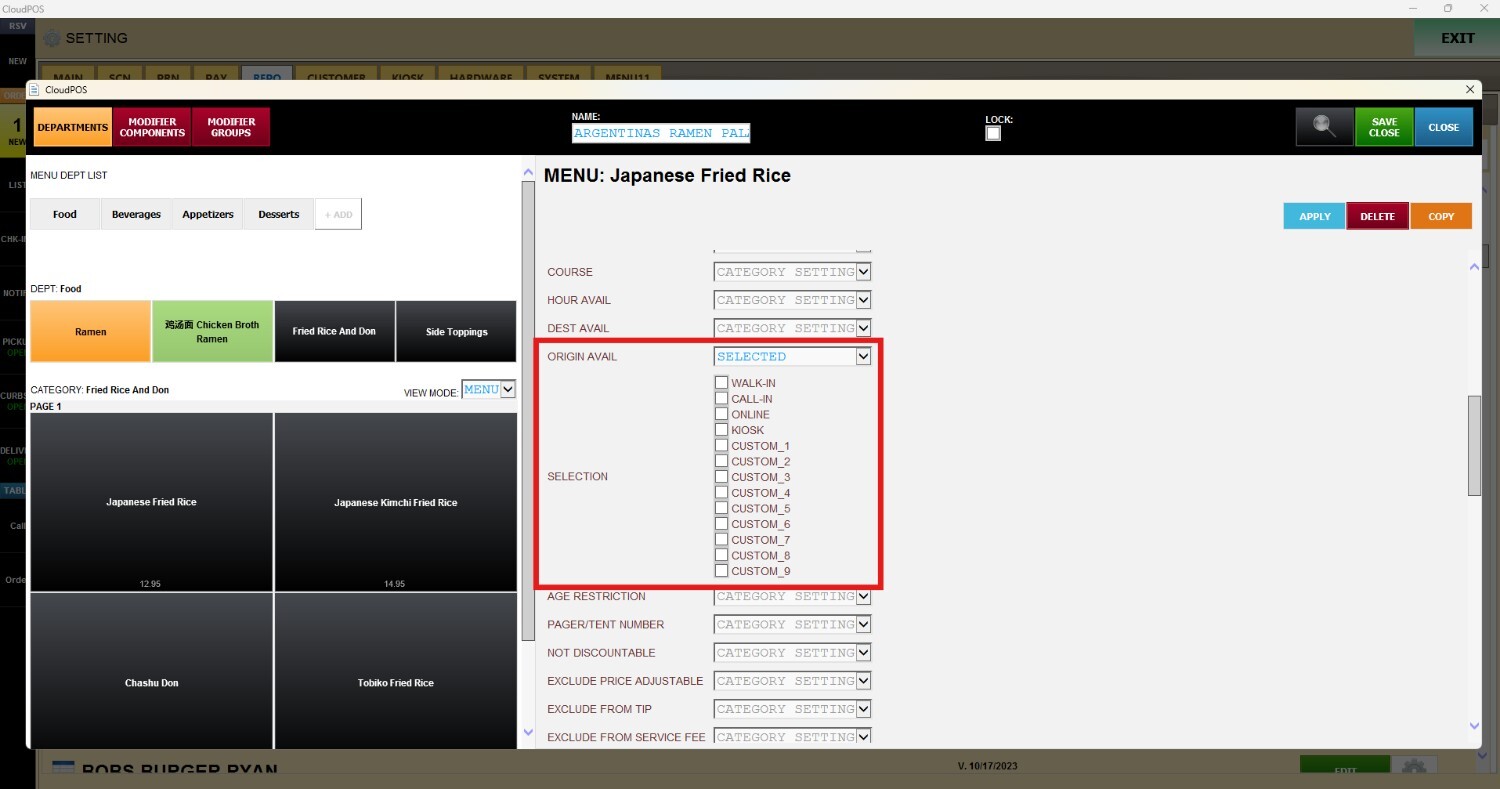
Destination/ Origin Availabilities
These settings determine where individual items are displayed throughout the system, as well as which ordering channels can access them. By controlling both destination and origination availability at the item level, businesses can ensure products appear only on the appropriate platforms and ordering workflows, creating a more organized and controlled menu experience.
Main Screen> MENU > SETTING > REPOSITORY > EDIT > ITEM > DESTINATION/ORIGIN AVAILABILITIES
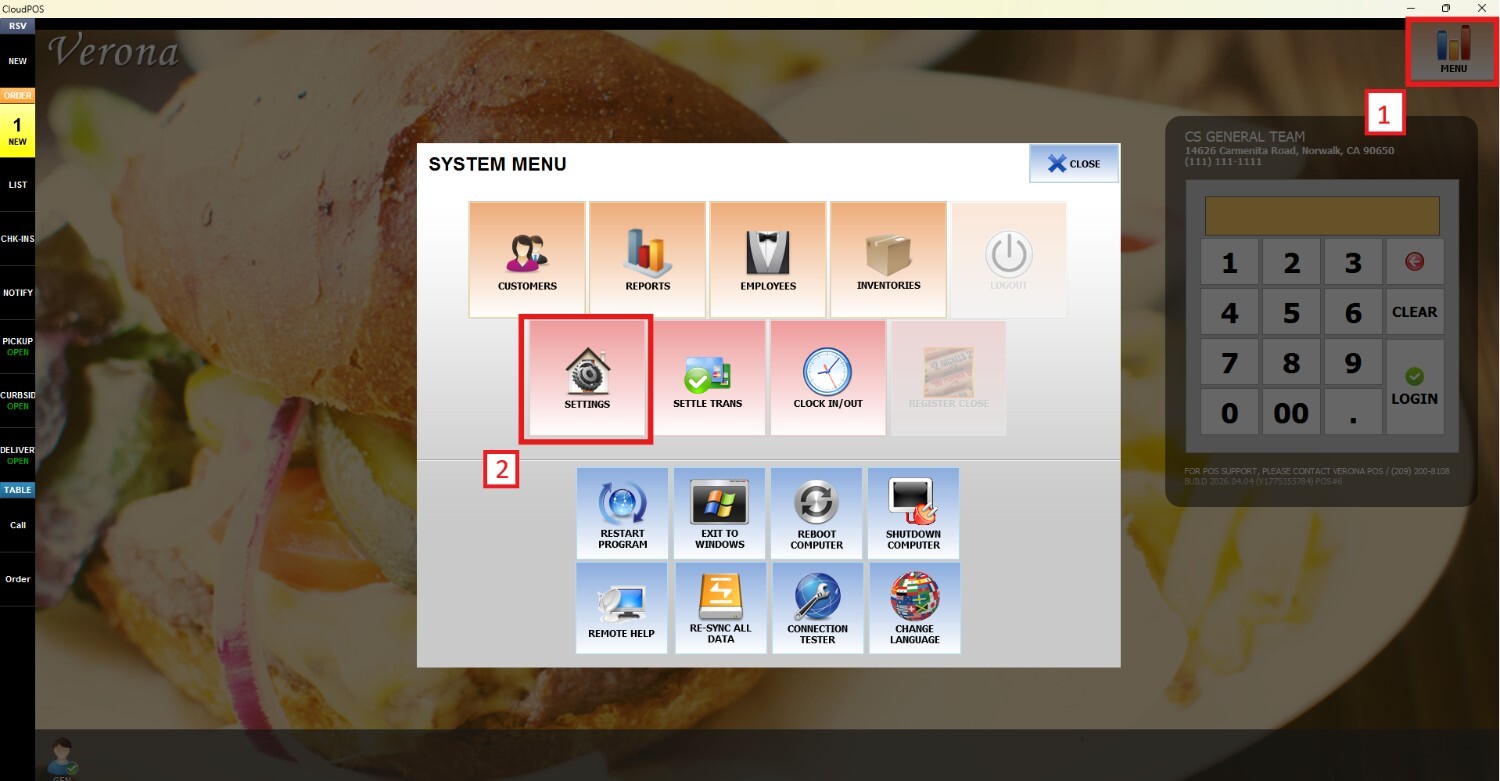
Go to MENU and press SETTINGS
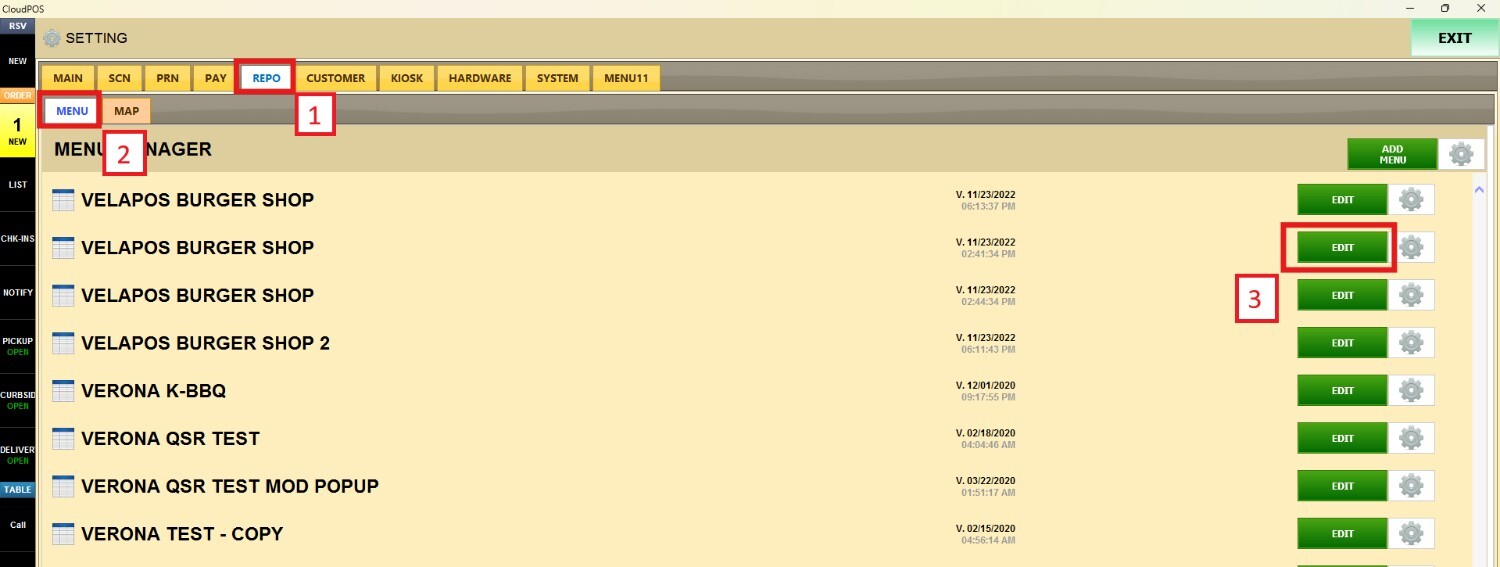
Open the REPO tab, click MENU to locate your menu and press EDIT
DESTINATION AVAILABILITIES
Scroll down until you find the DESTINATION AVAILABILITIES and check the corresponding boxes to define which destinations will be enabled for the selected item. 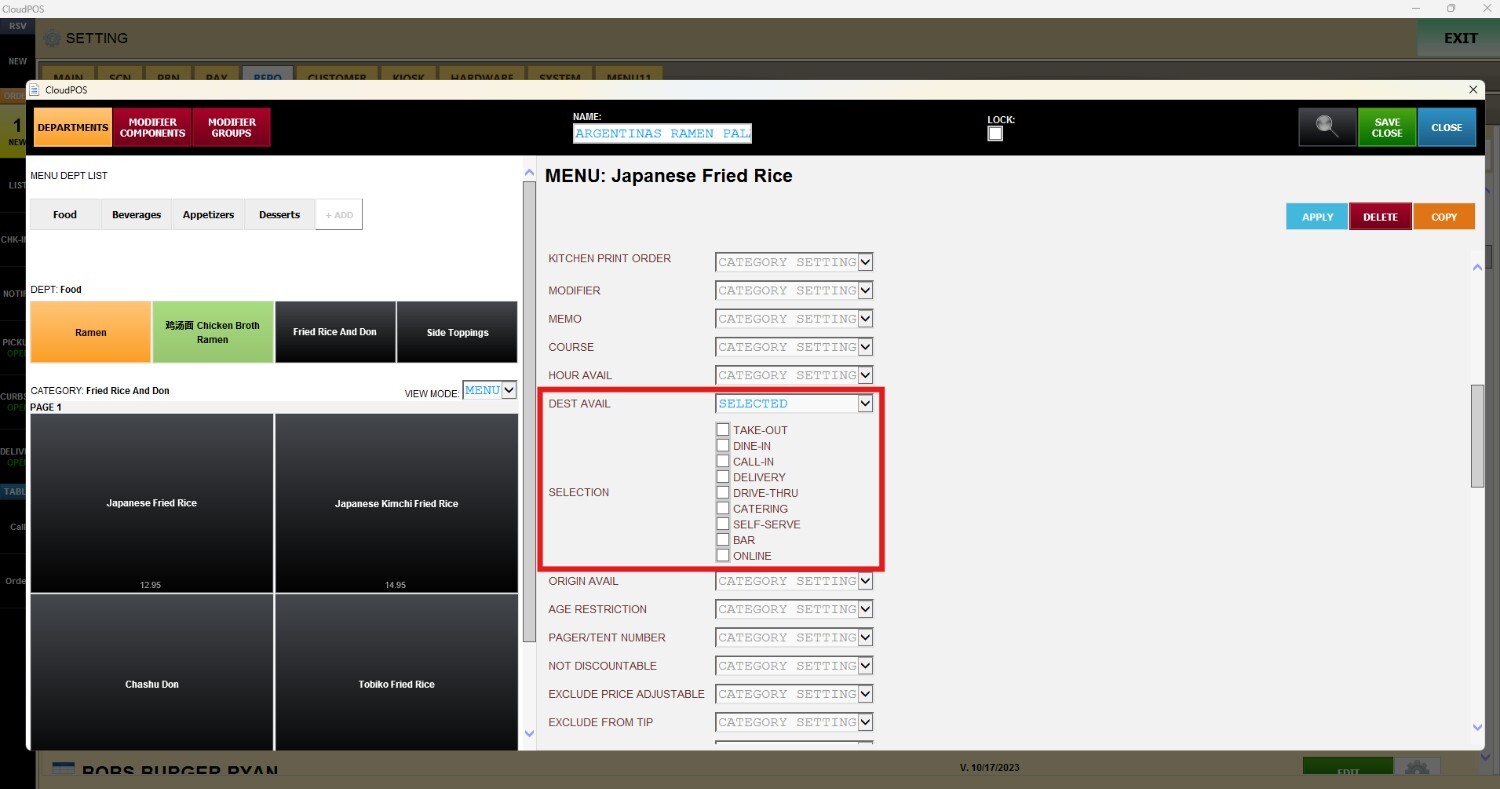
If an item is ordered from a destination that is not enabled in the configured settings, an error message will appear, and the item will not be available to be rung up or processed
.png)
ORIGINATION AVAILABILITY
Scroll down until you find the ORIGIN AVAILABILITIES and check the corresponding boxes to define which originations will be enabled for the selected item.