Scroll Bar
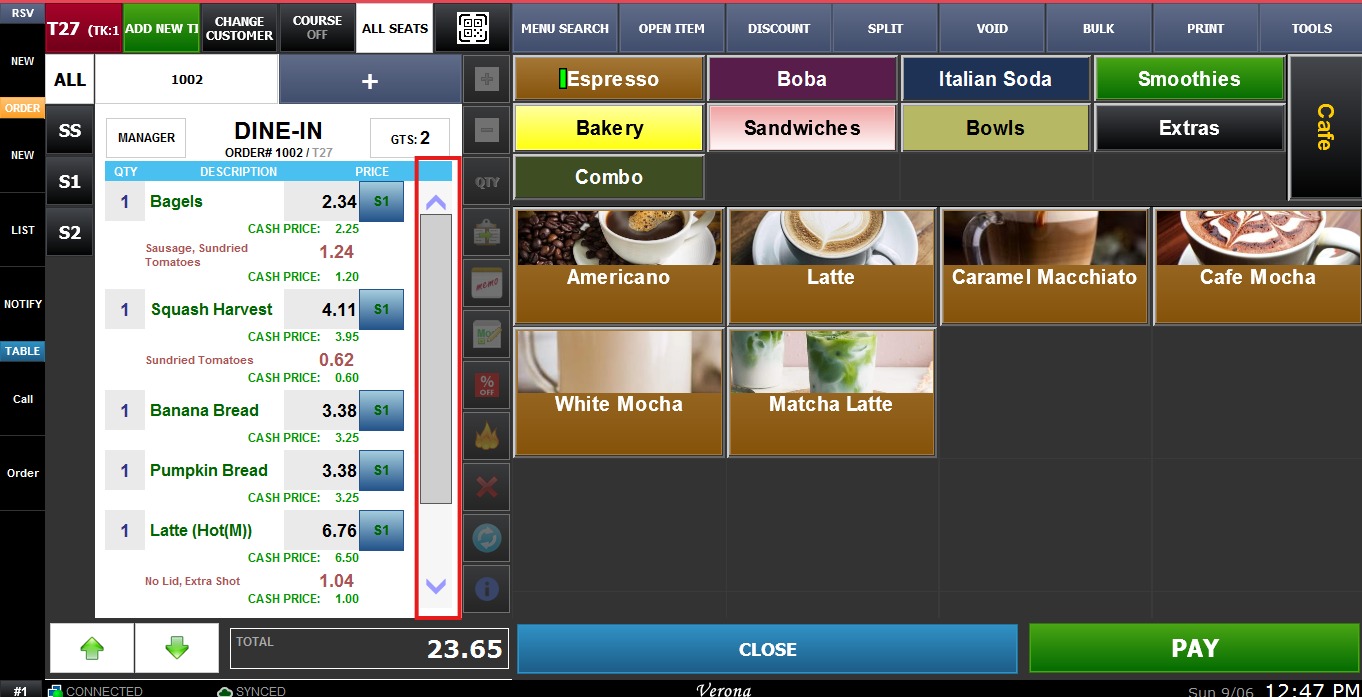
Ticket Scroll Bar option enables the side scroll bar if there are more items have been rung-up then the screen can show.
MENU > SETTINGS > MAIN > SALES > ORDERING > TICKET > SCROLL BAR
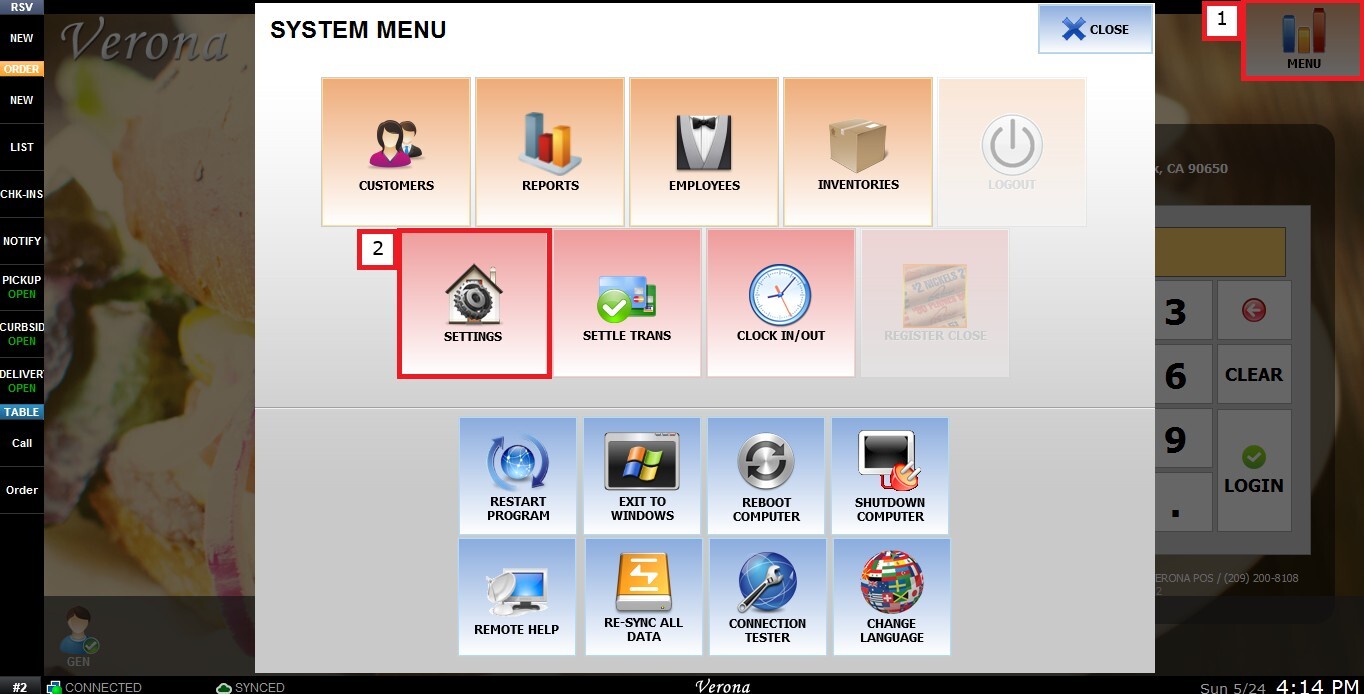
From the Main Screen, click MENU, then select SETTINGS.
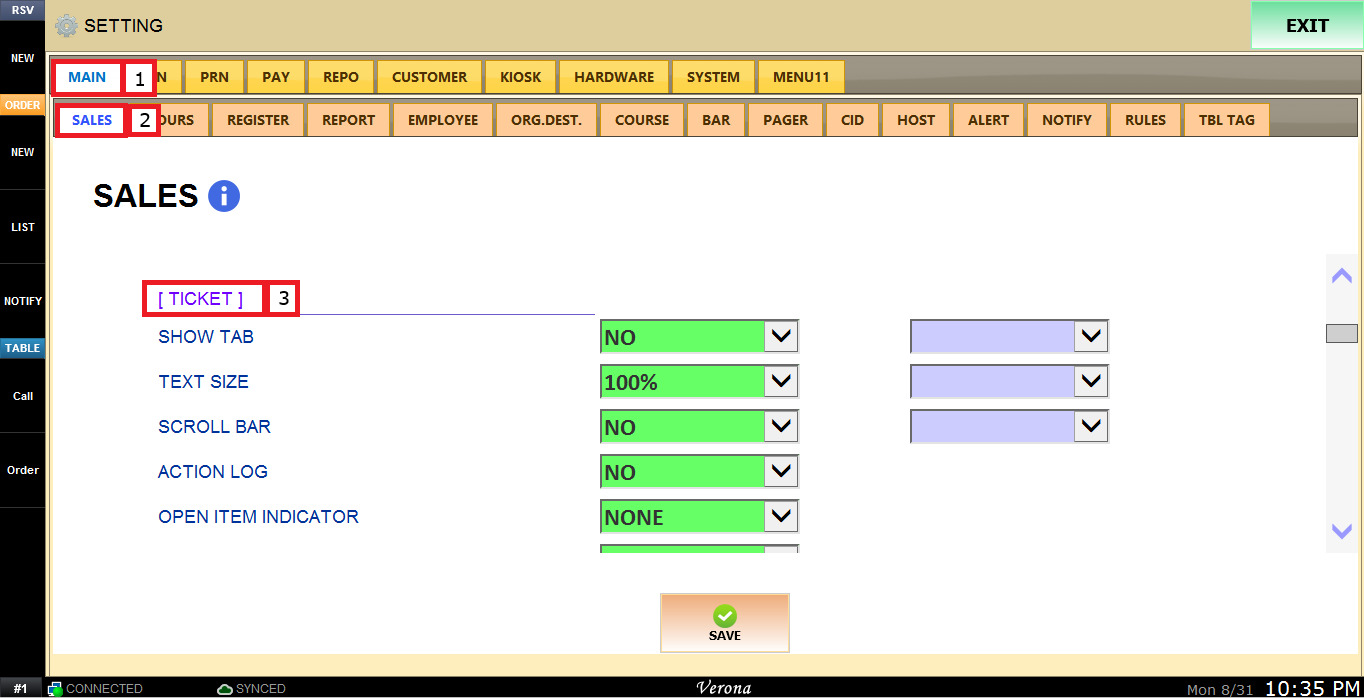
Under MAIN, select SALES, and in the TICKET section.
The SCROLL BAR dropdown menu has the following options:
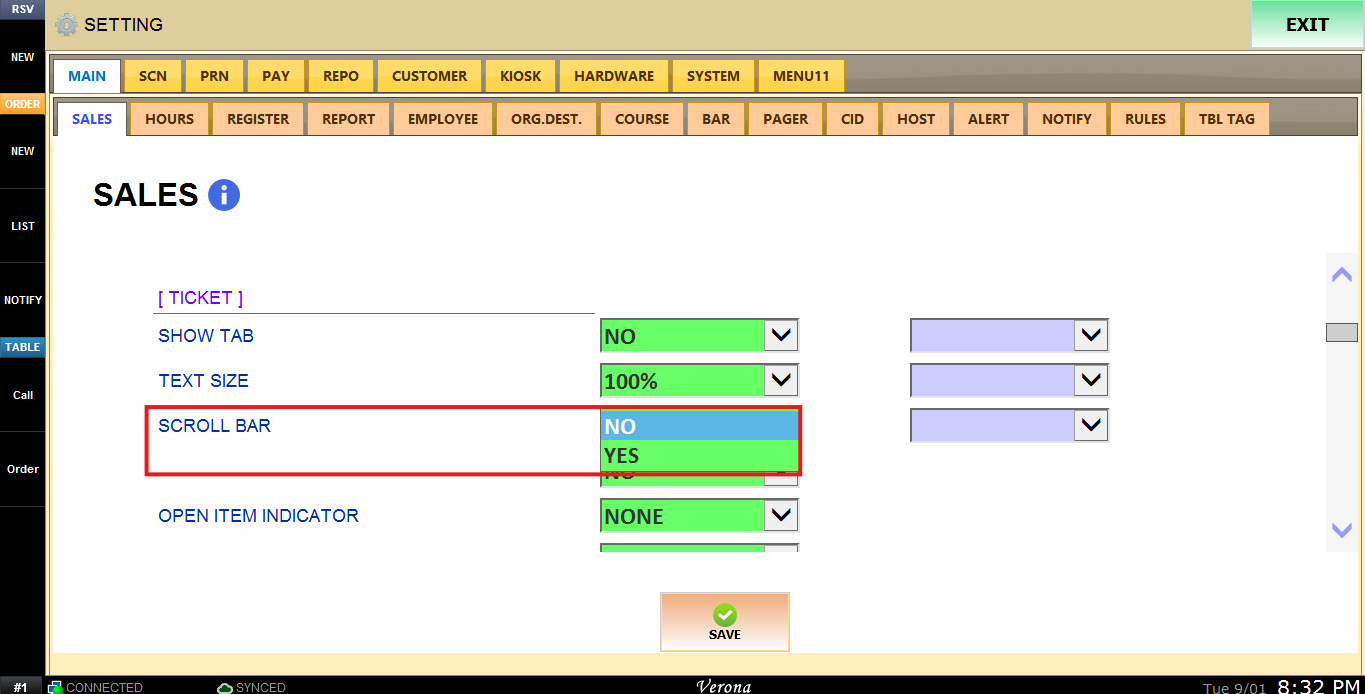
1. NO: Disables the ticket scroll bar.
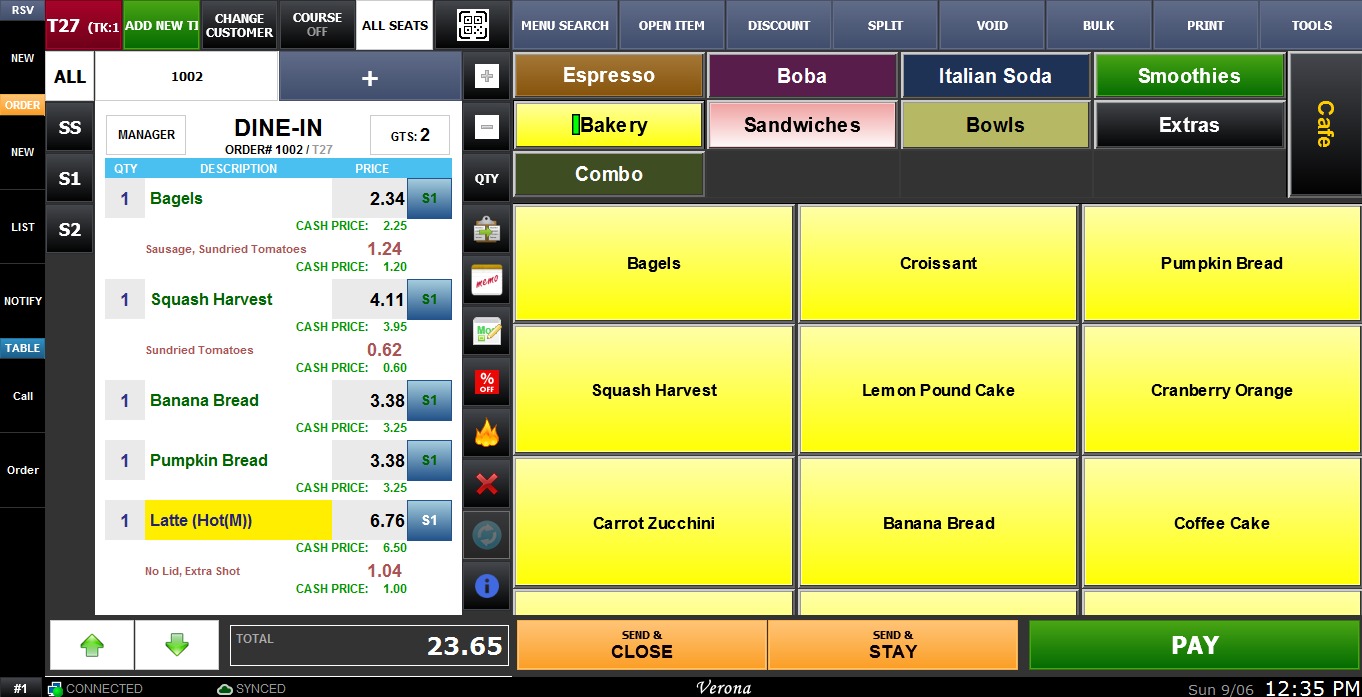
Hint: Even if the ticket scroll bar is disabled, the ticket navigation buttons (arrow buttons in the bottom left corner) can still be used to scroll up and down a long ticket.
2. YES: Enables the ticket scroll bar.
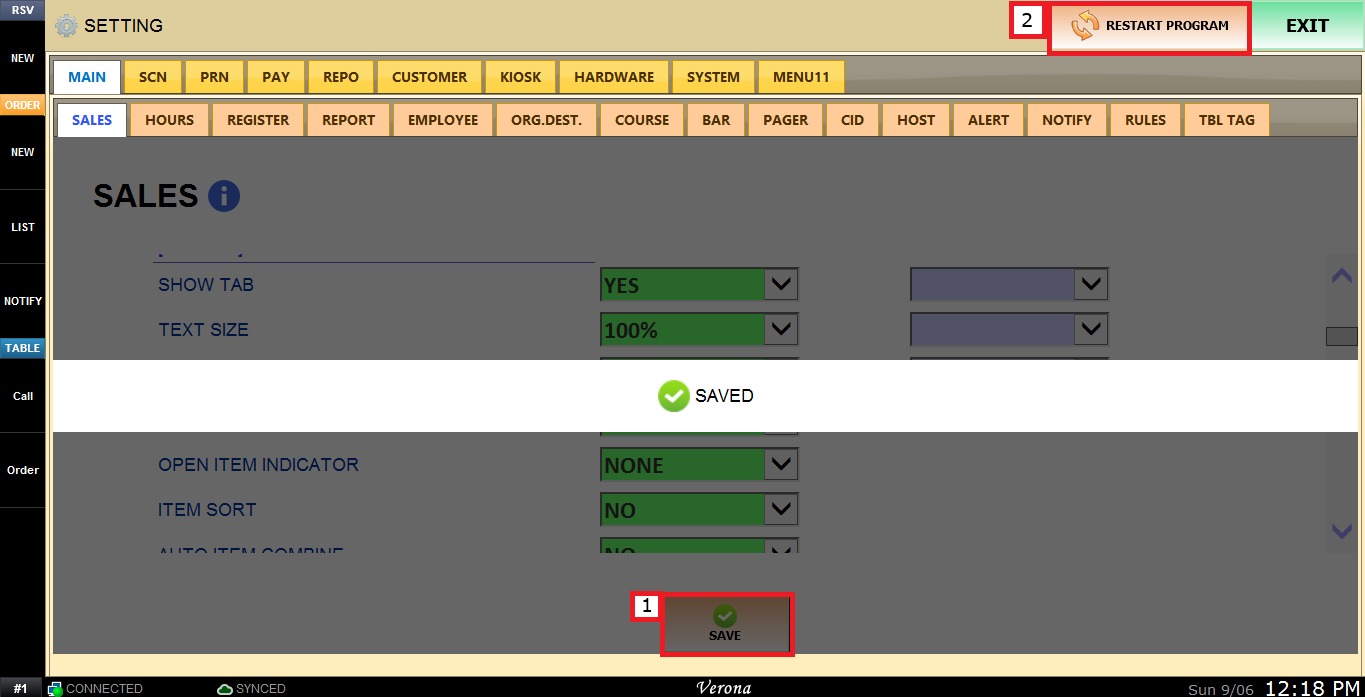
To keep the desired configuration, click SAVE and RESTART PROGRAM.