Basic
The Basic settings of the kiosk set the code used to exit the kiosk screen and whether the kiosk uses a controller.
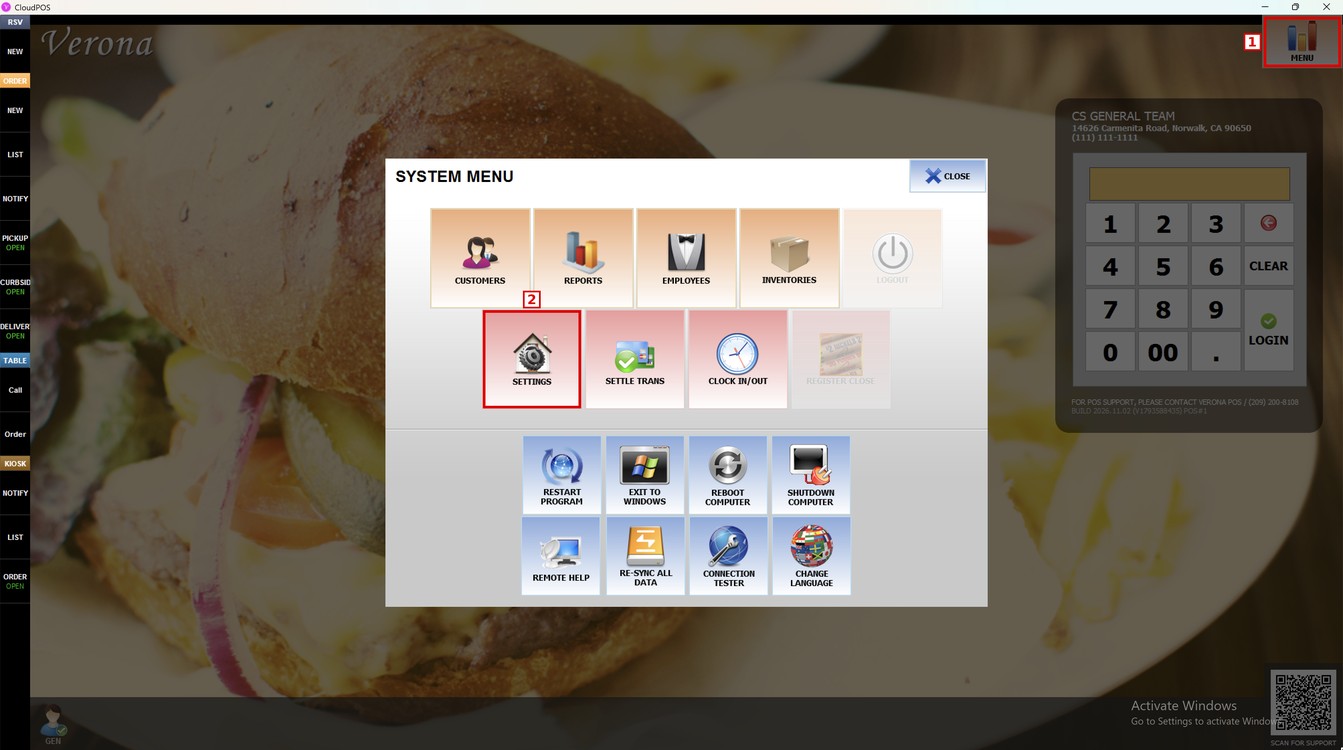
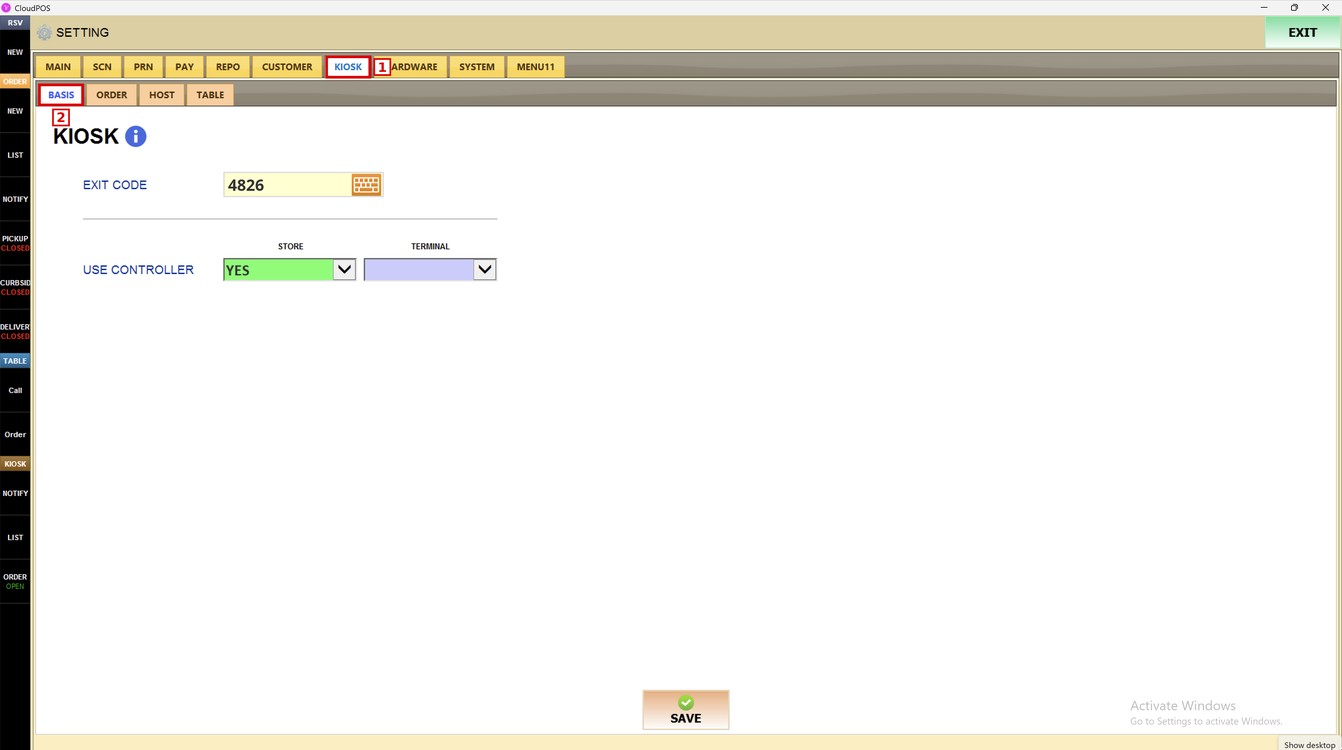
Main Screen> MENU> SETTINGS> KIOSK> BASIS
Go to MENU and press SETTINGS.
Open the KIOSK tab and press BASIS.
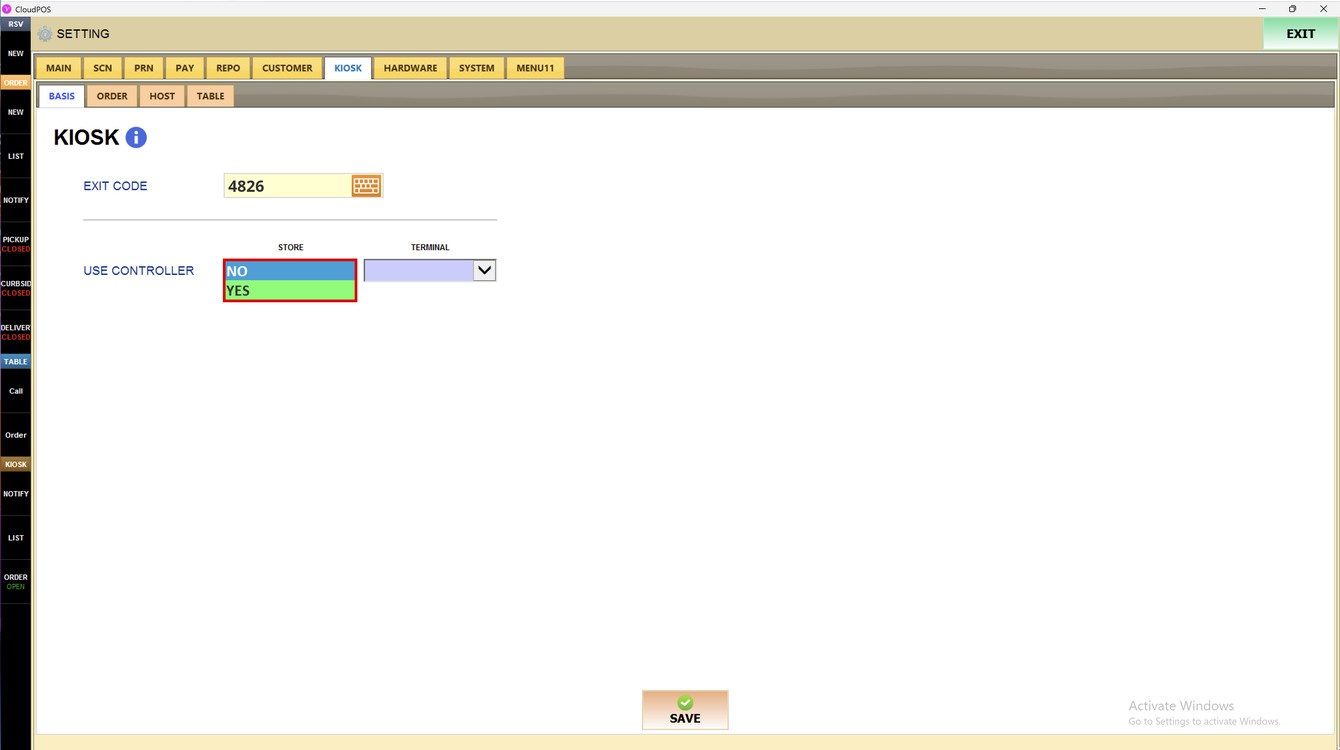
Exit Code:
Enter the code needed to exit the kiosk screen. Press the keyboard icon to type it.
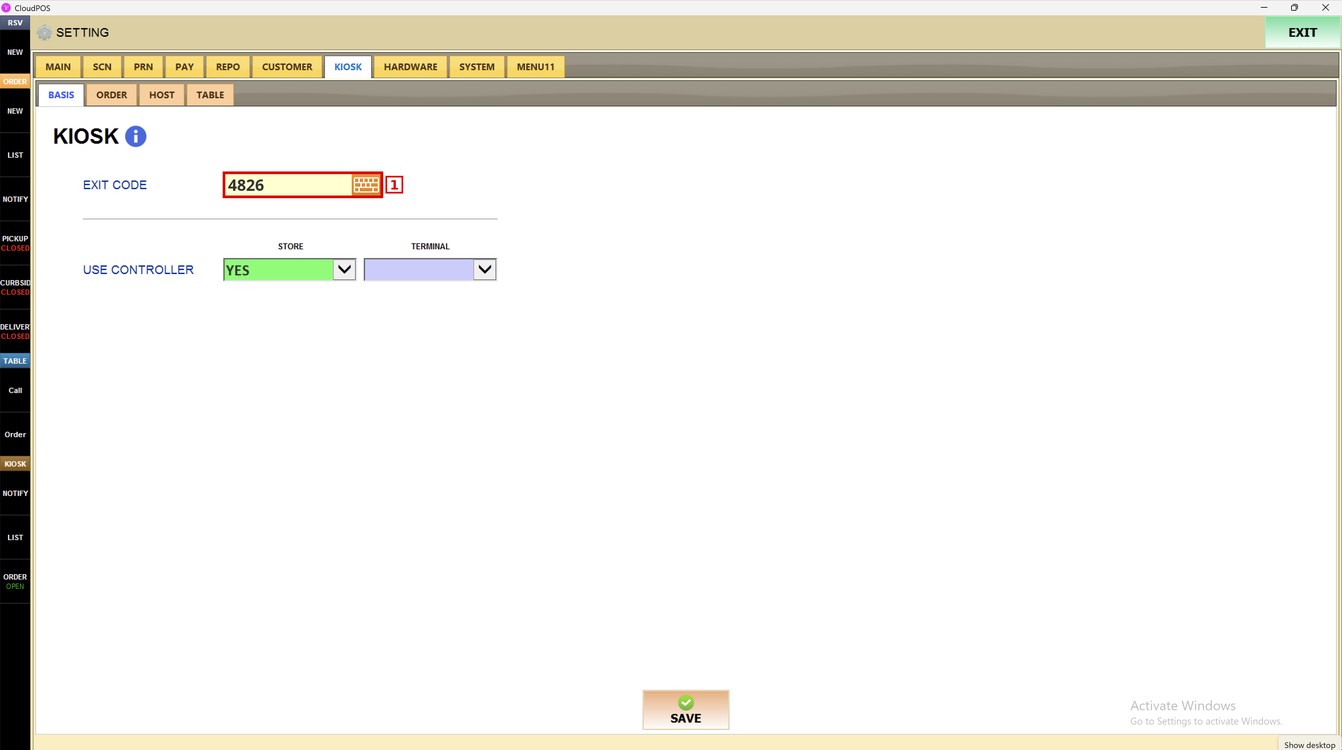
Hint: Use a code that only managers know, so customers cannot close the kiosk.
Store and Terminal:
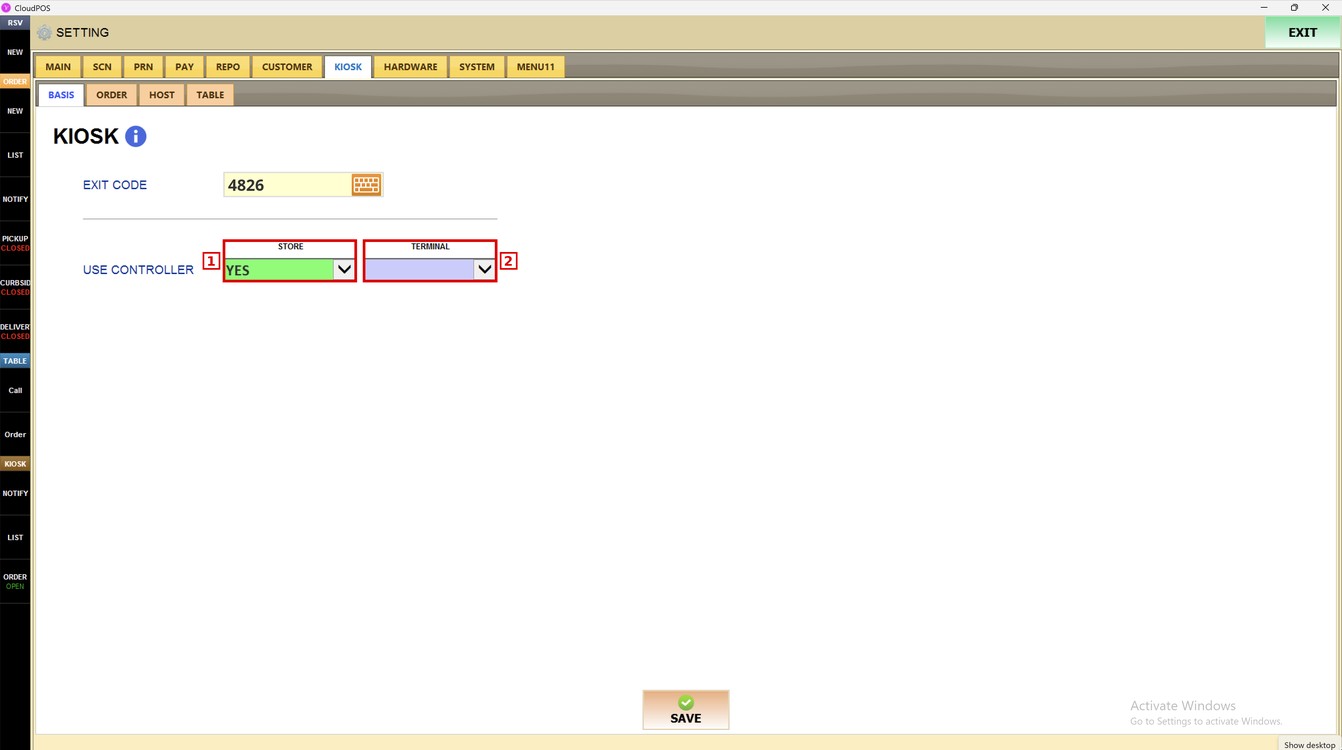
The USE CONTROLLER setting has two columns.
1. STORE: the setting used by all the kiosks of the store.
2. TERMINAL: the setting used only by this kiosk. Leave it empty to use the store setting.
Use Controller:
Sets whether the kiosk uses a controller.
1. NO: the kiosk does not use a controller.
2. YES: the kiosk uses a controller.
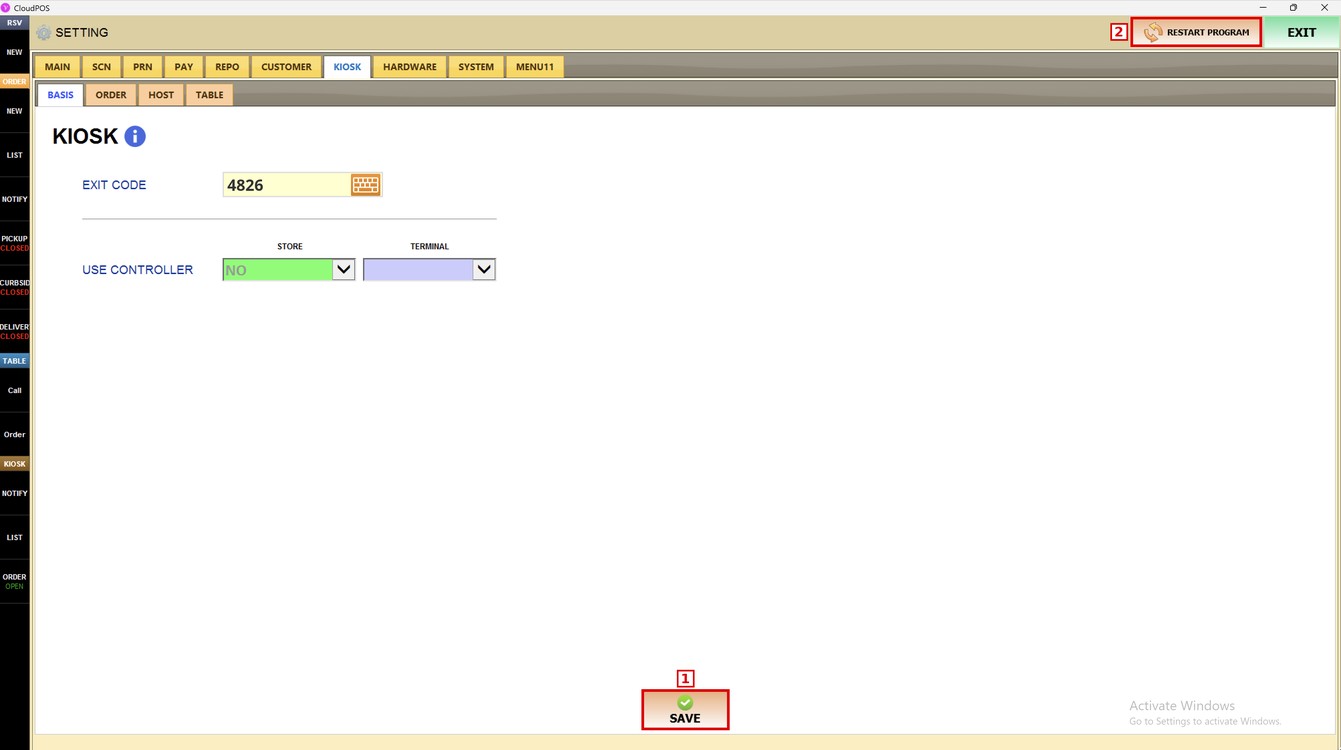
Press SAVE and then RESTART PROGRAM to apply the changes.
To learn how to set what customers can do when they order at the kiosk, please refer to the Features Guide.