Payout
This function allows users to process and record different types of cash payouts directly from the Table Screen. This feature helps businesses properly track operational cash movements and maintain accurate drawer activity throughout daily operations. Users can also create and customize payout types, including assigning their own payout names to match specific business needs and operational workflows.
Main Screen > Number Pad > Sales Screen > TOOLS > PAYOUT
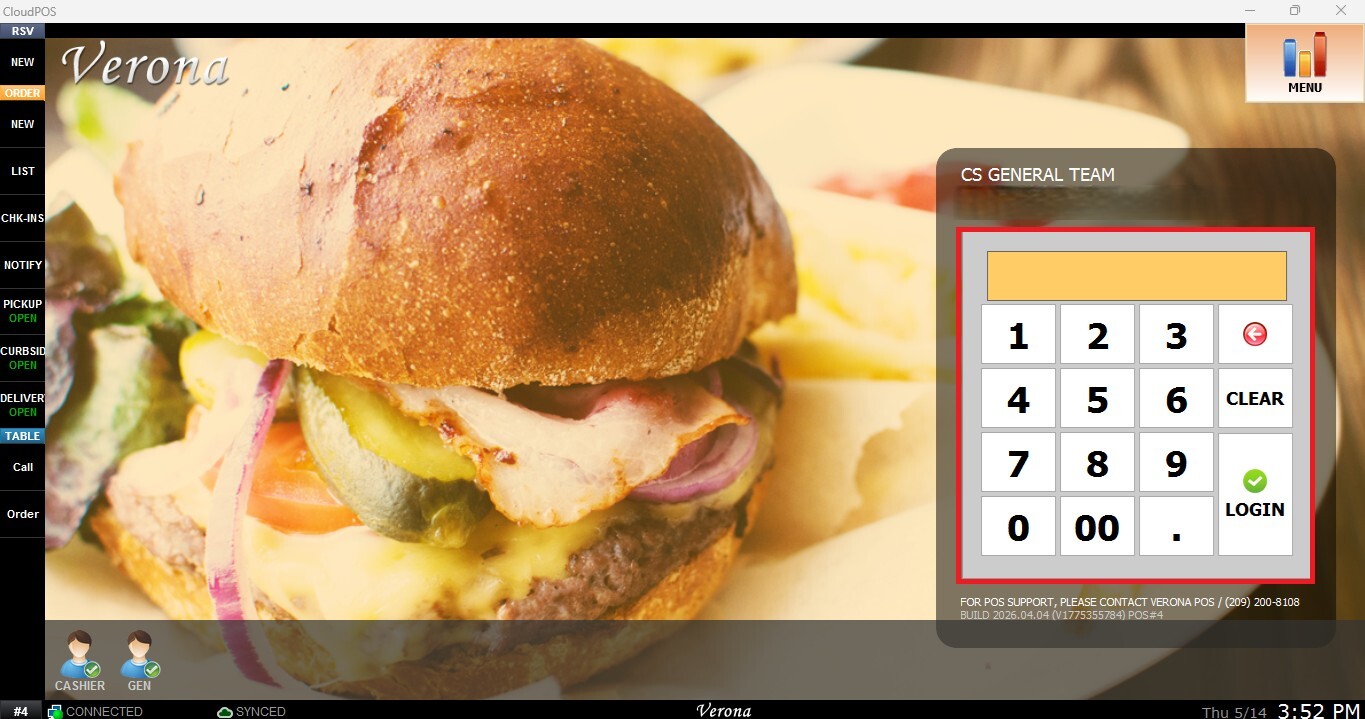
From the Main Screen, use the number pad and enter the assigned employee's password to log in.
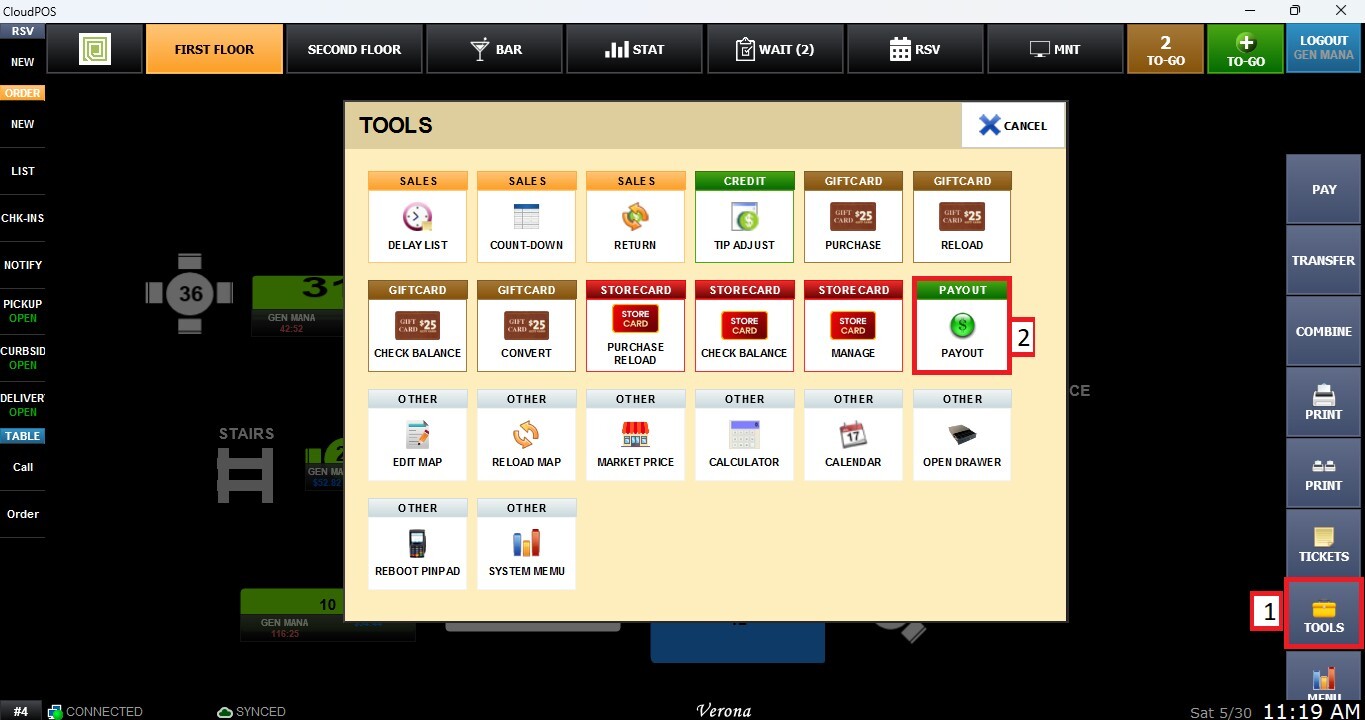
From the Table Screen, click TOOLS, then select PAYOUT.
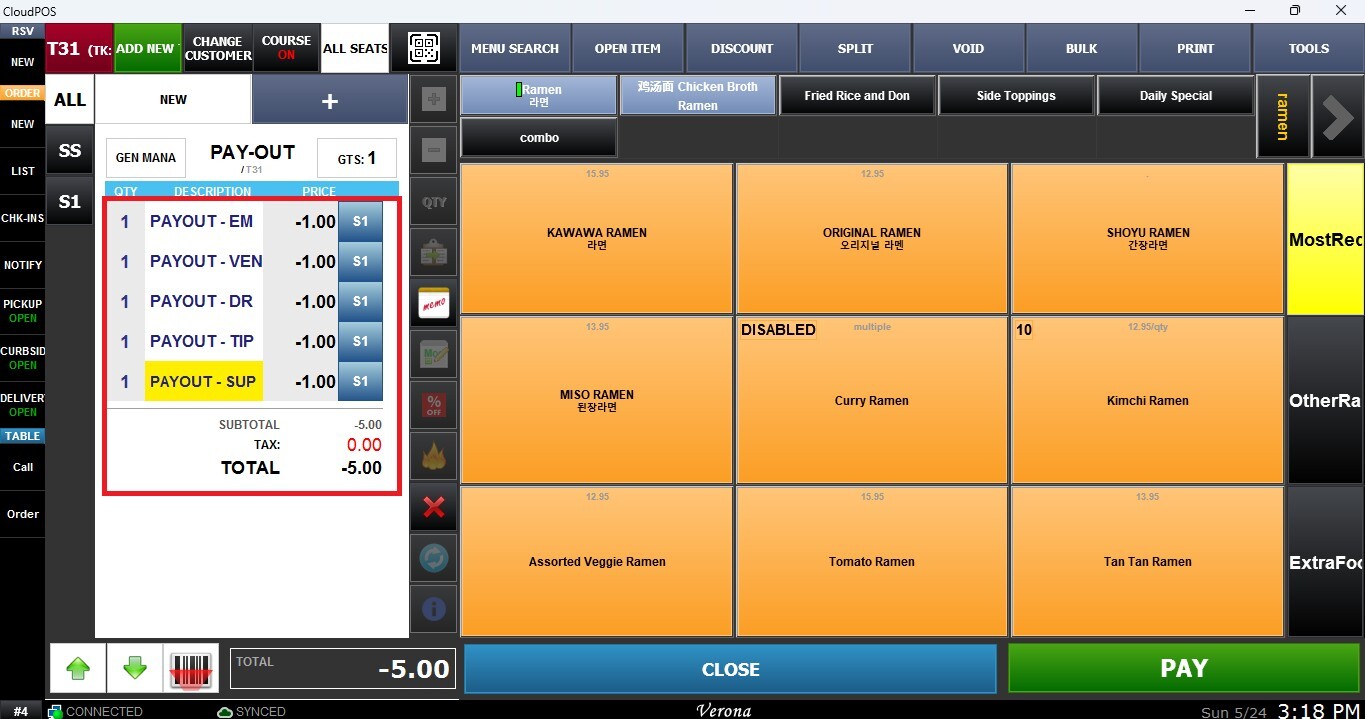
A pop-up window will appear, allowing you to select the type of payout you want to process.
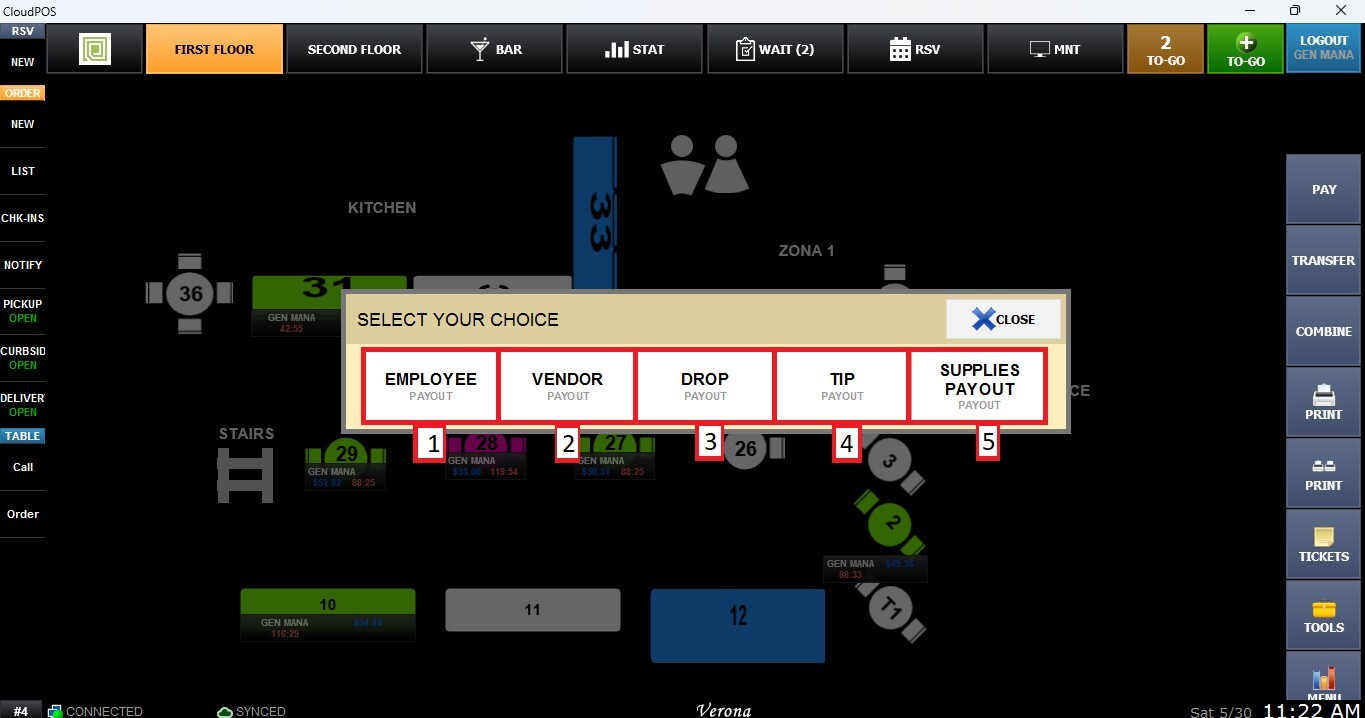
1. Employee
Used to process authorized employee-related payouts for internal staff transactions or operational adjustments.
2. Vendor
Used for operational payments made to vendors or suppliers during business operations.
3. Drop
Used to remove excess cash from the drawer for security and cash management purposes while keeping proper payout records.
4. Tip
Used to distribute or pay out collected gratuities directly from the register to employees or service staff.
5. Supplies Payout
Used for business-related operational expenses such as purchasing supplies or covering small day-to-day store needs.
Once the type is selected, enter the payout amount.
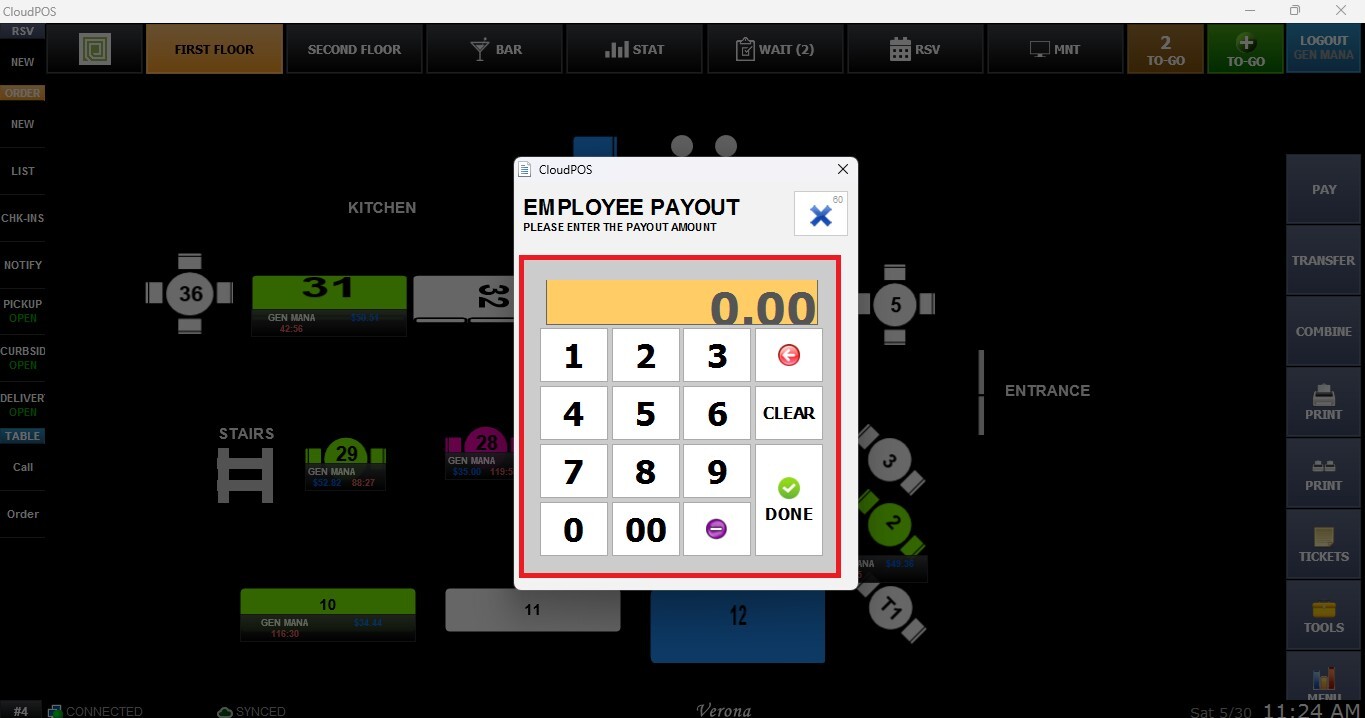
Result:
Once processed, the selected payout will appear on the Sales Screen as a negative transaction entry indicating the cash amount removed from the register.
Refer to Payout Settings to learn how to configure them.