Message
Configure the messages sent to customers for reservations made through Menu11.
MENU> SETTINGS> MENU11> RESERVE> MESSAGE
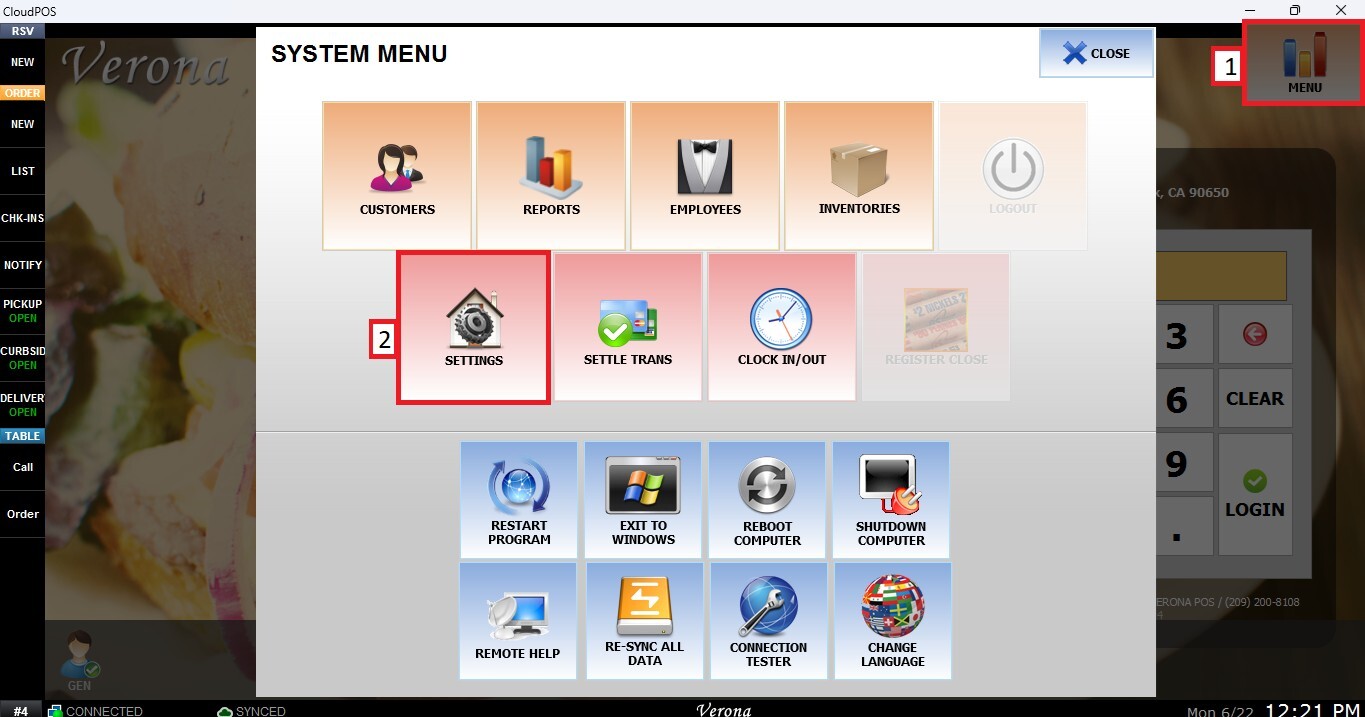
From the MAIN SCREEN, click MENU, then select SETTINGS.
Go to the MENU11 tab, select RESERVE, then click MESSAGE.
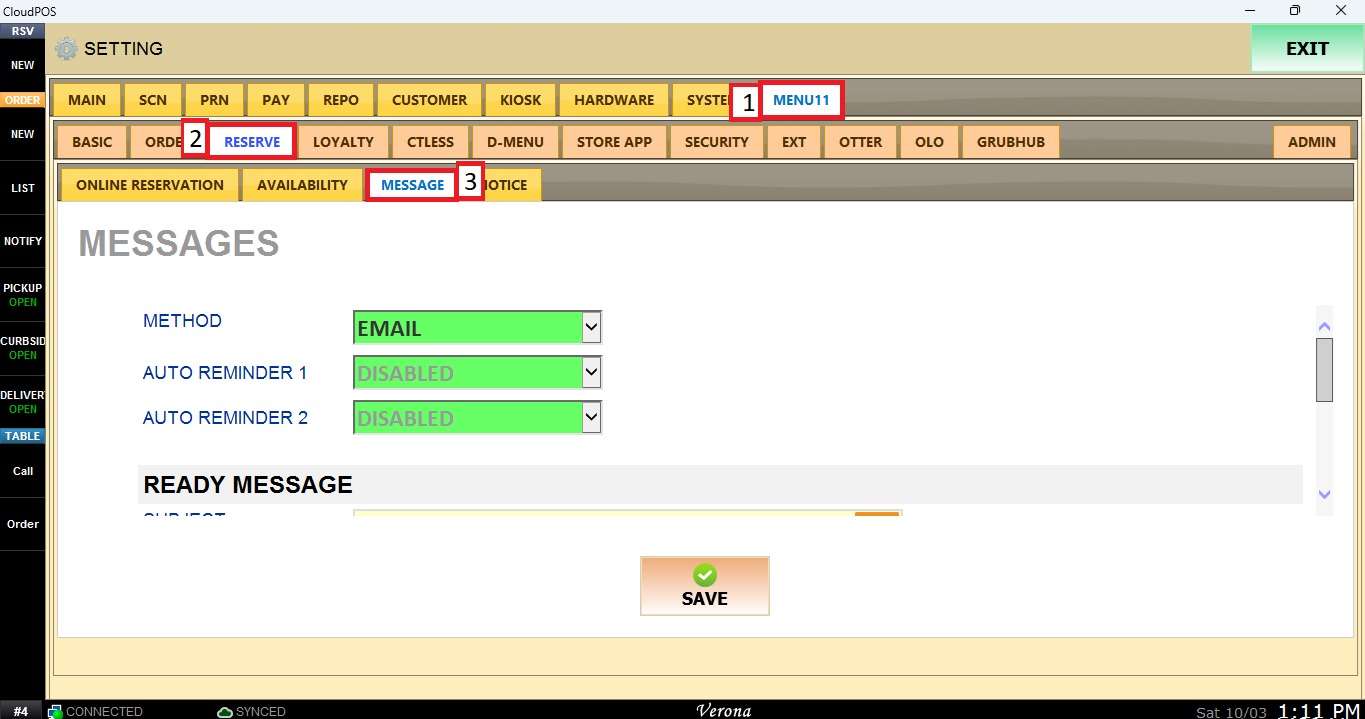
Method: Determines how messages are delivered to the customer. Select the delivery method from the dropdown menu.
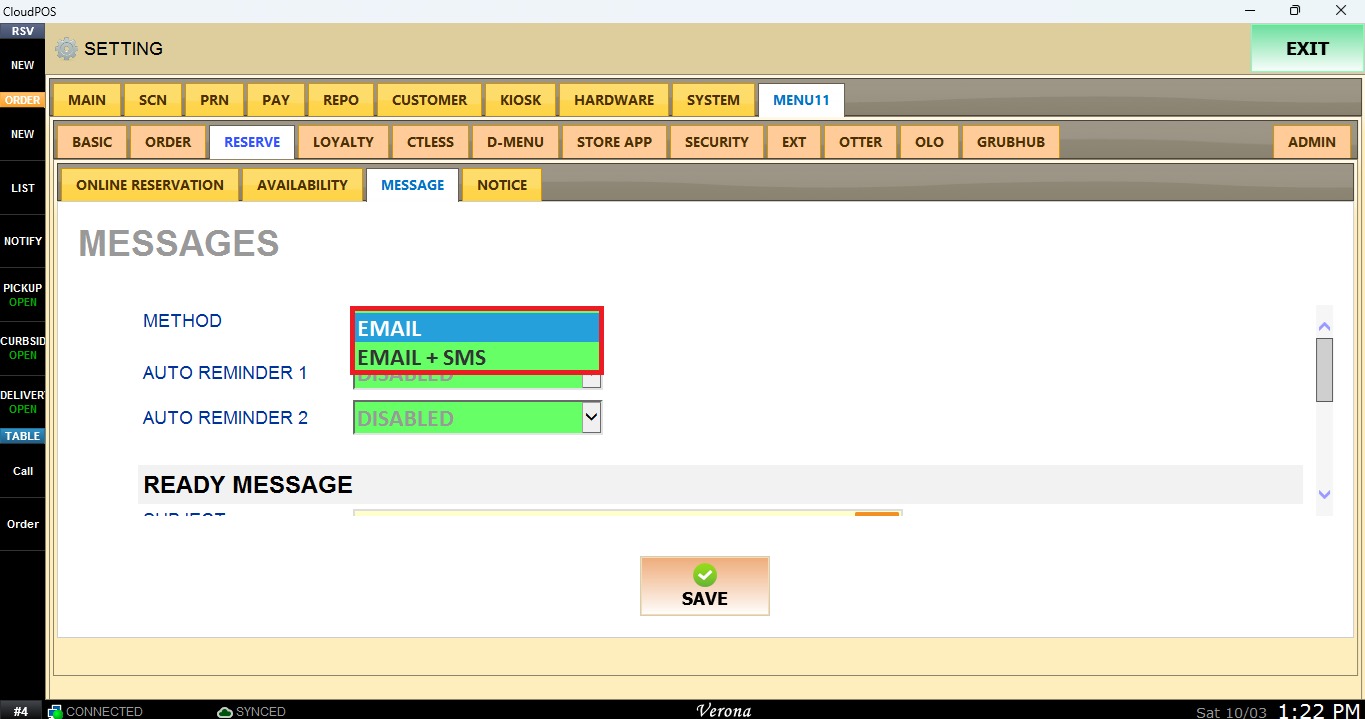
EMAIL: Sends messages by email only.
EMAIL + SMS: Sends messages by email and text message.
Auto Reminder 1 / Auto Reminder 2: Schedules up to two automatic reminders for the customer. Both dropdowns menus include the same options.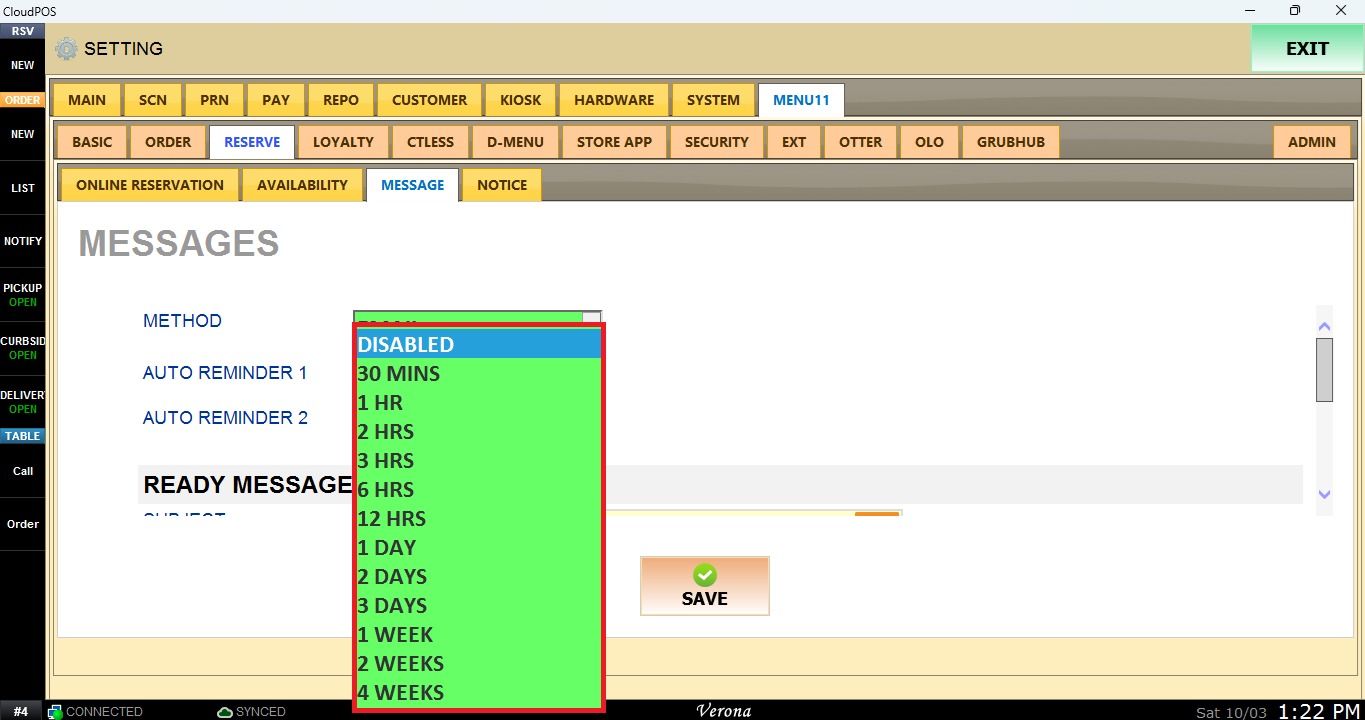
DISABLE: No reminder is sent.
30 MINUTES: Sends the reminder 30 minutes before the reservation.
1 HOUR: Sends the reminder 1 hour before the reservation.
Ready Message
Defines the message sent to the customer when their table is ready.
SUBJECT: Enter the message subject. Default: Your table is ready.
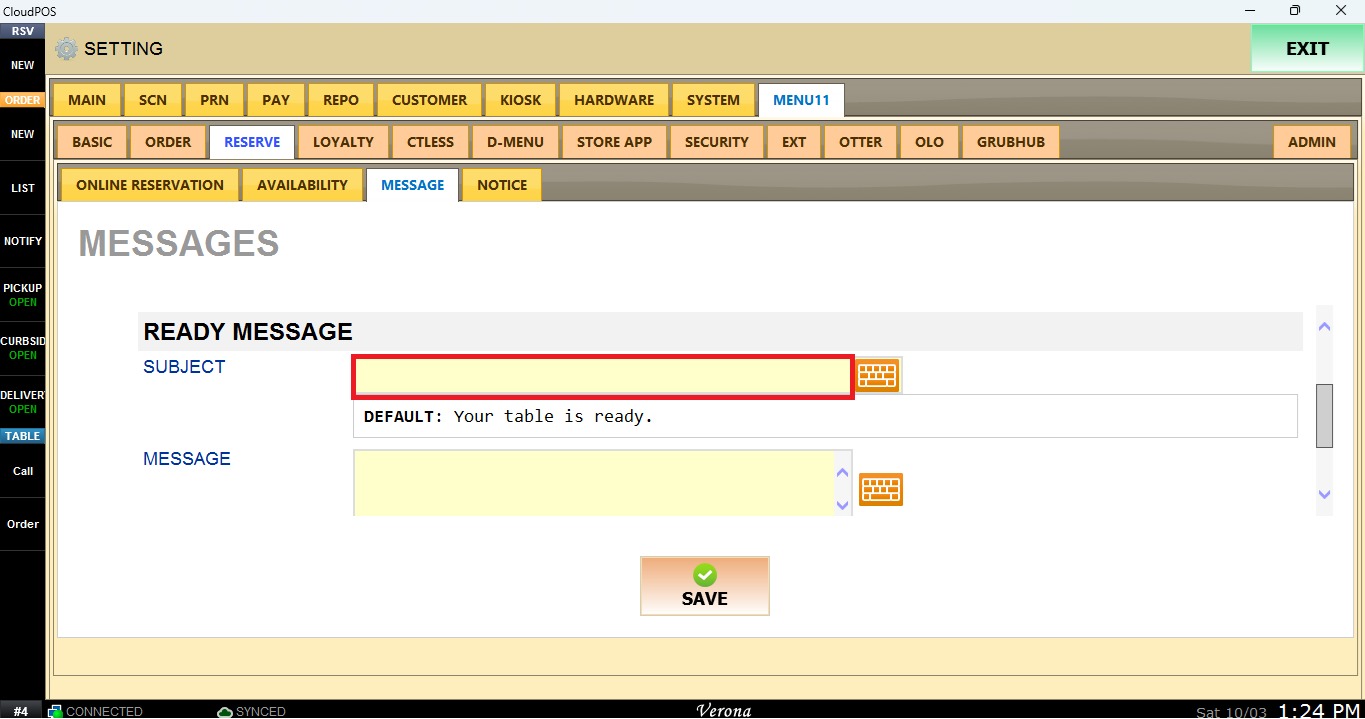
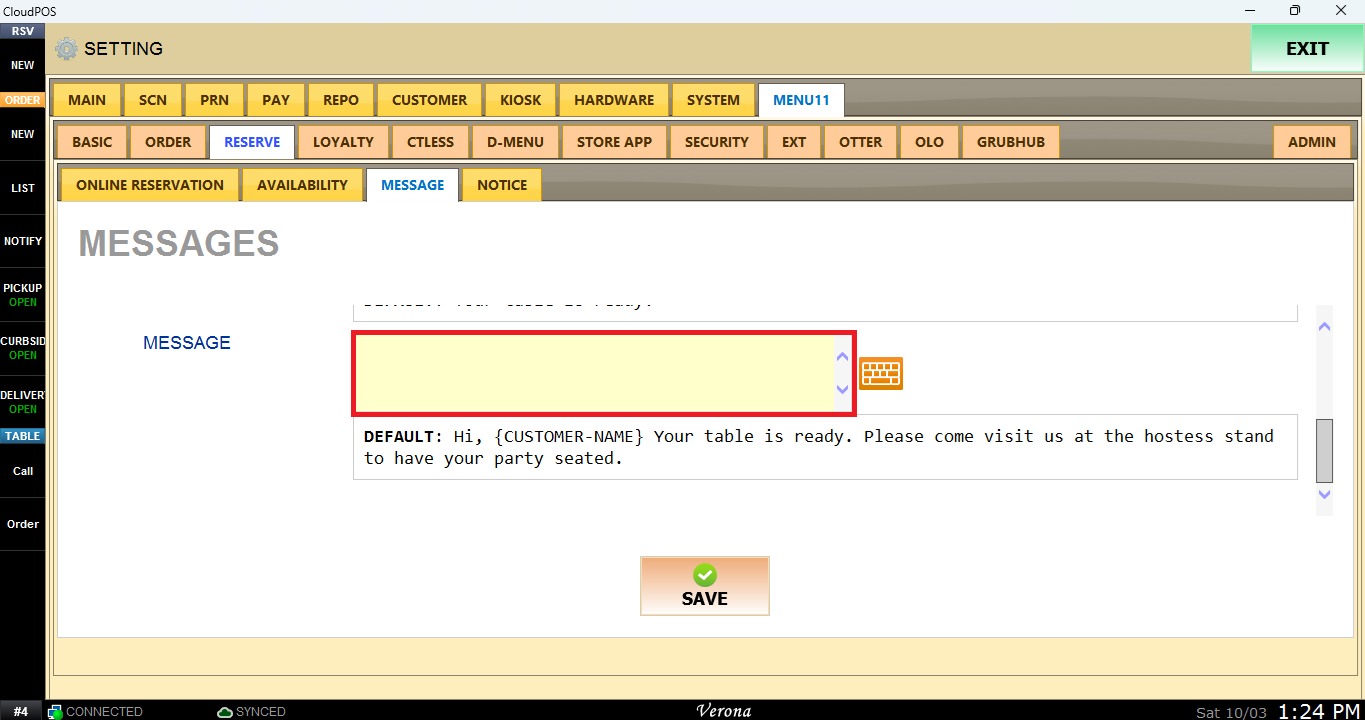
MESSAGE: Enter the message text. Default: Hi, {CUSTOMER-NAME} Your table is ready. Please come visit us at the hostess stand to have your party seated.
Once the configuration is complete, click SAVE, then navigate to ADMIN.
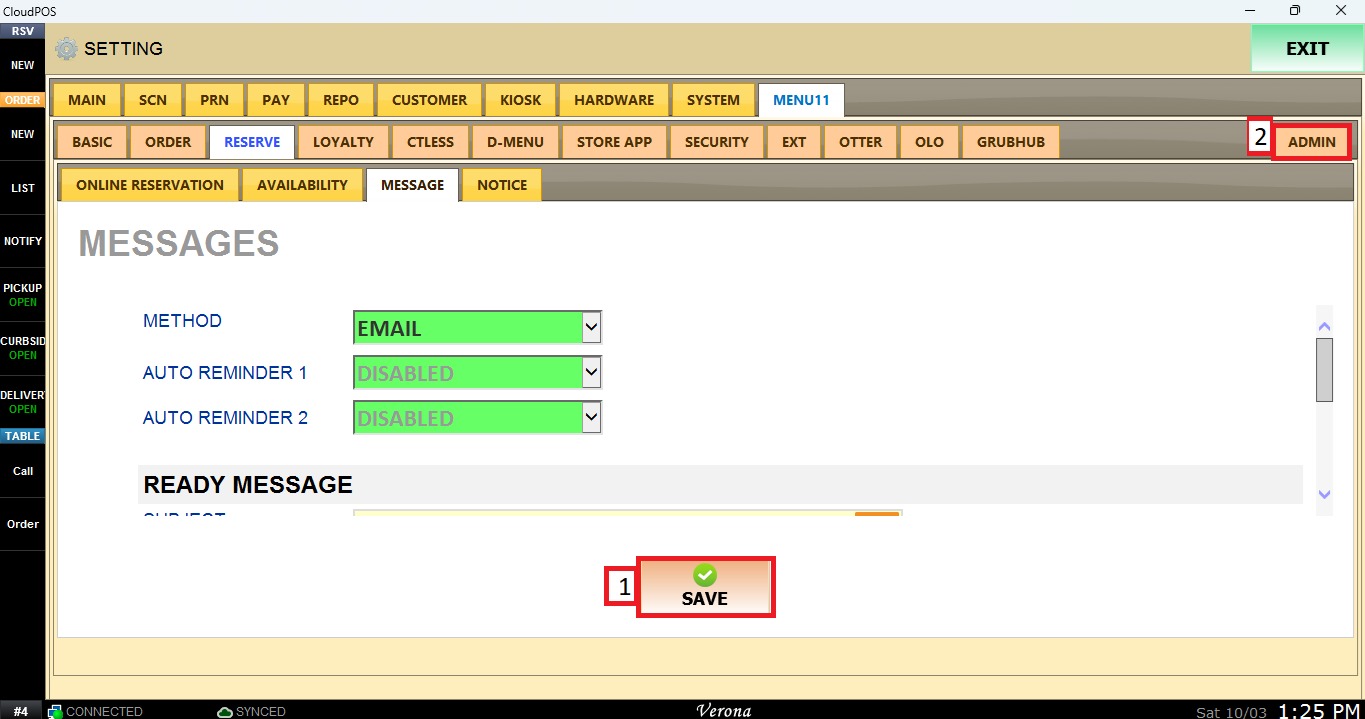
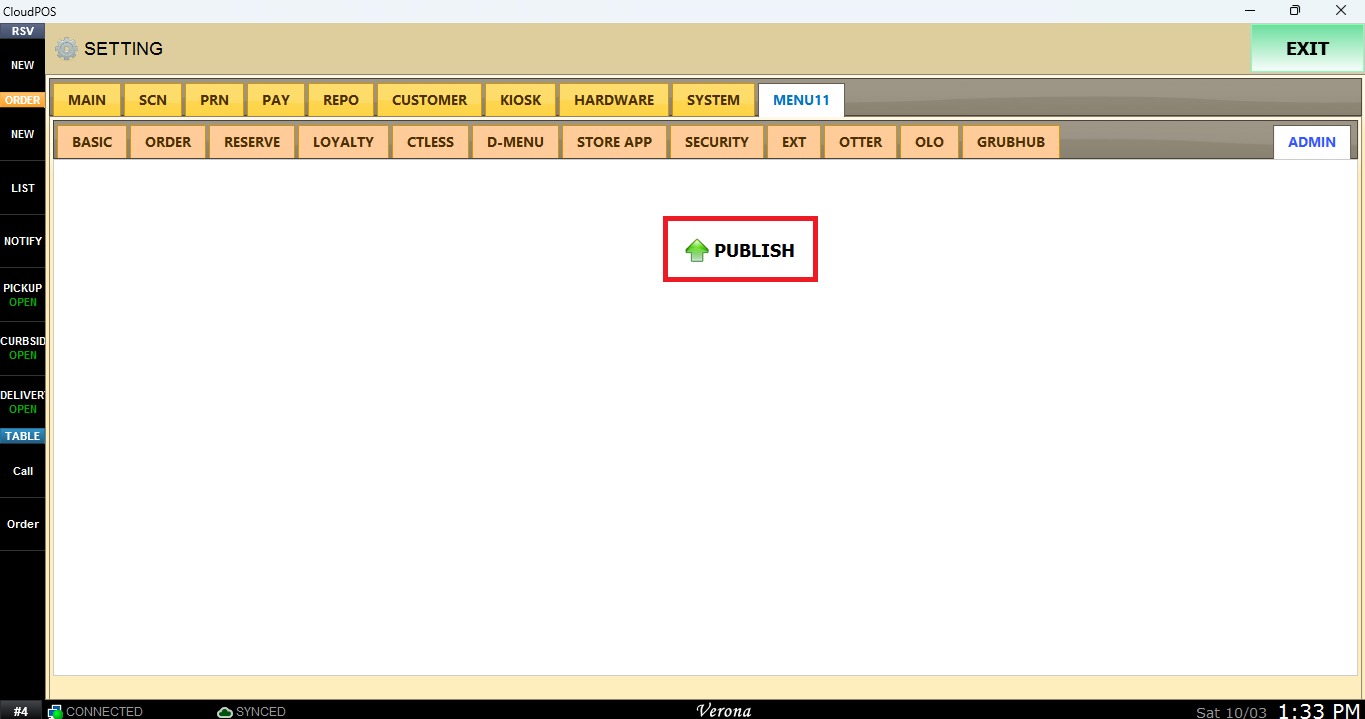
Click PUBLISH to apply the changes.