How to Use QR Table as a Customer
QR Table allows customers to browse the menu, place orders, and pay directly from their mobile device by scanning a QR code at their table, providing a faster and more convenient dining experience.
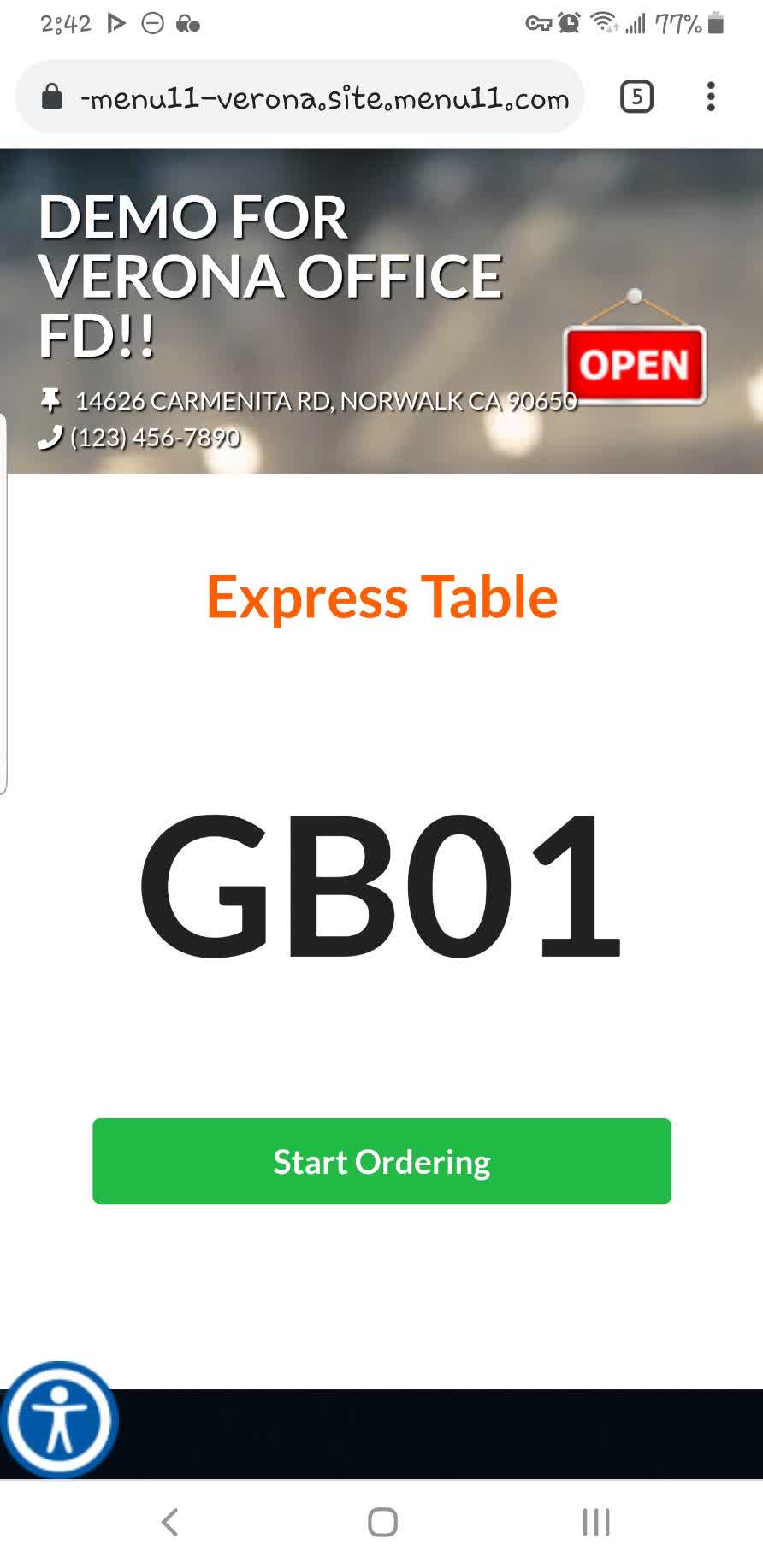
QR CODE > START ORDERING
Scan the QR code provided by the restaurant to access the QR Table ordering page.


The QR code will open the online ordering page.
Place an order
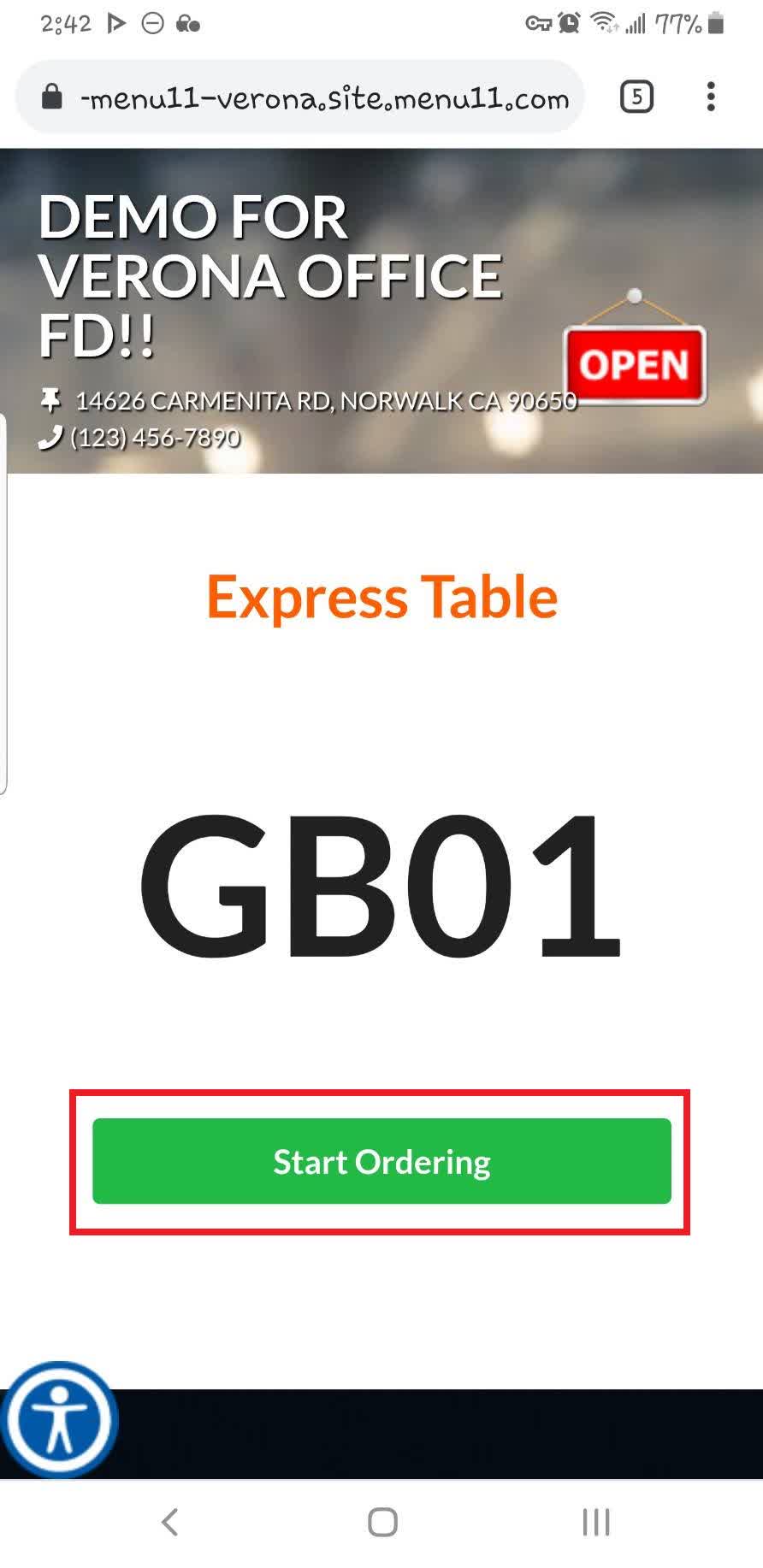
Click START ORDERING.
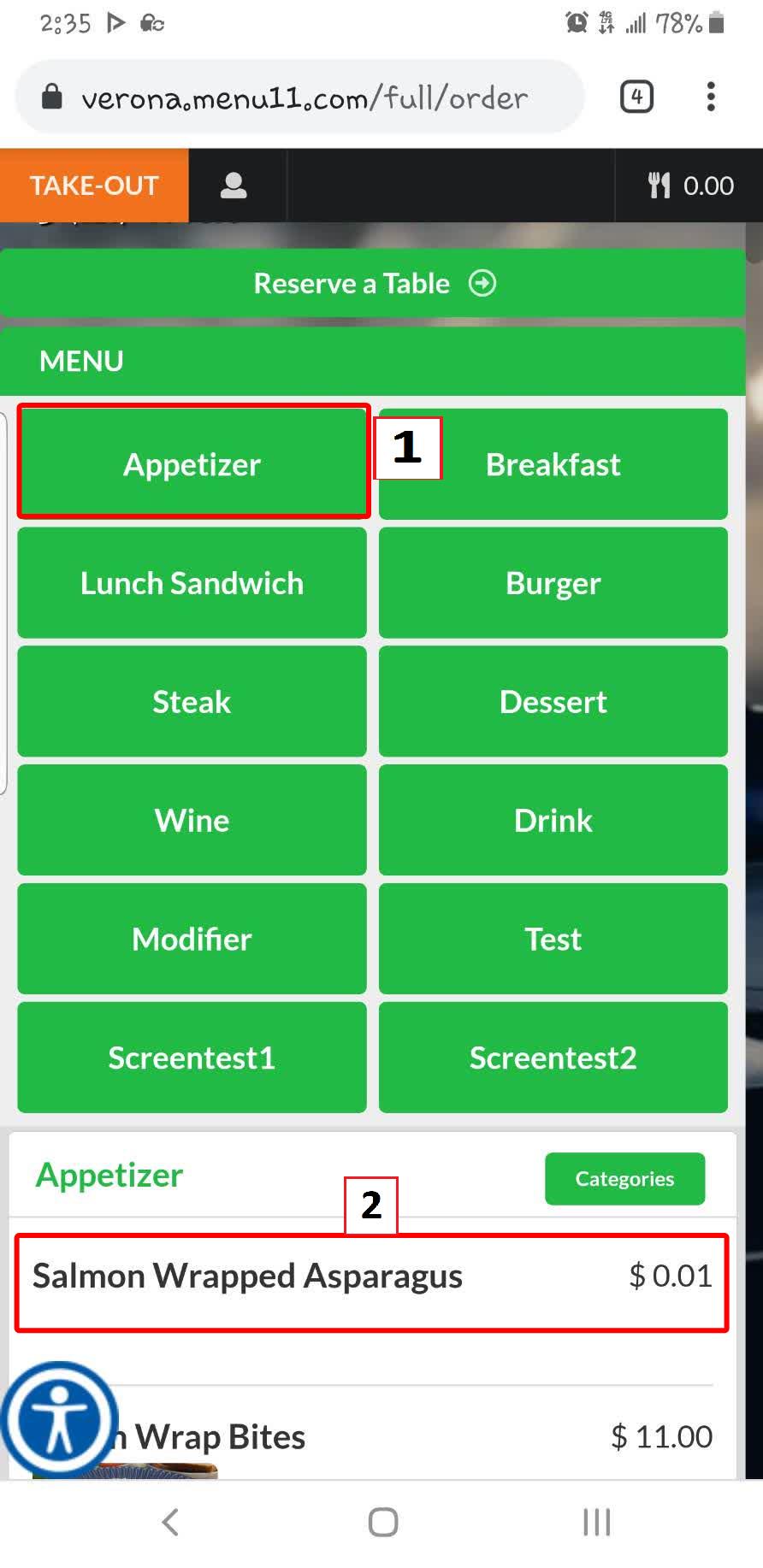
Select a CATEGORY, then choose the desired ITEM.
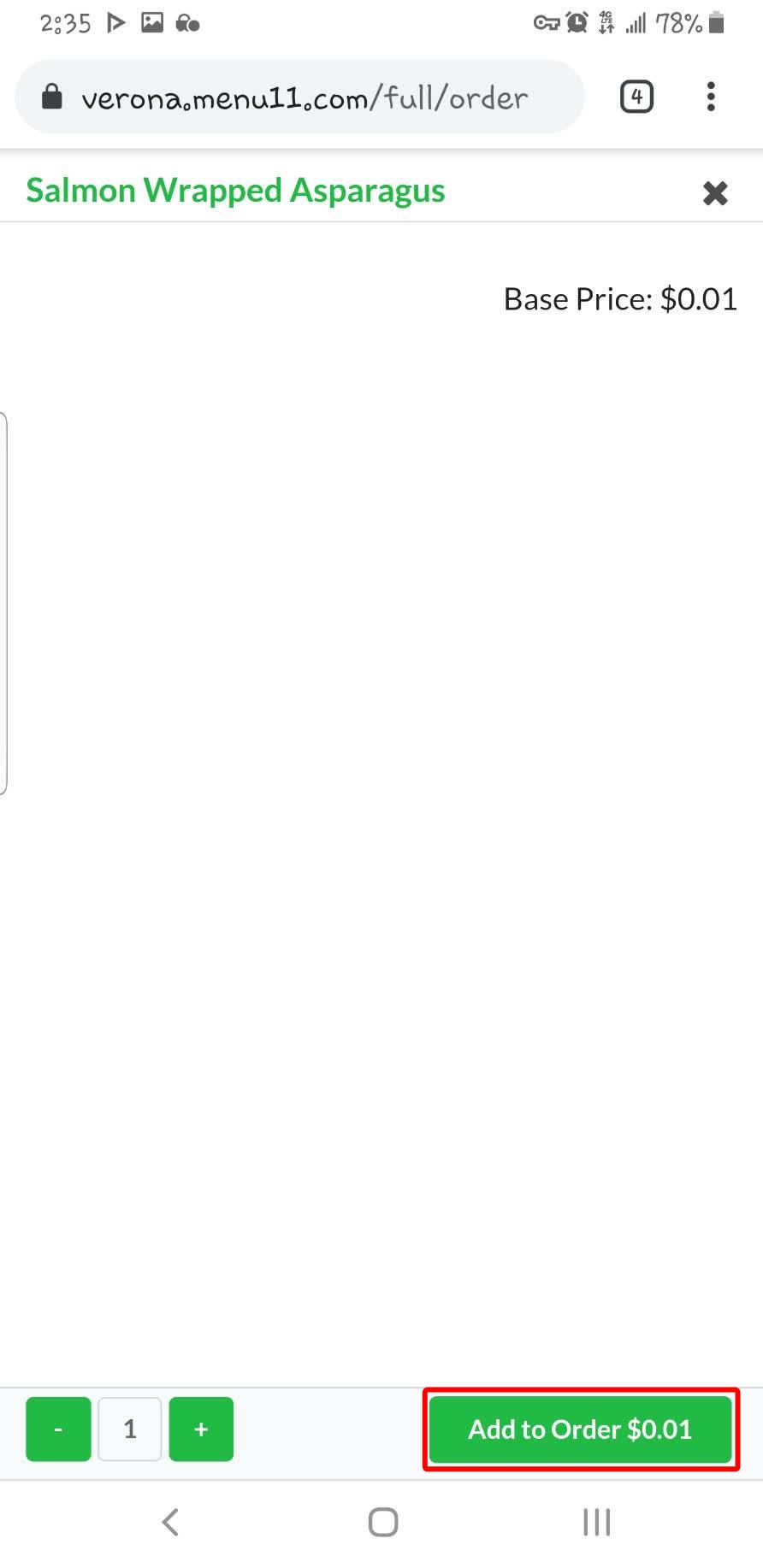
Click ADD TO ORDER to add the item to your shopping cart.
Repeat these steps until all desired items have been added.
Check out
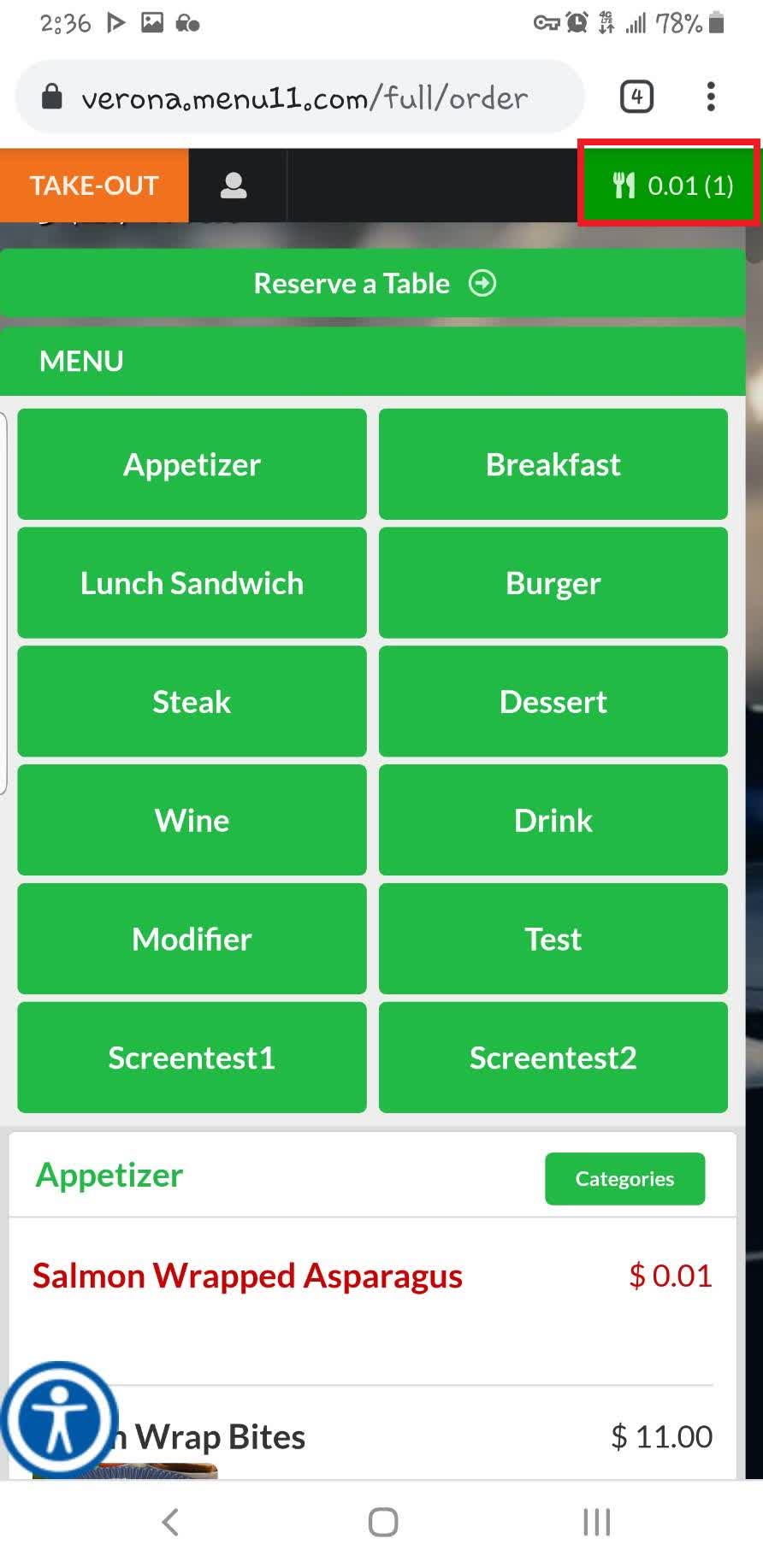
Click the UTENSILS icon button in the top-right corner.
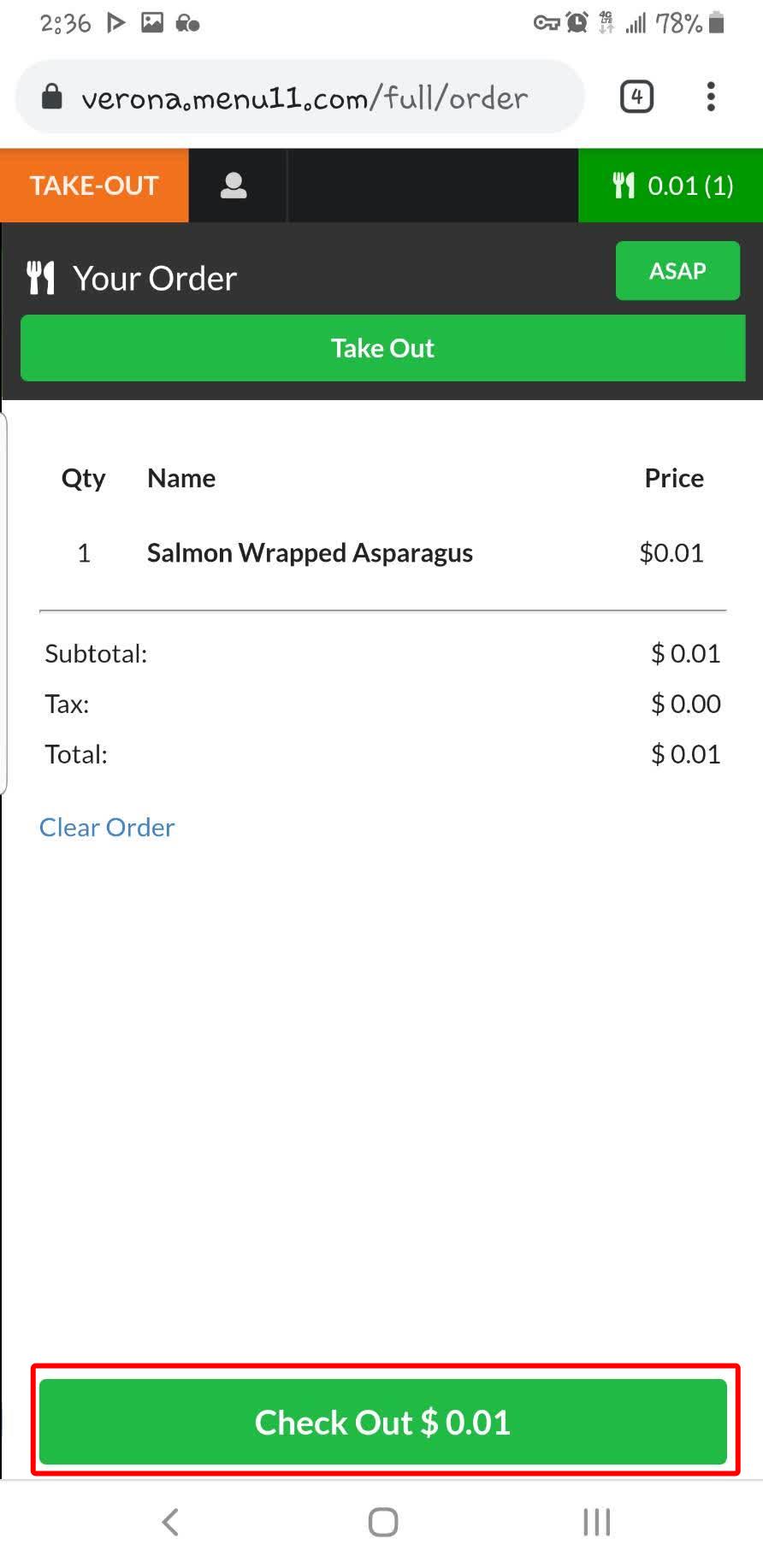
Click CHECK OUT.
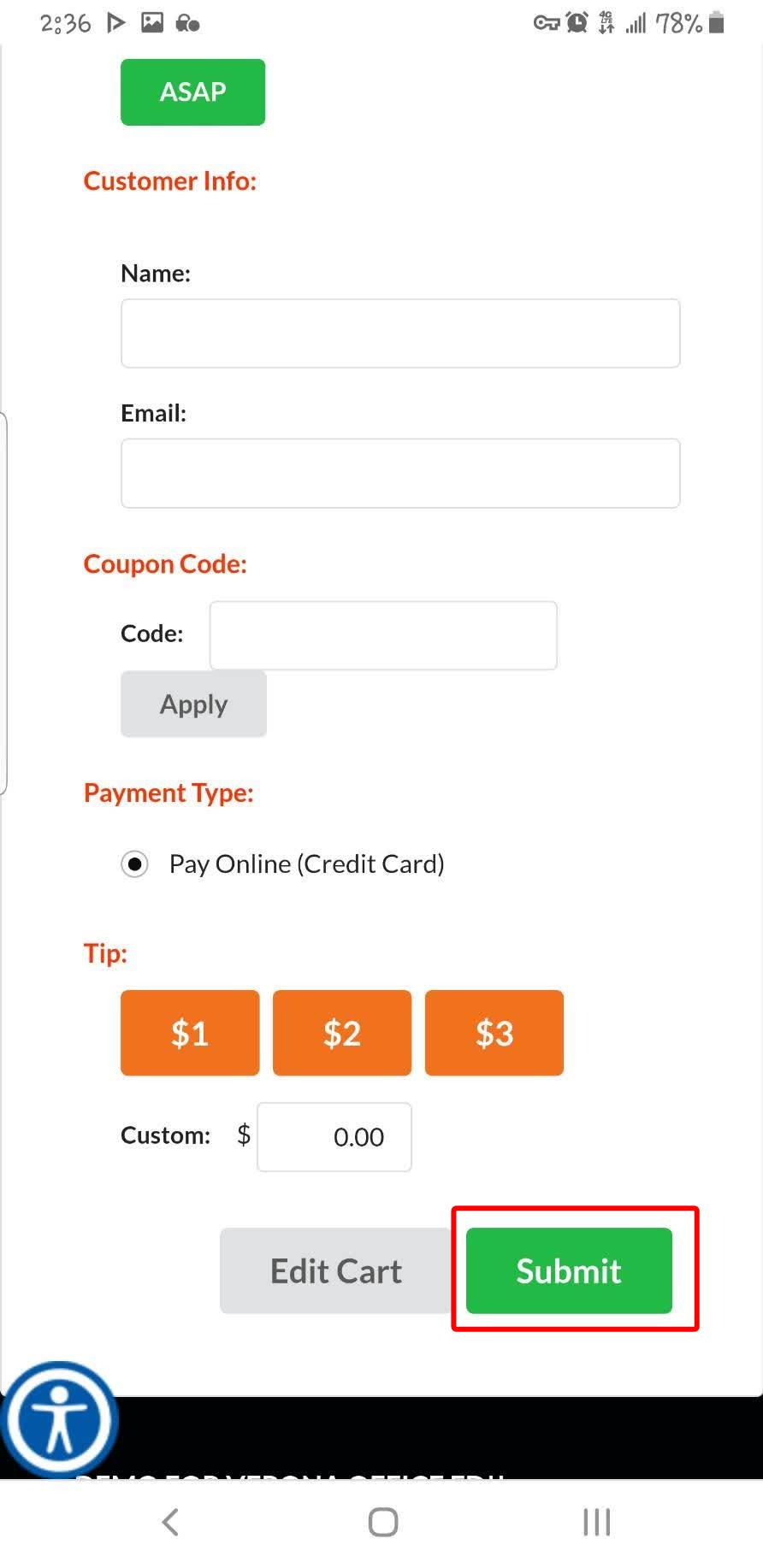
Enter your customer information, apply a coupon code if applicable, select a tip amount, then click SUBMIT.
Enter your payment information to complete the order. Once payment is successful, the restaurant will receive your order.
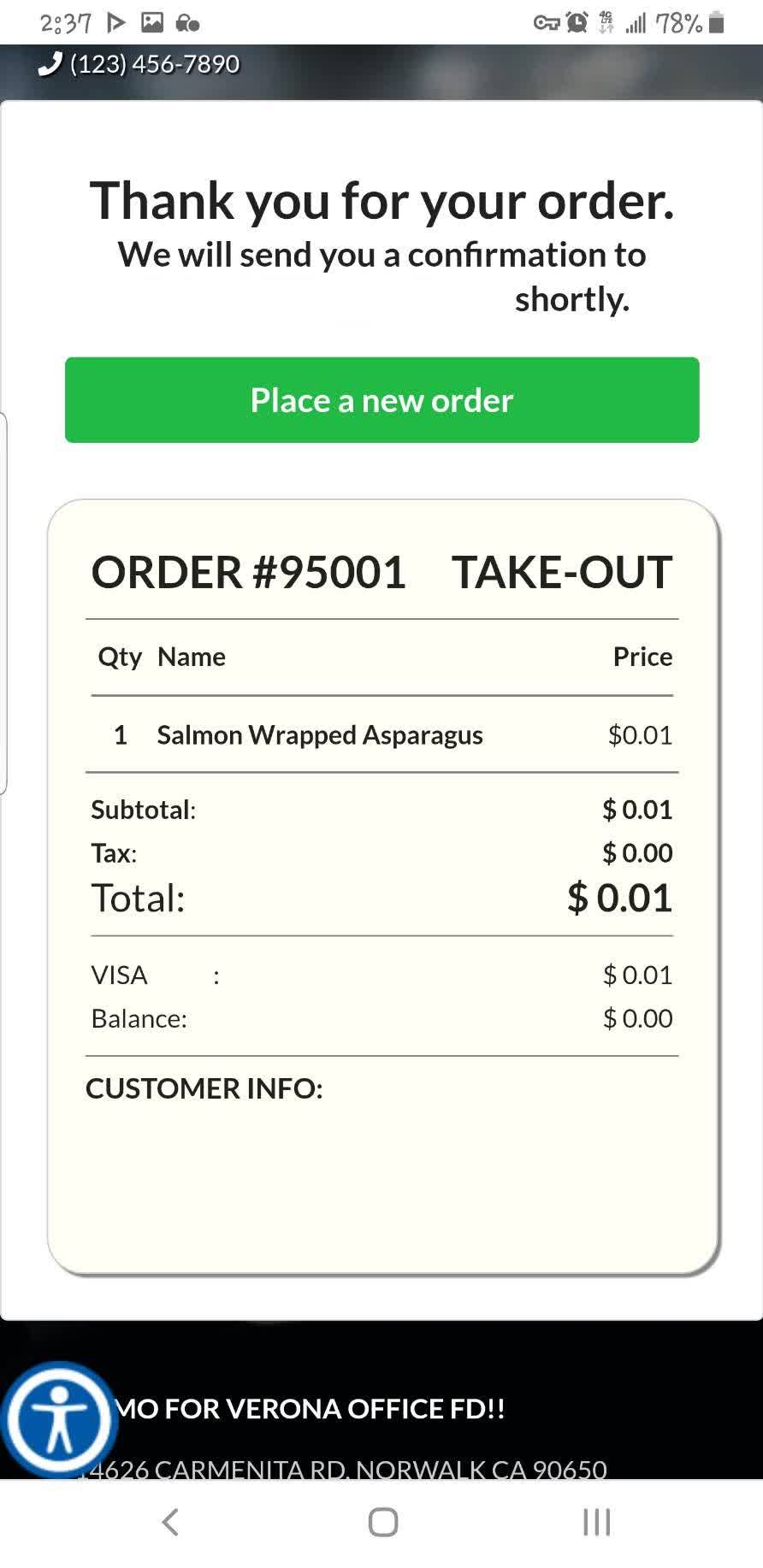
Result
Your order will be submitted to the restaurant. Wait for your food to be prepared and served to your table.