VelaPay POS Setting
The article walks through the steps to set up the VelaPay pinpad as a shared payment terminal in VeronaPOS settings.
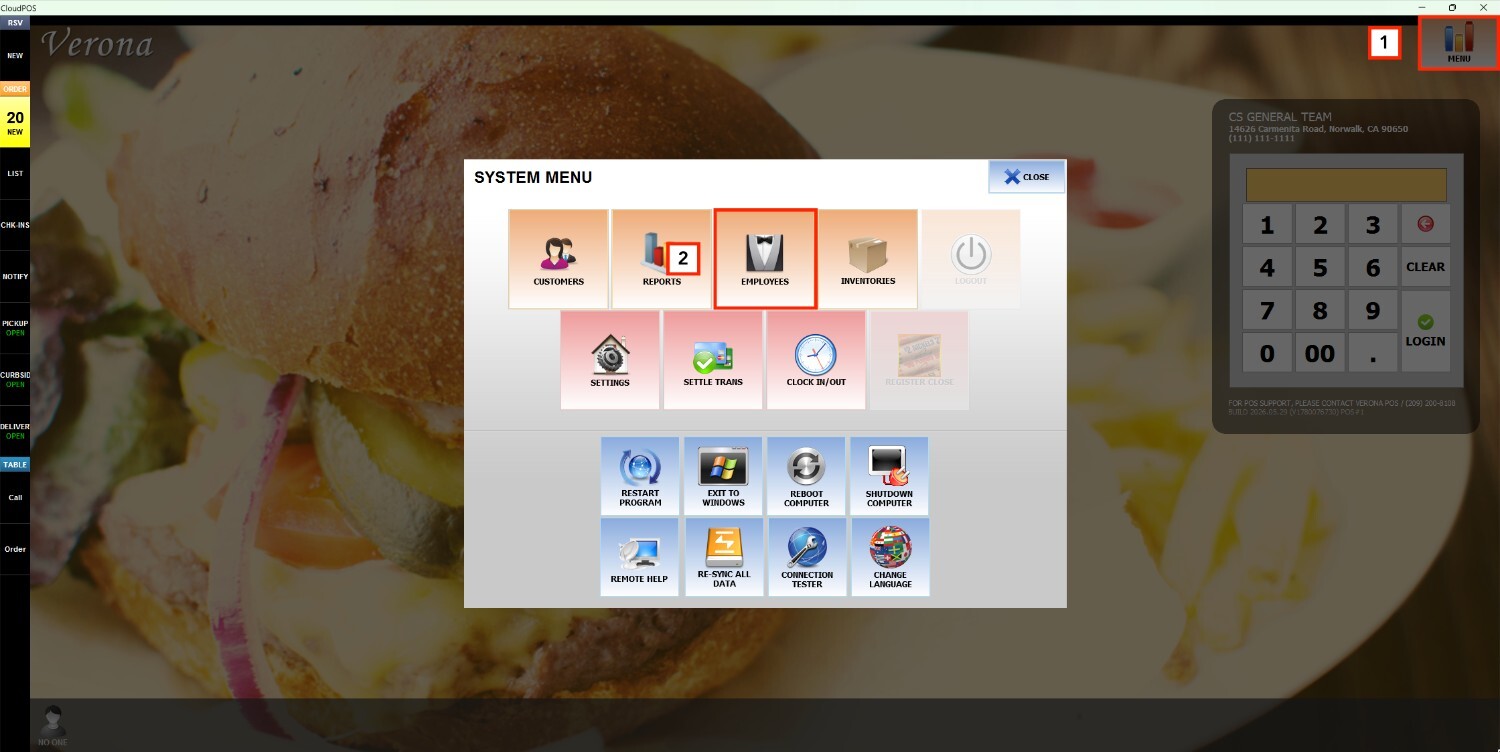
Main Screen> MENU>SETTINGS> HARDWARE> PINPAD
Go to MENU and press SETTINGS.
Go to HARDWARE and select PINPAD.

On the LOCAL tab, leave the USE - LOCAL PINPAD box unchecked, and under SHARED PIN SELECTION, check box #1 (or the number corresponding to the terminal).

Press SAVE to store the changes.
Navigate to the shared tab that matches your selection, for example, SHARED 1, and check the USE - SHARED PINPAD #1 box to activate the shared pinpad for this tab.

Set PINPAD TYPE to VELAPAY.


Set PORT TYPE to IP.
Enter the IP address of the VelaPay pinpad in the IP ADDRESS field.

Leave PORT NUMBER blank.

Set PROTOCOL to HTTP.
Set TIME OUT to NONE.


Set DAILY REBOOT to DISABLED.

Press SAVE to store and RESTART THE PROGRAM to apply the changes.
