Menu Disable & Countdown
The Menu Disable/Count-Down setting enables a function that allows the user to disable or enable a menu item, or activate a count-down system to track inventory and availability for a menu item.
MENU > SETTINGS > MAIN > SALES > ORDERING> VISUAL CONTROL> MENU DISABLE/COUNT DOWN.
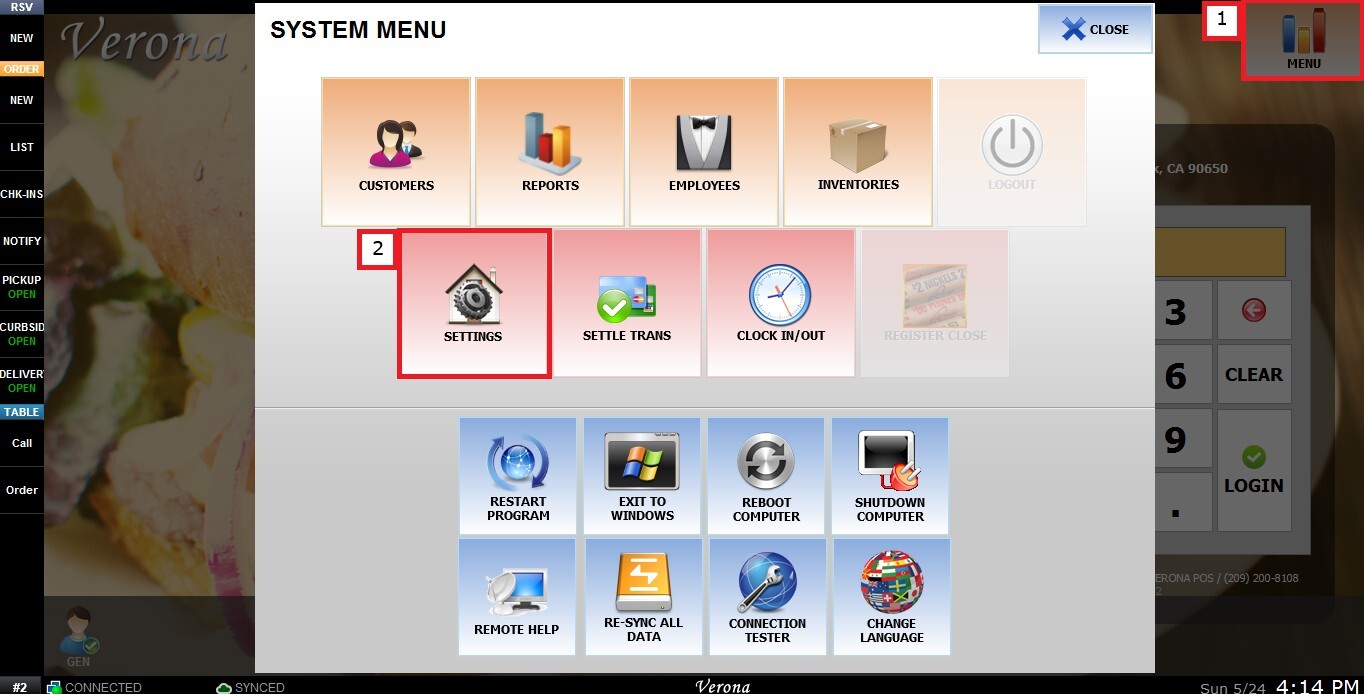
From the MAIN SCREEN, click MENU, then select SETTINGS.
 Under MAIN, select SALES, then ORDERING and scroll down until the VISUAL CONTROL section.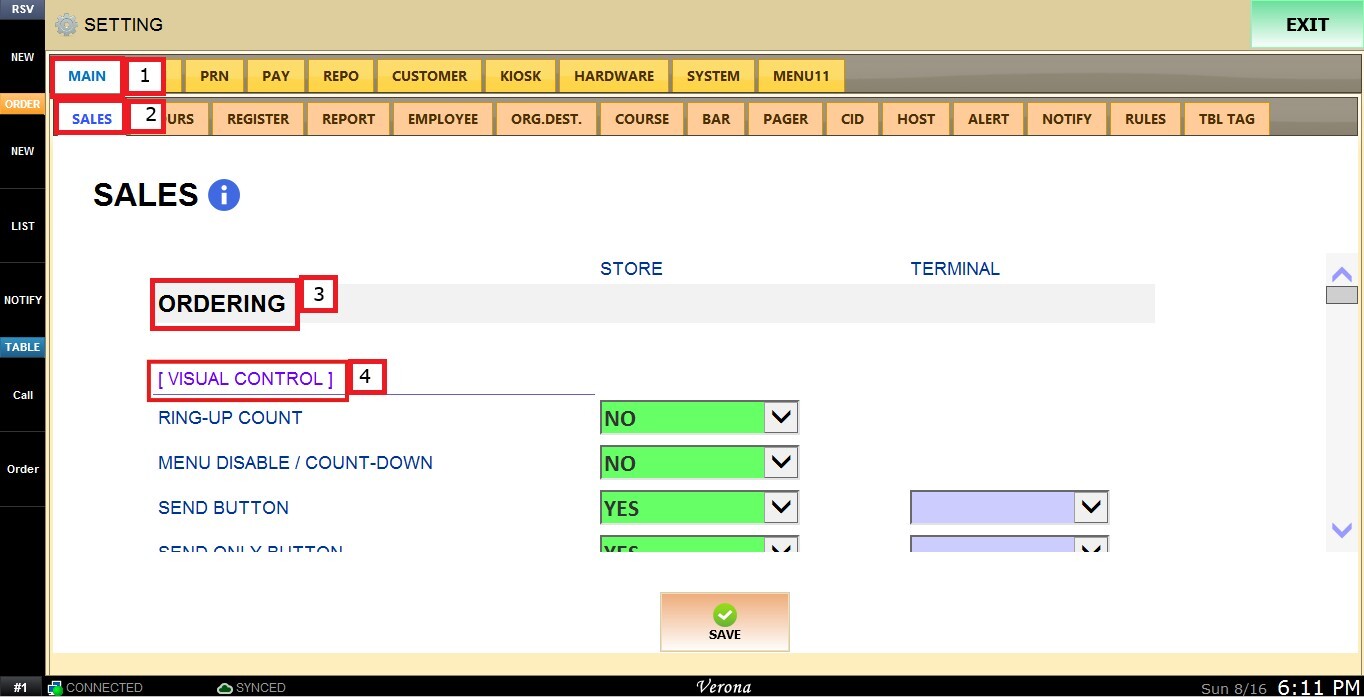
MENU DISABLE/COUNT-DOWN
This setting controls whether the Menu Disable and Count-Down function is available for use on the Sales screen.
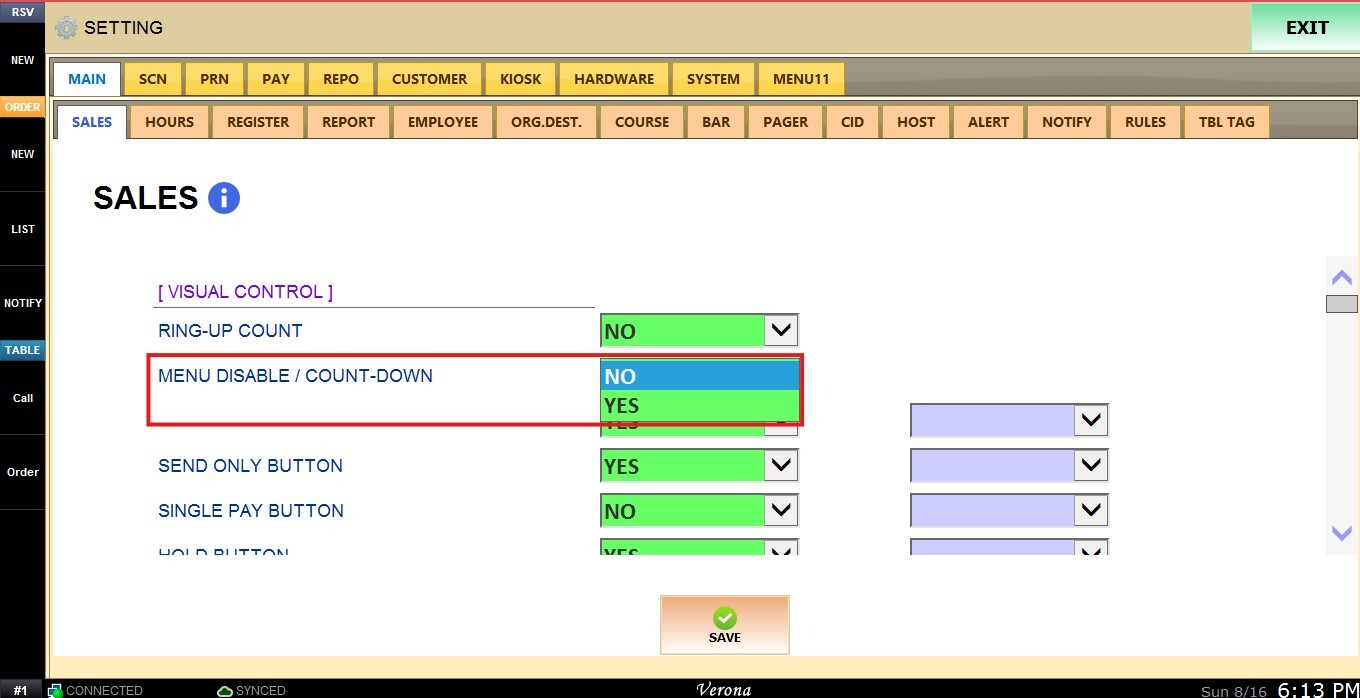
Inside the dropdown menu you have the following options:
1. YES: Enables the Menu Disable/Count-Down function on the tools section.
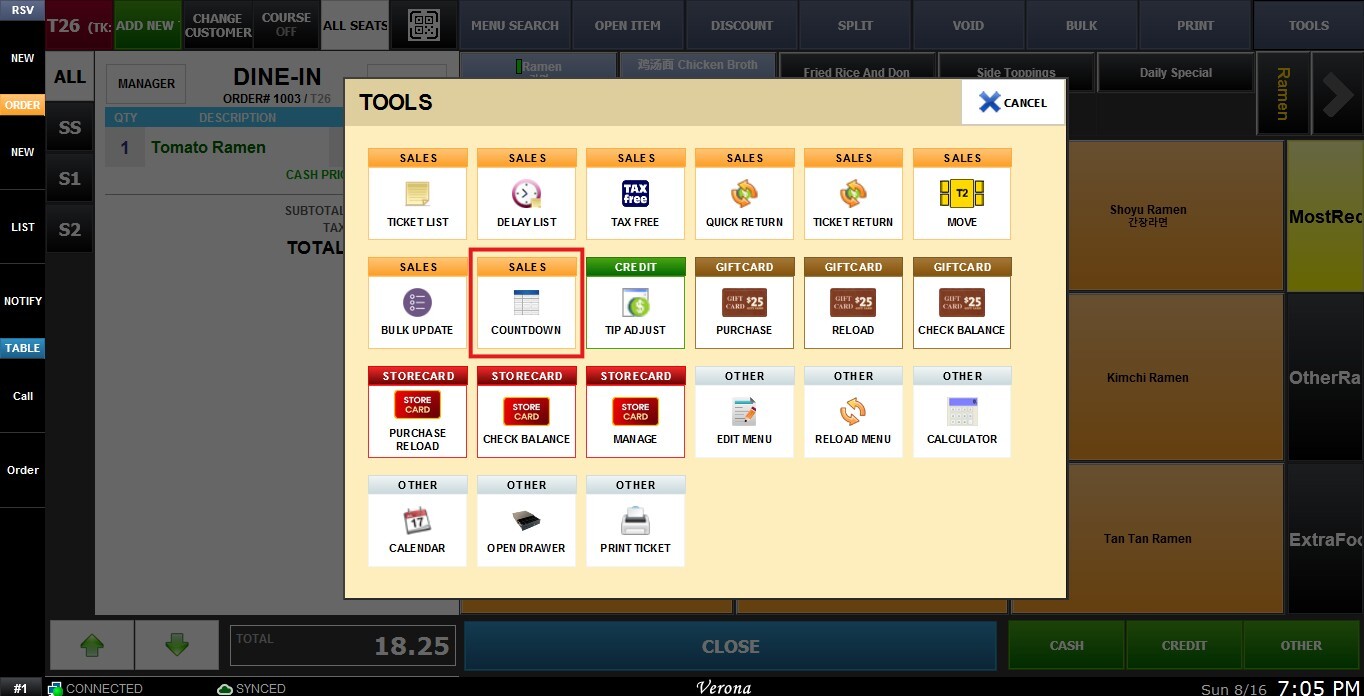
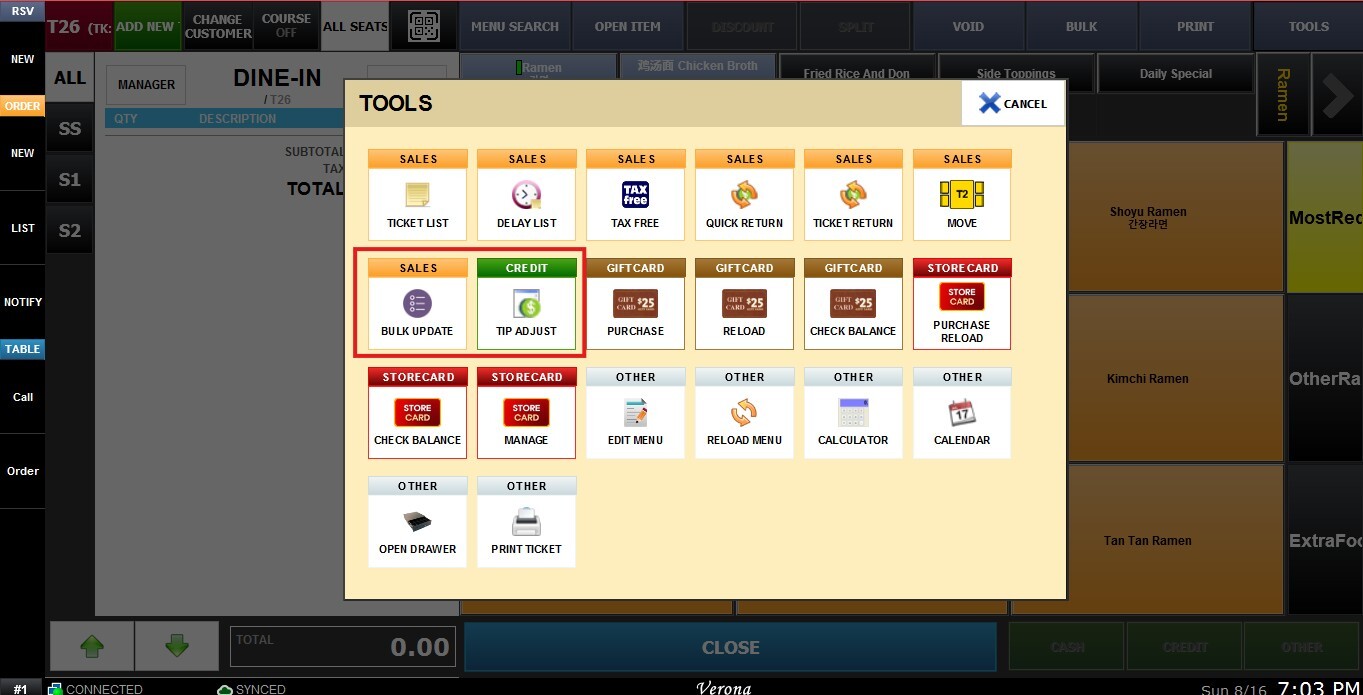
2. NO: Disables the Menu Disable/Count-Down function in the tools section.
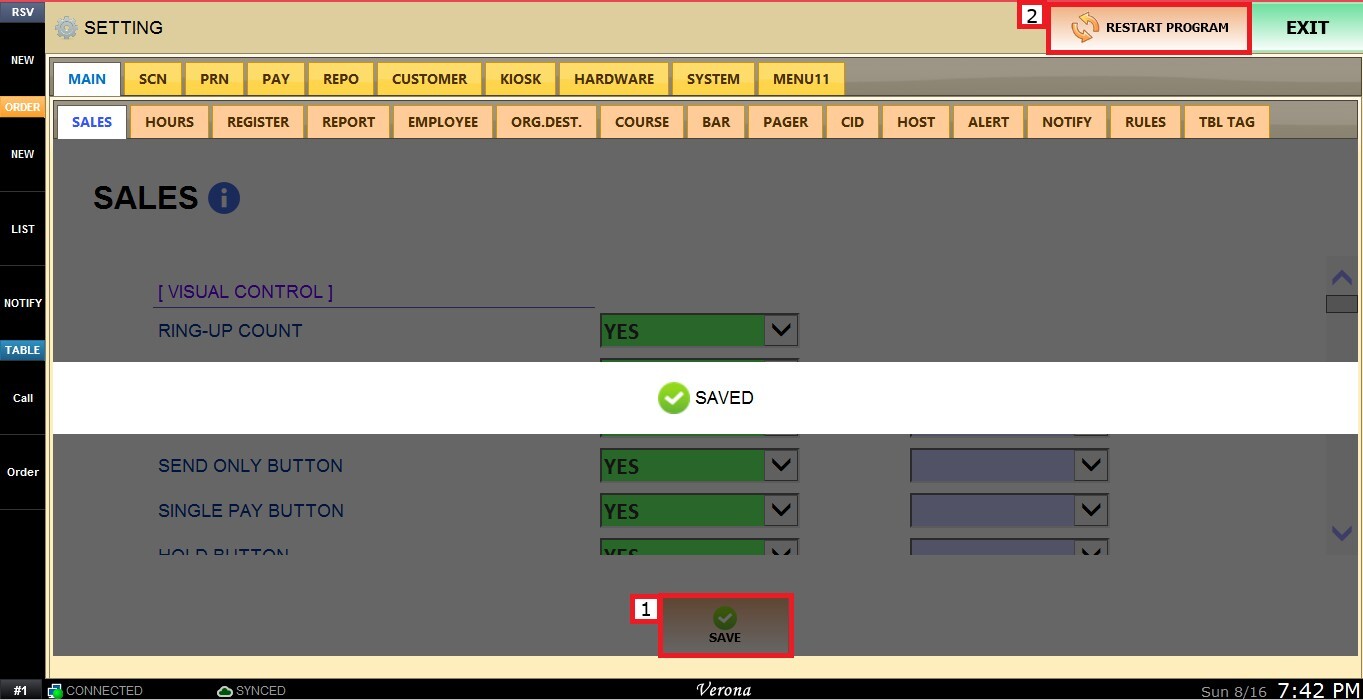
Click SAVE and RESTART THE PROGRAM to apply the changes.