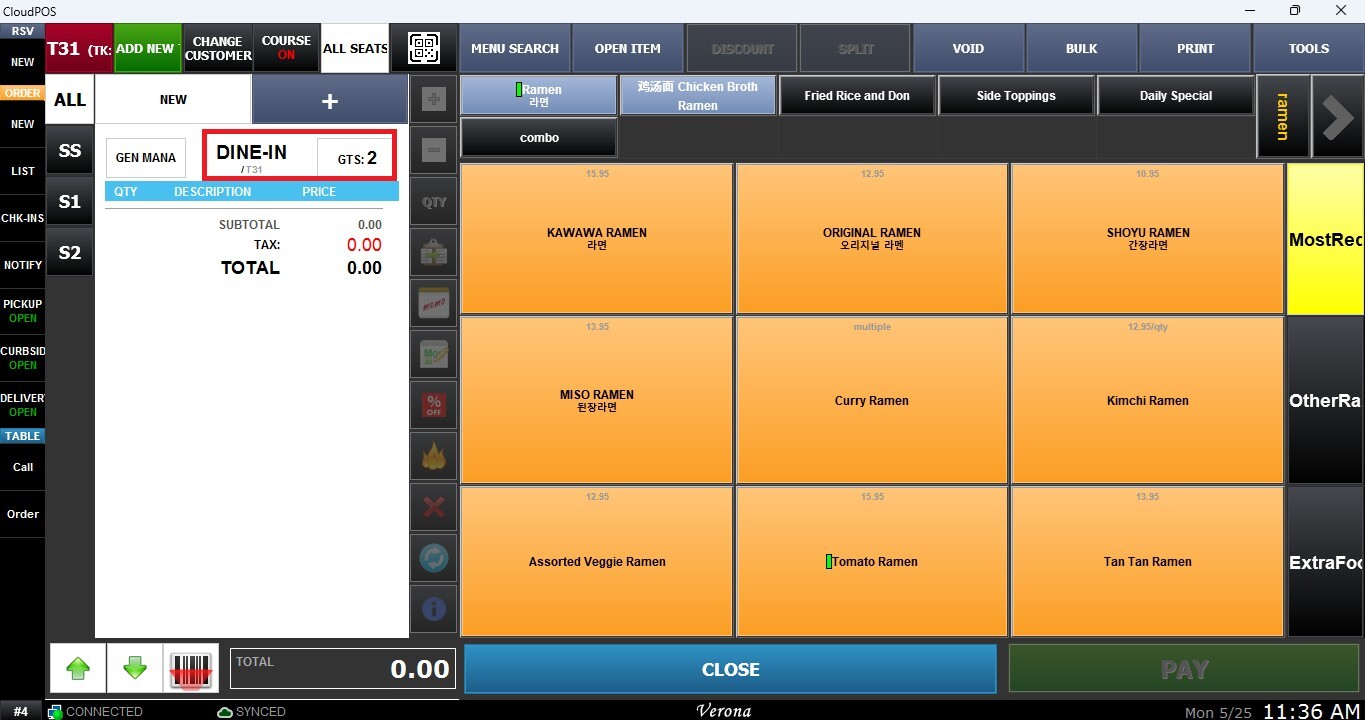
Opening Table For Sales
This function allows users to open a table from the Table Map Screen to begin taking customer orders. The tables use color-coded status to quickly identify the current condition and activity of each table.
Main Screen> Number Pad> Table Map Screen
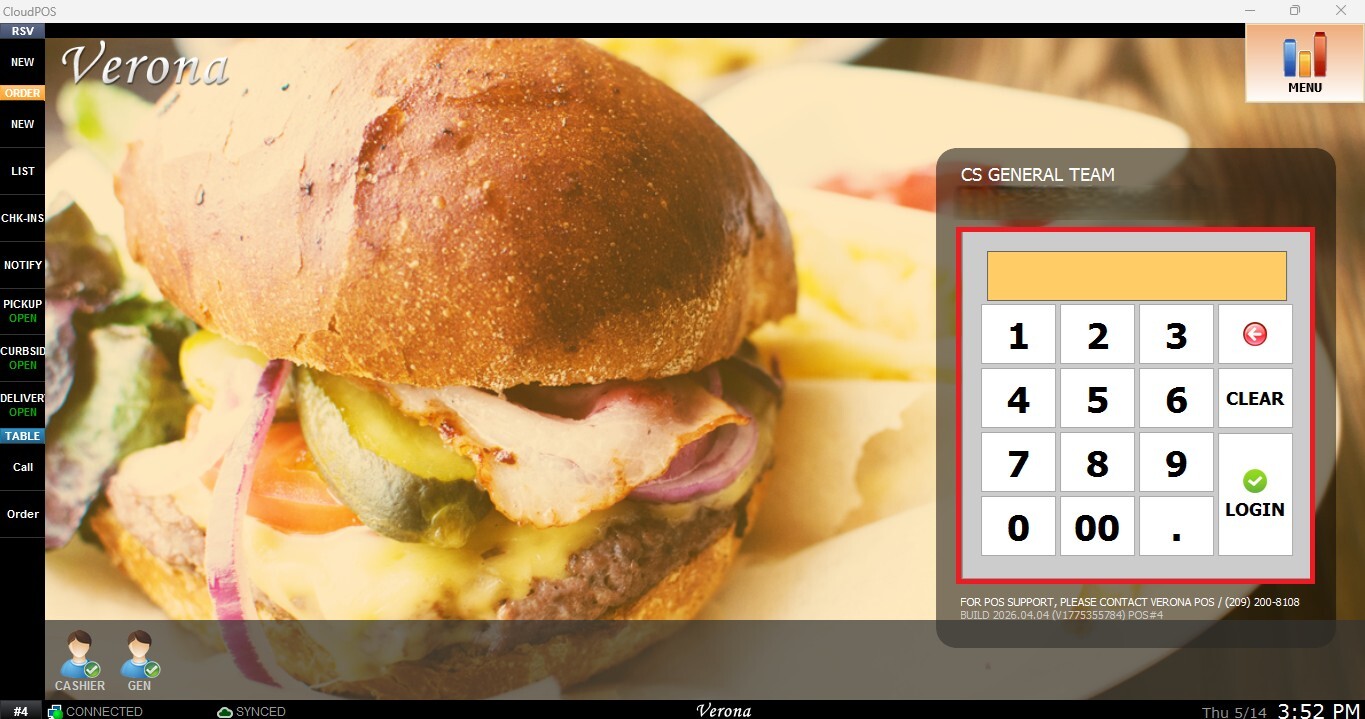
From the Main Screen, use the number pad and enter the assigned employee's password to log in.
On the Table Map Screen, table colors indicate the current table status
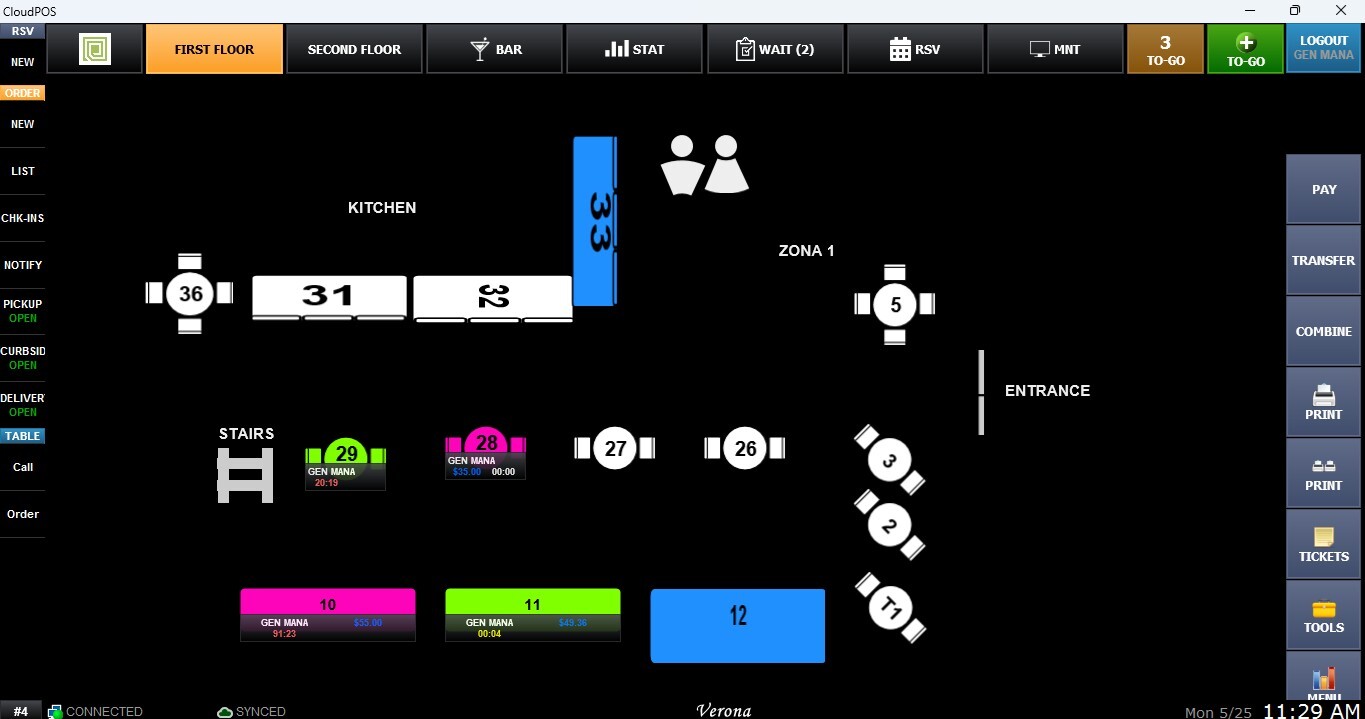
White: Empty tables available for new customers.
Blue: Customers are seated but have not placed an order yet.
Green: Occupied tables with active unpaid orders.
Pink: Paid tables where customers are still seated.
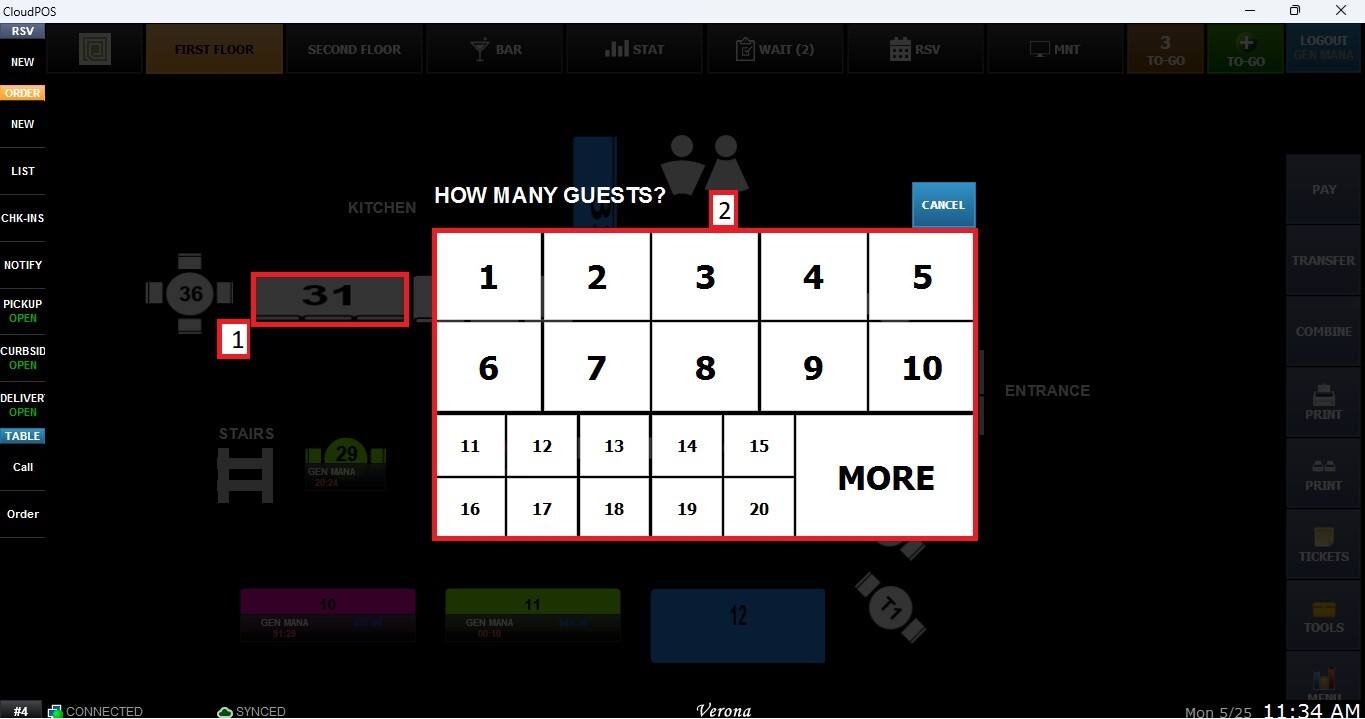
Click on an empty table. When prompted for the guest number, enter the number of guests.
The table will then open and be ready for sales.