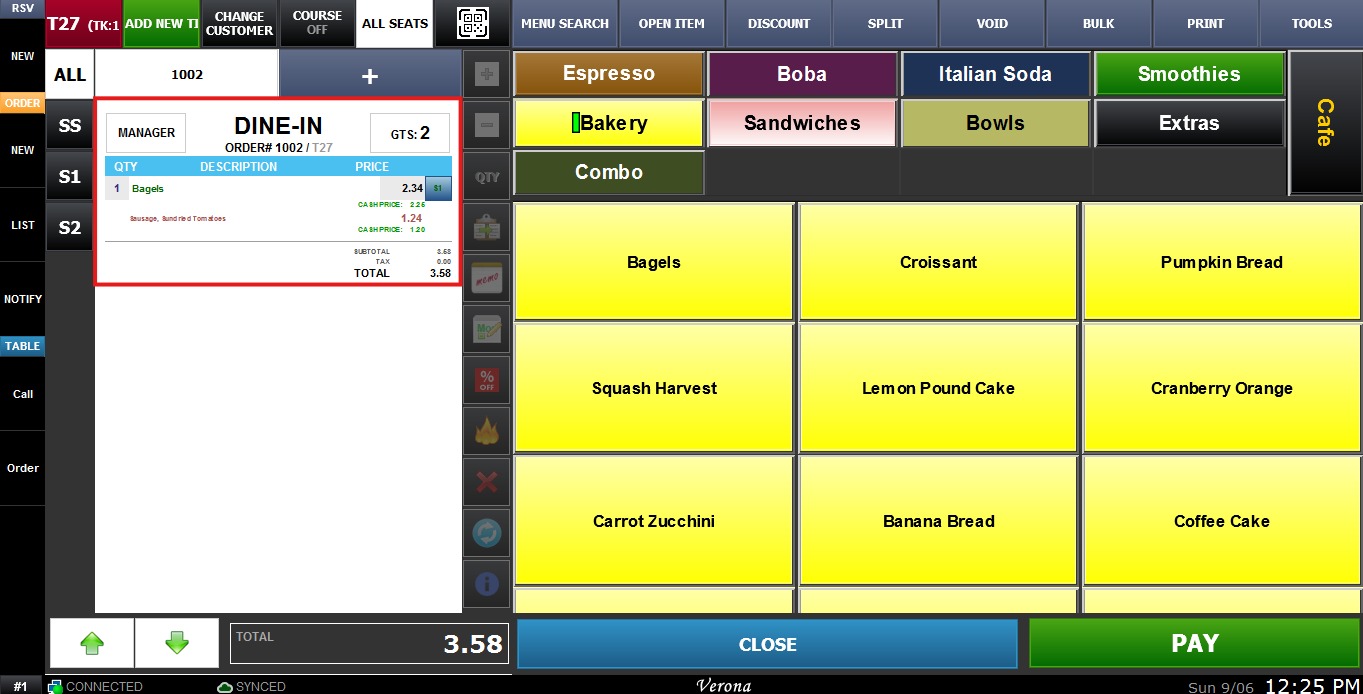
Text Size
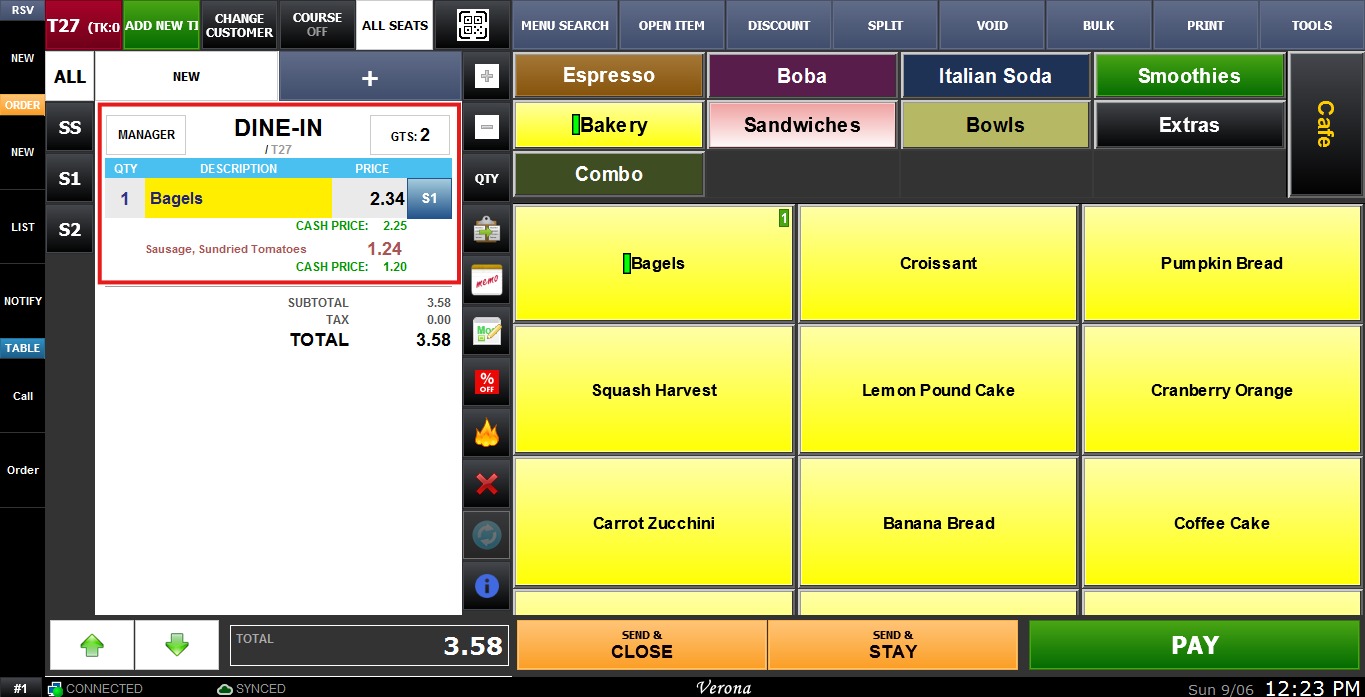
The Text Size option allows the user to adjust the font size displayed on the ring up screen.
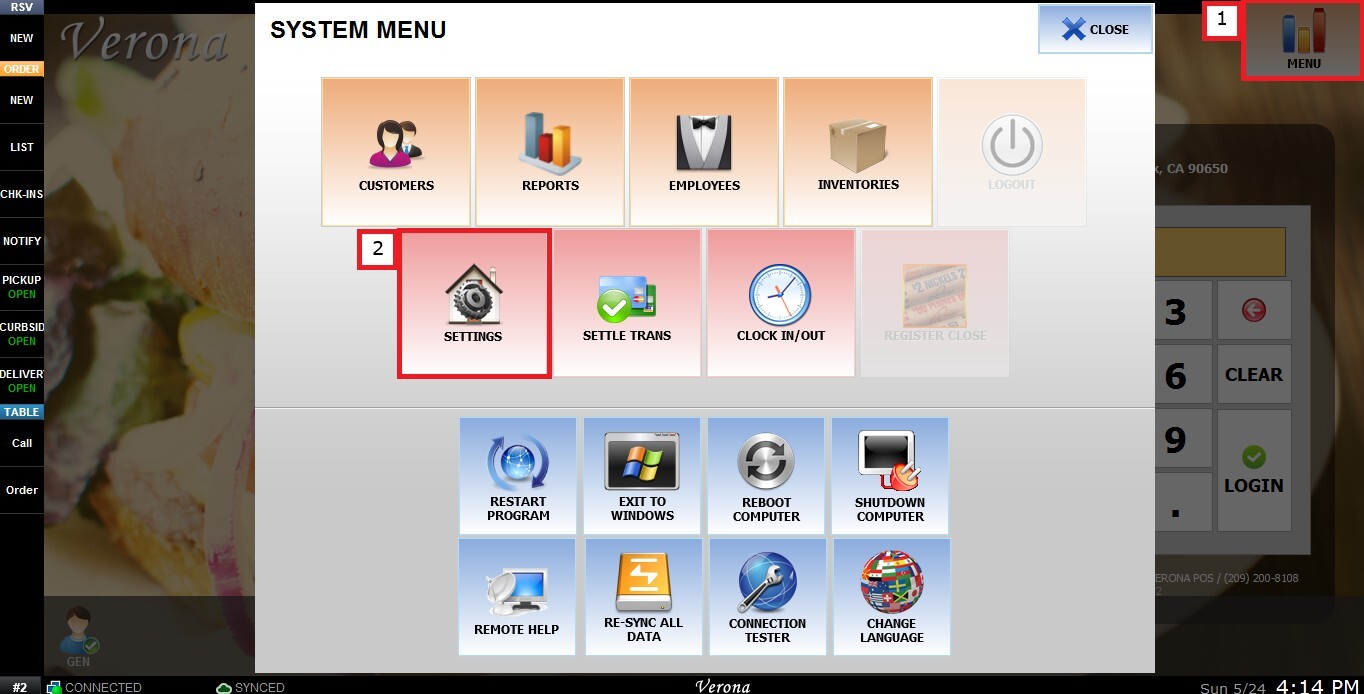
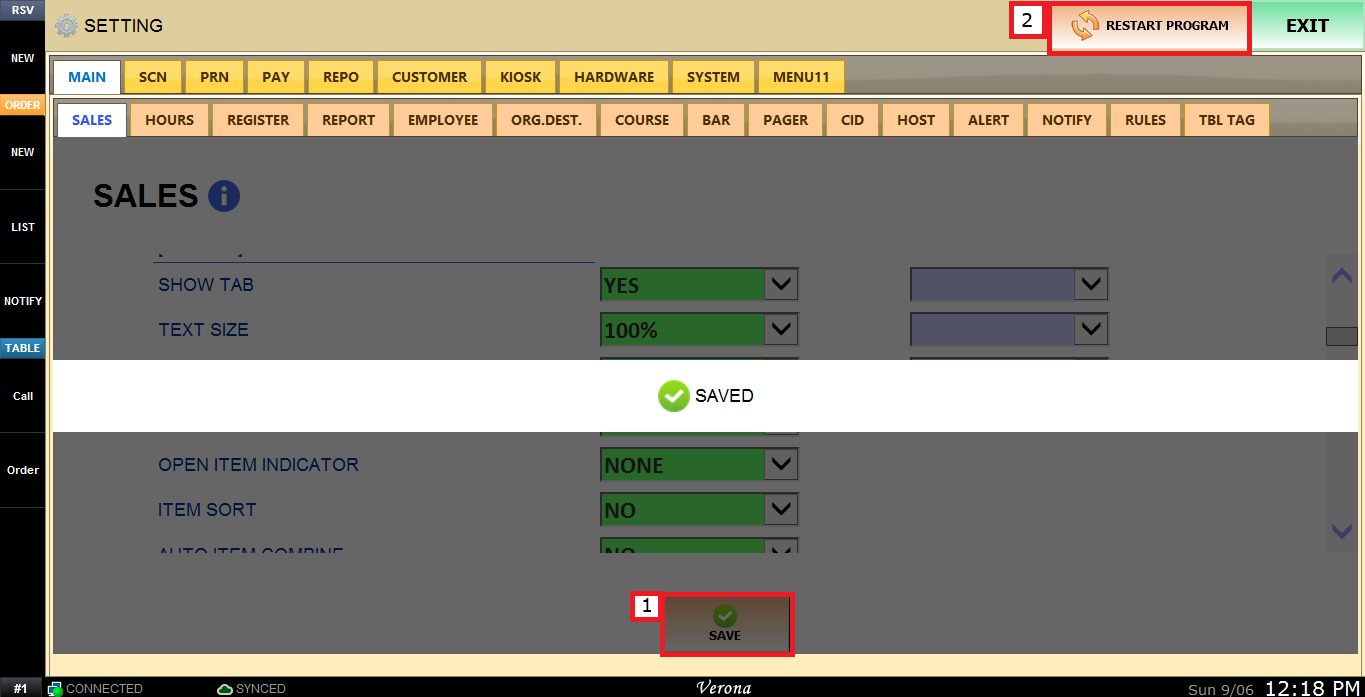
MENU > SETTING > MAIN > SALES > ORDERING SECTION > TEXT SIZE
From the Main Screen, click MENU, then select SETTINGS.
Under MAIN, select SALES, and in the TICKET section.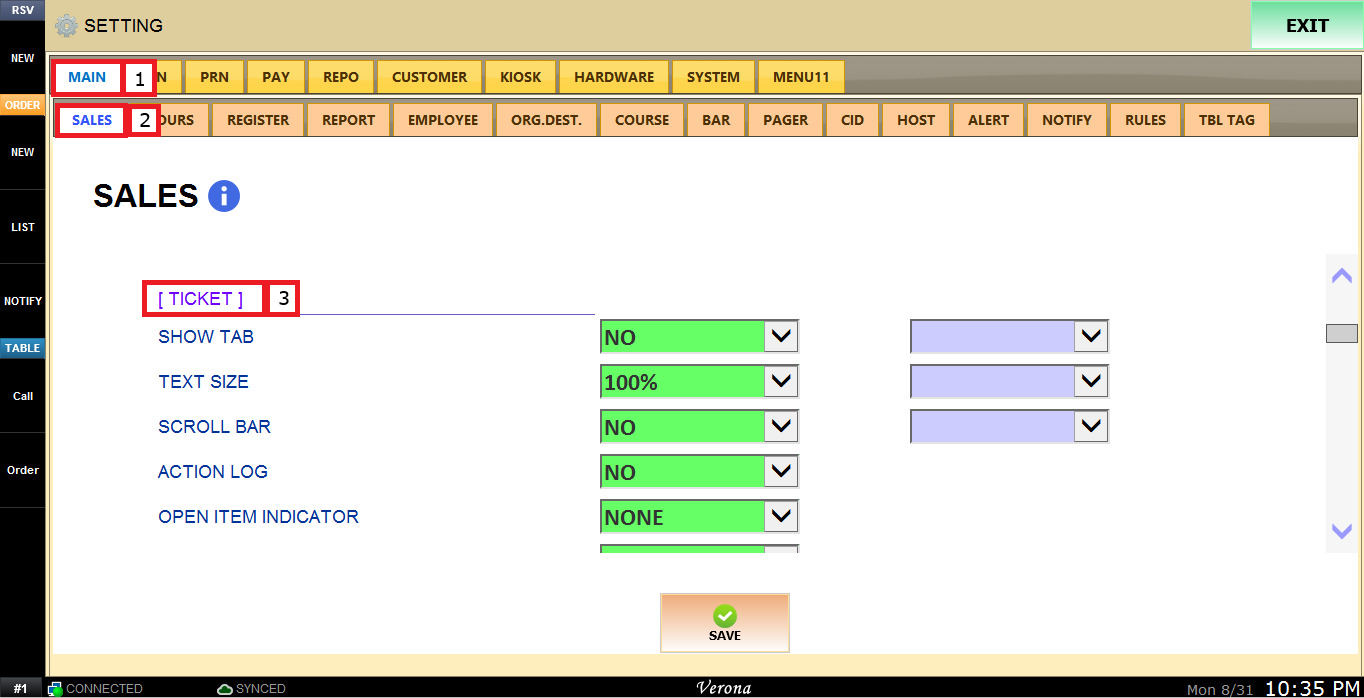
Review the TEXT SIZE dropdown menu, it allows the user to select a percentage, ranging from 30% to 100%, to adjust the font size on the ring up screen.
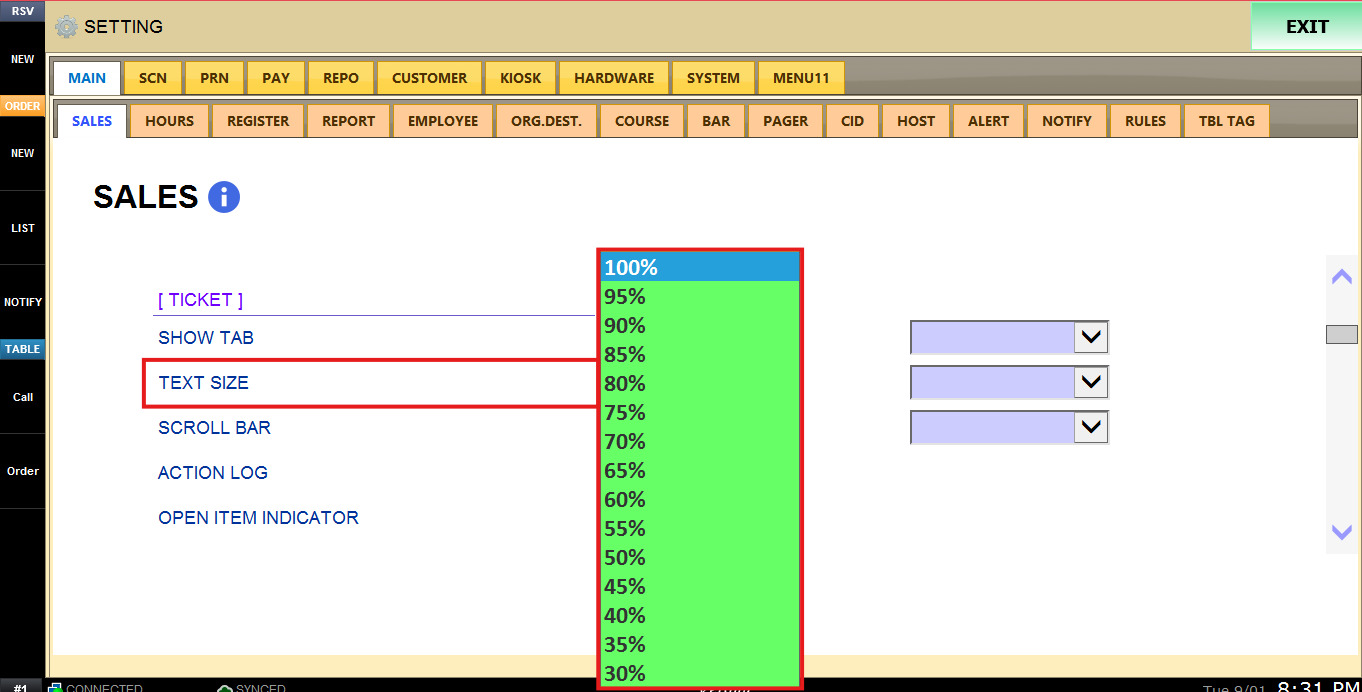
To keep the desired configuration, click SAVE and RESTART THE PROGRAM.
RESULTS:
Text Size at 100%.
Text Size at 65%.