Table Kiosk Bill & Request
From the Table Kiosk, the customers can ask for the bill or call the server without leaving the table. Each request is sent to the POS to notify the servers.
Table Kiosk> BILL / CALL SERVER> Request> YES
Request the Bill:
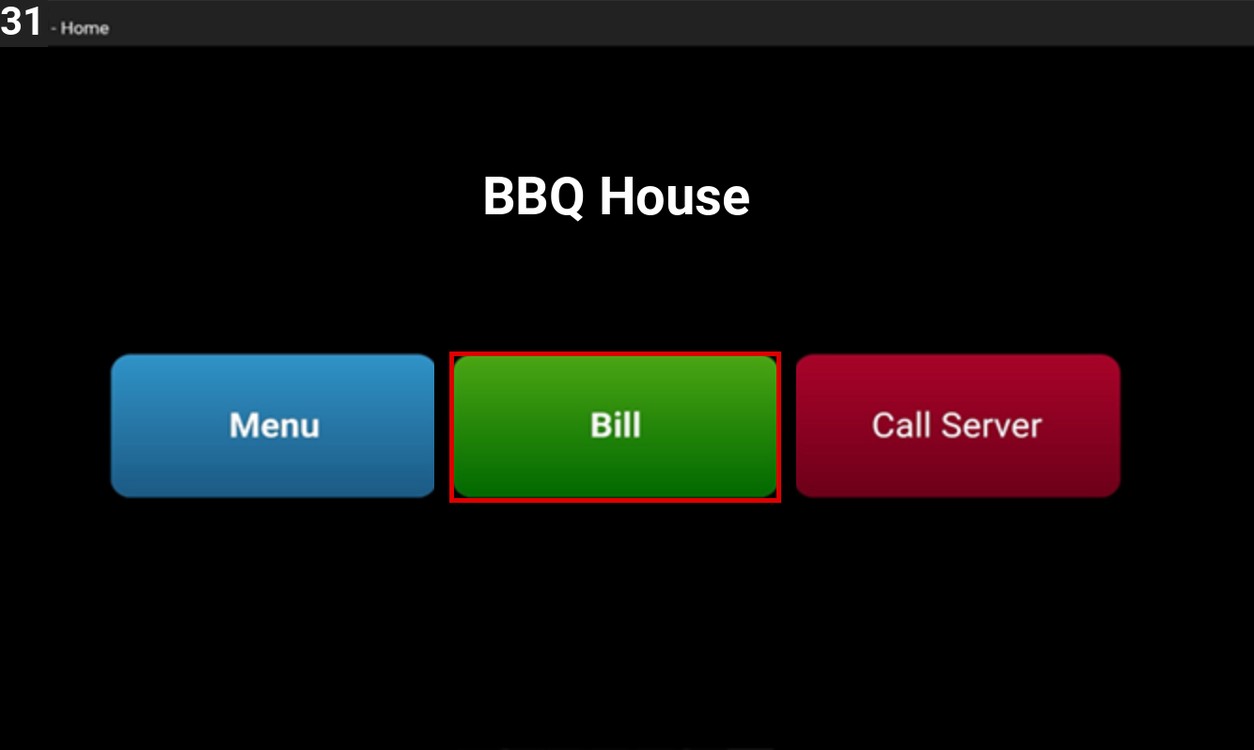
On the Table Kiosk home screen, press BILL. The bill request is sent to the POS.
Call the Server:
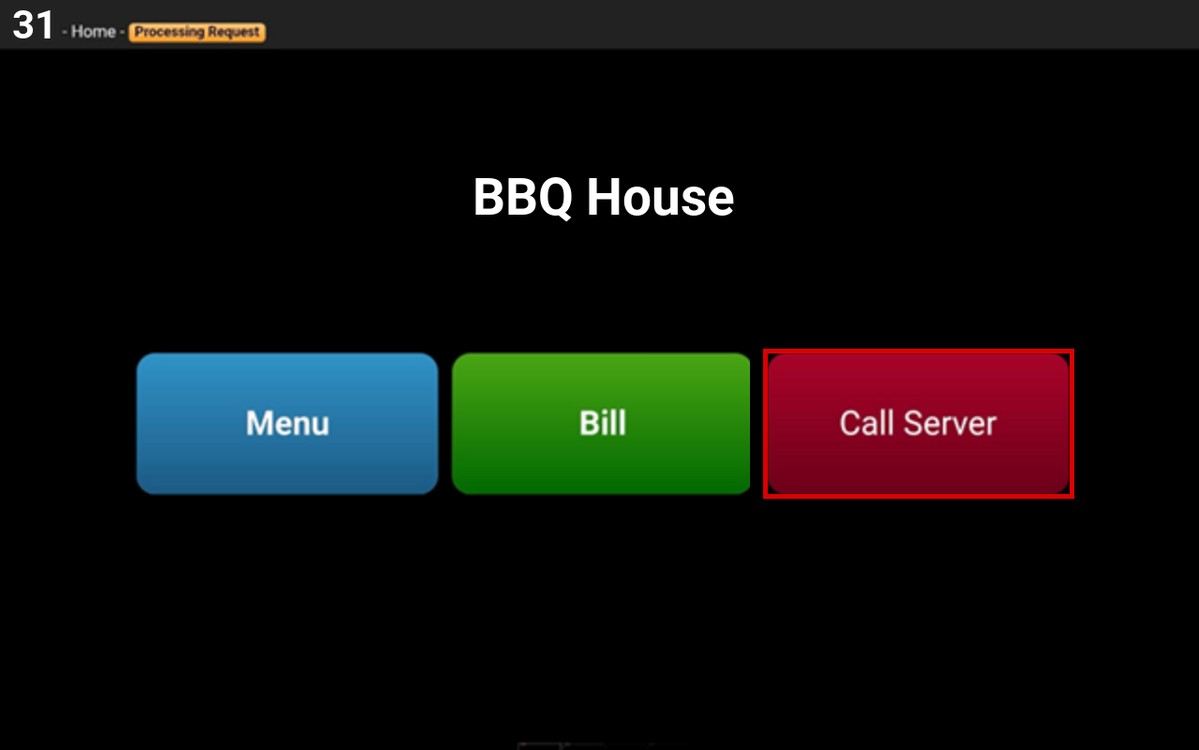
On the Table Kiosk home screen, press CALL SERVER.
Select the request for the server:
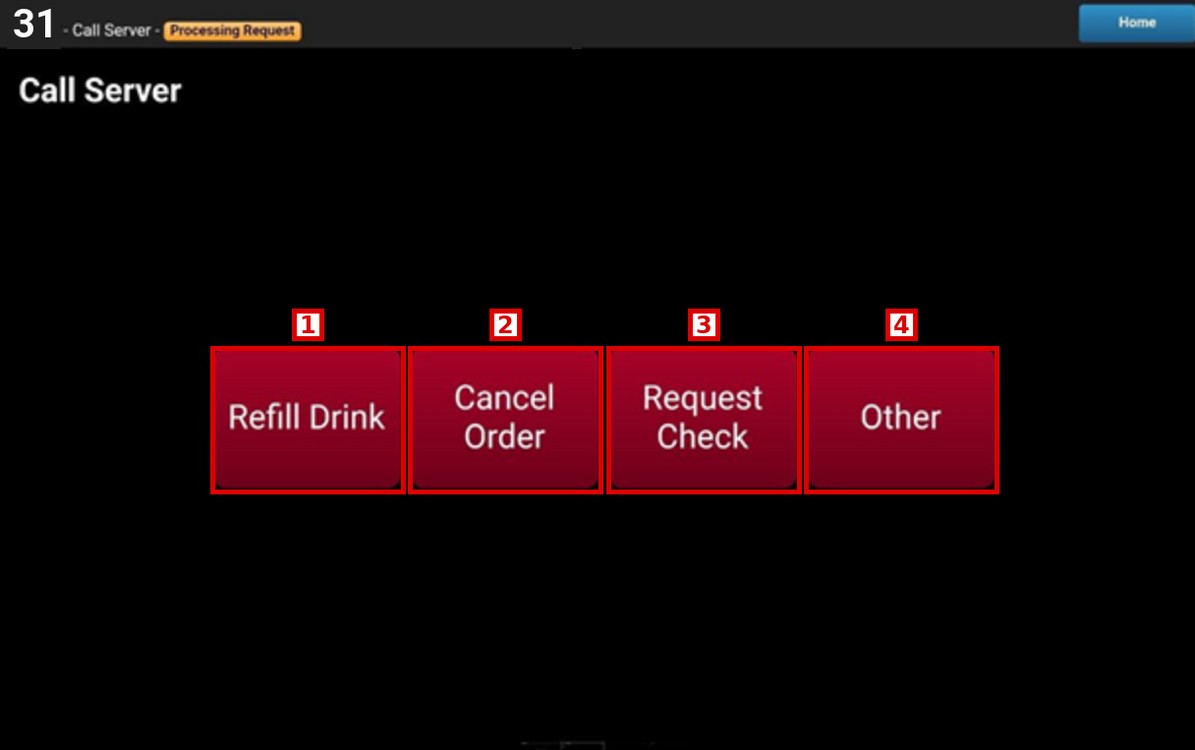
1. REFILL DRINK: Asks the server to refill the drinks.
2. CANCEL ORDER: Asks the server to cancel the order.
3. REQUEST CHECK: Asks the server for the check.
4. OTHER: Asks the server to come to the table for any other request.
Hint: The request options can be changed in the Table Kiosk settings of the POS. To learn how to set up the Table Kiosk on the POS, please refer to the Table Kiosk POS Setup Guide.
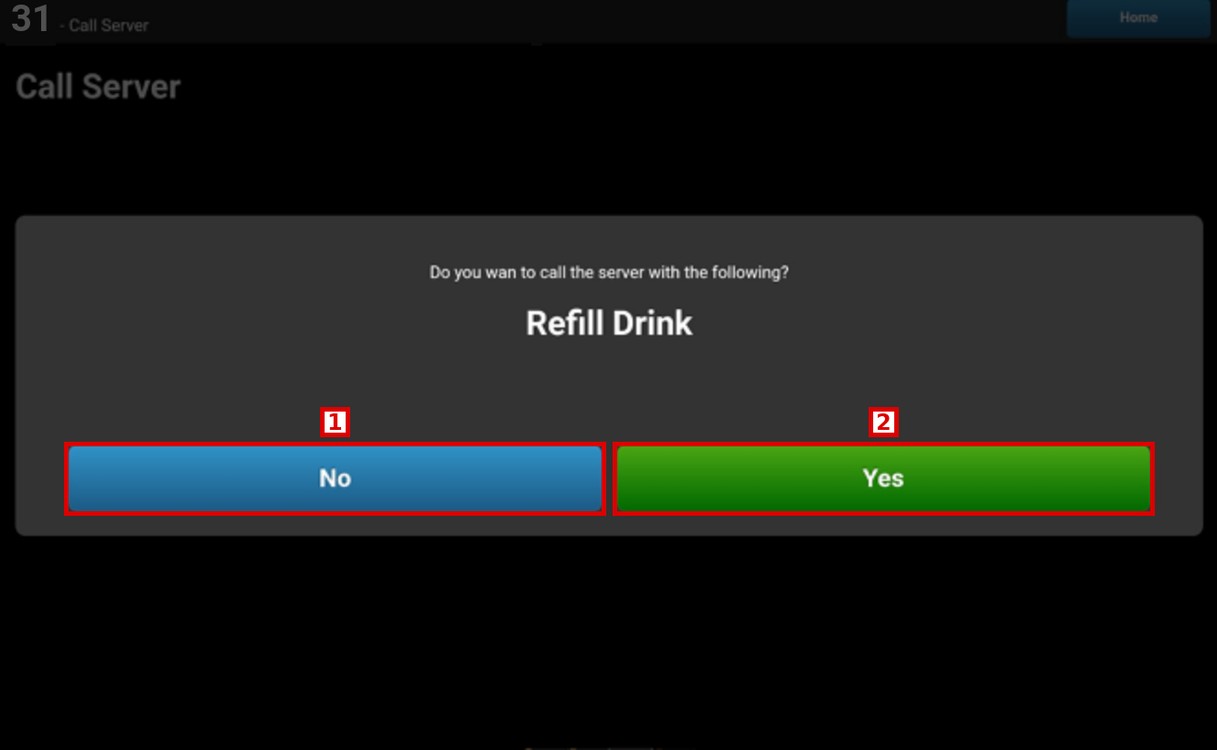
A message asks to confirm the request. Press NO to go back or YES to call the server.
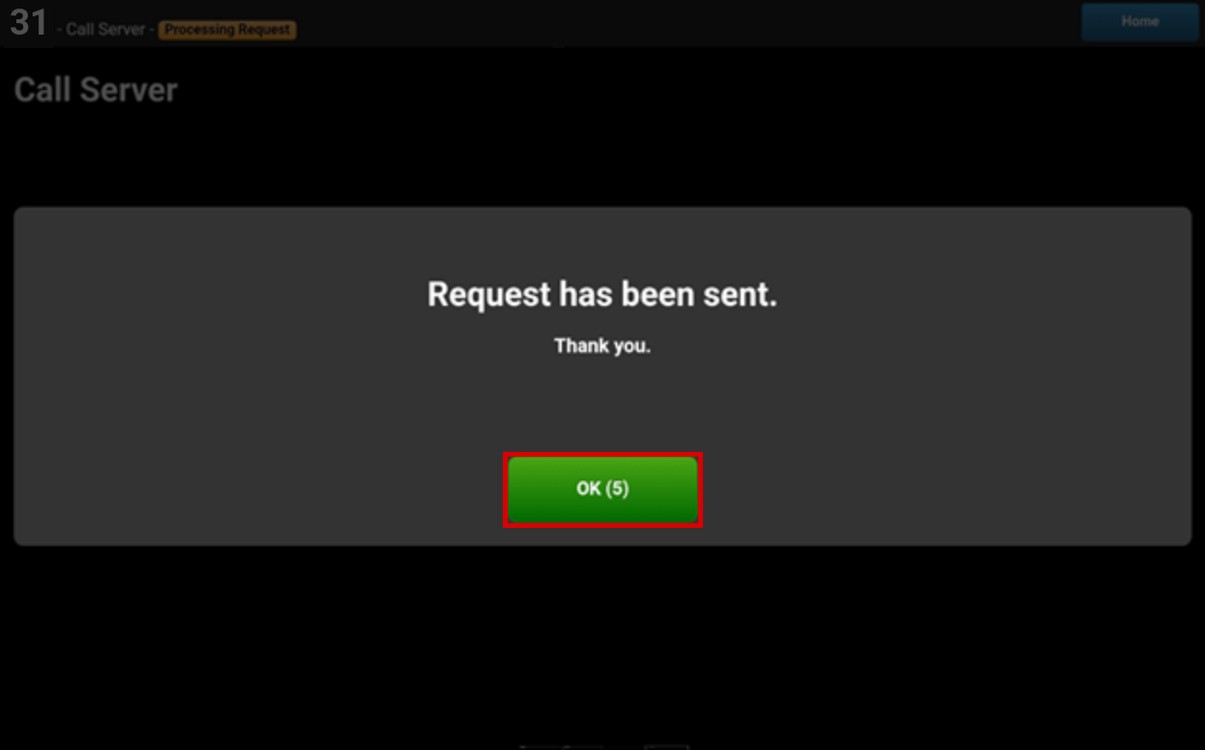
The message Request has been sent is shown. Press OK or wait for the window to close.
Result:
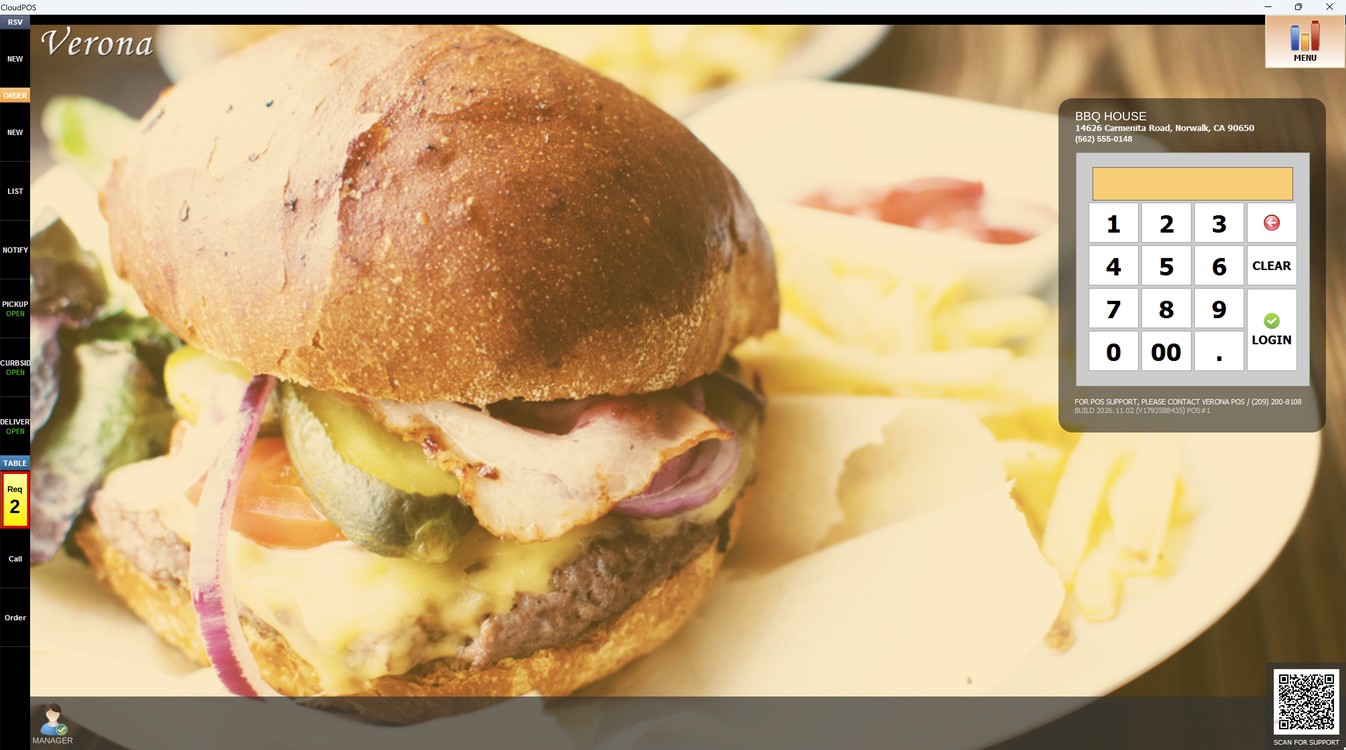
The requests from the tablet are shown on the POS under TABLE, in the Req button on the left, with the number of requests.
To learn how the servers manage the requests from the Table Kiosk, please refer to the Table Kiosk Handling Request Guide.