Notice
Configure how reservation notifications are sent through Menu11.
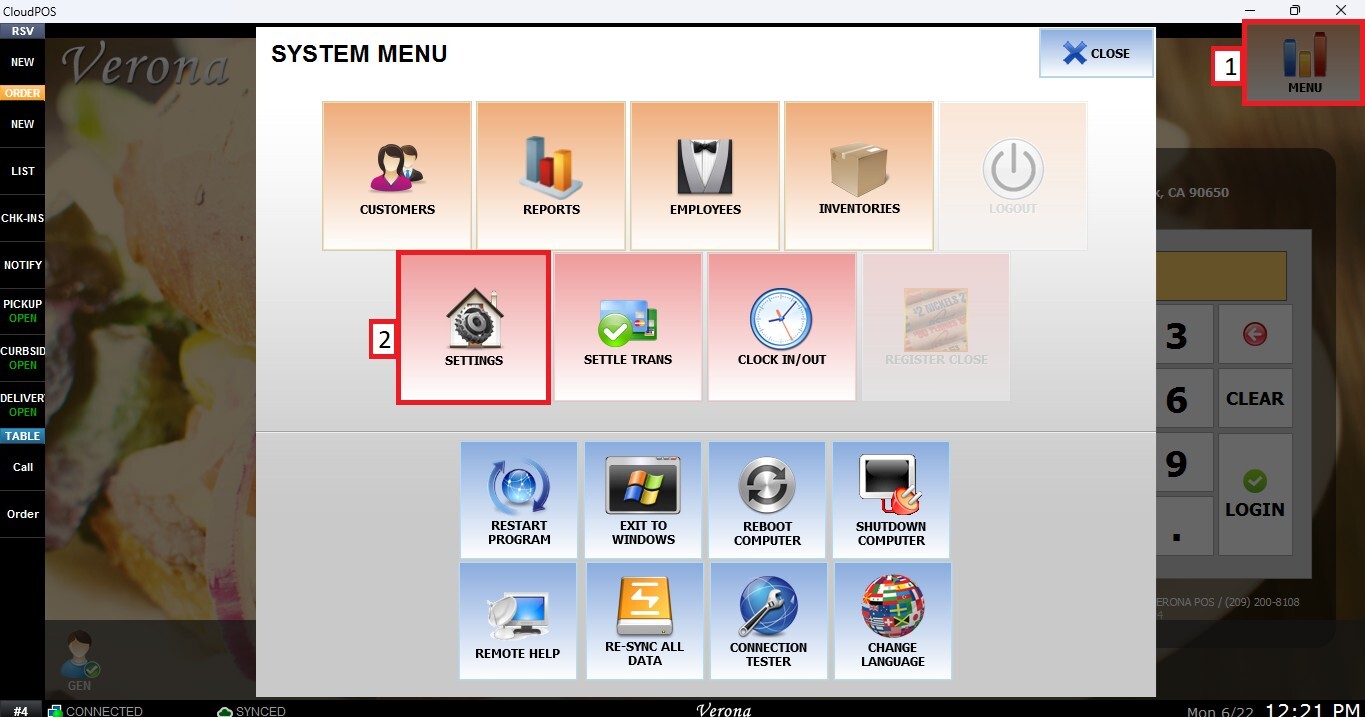
MENU > SETTINGS > MENU11 > RESERVE > NOTICE
From the MAIN SCREEN, click MENU, then select SETTINGS.
Go to the MENU11 tab, select RESERVE, then click NOTICE.
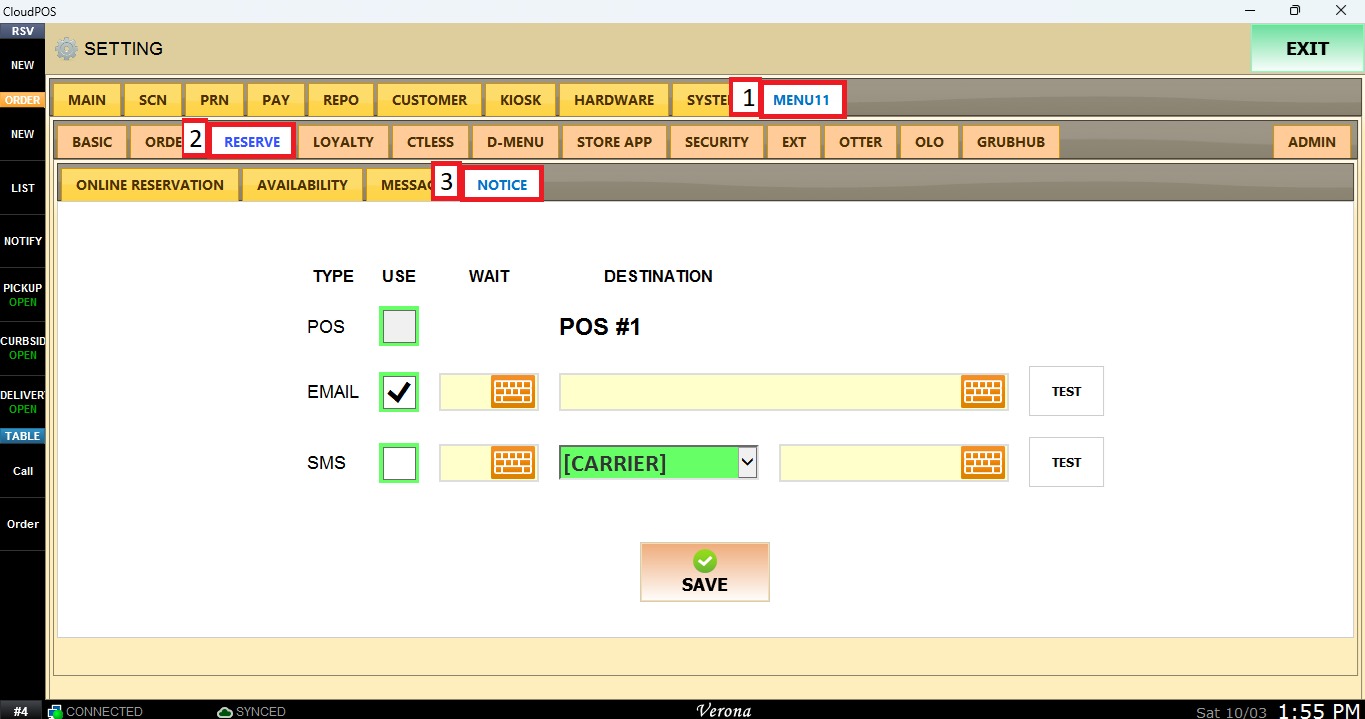
Sends reservation notifications to the merchant by email.
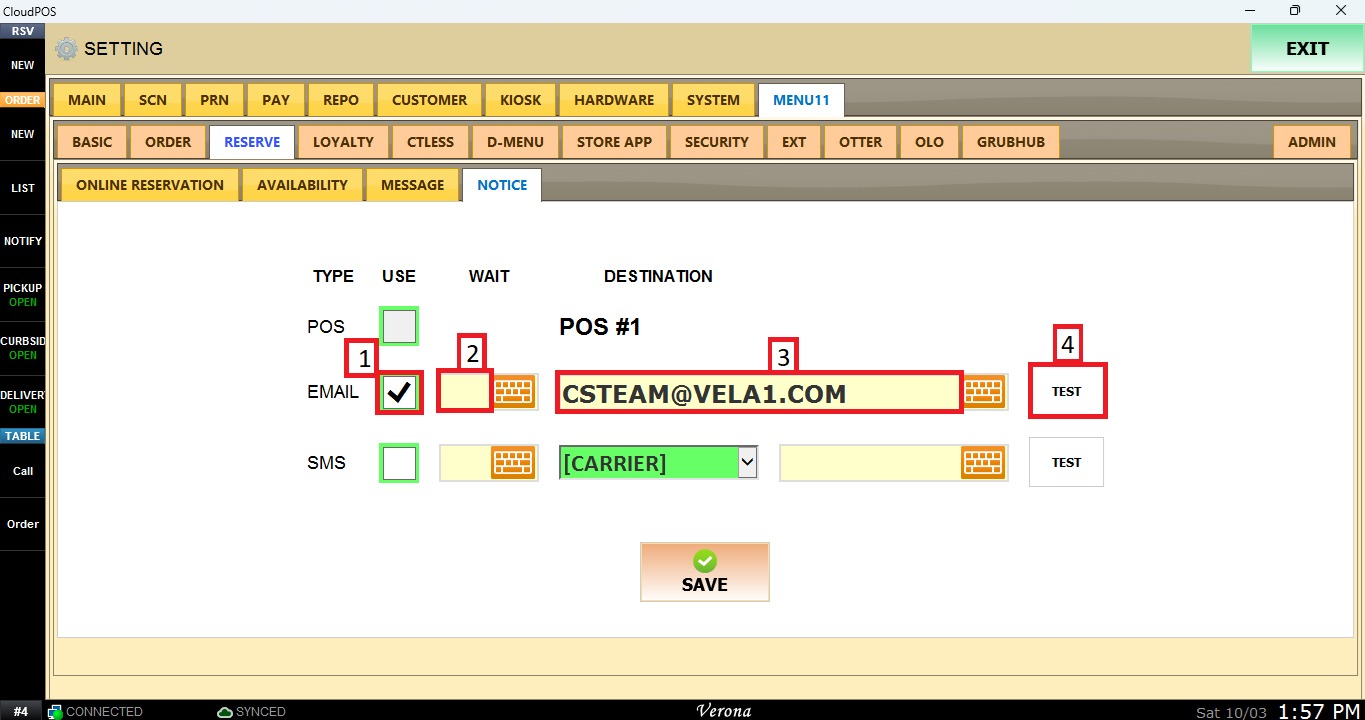
1. USE: Check this box to enable email notifications.
2. WAIT:
3. DESTINATION: Enter the email address that receives the notifications.
4. TEST: Sends a test notification to the email address entered.
SMS
Sends reservation notifications to the merchant by text message.
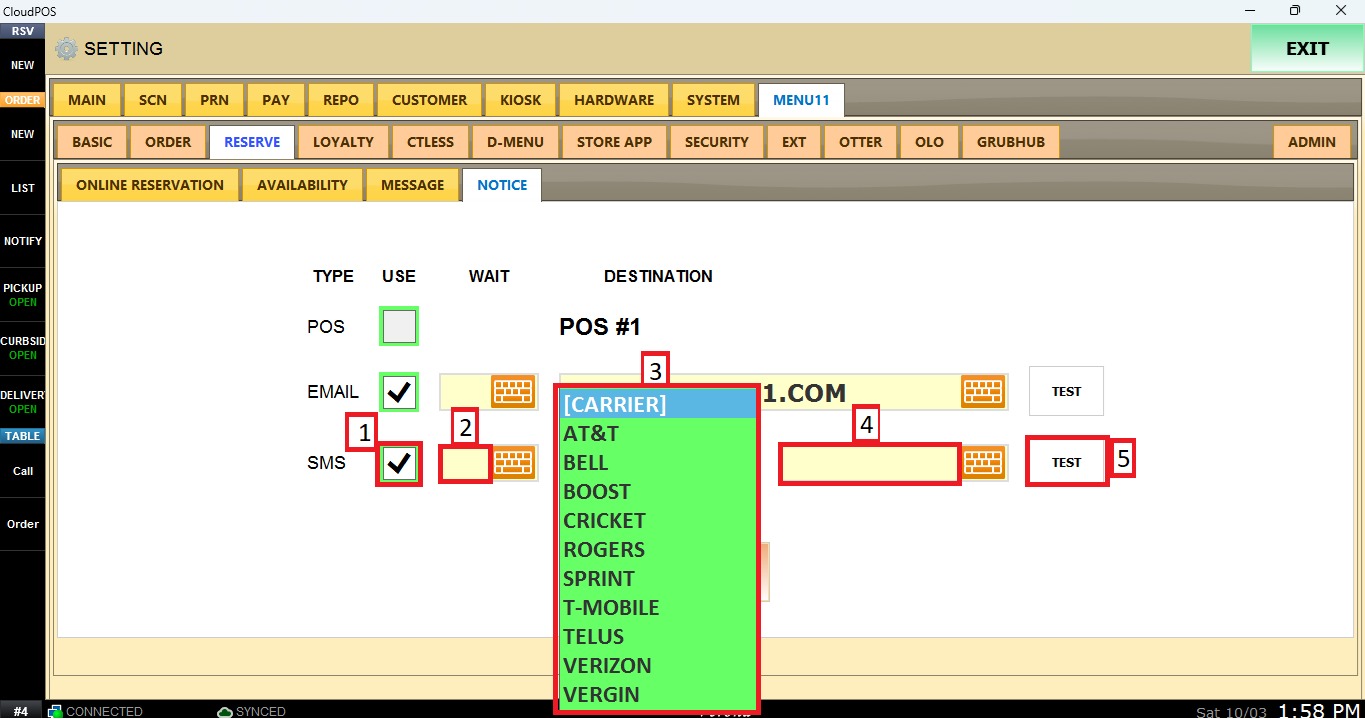
1. USE: Check this box to enable SMS notifications.
2. WAIT:
3. DESTINATION: Select the SMS carrier and enter the phone number that receives the notifications.
4. NUMBER: Enter the phone number that receives the SMS notifications.
5. TEST: Sends a test notification to the phone number entered.
NOTE: SMS notifications require available funds in the merchant's wallet.
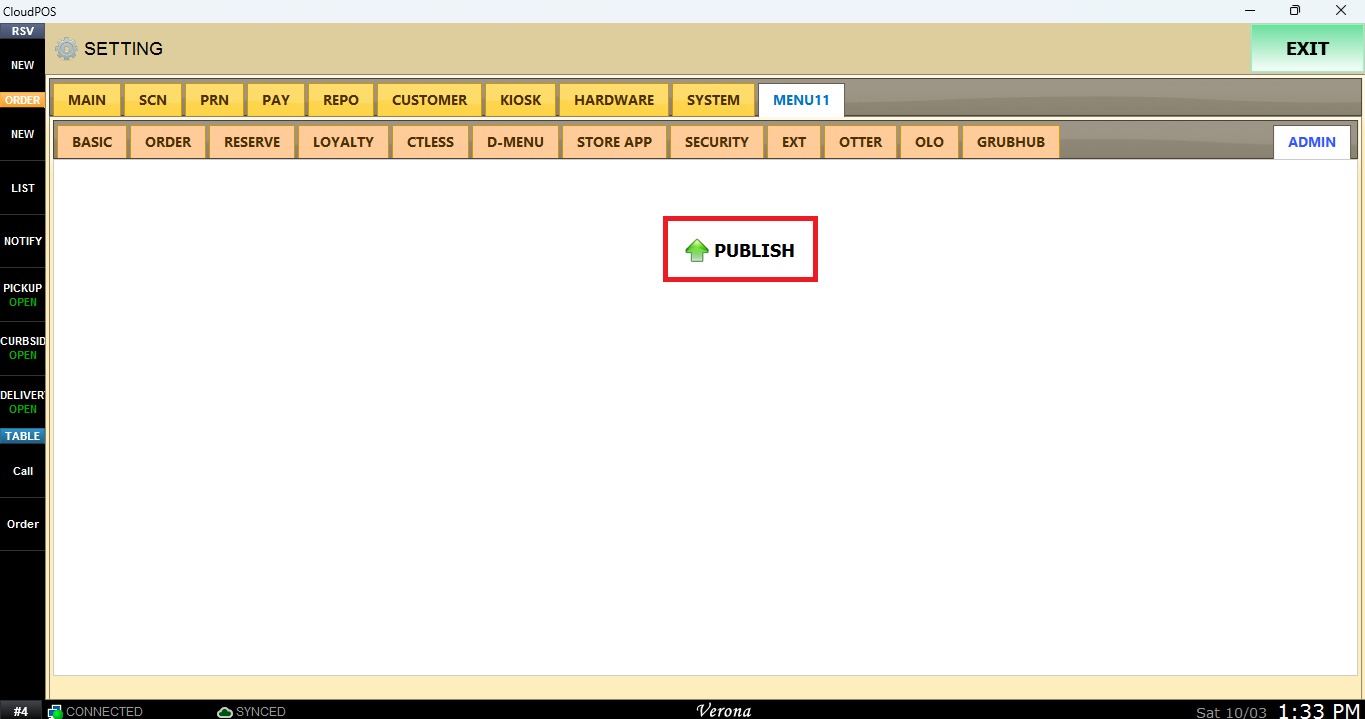
Once the configuration is complete, click SAVE and navigate to ADMIN.
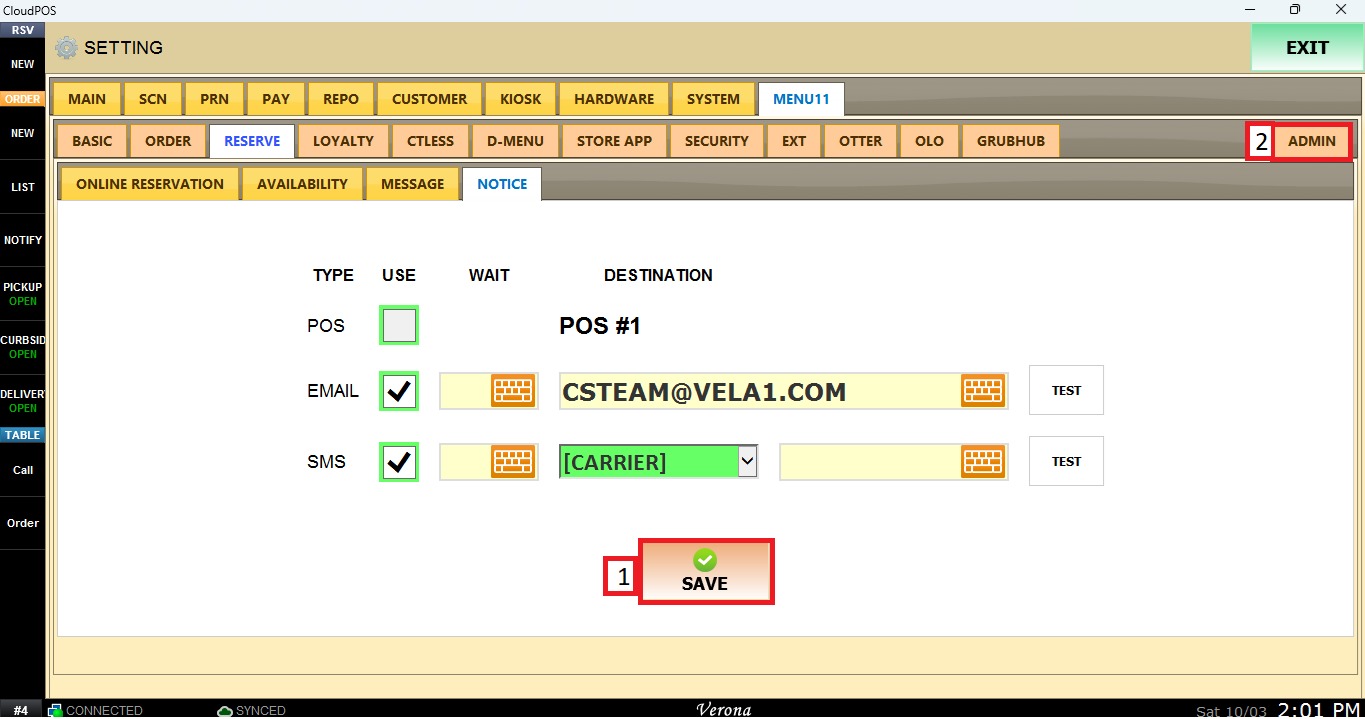
Click on PUBLISH to apply the changes.