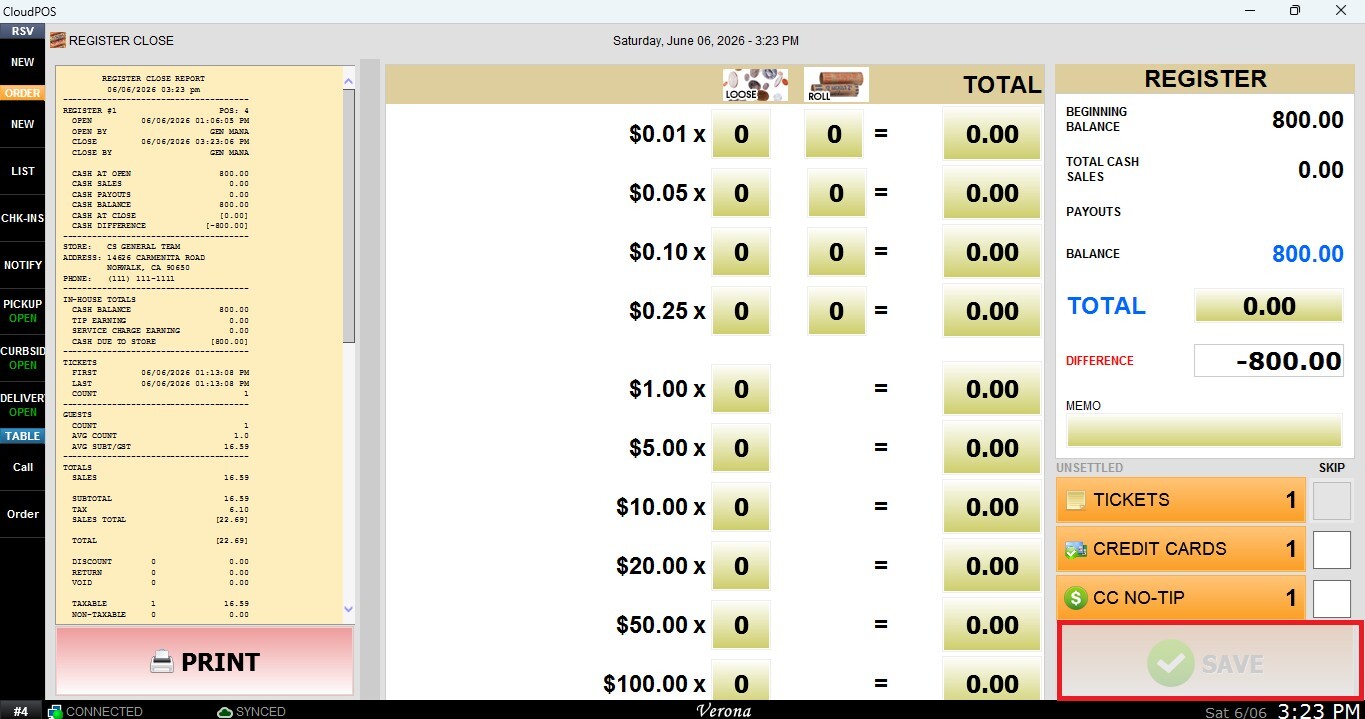
How to Perform a Register Close
This process is performed at the end of the business day to record the final cash balance in the drawer. Completing this procedure helps ensure accurate cash reconciliation and prepares the register for the next opening.
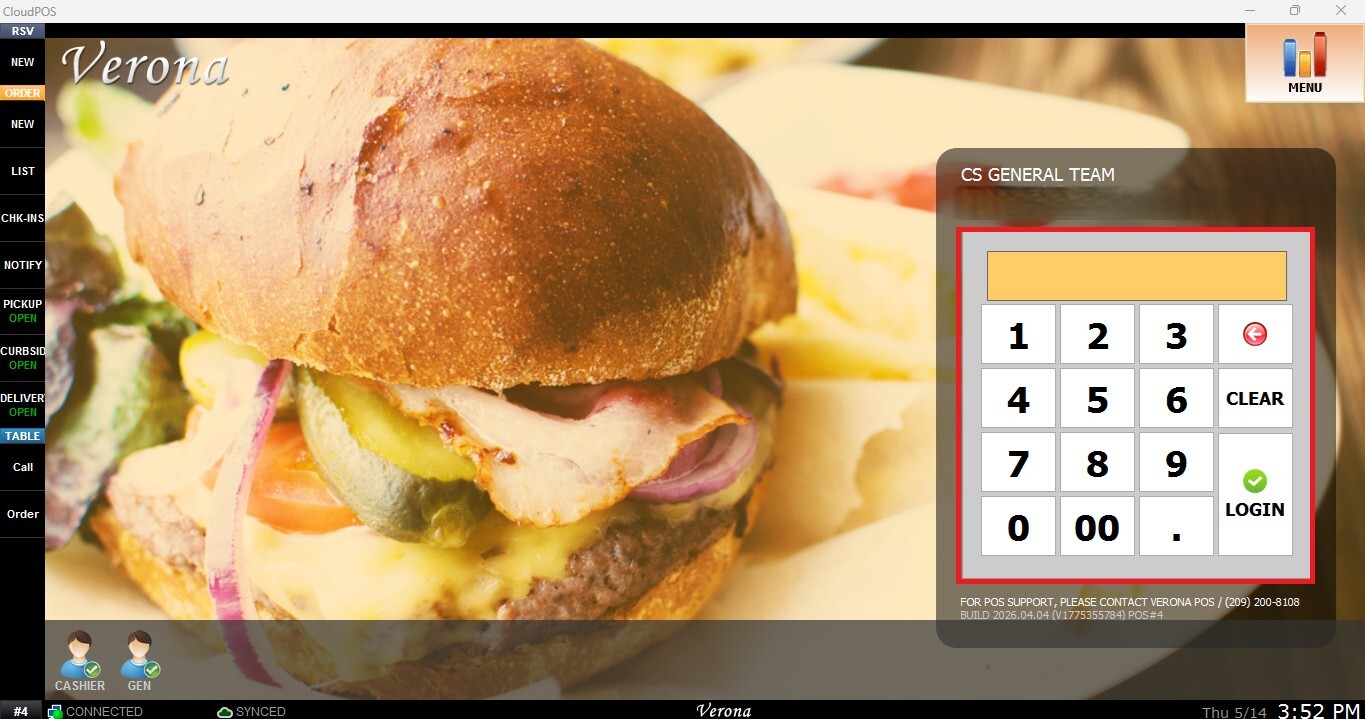
Main Screen> Number Pad> Sales Screen> MENU> REGISTER CLOSE
From the Main Screen, use the number pad and enter the assigned employee's password to log in.
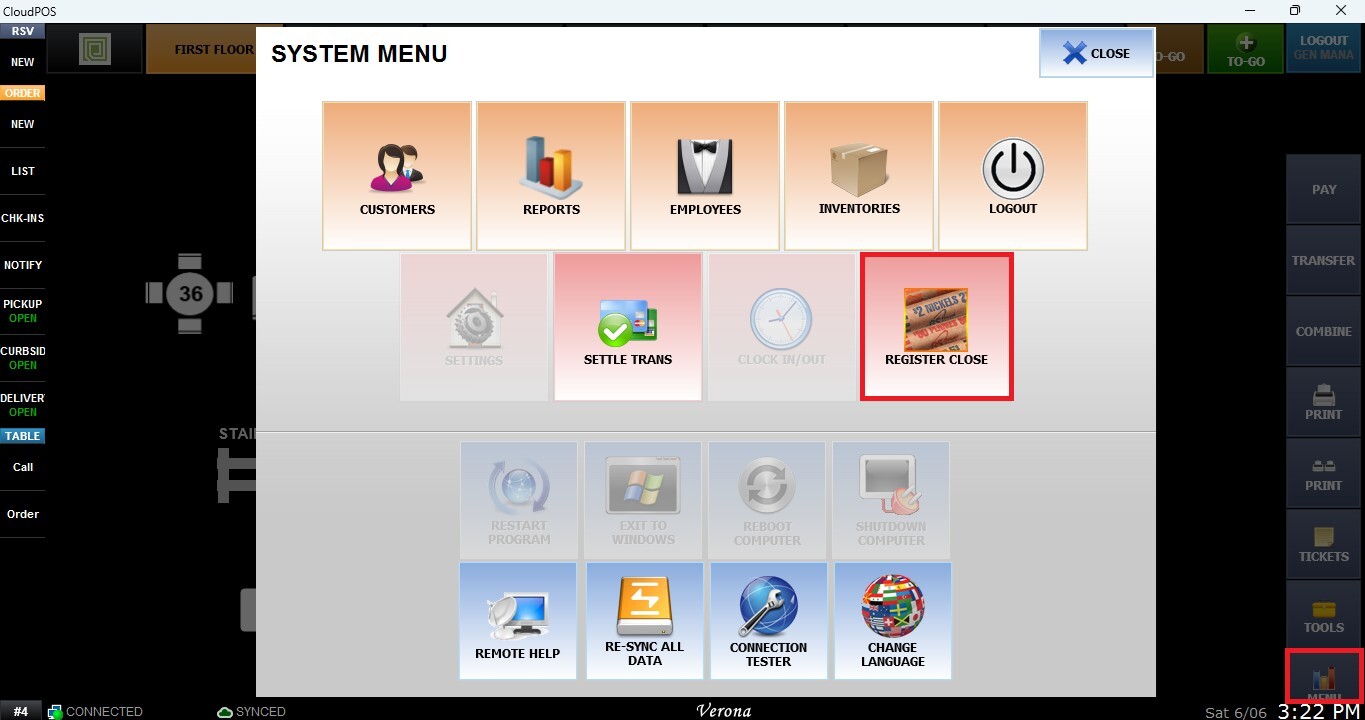
Navigate to MENU from the Table Screen and select REGISTER CLOSE.
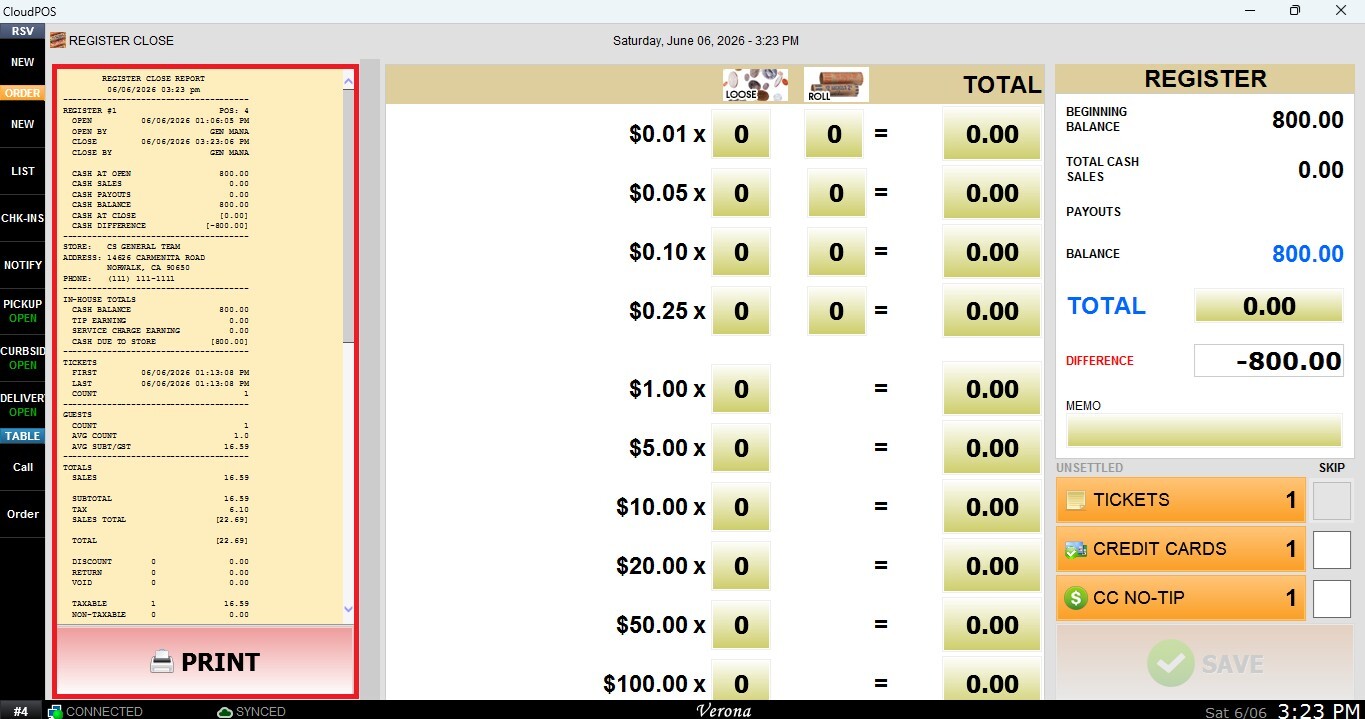
Register Close Report
Displays a printable report containing the register open and close times, all transactions processed during that period, and a detailed breakdown of the recorded bills and coins. Press PRINT to print a copy for cash control or record-keeping purposes.
Cash Count
Use the calculator section to enter the quantity of each bill and coin, or simply input the final cash amount directly in the TOTAL field.
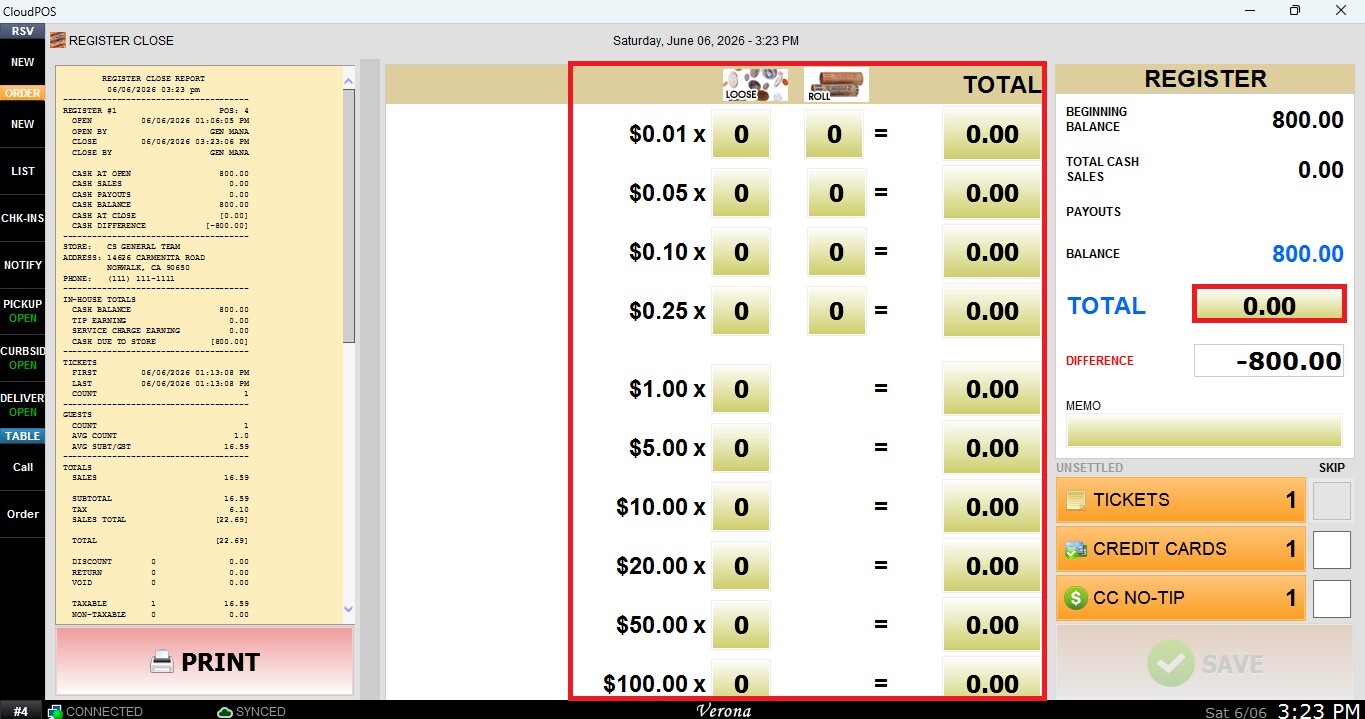
Register Balance
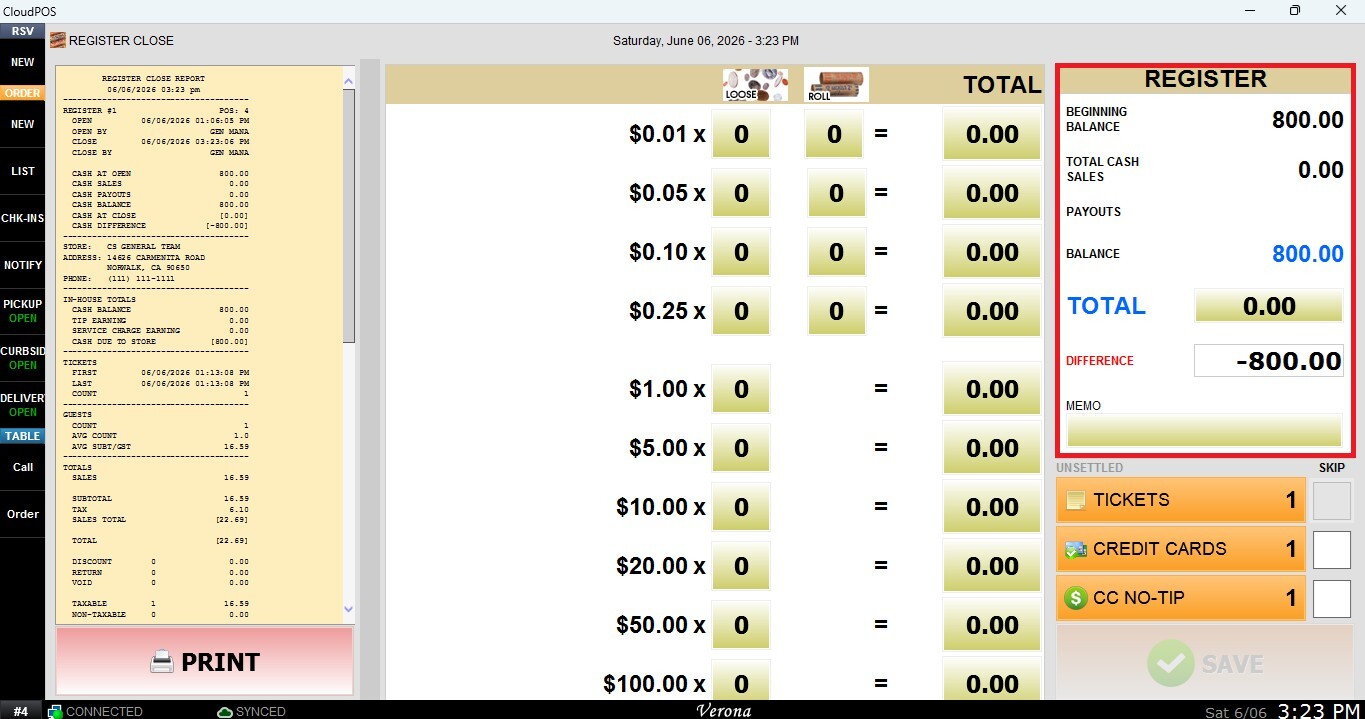
The REGISTER panel compares the counted cash with the expected system balance and indicates whether both amounts match.
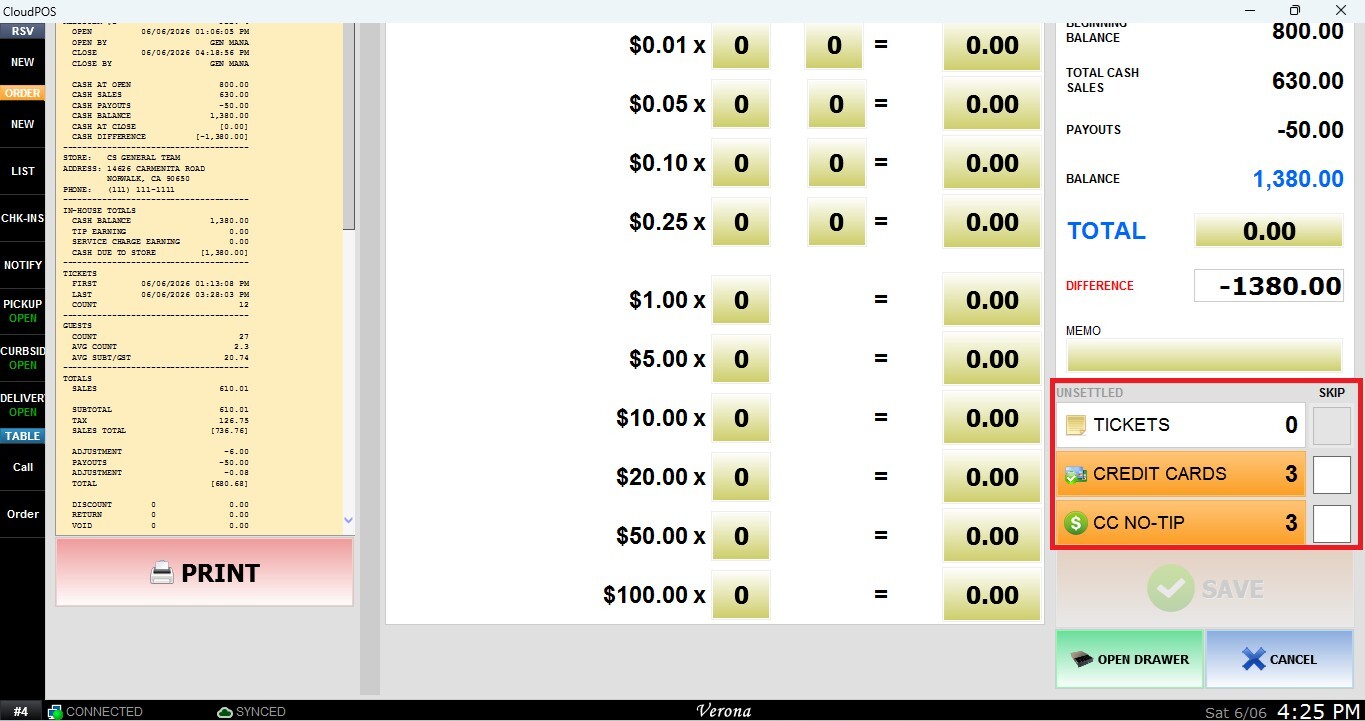
Tickets: Displays the number of tickets that are currently open and have not yet been closed. For more information, please refer to Register Close-Open Tickets.
Credit Cards: Displays the number of credit card transactions that have not yet been settled. For more information, please refer to Batch Close (Settlement) and Register-Close Skipping Unsettled Ticket.
CC NO-TIP: Displays the number of credit card transactions that do not have a tip entered or adjusted. For more information, please refer to Register Close-CC No Tip.
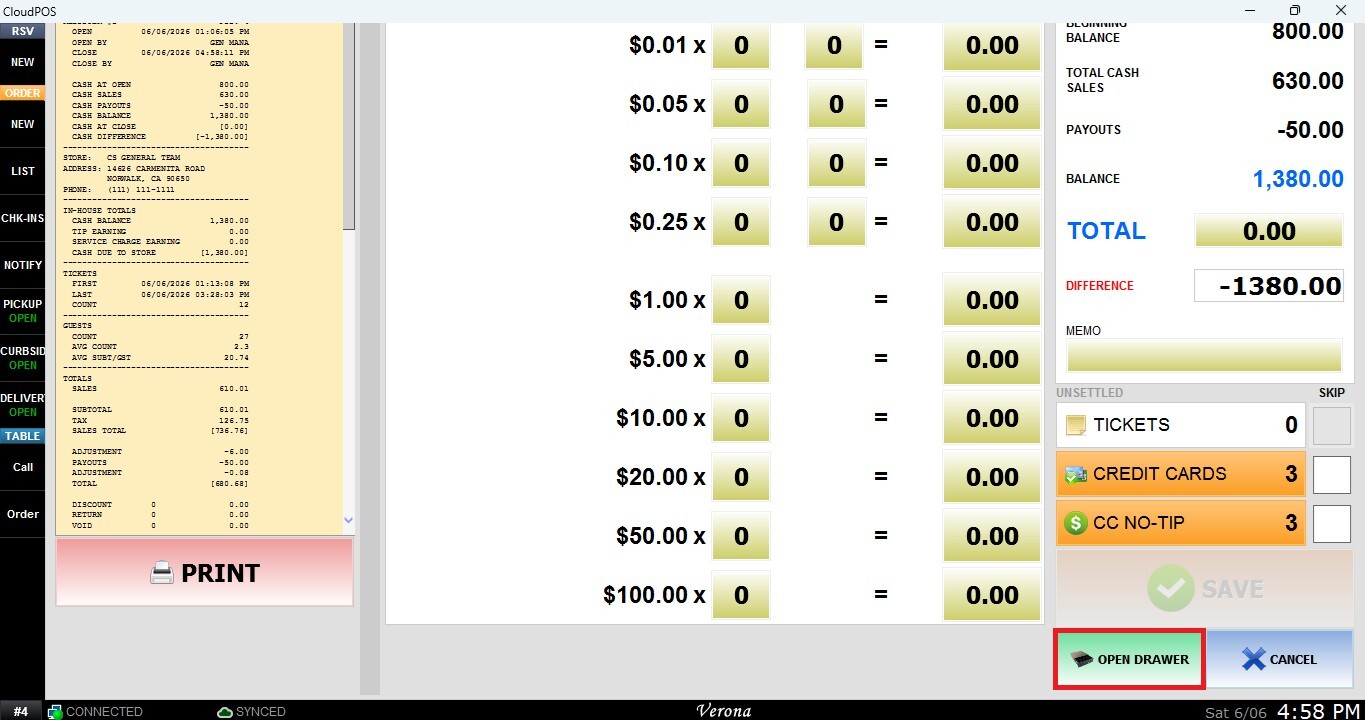
Open Drawer
Opens the connected cash drawer without performing the Register Open process. This can be useful when access to the cash drawer is required for operational purposes before or during the register opening procedure.
After verifying that the TOTAL matches the expected register balance, press SAVE to complete the Register Close process.