Send & Send Only Button
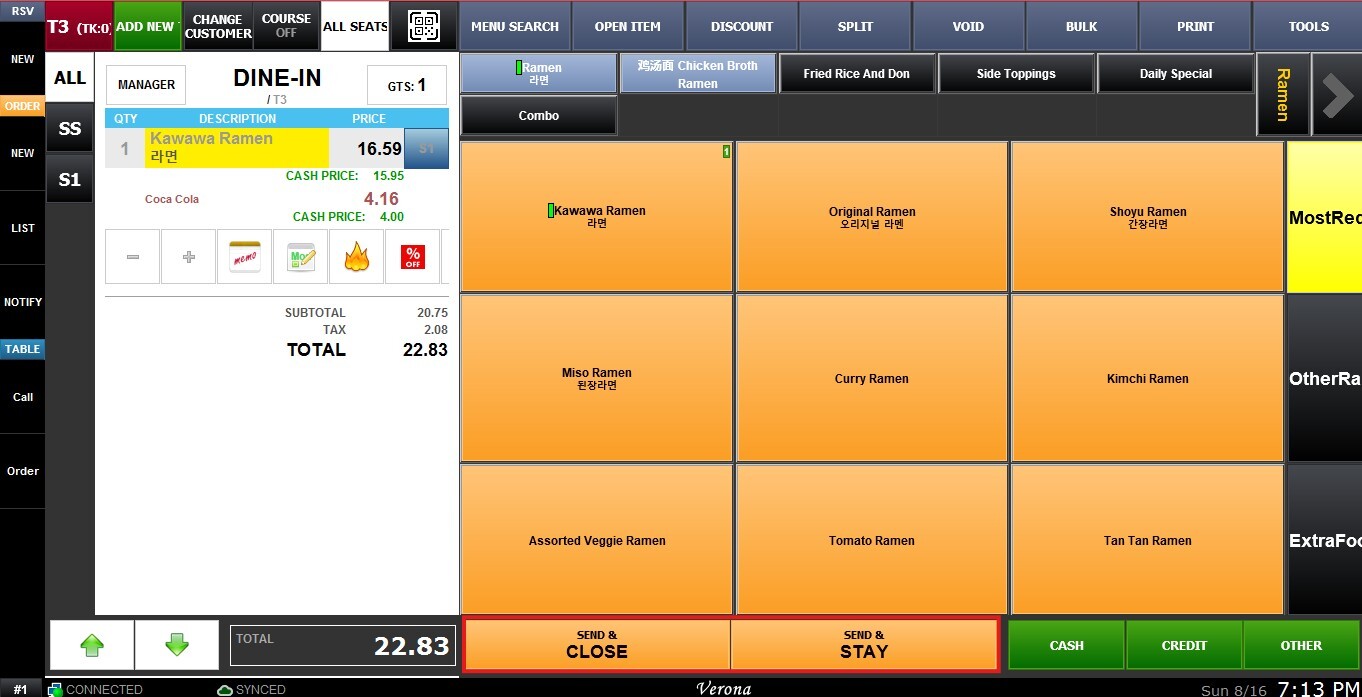
The Send/Send Only setting creates the buttons used to send an order to the kitchen printer. Send enables a Send & Close button, which exits to the table map after sending. Send Only enables a Send and Stay button, which keeps the user on the order screen after sending.
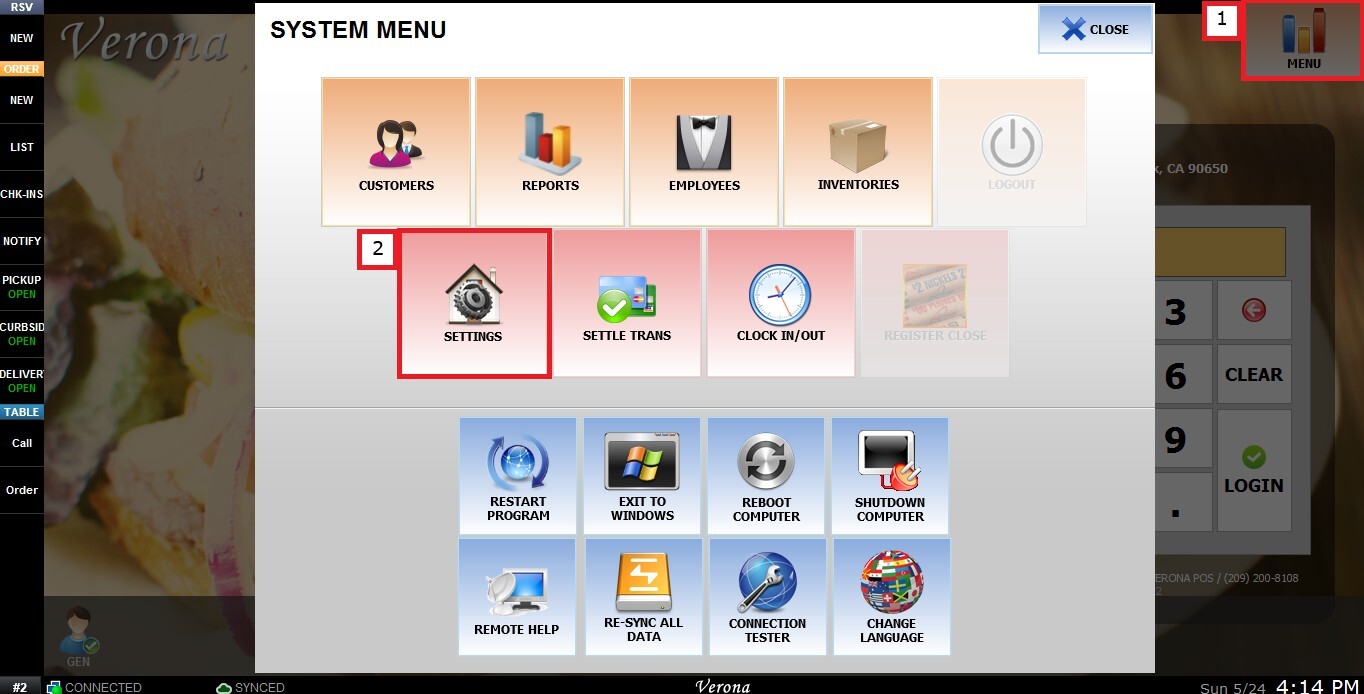
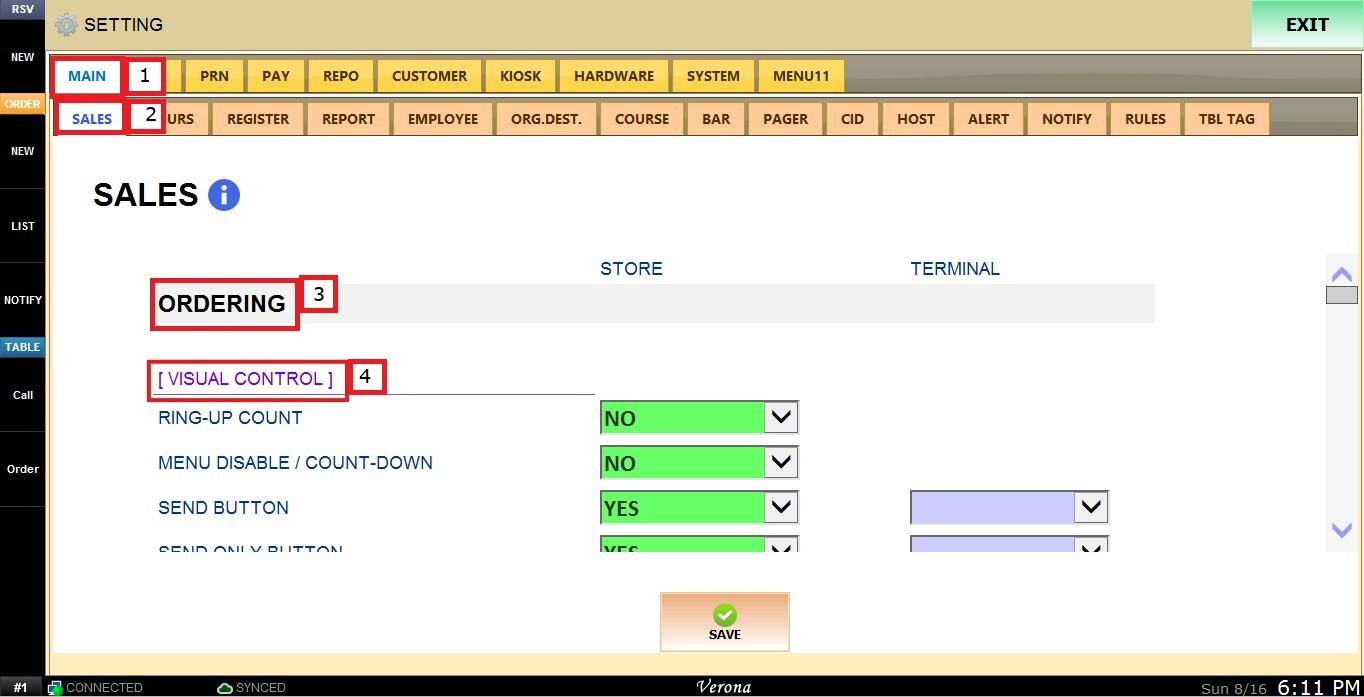
MENU > SETTINGS > MAIN > SALES > ORDERING > USE SEND/SEND ONLY
From the Main Screen, click MENU, then select SETTINGS.
Under MAIN, select SALES, then ORDERING and scroll down until the VISUAL CONTROL section.
SEND BUTTON
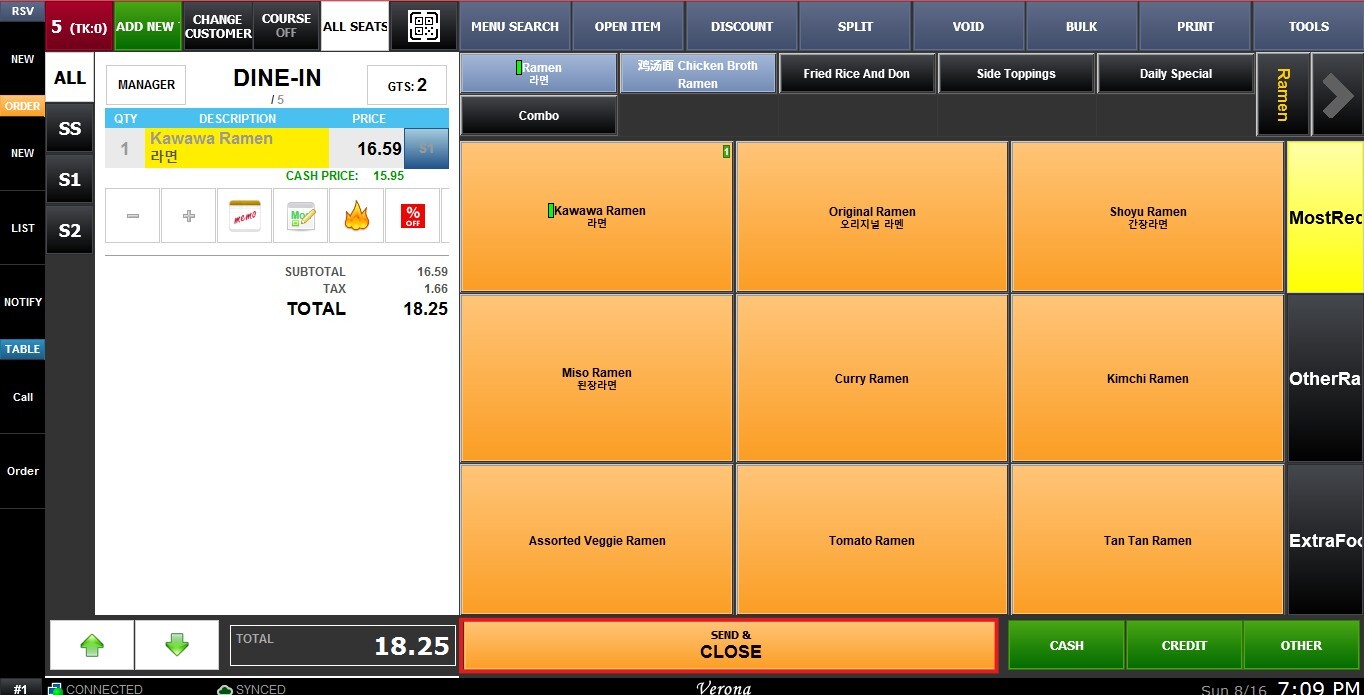
Enables the Send & Close button, which sends the order to the kitchen and exits to the table map.
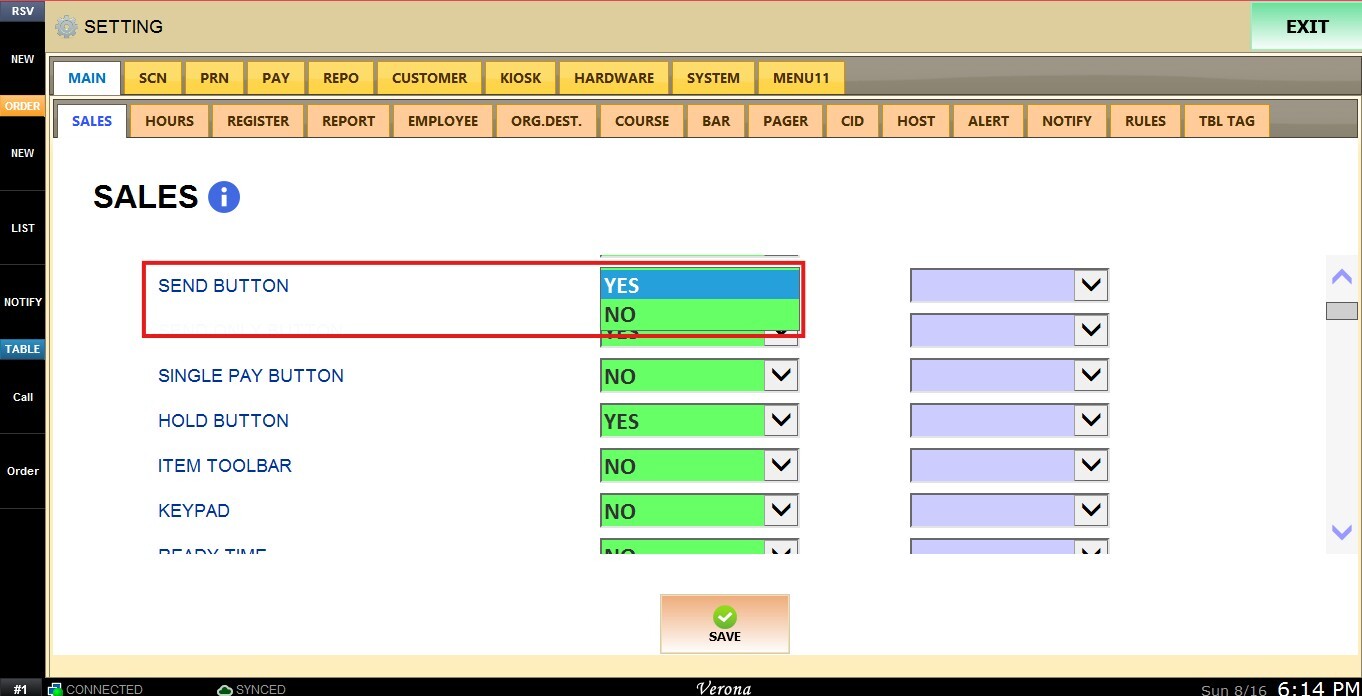
Inside the dropdown menu you have the following options:
1. YES: Enables the Send & Close button.
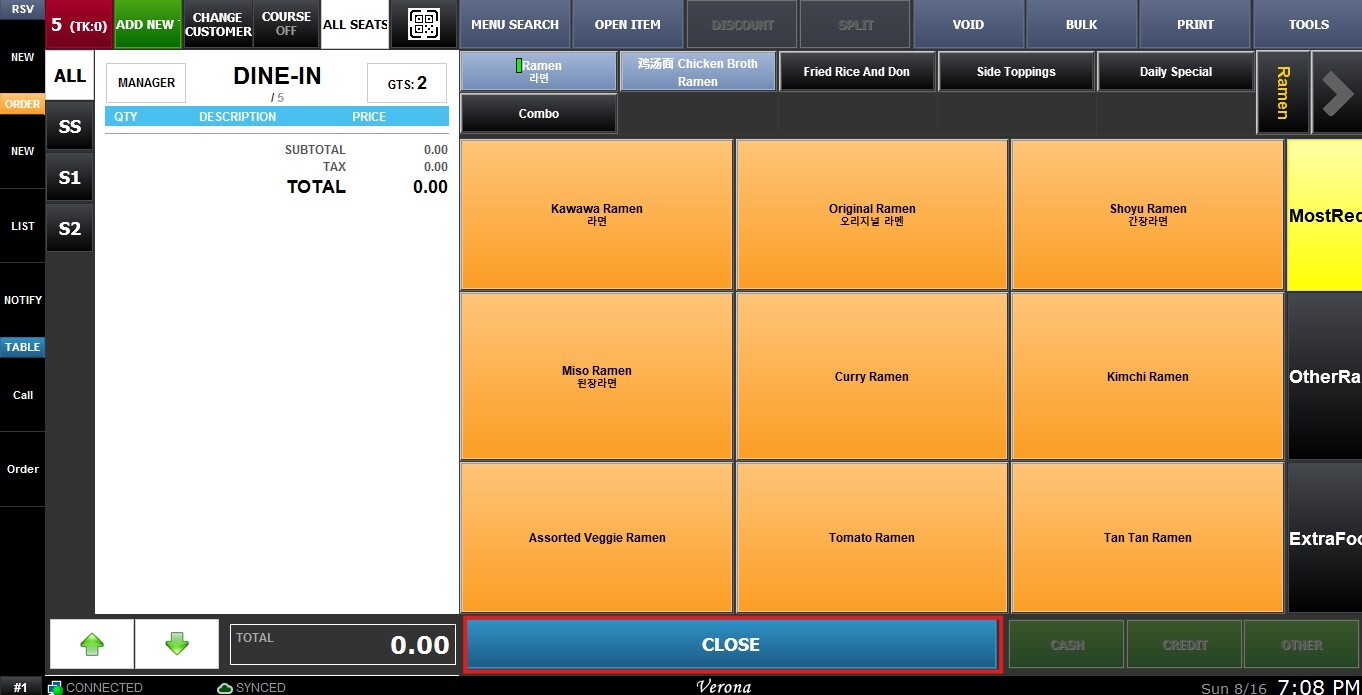
2. NO: Disables the Send & Close button.
SEND ONLY BUTTON
Enables the Send & Stay button, which sends the order to the kitchen and keeps the user on the order screen.
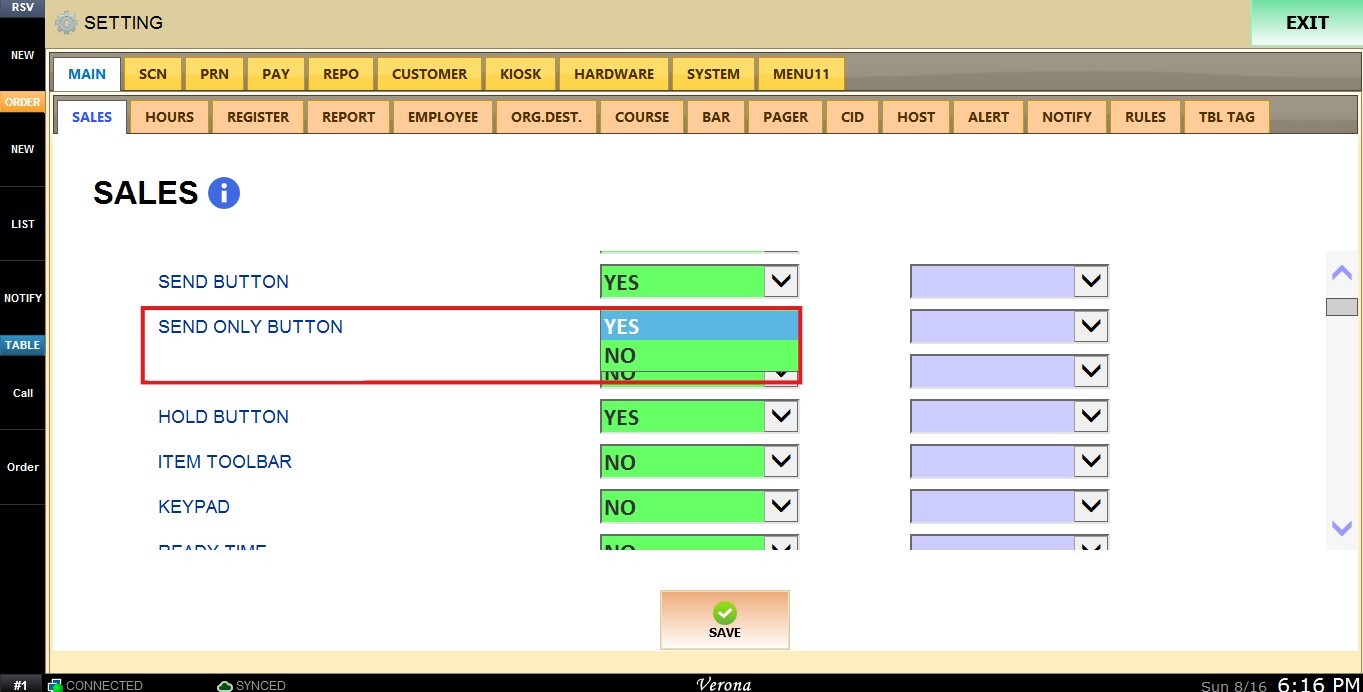
Inside the dropdown menu you have the following options:
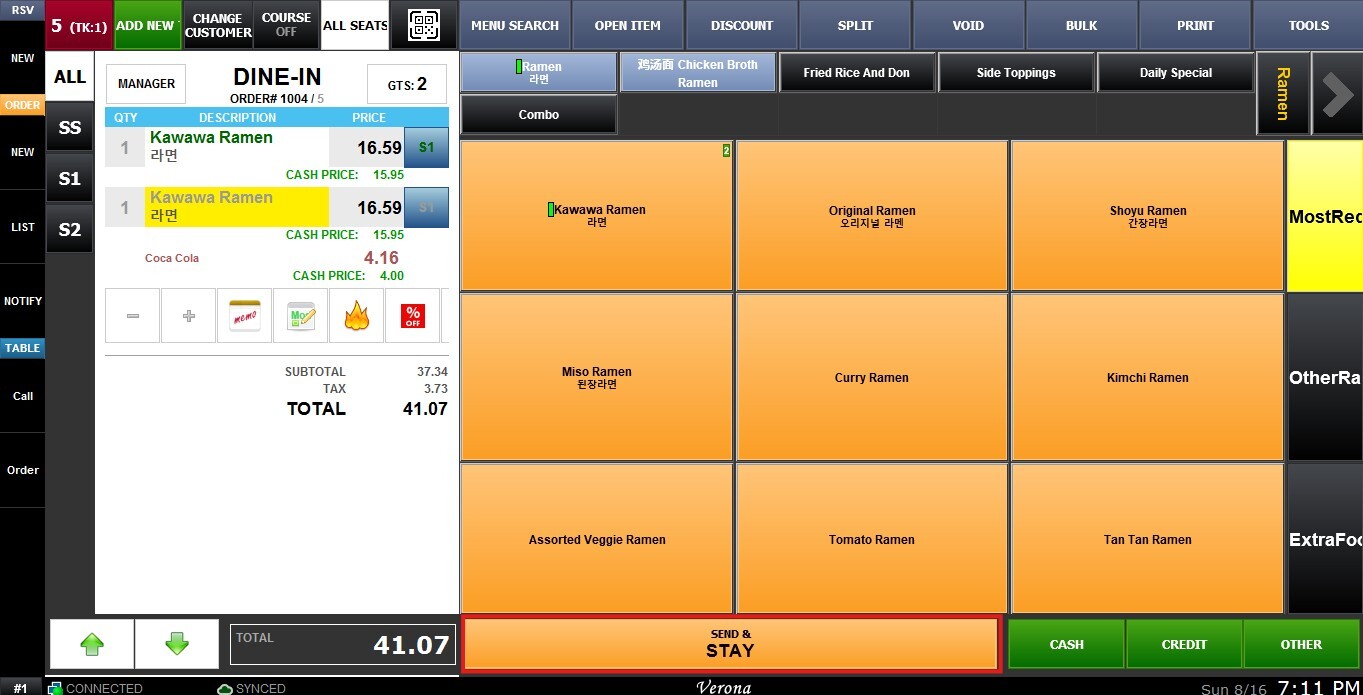
1. YES: Enables the Send & Stay button.
2. NO: Disables the Send & Stay button.
Both options can be enabled at the same time, allowing both the Send & Close and Send & Stay buttons to display on the order screen.
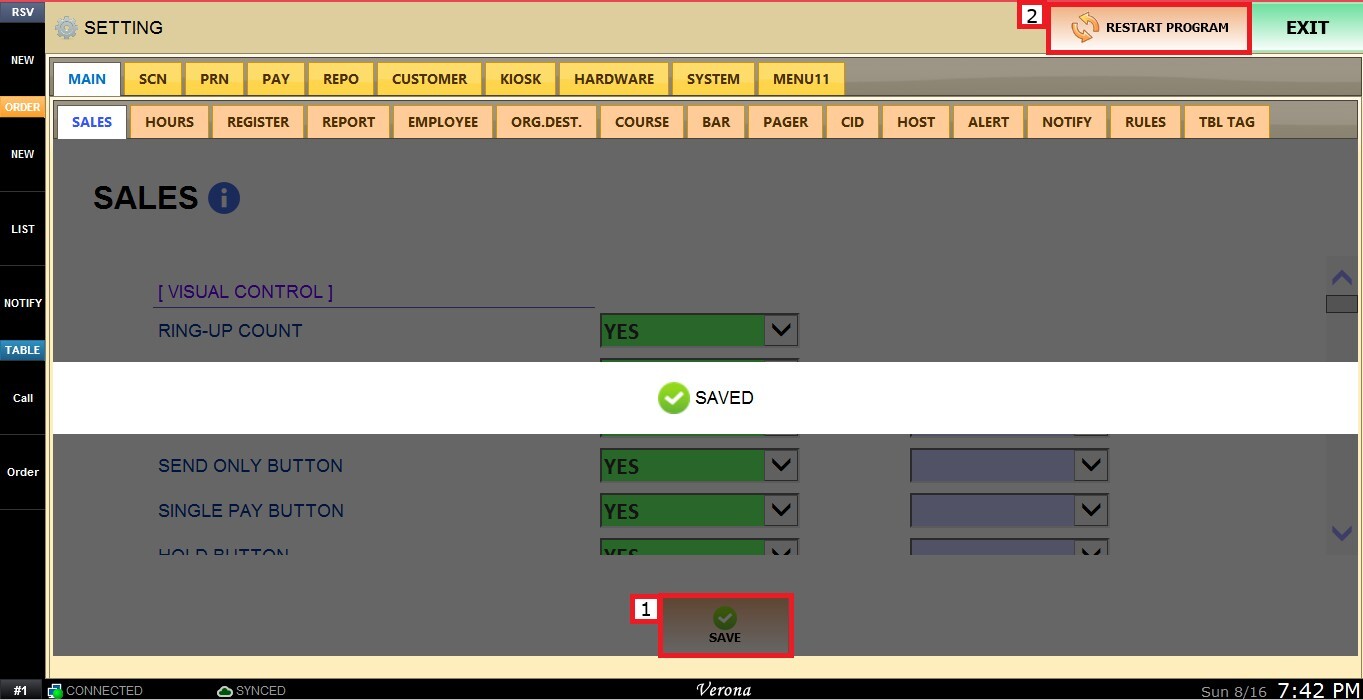
Click SAVE and RESTART THE PROGRAM to apply the changes.