Item Toolbar
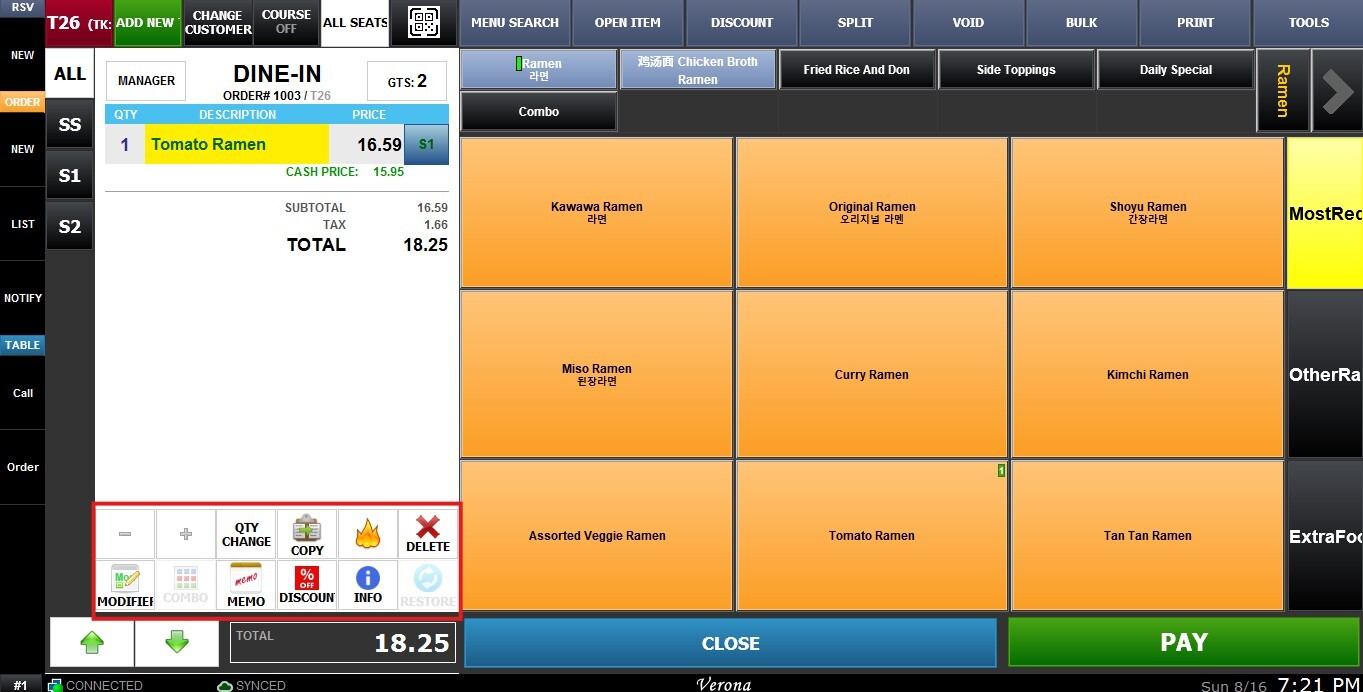
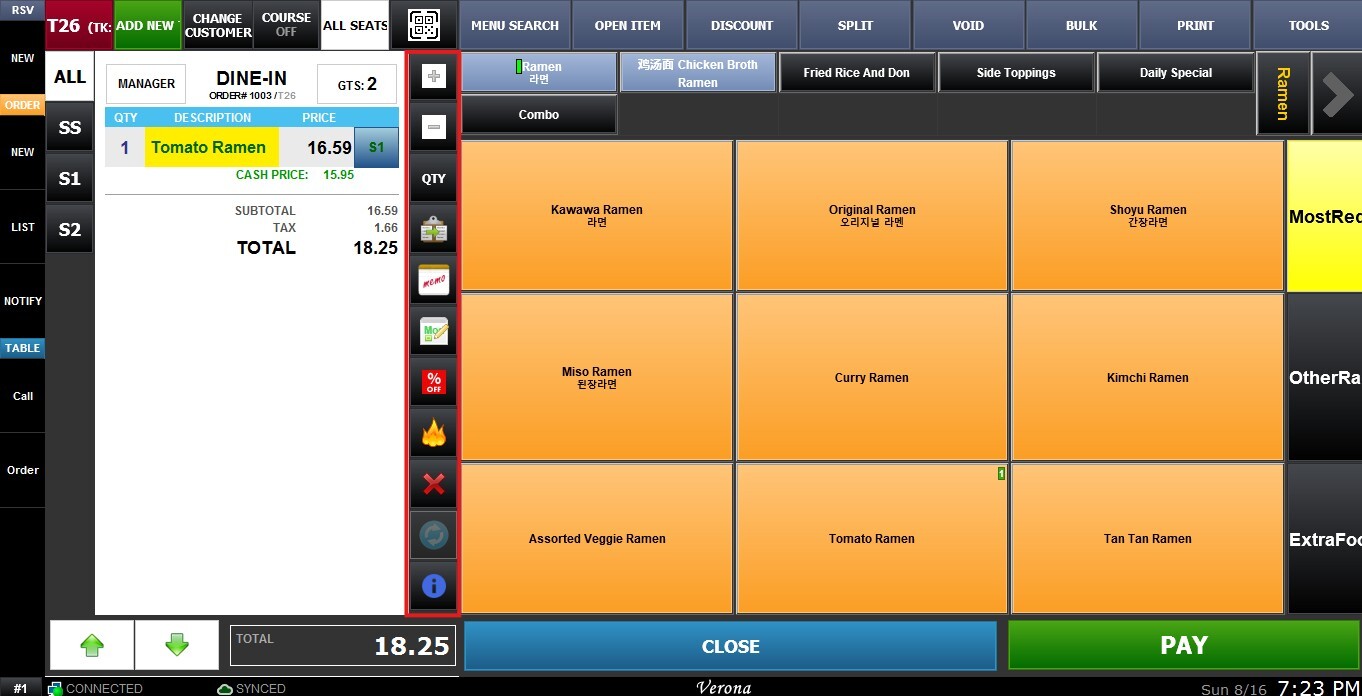
The Item Toolbar enables multiple functions that can be quickly selected for an item, such as discount, memo, or change modifier. The Show Item Toolbar setting controls where this toolbar is located in the Sales Screen.
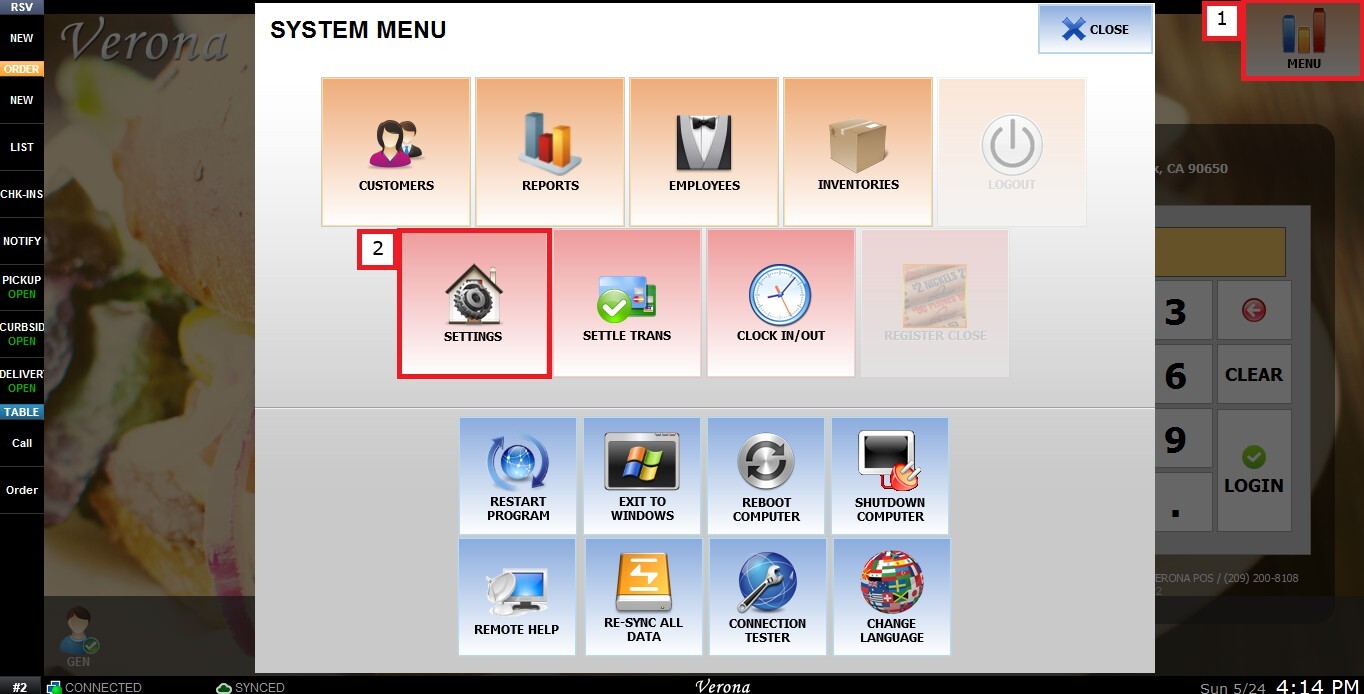
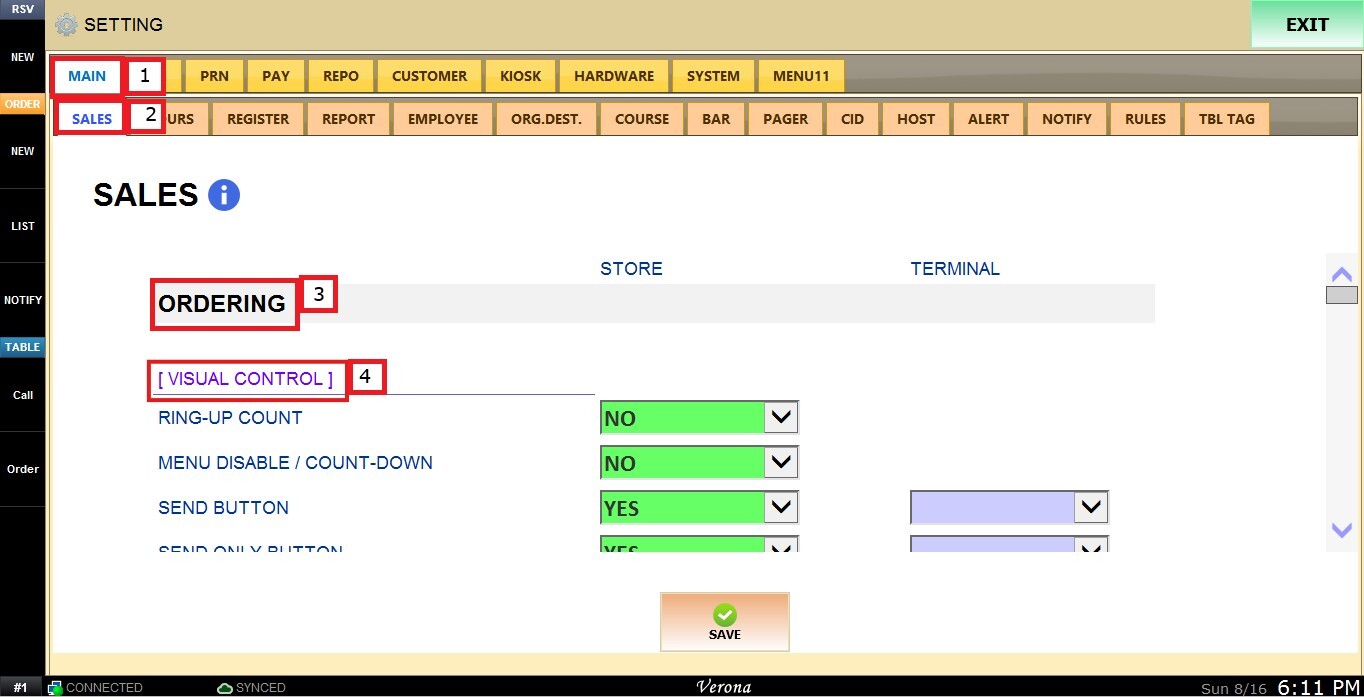
MENU > SETTINGS > MAIN > SALES > ORDERING > SHOW ITEM TOOLBAR
Go to MENU and press SETTINGS.
Under MAIN, select SALES, and in the ORDERING section, review the settings under VISUAL CONTROL.
SHOW ITEM TOOLBAR
This setting controls where the Item Toolbar is displayed on the ring up screen.
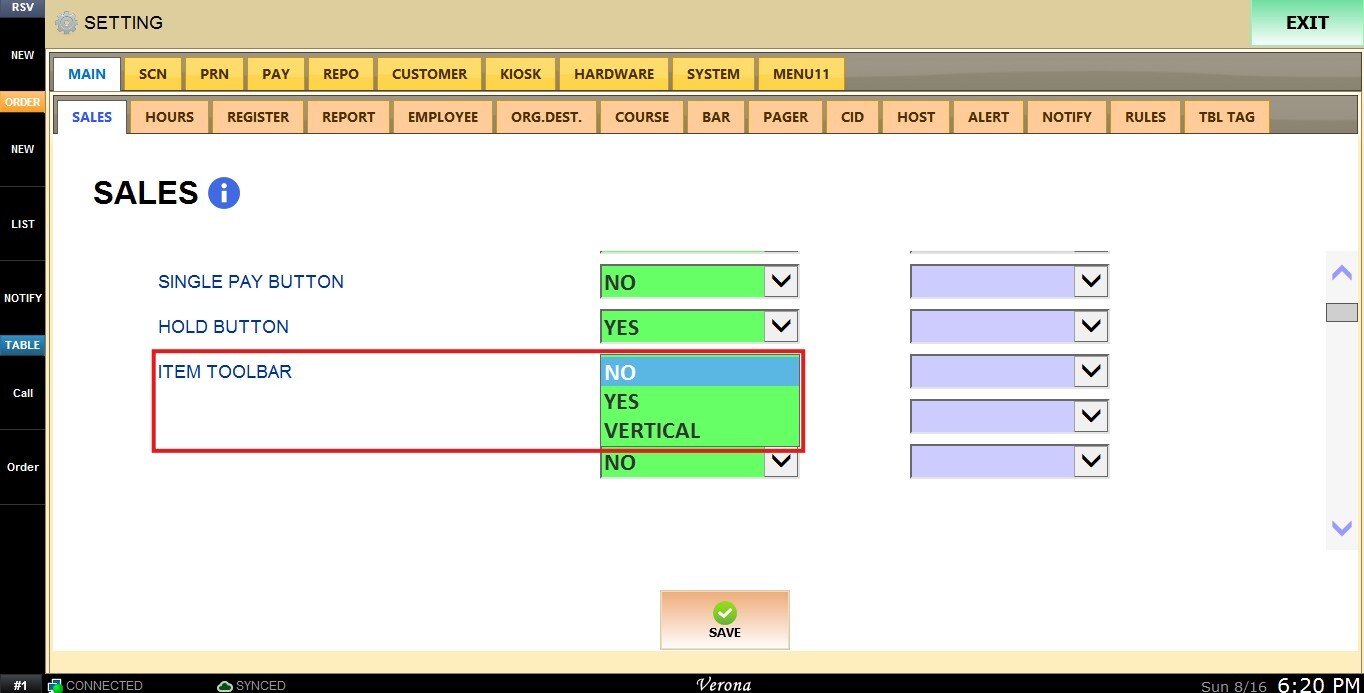
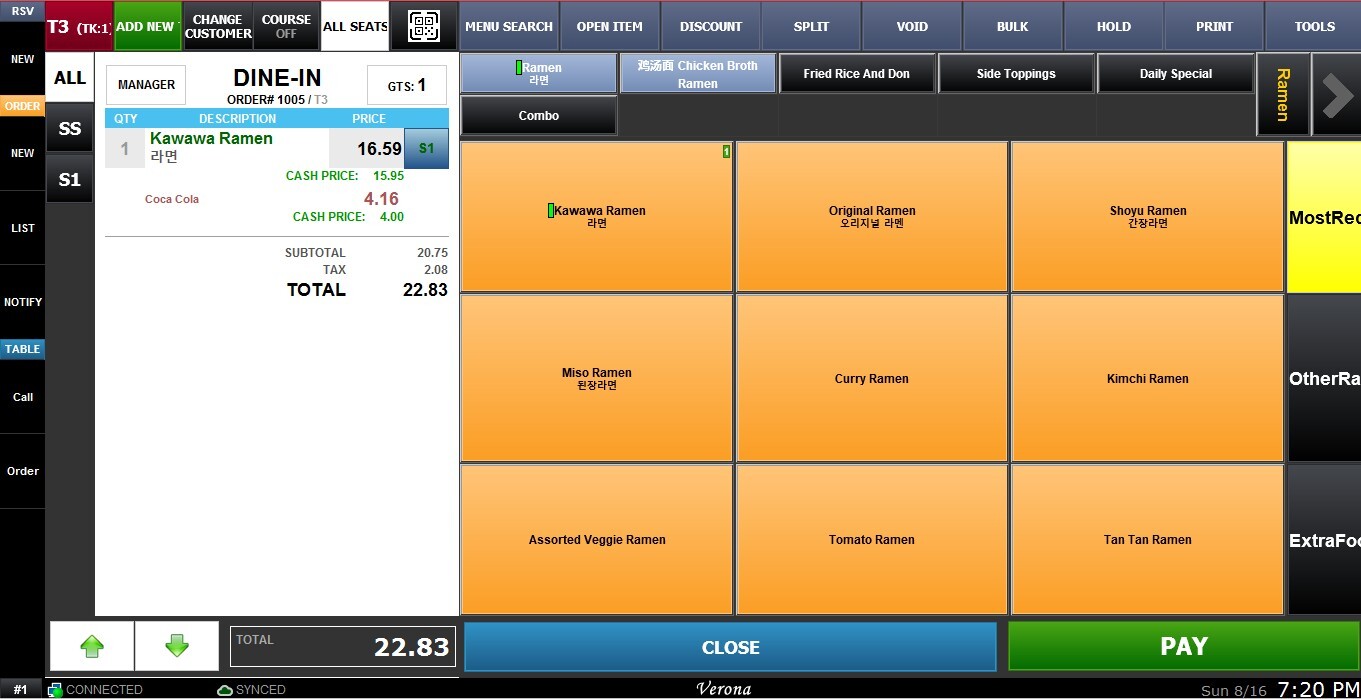
1. NO: The toolbar only appears under an item when that item is selected. It will not display when no item is selected.
2. YES: The toolbar always displays at the bottom of the ring up screen.
3. VERTICAL: The toolbar always displays on the right side of the ring up screen.
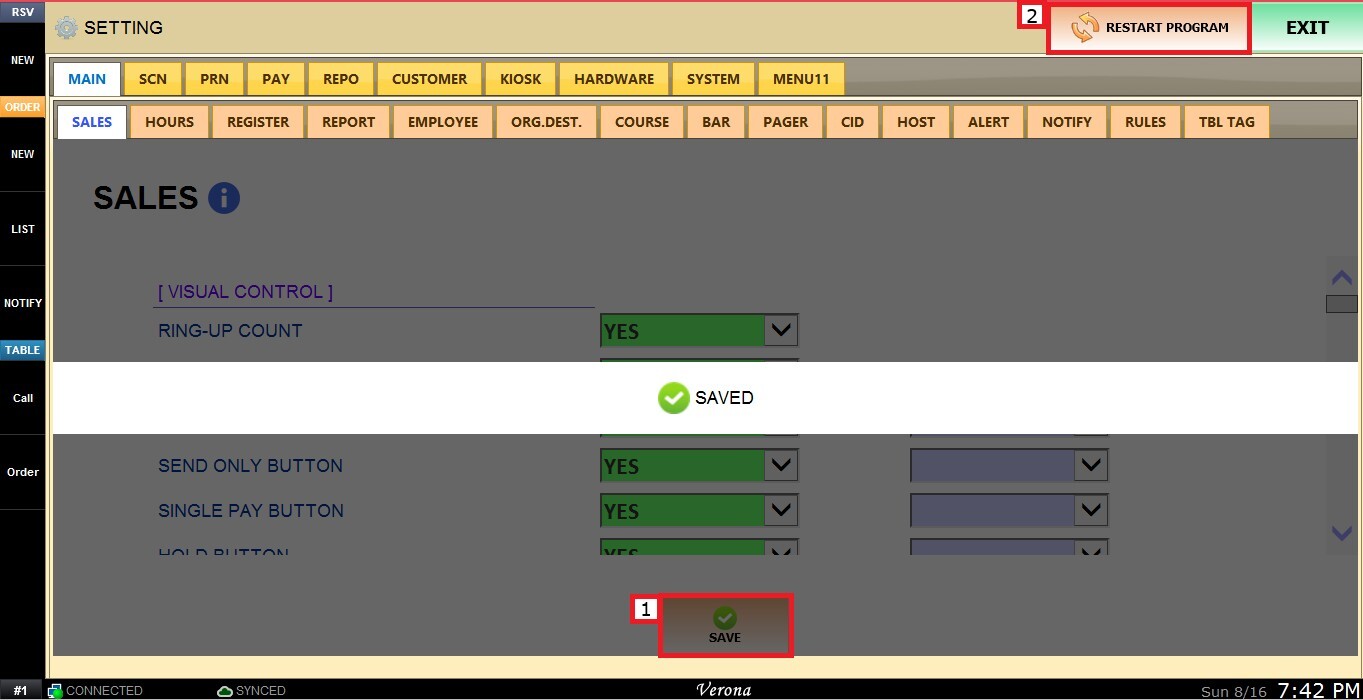
After making all the changes click on SAVE and RESTART PROGRAM to apply the preferred configuration.