[PinPad] A920 Static IP Setting
This article explains how to configure a Static IP address on a PAX A920 pin pad. Assigning a static IP ensures the device keeps the same network address, allowing communication with the POS system.
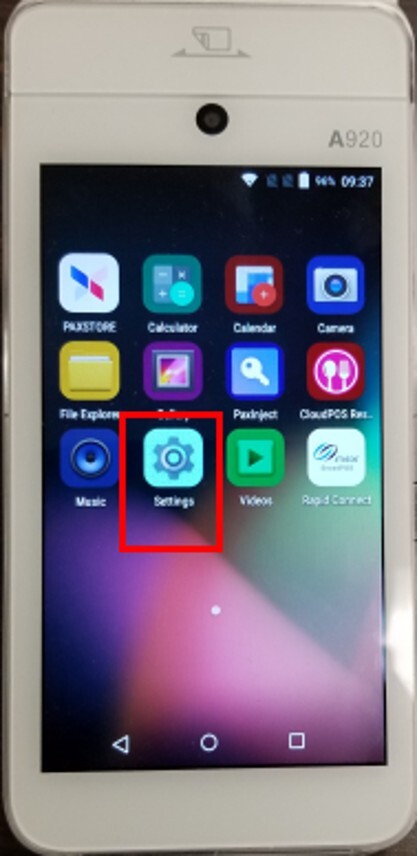
Press the settings button.
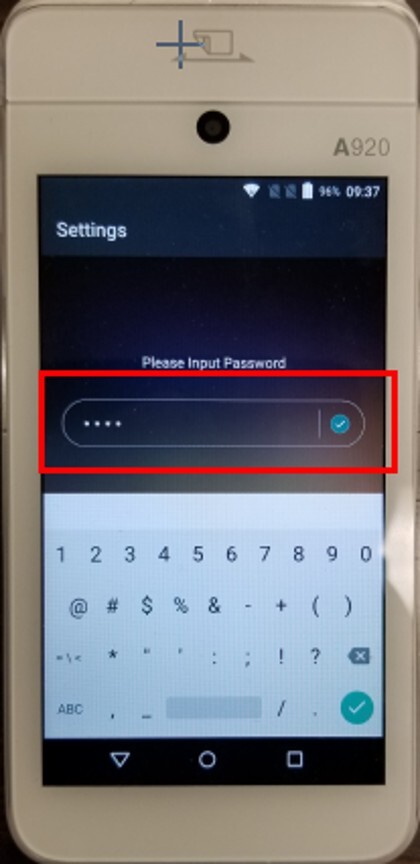
Enter the following password: 9876
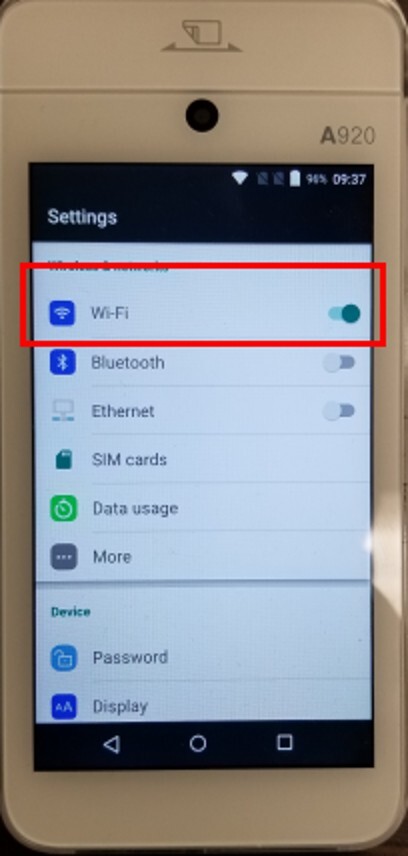
Navigate until WI-FI.
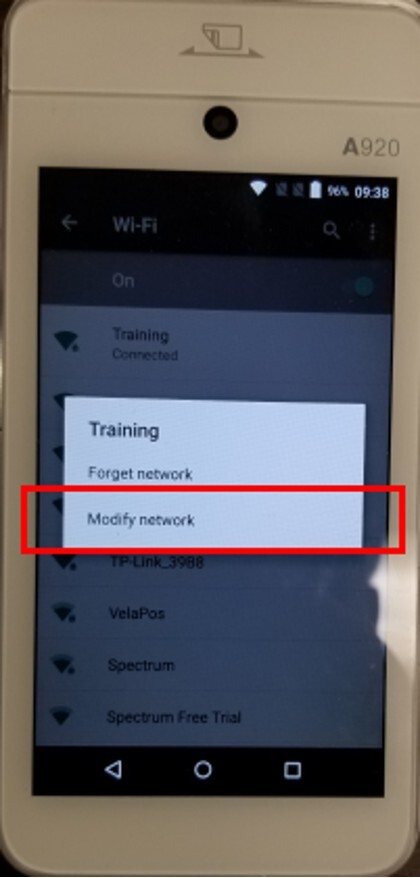
Press network and hold until MODIFY NETWORK appears.
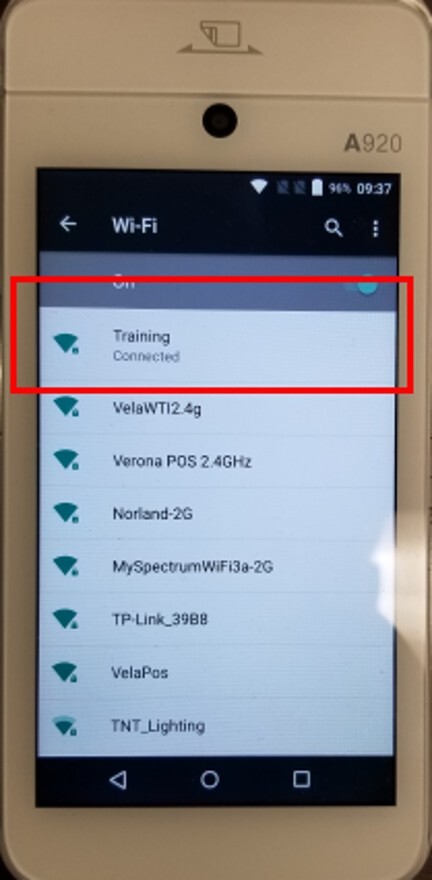
Press on MODIFY NETWORK.
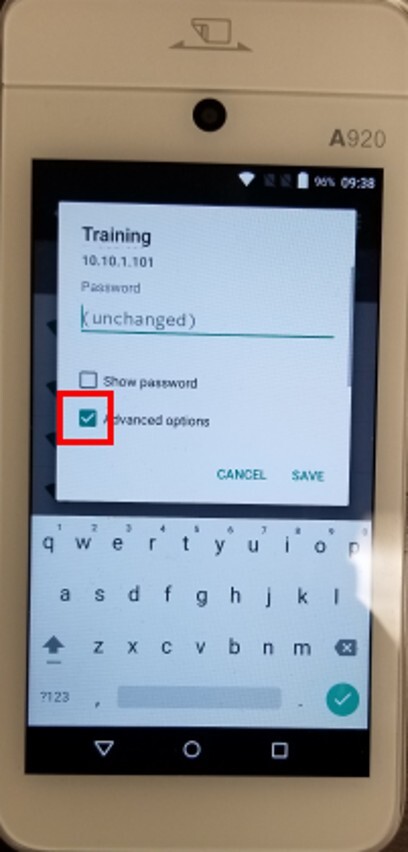
Check on ADVANCED OPTIONS.
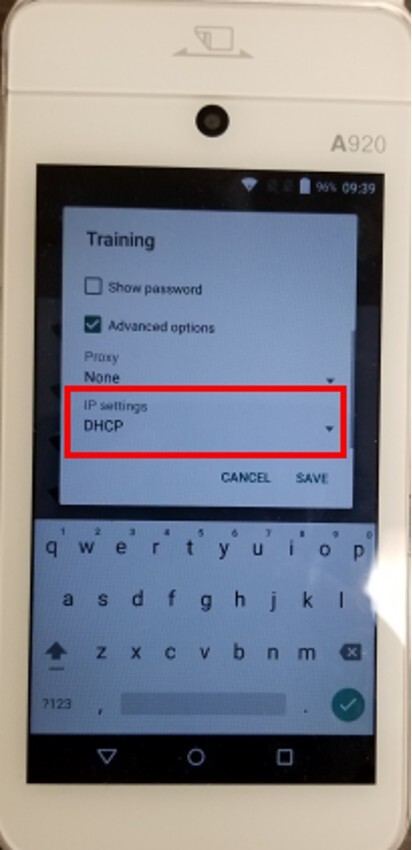
Click on IP SETTIGS.
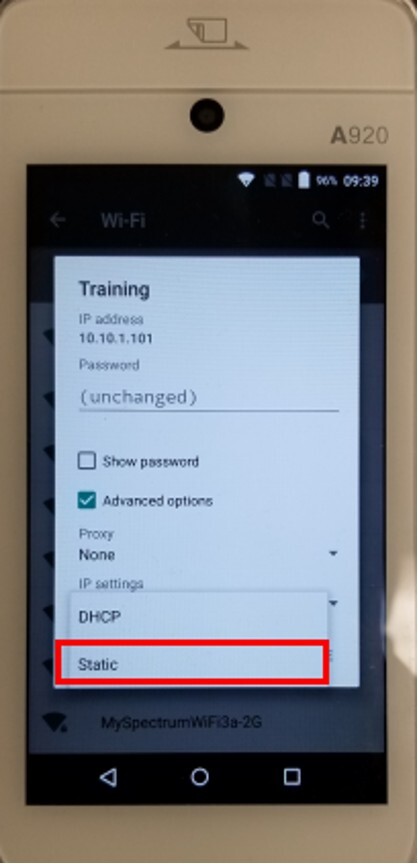
Select STATIC.
Input the IP Address, Subnet Mask, Gateway and DNS.
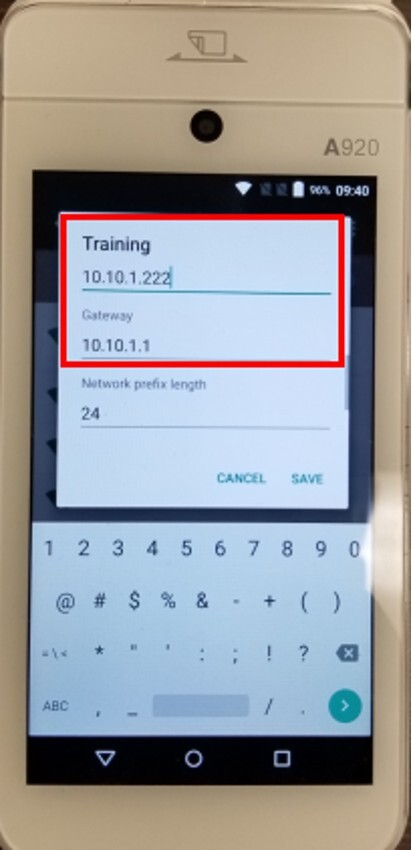
Press on SAVE.
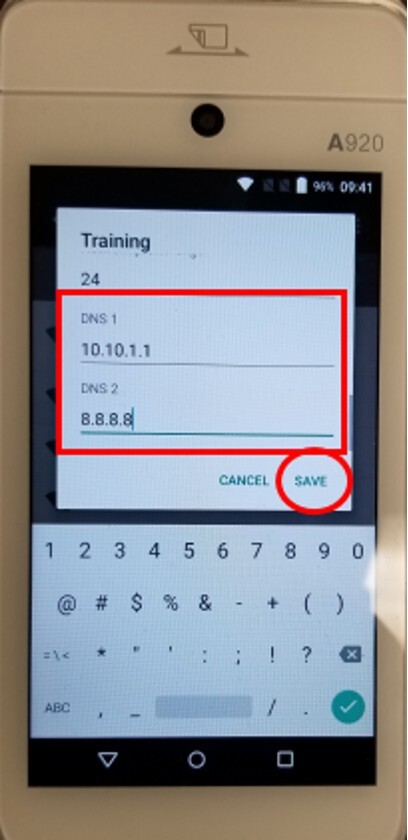
Click on SAVE and EXIT to apply the changes.