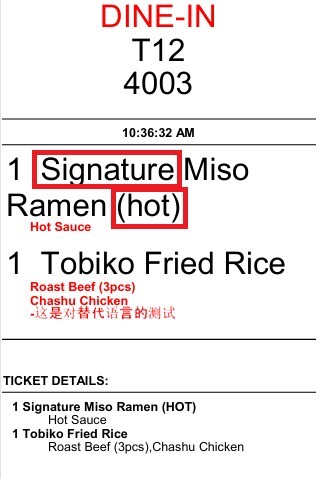
Print Prefix and Post Fix
This feature allows users to assign a fixed Prefix or Postfix to all items within a category. The configured text is automatically applied before or after the item name when the item is added to an order, making it easier to identify items with permanent characteristics.
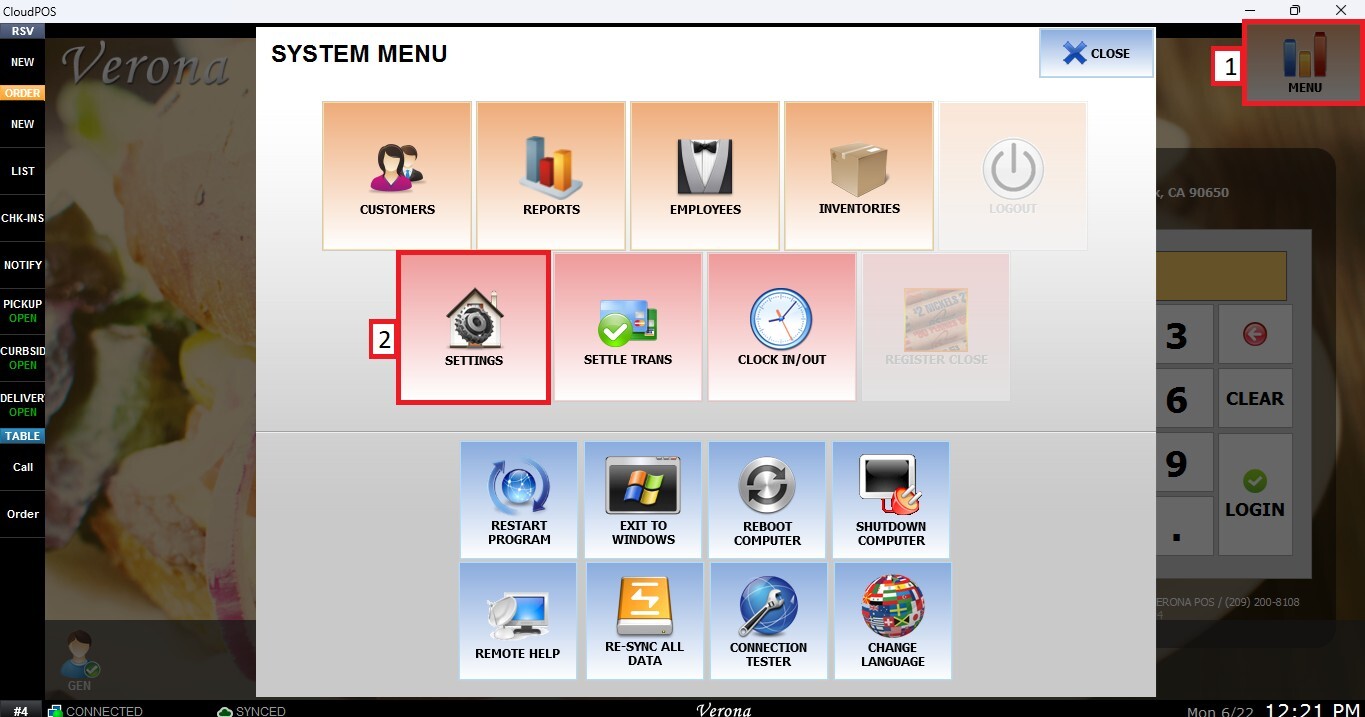
Main Screen > MENU > SETTINGS > REPO > EDIT> CATEGORY> PRINT PREFIX/POSTFIX.
Go to MENU, then SETTINGS.
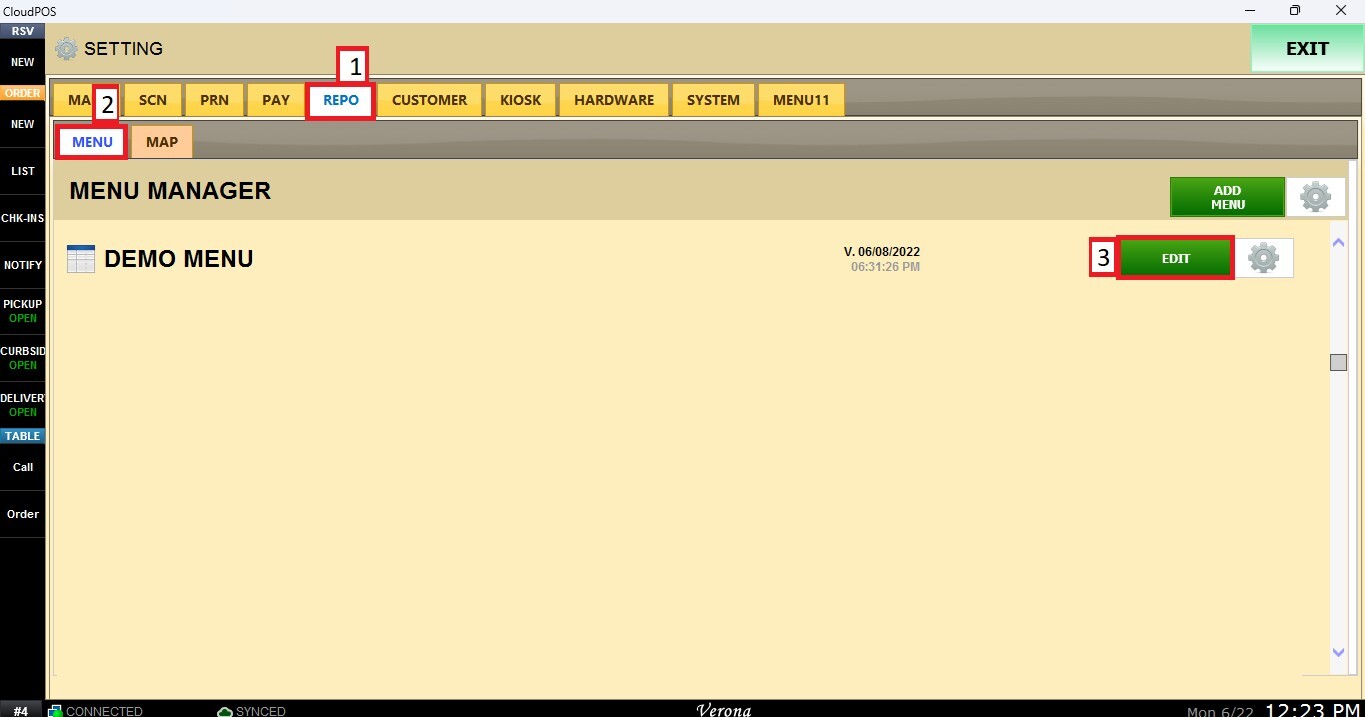
Open the REPO tab, select MENU to locate your menu, and click EDIT.
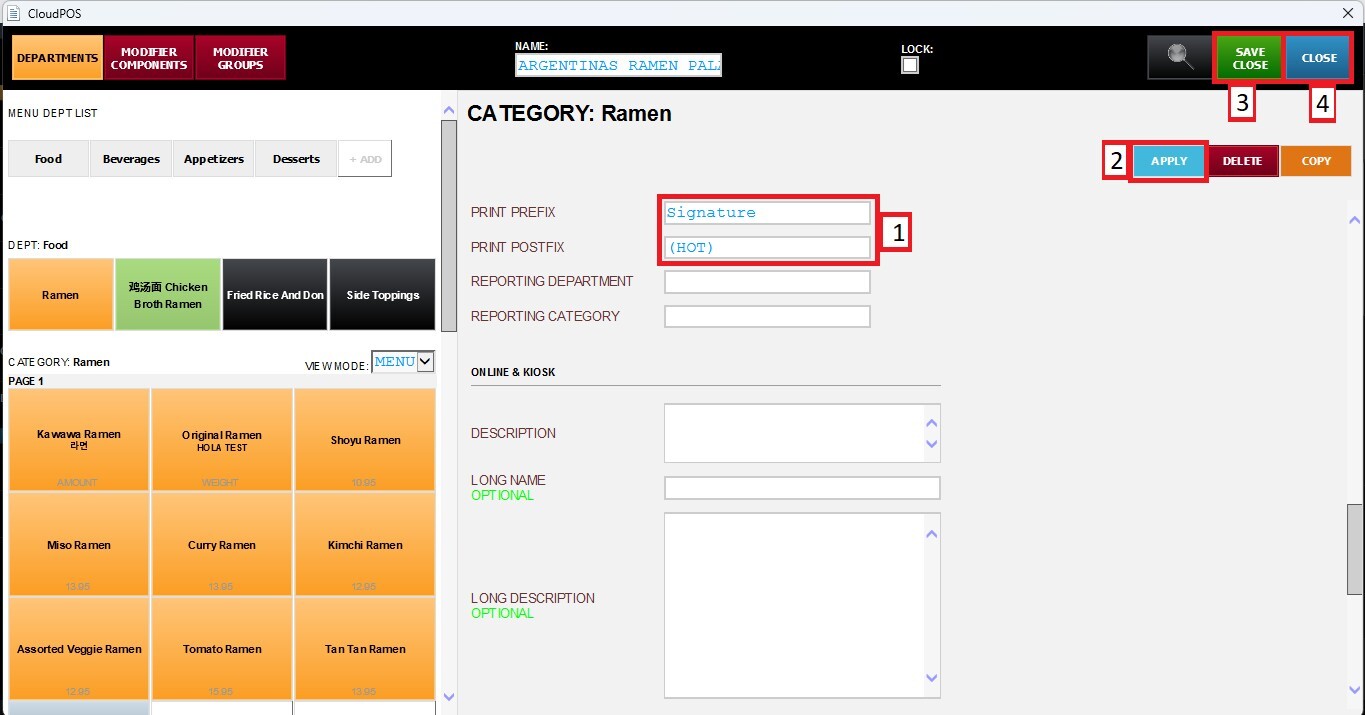
Select the category you want to configure. Scroll down through the category settings until you find the PRINT PREFIX/POSTFIX sections. To add a Print Prefix or Print Postfix, enter the desired text in the corresponding field
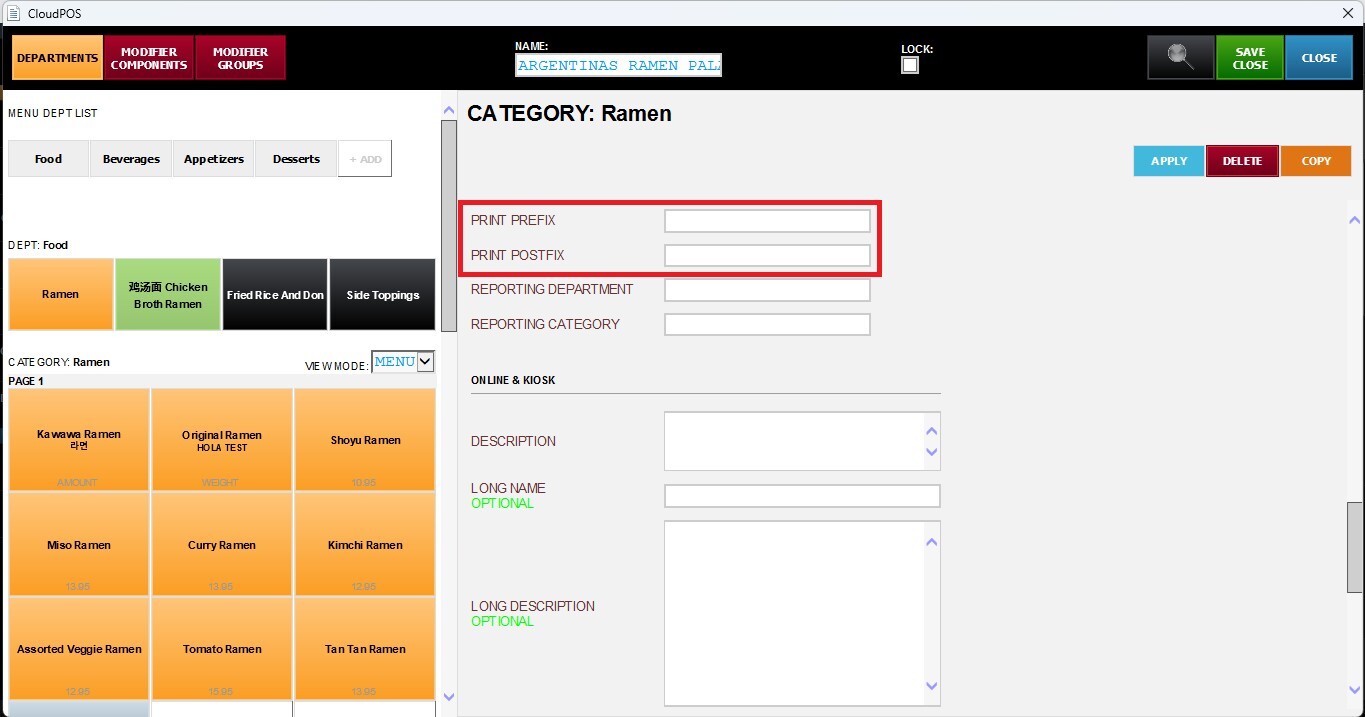
After adding the desired Print Prefix or Print Postfix, click APPLY, then SAVE & CLOSE to apply the changes.
Result
All items within the selected category will display the configured Prefix or Postfix. The applied text will be visible on the POS order screen, customer receipt, and kitchen printer tickets.