Reporting Department, category
The Reporting Department and Reporting Category fields allow you to organize menu items into custom reporting groups without changing your menu structure. By assigning reporting values, you can consolidate sales from different categories or departments into a single group, making reports easier to analyze and compare. These fields are used exclusively for reporting purposes and do not affect how items appear on the sales screen or customer-facing menus.
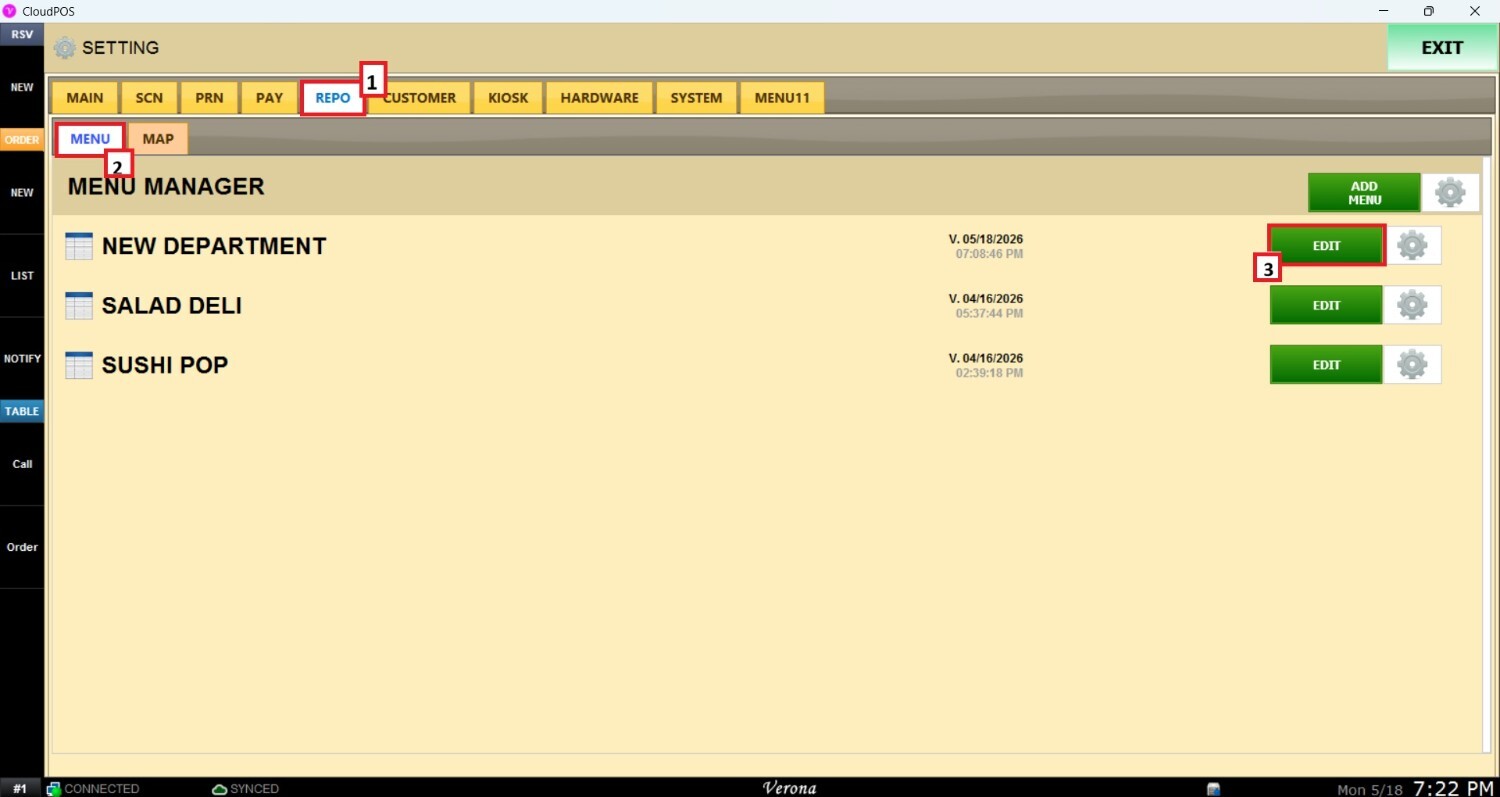
Main Screen > MENU > SETTINGS > REPO > MENU>Select a Category
From the Main Screen, click MENU, then SETTINGS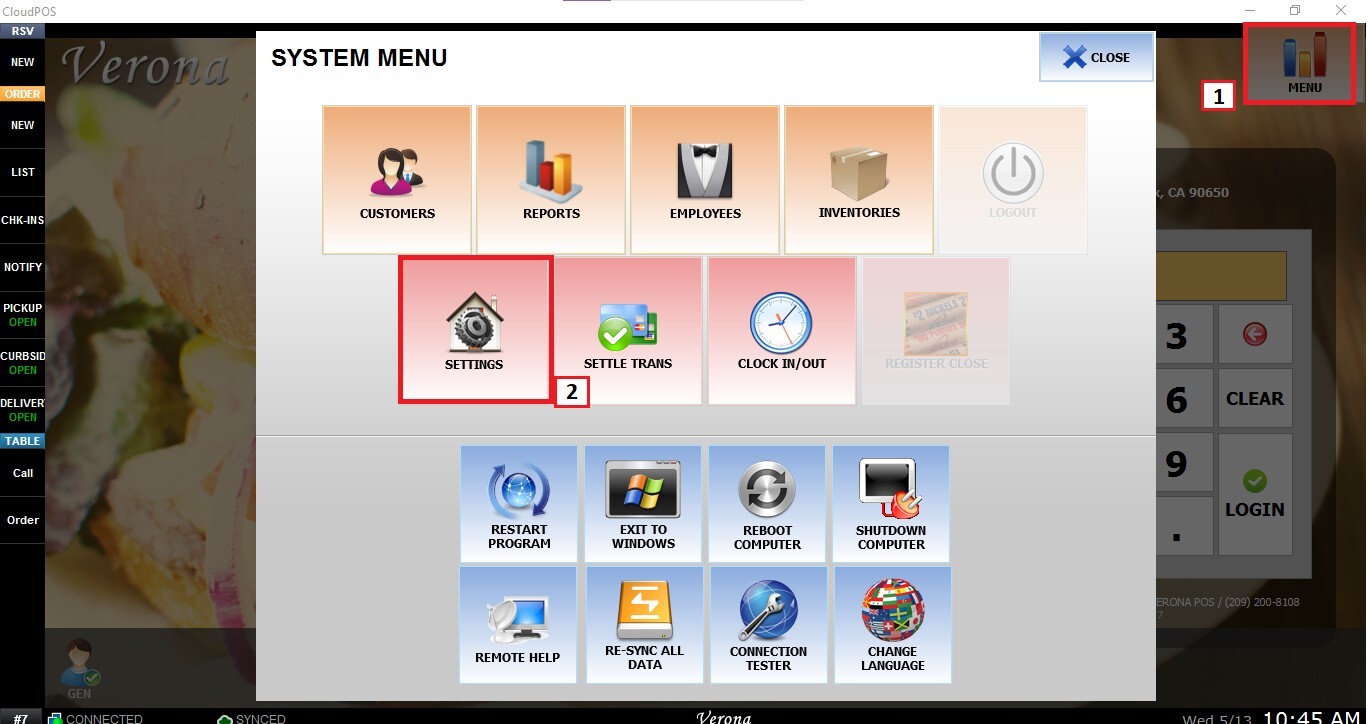
Open the REPO tab and select MENU. Locate the menu you want to modify and click EDIT.
In the Menu Edit window, select the desired category and scroll down to the REPORTING DEPARTMENT and REPORTING CATEGORY fields.
Reporting Department: Enter the reporting department name or code you want this category to belong to.
Reporting Category: Enter the reporting category name or code to further organize sales within the selected reporting department.
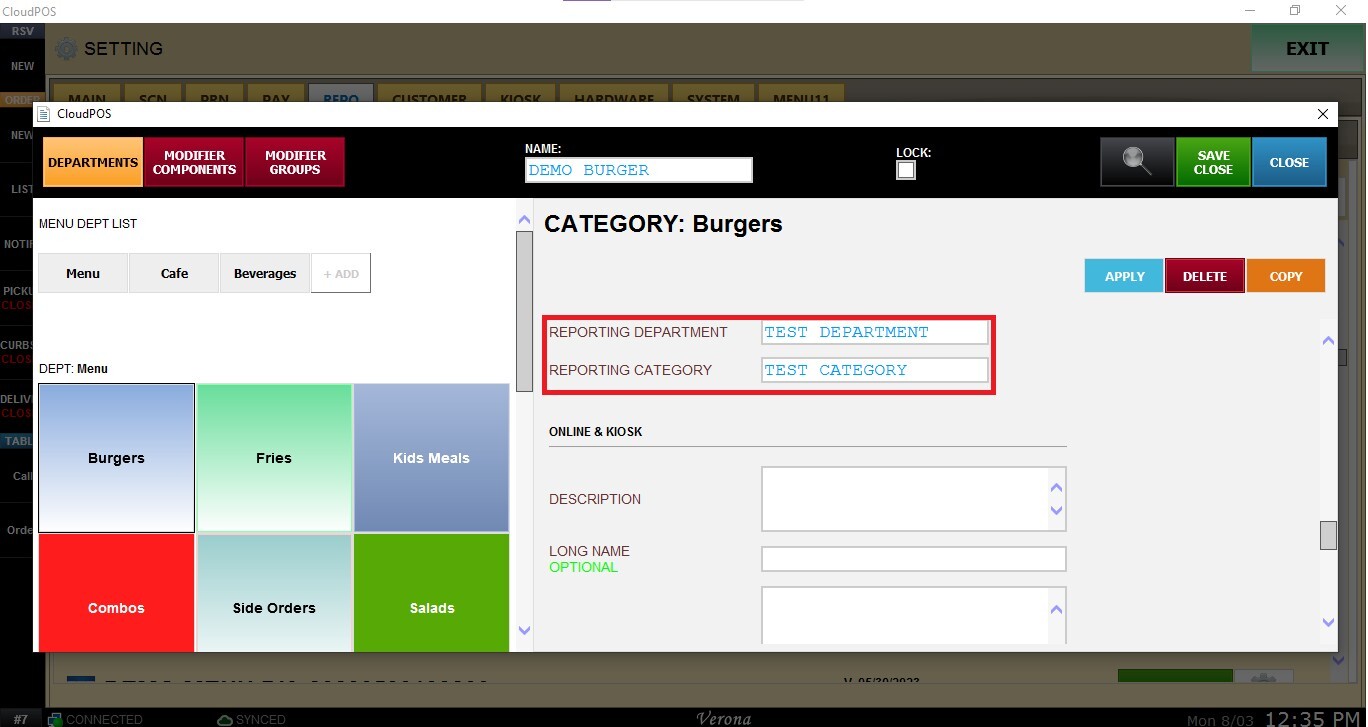
Click APPLY, then click SAVE & CLOSE to save the menu configuration.

Result
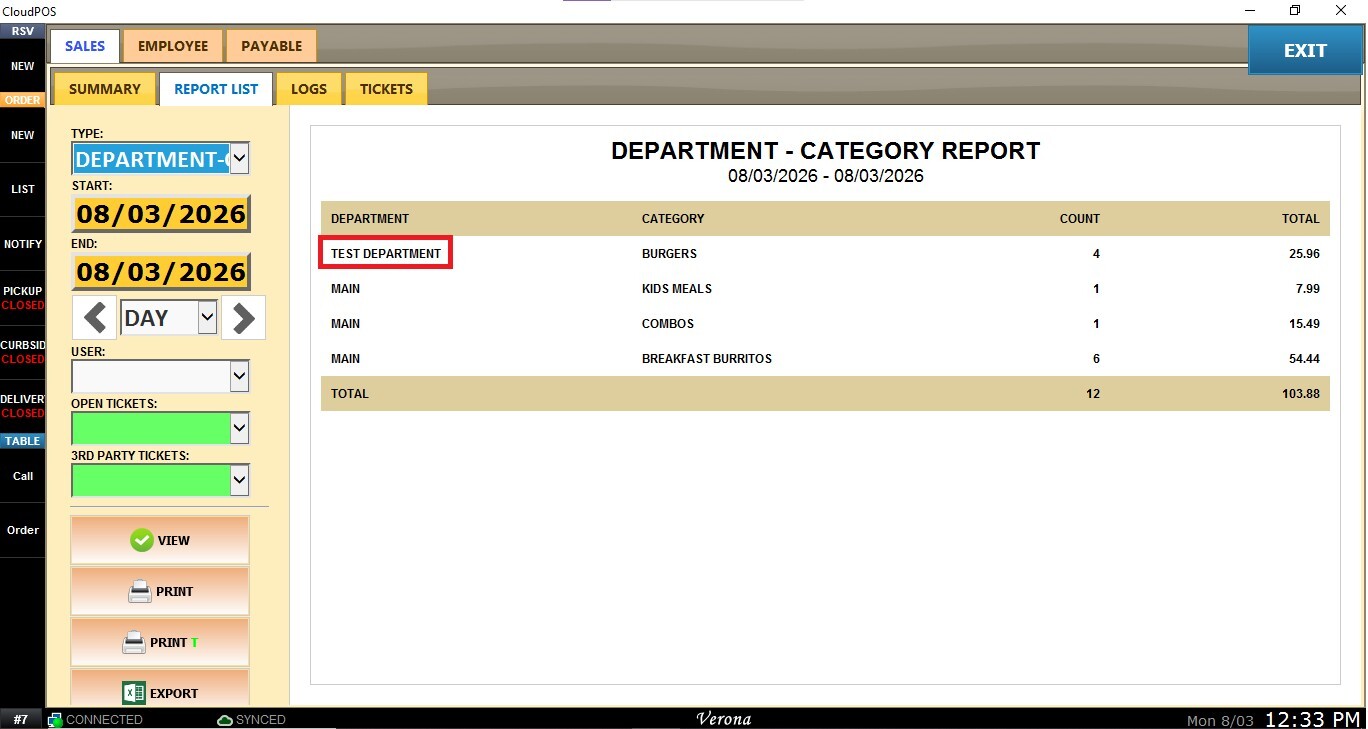
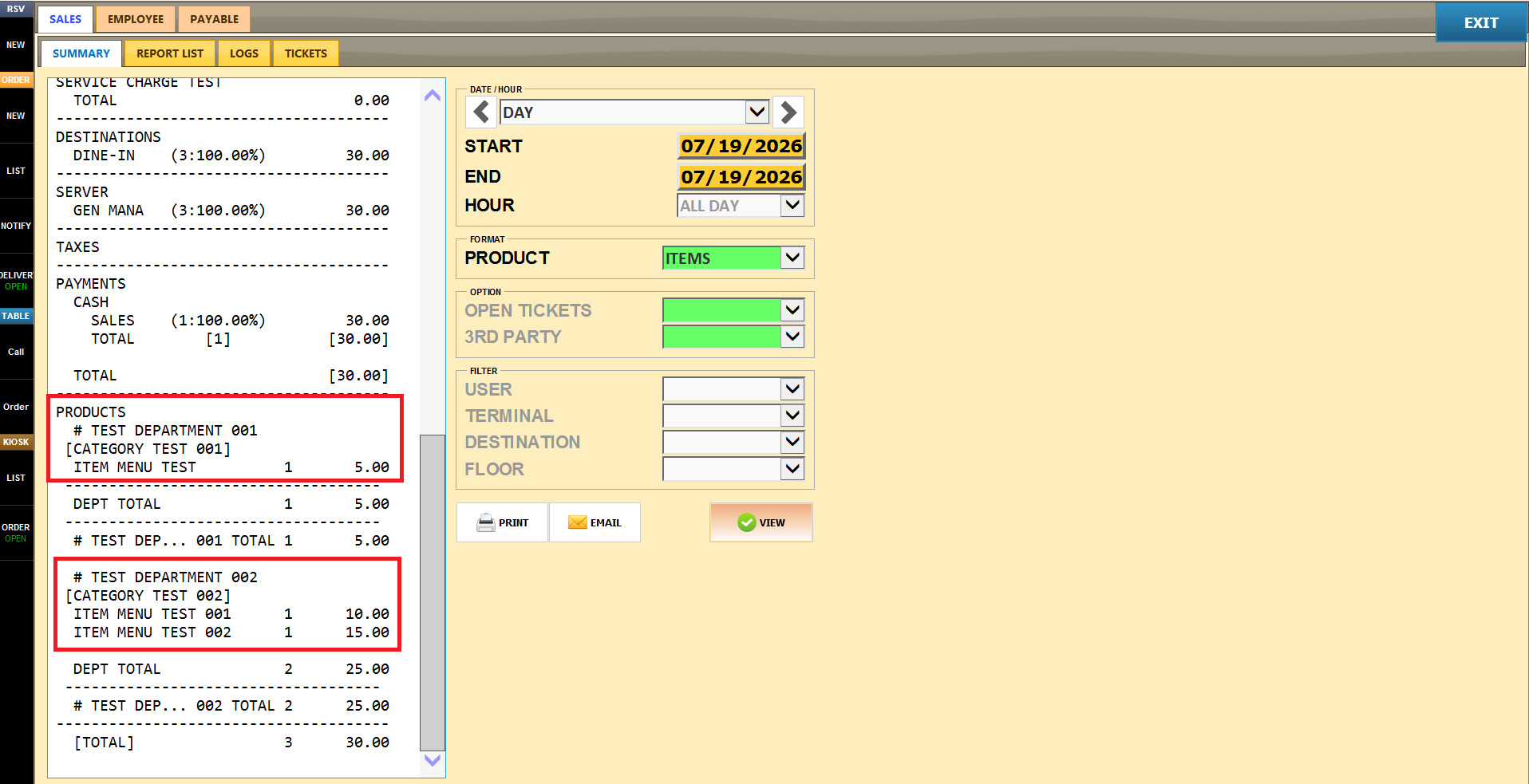
After configuring these fields, sales for items within the category will be grouped according to the assigned Reporting Department and Reporting Category. These custom groupings can be reviewed in the Sales Summary Reports and throughout the Report List, making it easier to analyze sales performance using your own reporting structure.
Sales Summary Report:
Report List