System Report
The System Report setting sets the Day Cut Over, the time when the business day ends for the reports. Sales made before this time are counted in the previous day, so stores that close after midnight can keep the night sales in the same business day.
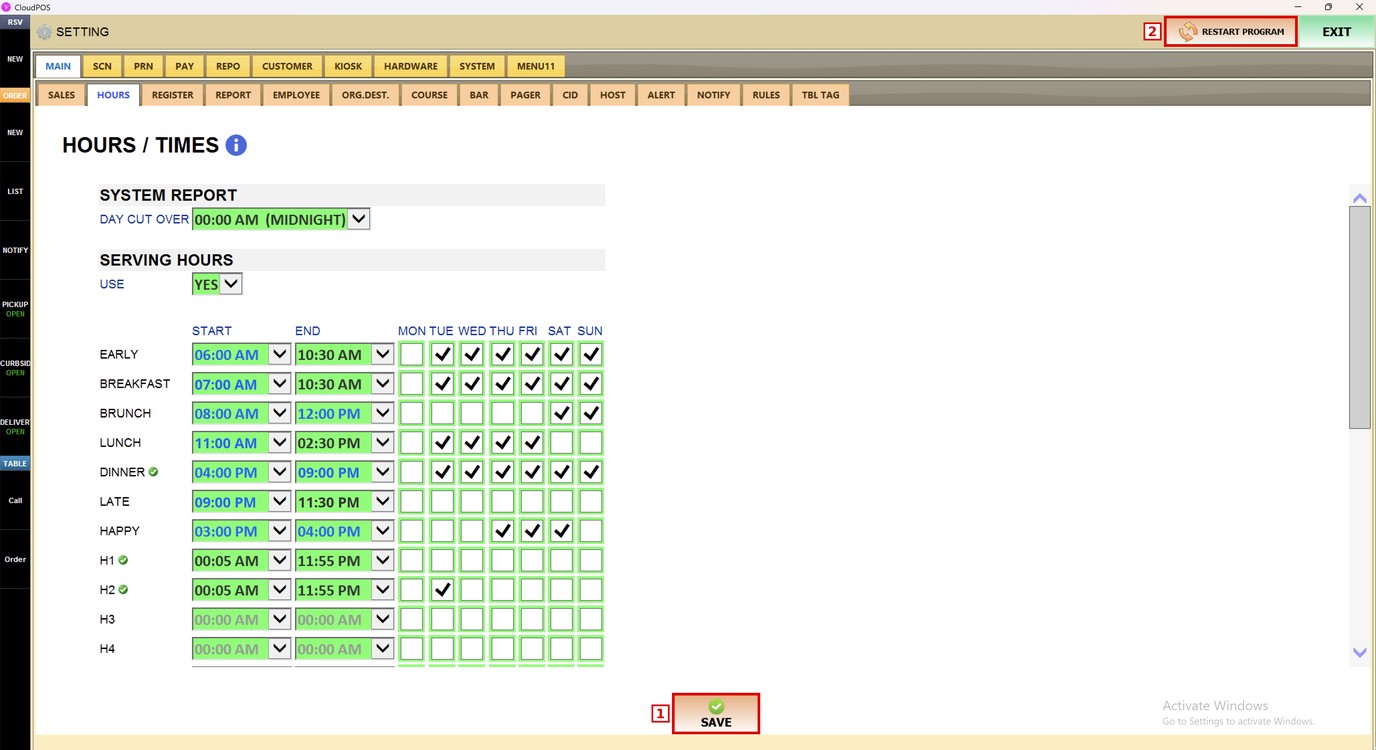
MENU> SETTINGS> MAIN> HOURS> SYSTEM REPORT
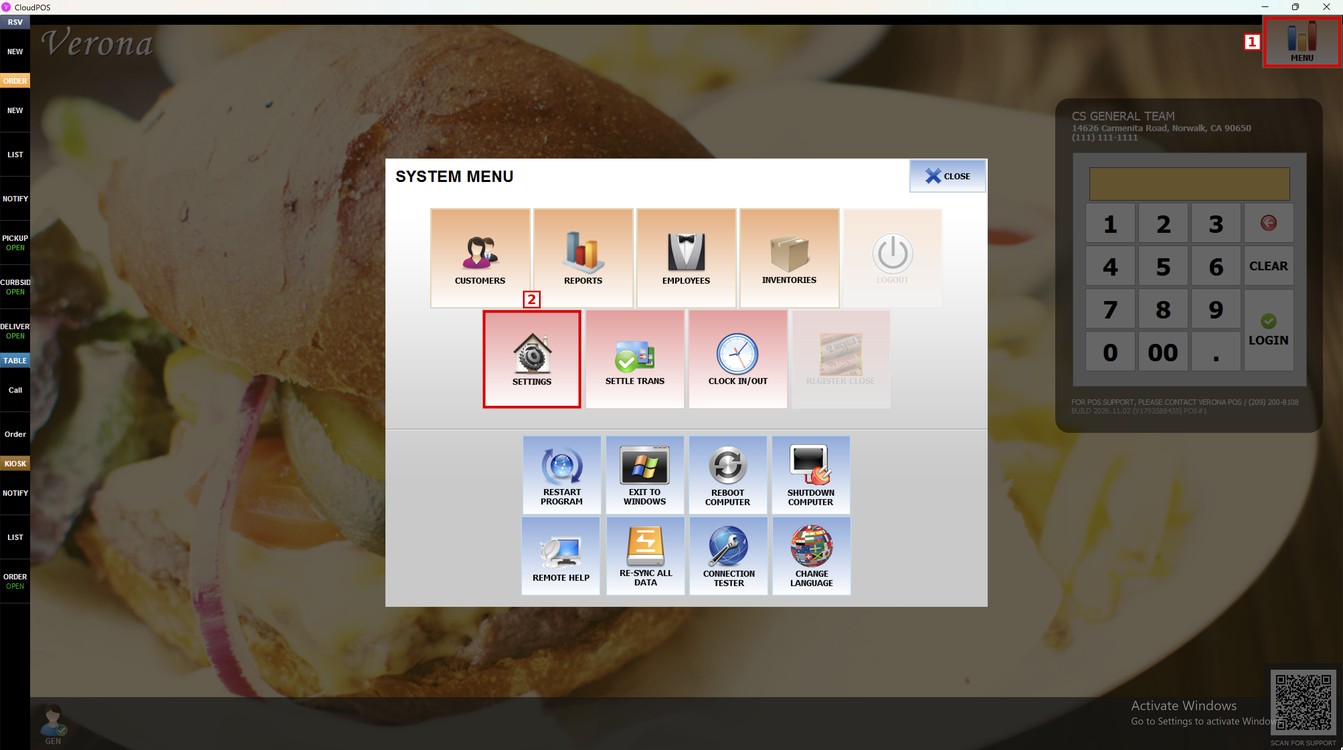
Go to MENU and press SETTINGS.
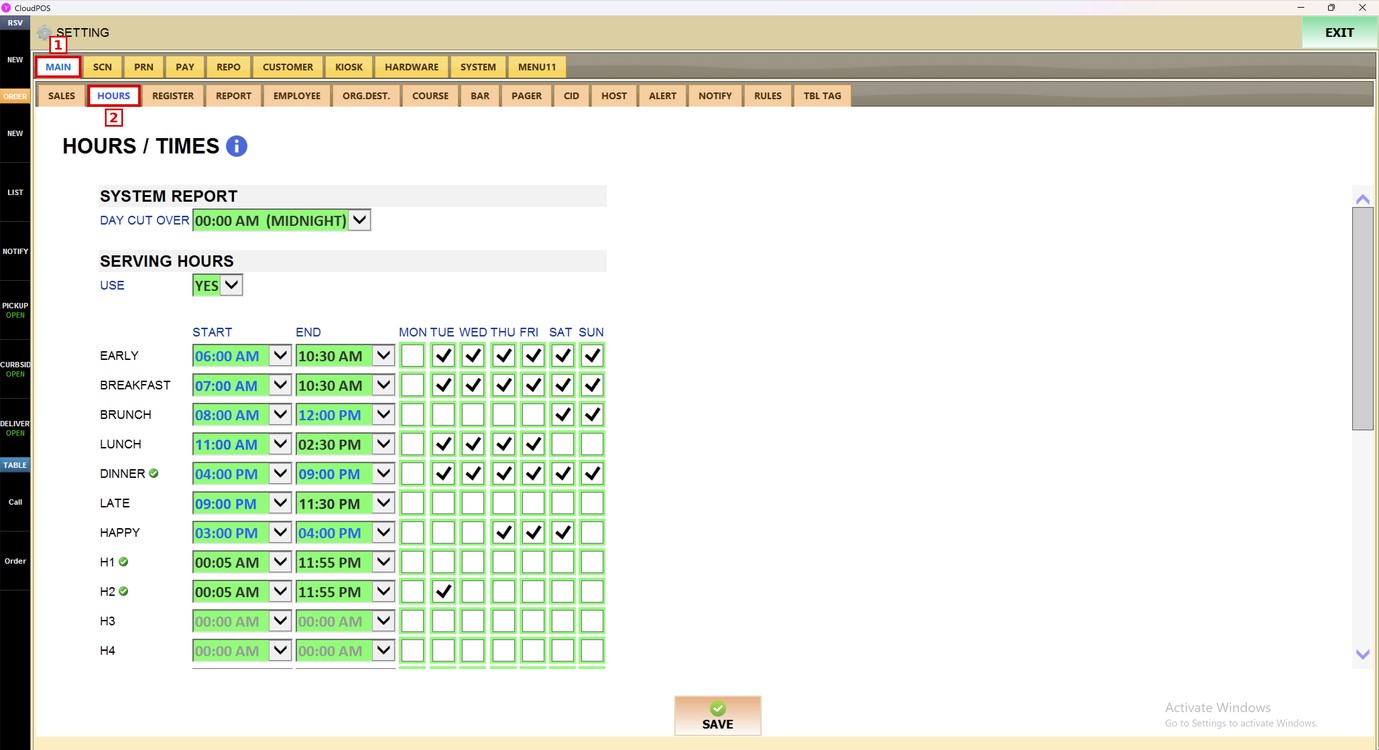
Press the MAIN tab (1) and then the HOURS subtab (2).
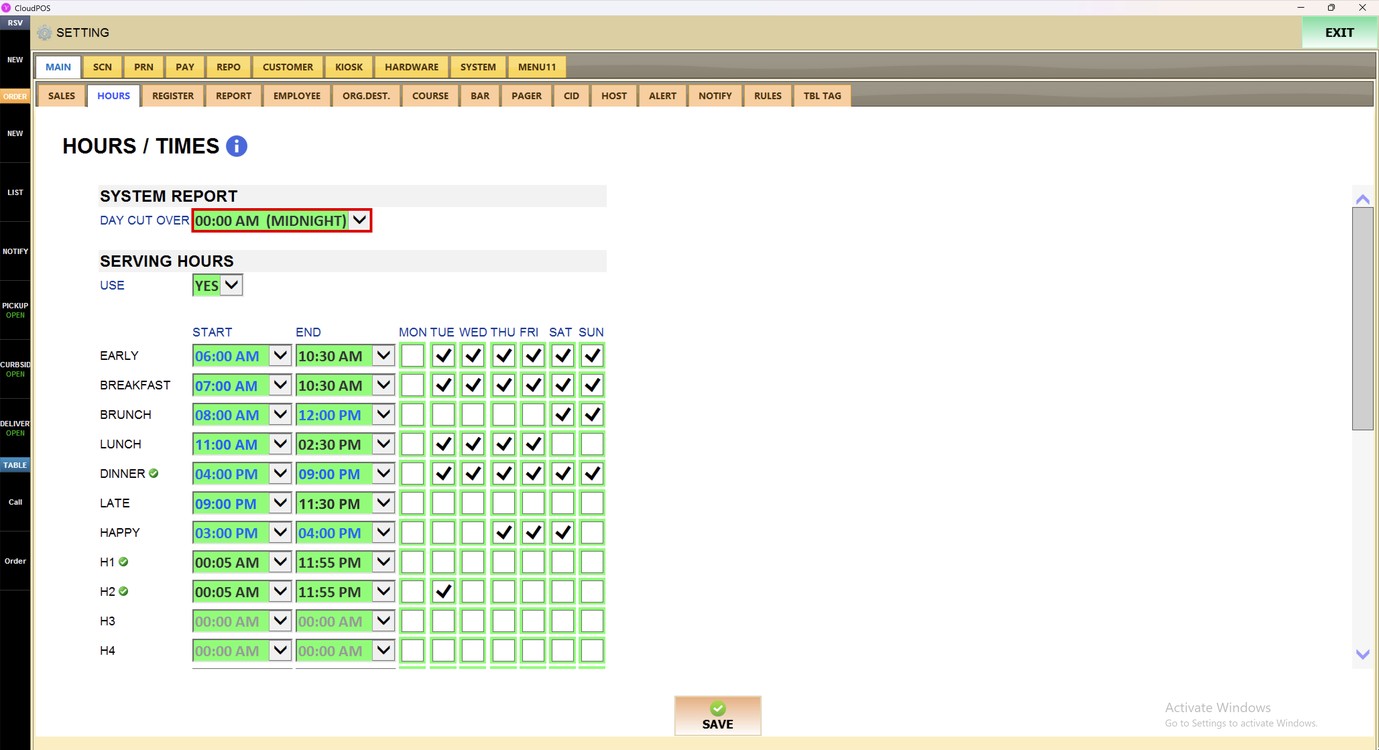
Day Cut Over:
In the SYSTEM REPORT section, press the DAY CUT OVER dropdown.
Select the time when the business day ends. The times go in 15-minute steps, from 00:00 AM (MIDNIGHT).
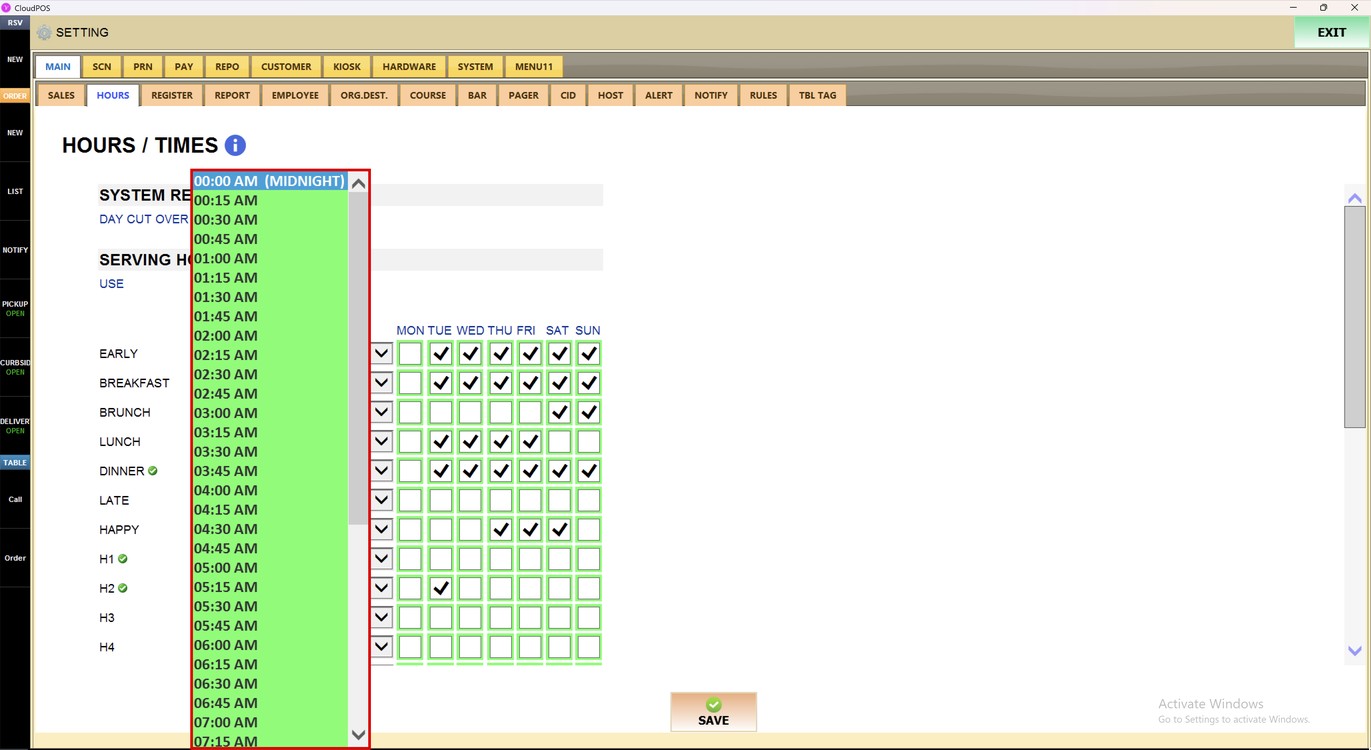
For example, with 00:00 AM (MIDNIGHT) the business day ends at midnight. With 03:00 AM, a sale made at 01:30 AM is counted in the sales of the previous day.
Hint: The Day Cut Over changes how the sales are grouped by day in the reports.
Press SAVE (1) and then RESTART PROGRAM (2) to apply the changes.
To learn how to set the serving hours, please refer to the Serving Hours Setting Guide.