Assigning a Modifier to a Category
Modifiers can be assigned at the category level, allowing all items within that category to automatically use the selected modifier group. This simplifies menu management by eliminating the need to assign the same modifier to each item individually.
Main Screen> MENU> SETTINGS> REPOSITORY> MENU> EDIT
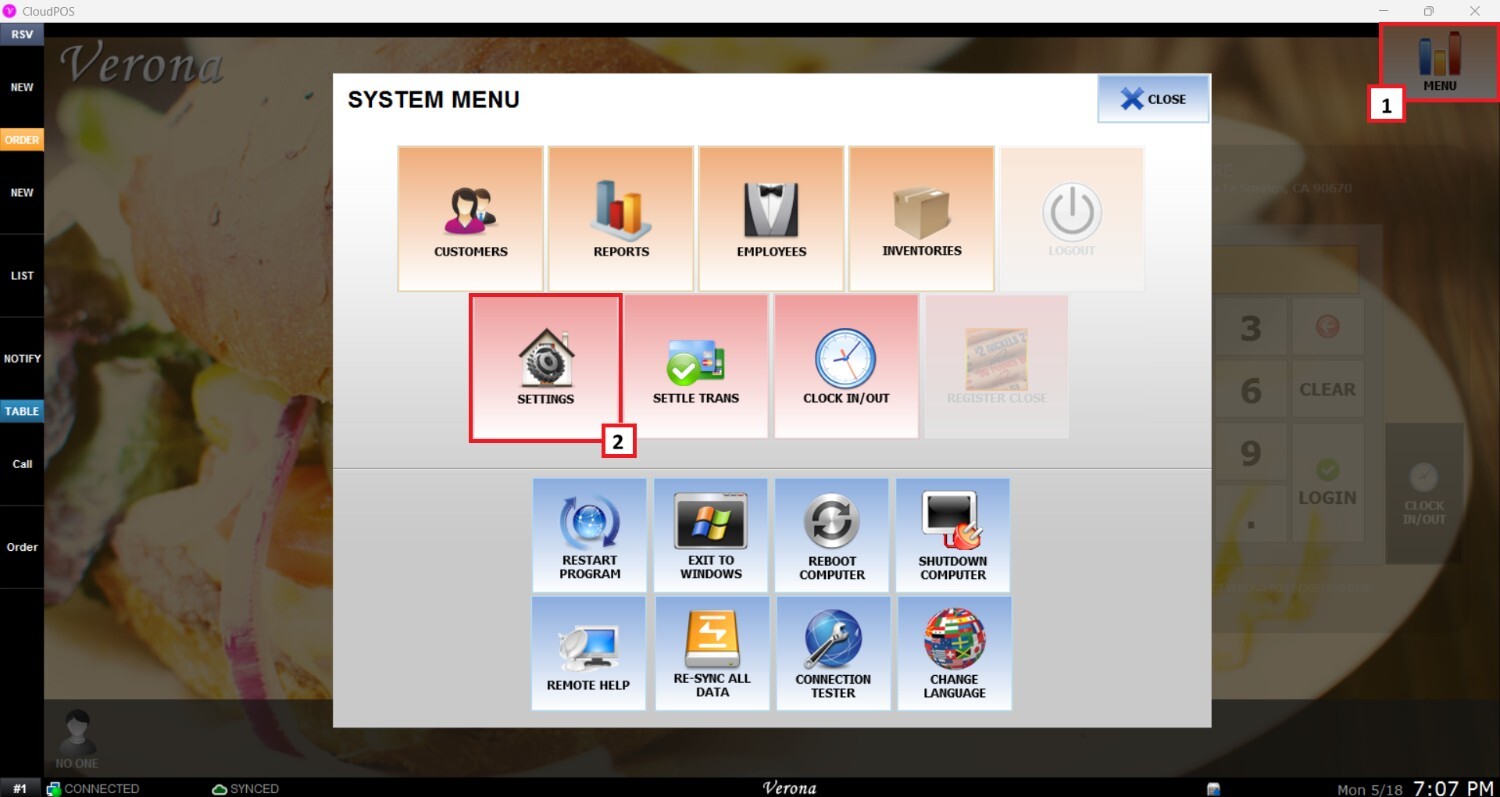
From the Main Screen, select MENU then SETTINGS.
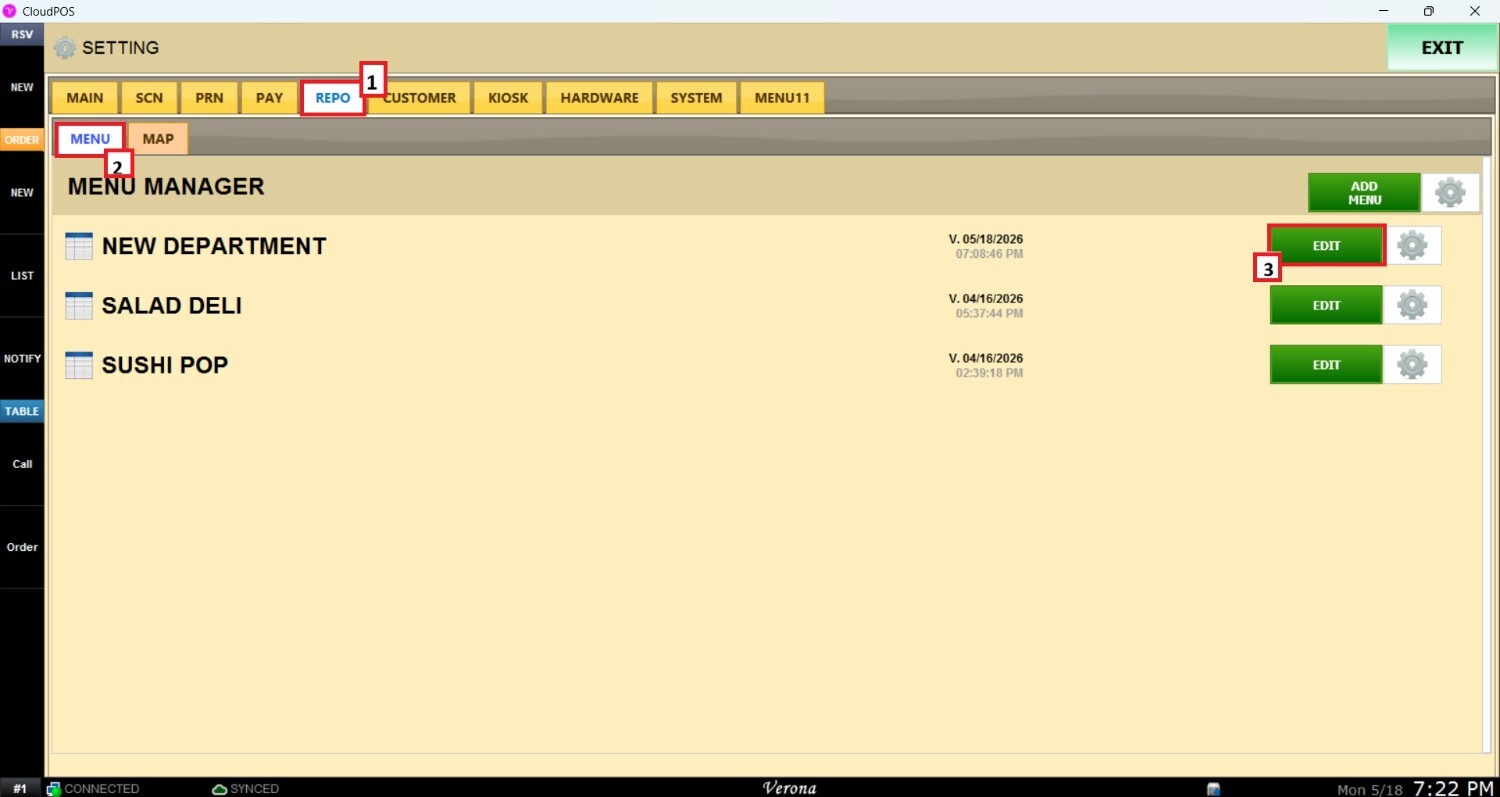
Go to the REPO tab, open MENU, locate the menu you want to modify, and click EDIT.
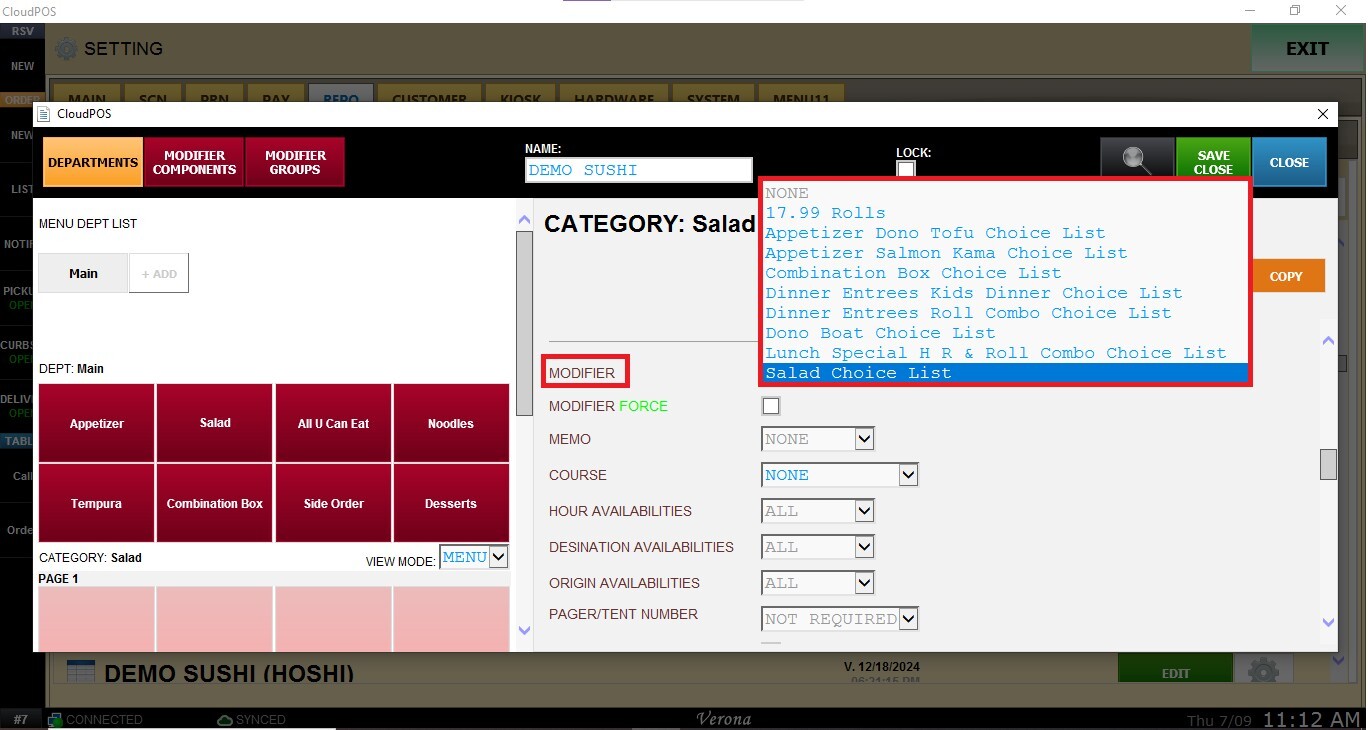
In the Menu Edit Screen, select the category you want to configure and scroll down until the Modifier section.
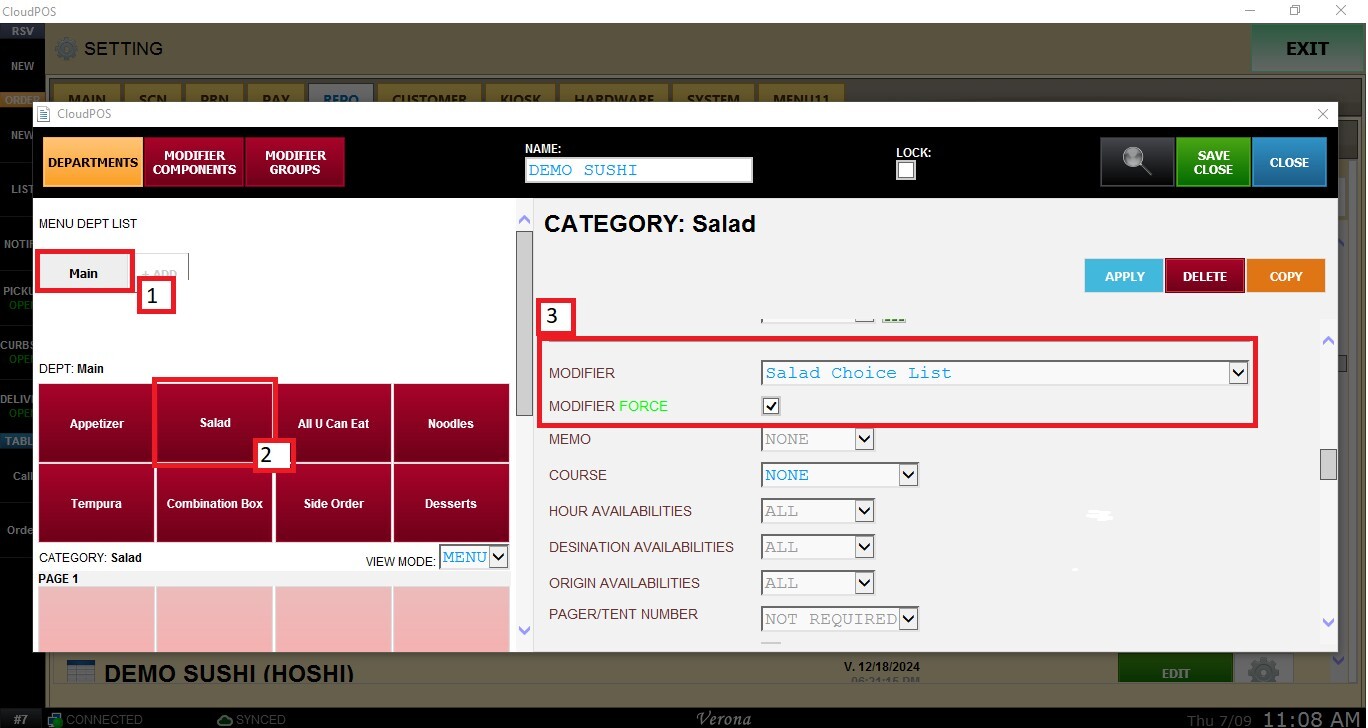
Open the MODIFIER drop-down menu and select the Modifier Group you want to assign to the category.
Note: To learn how to create modifier groups, please refer to the Modifier Structure Guides.
In MODIFIER FORCE, check the box to enable the modifier group for the selected category.
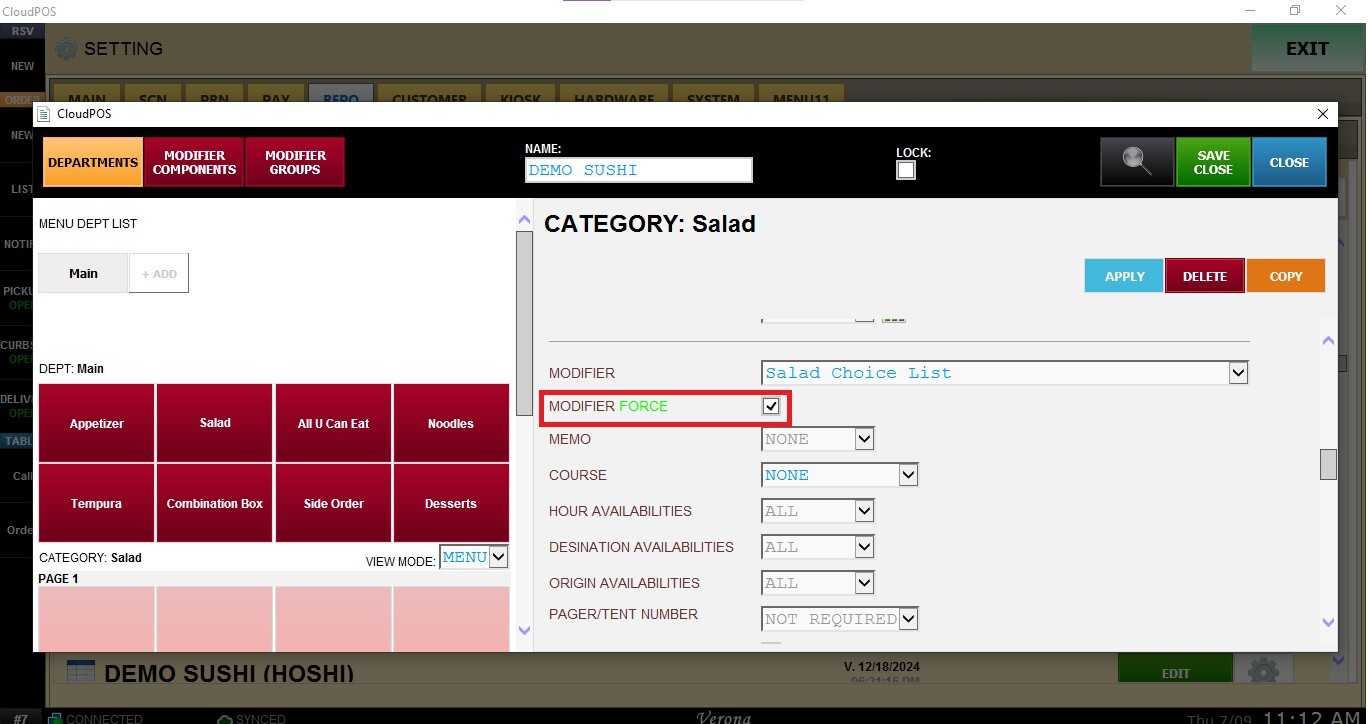
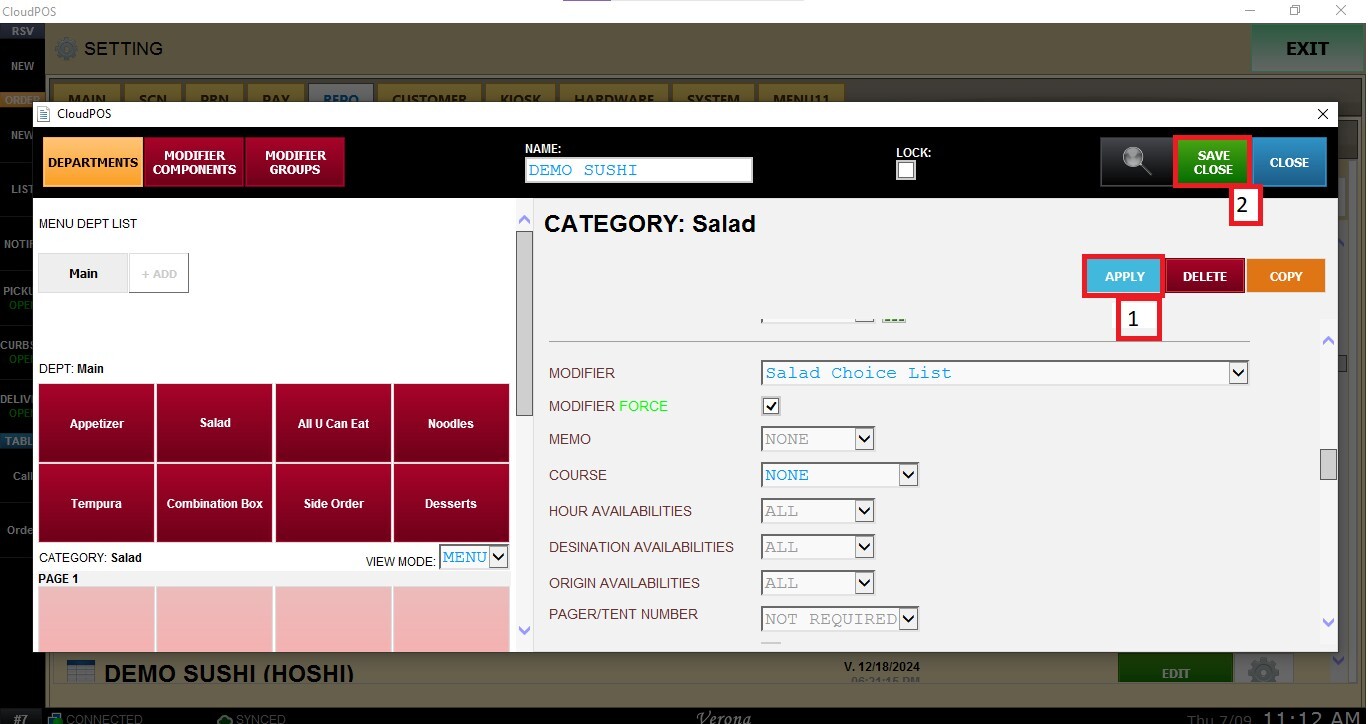
Click APPLY and SAVE AND CLOSE to save the menu configuration.