[Verona] How To Fix Windows Cannot Connect to Printer – Error 0x0000011b
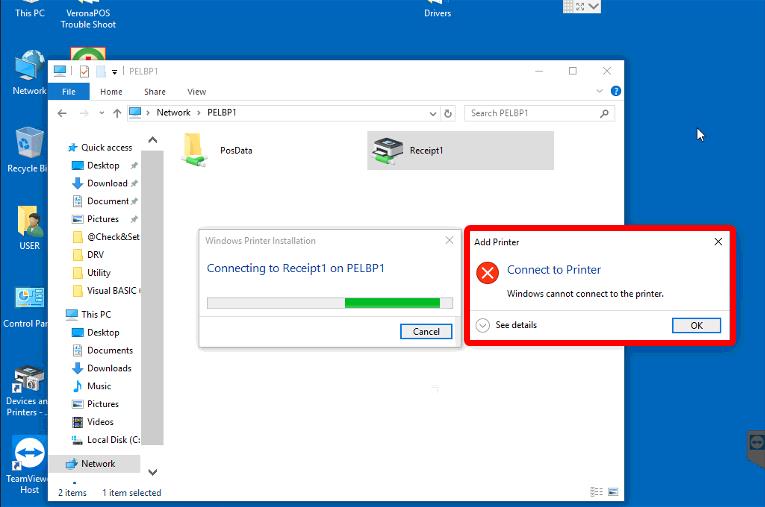
If you receive the "CONNECT TO PRINTER" or "Windows cannot connect to the printer" error, Windows may be preventing the POS from communicating with the printer. Follow the steps below to restore printer connectivity.
If you receive an error similar to the one shown below, follow this guide to resolve it.

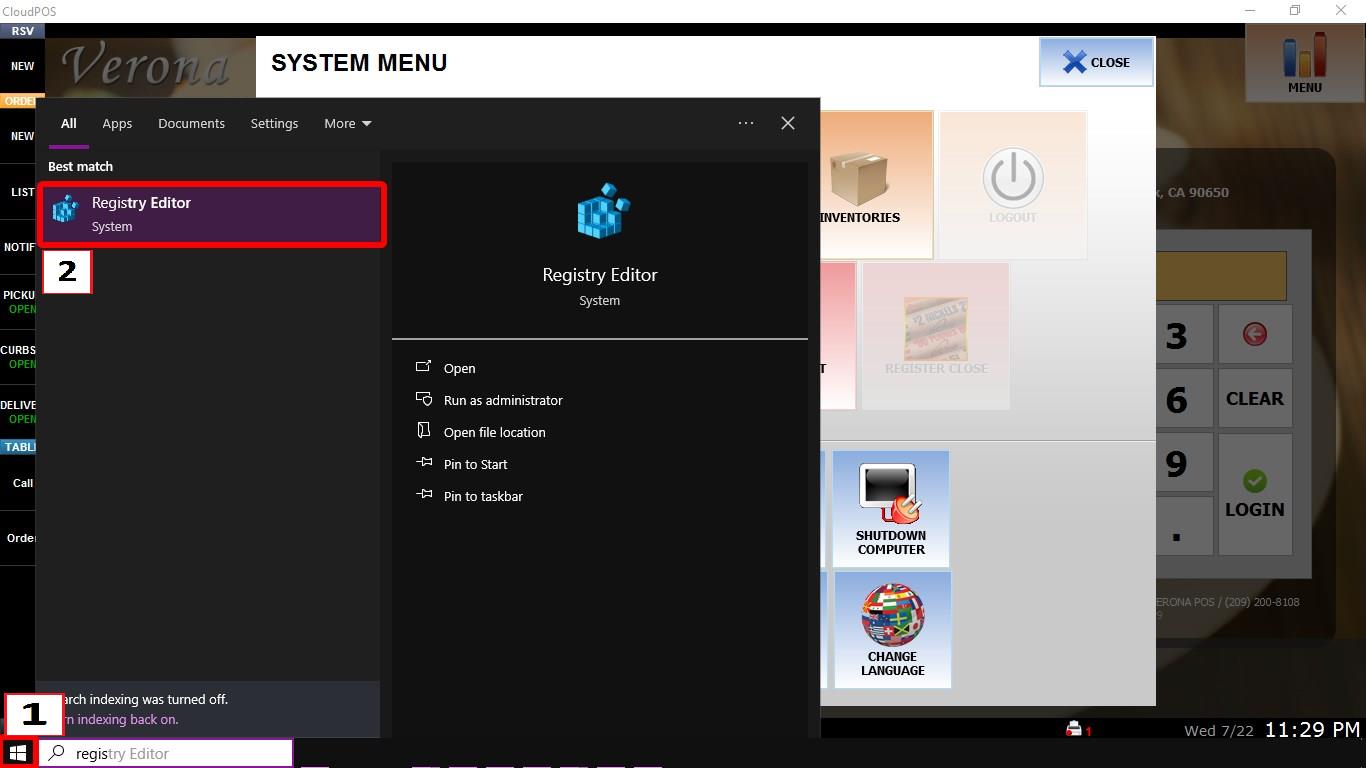
REGISTRY EDITOR
Press the WINDOWS key, type REGISTRY EDITOR, then open the application.

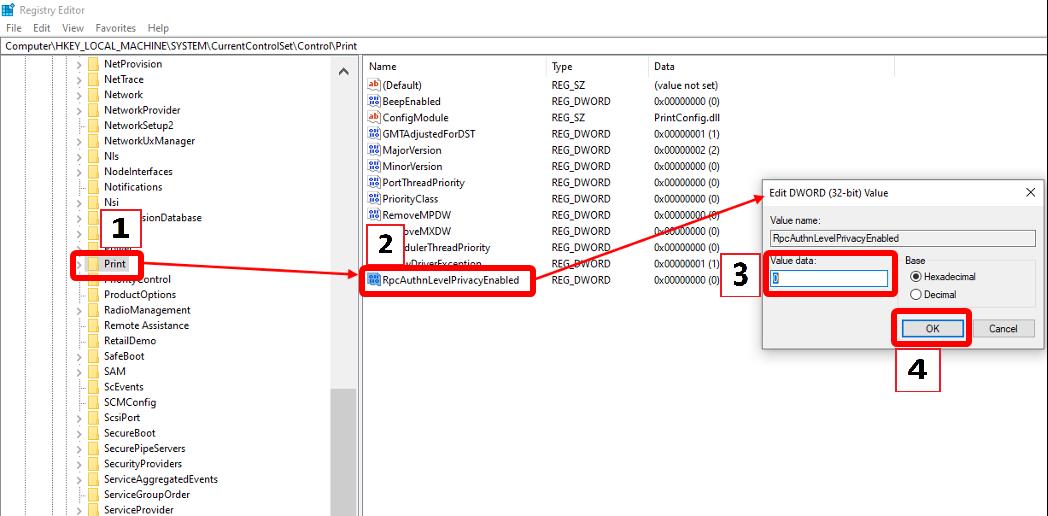
Navigate to: Computer\HKEY_LOCAL_MACHINE\SYSTEM\CurrentControlSet\Control\Print
Double-click RpcAuthnLevelPrivacyEnabled.
Set VALUE DATA to 0, then click OK.

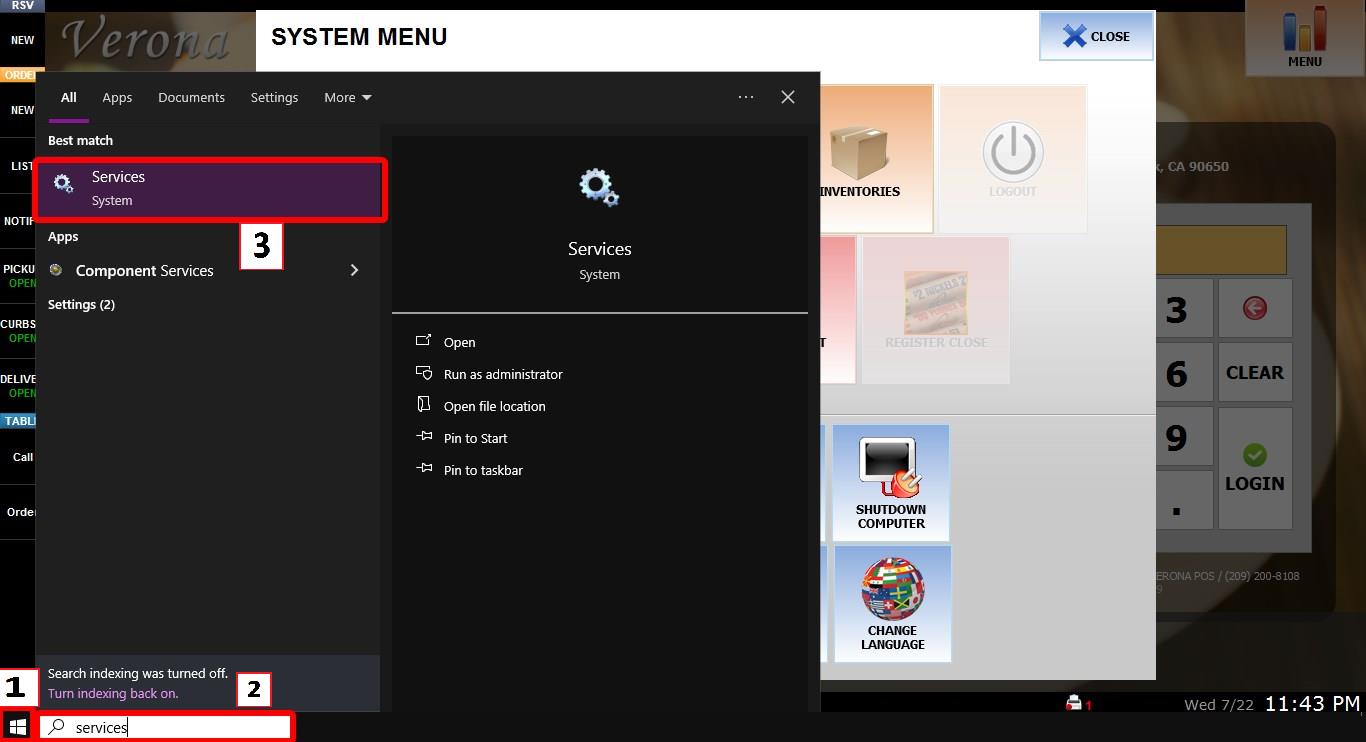
PRINT SPOOLER
Press the WINDOWS key, type SERVICES, then open the application.
Locate PRINT SPOOLER in the list.
Right-click PRINT SPOOLER, then select RESTART.

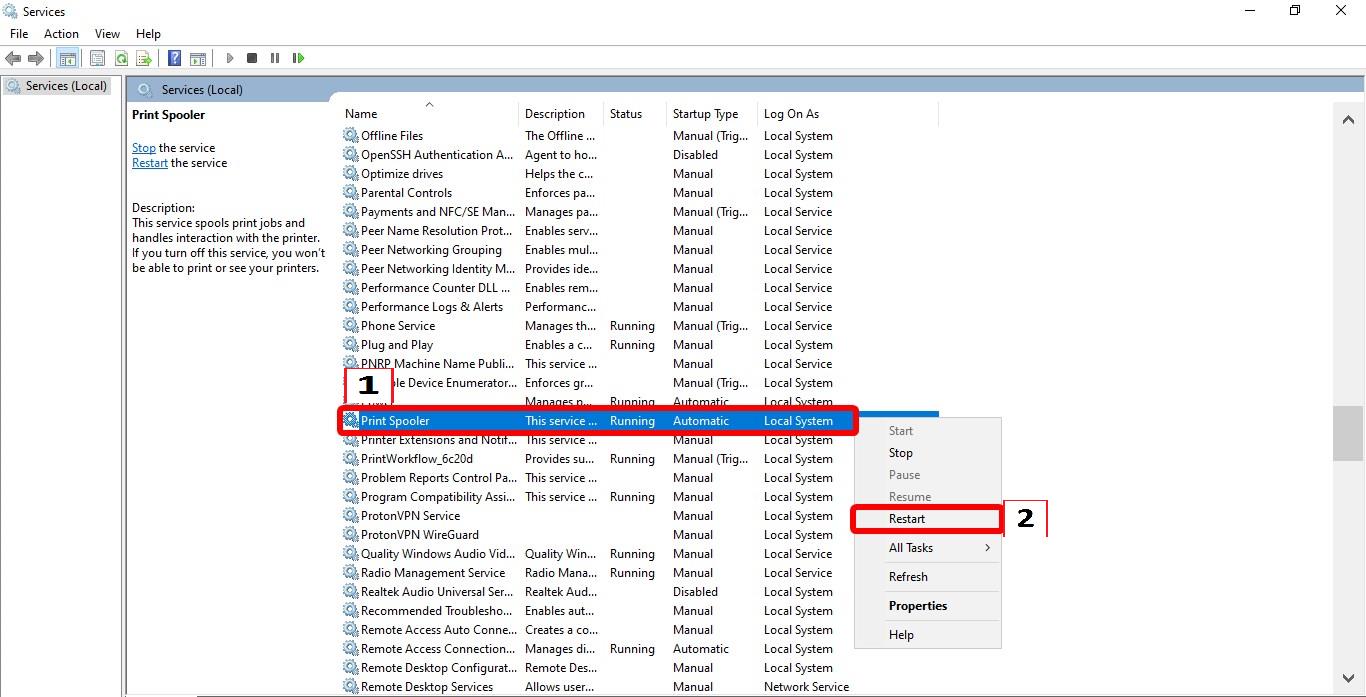
After completing these steps, RESTART the POS. And try to connect to the printer.