Ring Up Count
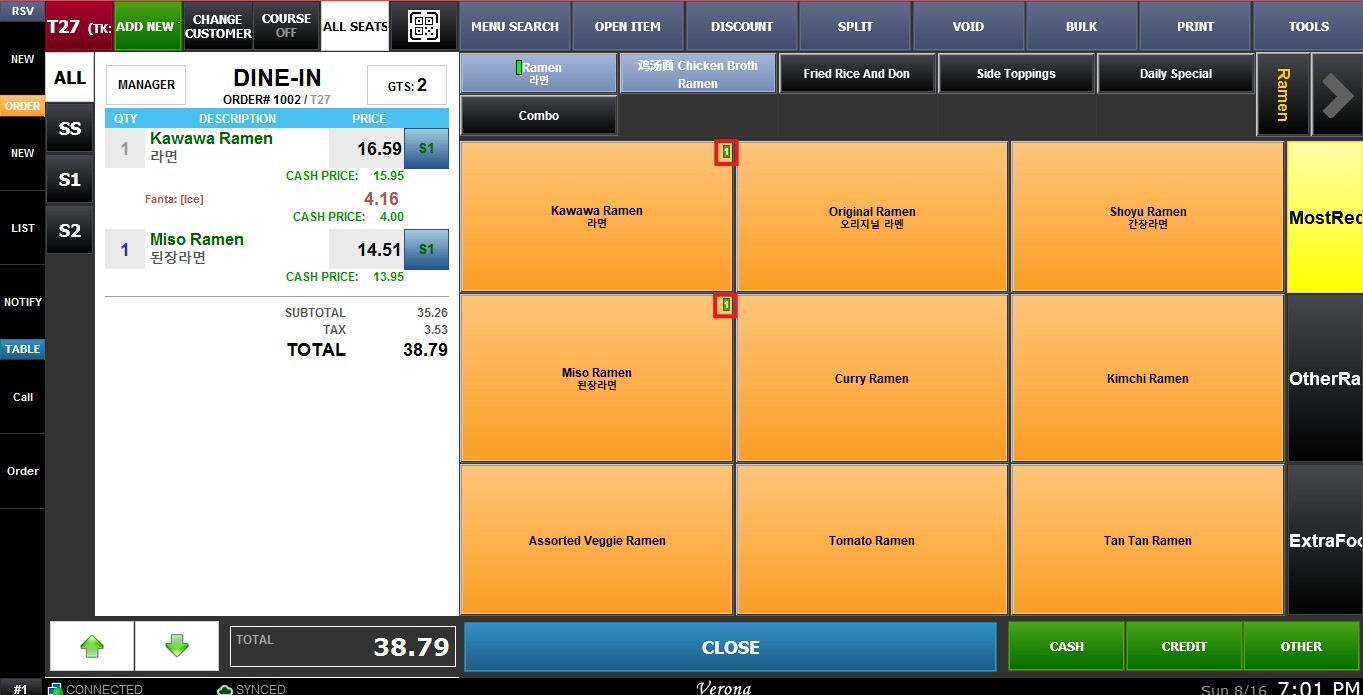
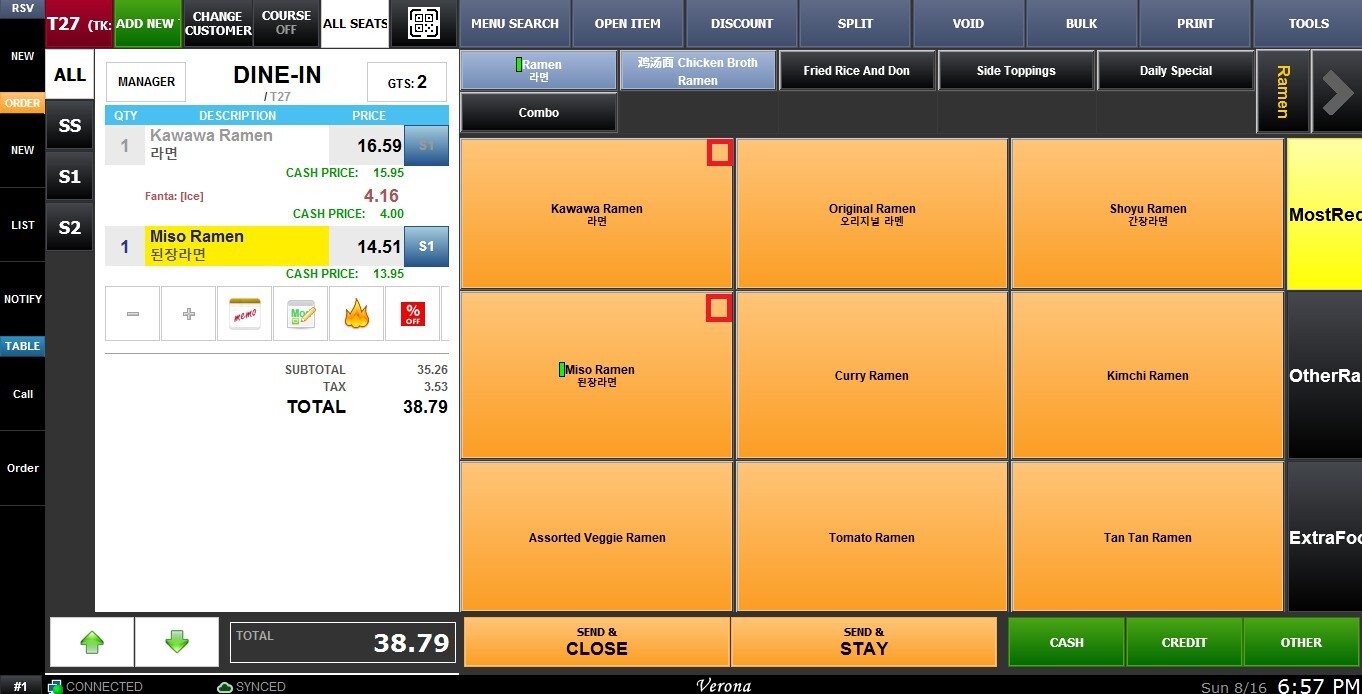
The Ring Up Count setting displays a counter on menu items showing how many times each item has been ordered in the current transaction. This makes it easy to identify the quantity of each item without opening the order details.
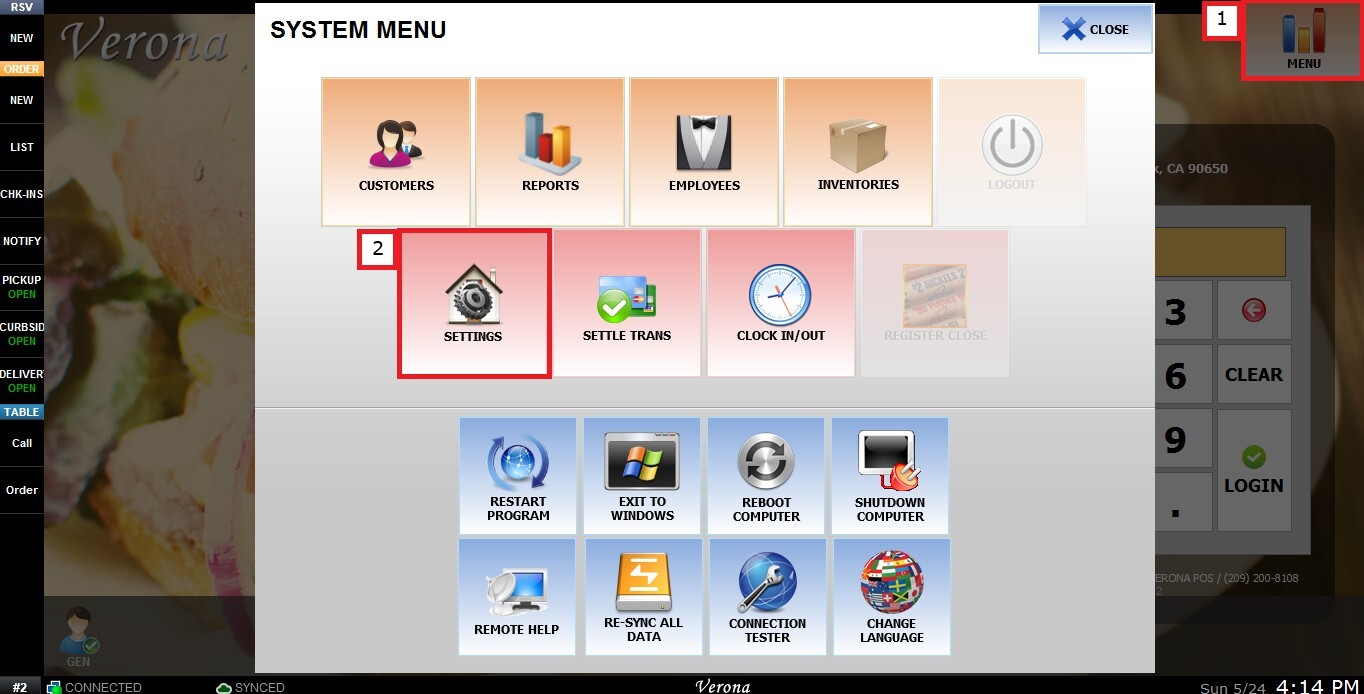
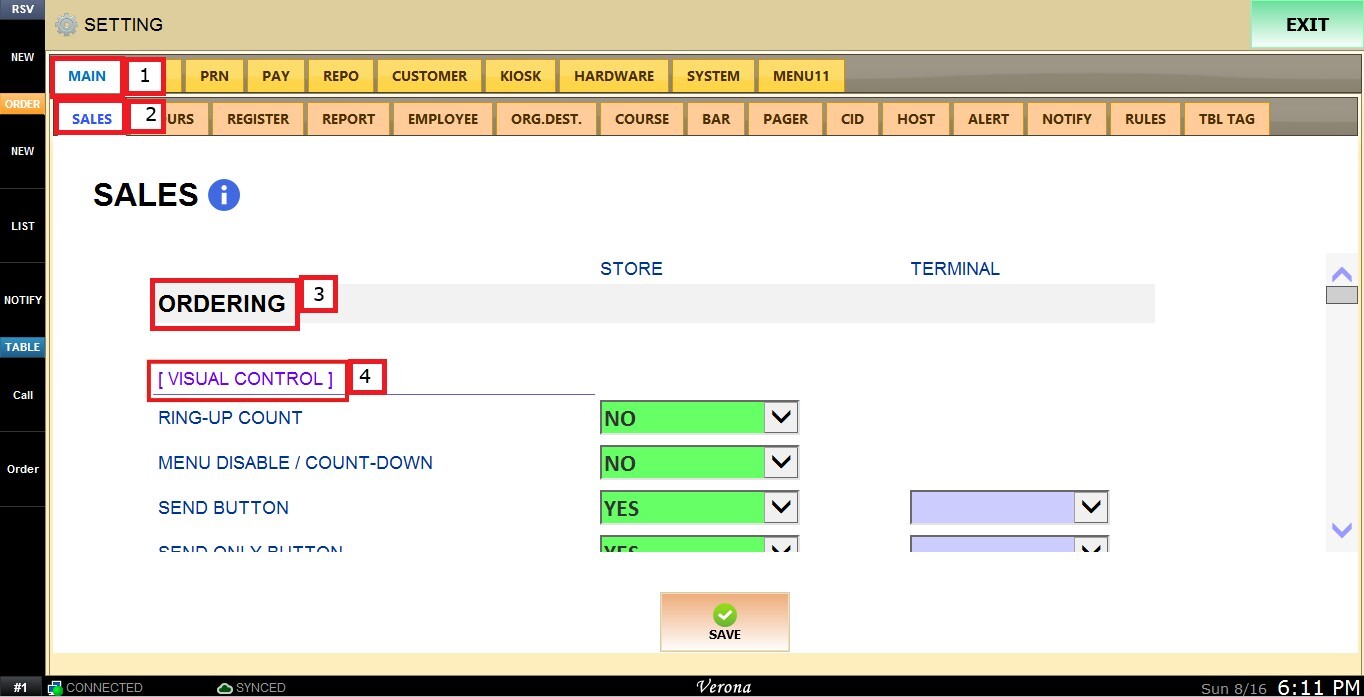
MENU > SETTINGS > MAIN > SALES > ORDERING> VISUAL CONTROL> RING UP COUNT.
From the MAIN SCREEN, click MENU, then select SETTINGS.
Under MAIN, select SALES, then ORDERING and scroll down until the VISUAL CONTROL section.
USE RING-UP COUNT
This setting controls whether a counter is displayed on menu items showing how many times each item has been ordered in the current transaction.
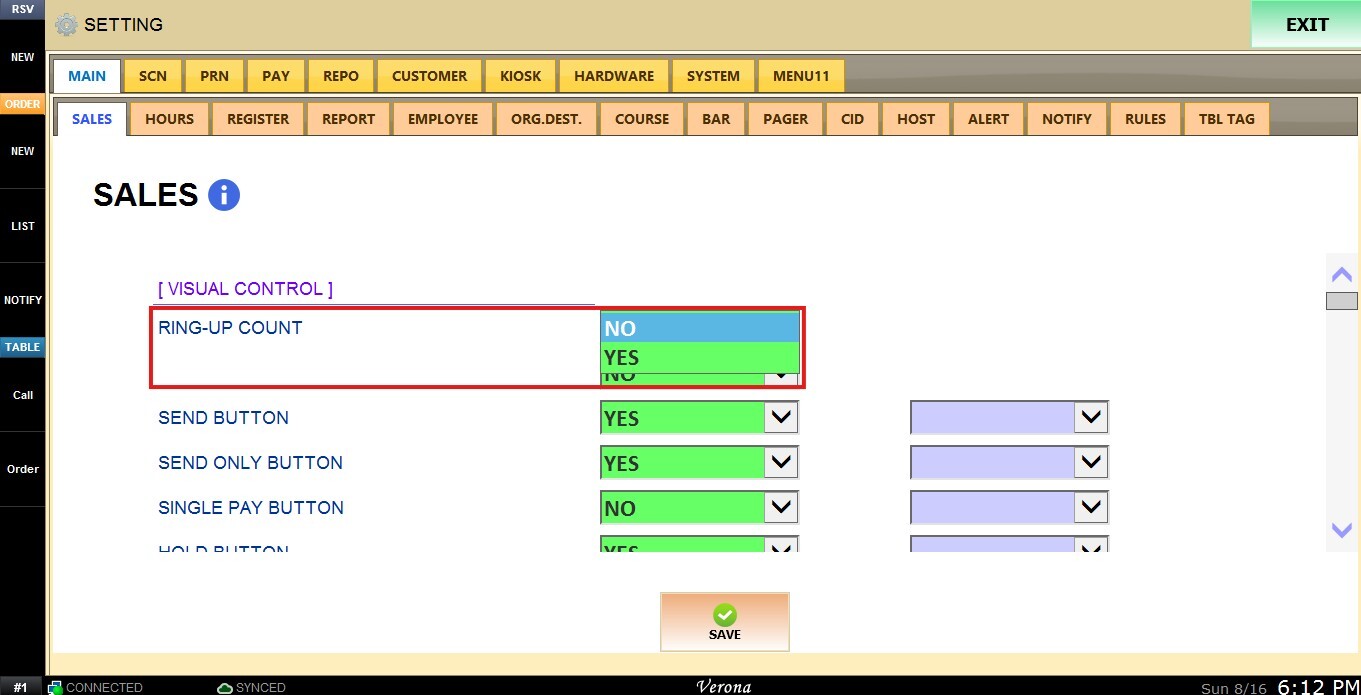
Inside the dropdown menu you have the following options:
1. YES: displays the ring-up count on menu items as they are ordered.
2. NO: hides the ring-up count.
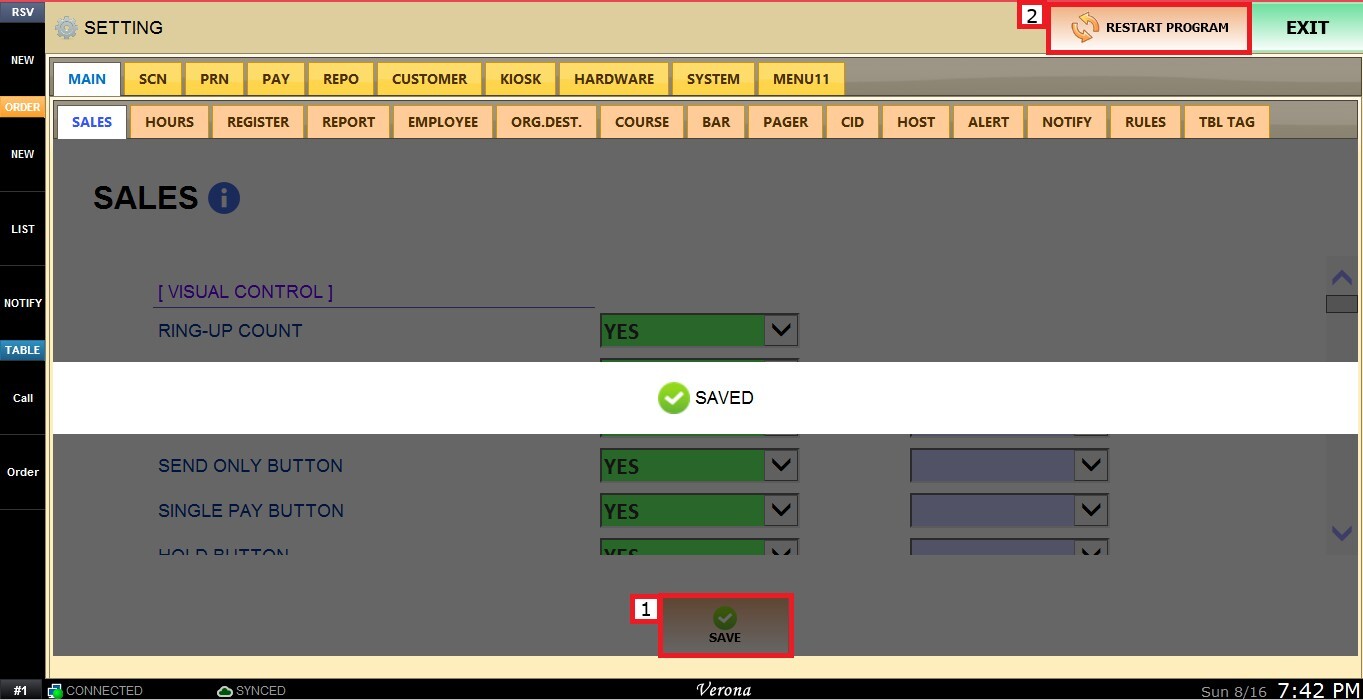
Click SAVE and RESTART THE PROGRAM to apply the changes.