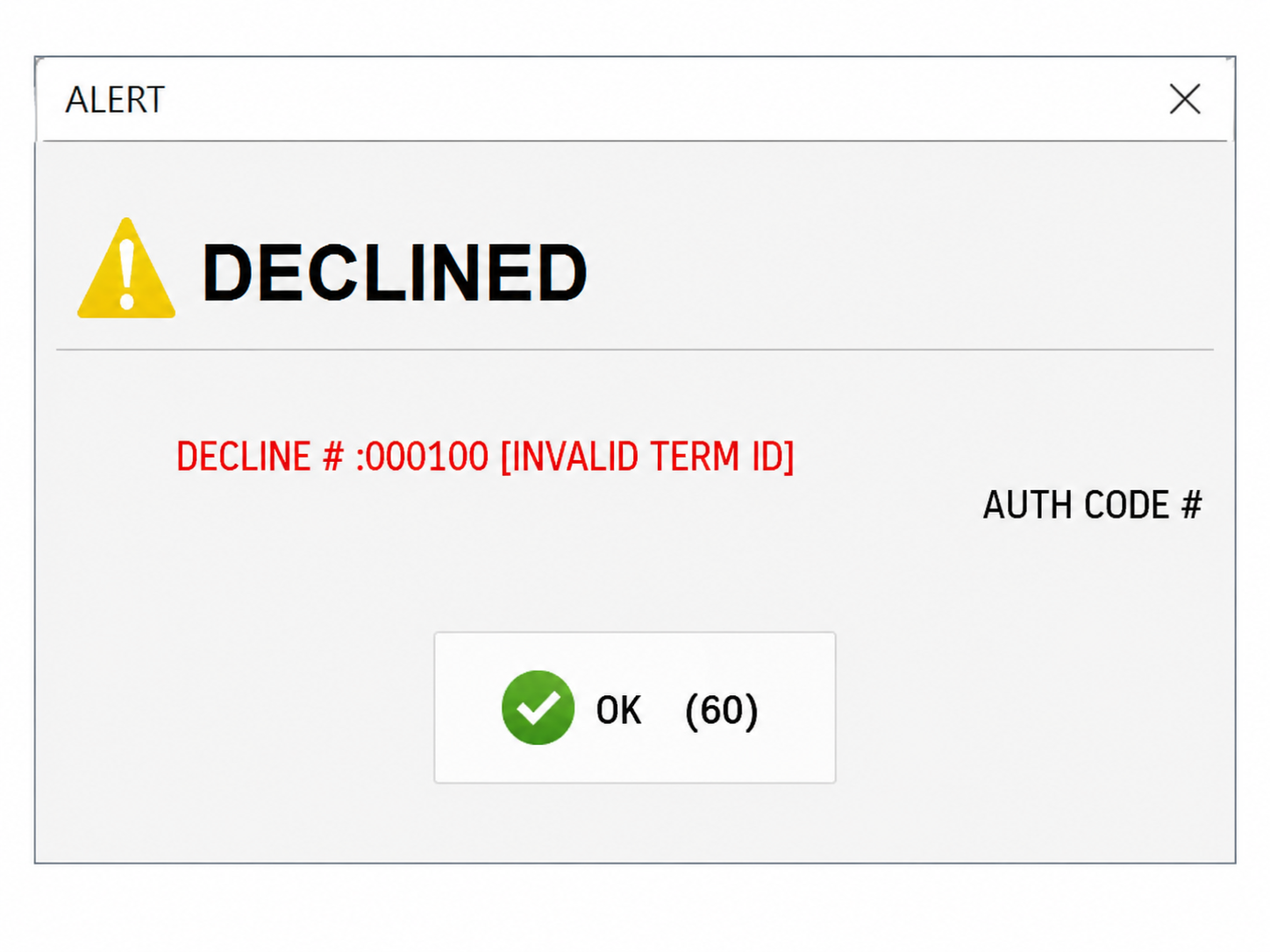
I am getting Decline#:000100 when I try to settle trans (Batch Number Error)
If the settlement process fails with the error DECLINE #:000100 [INVALID TERM ID], but credit card sales, captures, and tip adjustments are working normally, the credit card terminal's batch number is most likely out of sync with the payment processor.

VERIFY INTERNET CONNECTION
Before making any changes, verify that the POS and the payment terminal have a stable internet connection.
OPEN THE PAYMENT APPLICATION
Determine which payment application is installed on the credit card terminal, then follow the appropriate steps below.
TSYS SIERRA
Open the TSYS SIERRA application.
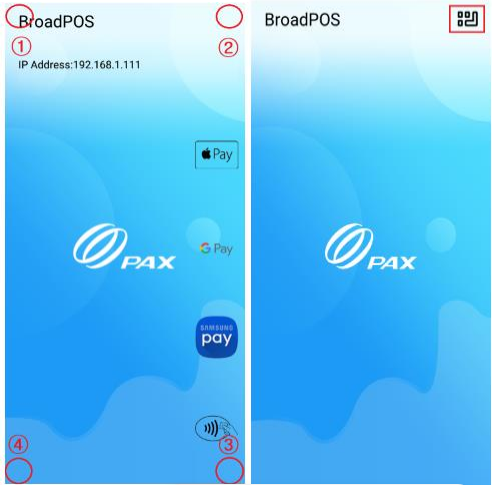
From the main screen, tap the MENU icon in the upper-right corner (three squares with one reversed L-shaped icon).
RAPID CONNECT
Open the RAPID CONNECT application.
On the main screen, tap the four corners of the display in clockwise order, starting from the TOP LEFT corner.
ENTER THE PASSWORD
When prompted, enter today's date as the password using the MMDDYYYY format.
Example: May 22, 2026 = 05222026
UPDATE THE BATCH NUMBER
Open HOST SETTINGS, then locate the BATCH NUMBER option.

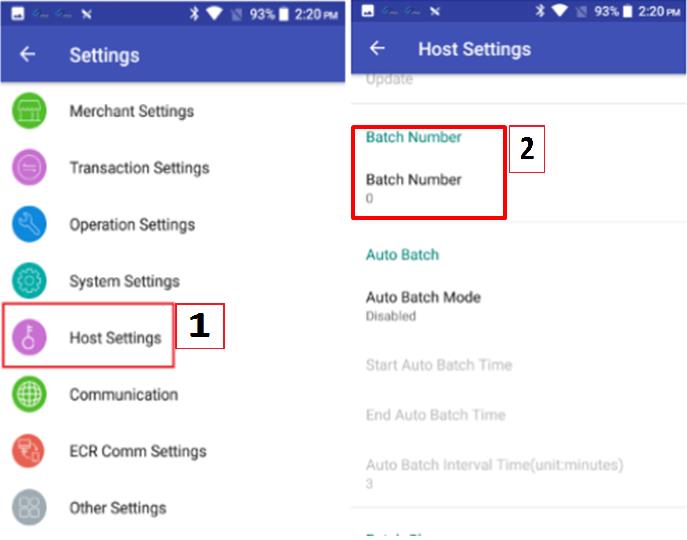
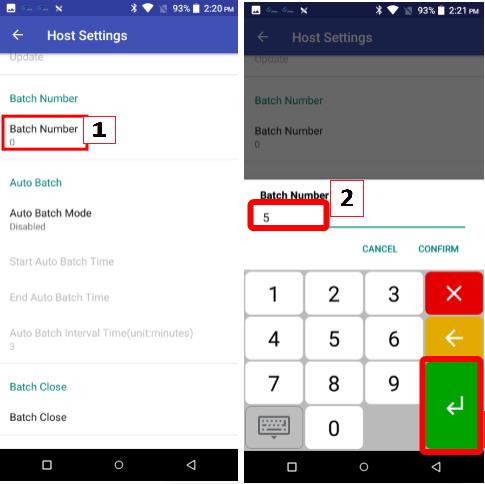
Increase the current batch number. In most cases, adding 5 to the existing value resolves the synchronization issue.
Example:Current Batch Number: 0
New Batch Number: 5
TEST THE SETTLEMENT
Exit the payment application and return to Verona POS.
Run SETTLE TRANS again to verify that the batch is processed successfully.