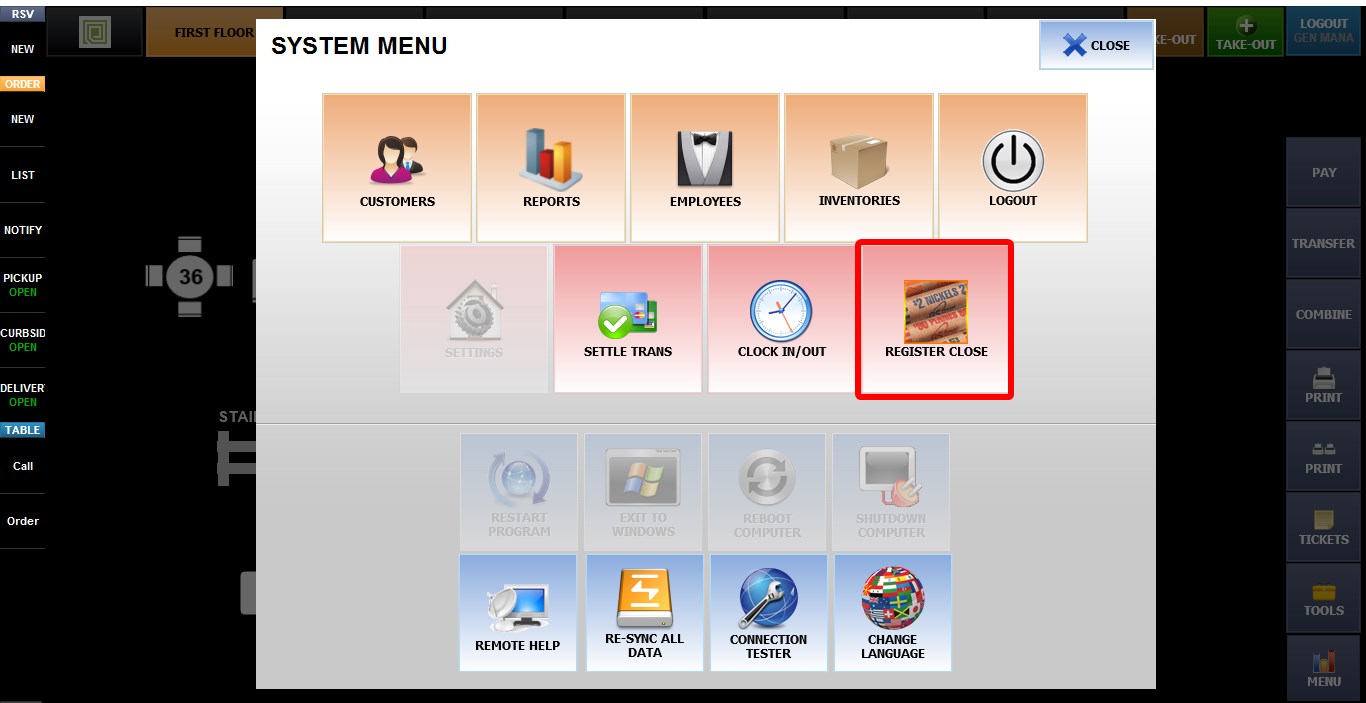
[Verona] Error _ Register Open First
If you receive the "REGISTER OPEN FIRST" error, the POS terminal may not be permitted to open or close the register. Verify the register permissions before troubleshooting further.
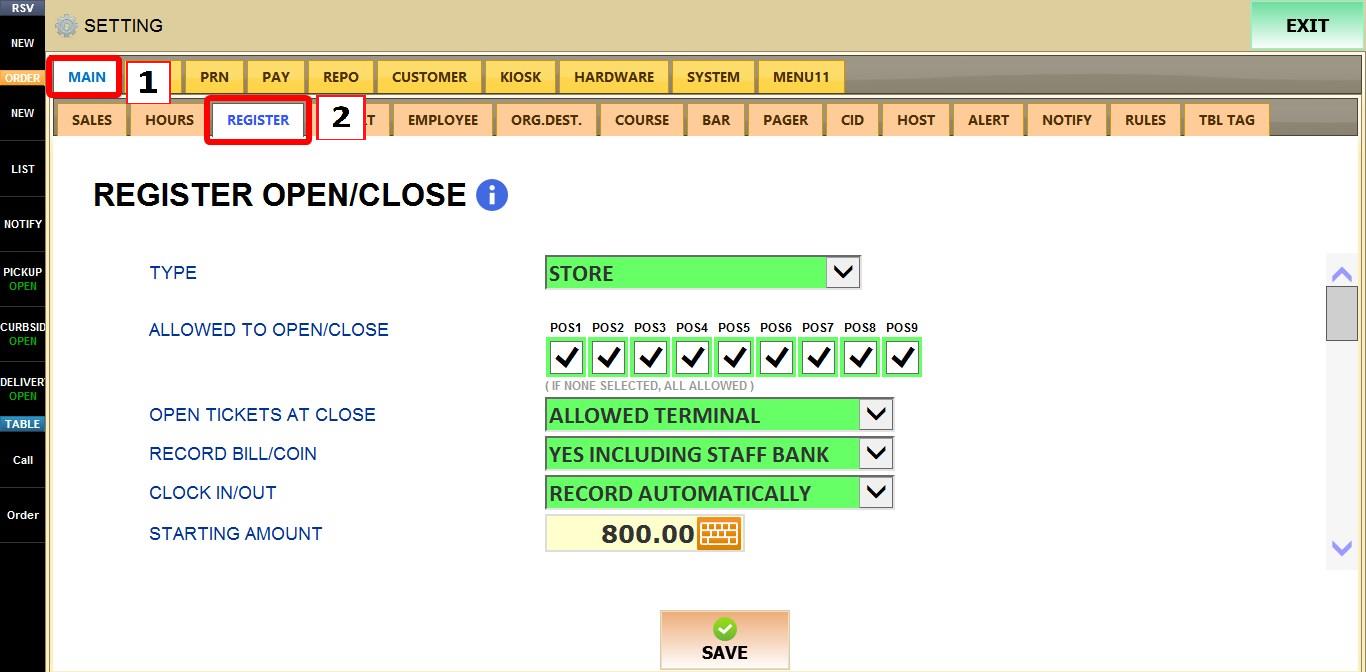
MENU > SETTINGS > MAIN > REGISTER
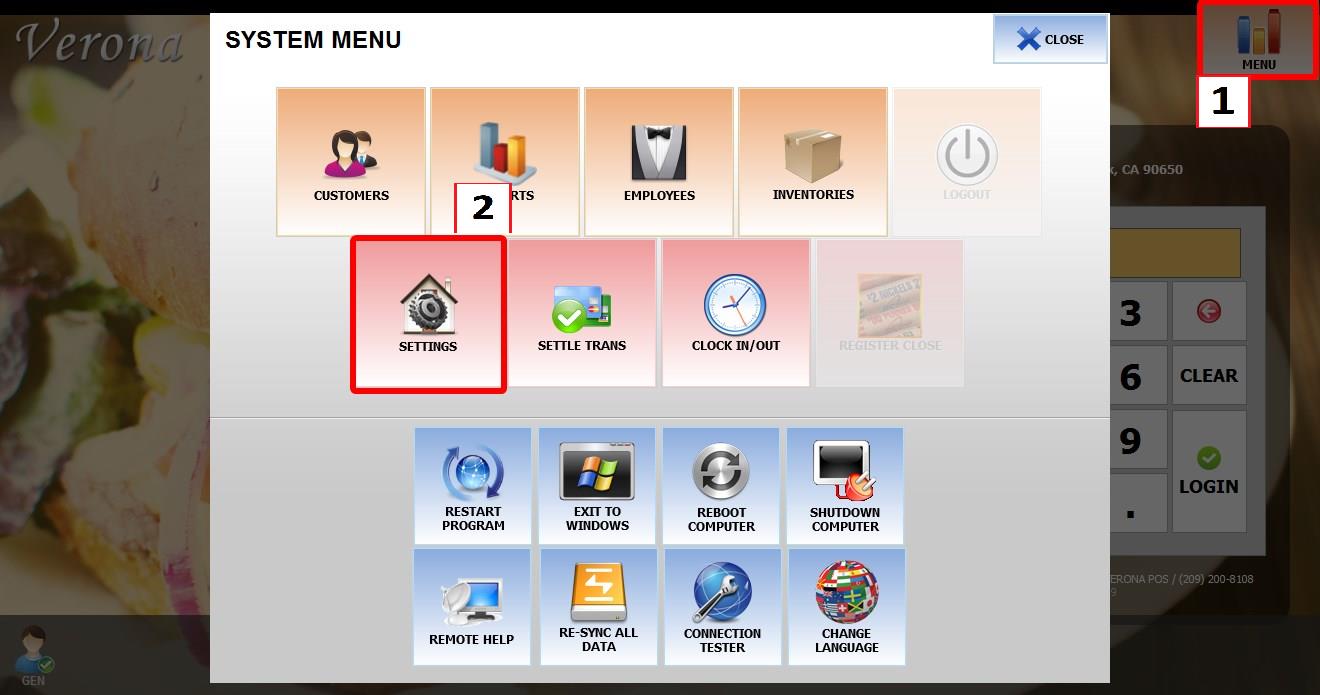
From the MAIN SCREEN, click MENU, then select SETTINGS.
Open the MAIN tab, then select REGISTER.

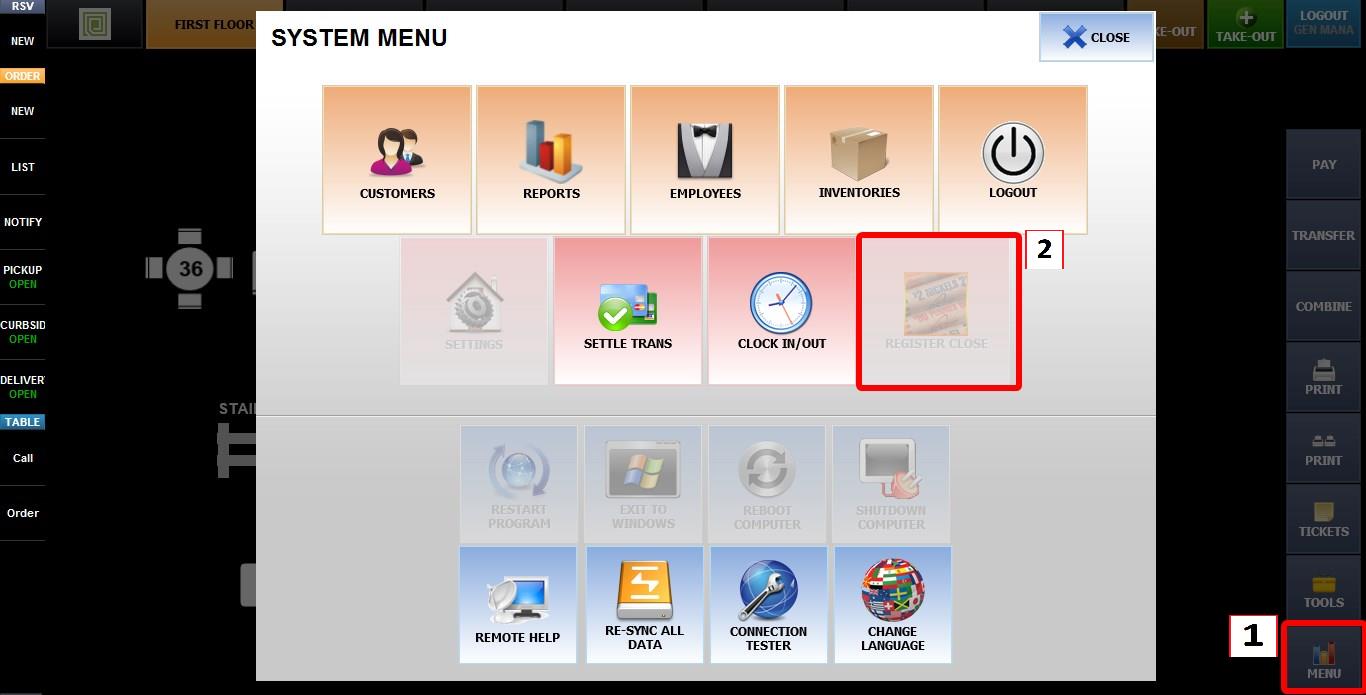
REGISTER CLOSE UNAVAILABLE
If the REGISTER CLOSE button is disabled (grayed out), verify the terminal permissions before attempting to close the register.
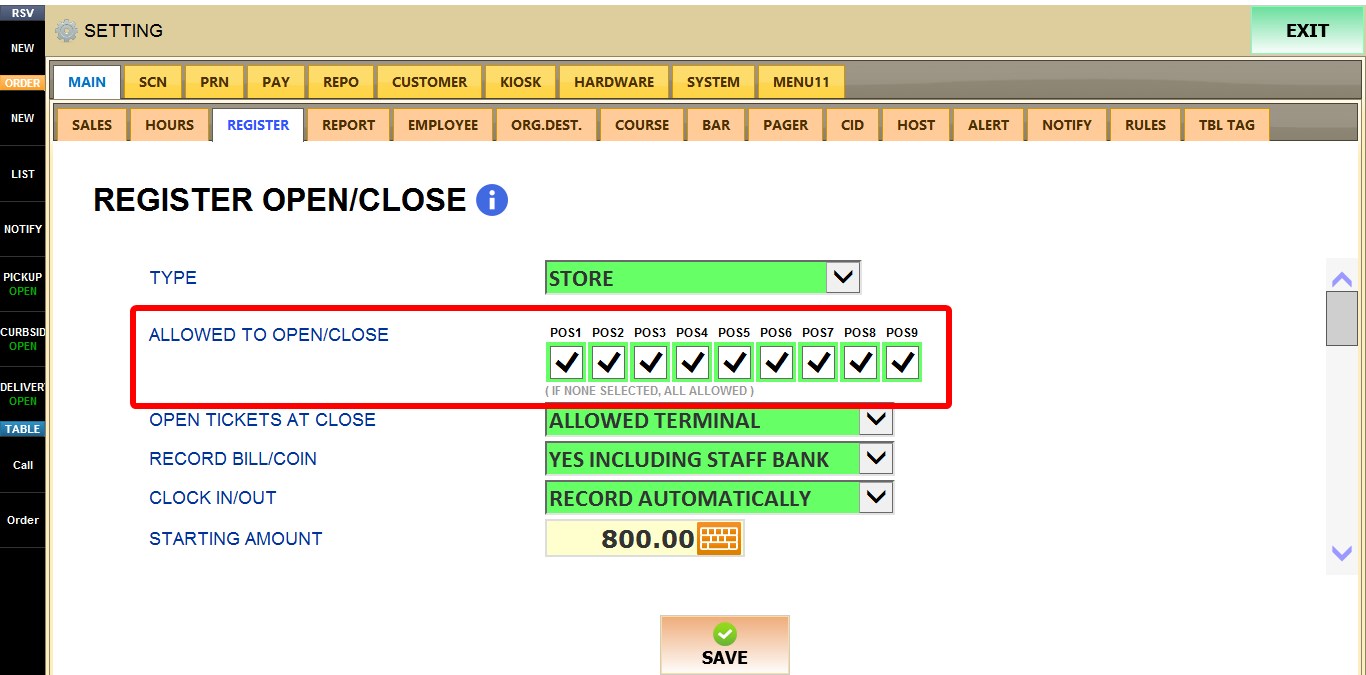
ALLOWED TO OPEN/CLOSE
This setting determines which POS terminals are allowed to perform REGISTER OPEN and REGISTER CLOSE.
Check the terminals that should be allowed to open and close the register.
If no terminals are selected, all POS terminals are allowed to perform register open and close operations.

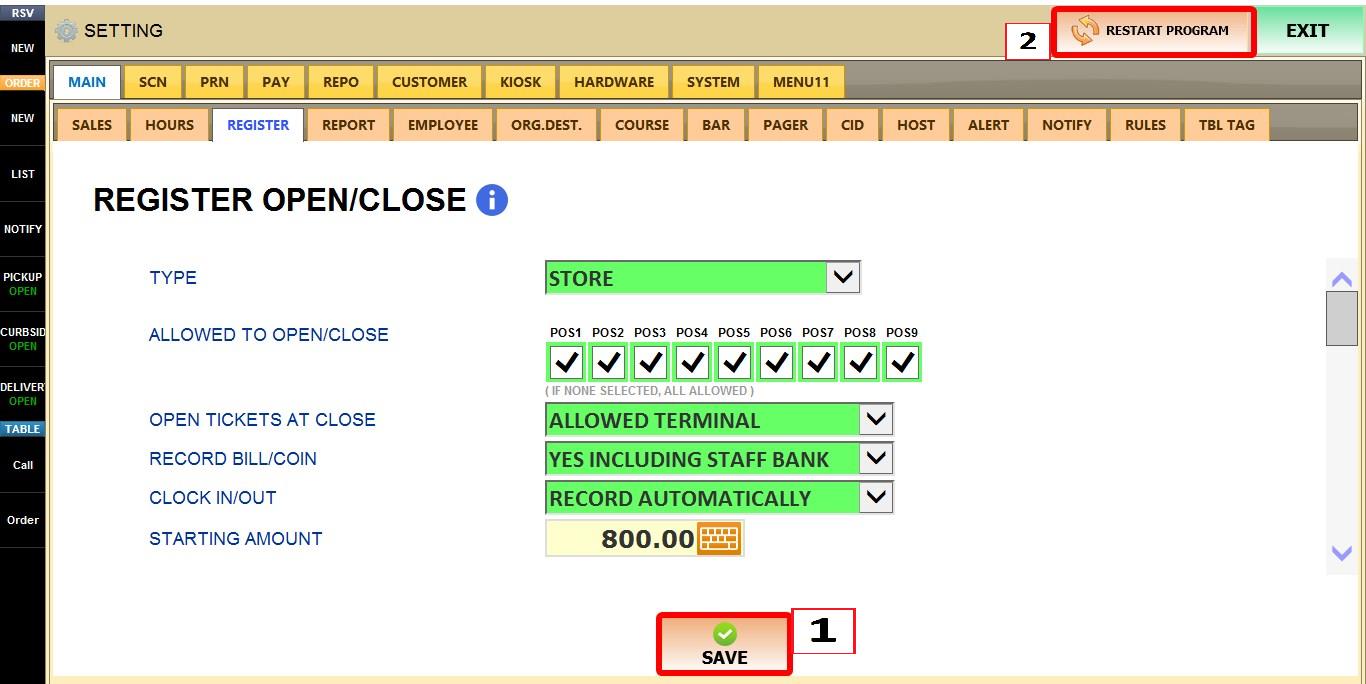
After updating the settings, click SAVE, then RESTART THE PROGRAM for the changes to take effect.
REGISTER CLOSE BUTTON LOCATION
The REGISTER CLOSE button found under MAIN SCREEN > MENU is always disabled and cannot be used to close the register.
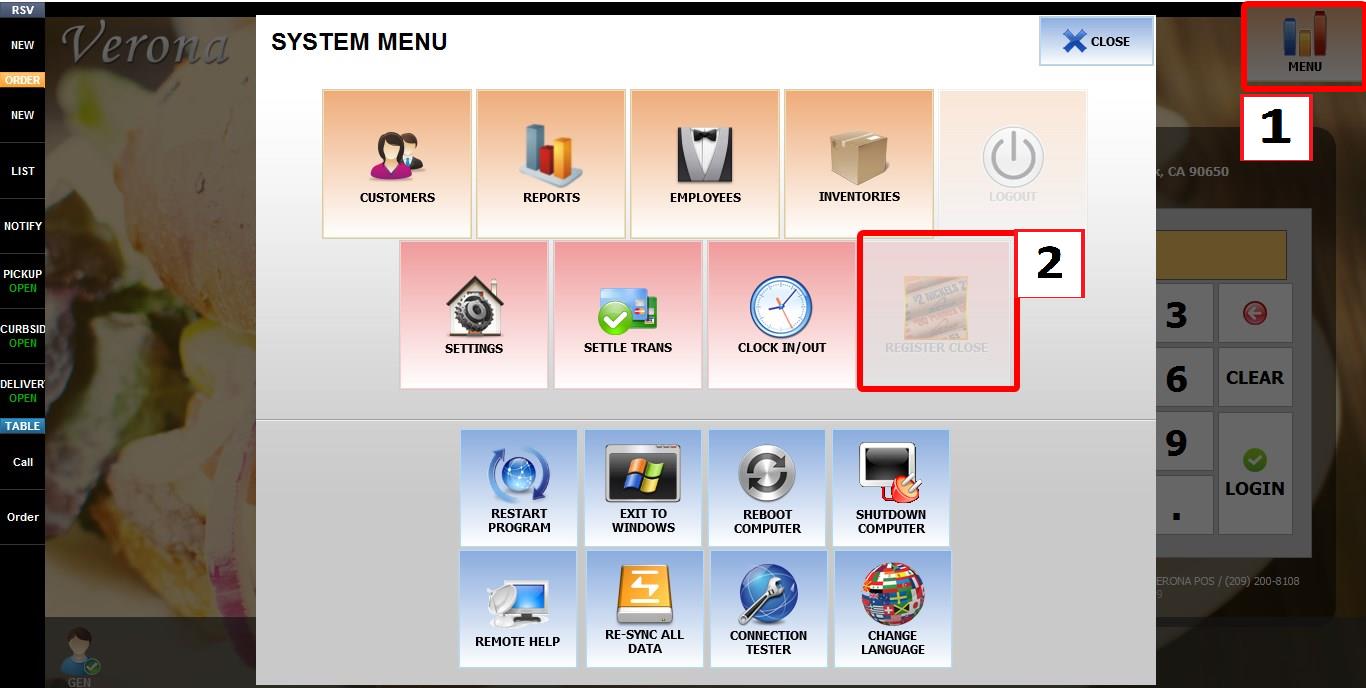
To close a register, go to MAIN SCREEN > SALES SCREEN > MENU > REGISTER CLOSE. This is the correct location for performing a register close.
RESULT