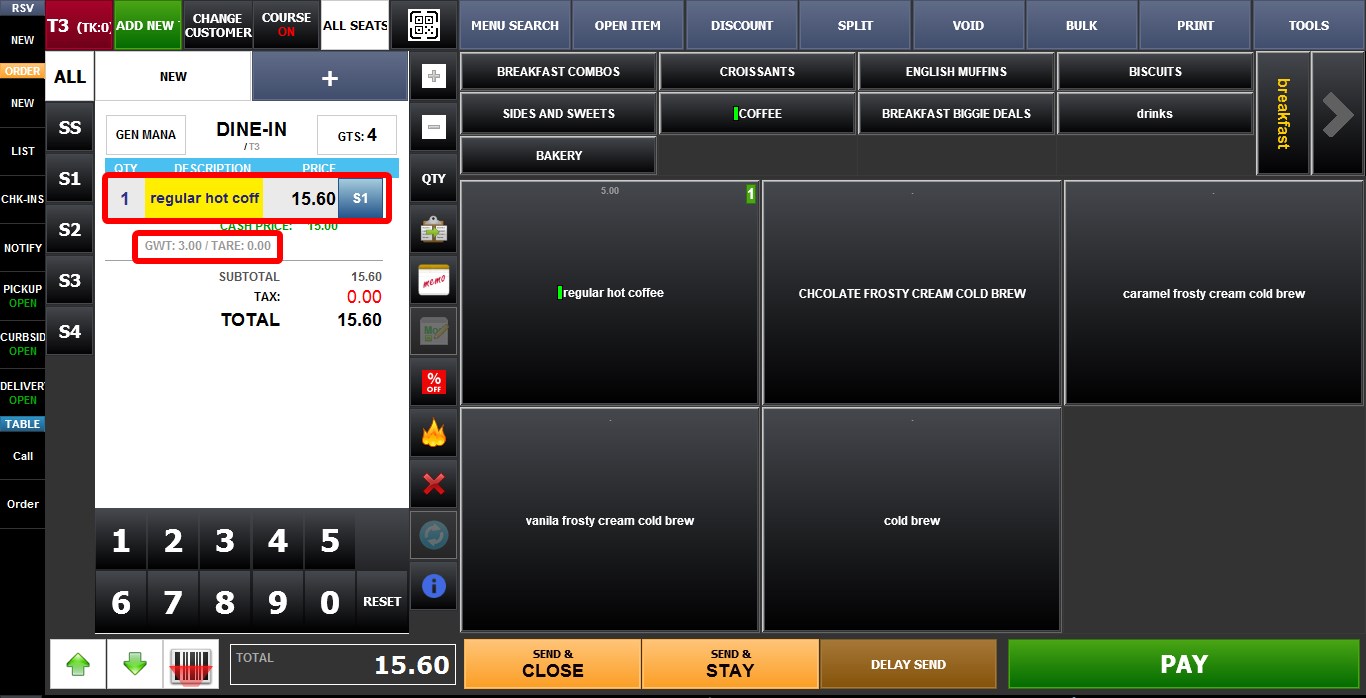
Weight
The Weight Price Type calculates the item's total price by multiplying the entered weight by the configured default price. This price type is commonly used for products sold by weight, such as meats, produce, or bulk goods.
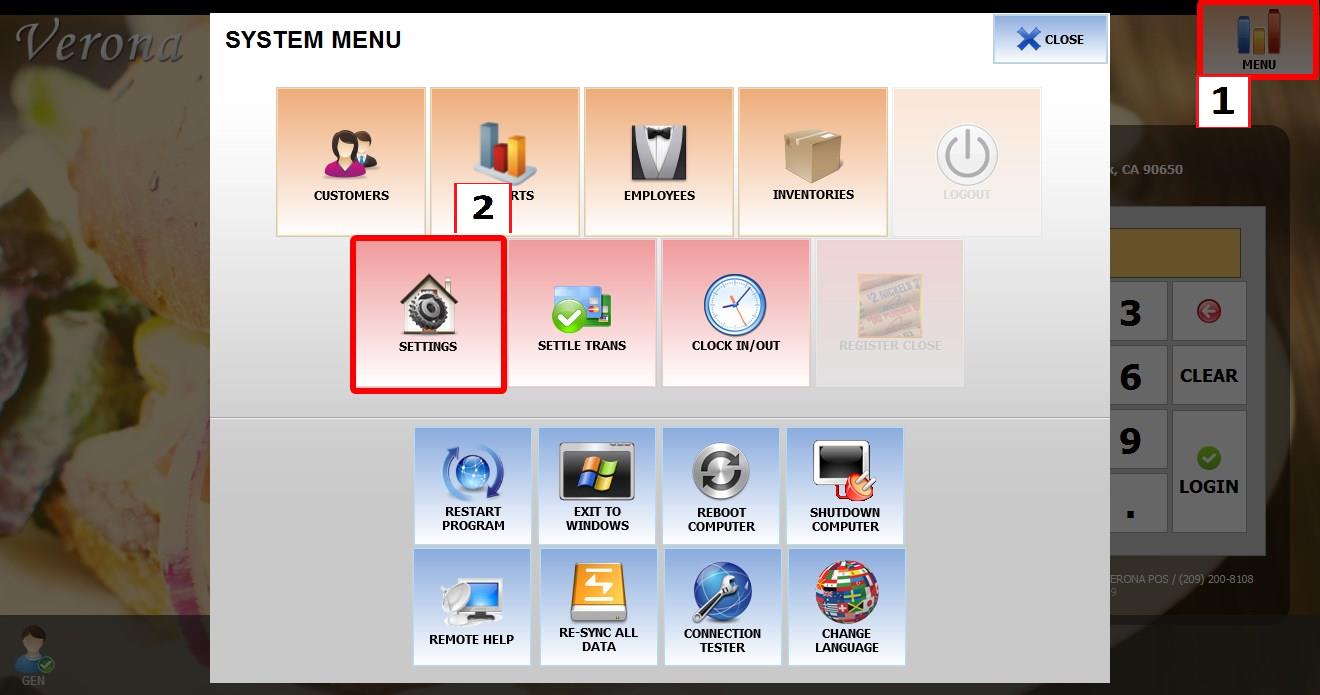
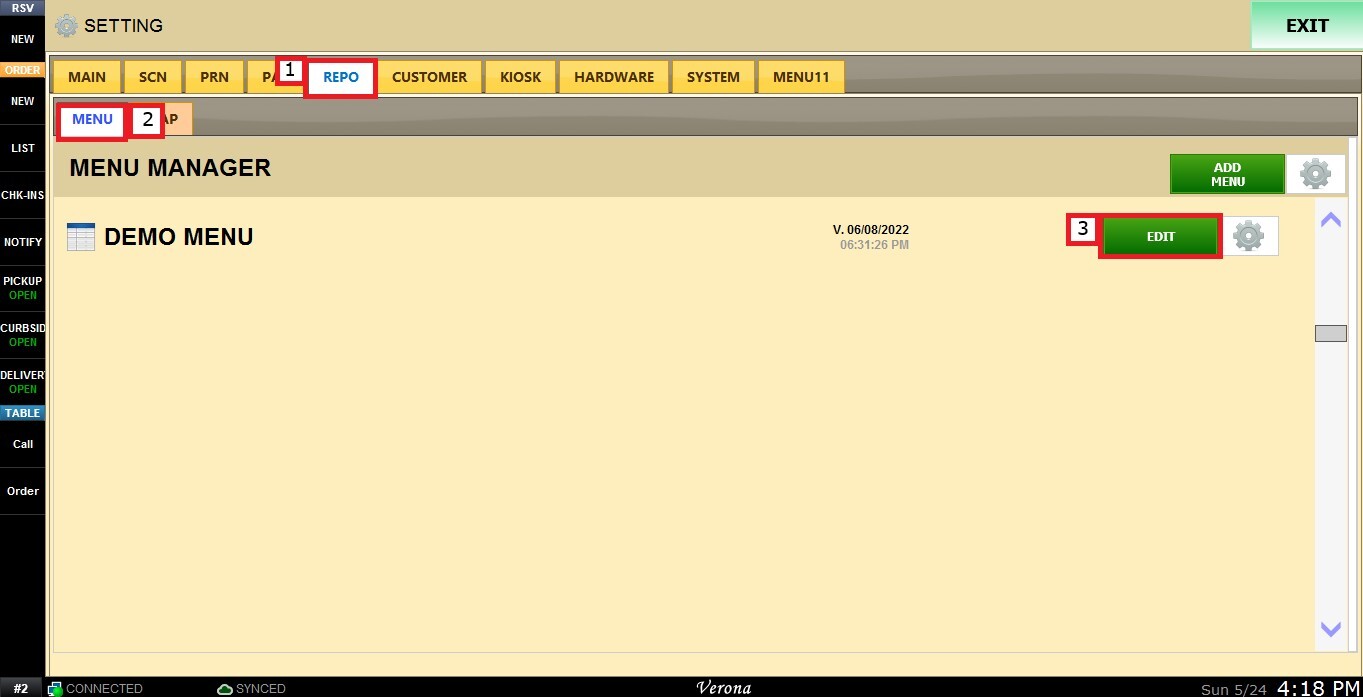
Main Screen > MENU > SETTINGS > REPO > EDIT > PRICE TYPE
Go to MENU, then SETTINGS.
Go to REPO, locate the menu you want to modify, and click EDIT.
Select the item you want to configure. Scroll down through the item settings until you find the PRICE TYPE dropdown menu.
Select WEIGHT.
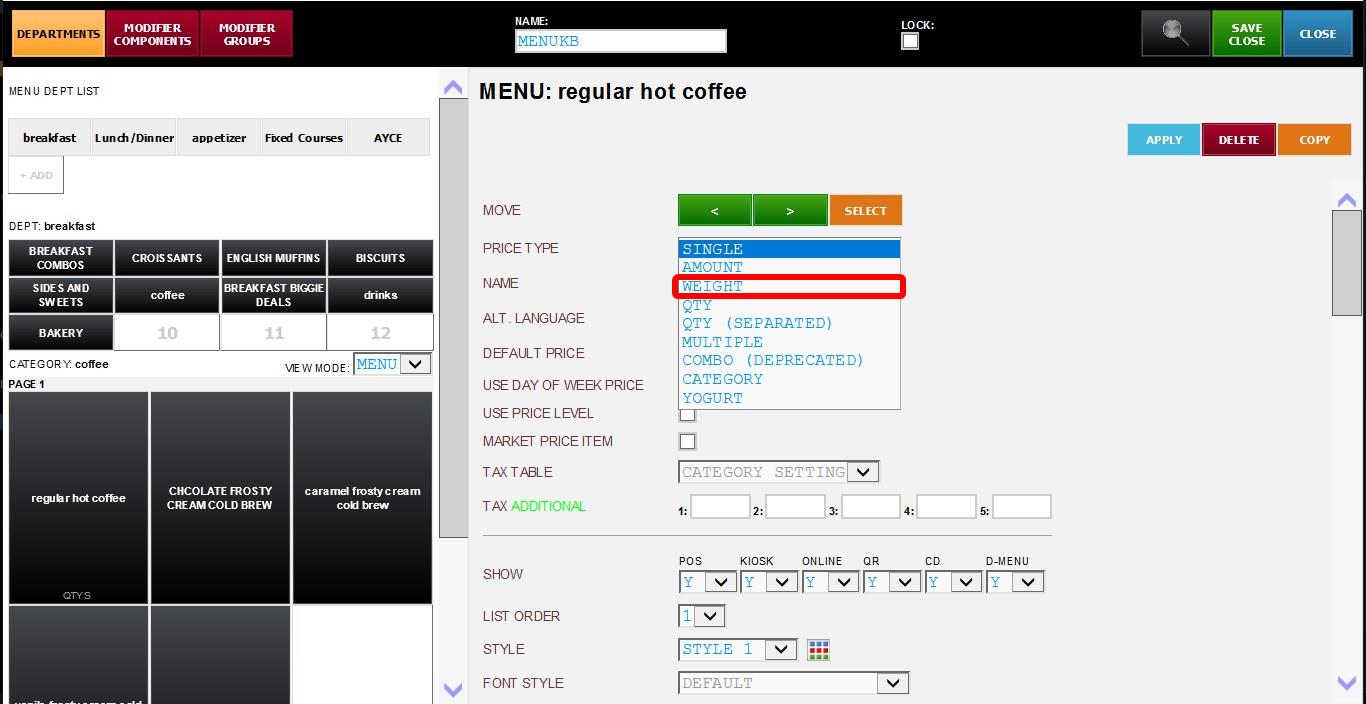
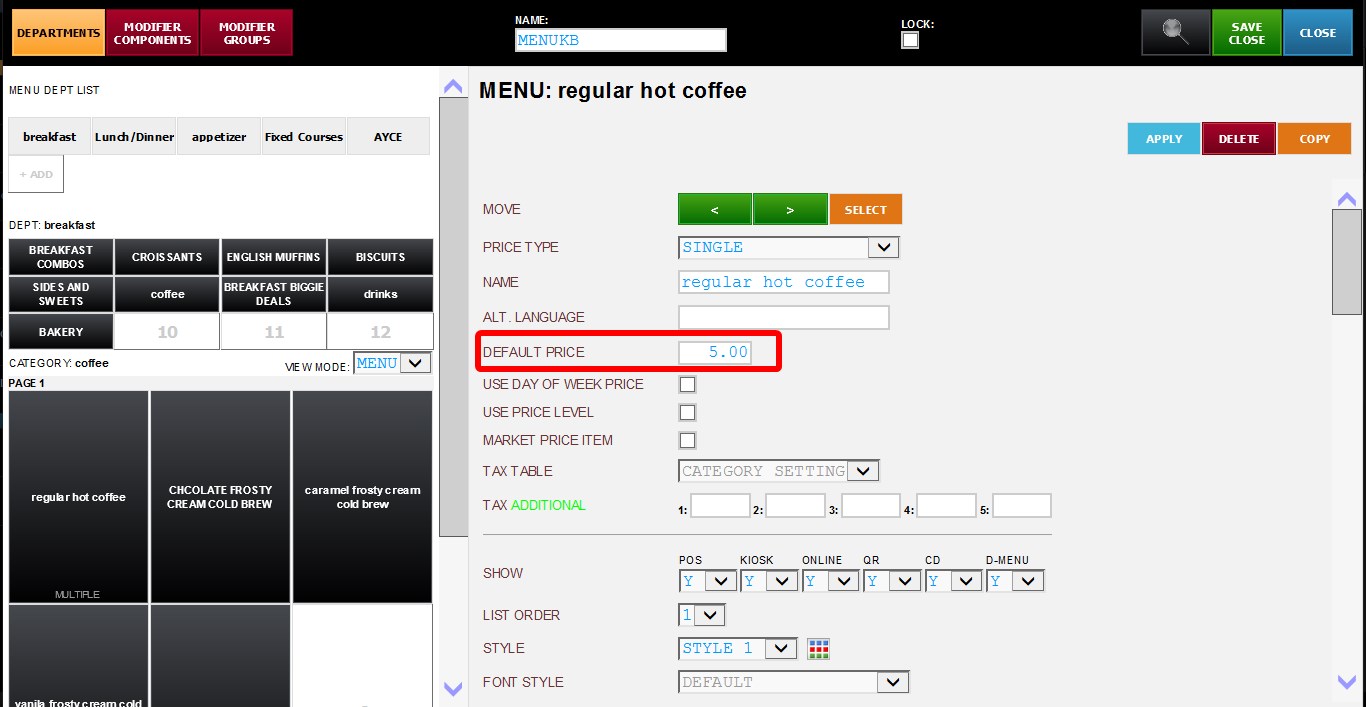
Input the item price in the DEFAULT PRICE field.
Configure the following additional settings if needed:
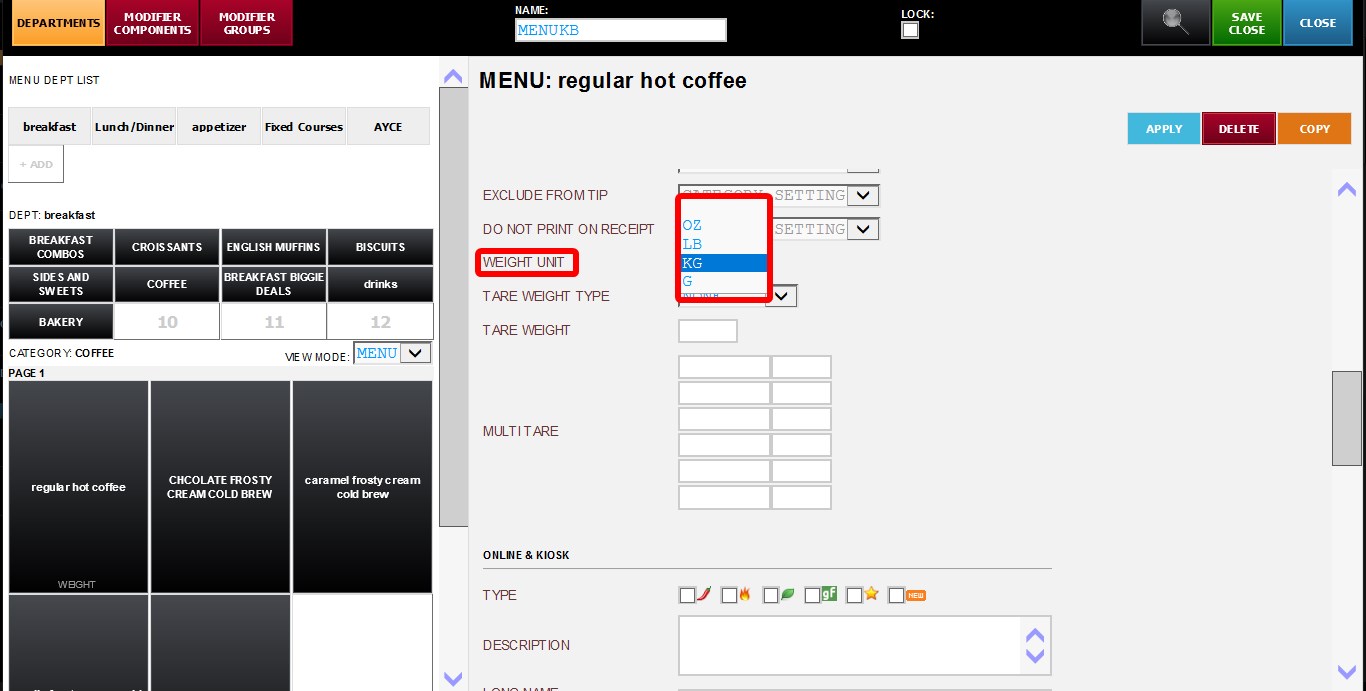
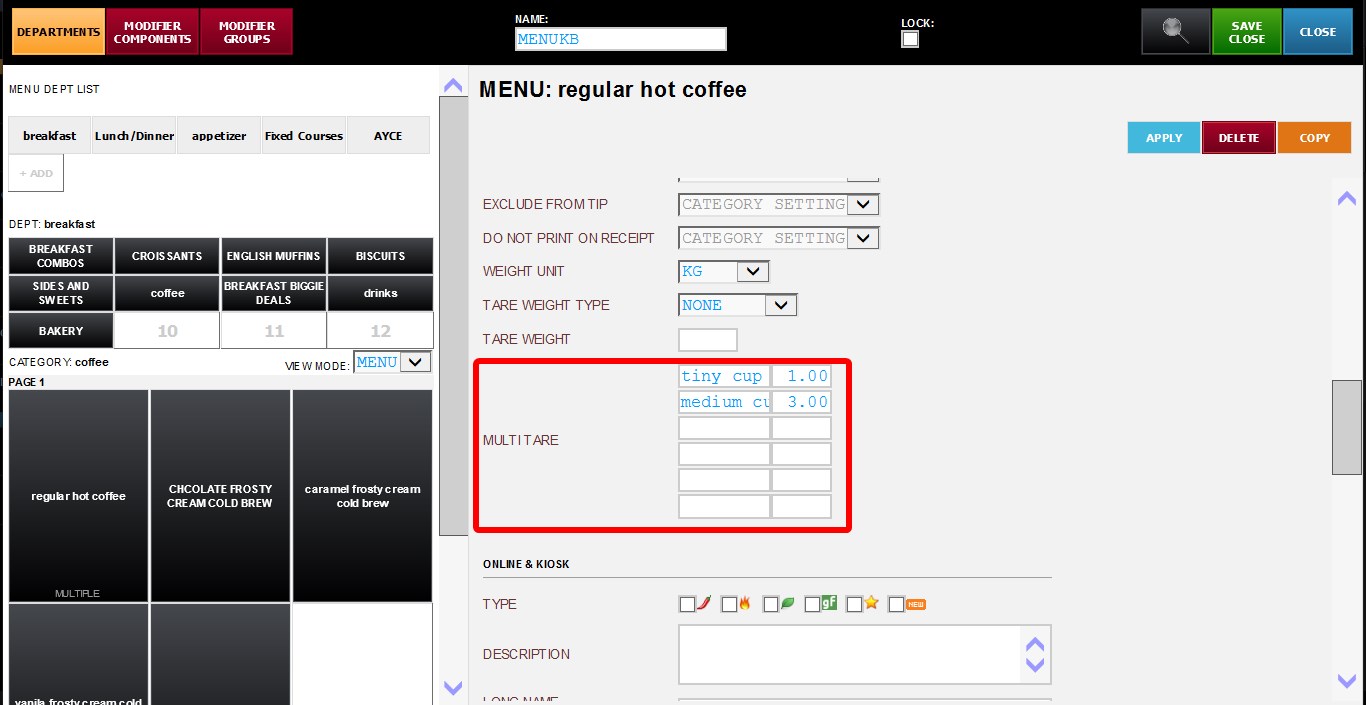
WEIGHT UNIT: Select the weight measurement unit from the dropdown menu.
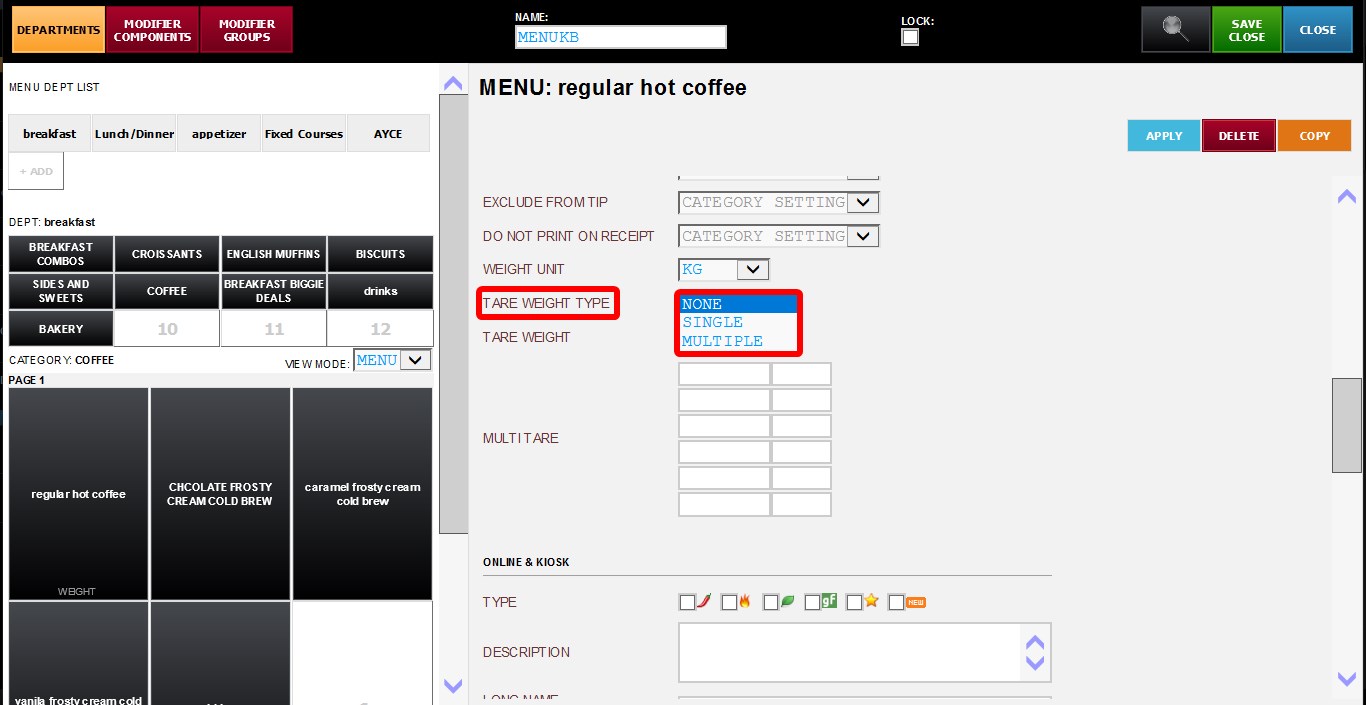
TARE WEIGHT TYPE: Defines how tare weight will be applied. Available options:
NONE: No tare weight applied.
SINGLE: Applies one fixed tare weight value.
MULTIPLE: Allows multiple tare weight presets to be configured.
TARE WEIGHT: Field used to configure the tare weight value when using SINGLE tare mode.
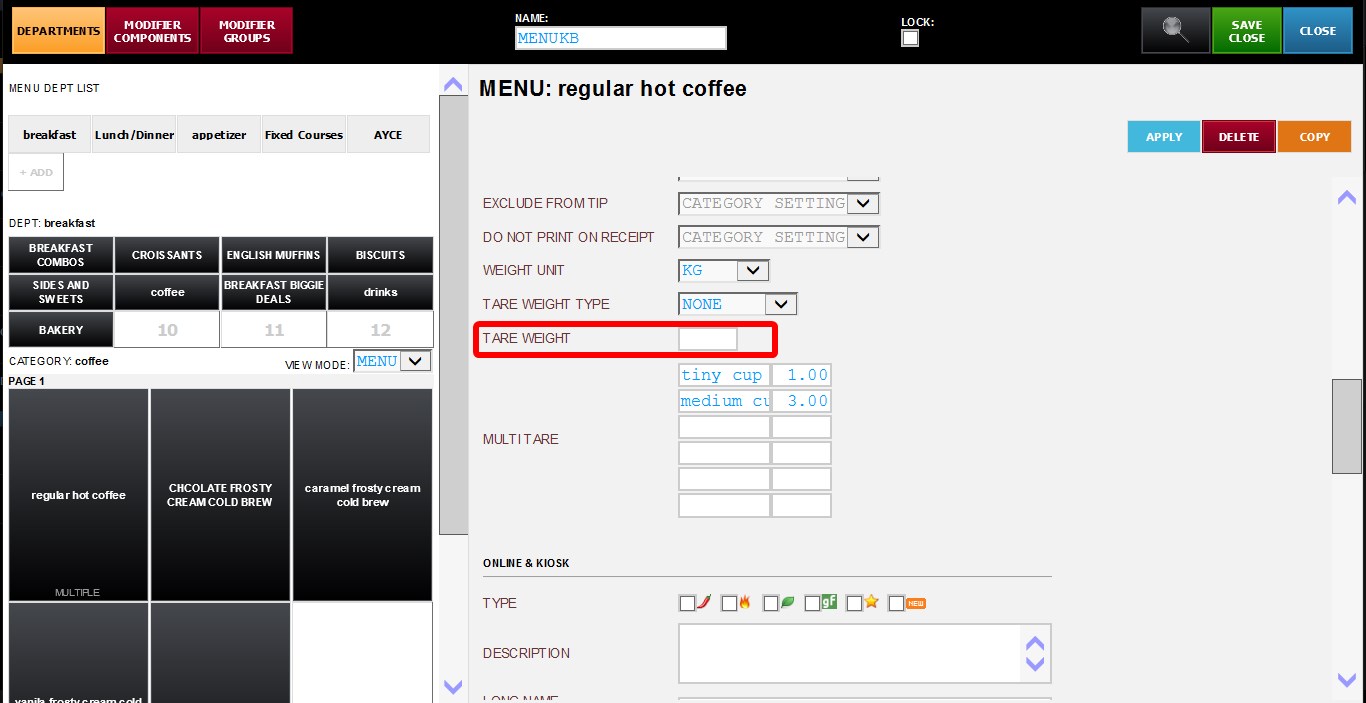
MULTITARE: Allows multiple tare presets to be configured using name and value fields.
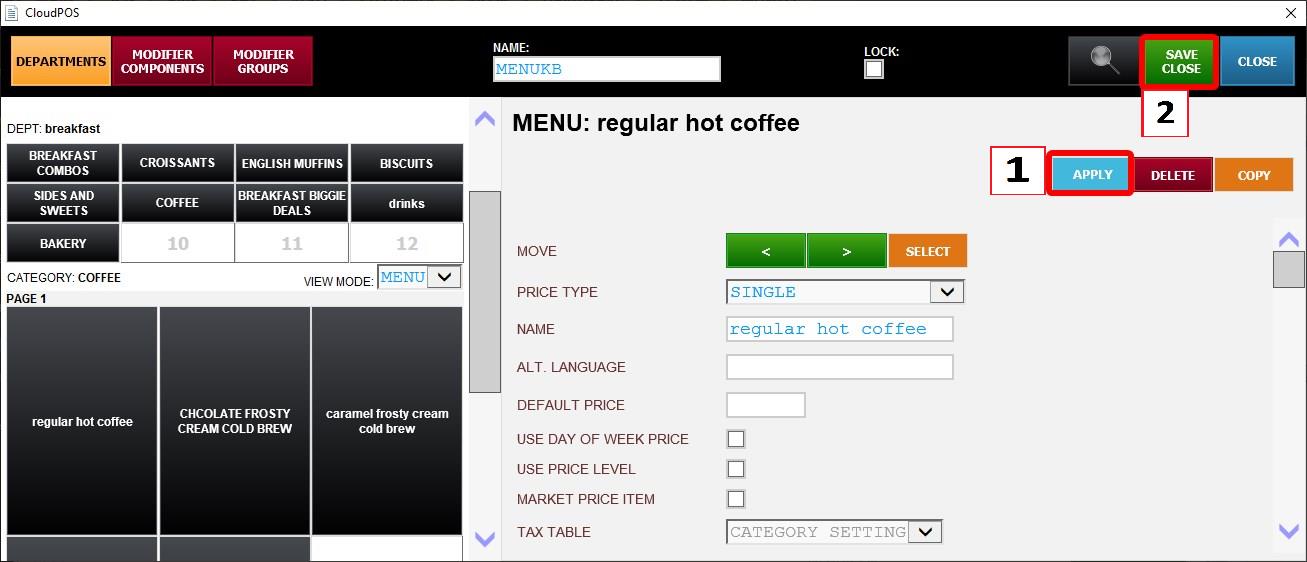
Click APPLY and press SAVE & CLOSE. Then restart the program.
Result:
When the item is selected on the Sales Screen, the system will prompt for a weight entry.
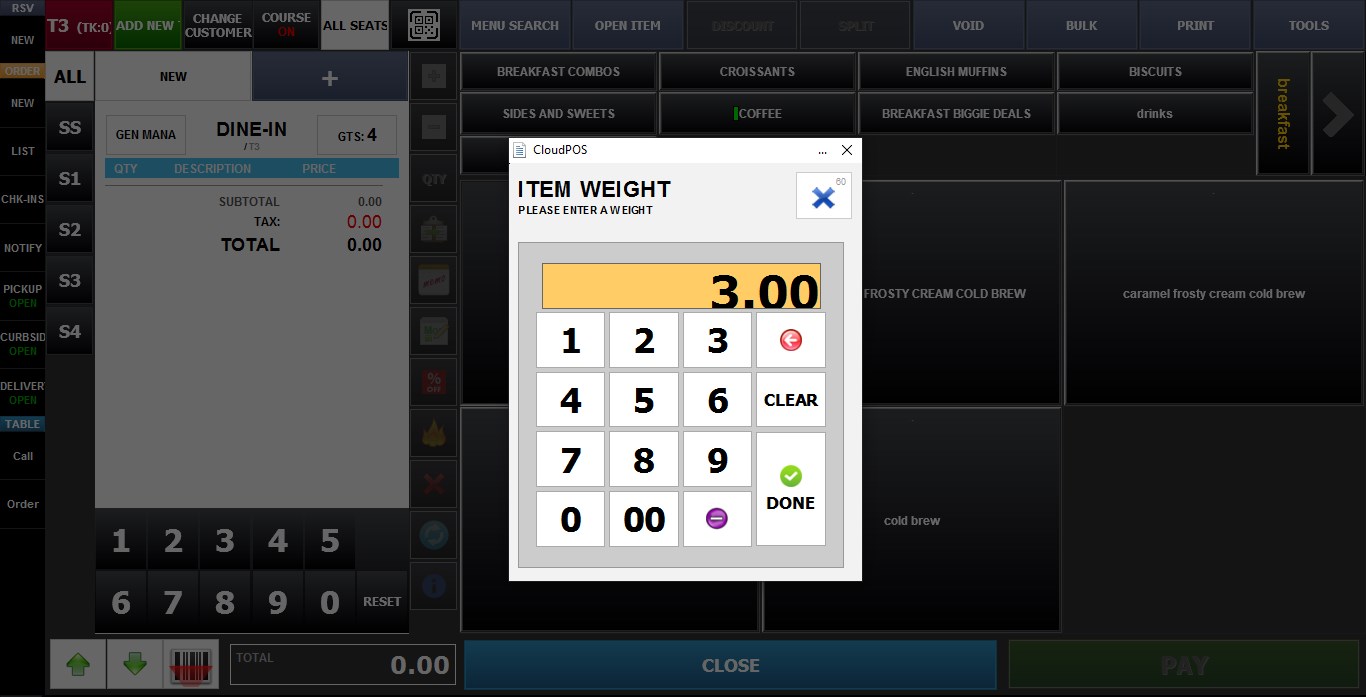
The total item price will be automatically calculated by multiplying the entered weight by the configured Default Price. If tare weight settings are configured, the selected or predefined tare weight will be deducted before the final price is calculated.