QR Table Order Setting
QR Table uses the same ordering settings as Online Ordering. These settings control how QR Table orders are processed, including whether orders are confirmed automatically or manually, and whether customers must be within a specified distance of the store to place an order.
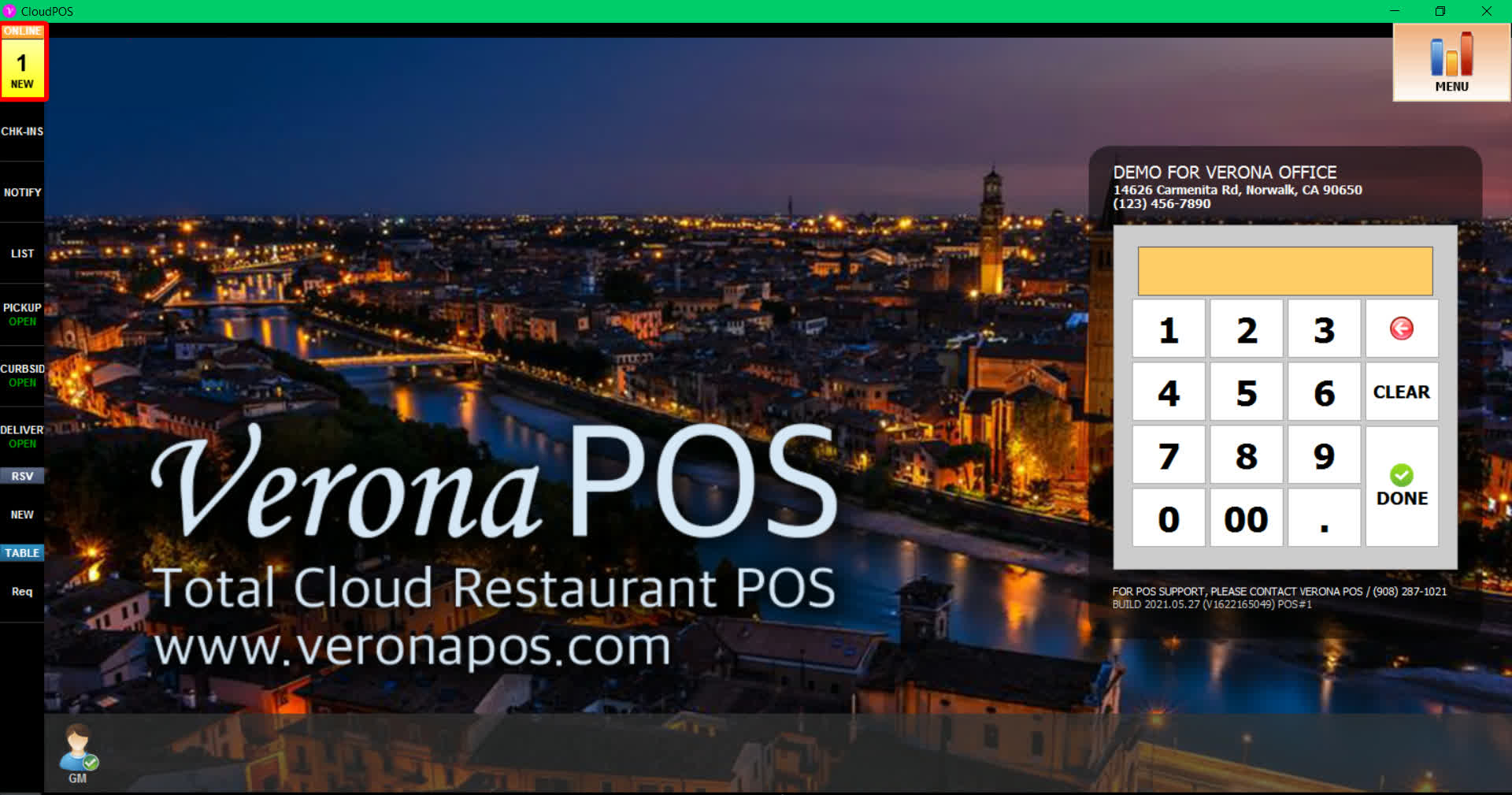
MENU > SETTINGS > MENU11 > ORDERING > DEST
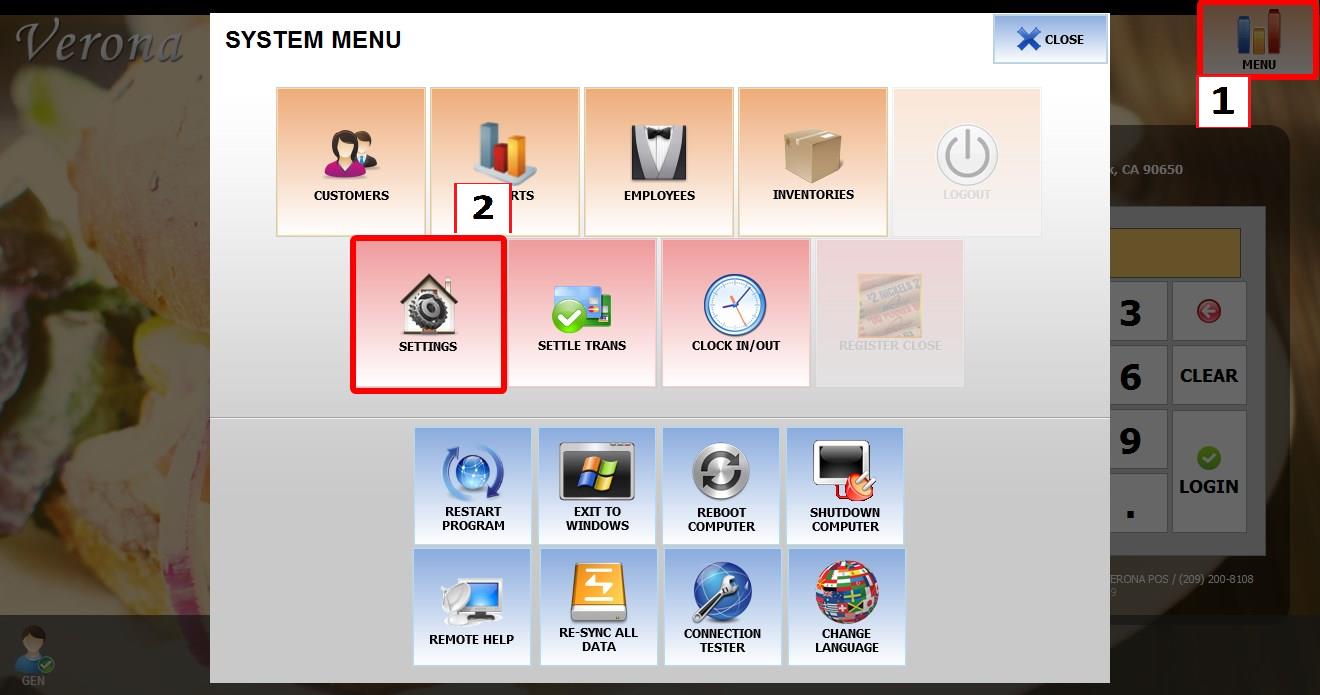
Go to MENU then SETTINGS
Go to MENU11 then ORDERING then DEST
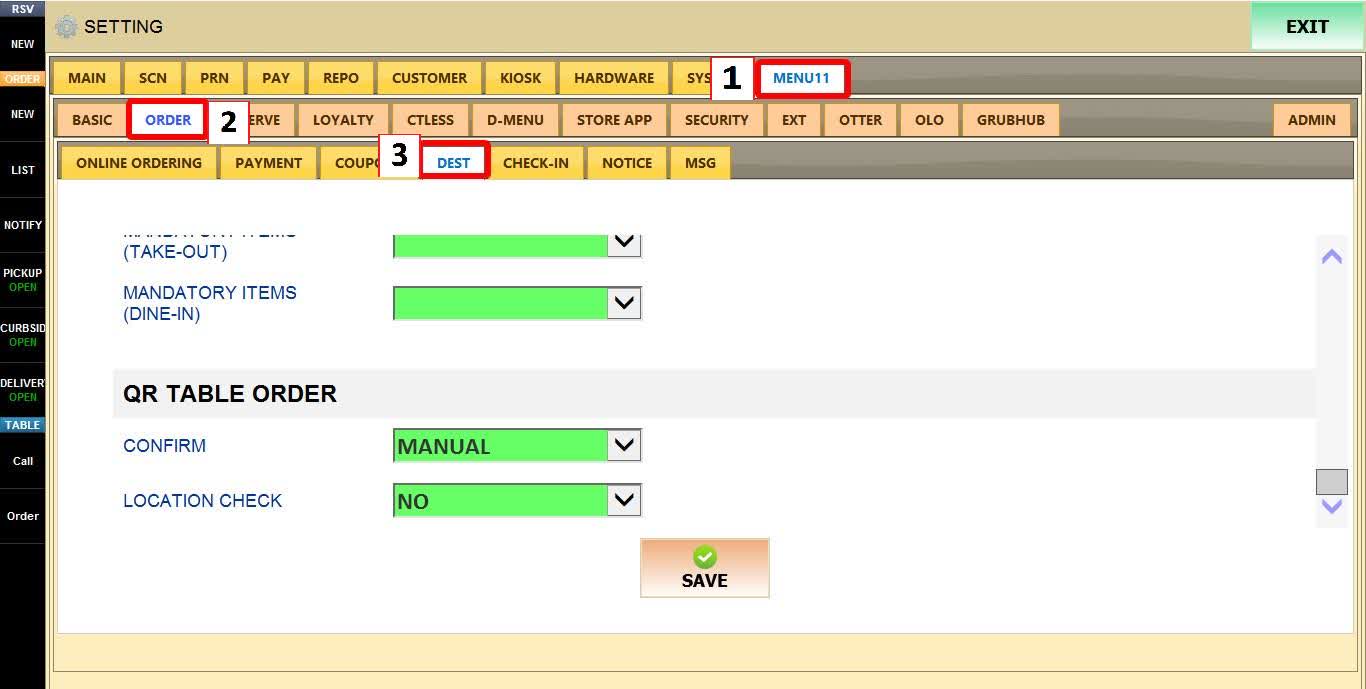
Configure the following settings as needed.
CONFIRM METHOD
Determines how QR Table orders are accepted.
1. AUTO: to accept orders automatically,
2. MANUAL: to require staff to confirm each order in the POS before it is processed.
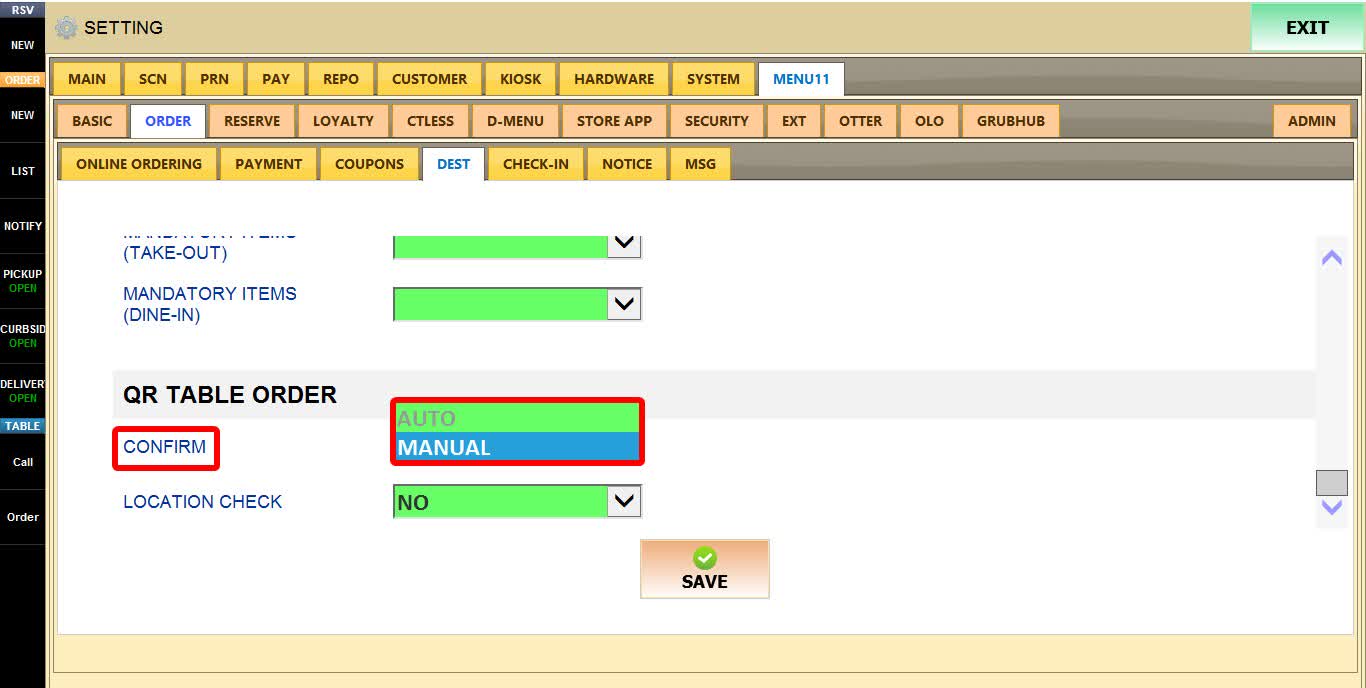
If Set to MANUAL
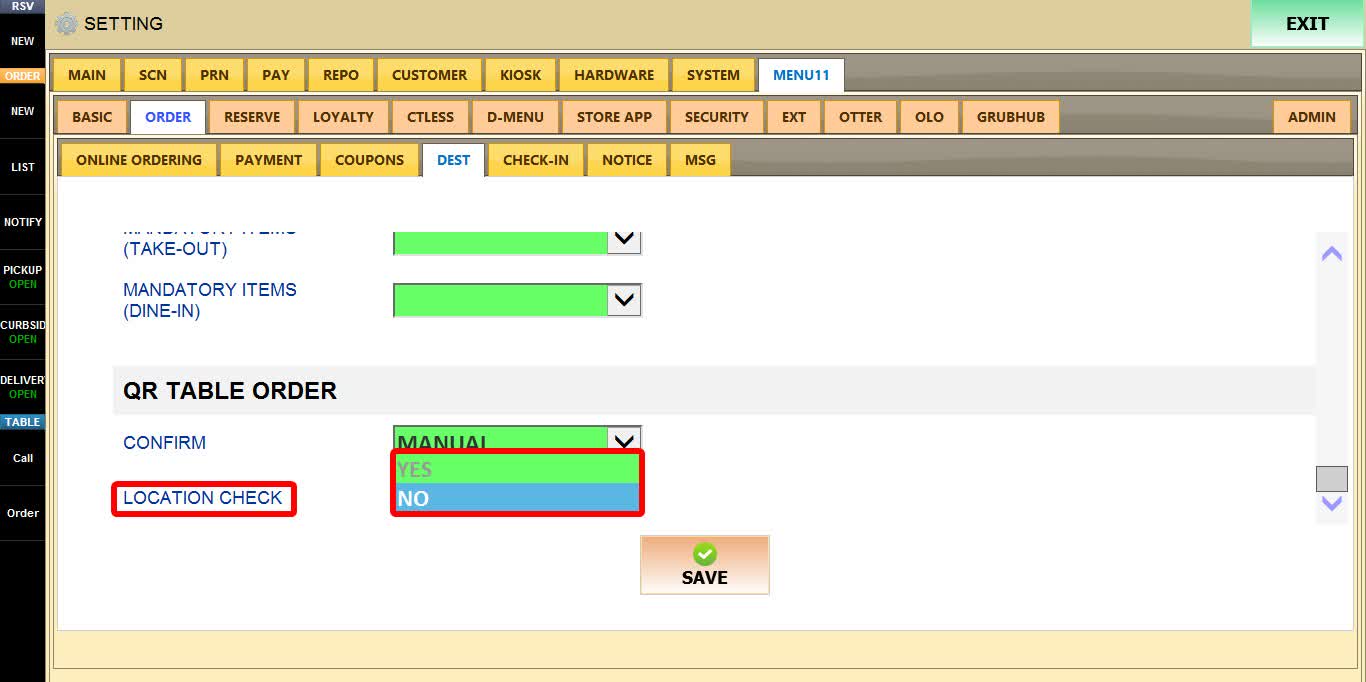
LOCATION CHECK
Determines whether the customer's device location is verified before an order can be placed.
To learn how to configure the LOCATION CHECK please refer to the How to Operate QR Table for Store Guide.
1. YES: to require customers to be within the configured distance from the store before placing an order.
2. NO: to allow ordering regardless of location.
HINT: When LOCATION CHECK is enabled, customers outside the allowed distance will receive a message indicating they are too far from the store to place an order.
Click SAVE
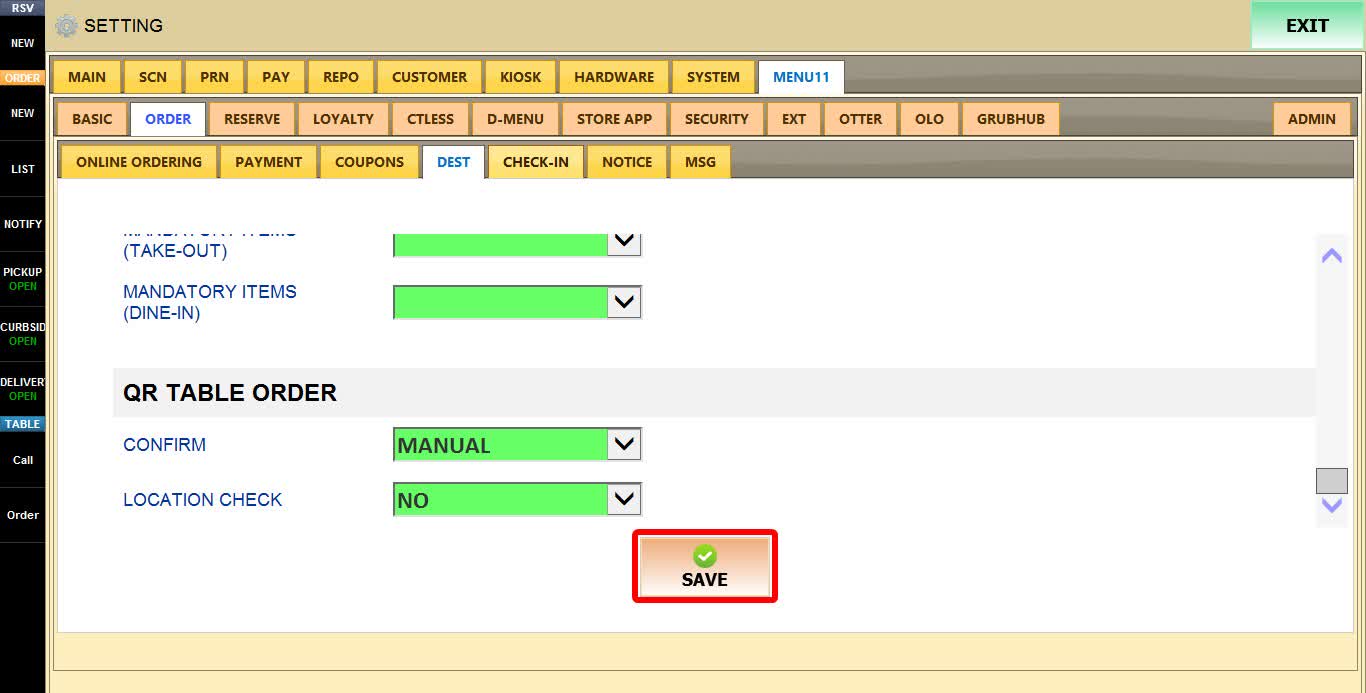

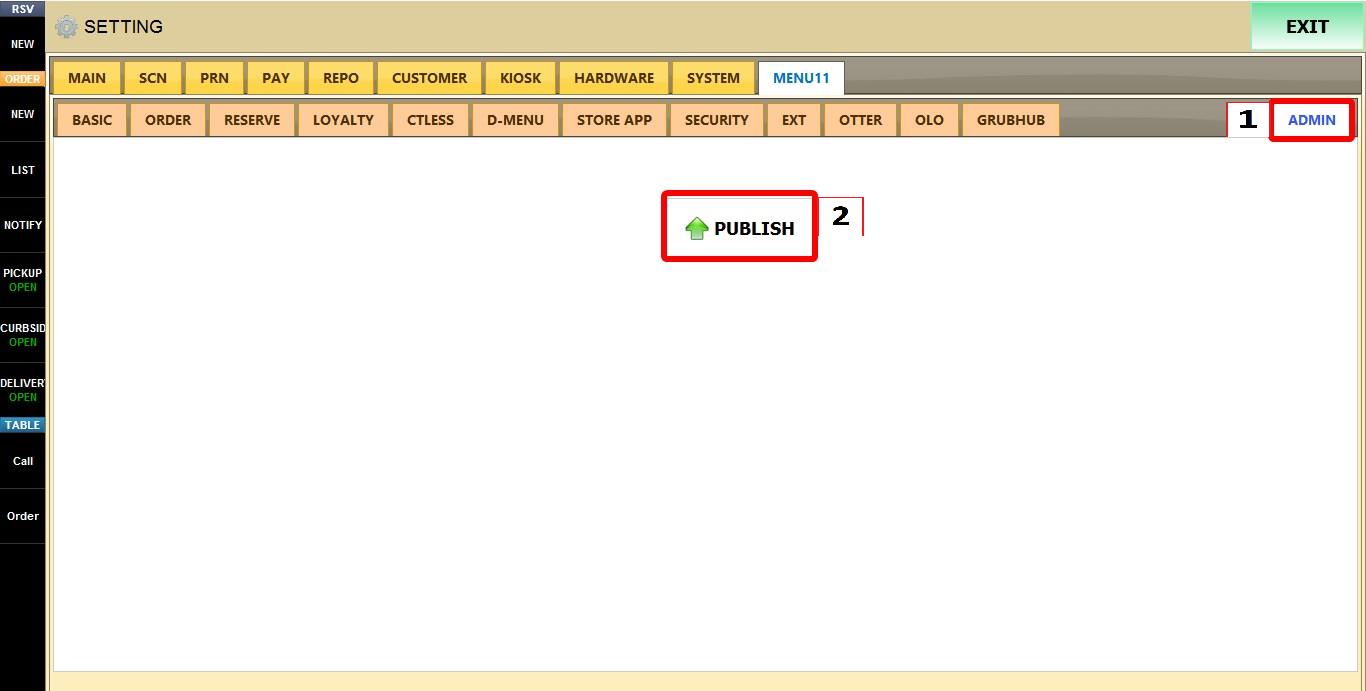
Click ADMIN then PUBLISH to apply the changes.