Ticket Item Combine
The Ticket Item Combine function controls whether information is added to or removed from the ticket when combining tables.
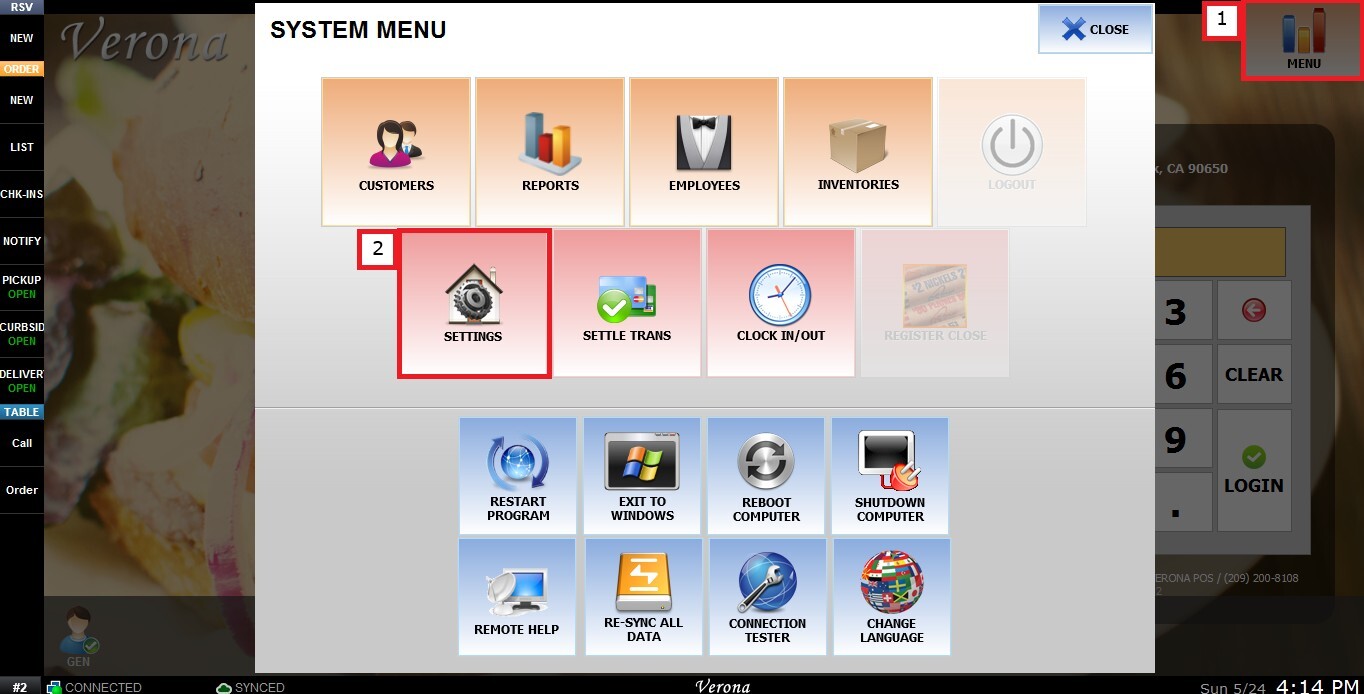
MENU > SETTINGS > MAIN > SALES > TICKET ITEM COMBINE.
From the Main Screen, click MENU, then select SETTINGS.
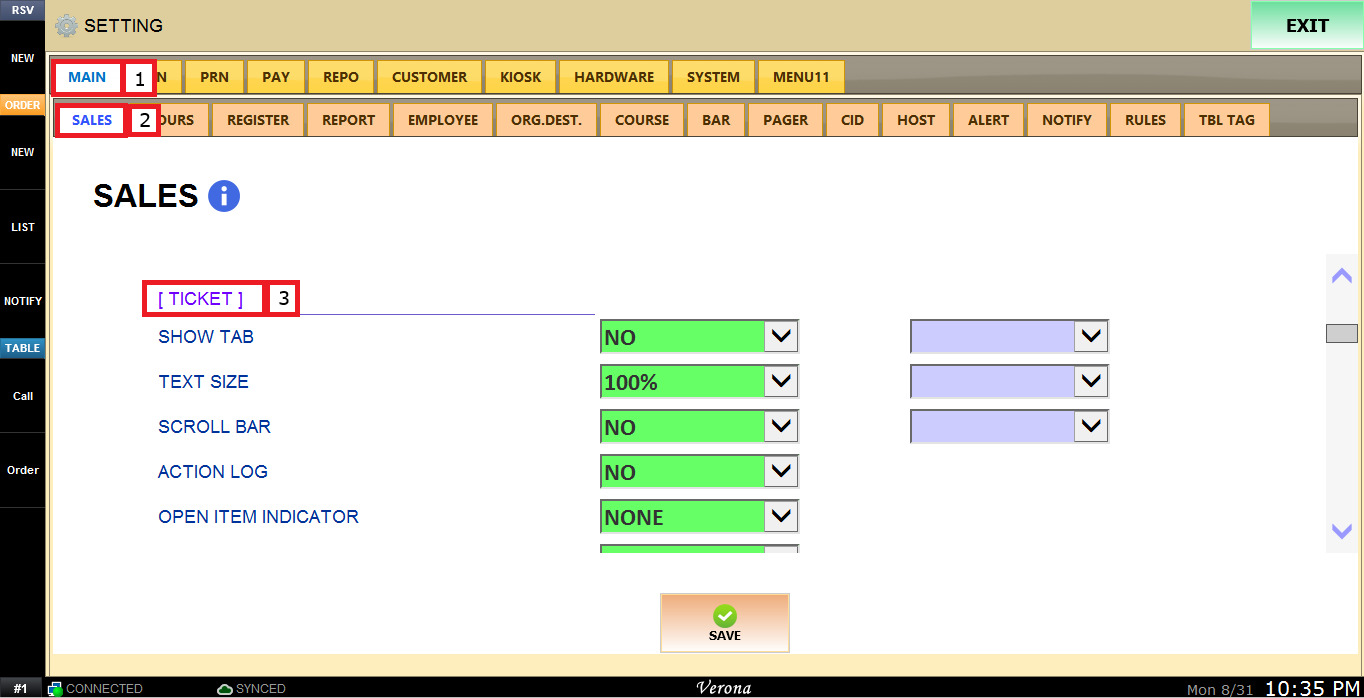
Under MAIN, select SALES, and scroll down to review the TICKET section.
The TICKET ITEM COMBINE dropdown menu has the following options:
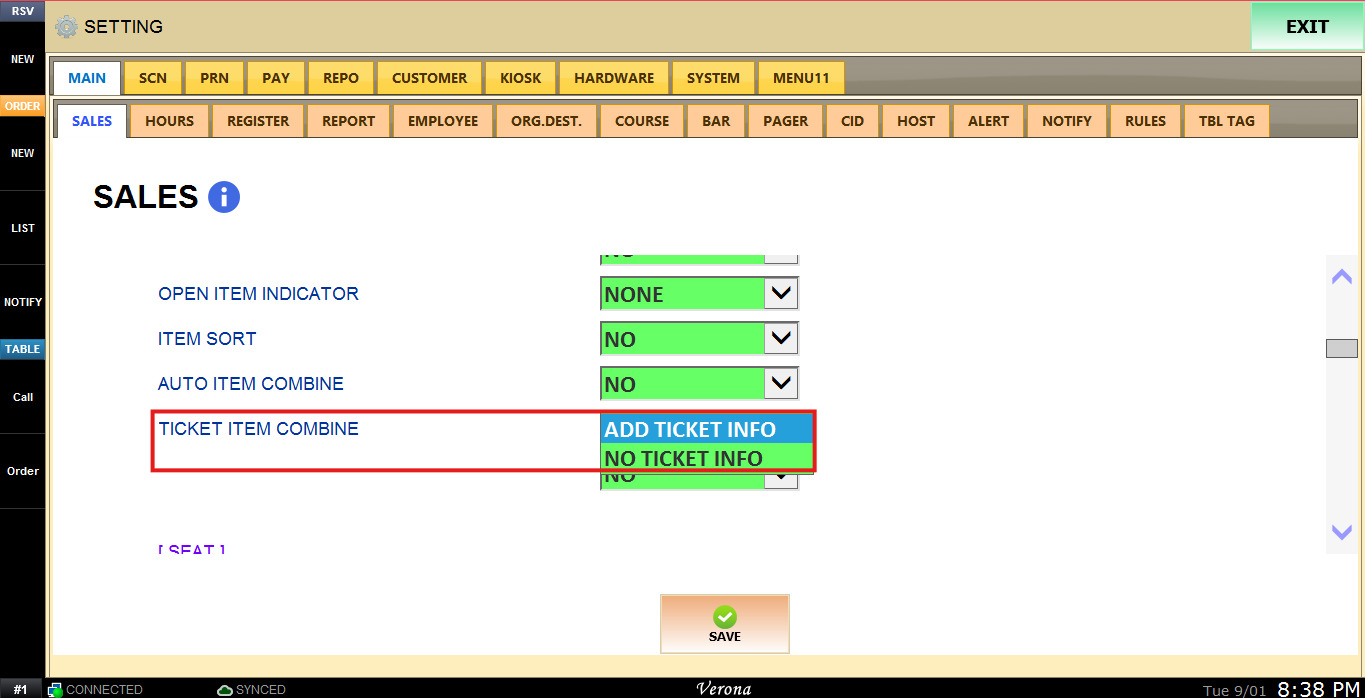
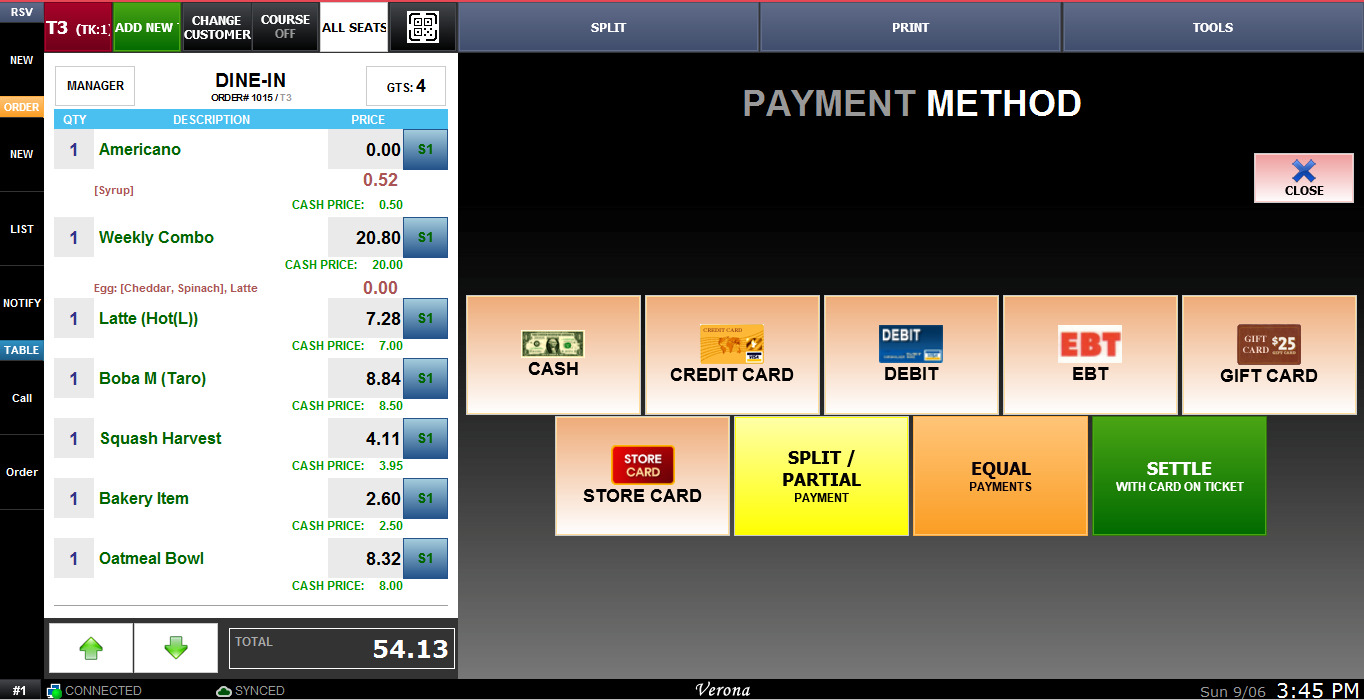
1. NO TICKET INFO: When tables are combined, the final ticket will only display the items as usual, with no indication of which table each item came from.
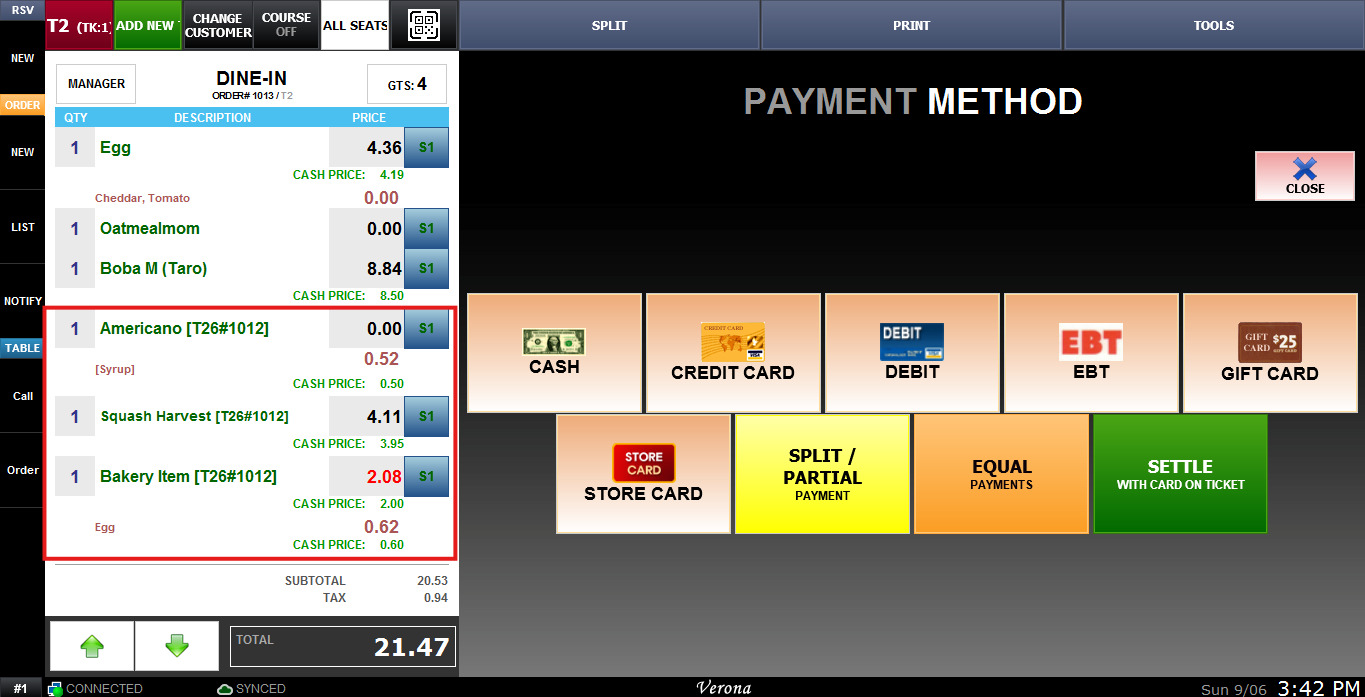
2. ADD TICKET INFO: When tables are combined, the final ticket will indicate which items came from each original table.
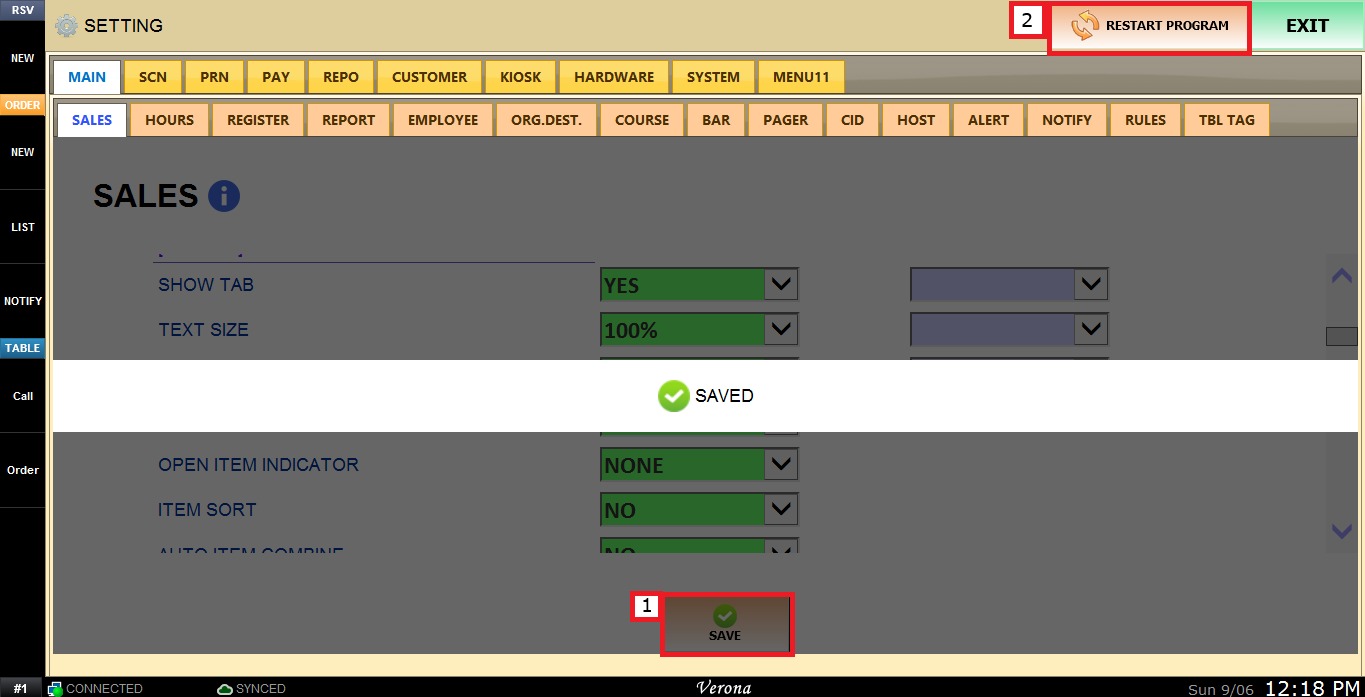
To keep the desired configuration, click SAVE and RESTART PROGRAM.