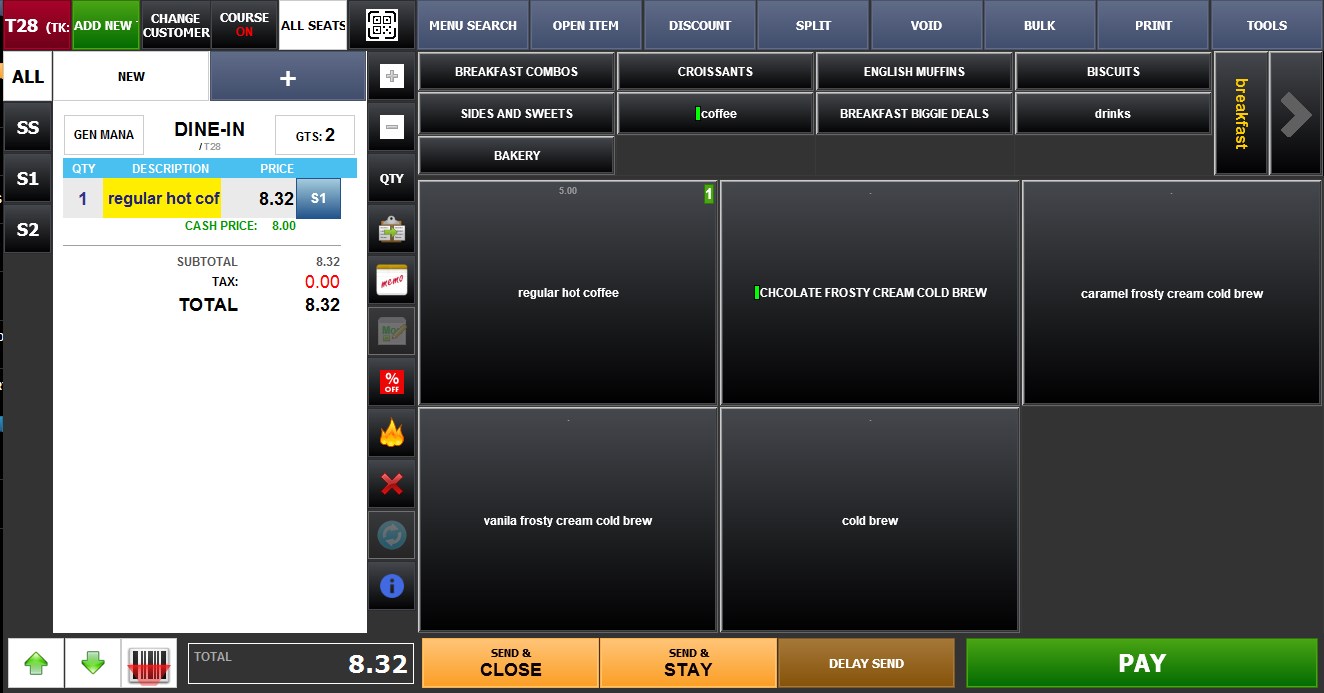
Use Day of the week price
This feature allows menu items to automatically use different prices depending on the current day of the week. This is useful for creating weekday specials, weekend pricing, happy hour promotions, or seasonal pricing adjustments without manually changing item prices each day.
Main Screen>MENU >SETTINGS >REPO >EDIT >ITEM >USE DAY OF WEEK PRICE
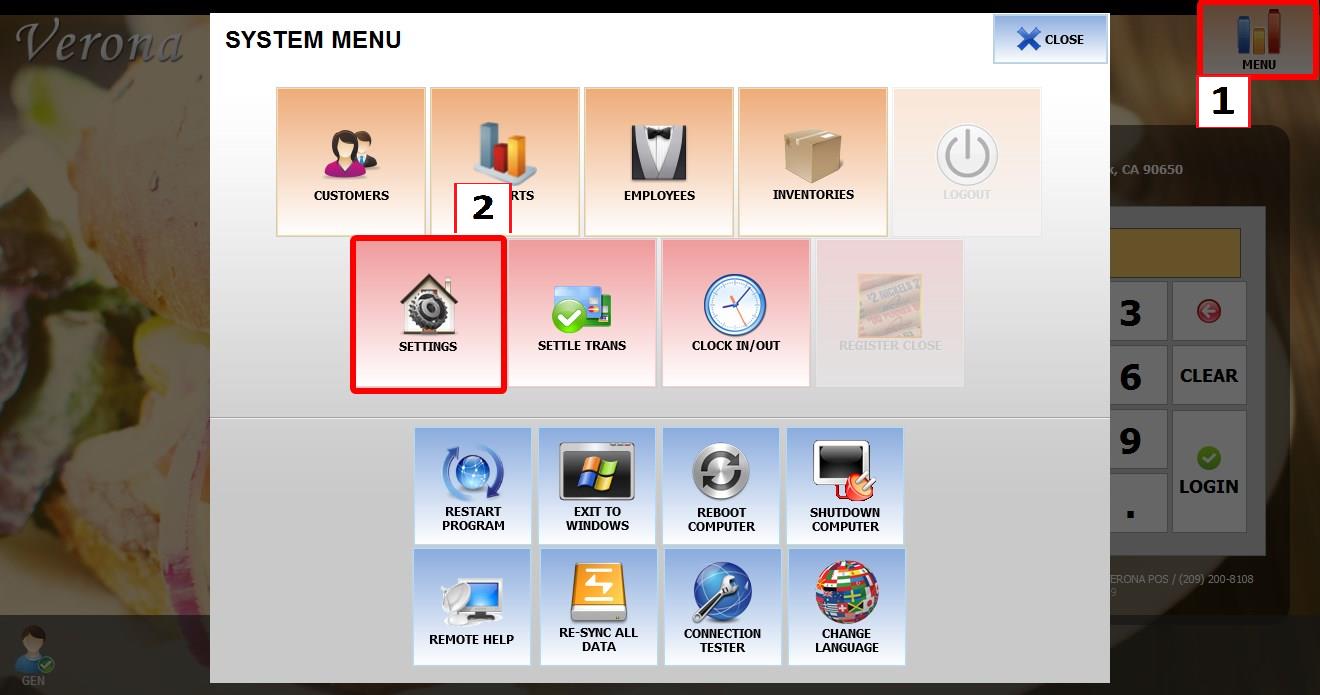
Go to MENU, then select SETTINGS.
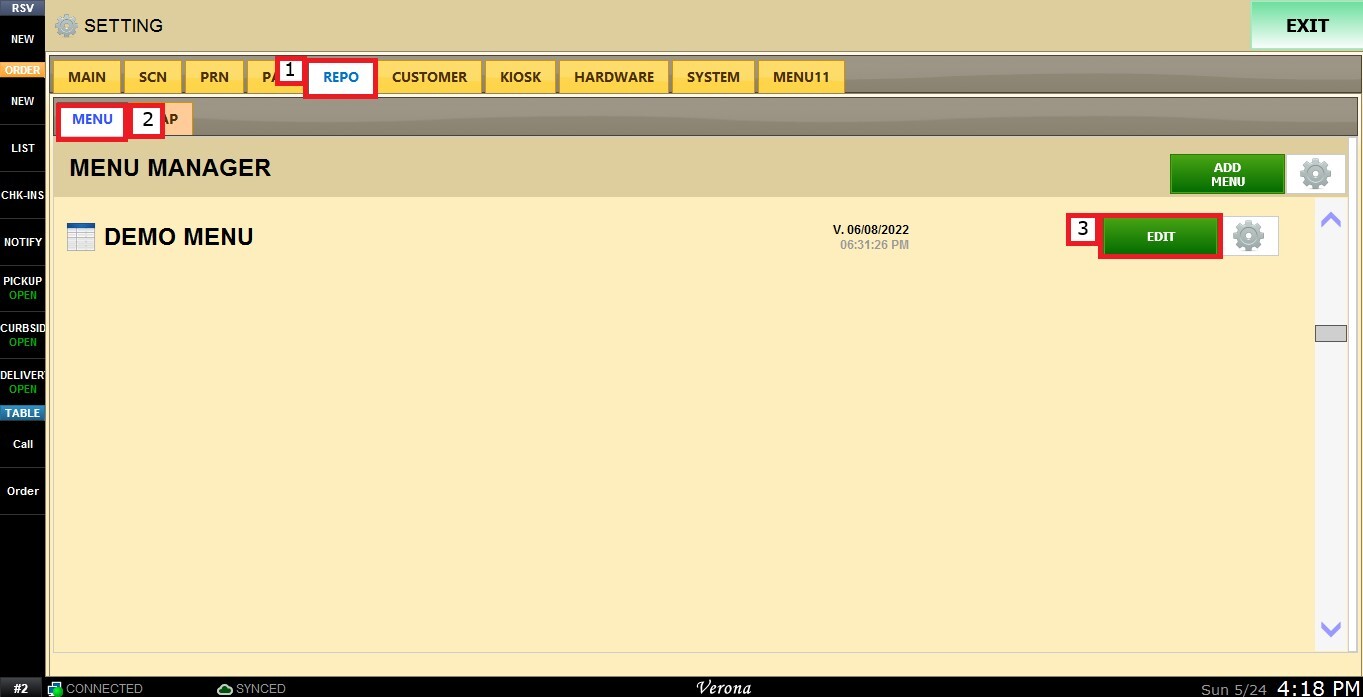
Open the REPO tab, select MENU to locate your menu, then click EDIT.
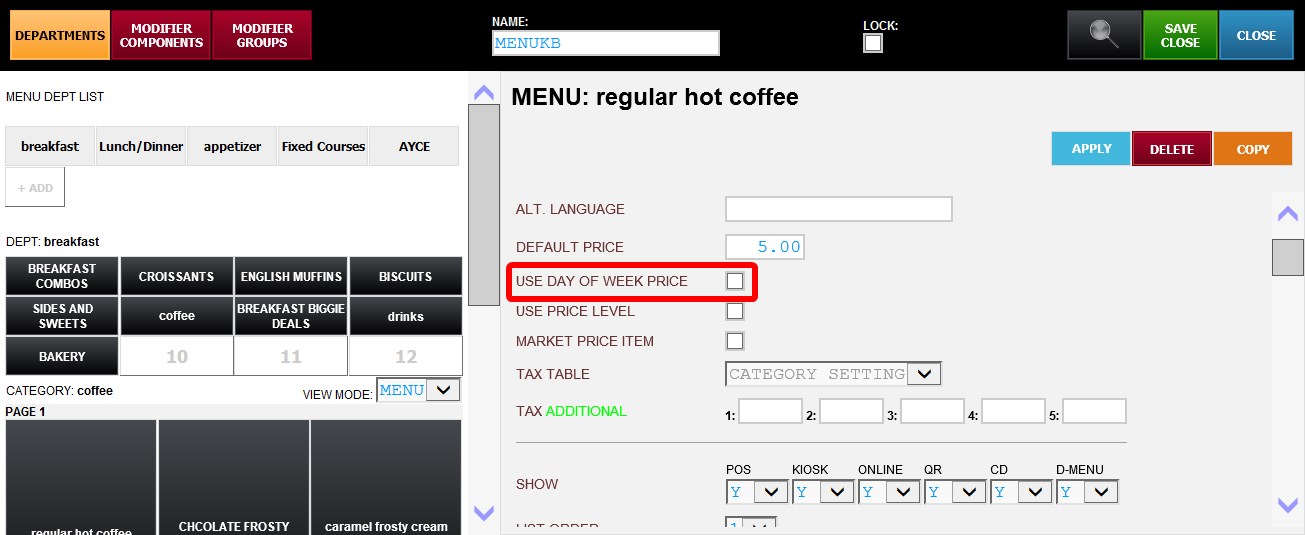
Select the item you want to configure. Scroll down through the item settings until you find the USE DAY OF WEEK PRICE checkbox. To use the feature, click on the checkbox.
Once enabled, all days of the week will appear with individual price fields next to each day.
SET PRICES FOR EACH DAY
Enter the desired price for each day of the week, and configure only the days that require a different price.
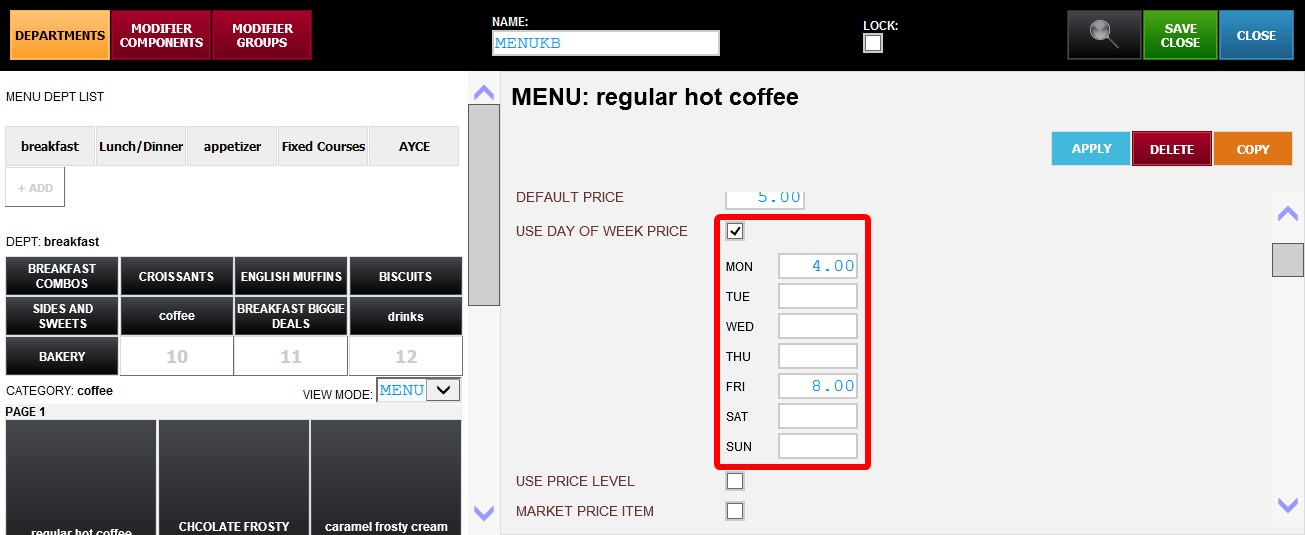
Hint: If a day is left blank, the system will automatically use the configured DEFAULT PRICE for that day.
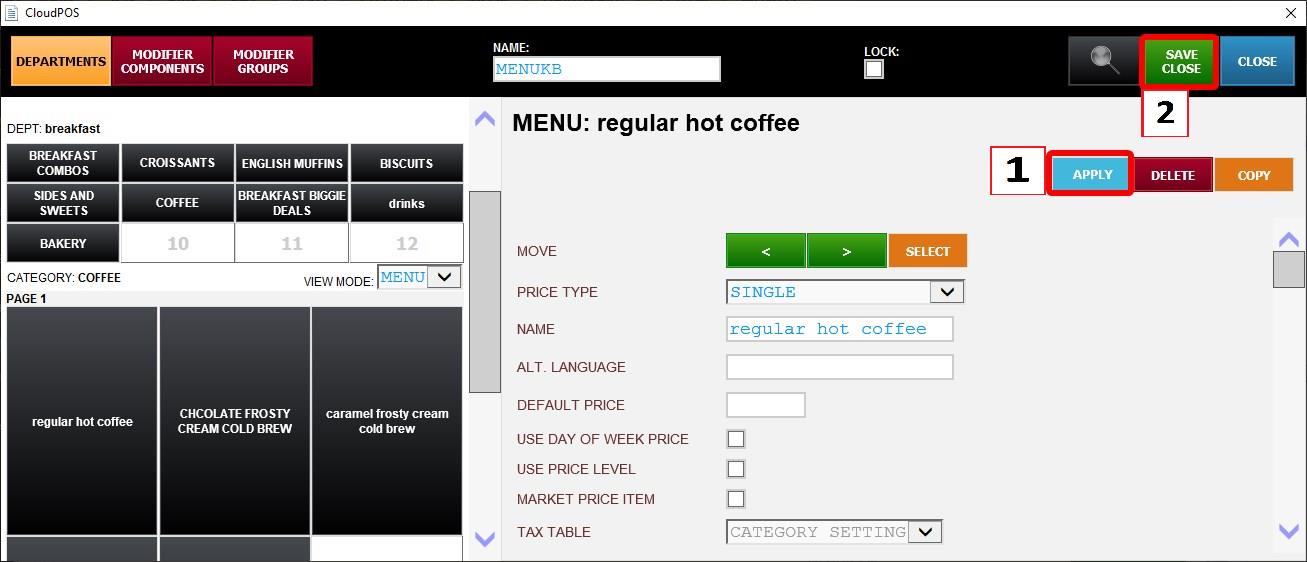
Click APPLY, then SAVE & CLOSE to apply the changes.
When the item is ordered, the system will automatically apply the configured price based on the current day of the week.