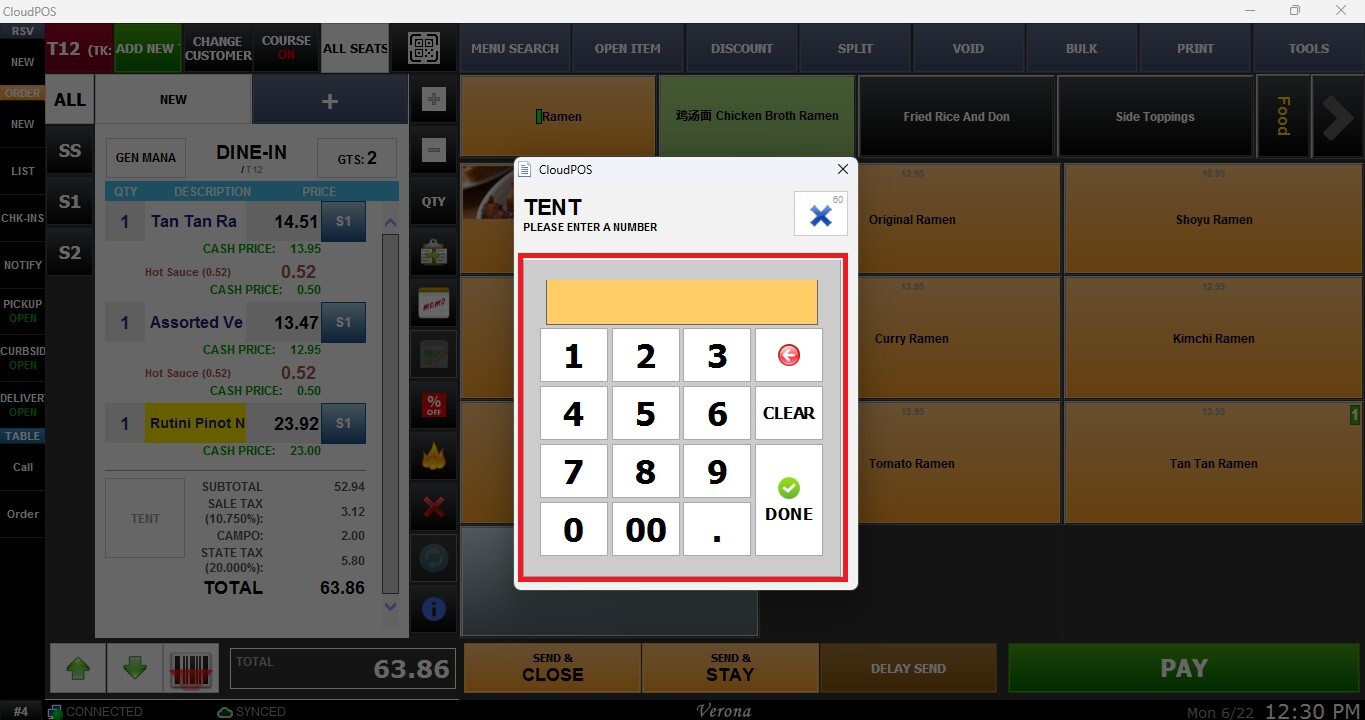
Pager/Tent Number
This feature allows you to control whether a Pager or Tent Number is required when processing orders for a specific category. It can be used to ensure that orders are associated with a pager device or a table tent number before they are sent to the kitchen or paid.
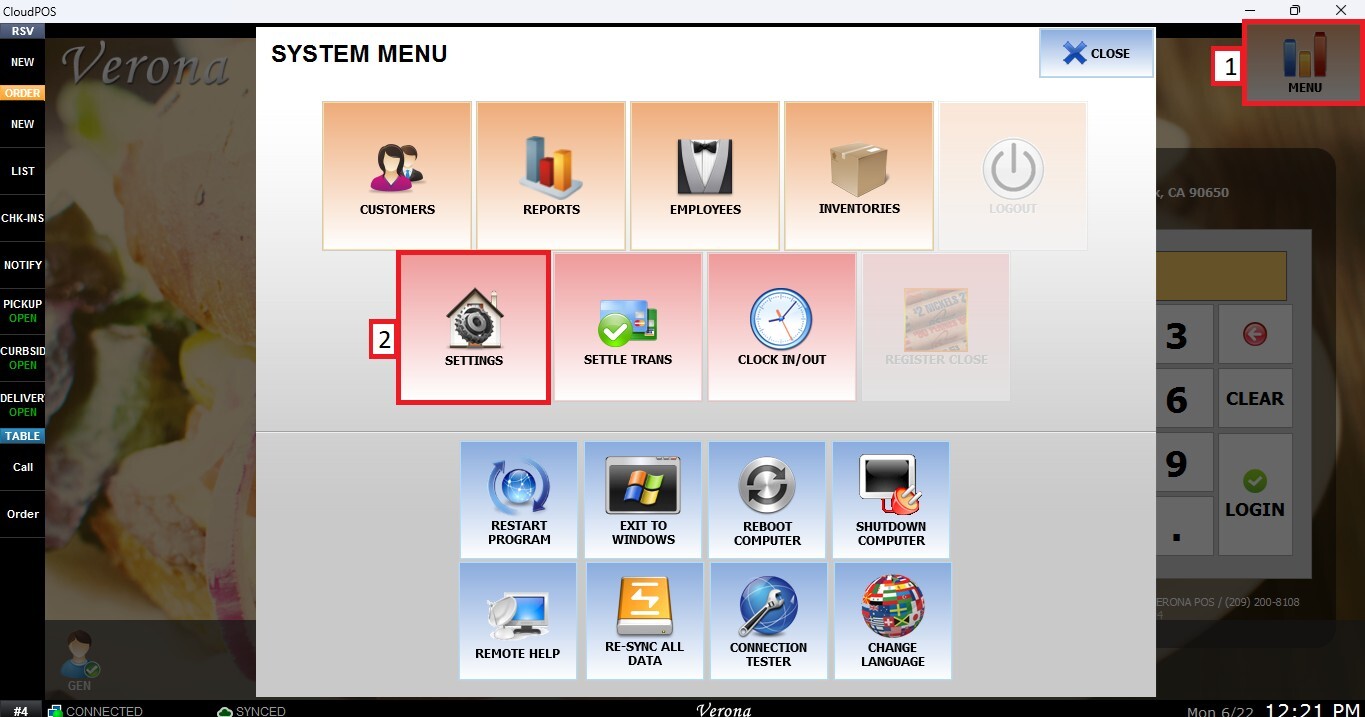
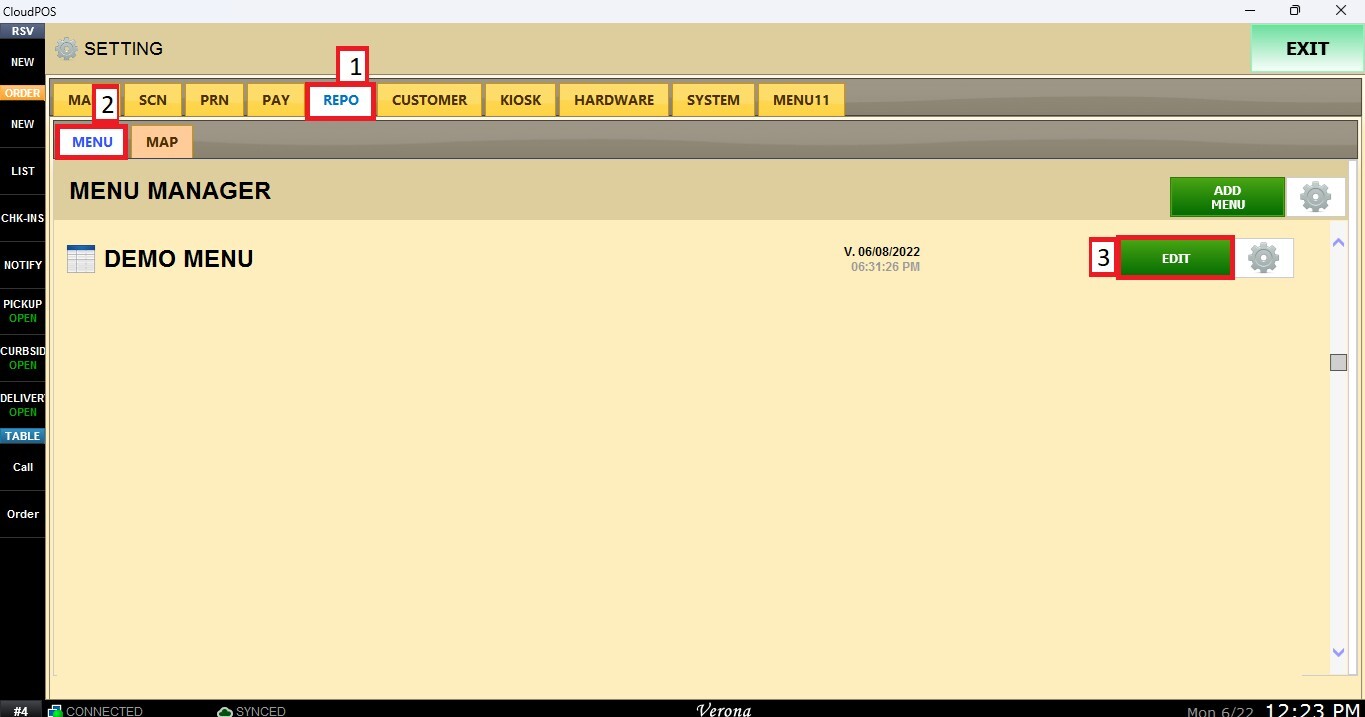
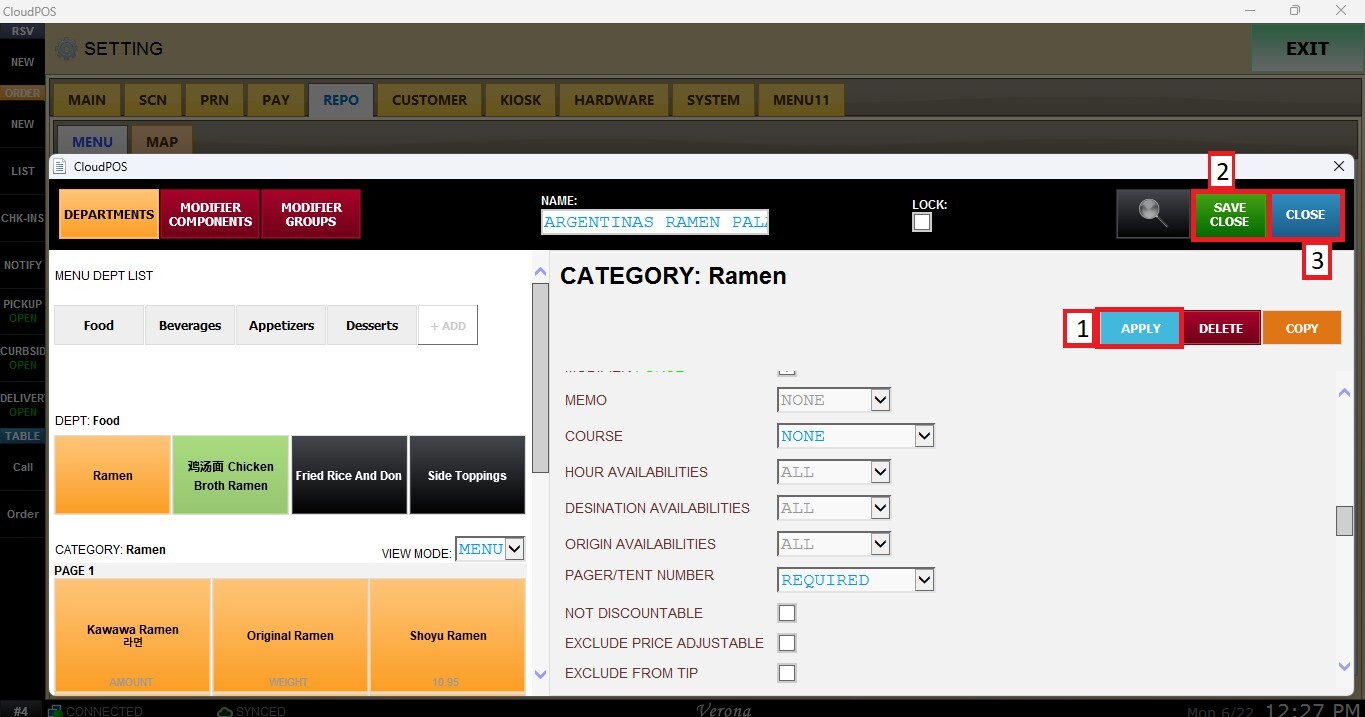
Main Screen > MENU > SETTINGS > REPO > EDIT> CATEGORY> PAGER/TENT NUMBER.
Go to MENU, then SETTINGS.
Open the REPO tab, select MENU to locate your menu, and click EDIT.
Select the category you want to configure. Scroll down through the category settings until you find the PAGER/TENT NUMBER dropdown menu.
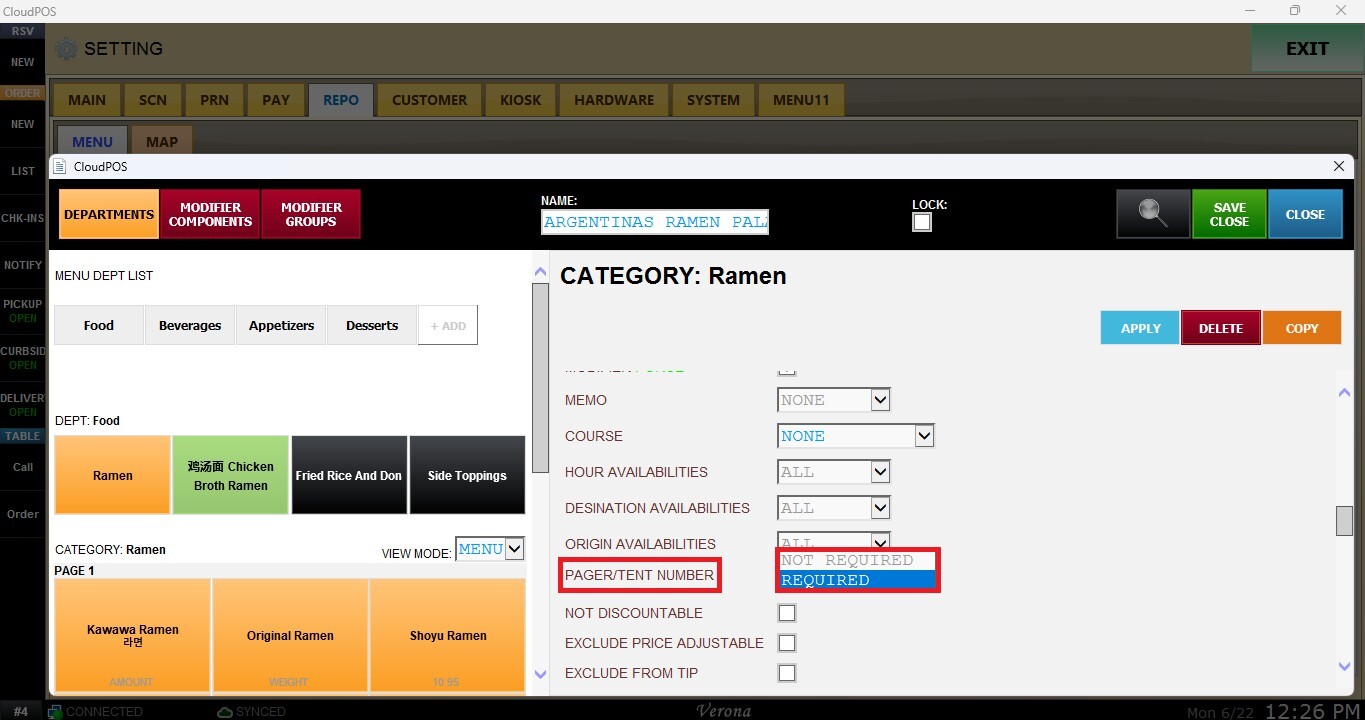
Not Required
When Not Required is selected, the system will not prompt for a Pager or Tent Number during the order process.
Required
When Required is selected, the system will prompt the user to enter a Pager or Tent Number when the order is sent to the kitchen or paid.
After configuring the desired settings, click APPLY, then SAVE & CLOSE to apply the changes.
Result
The items within the selected category will follow the configured Pager/Tent Number requirement during order processing, either when the order is sent to the kitchen or when it is paid.