Credit Card Ticket
This section provides tools for managing completed credit card transactions directly from the Ticket List. These options allow users to perform post-transaction adjustments, review activity, and update ticket information without reopening the original order.
Main Screen> Number Pad> TICKET LIST> CREDIT CARD TICKETS
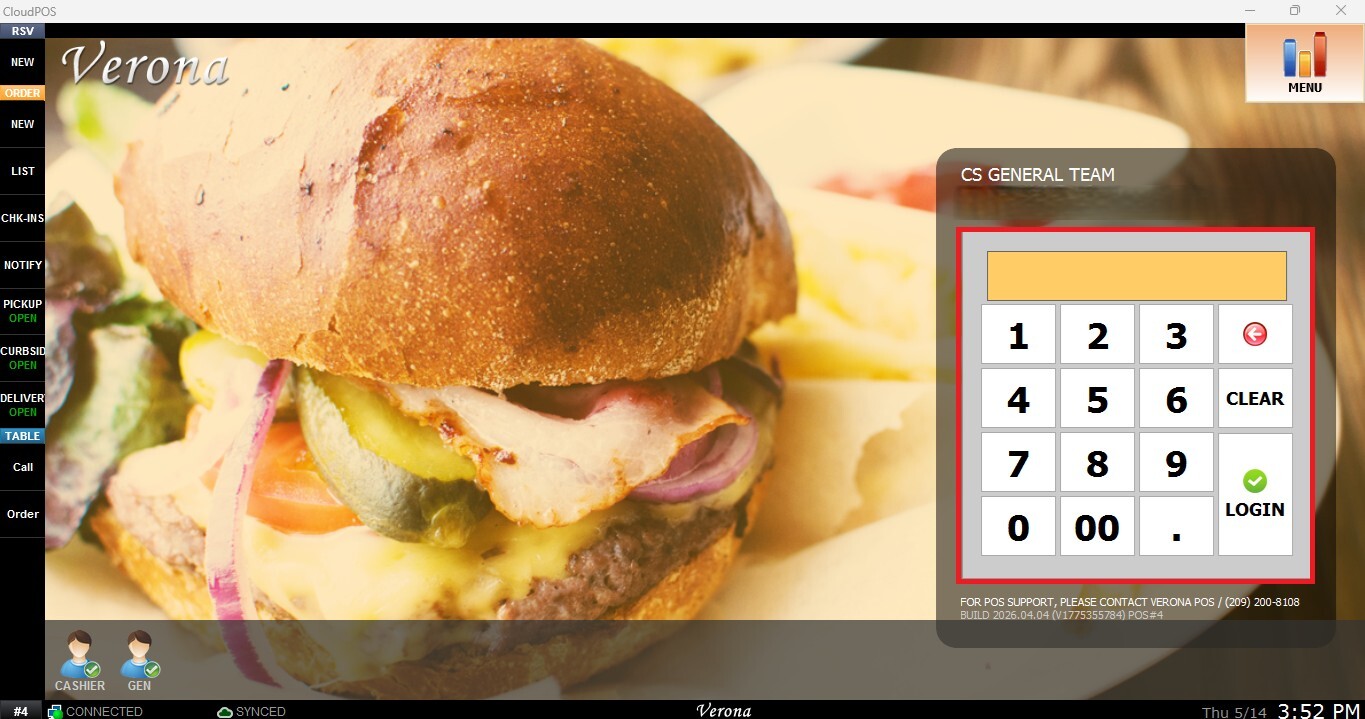
From the Main Screen, use the number pad and enter the assigned employee's password to log in.
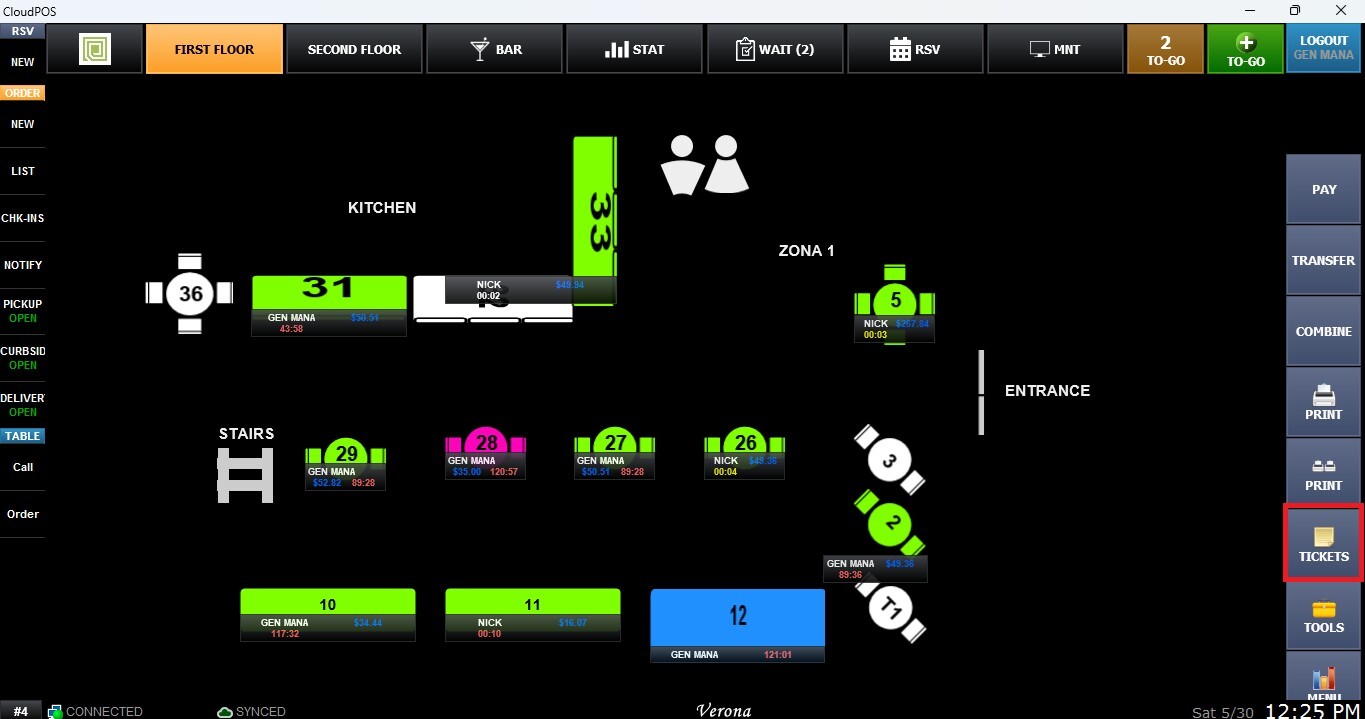
From the Table Map Screen, click on TICKETS to access the Ticket List.
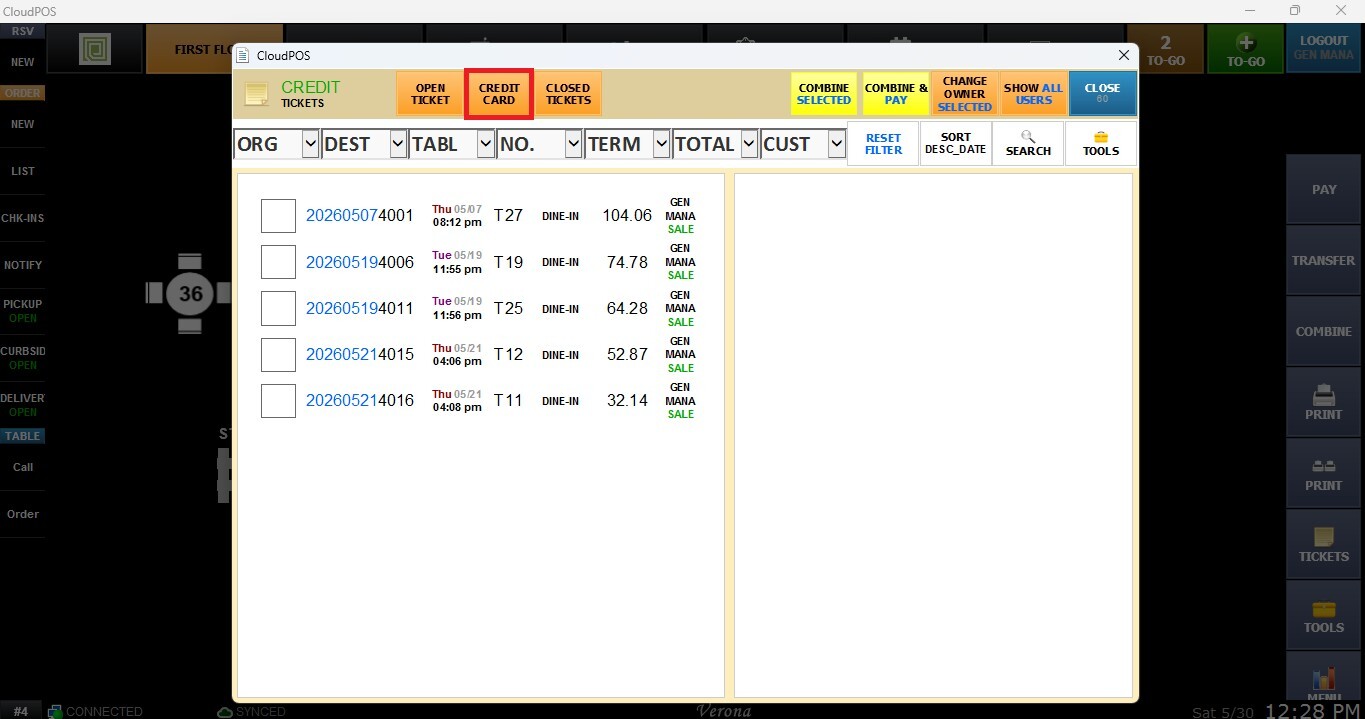
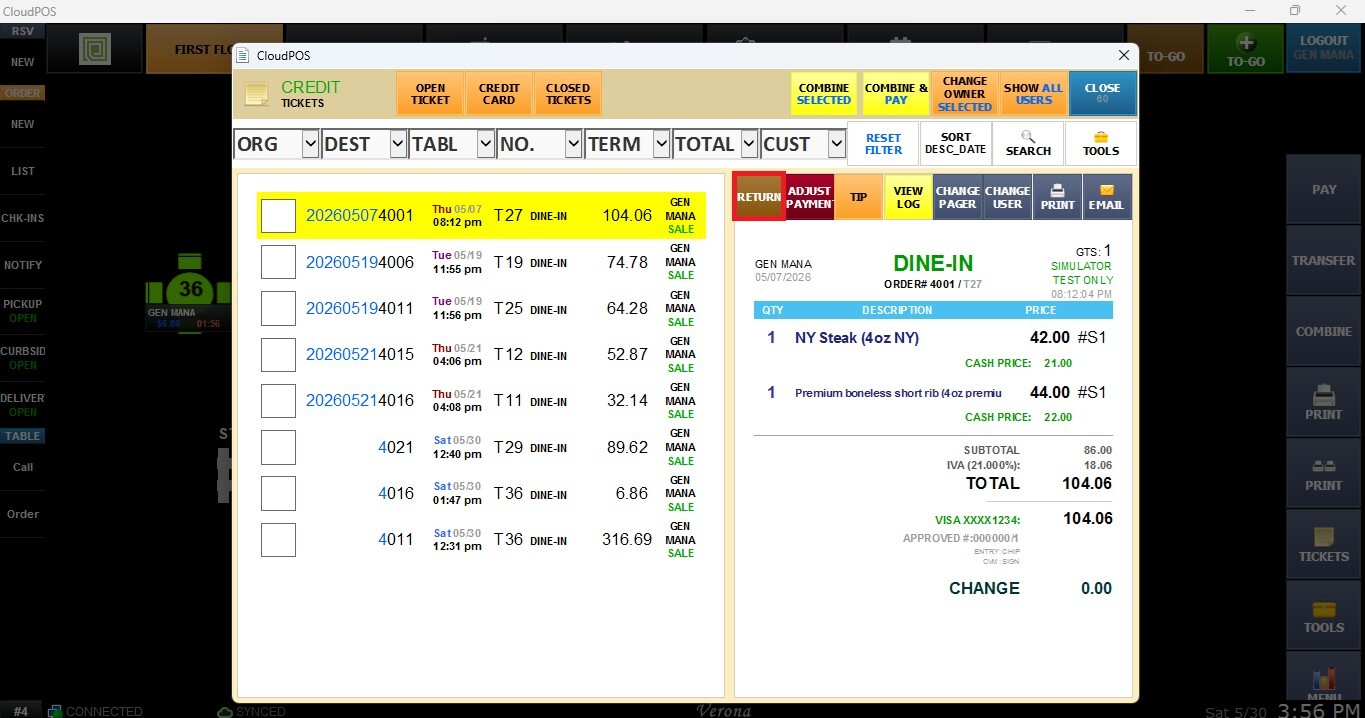
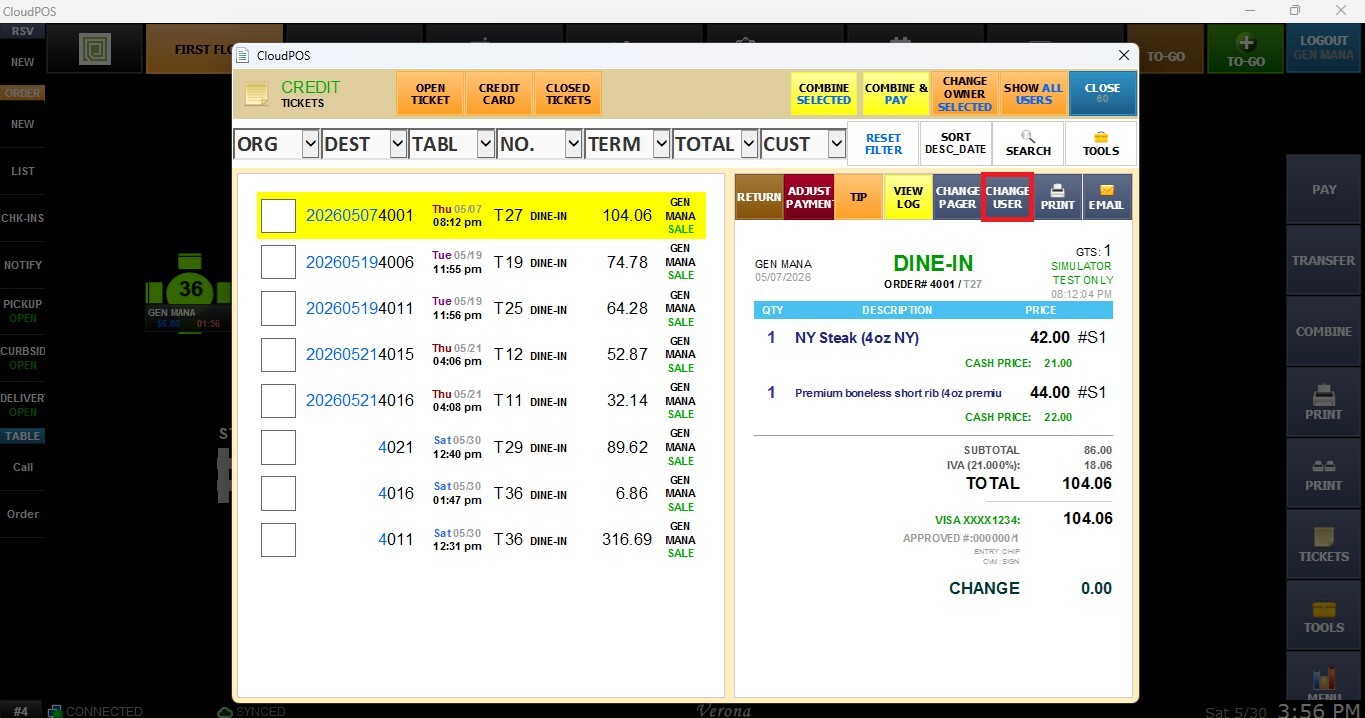
Press the CREDIT CARD tab, and select a ticket.
Return
This allows authorized users to process partial or full returns while maintaining transaction history.
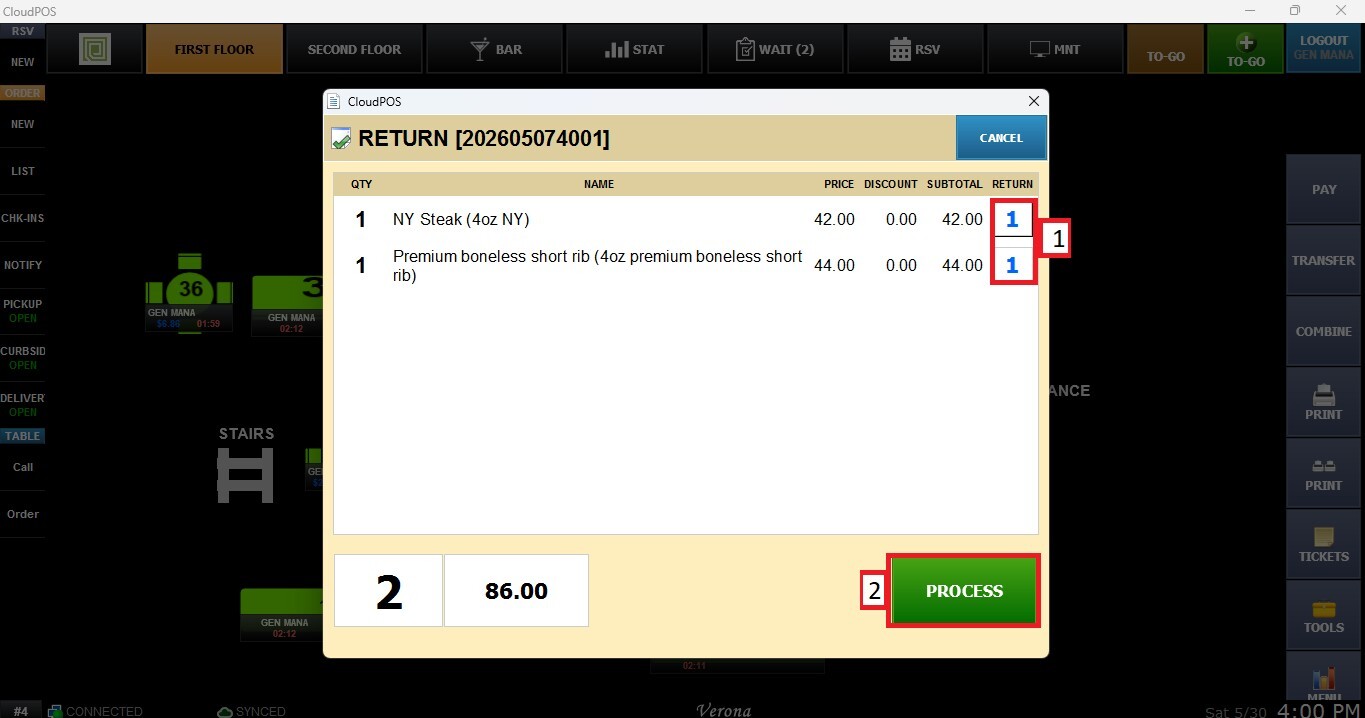
Opens a return window where specific items from the selected ticket can be chosen for return processing.
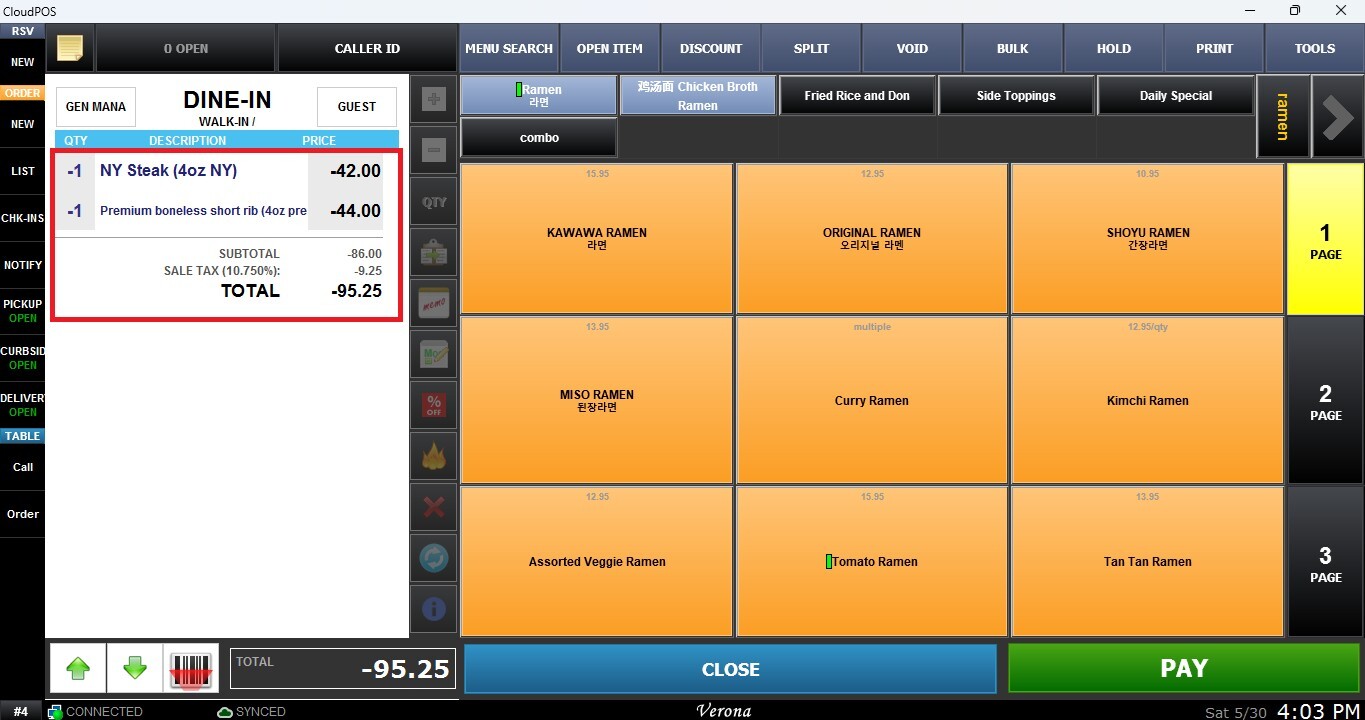
The selected items will be rung up on the Sales Screen with a negative amount, indicating that a return transaction is being processed.
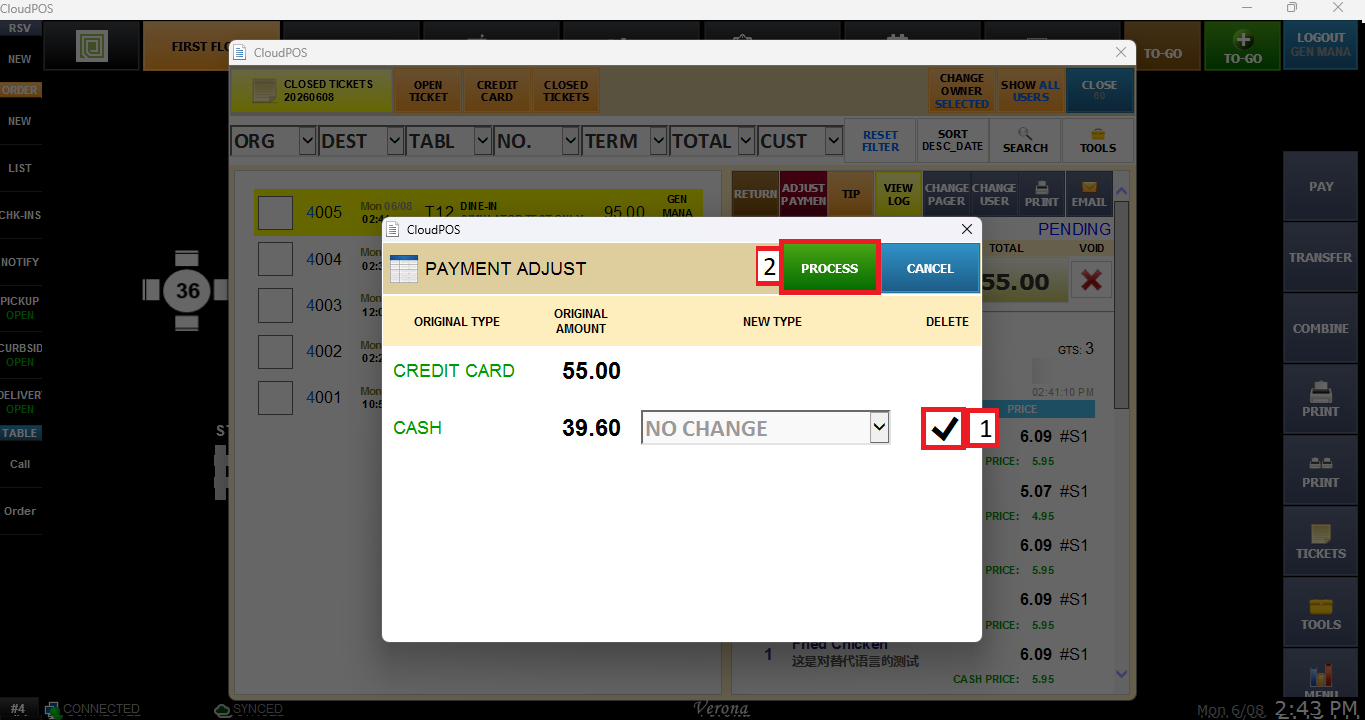
Adjust Payment
Allows authorized users to remove a cash payment associated with the selected transaction. Selecting this option opens the payment adjustment window, where users can check the DELETE box and proceed with the confirmation to remove the payment from the ticket.
For more information on voiding a ticket, please refer to Voiding a Ticket.
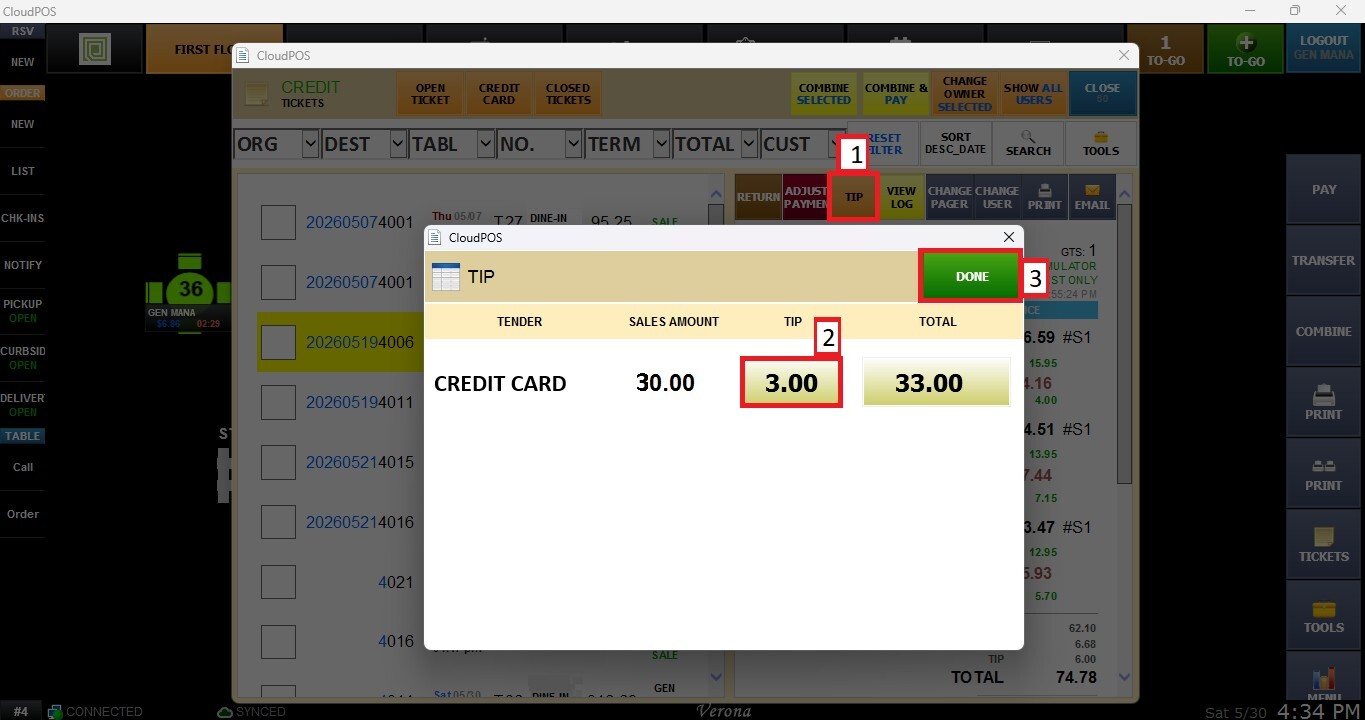
Tip
Opens a tip adjustment window where gratuity amounts can be entered or updated after the transaction has been processed.
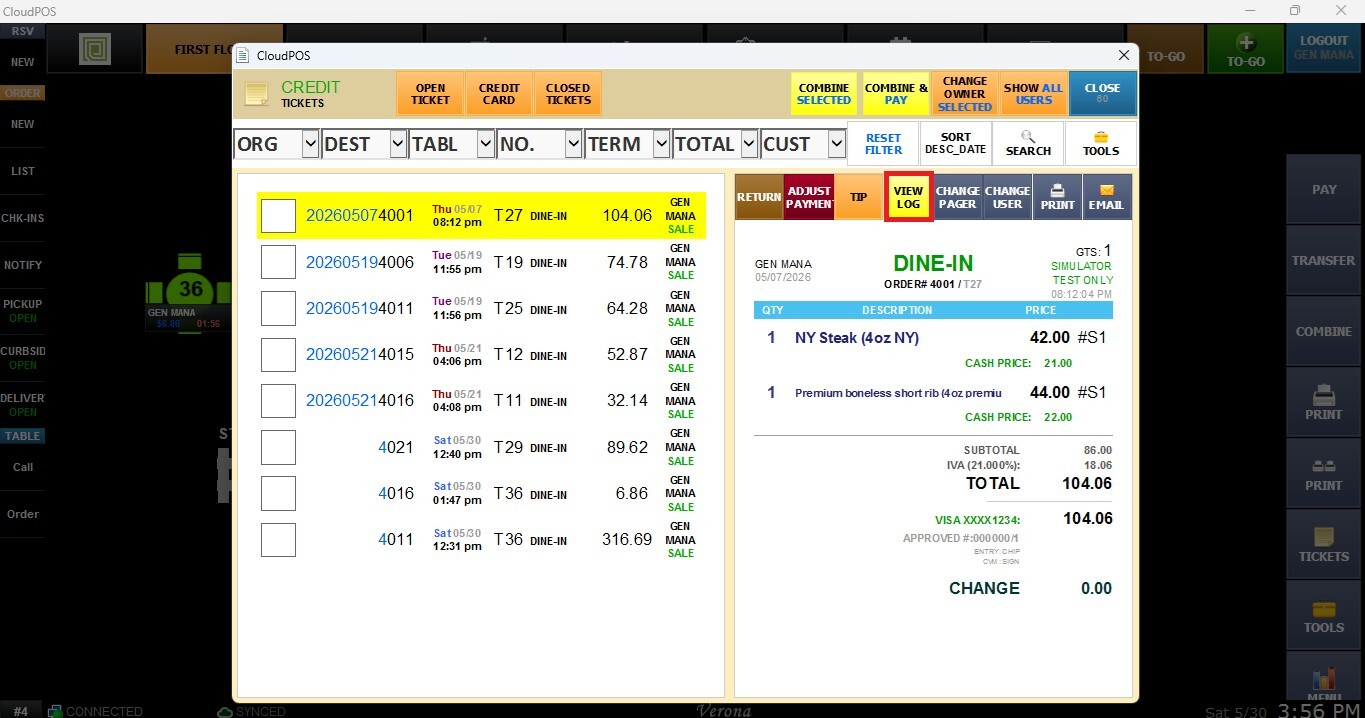
View Log
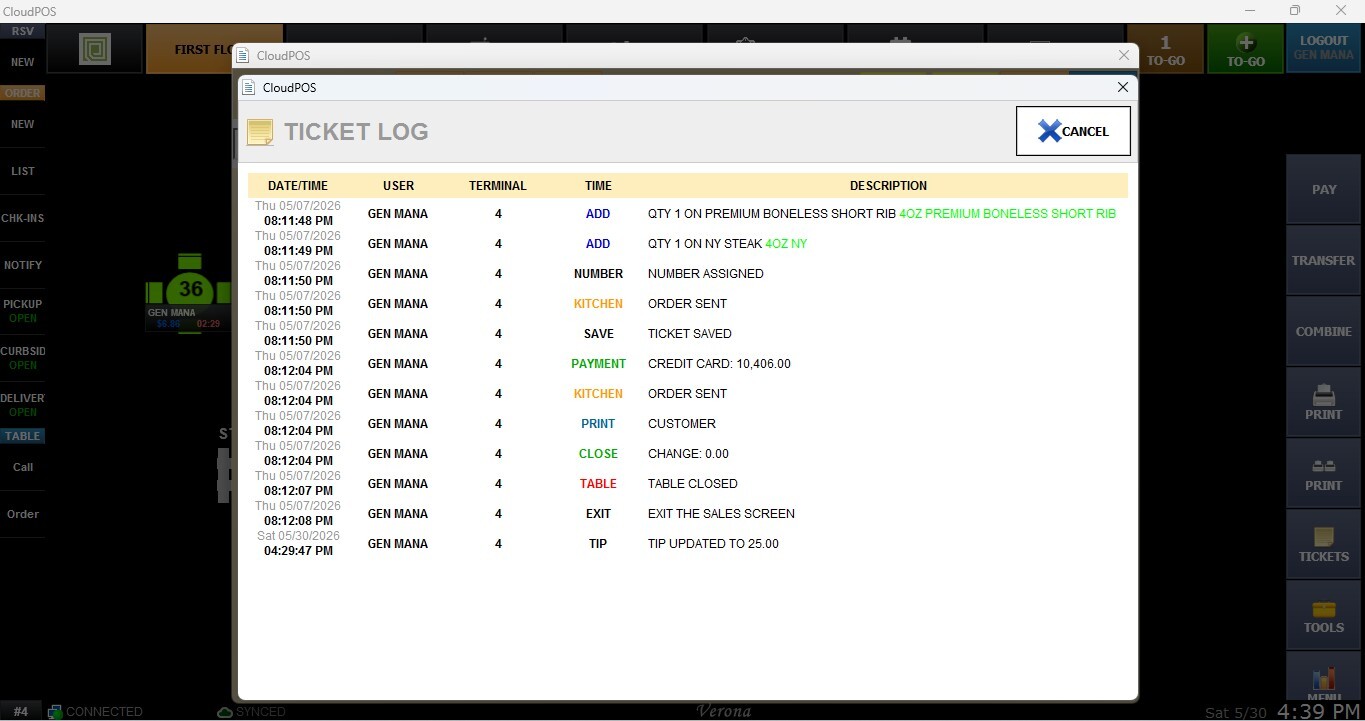
Displays a detailed activity log for the selected ticket, including date, time, user, terminal, action type, and a description of each operation performed.
Ticket Log Information window will pop up.
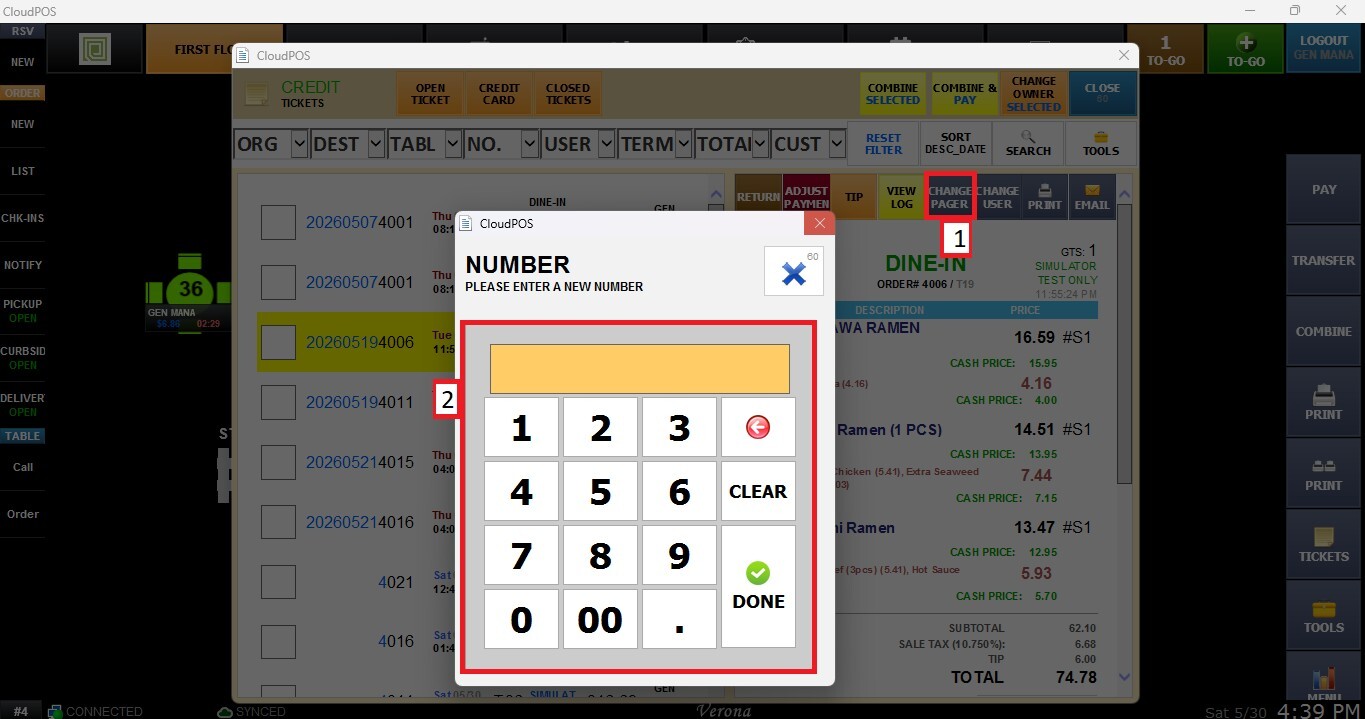
Change Pager
Allows the pager assigned to the selected ticket to be updated, helping maintain accurate guest notification tracking.
Change User
Allows the selected ticket to be reassigned to a different employee or user with the appropriate permissions.
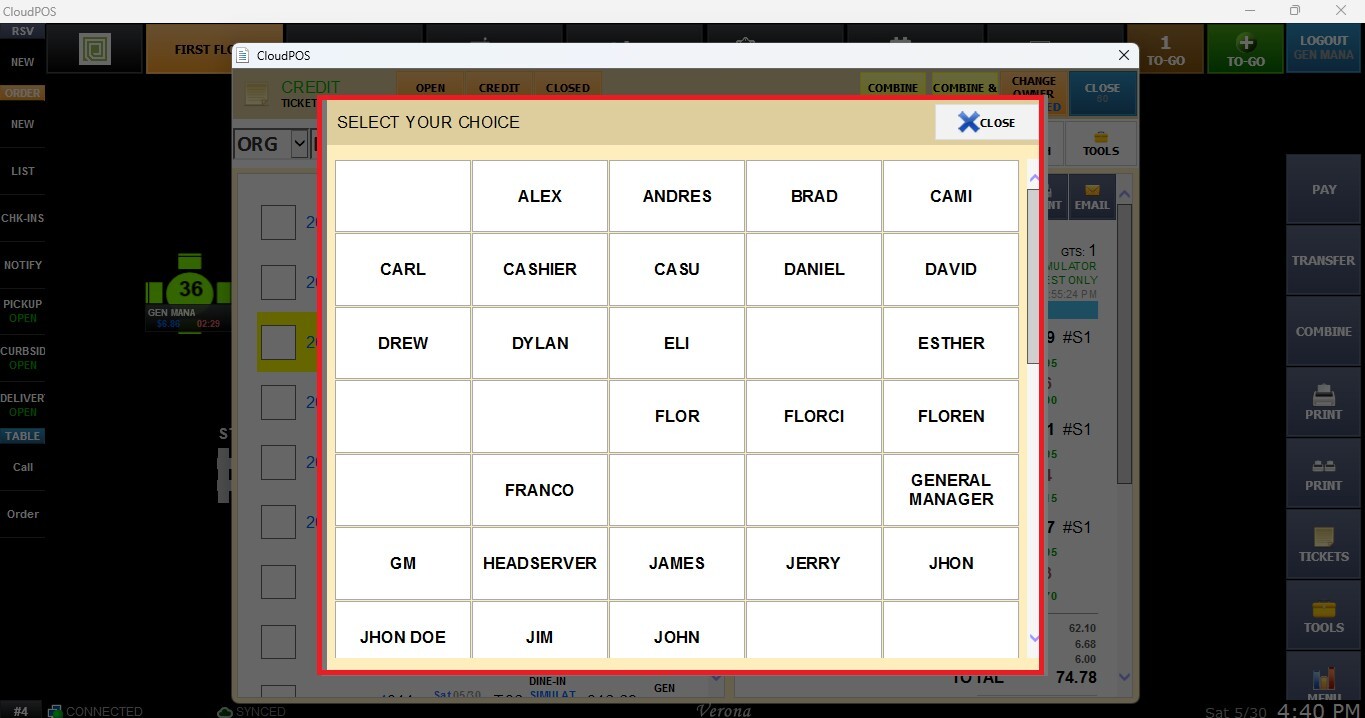
A window displaying the available users for reassignment will pop up.
Prints a copy of the selected ticket for customer service, record keeping, or operational purposes.
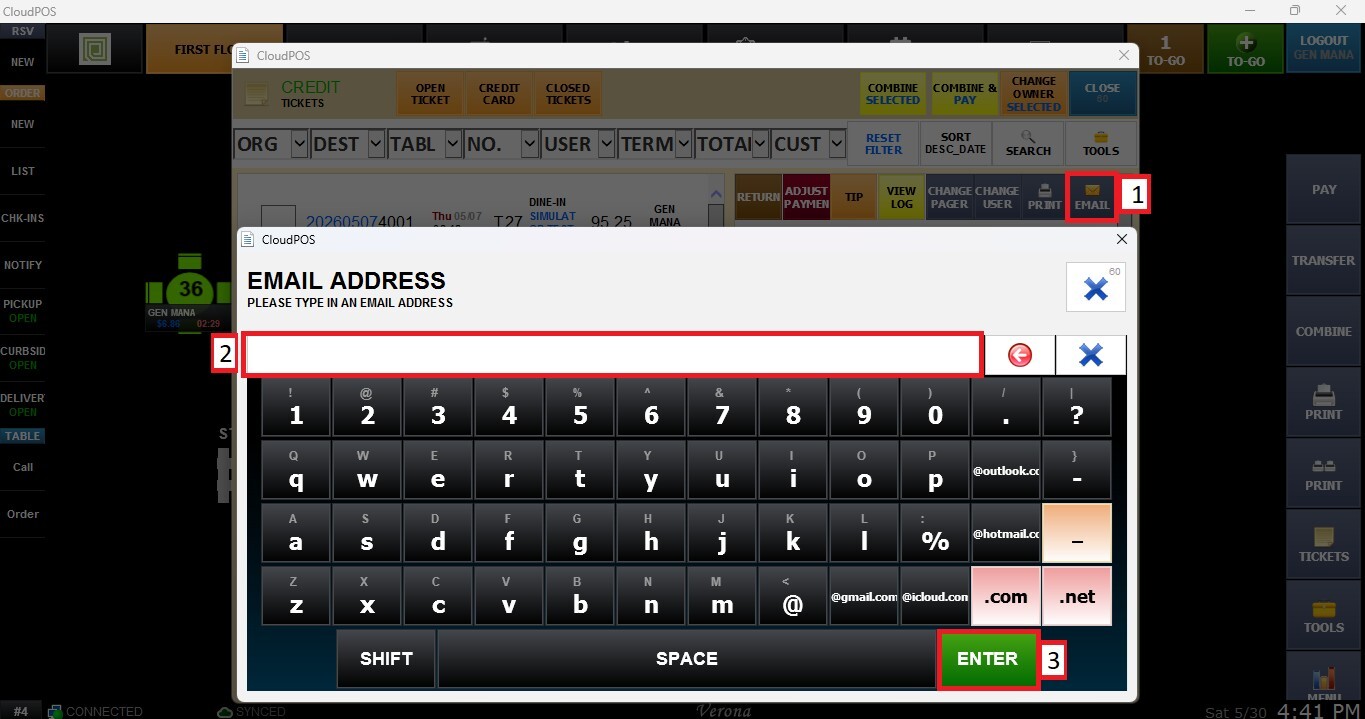
Opens an email window where an email address can be entered to send a digital copy of the selected ticket directly to the recipient.