Table
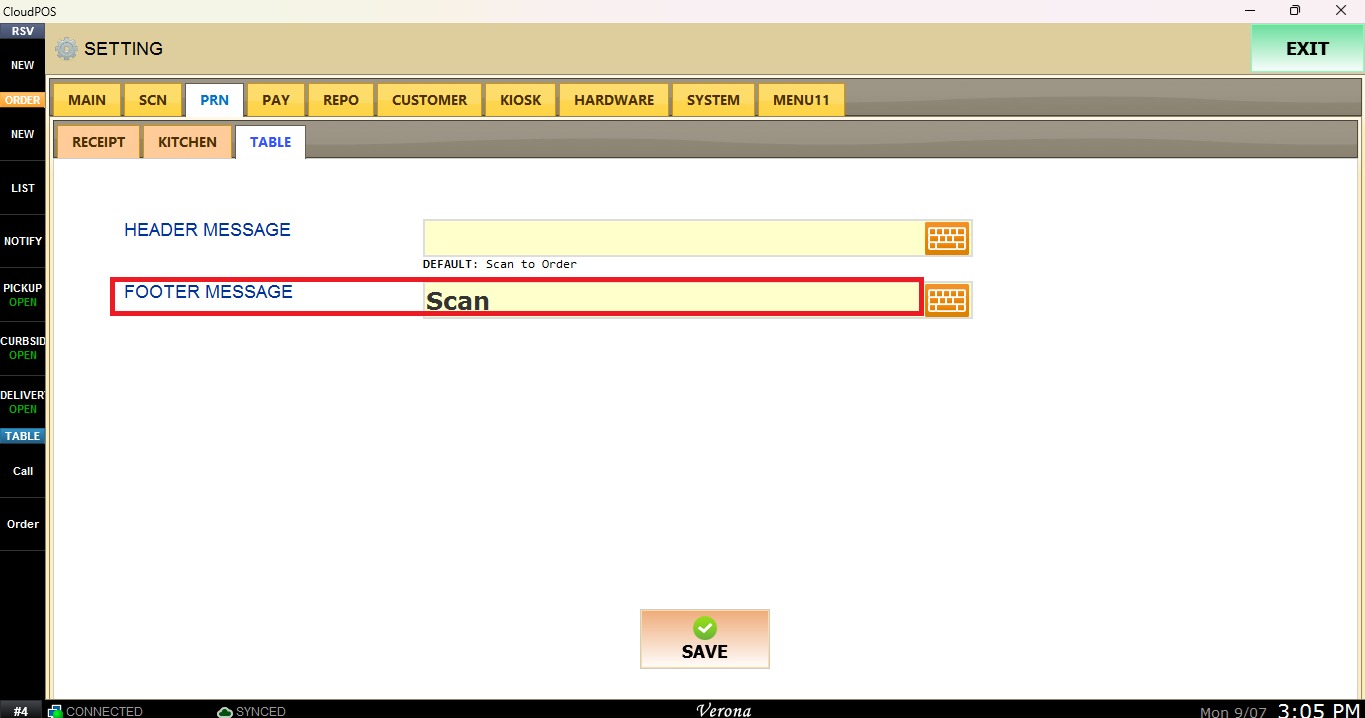
This section allows you to configure the messages printed on the QR code tickets used for Contactless Dining.
MENU> SETTINGS> PRINT> TABLE
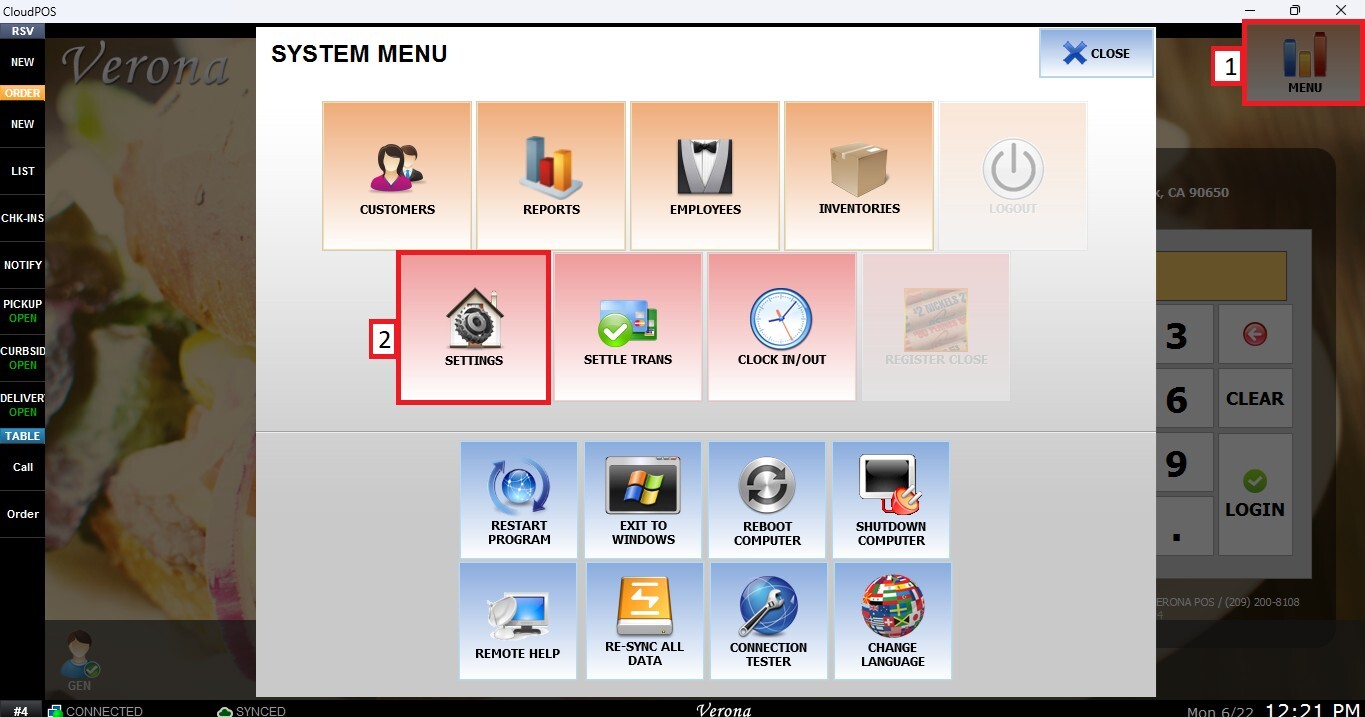
From the MAIN SCREEN, click MENU, then select SETTINGS.
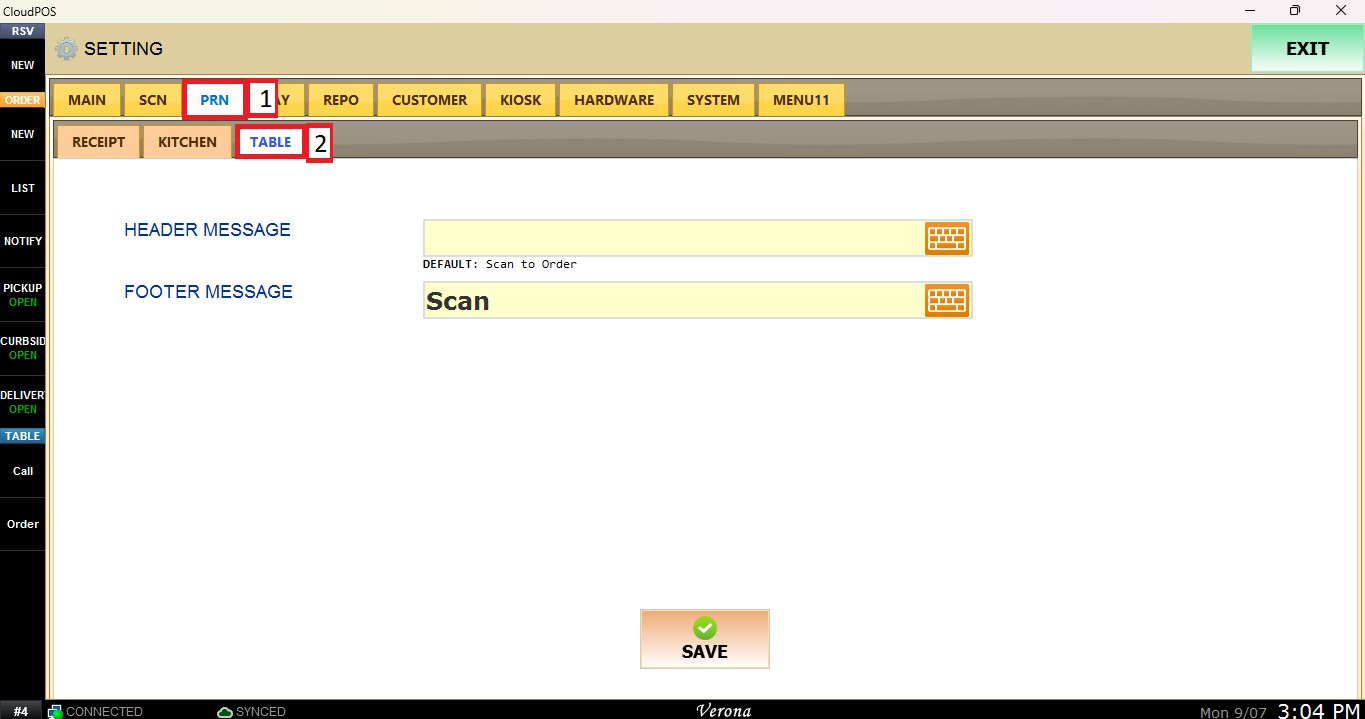
Navigate to the PRINT tab, then select TABLE.
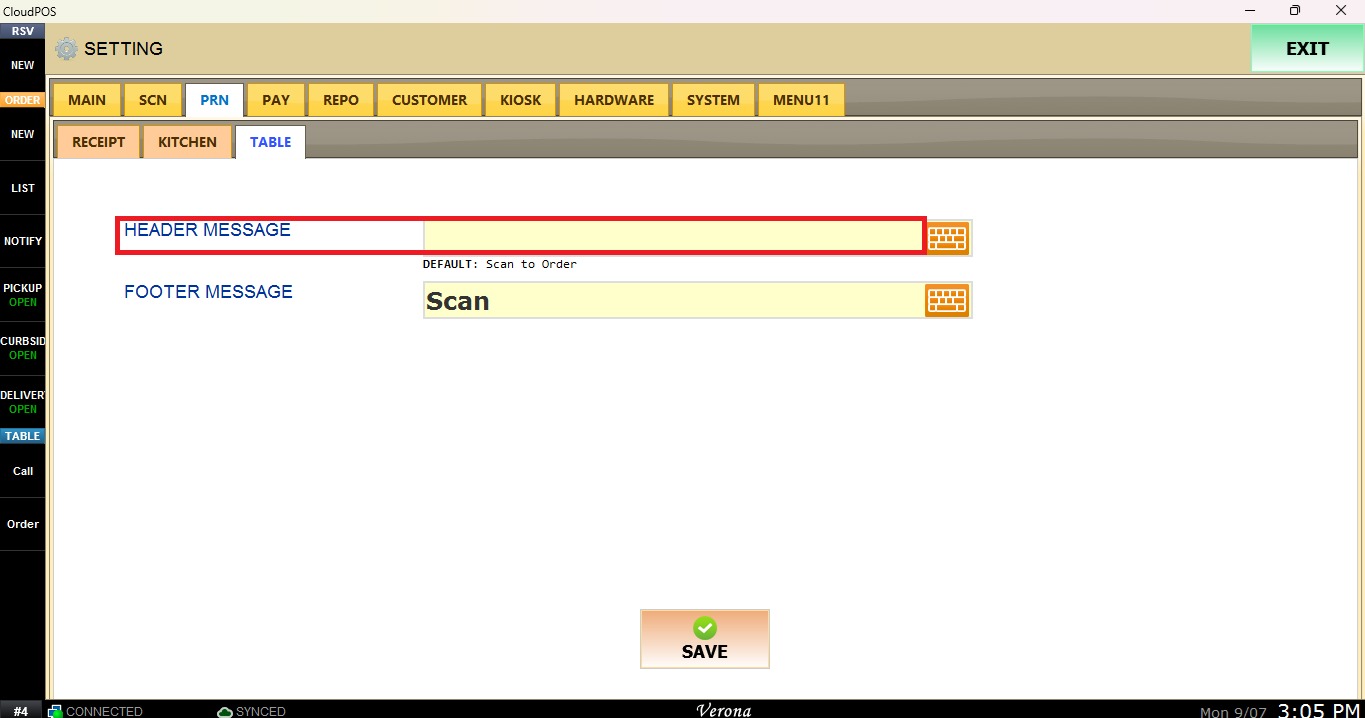
Header Message
Enter the message to be displayed in the header of the ticket.
Footer Message
Enter the message to be displayed below the QR code on the ticket.
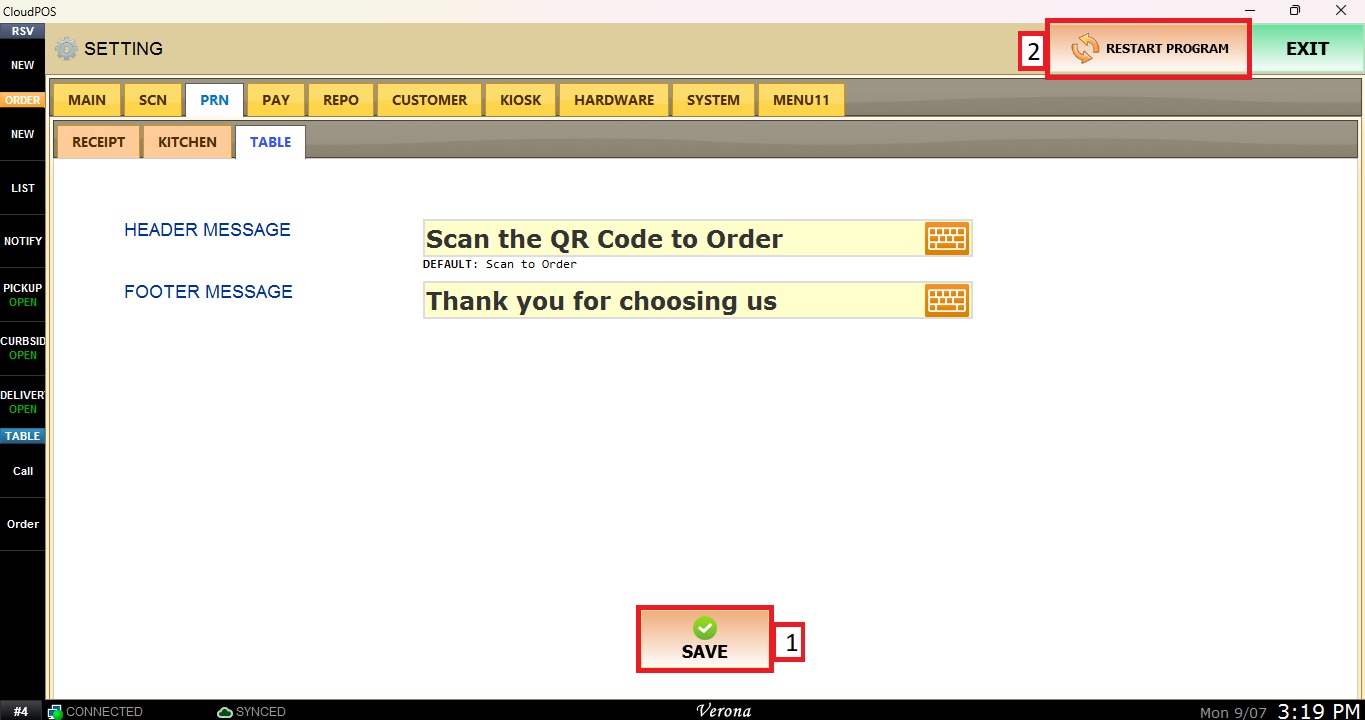
After completing the desired configurations, click Save and Restart Program to save the changes and apply the new settings.