Auto Item Combine
This feature complements the Item Sort feature. While Item Sort lets the user choose the order in which items are sorted, Auto Item Combine lets the user decide when that sorting is applied automatically.
MENU > SETTINGS > MAIN > SALES > ORDERING > TICKET > AUTO ITEM COMBINE
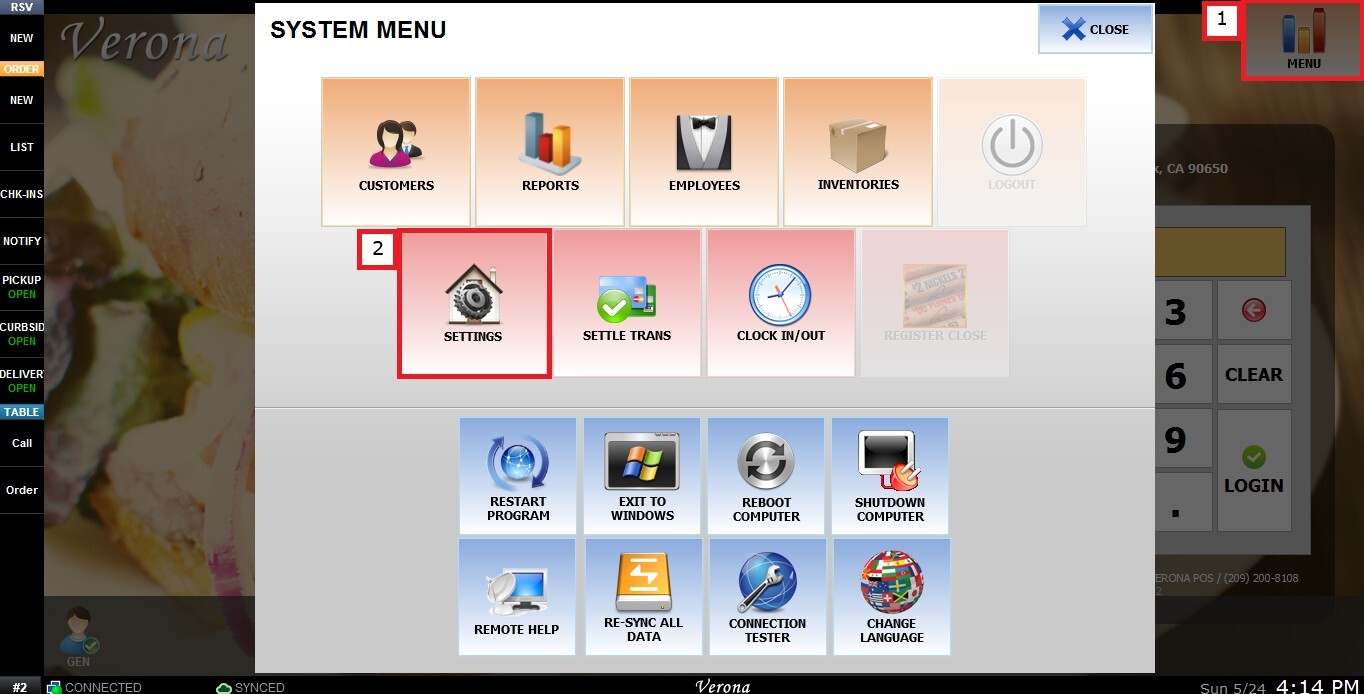
From the Main Screen, click MENU, then select SETTINGS.
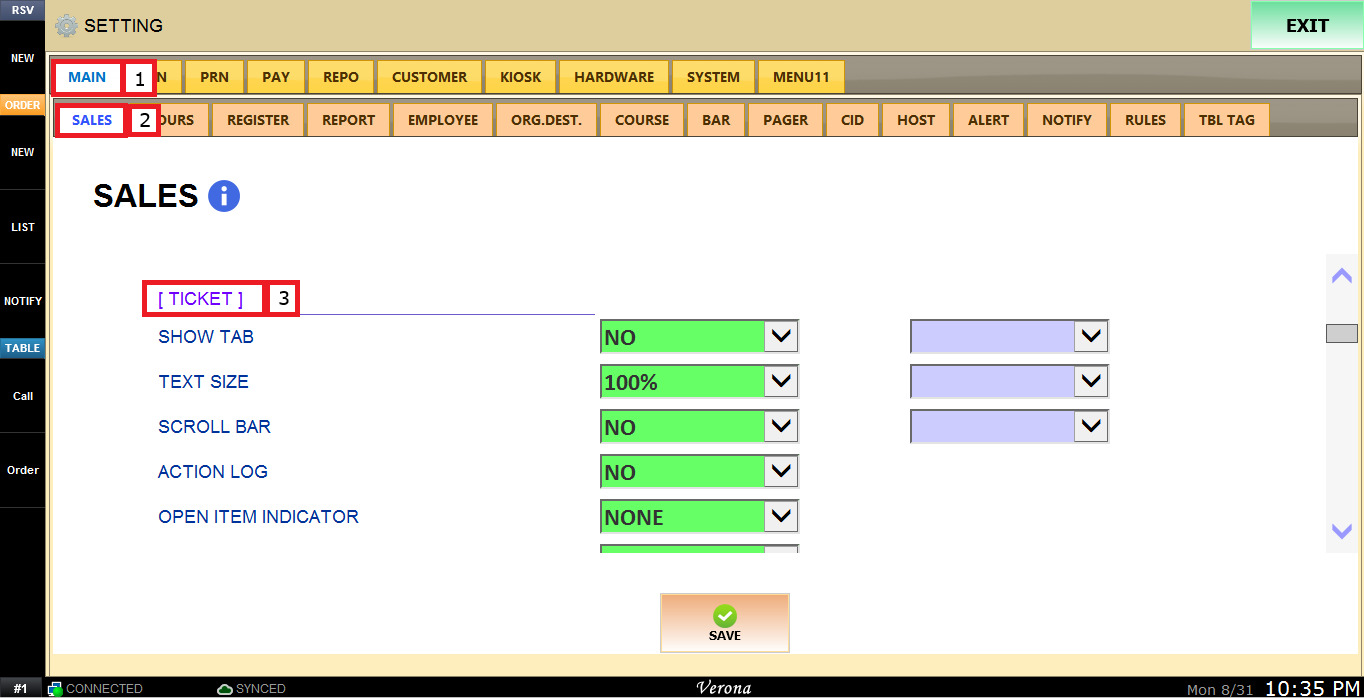
Under MAIN, select SALES, and scroll down to the ticket section.
Open the AUTO ITEM COMBINE dropdown menu to see the following options:
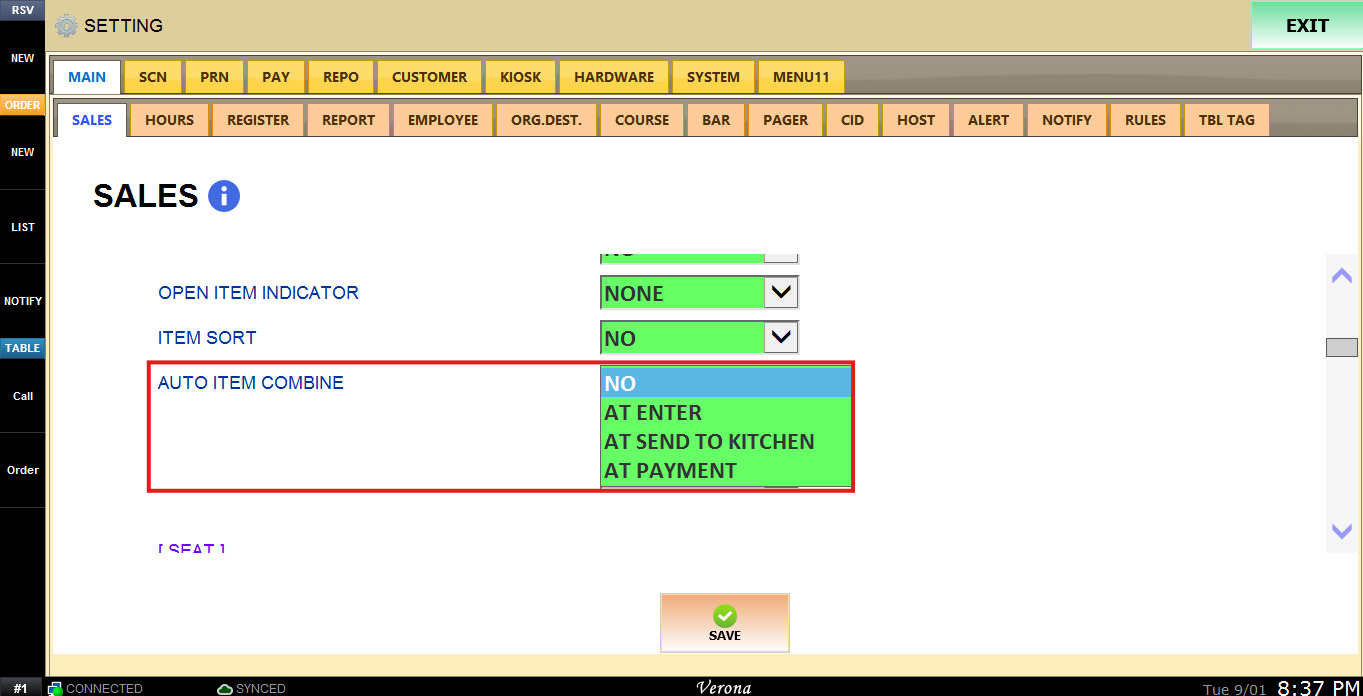
1. NO: The items will not be grouped automatically.
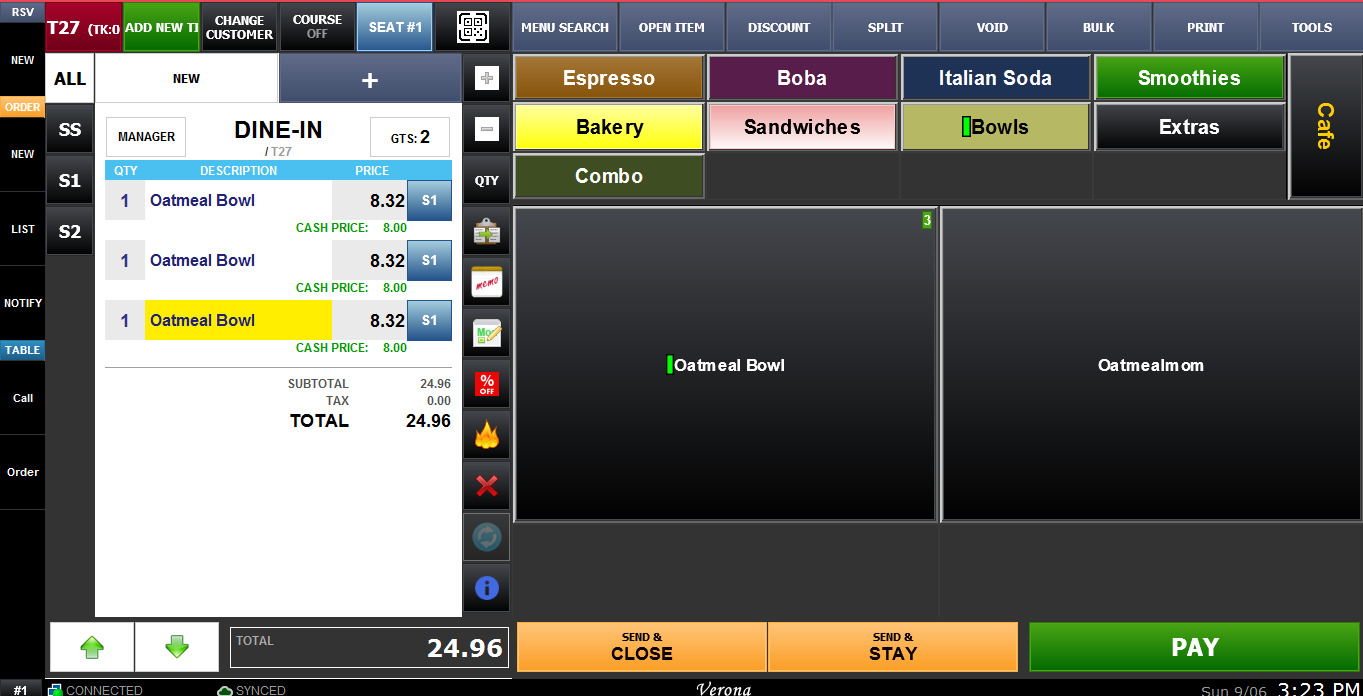
2. AT ENTER: The items will be groupes as they are rung up.
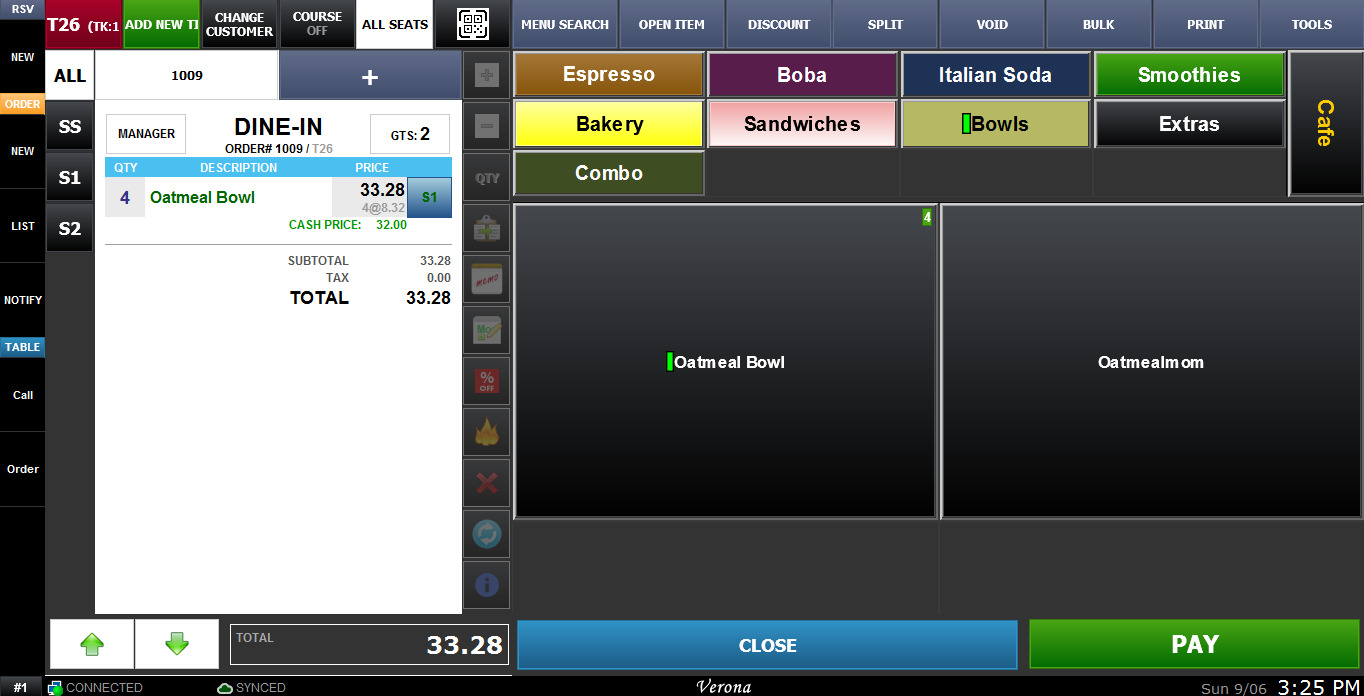
3. AT SEND TO KITCHEN: The items will be grouped after clicked the buttons send to Kitchen.
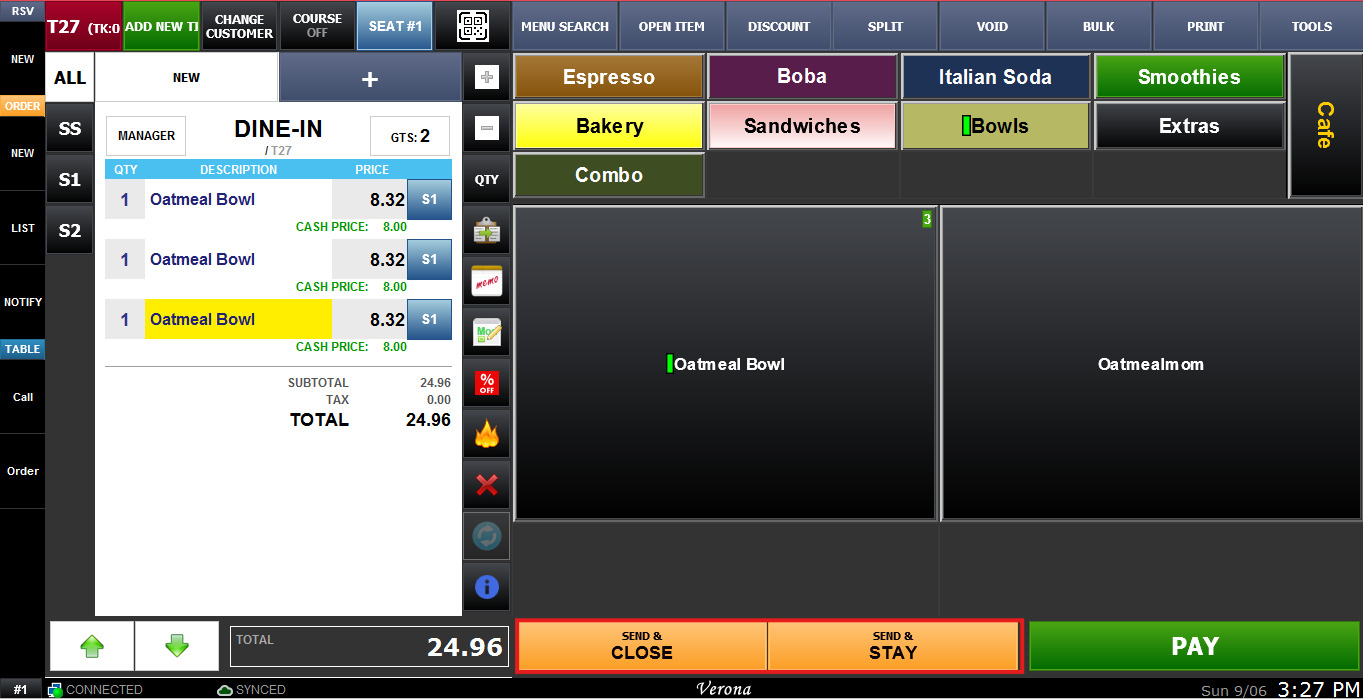
Before Sending to the Kitchen the items are separated, click on SEND & CLOSE or SEND & STAY.
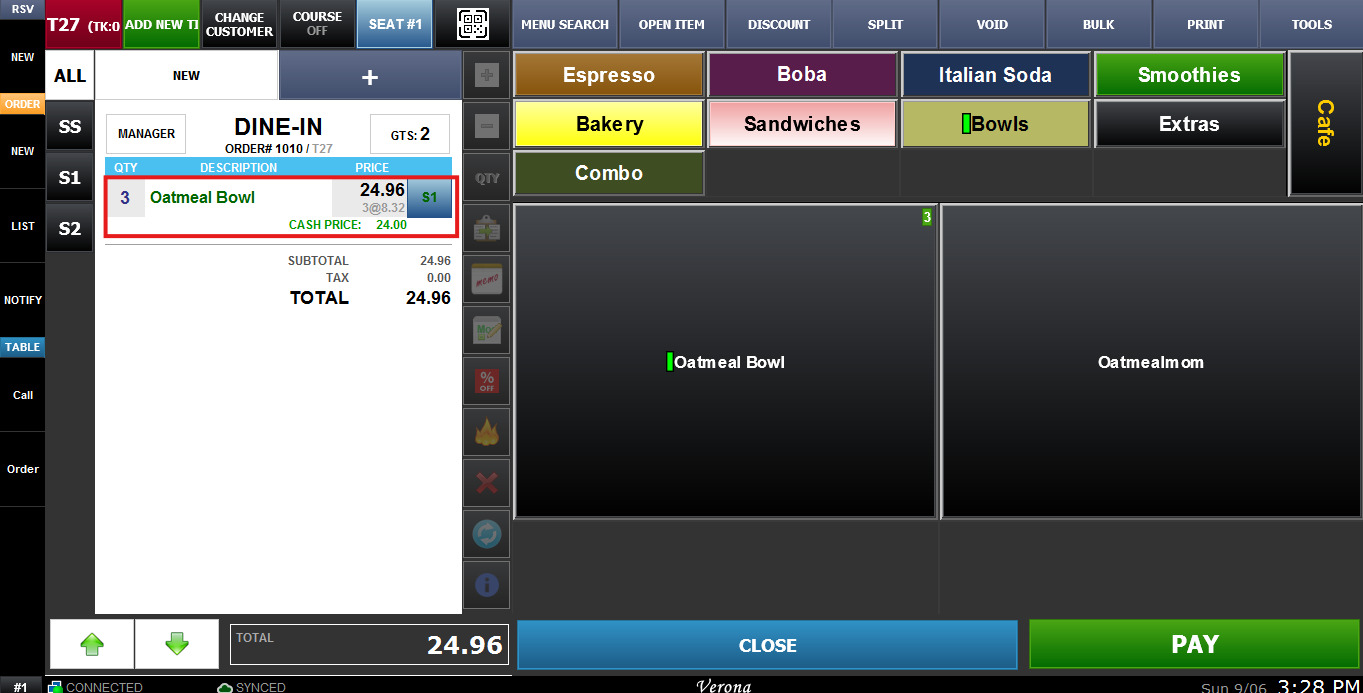
After clicking the button the items will be grouped.
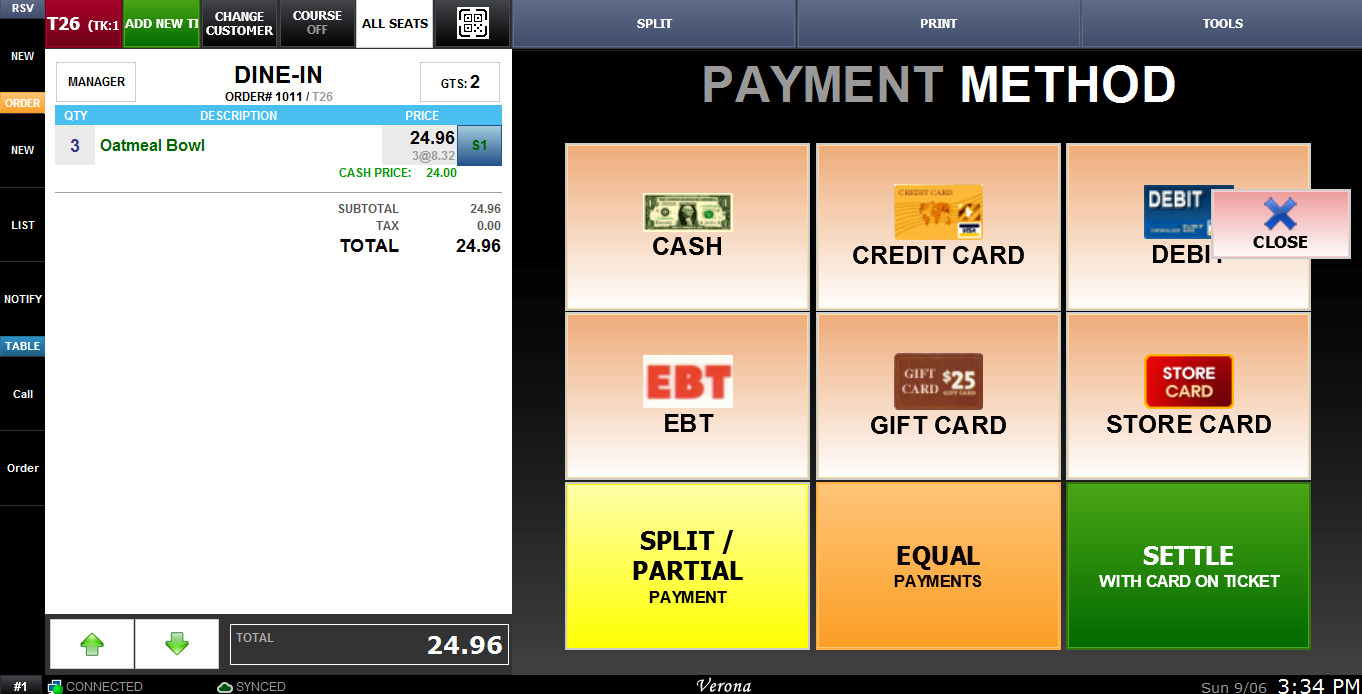
4. AT PAYMENT: The items will be sorted when the PAY Button is selected.
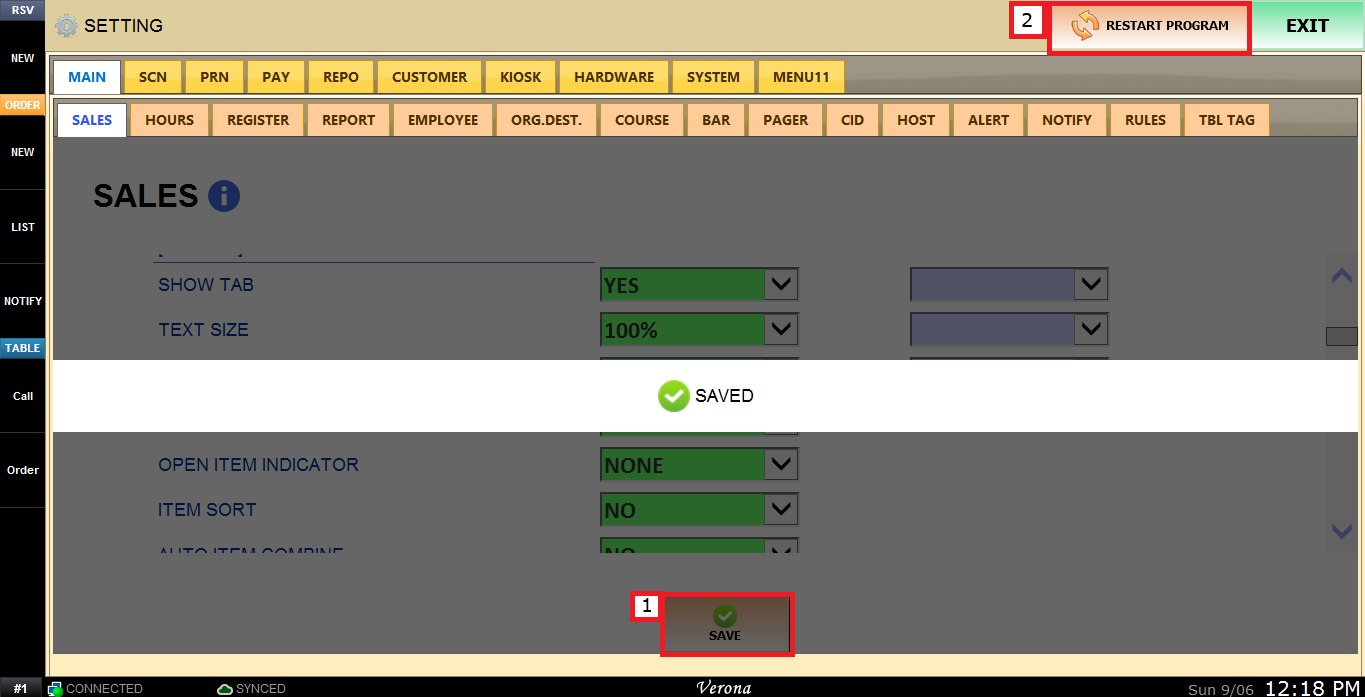
To keep the desired configuration, click SAVE and RESTART THE PROGRAM.