System
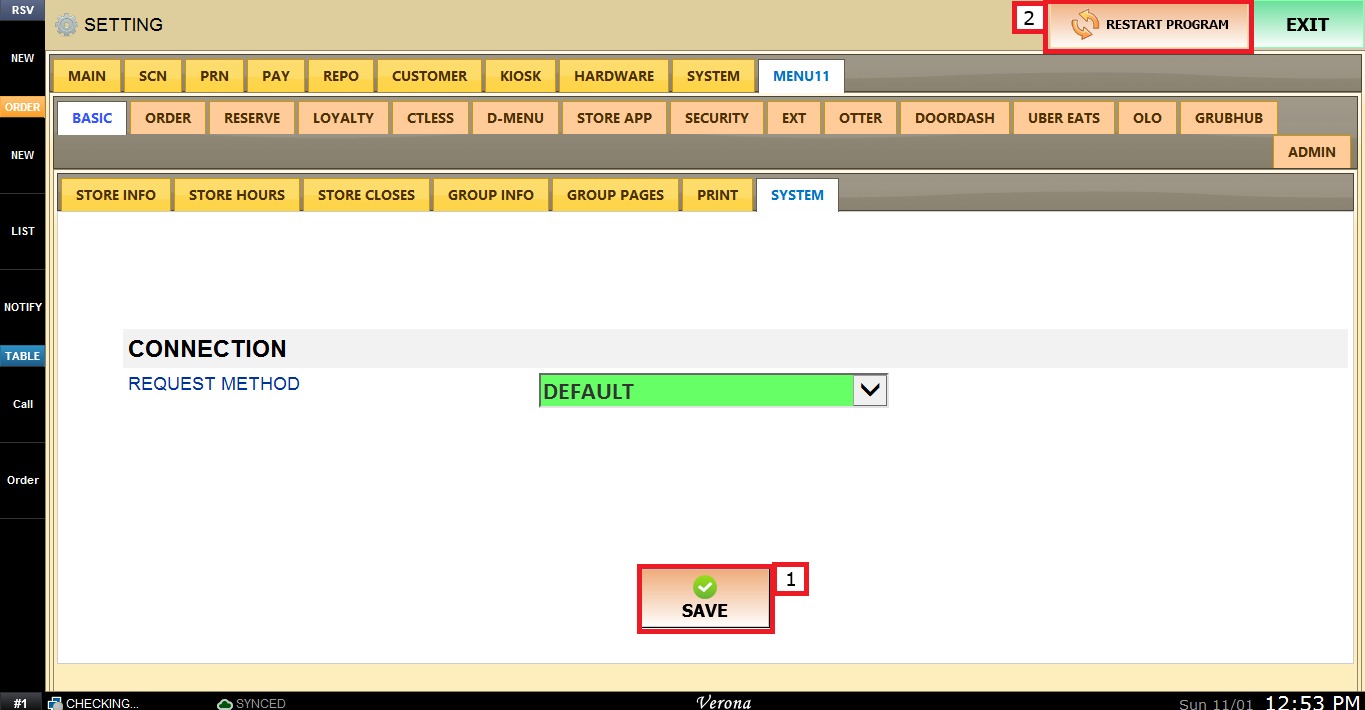
This setting defines the method the system uses to send connection requests.
Main Screen> MENU> SETTINGS> MENU11> BASIC> SYSTEM
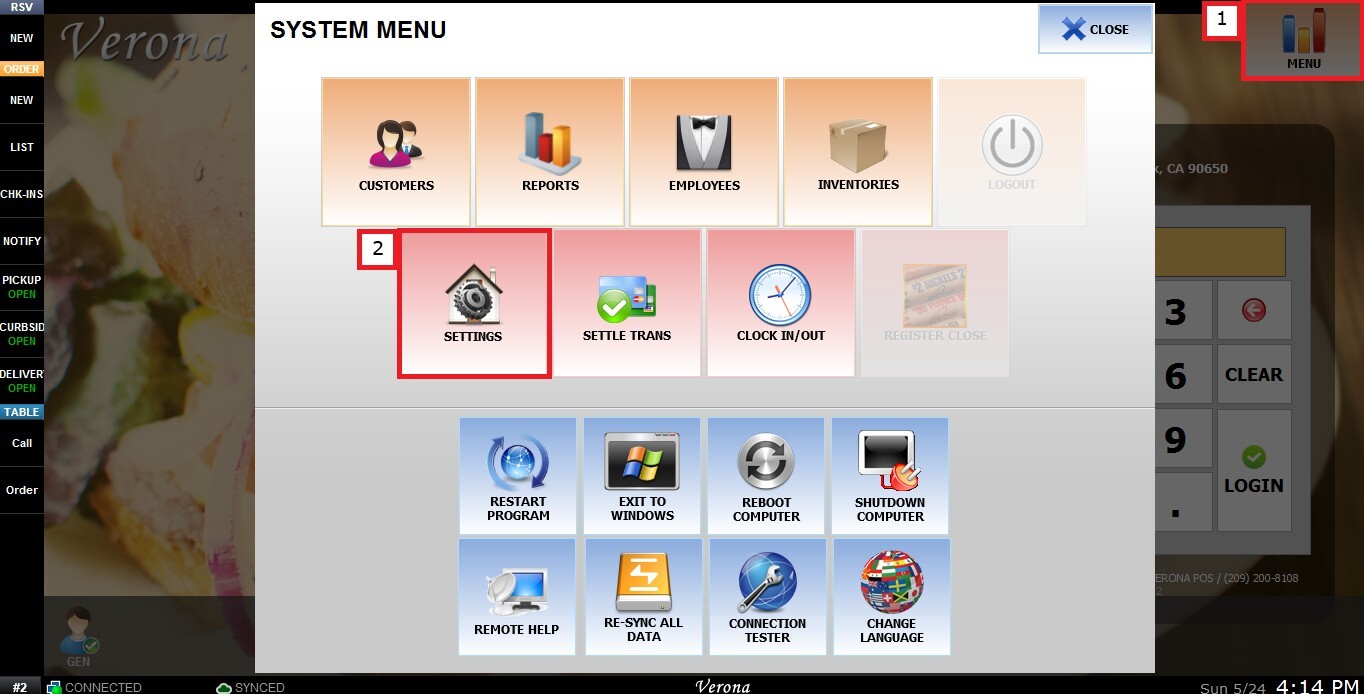
From the MAIN SCREEN, click MENU, then select SETTINGS.
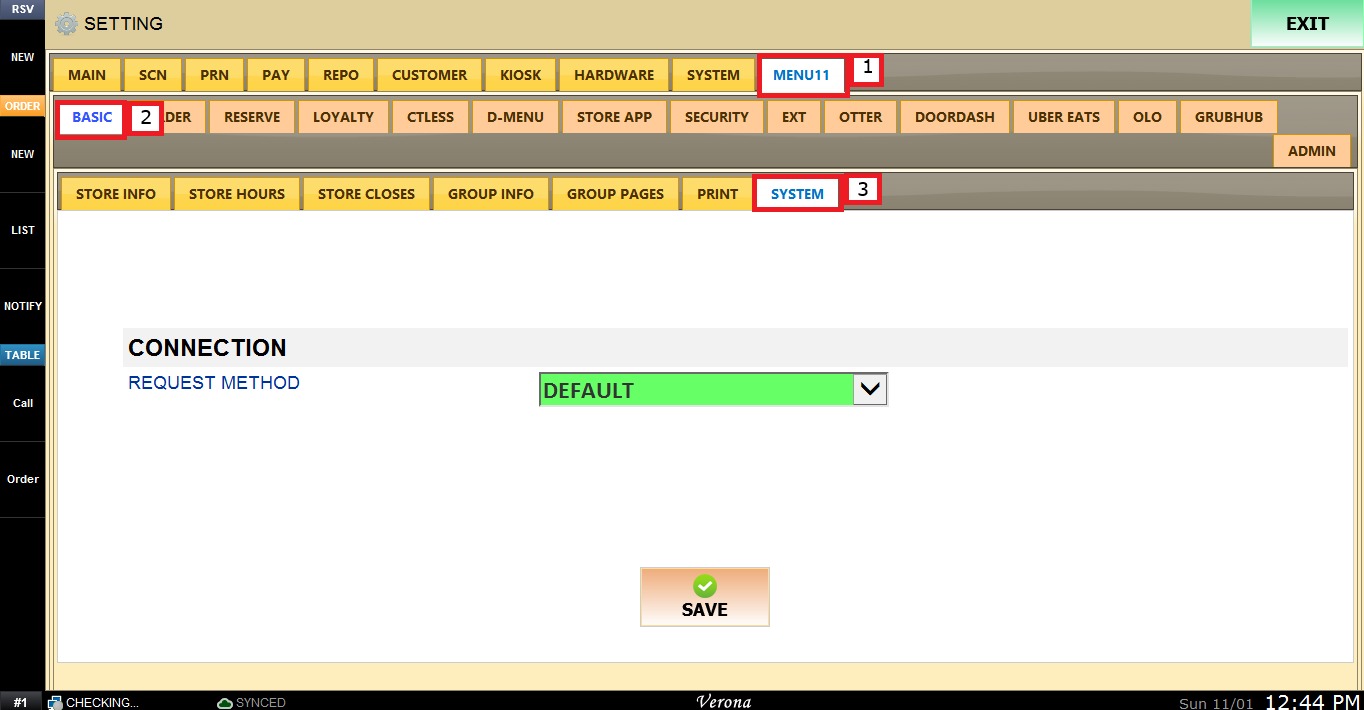
Navigate to the MENU11 tab, then select BASIC and click SYSTEM.
REQUEST METHOD
The REQUEST METHOD Dropdown Menu, under the CONNECTION section, sets which request method the system uses for its connection.
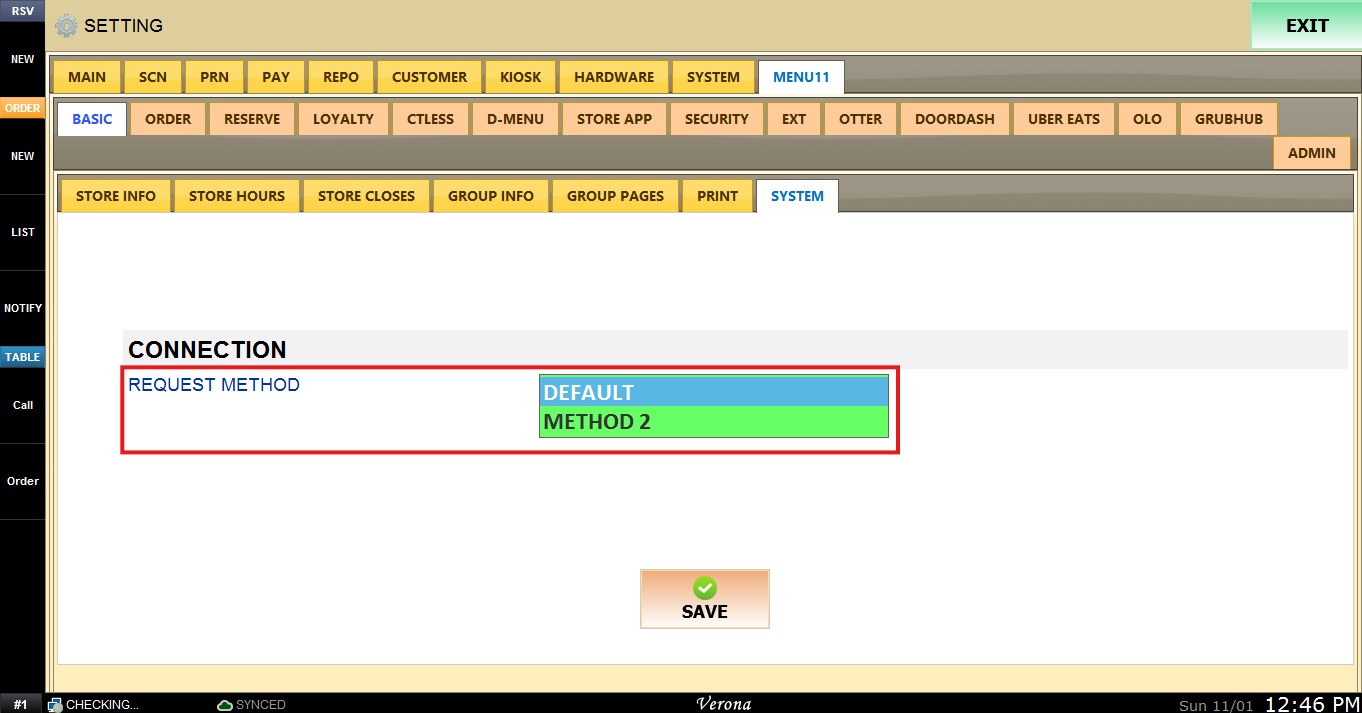
1. DEFAULT: Uses the standard request method. This is the preselected option.
2. METHOD 2: Uses an alternative request method. Select it when the connection does not work correctly with DEFAULT.
Select the option and click SAVE and RESTART PROGRAM to save apply the changes.