Modifier-_Includes-group-and-Force
Modifier Group & Modifier Force
Modifier Group allows you to combine multiple Modifier Components into one group and apply that group to a menu item.
you can create each option as a separate Modifier Component and then combine them into one Modifier Group.
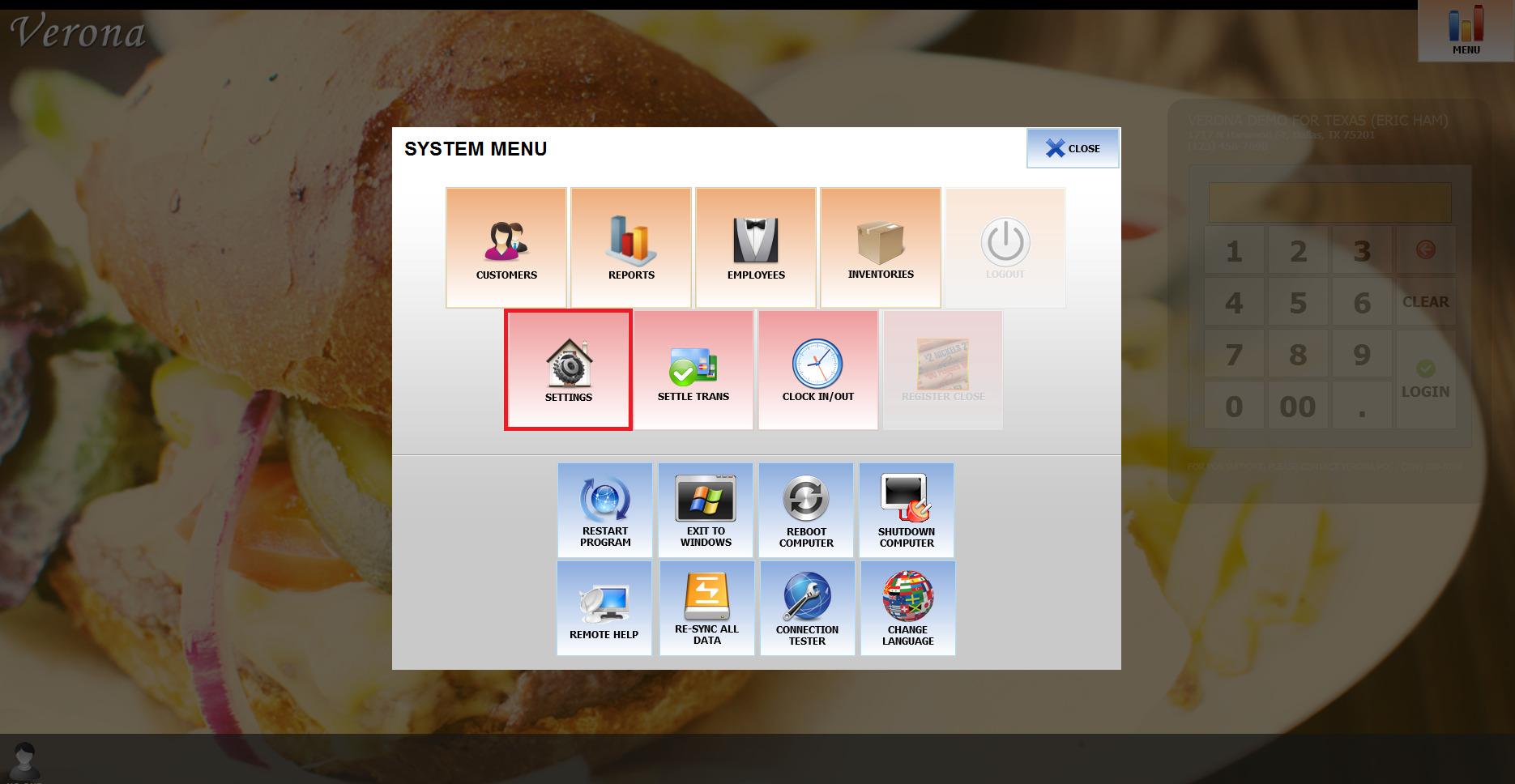
menu > setting
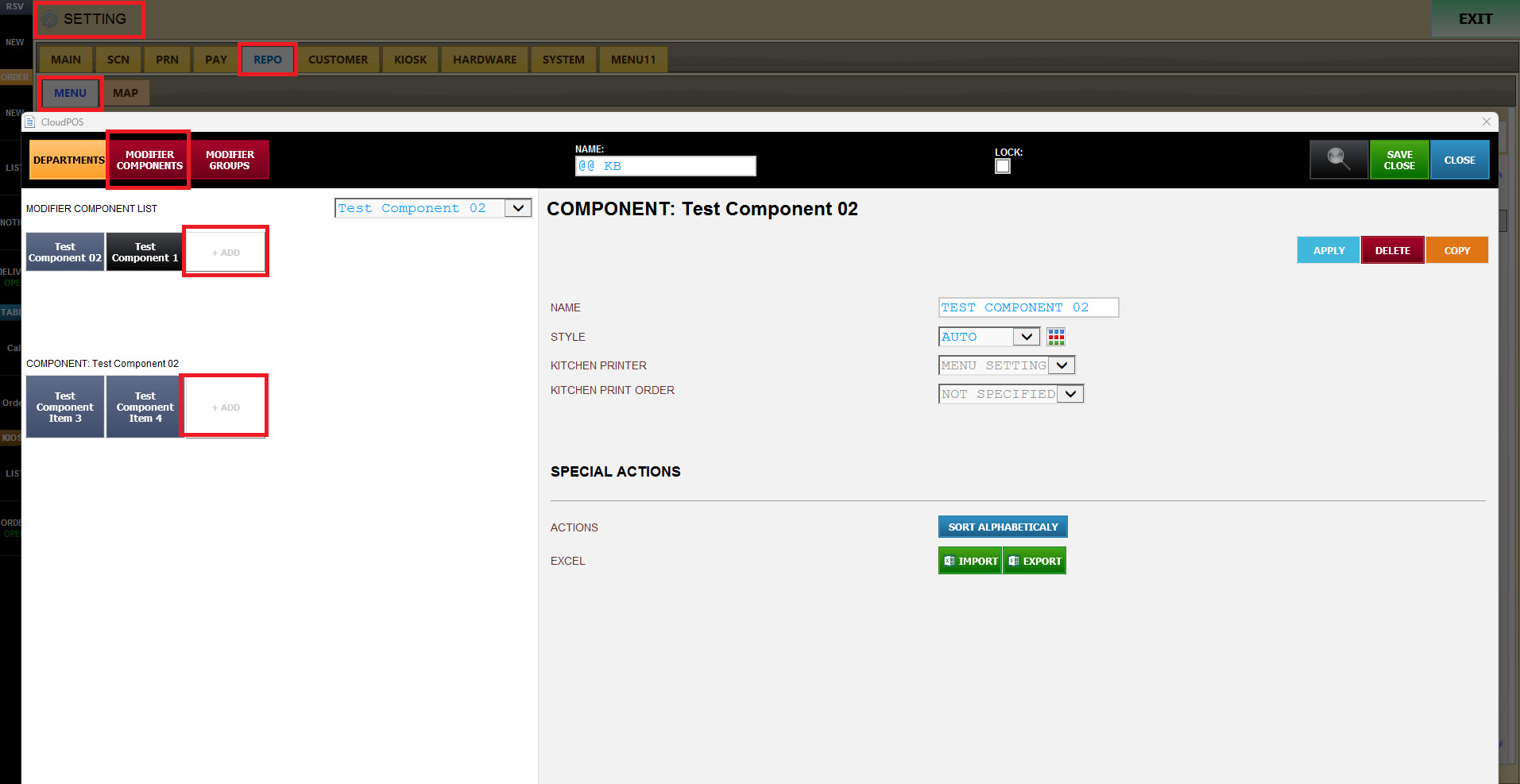
repo > menu > Modifier Components / create the individual options under Modifier Components.
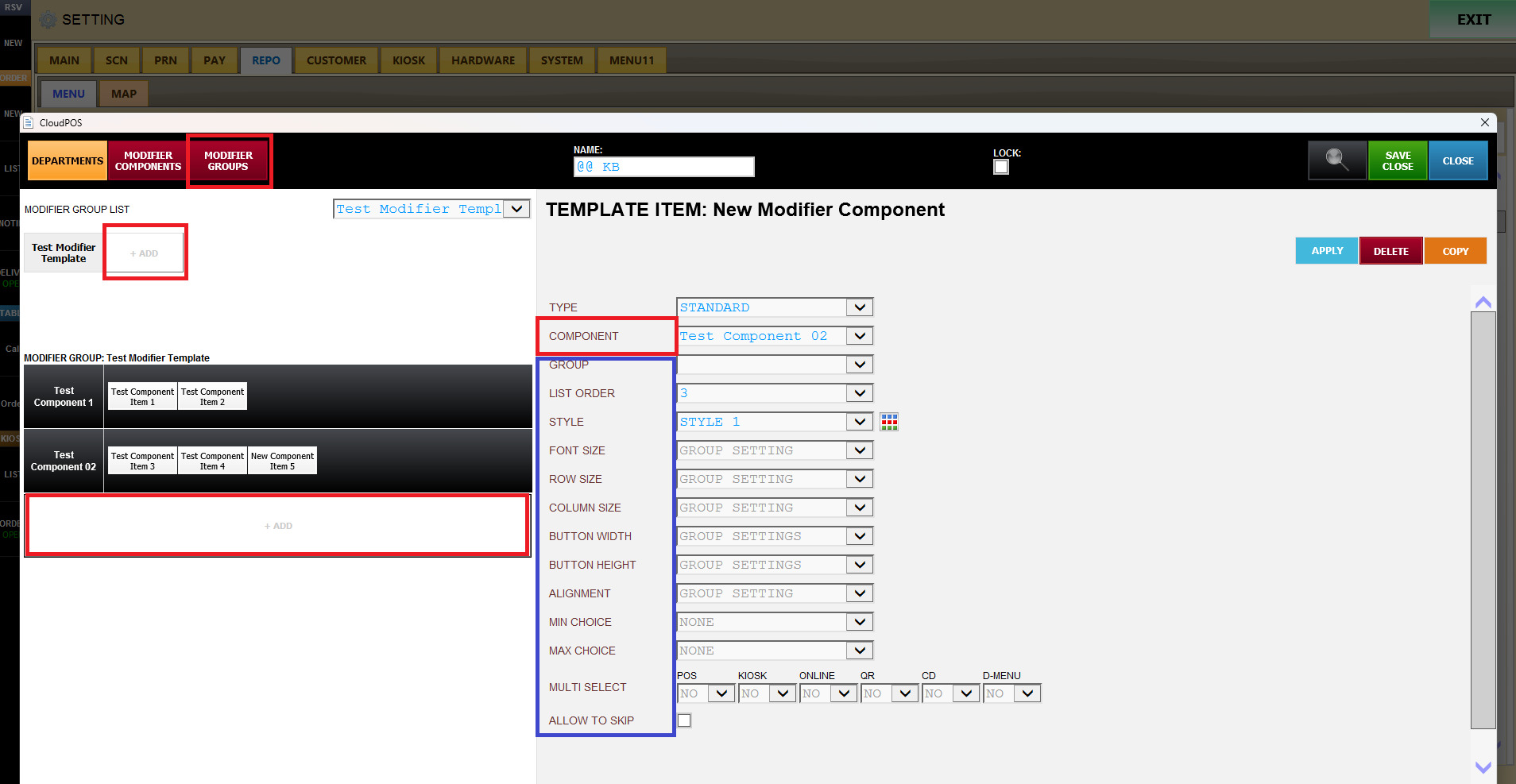
Modifier Groups / go to Modifier Groups and combine the Modifier Components into one group.
Create Modifier Components first, then combine them into a Modifier Group.
Important Modifier Group Settings / MIN CHOICE / Sets the minimum number of options the customer must select.
MAX CHOICE / Sets the maximum number of options the customer can select.
MULTI SELECT / Determines whether the customer can select multiple options.
ALLOW TO SKIP / Allows the customer or employee to skip the Modifier selection step.
If enabled, the user can continue without selecting an option.
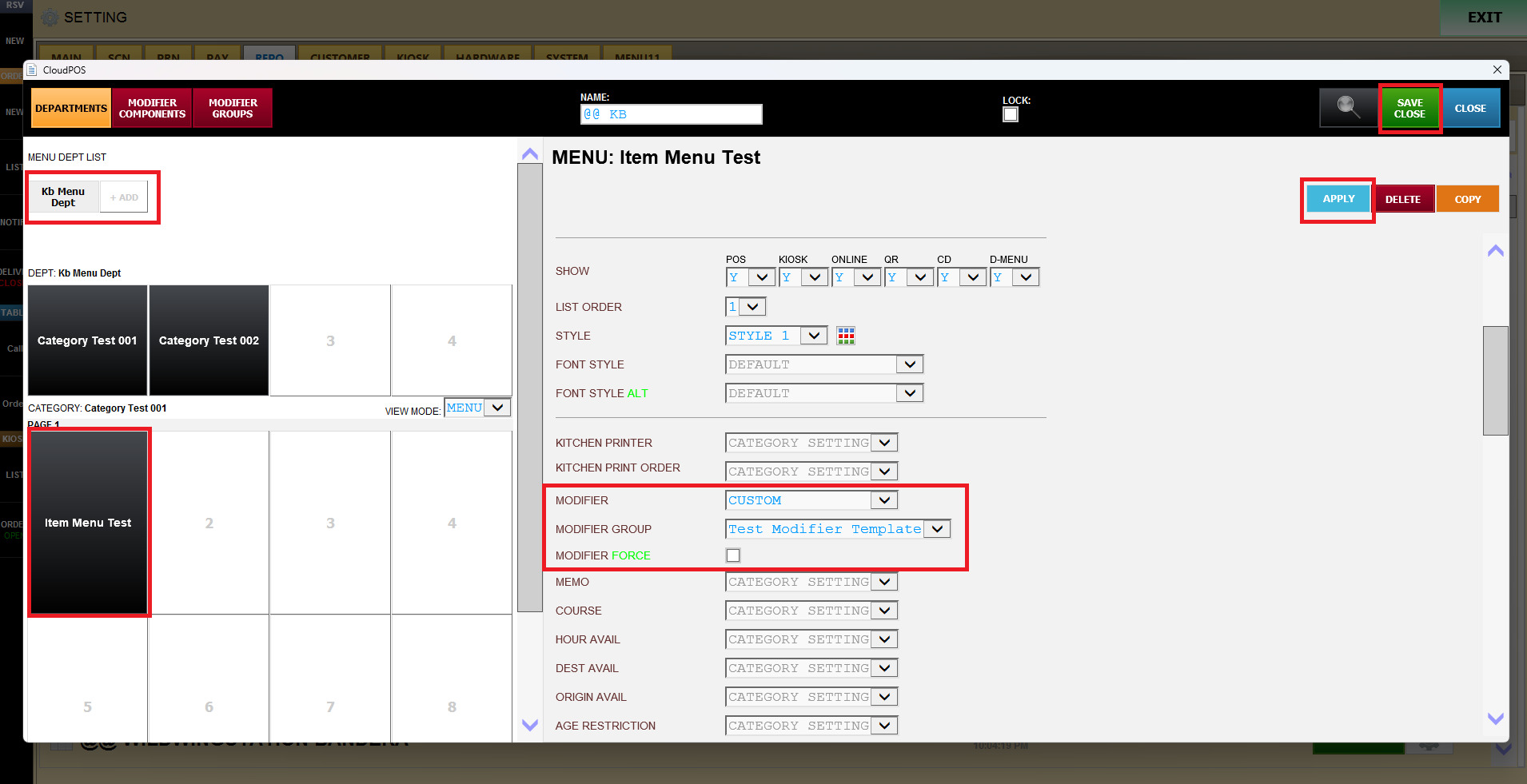
How to Apply a Modifier Group to a Menu / SETTING → REPO → MENU
Select the desired DEPT under DEPARTMENTS.
Select the desired CATEGORY.
Select the MENU ITEM where you want to apply the Modifier.
Find the MODIFIER setting.
Select CUSTOM.
Select the previously created MODIFIER GROUP.
If necessary, enable MODIFIER FORCE.
Click APPLY.
Click SAVE & CLOSE.