Serving Hours (Setting)
The Serving Hours setting sets the time periods of the day, such as breakfast, lunch, or happy hour. These periods are used in the menu to show items or change prices depending on the time.
MENU> SETTINGS> MAIN> HOURS> SERVING HOURS
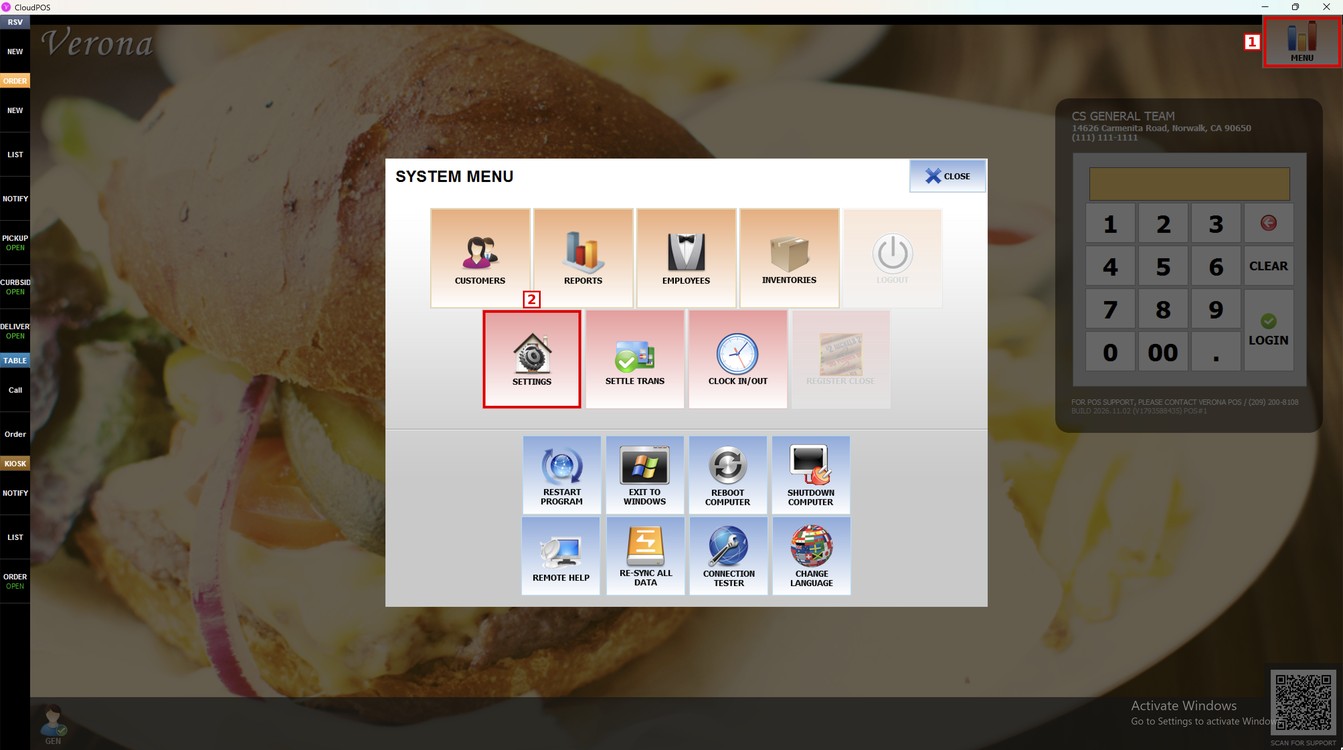
Go to MENU and press SETTINGS.
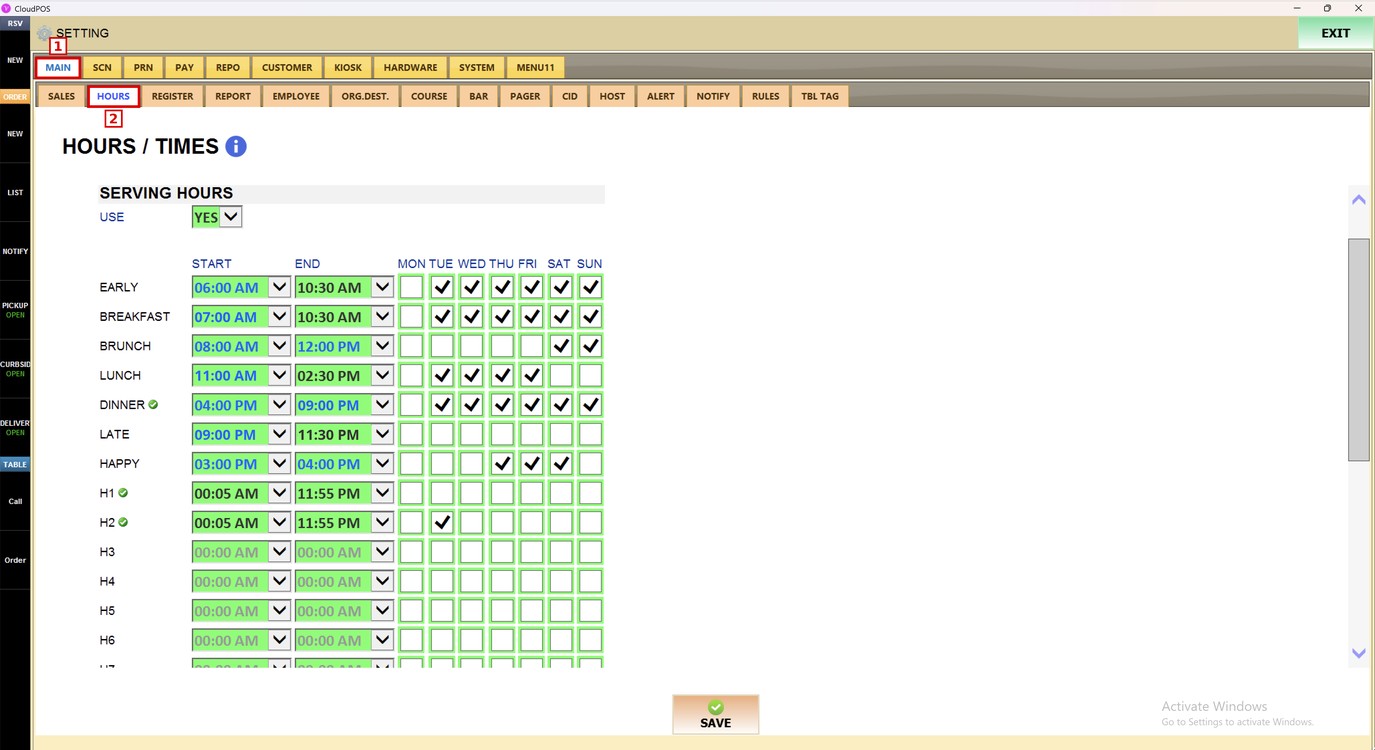
Press the MAIN tab, and then the HOURS subtab.
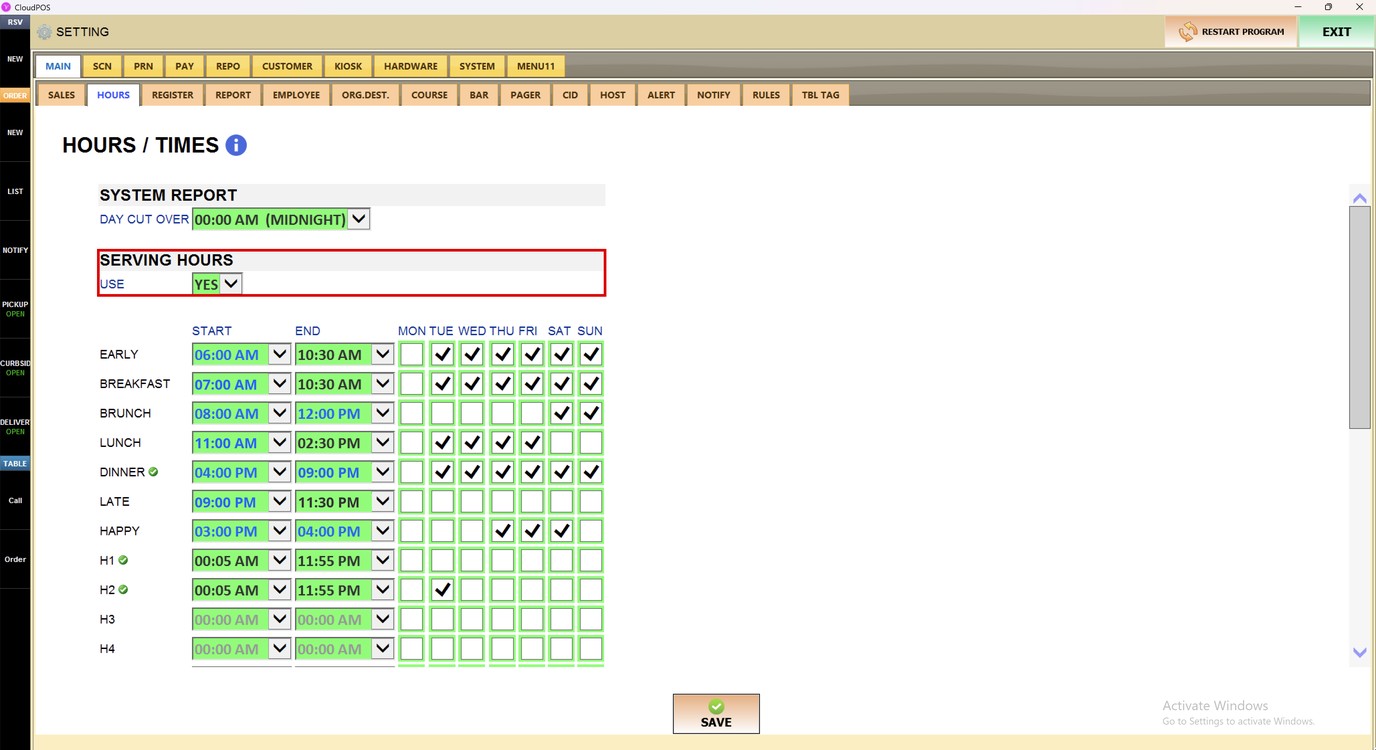
Scroll down to the SERVING HOURS section.
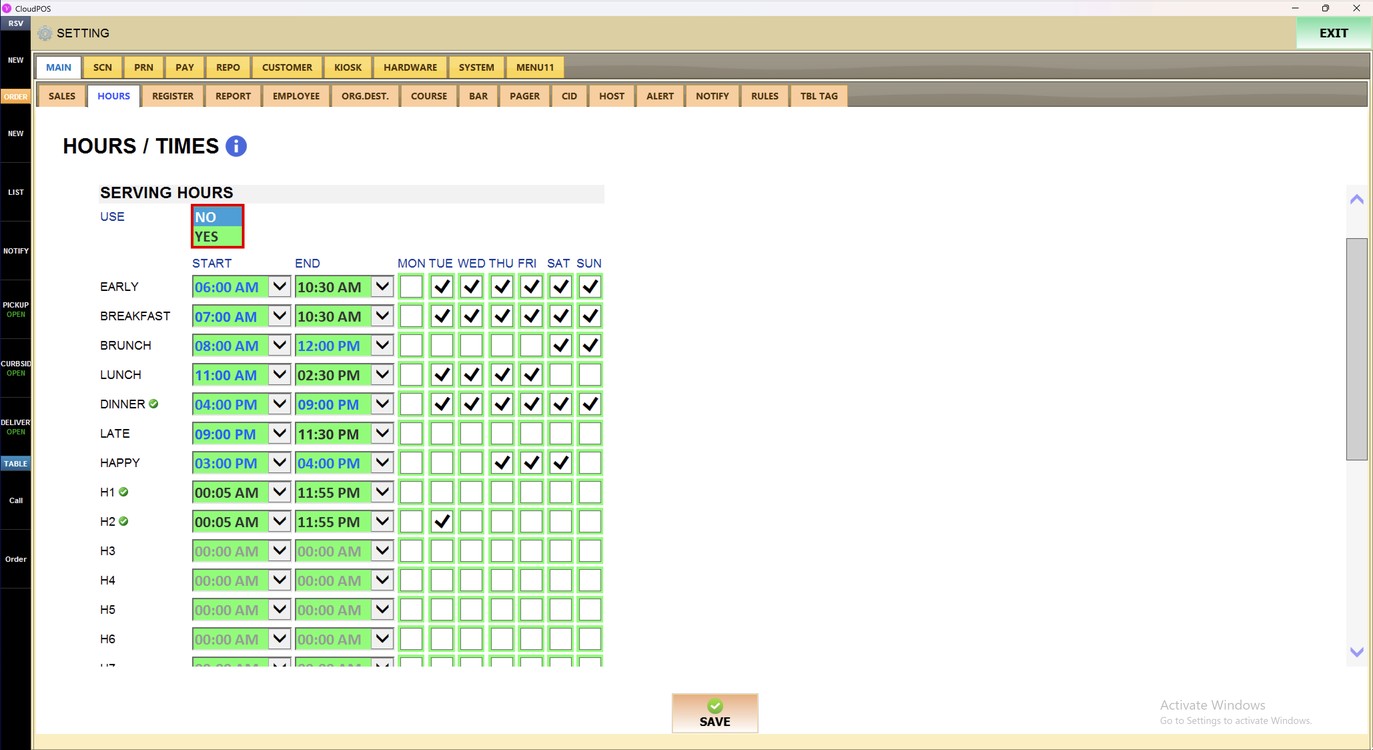
Use:
Press the USE dropdown to turn the serving hours on or off.
1. NO: The serving hours are not used.
2. YES: The serving hours are used.
Schedule:
Set the START and END time of each period with the dropdowns, and check the days when the period is used.
The periods are EARLY, BREAKFAST, BRUNCH, LUNCH, DINNER, LATE, and HAPPY. The periods H1, H2, and the next ones can be used for other schedules.
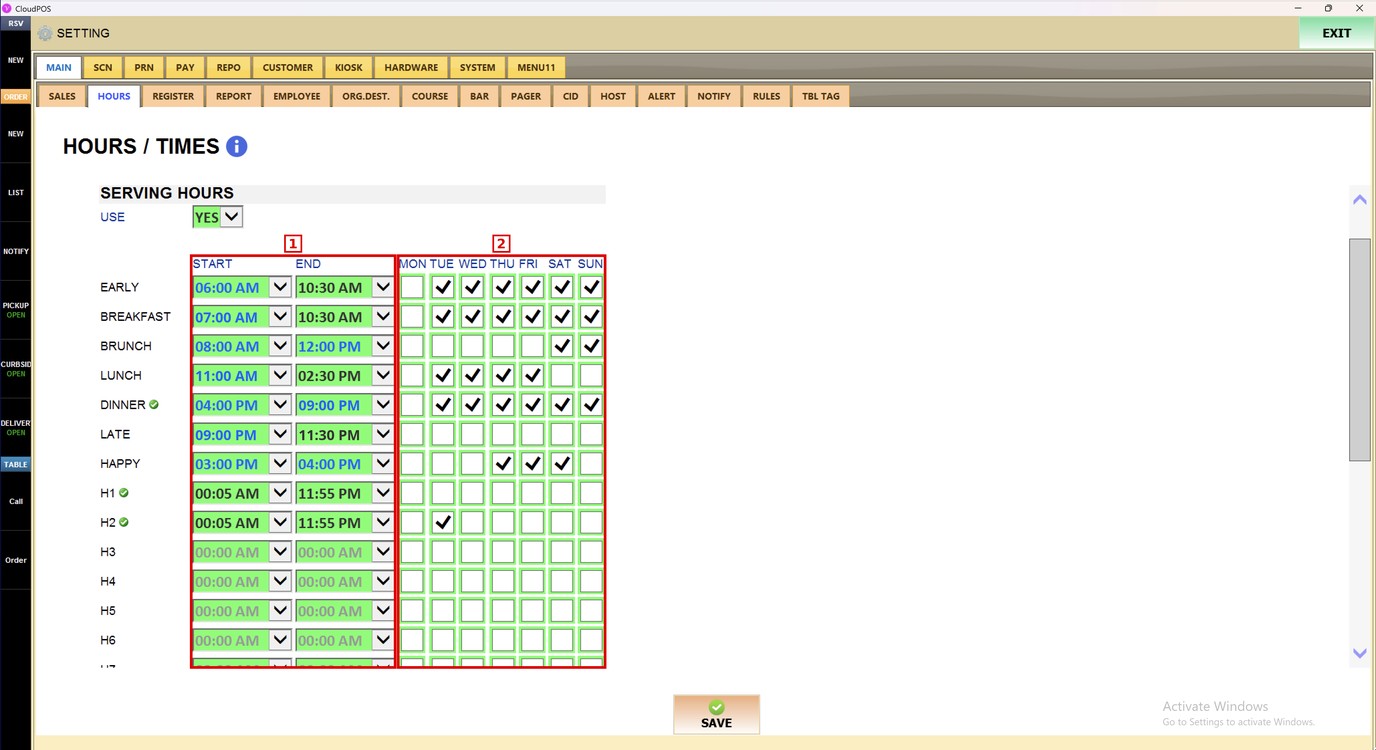
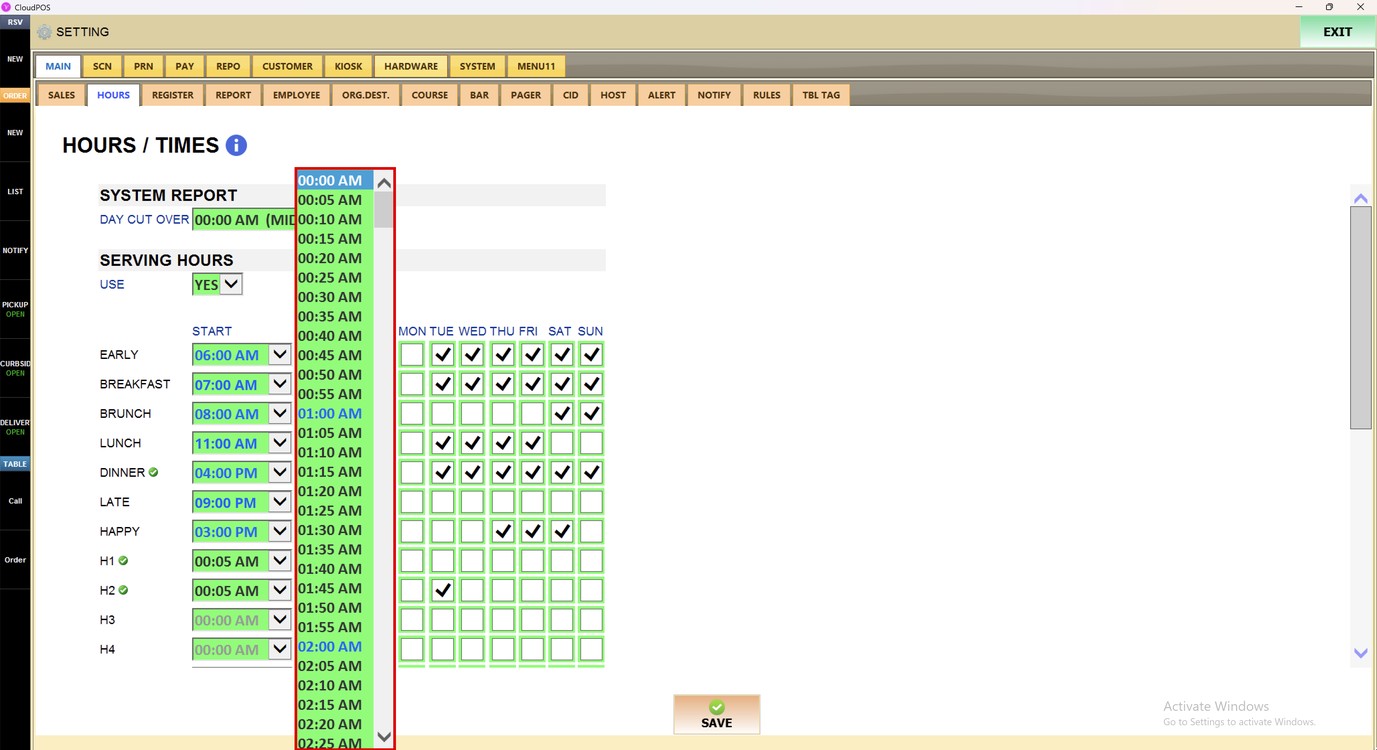
Press a START or END dropdown to see the list of times. The times go in 5-minute steps, from 00:00 AM.
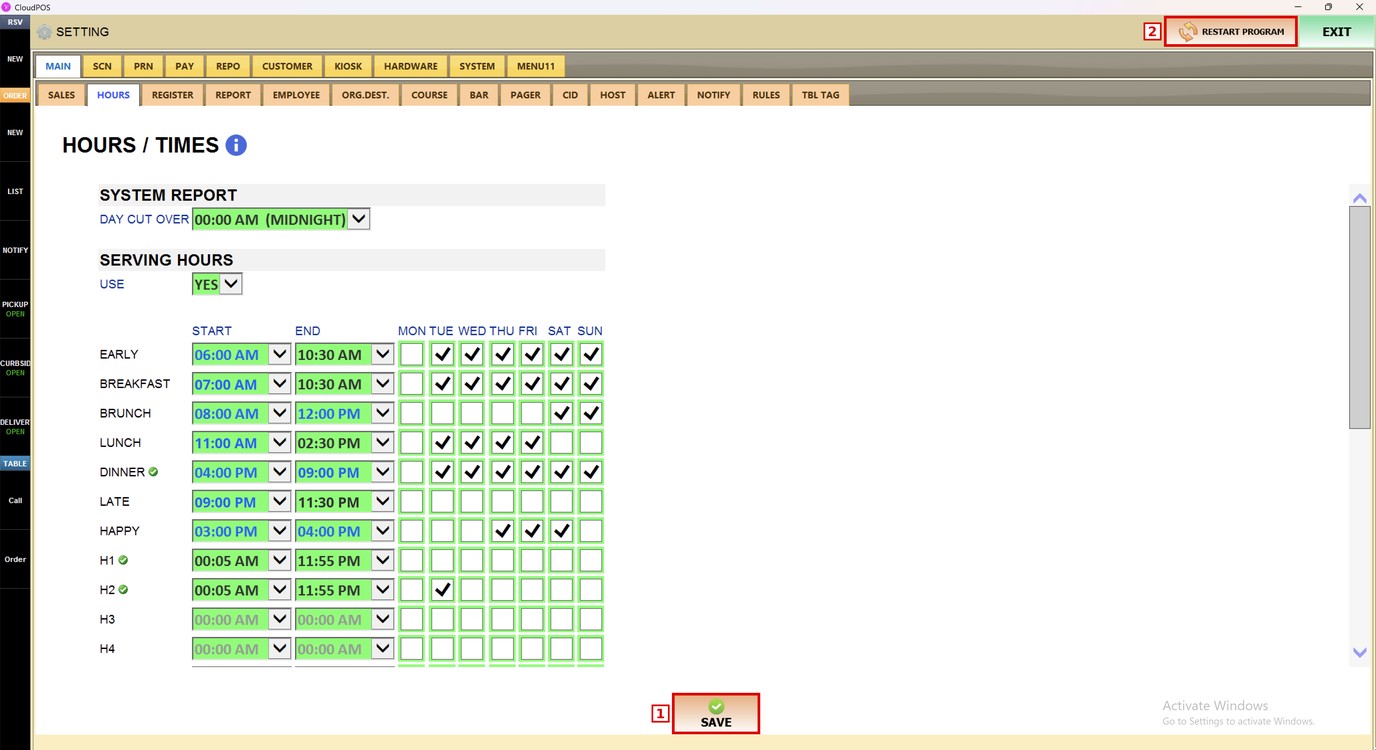
Press SAVE, and then RESTART PROGRAM to apply the changes.
To learn how to use the serving hours in the menu, please refer to the Serving Hours Operation Guide.