Actions
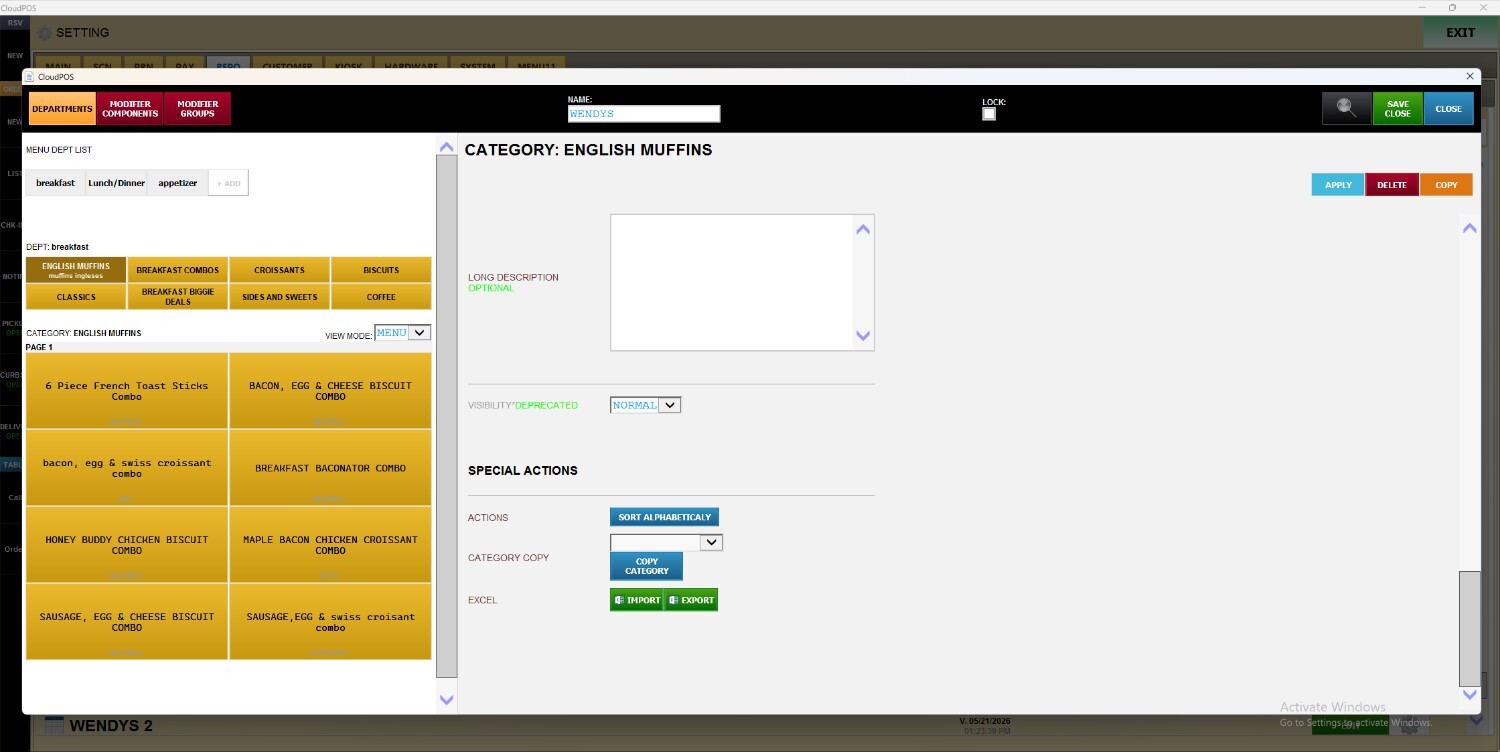
This article explains how to use the Action feature to quickly rearrange menu items within a category in alphabetical order.
Main Screen> MENU> SETTINGS> REPO> EDIT> CATEGORY> SPECIAL ACTIONS> ACTIONS
Go to MENU and press SETTINGS.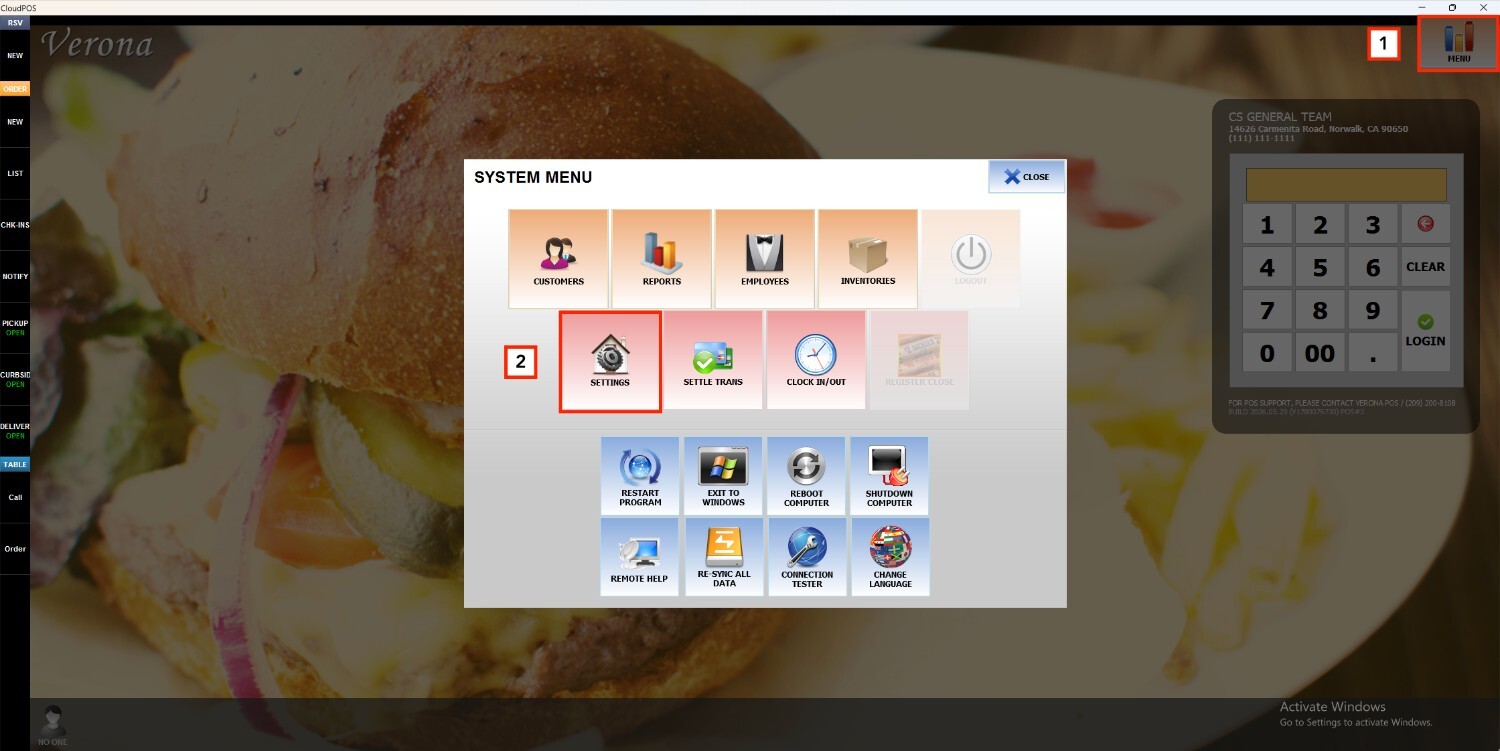
Under the REPO tab, select MENU, locate the menu you want to modify, and click EDIT.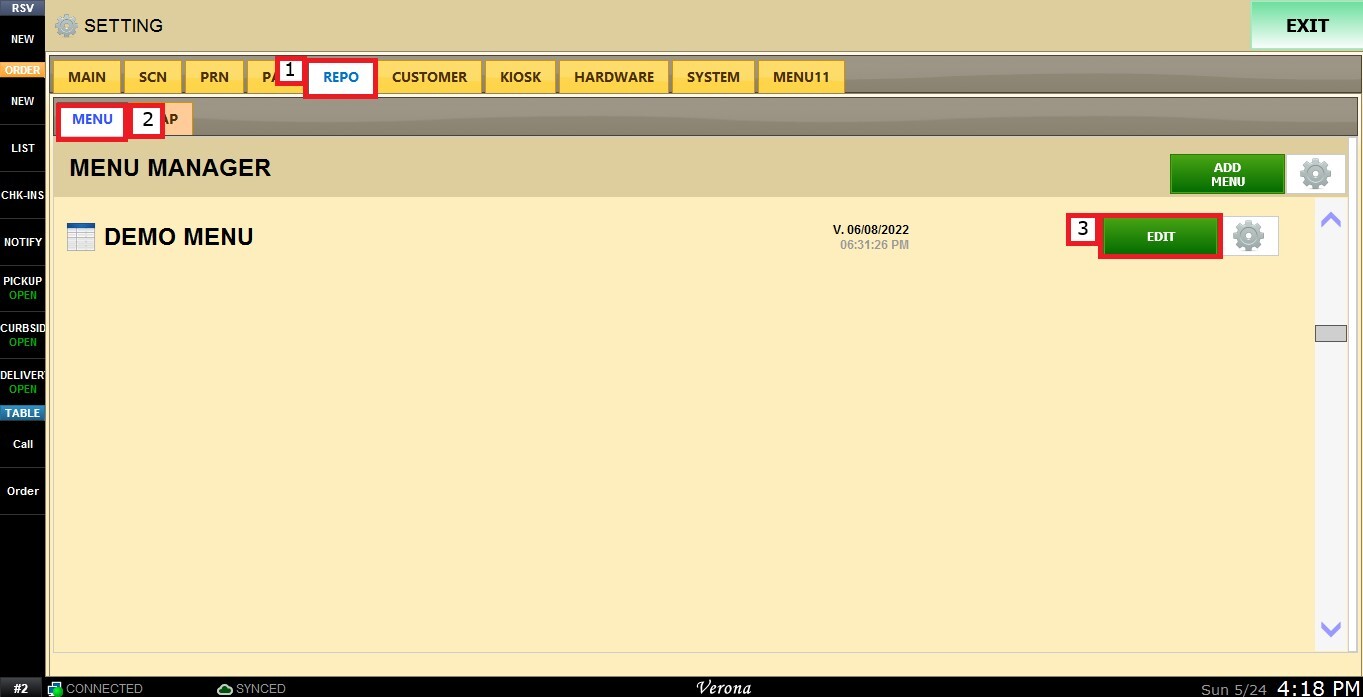
Select a department to display its categories, then choose the category you want to configure.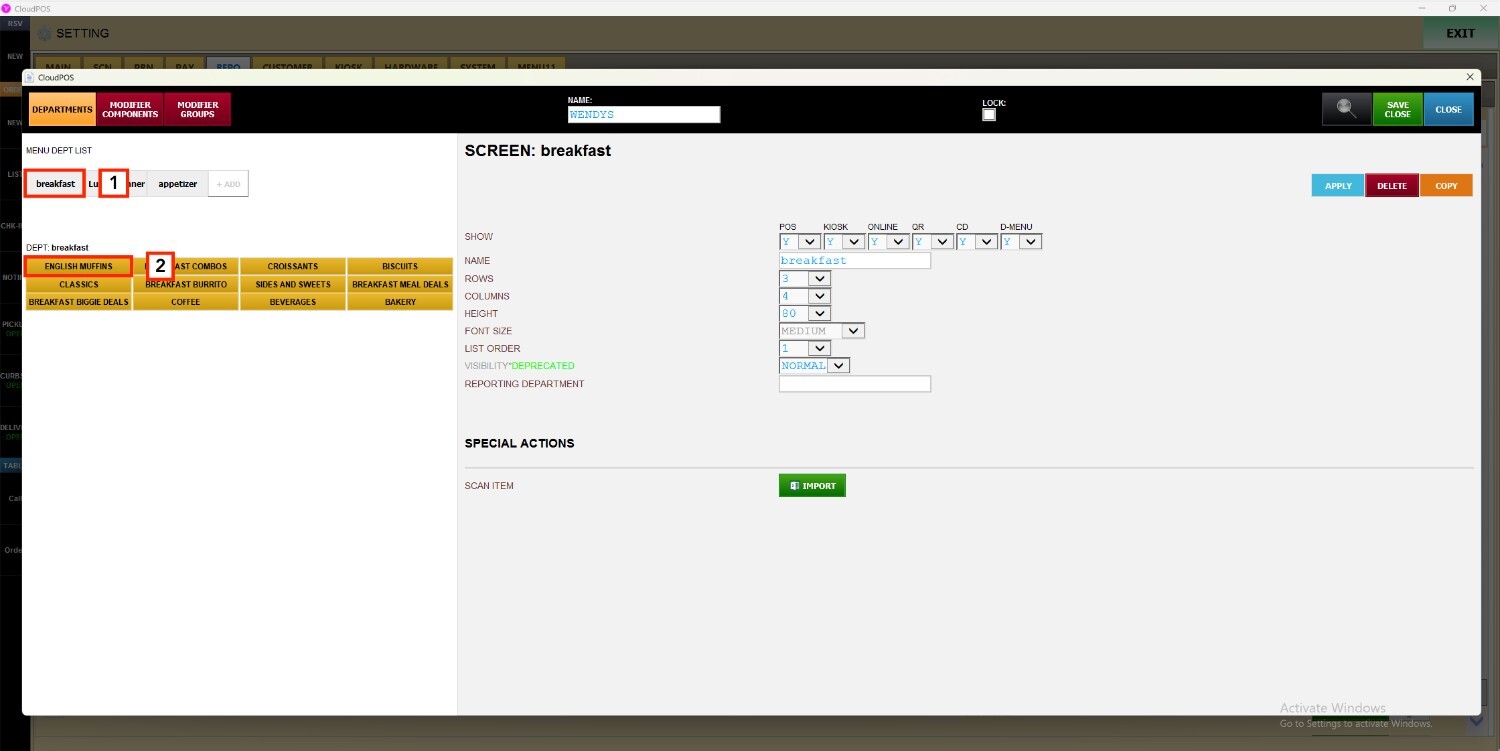
Scroll down to SPECIAL ACTIONS, select SORT ALPHABETICALLY to rearrange all menu items in the chosen category so they display in alphabetical order.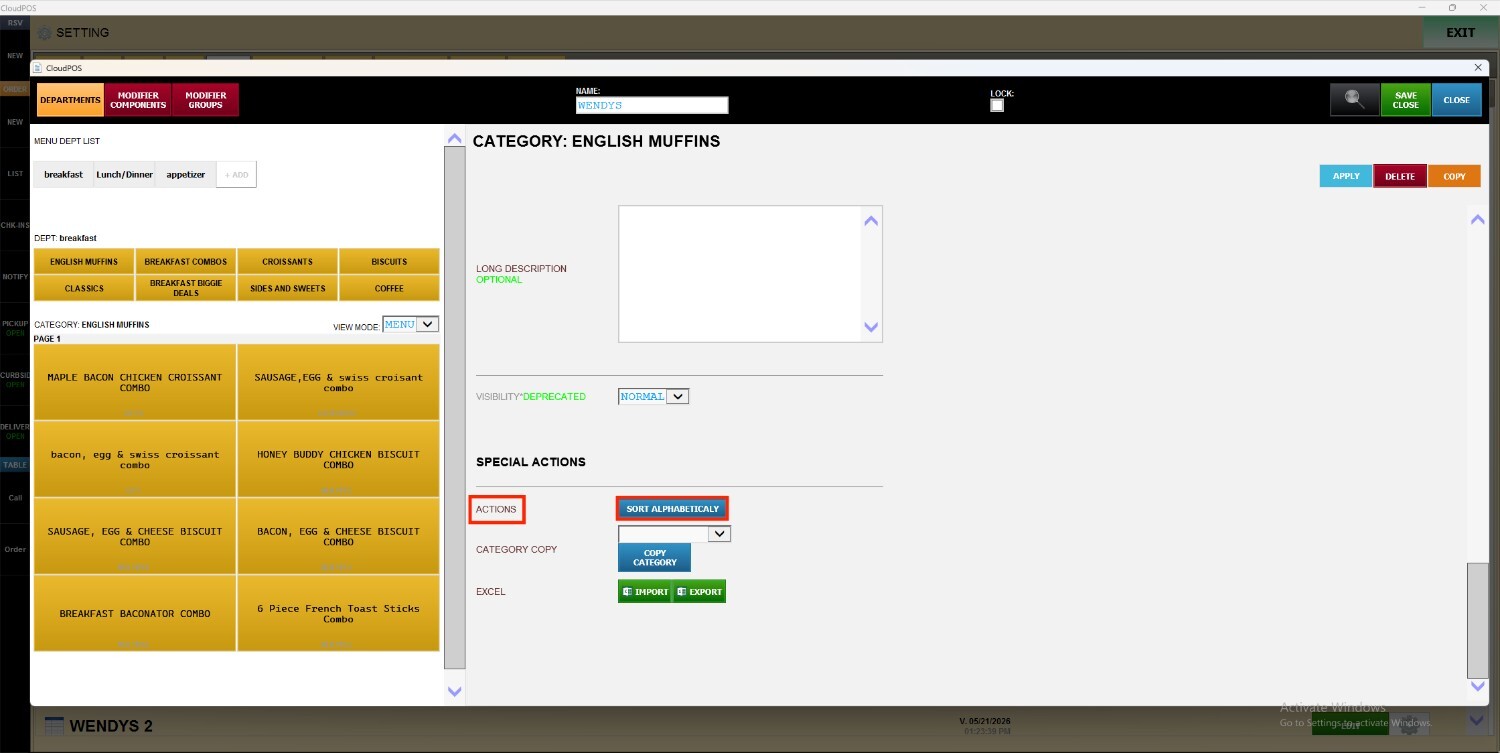
Result:
All menu items within the selected category will automatically be rearranged and displayed in alphabetical order.