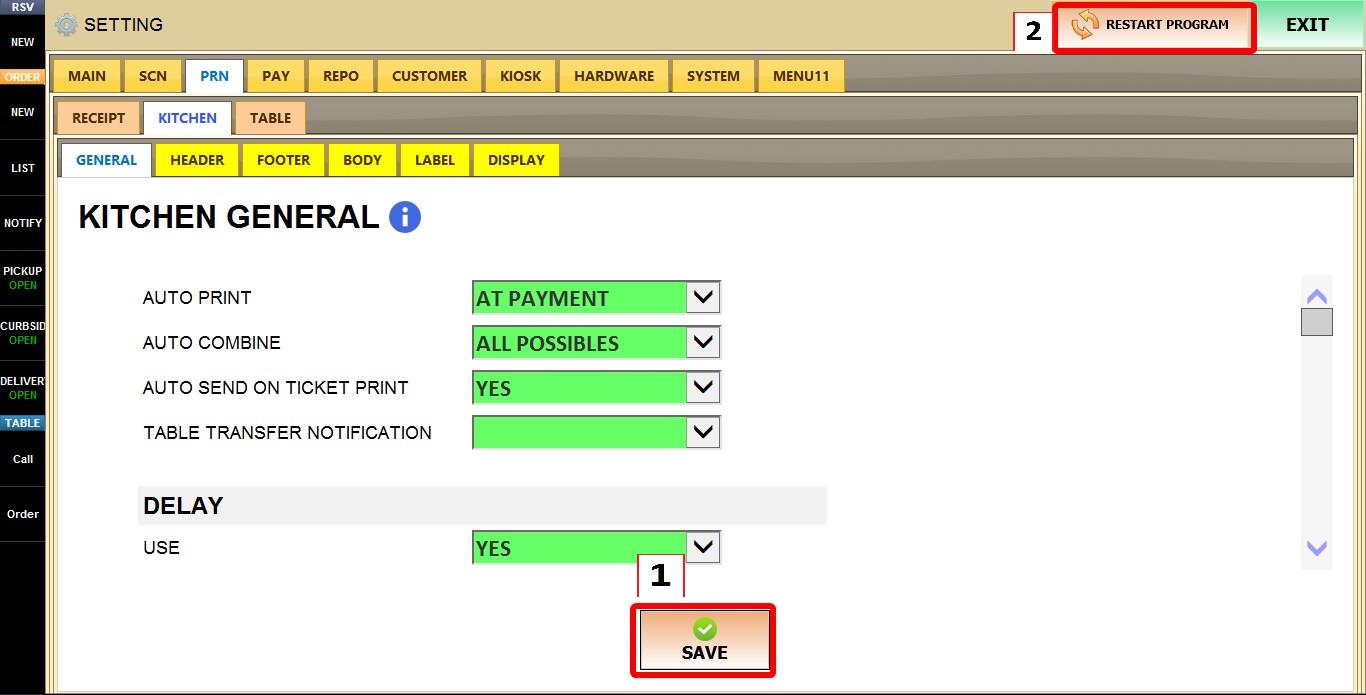
General (Kitchen)
These settings control how kitchen tickets are automatically sent and printed, how duplicate items are grouped, delayed printing options, and custom kitchen station names. Use these settings to customize kitchen printer behavior for both Quick Service and Fine Dining environments.
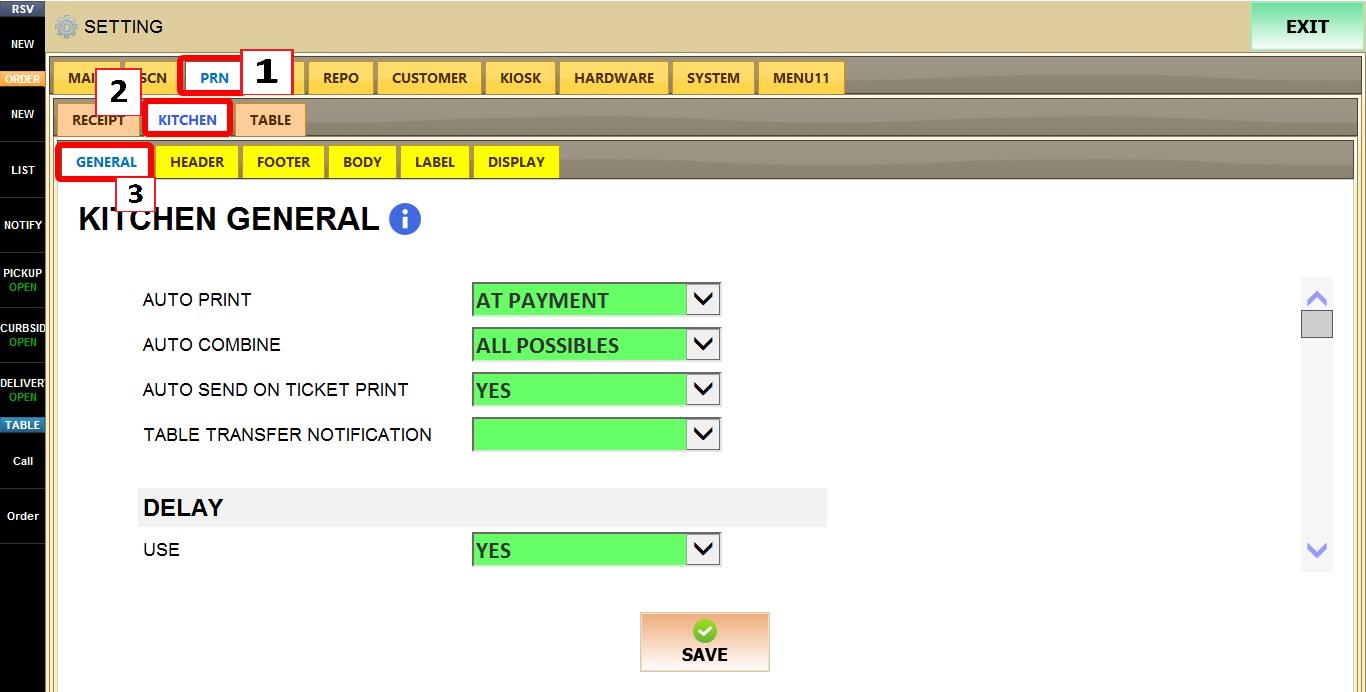
MENU > SETTINGS > PRINT > KITCHEN > GENERAL
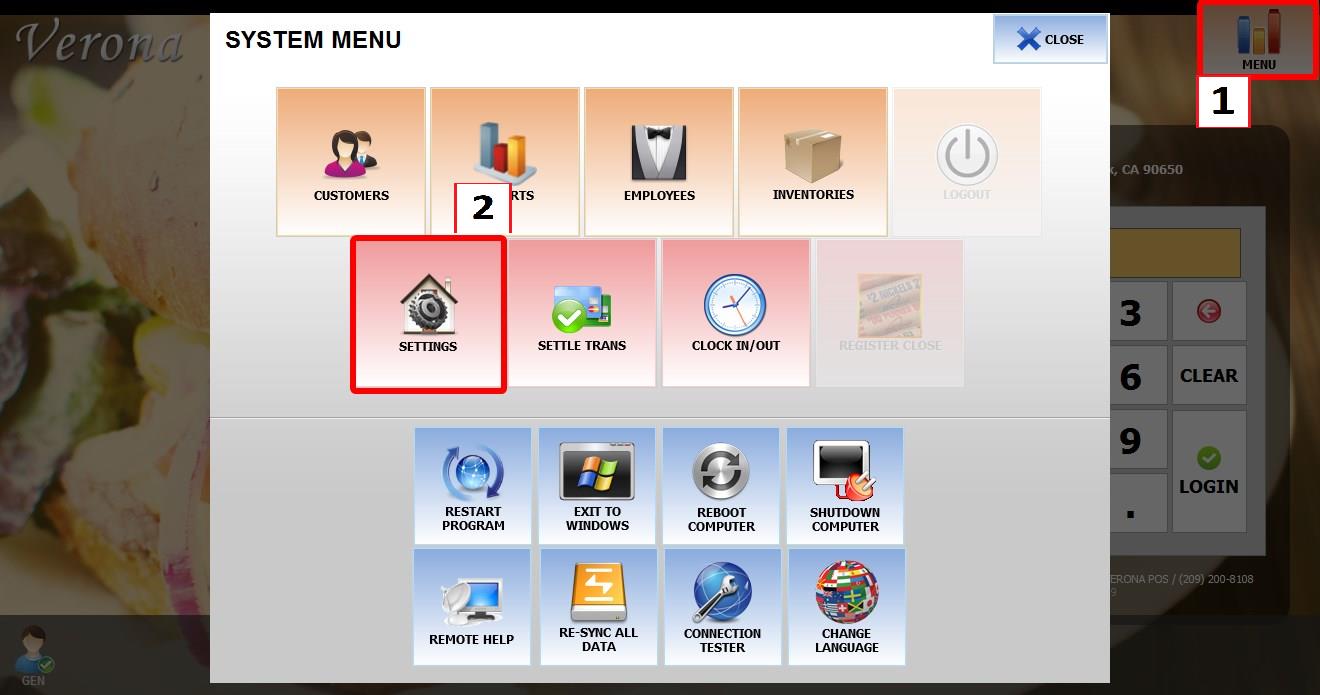
From the MAIN SCREEN, click MENU, then select SETTINGS.
Open the PRINT tab, then KITCHEN, then select GENERAL.
AUTO PRINT
Determines when kitchen tickets are automatically sent to the kitchen printer. This setting applies only to QSR stations.
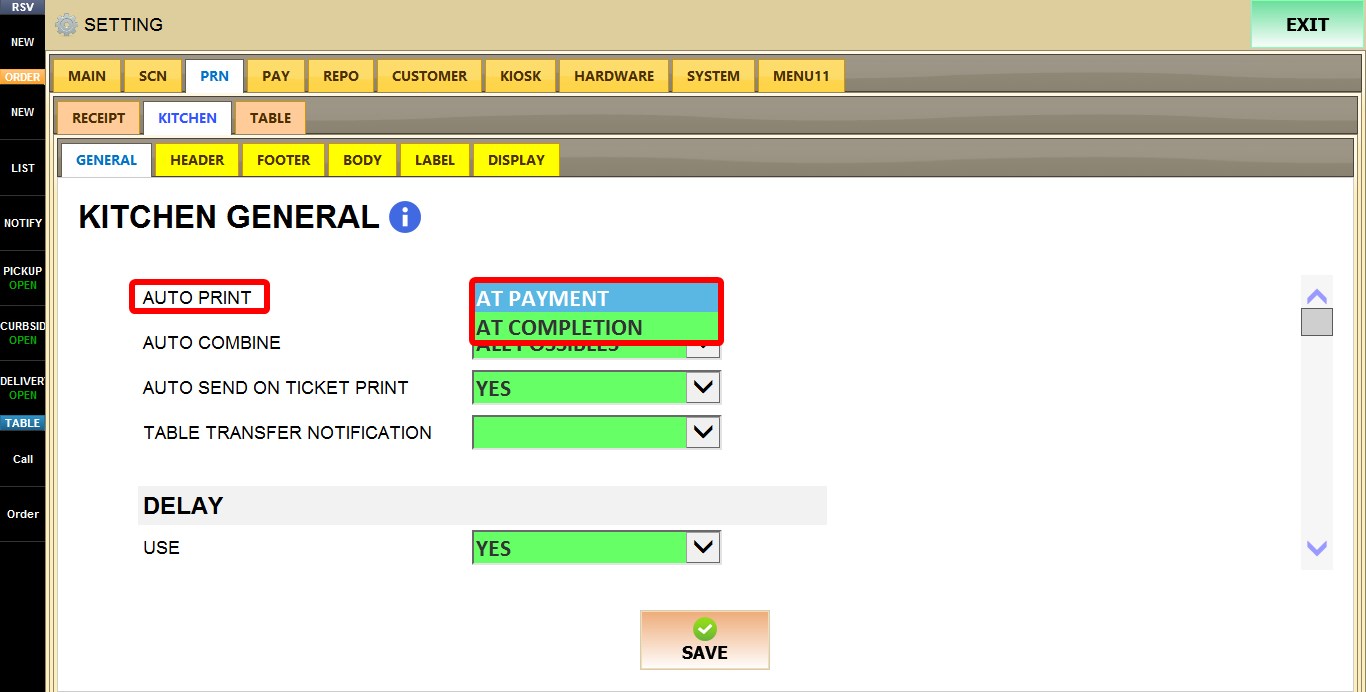
1. AT PAYMENT: Sends the kitchen ticket when the PAY button is pressed.
2. AT COMPLETION: Sends the kitchen ticket after the payment has been completed.
AUTO COMBINE
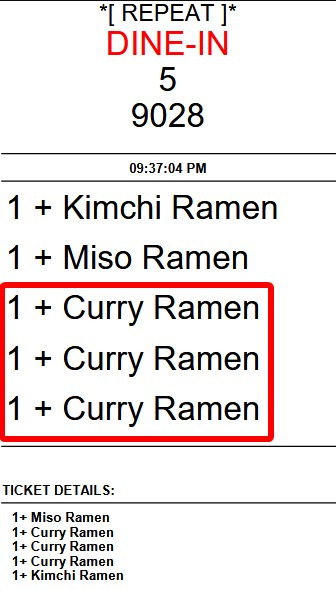
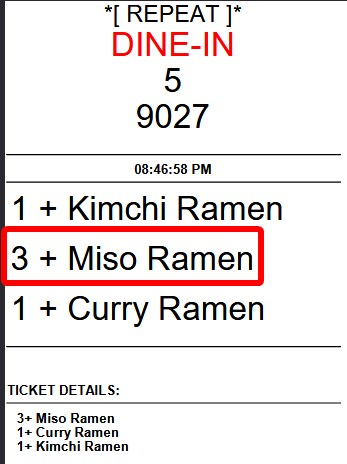
Determines whether identical items are printed individually or combined into a single line on kitchen tickets.
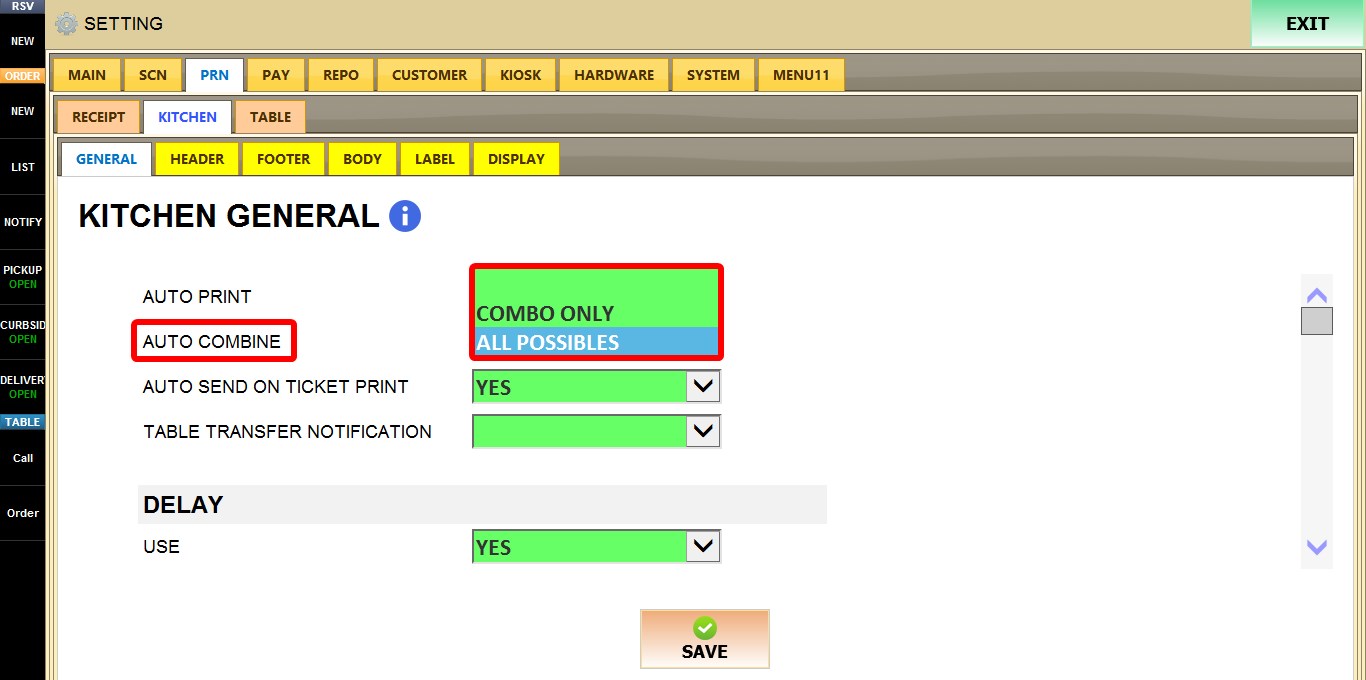
1. BLANK: Prints every item individually.
2. COMBO ONLY: Reserved for combo item grouping. This option may not affect printing in current versions.
3. ALL POSSIBLES: Combines identical items into a single line whenever both the item and its modifiers are exactly the same.
AUTO SEND ON TICKET PRINT
Determines whether printing a customer ticket also sends the order to the kitchen printer.
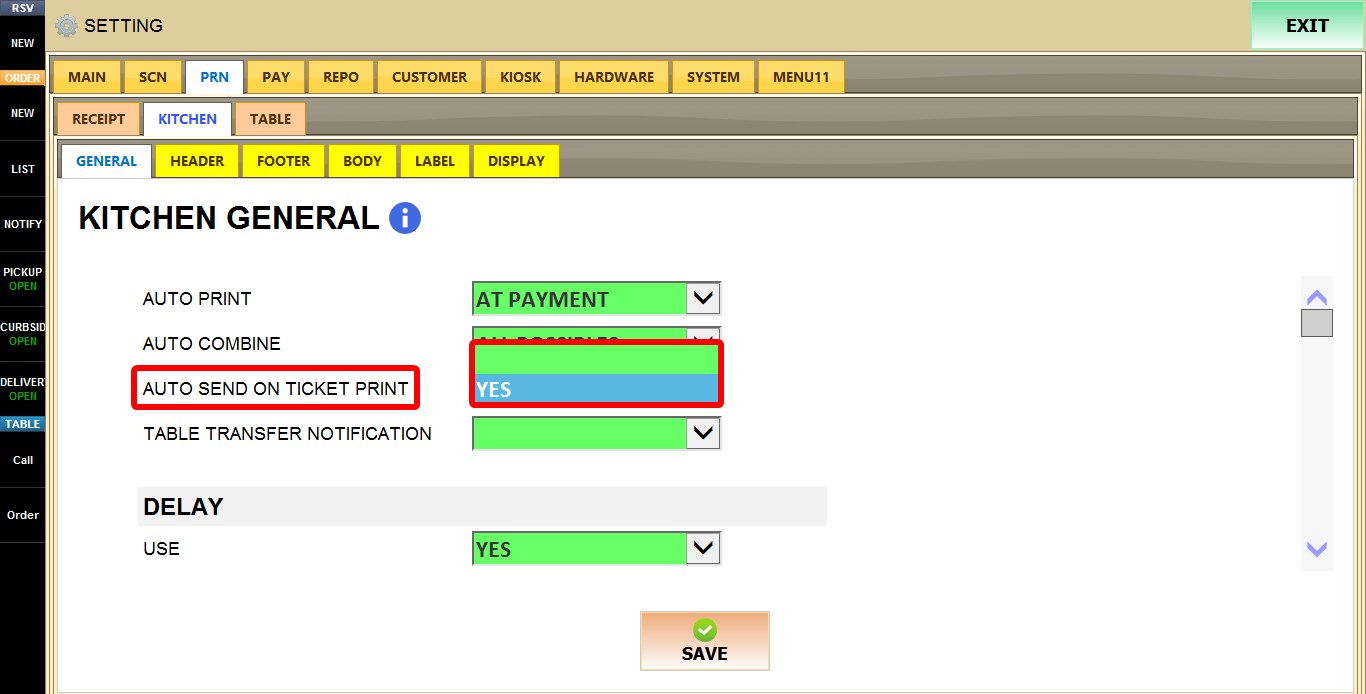
1. BLANK: Does not automatically send the ticket to the kitchen.
2. YES: Automatically sends the ticket to the kitchen whenever the customer ticket is printed.
TABLE TRANSFER NOTIFICATION
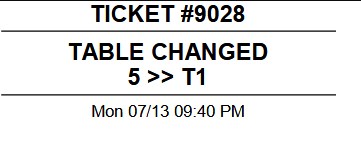
Determines whether a notification ticket is printed when a table is transferred. This setting applies only to Fine Dining stations.
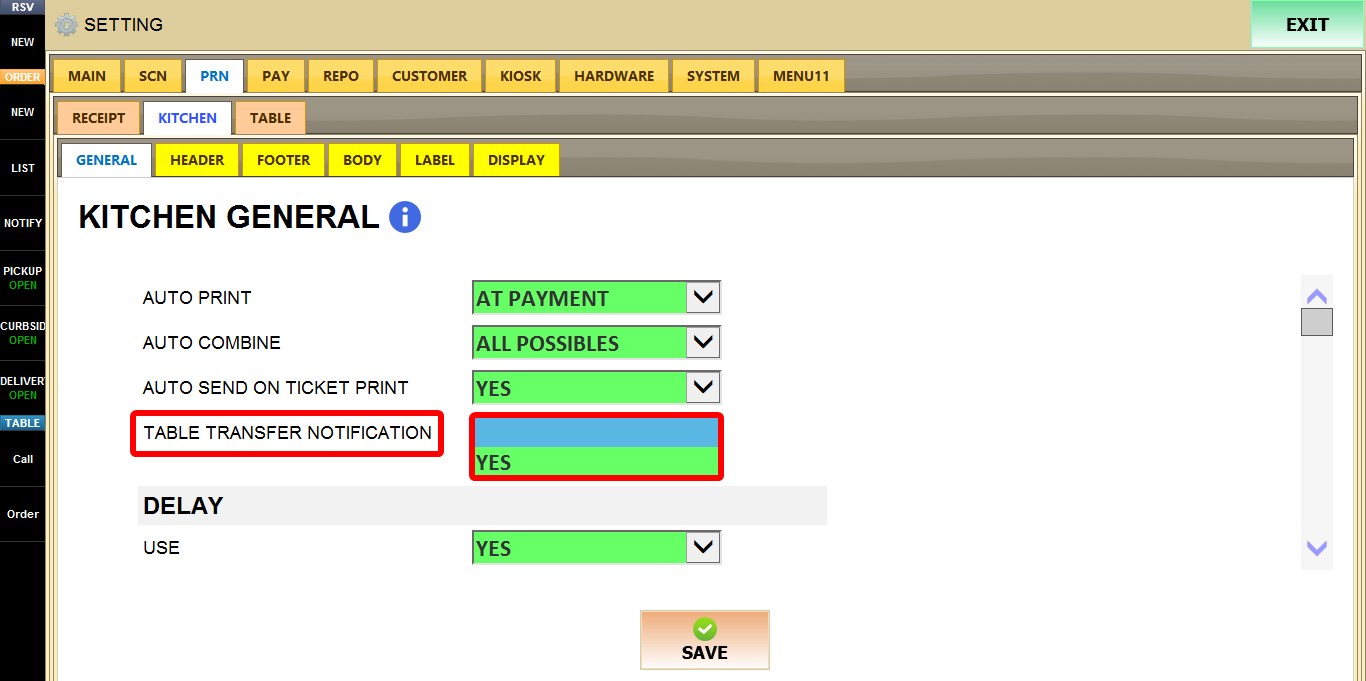
1. BLANK: Does not print a transfer notification.
2. YES: Prints a notification ticket whenever a table is transferred.
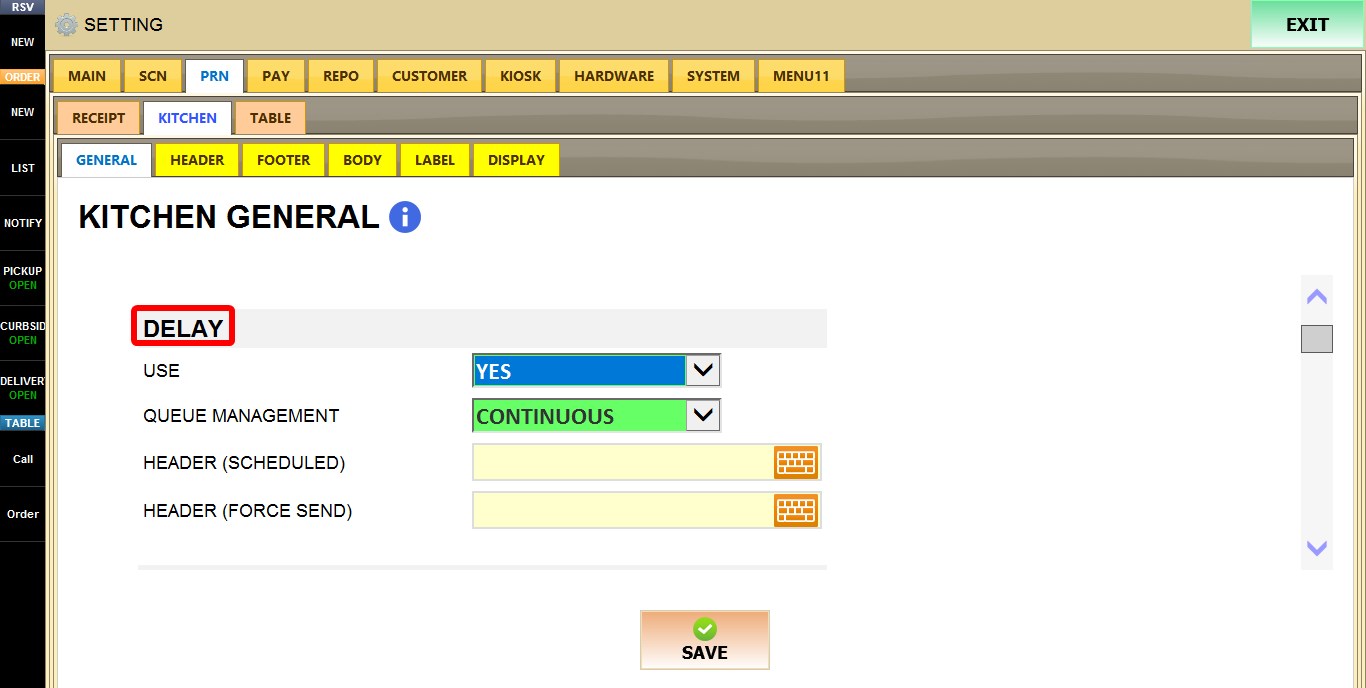
DELAY
These settings control delayed kitchen ticket printing and queue management.
USE
Enables or disables delayed kitchen ticket printing.
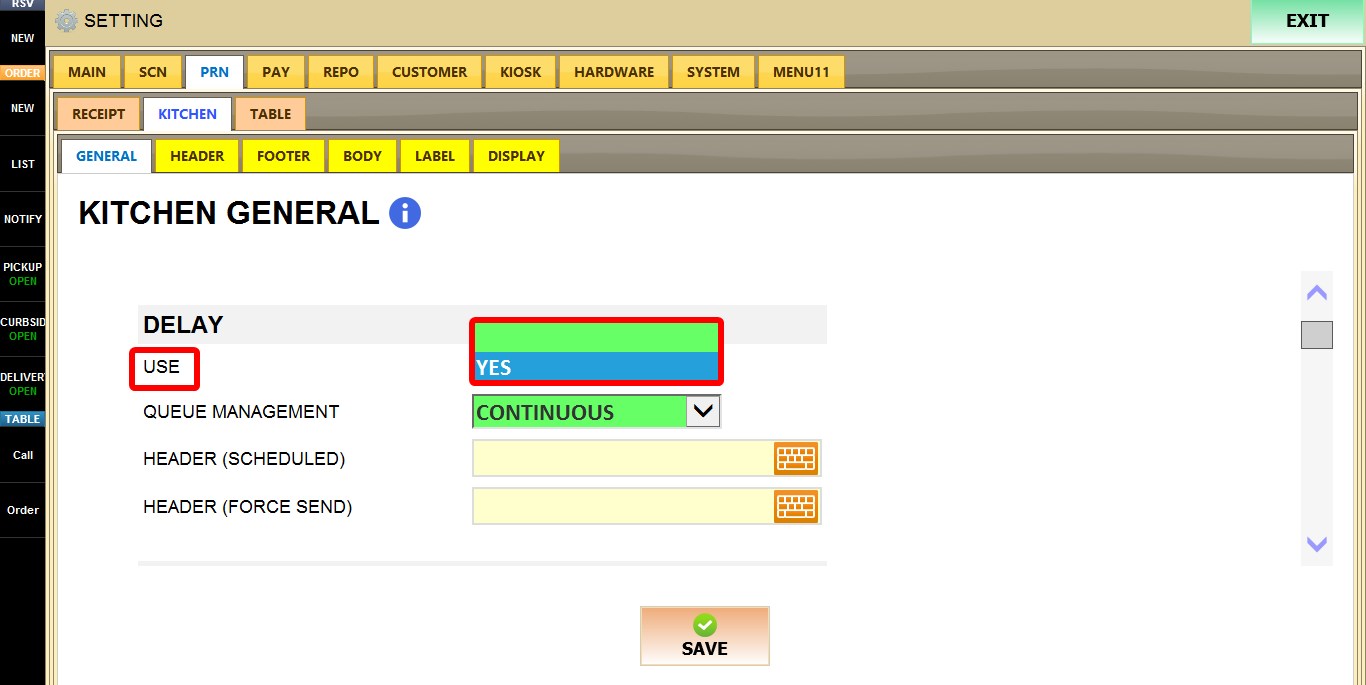
1. BLANK: Disables delayed printing.
2. YES: Enables delayed printing.
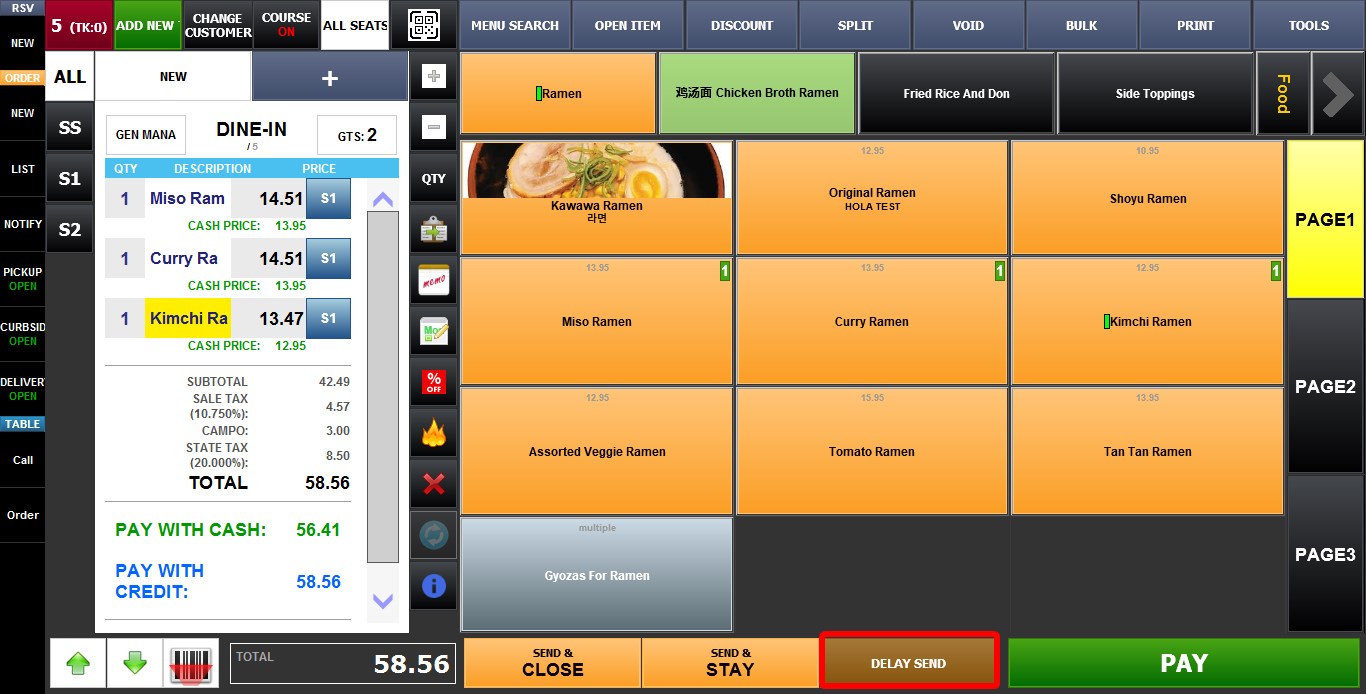
QUEUE MANAGEMENT
Determines how delayed kitchen tickets are managed.
Refer to the Delay List guide to learn more
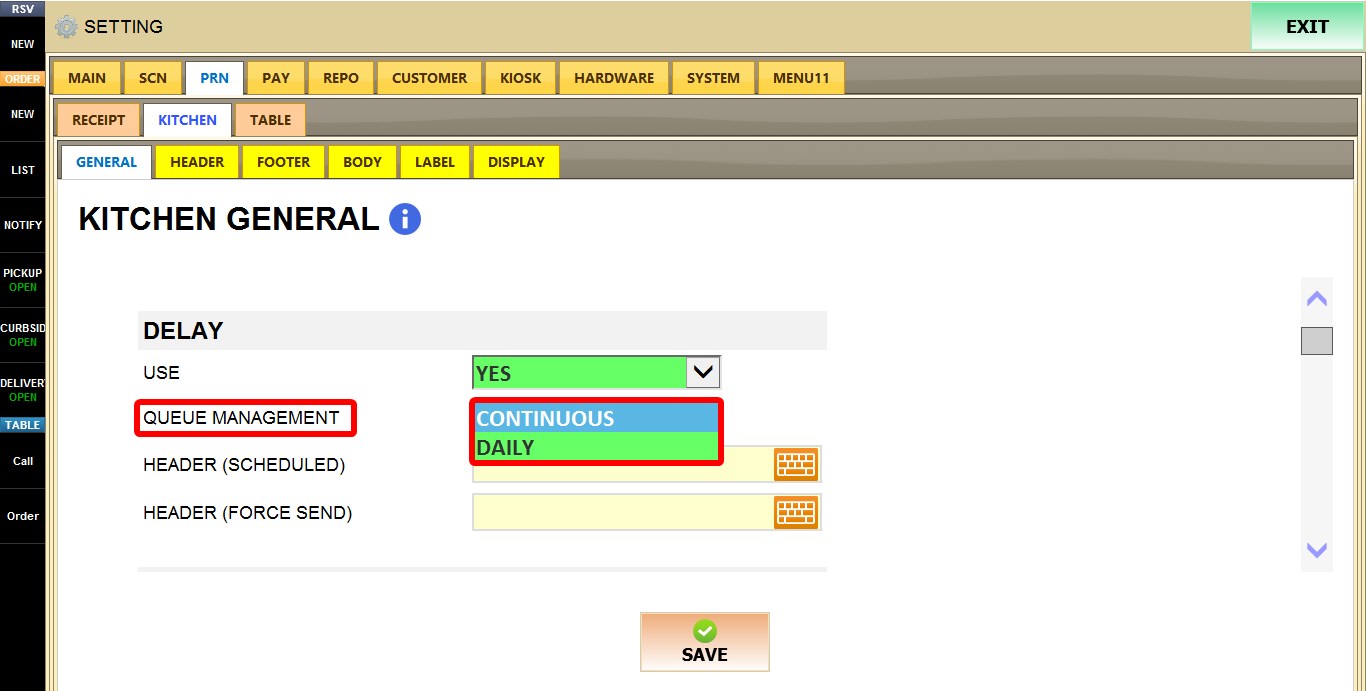
1. CONTINUOUS: Maintains a continuous printing queue.
2. DAILY: Resets the queue each business day.
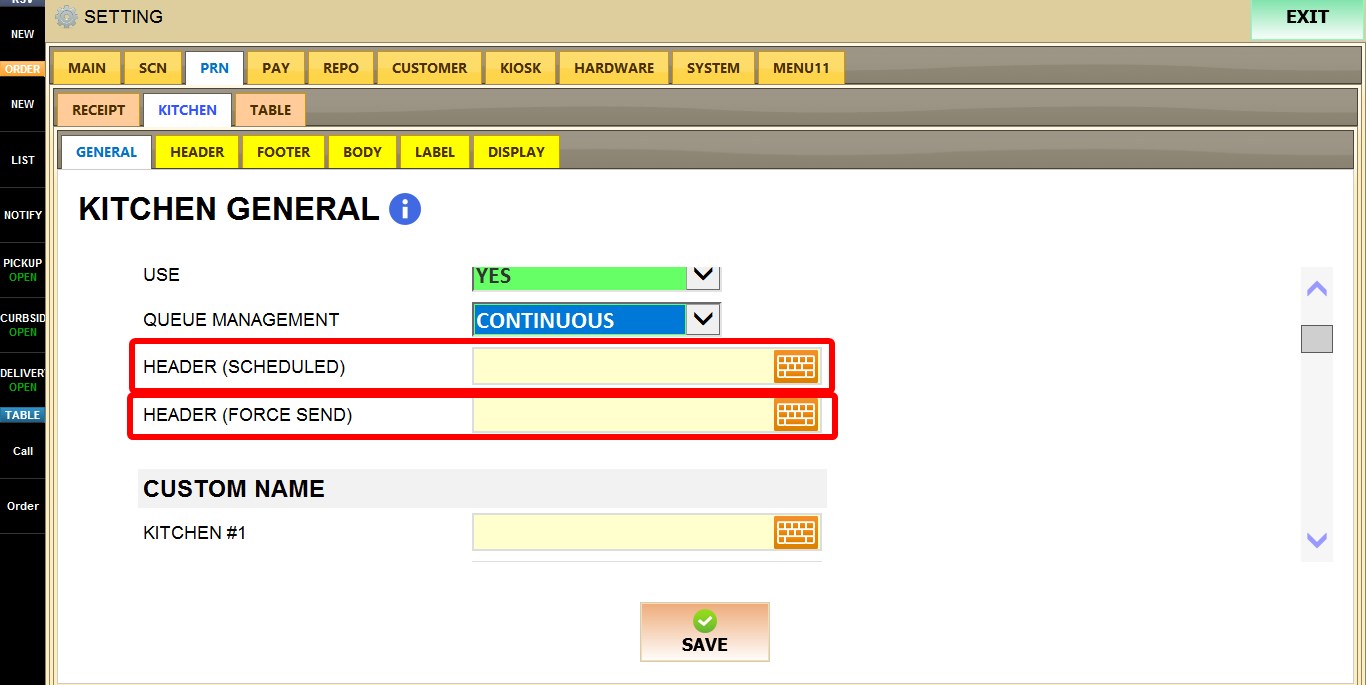
HEADER (SCHEDULED)
Specifies the text printed at the top of scheduled kitchen tickets.

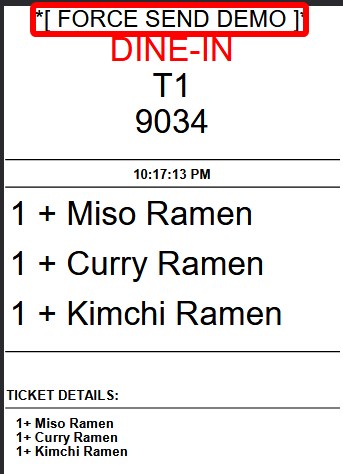
HEADER (FORCE SEND)
Specifies the text printed at the top of kitchen tickets that are force sent.
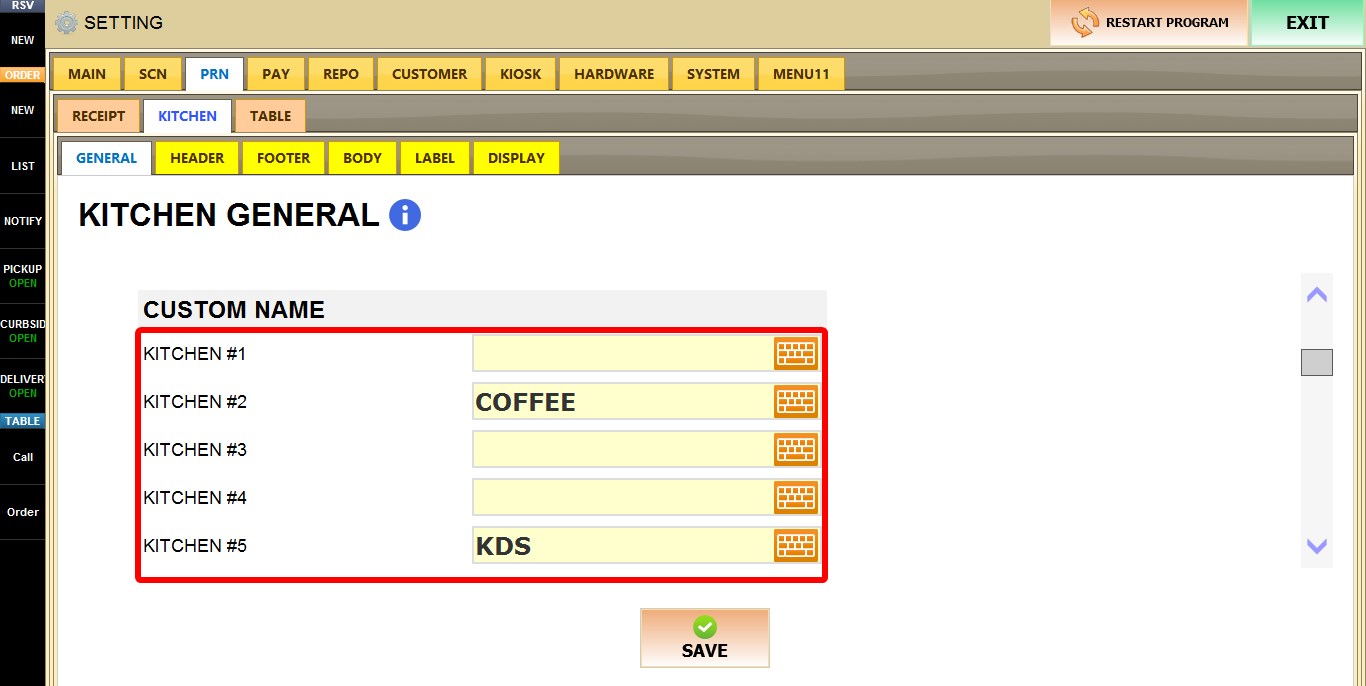
CUSTOM NAME
Allows you to assign a custom name to each kitchen station.

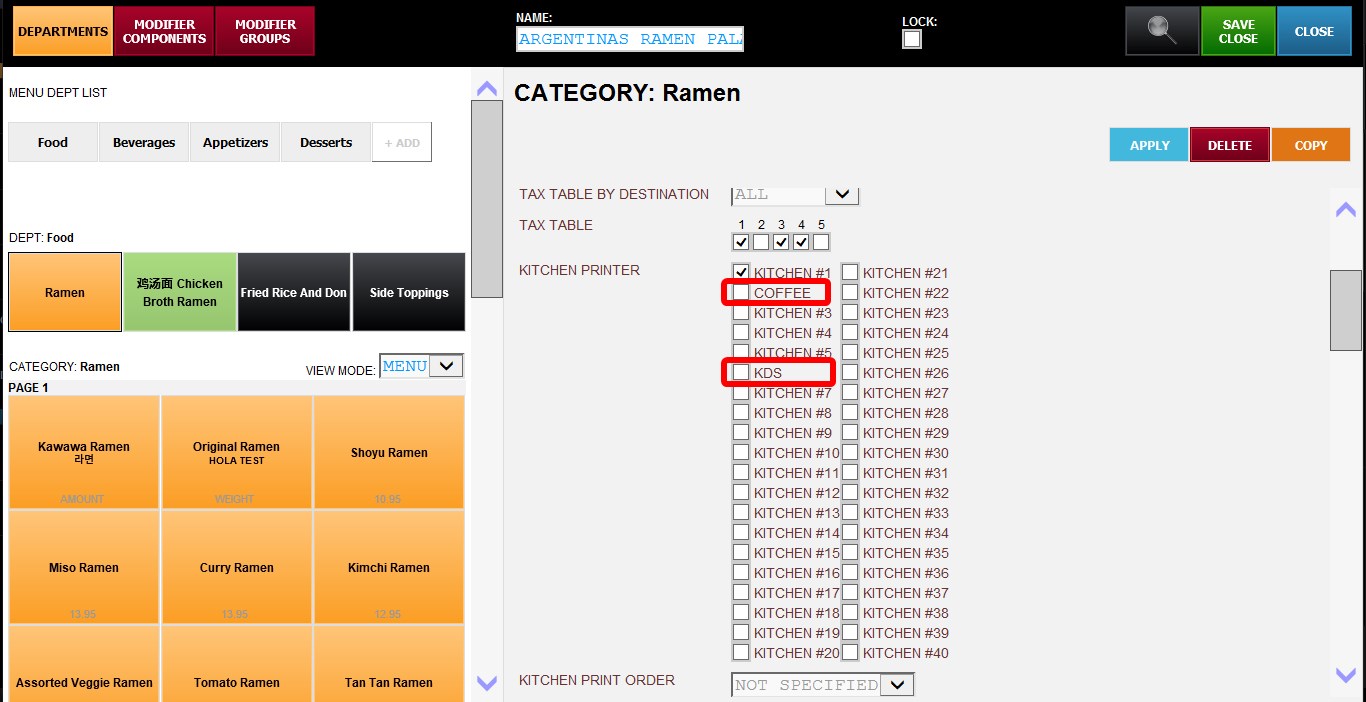
Each row corresponds to a kitchen station (KITCHEN #1 through KITCHEN #40). Enter a custom name in the text field to make the station easier to identify throughout the system.
Result
After you are done configuring the settings, click SAVE, then RESTART THE PROGRAM for the changes to take effect.