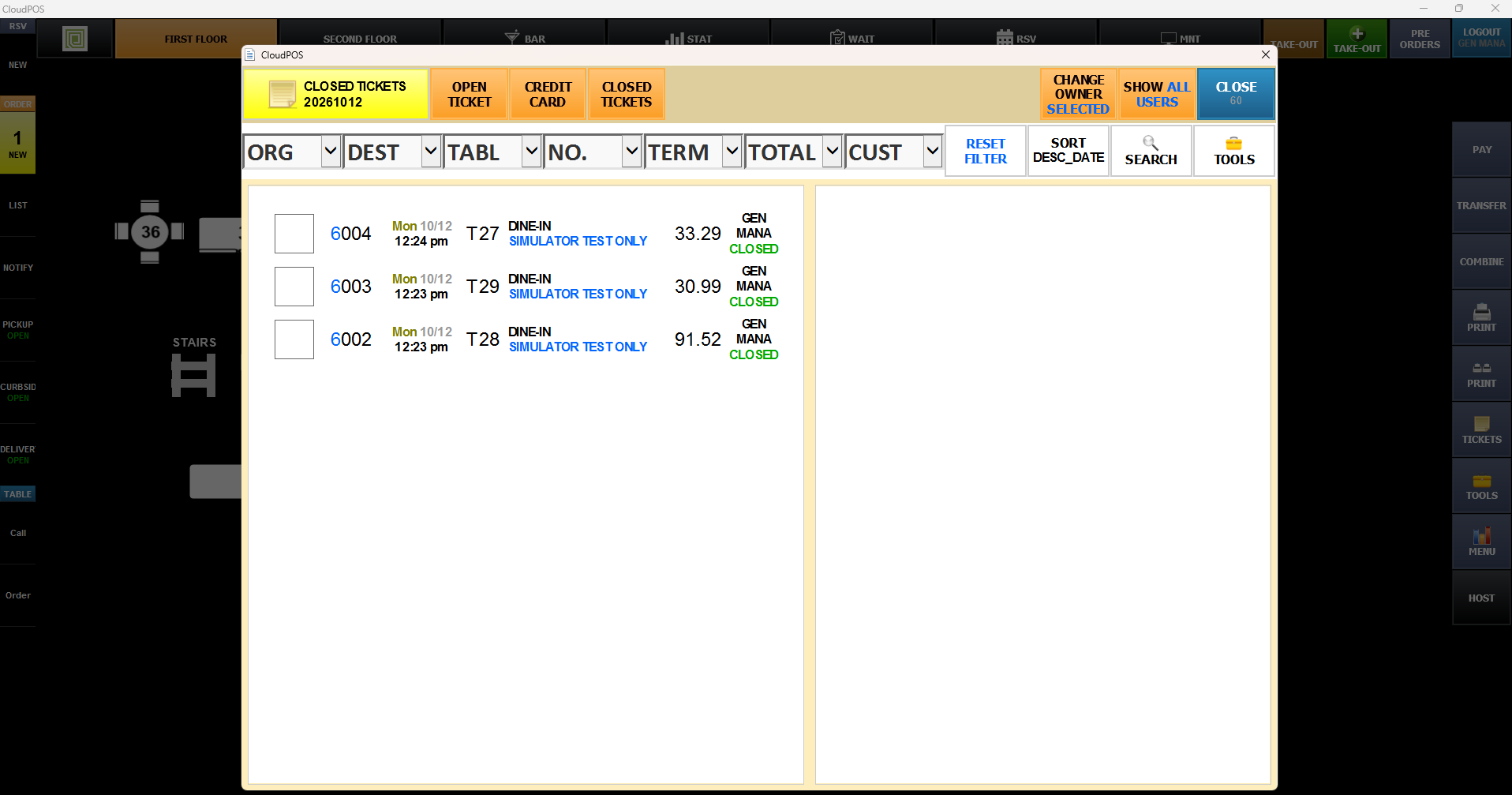
Payment Adjust
The Payment Adjustment function allows you to correct the payment method on a closed ticket by reopening it and updating the payment. Use this when a ticket was accidentally processed with the wrong payment method, such as Cash instead of a credit card.
This process works only for Cash & Other payment. For tickets that received credit card payment, refer to Credit Card Void from
Fine Dining: Map Screen > Ticket button on right side > Close Tickets > Adjust payment
QSR: Sales Screen > Ticket button on top left corner > Close Tickets > Adjust payment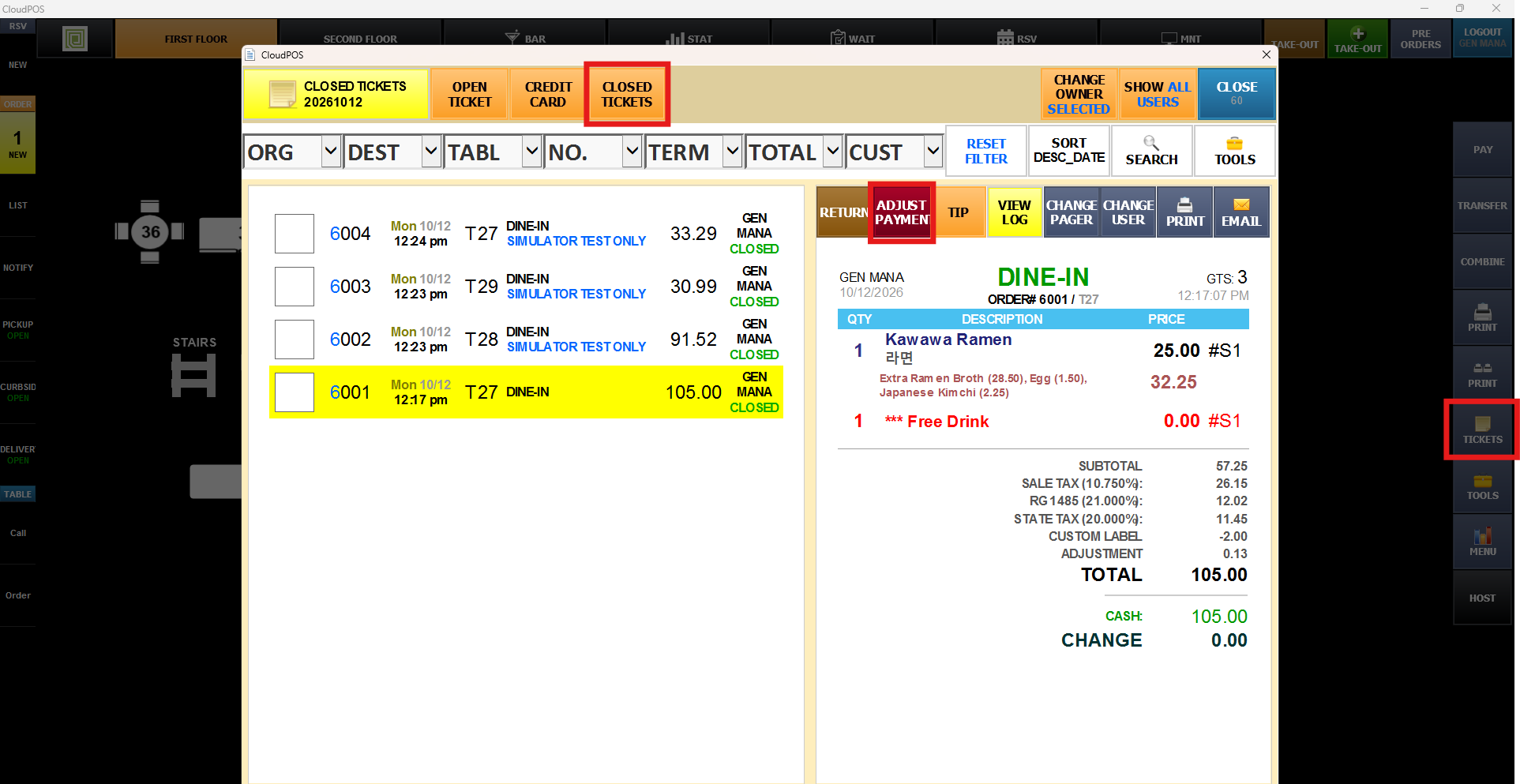
Check the DELETE box.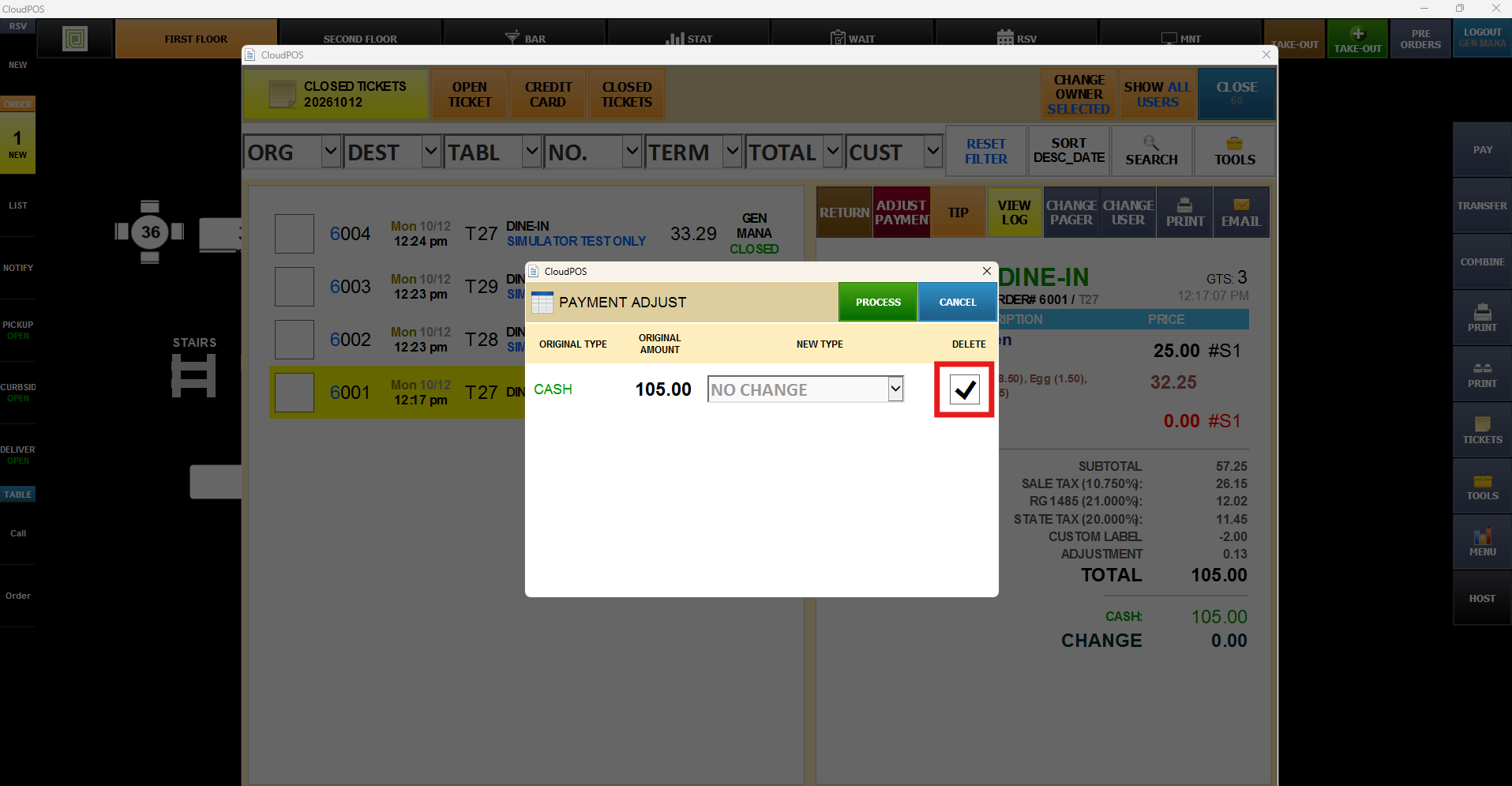
When prompted for confirmation, press YES. If you do not have permission to adjust payment, it will ask for the manager's access code.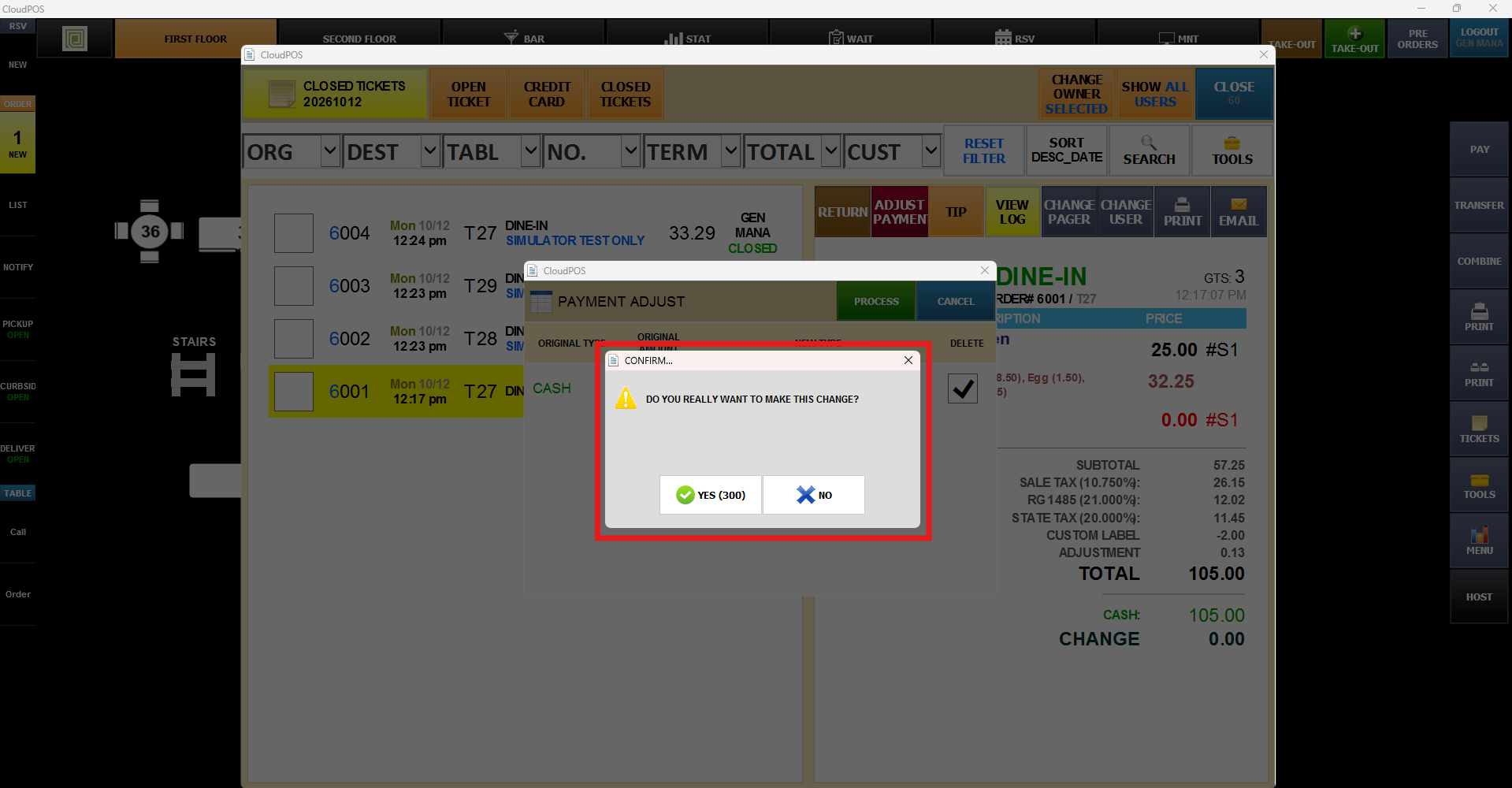
Payment will be deleted, and you will be able to see an open ticket