Pager
The Pager/Tent setting allows the user to configure either pagers or table tents, select which destinations use them, and define the range of numbers available. This helps staff match each order with its customer.
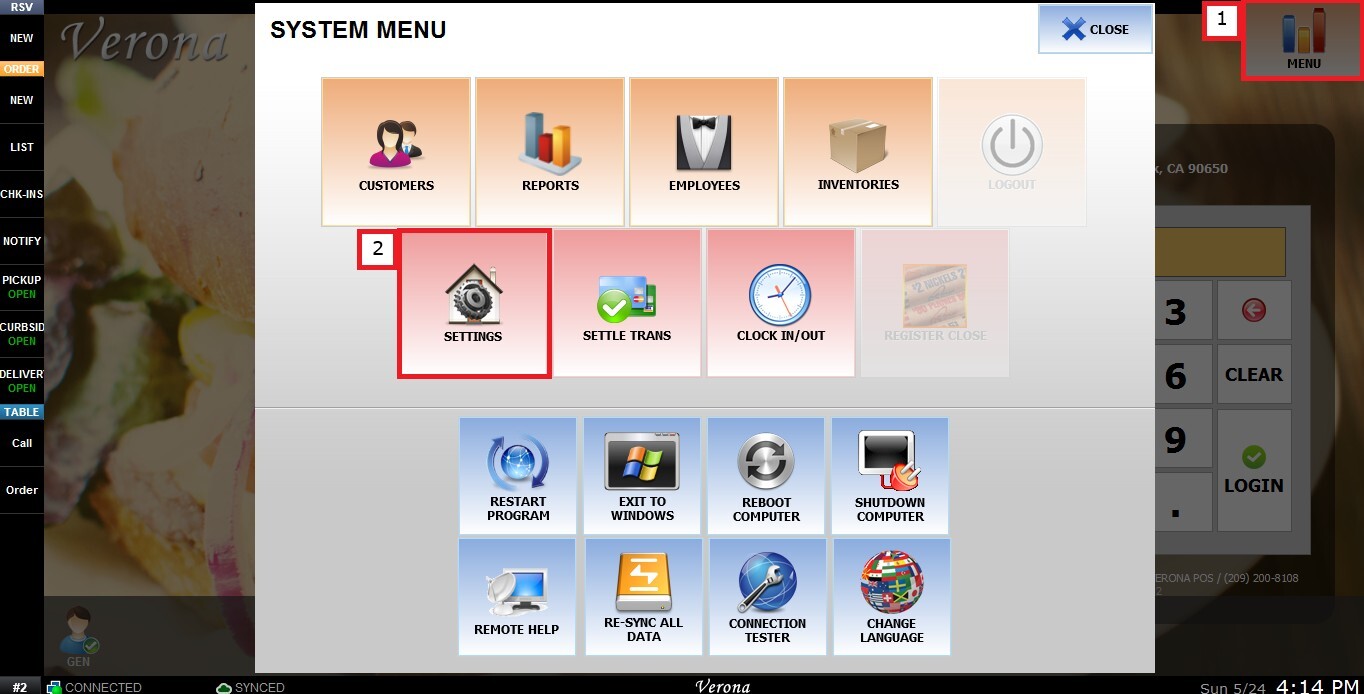
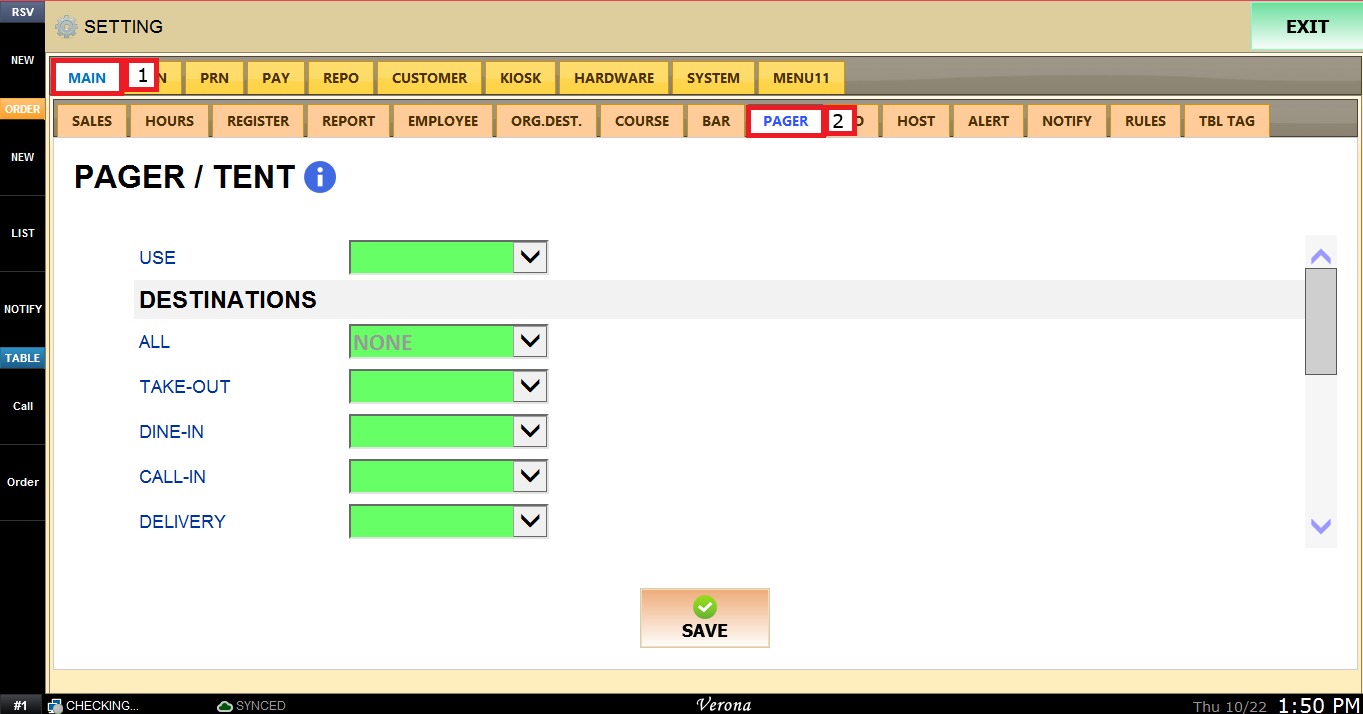
MENU > SETTINGS > MAIN > PAGER
From the Main Screen, click MENU, then select SETTINGS.
Under MAIN, select PAGER, and review the available configuration options.
Use
This setting defines whether this feature is not enabled or enable defining if store uses pagers or tents.
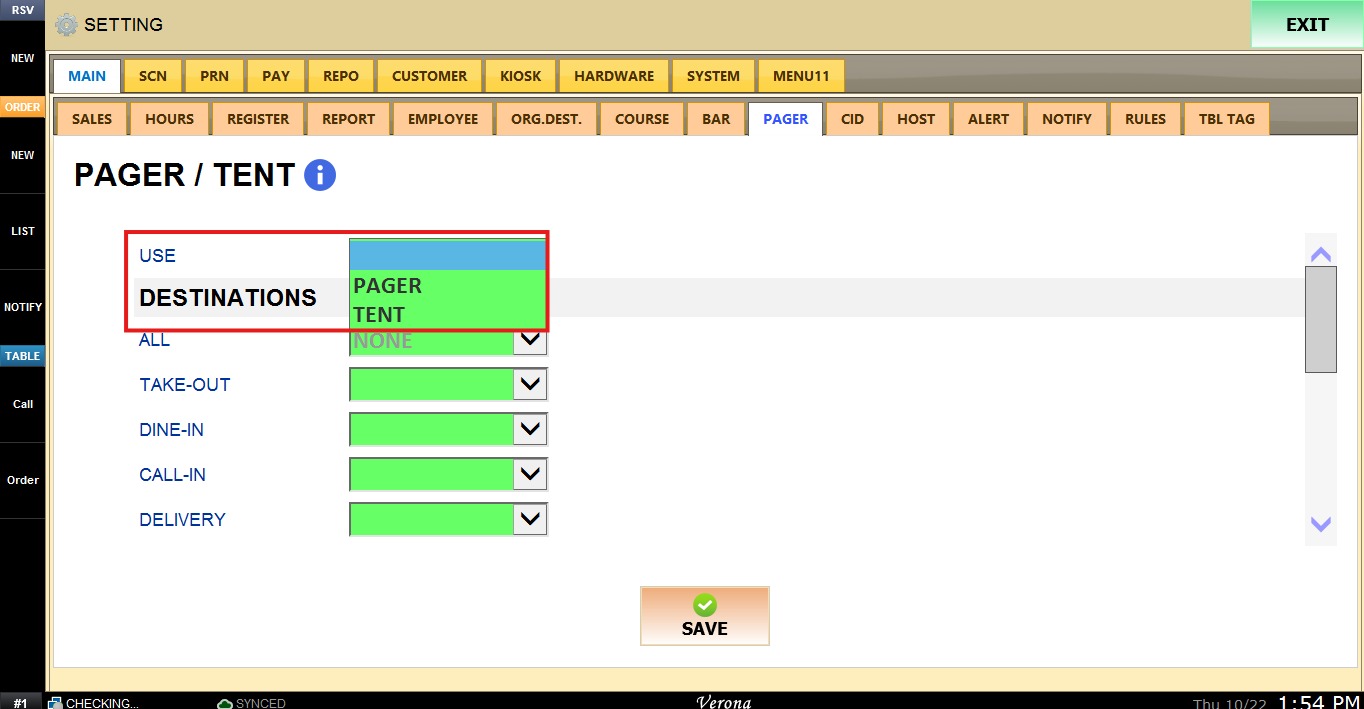
The USE dropdown menu has the following options:
1. BLANK: Leave the field blank to keep the feature disabled.
2. PAGER: Enables the pager system.
3. TENT: Enables the tent system.
Destinations
This section defines which destinations use the pager or tent, and how the number is requested when an order is created. Each destination has its own dropdown menu.
Select an option under ALL to apply it to every destination at once. To use a different option for a specific destination, change the dropdown menu under it.
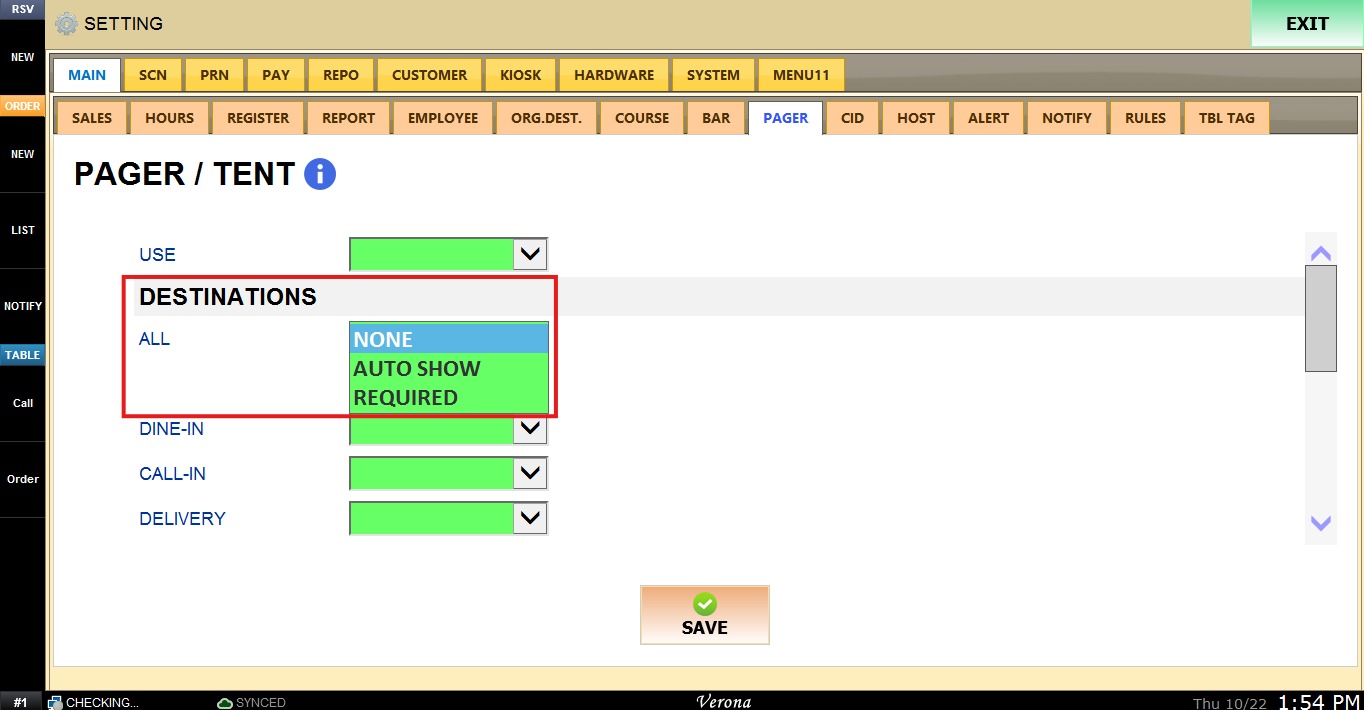
Numbering
This section defines the range of numbers assigned to the pagers or tents.
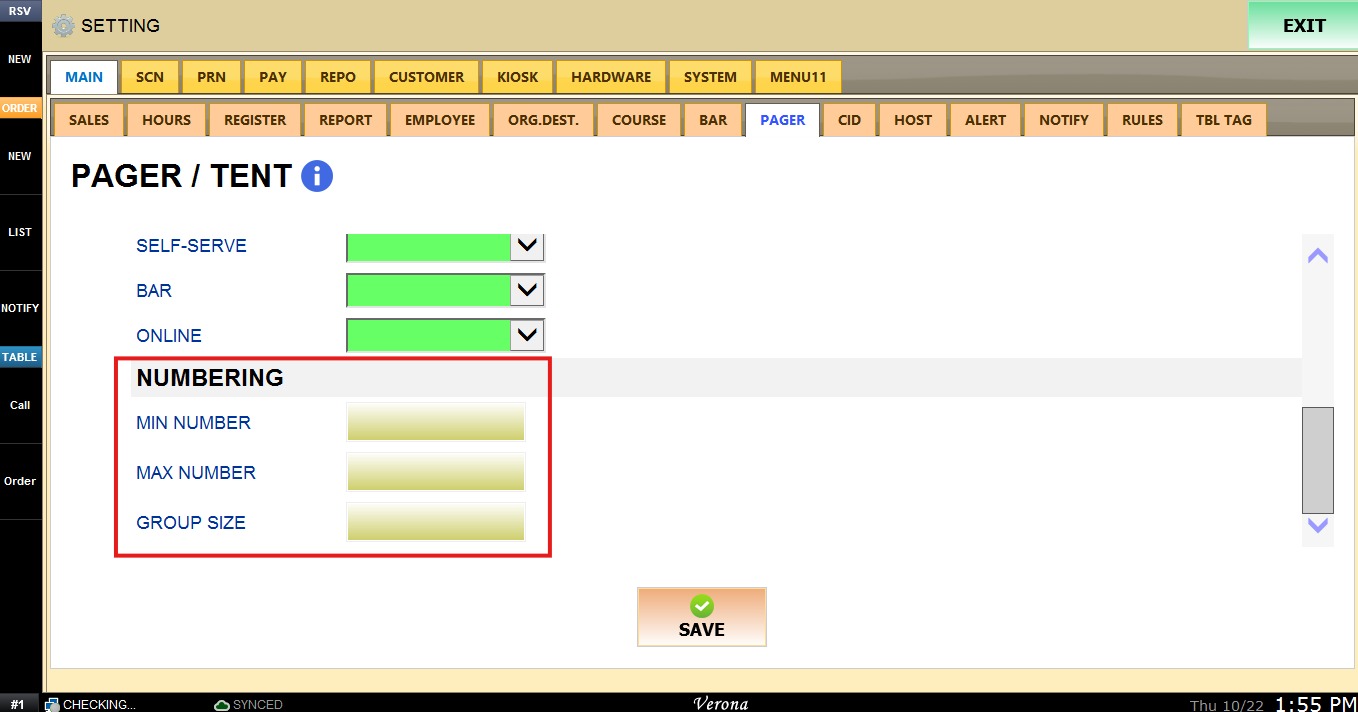
1. MIN NUMBER: The first number in the range
2. MAX NUMBER: The last number in the range
3. GROUP SIZE: Defines a default group size, for example for a table. It can be changed manually later.
To keep the desired configuration, click SAVE, then click RESTART PROGRAM in the top right corner.
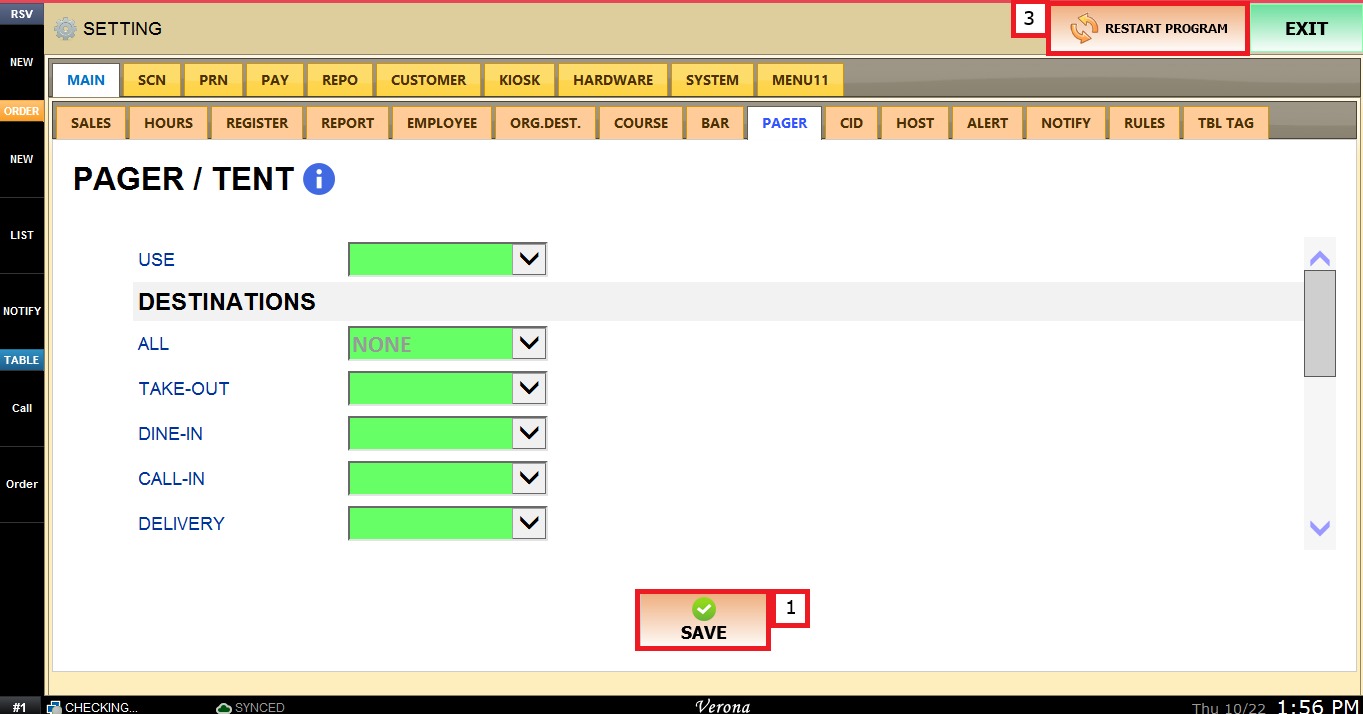
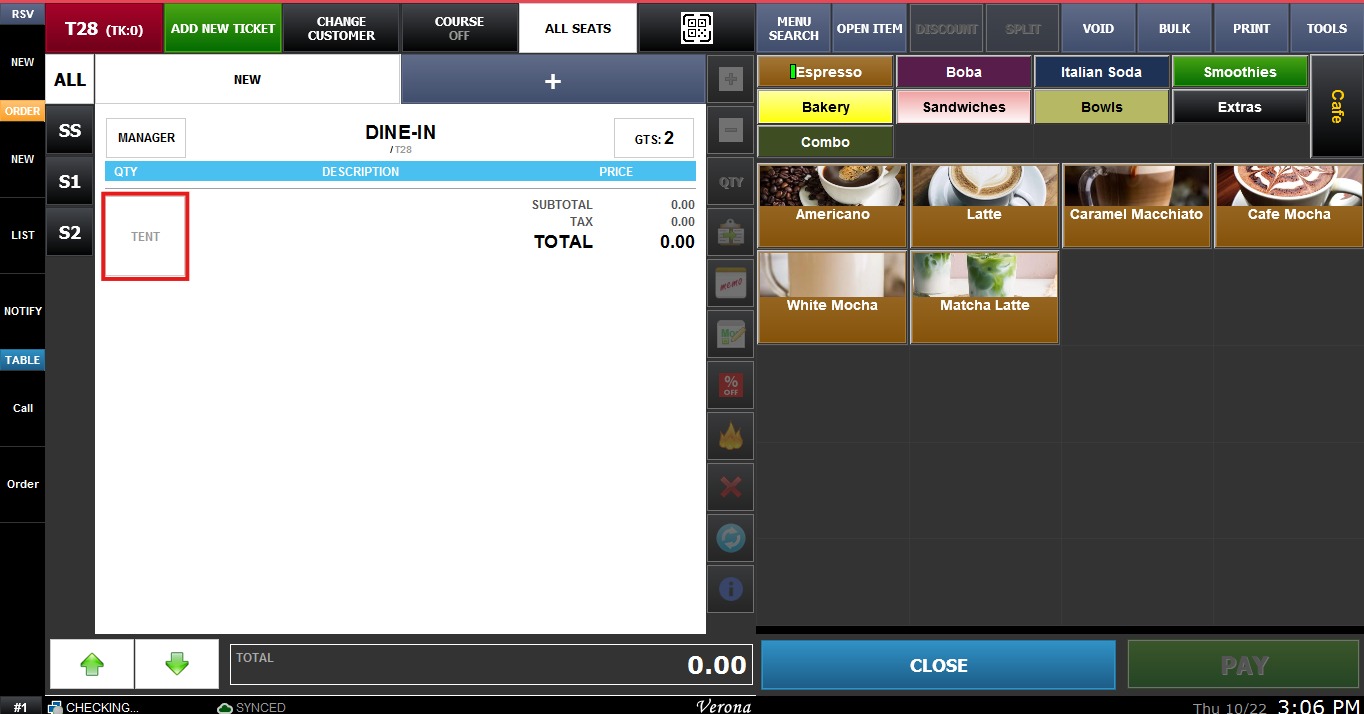
Result:
When enabled the Sales screen includes a space for the tent or pager number.