How To Set Up Table Map
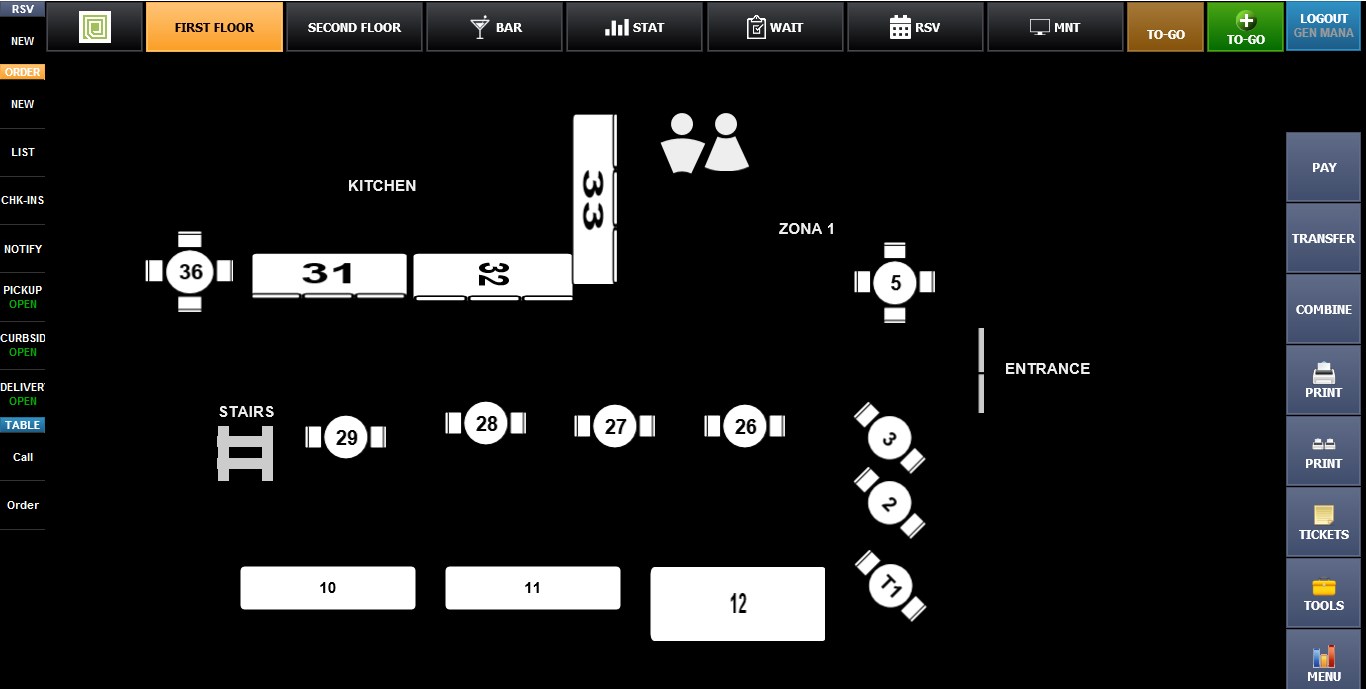
Table Maps are an essential feature for restaurants that use table service. Multiple table maps can be created and stored, allowing you to switch between different floor layouts whenever needed.
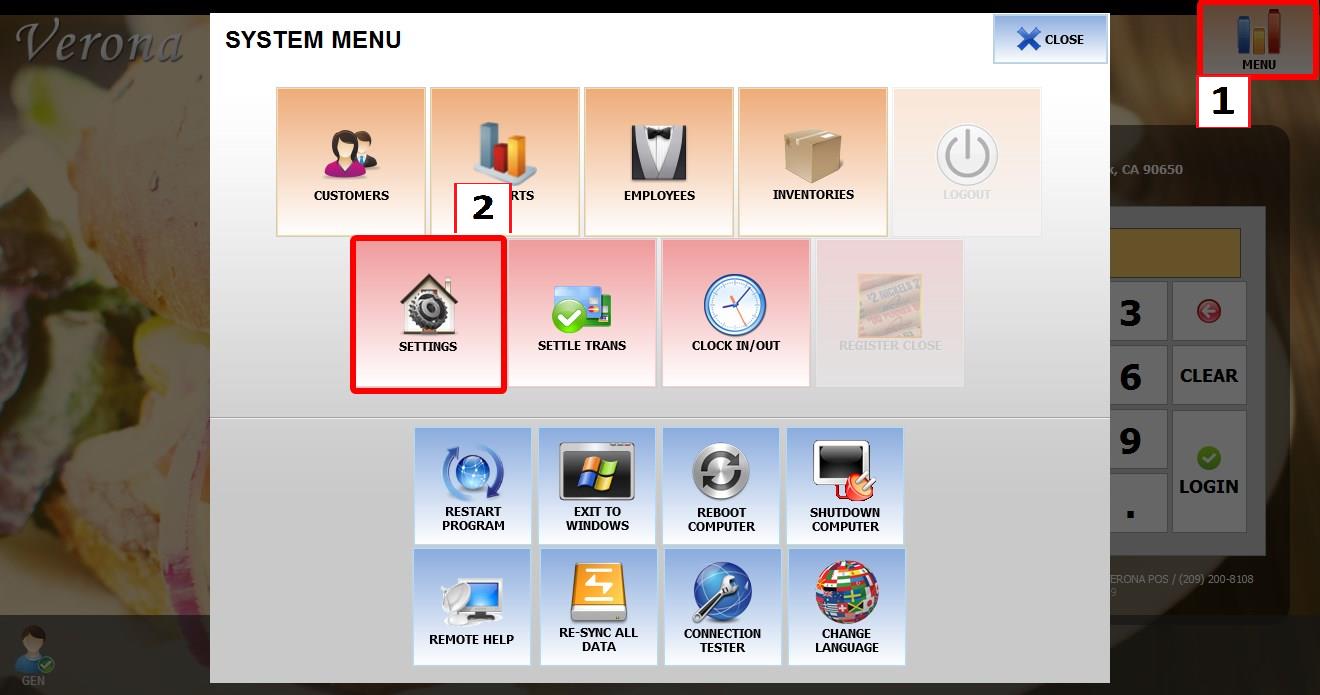
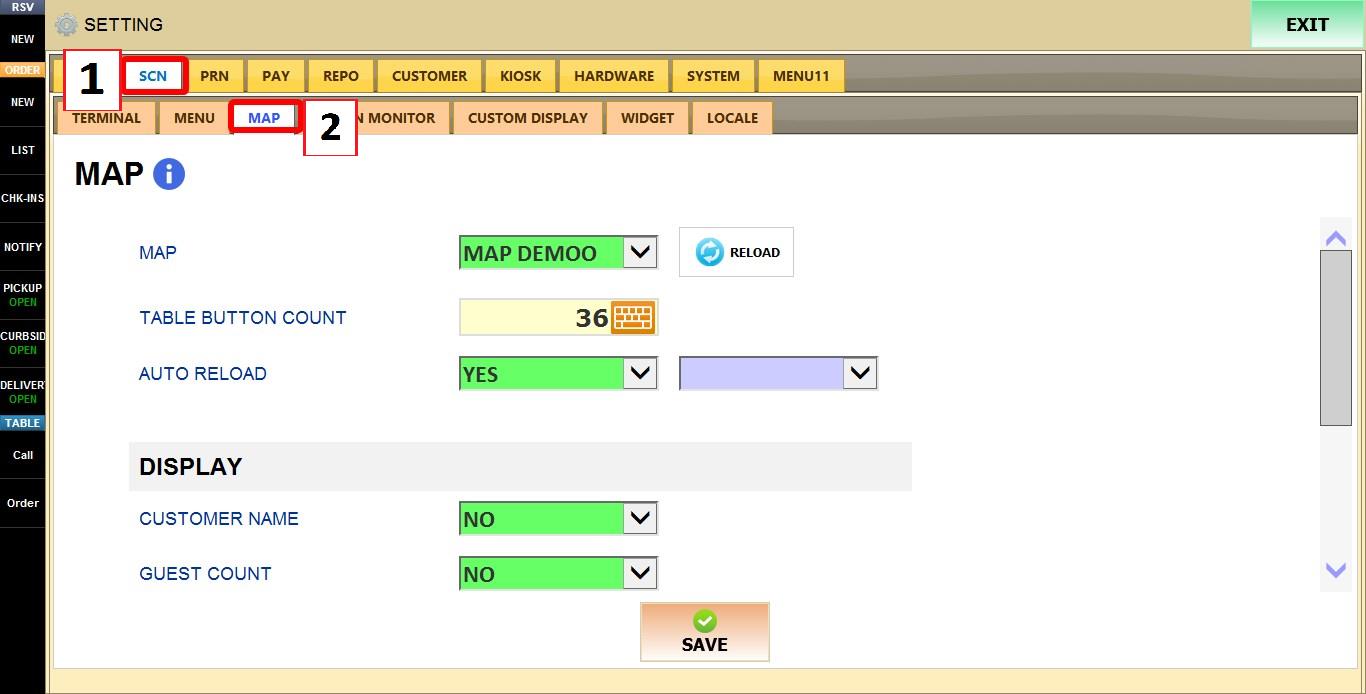
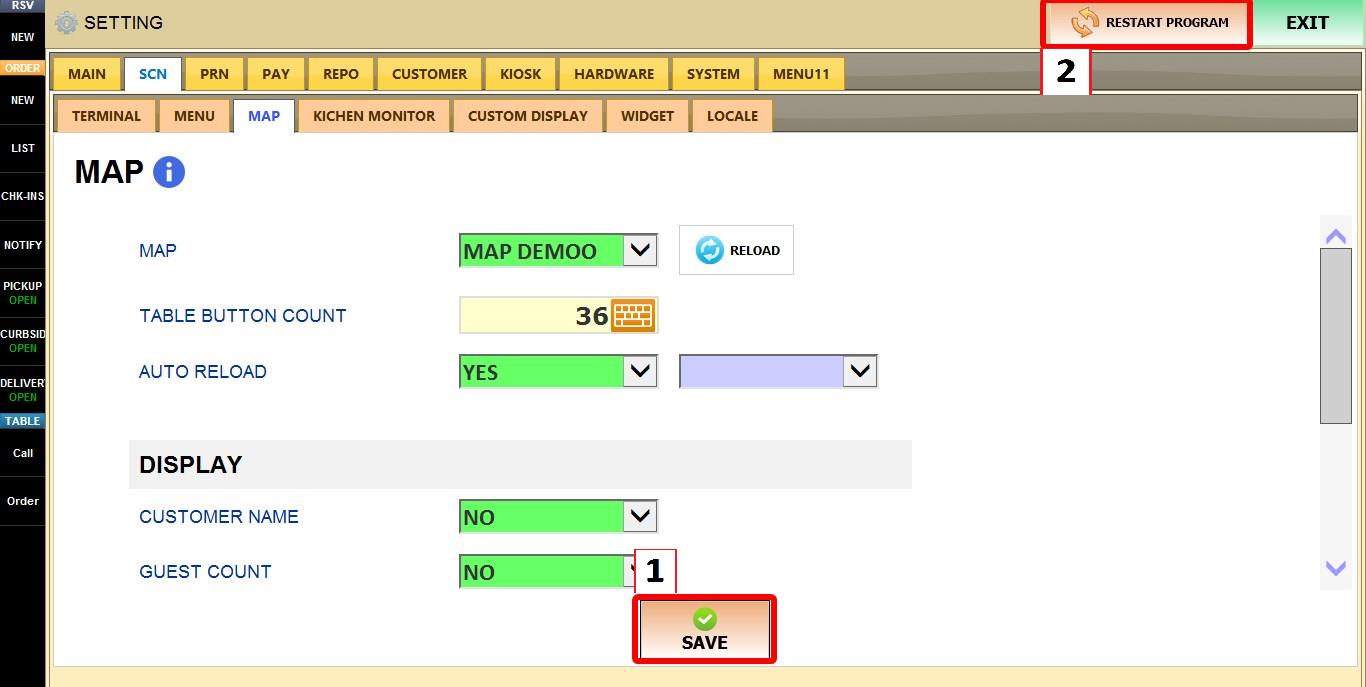
Main Screen > MENU > SETTINGS > SCN > MAP
Go to MENU, then SETTINGS.
Select SCN, then MAP.
Note: If you have not created a table map yet, refer to the Creating Map Screen guide before proceeding.
Open the MAP drop-down menu and select the table map you will assign to the Table Map Screen.
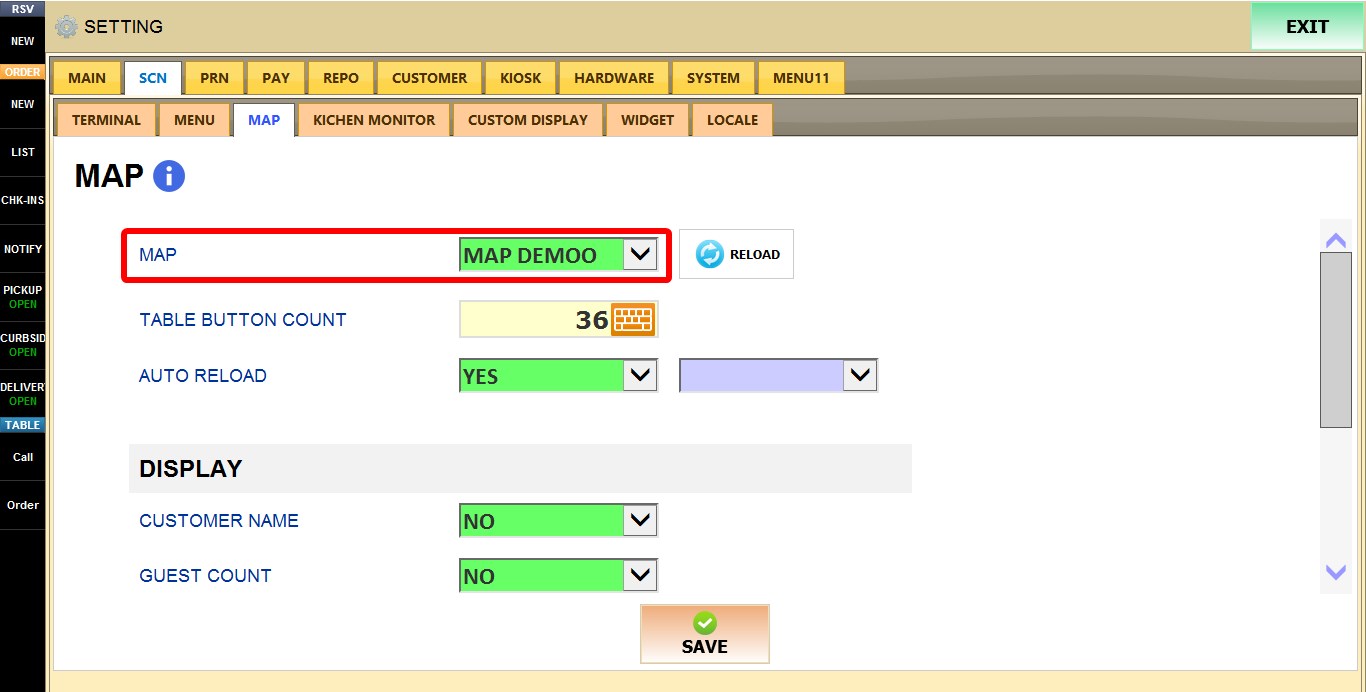
Click SAVE and RESTART THE PROGRAM.
Result:
The selected table map will now be displayed and available for use.