Single Pay Button
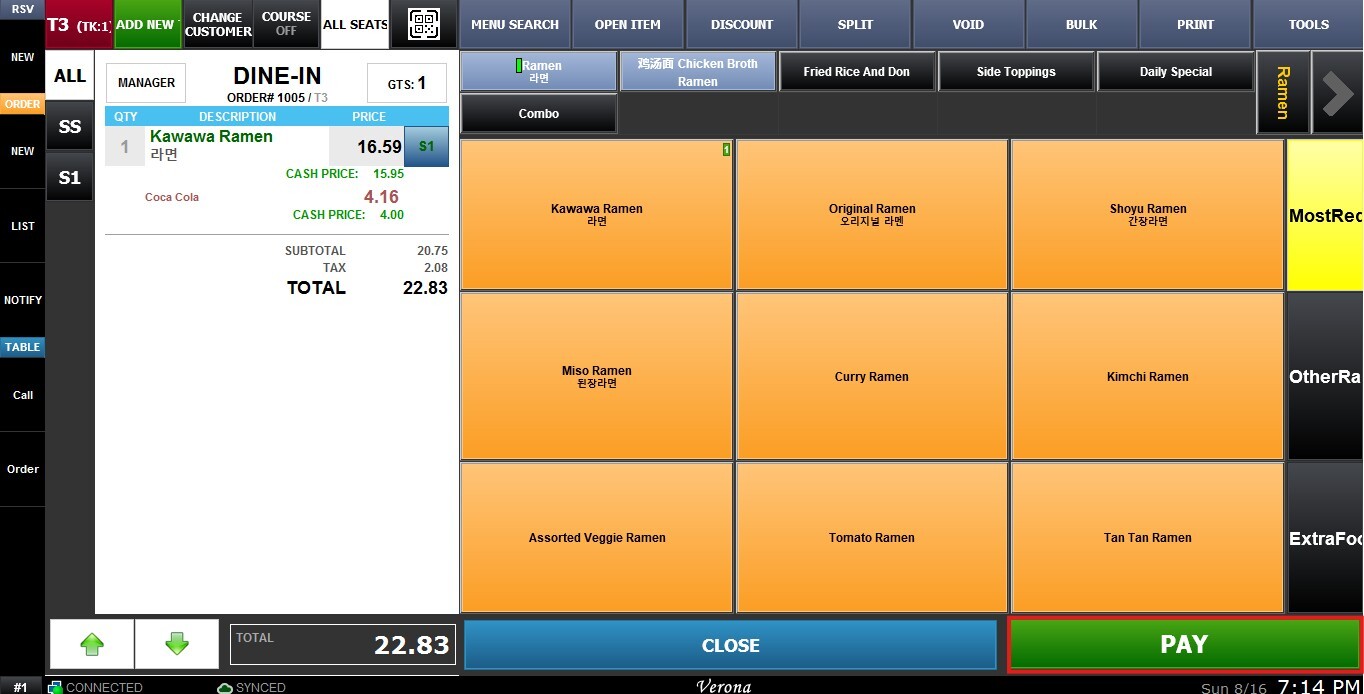
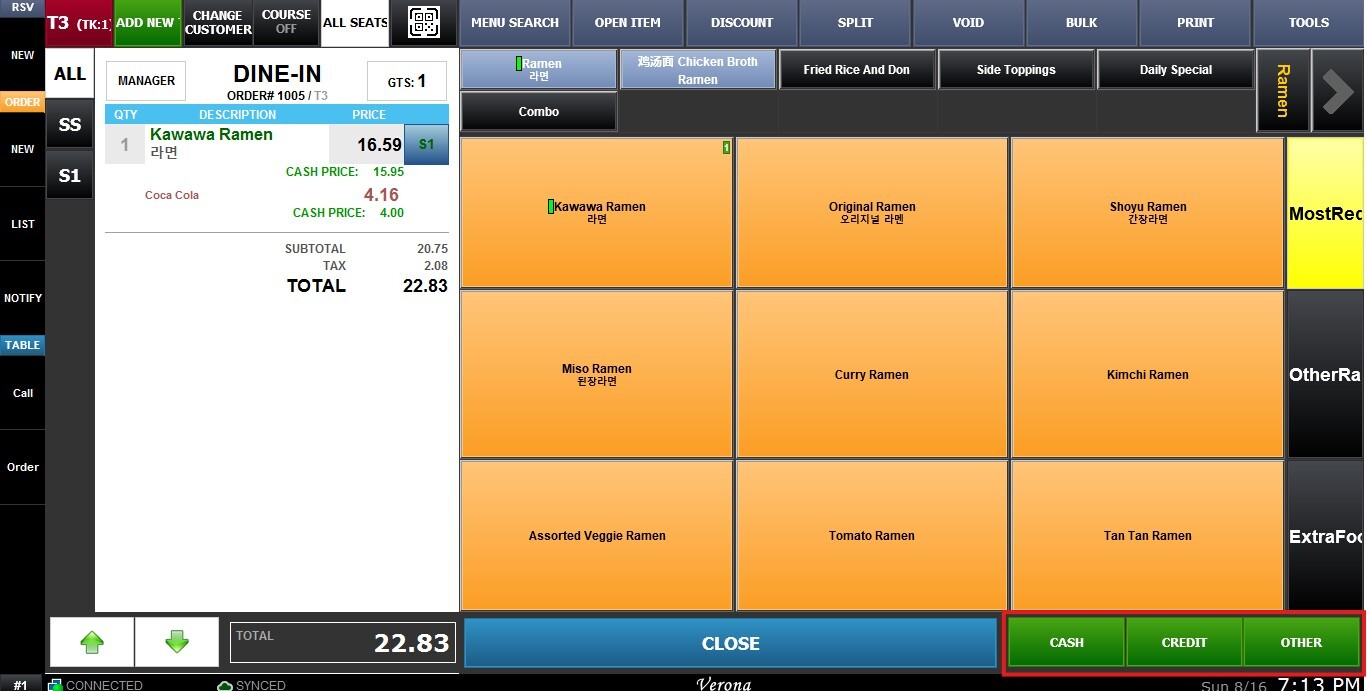
The Single Pay Button setting, if enabled, merges the individual payment buttons into a single PAY button. The server will then be able to choose the payment method after pressing the PAY button.
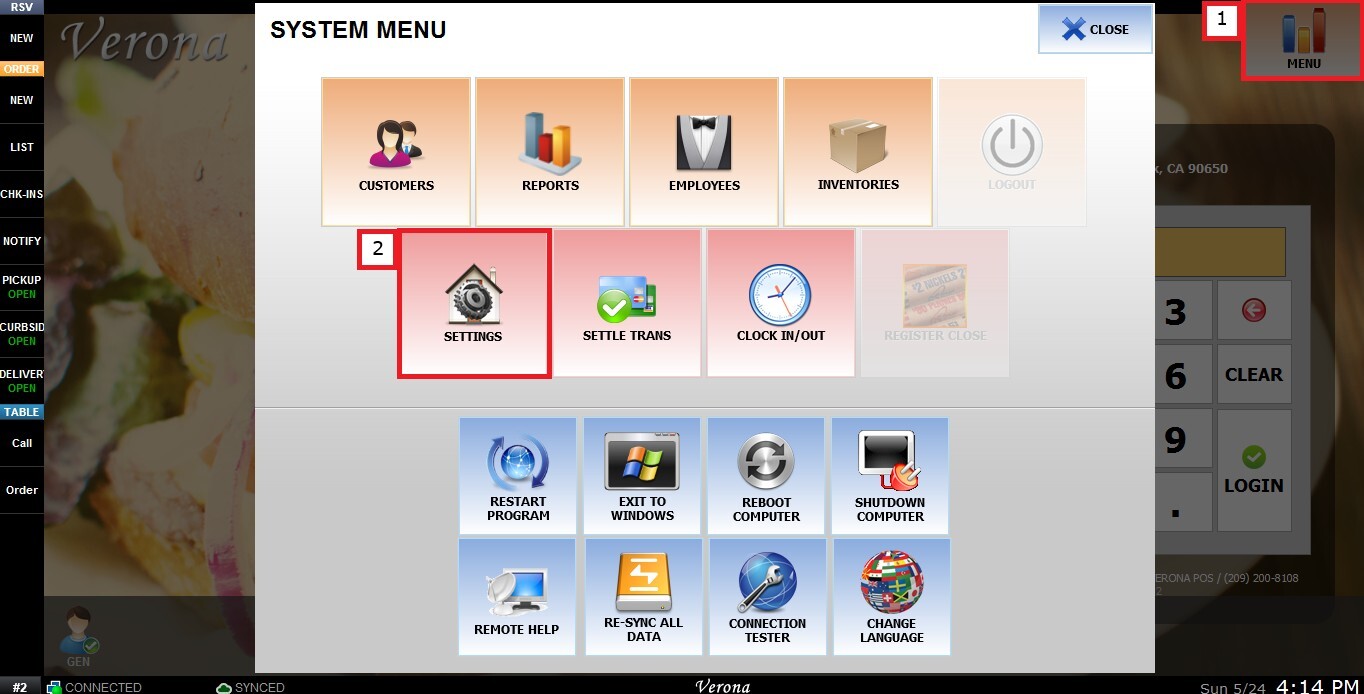
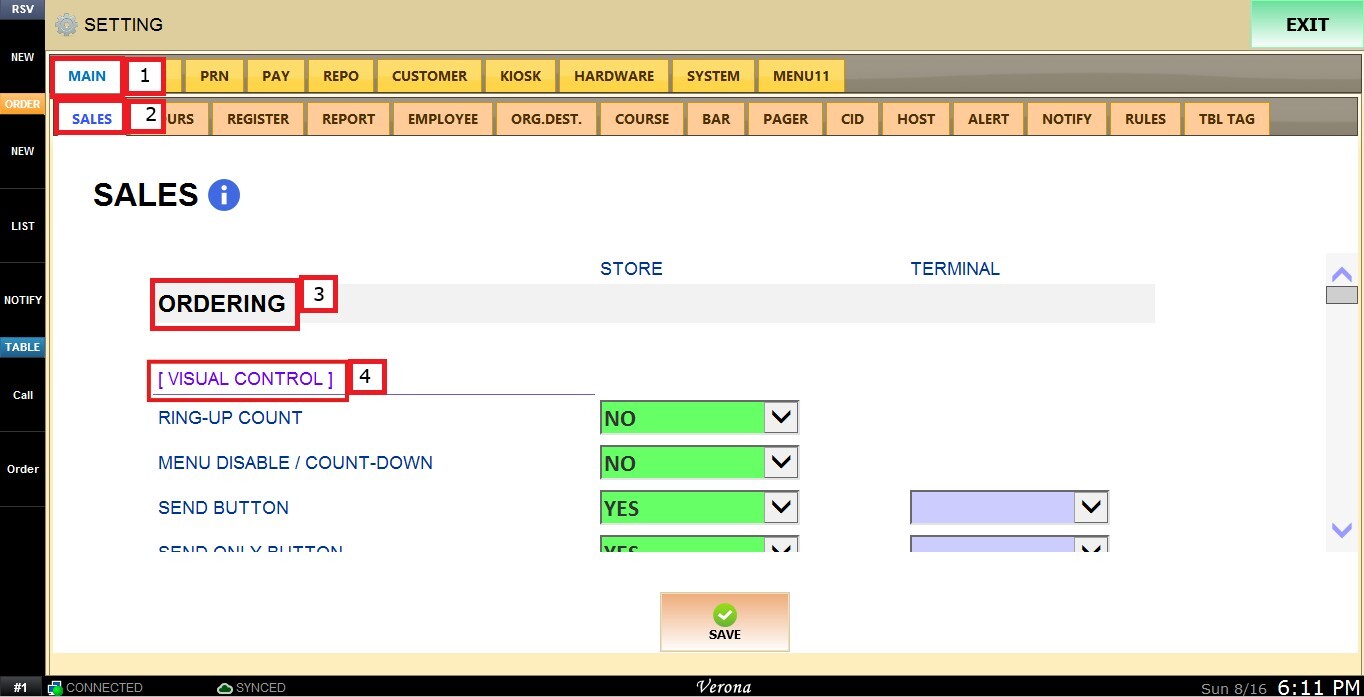
MENU > SETTINGS > MAIN > SALES > ORDERING > SINGLE PAY BUTTON
From the Main Screen, click MENU, then select SETTINGS.
Under MAIN, select SALES, then ORDERING and scroll down until the VISUAL CONTROL section.
SINGLE PAY BUTTON
This setting controls whether the individual payment buttons are merged into a single PAY button.
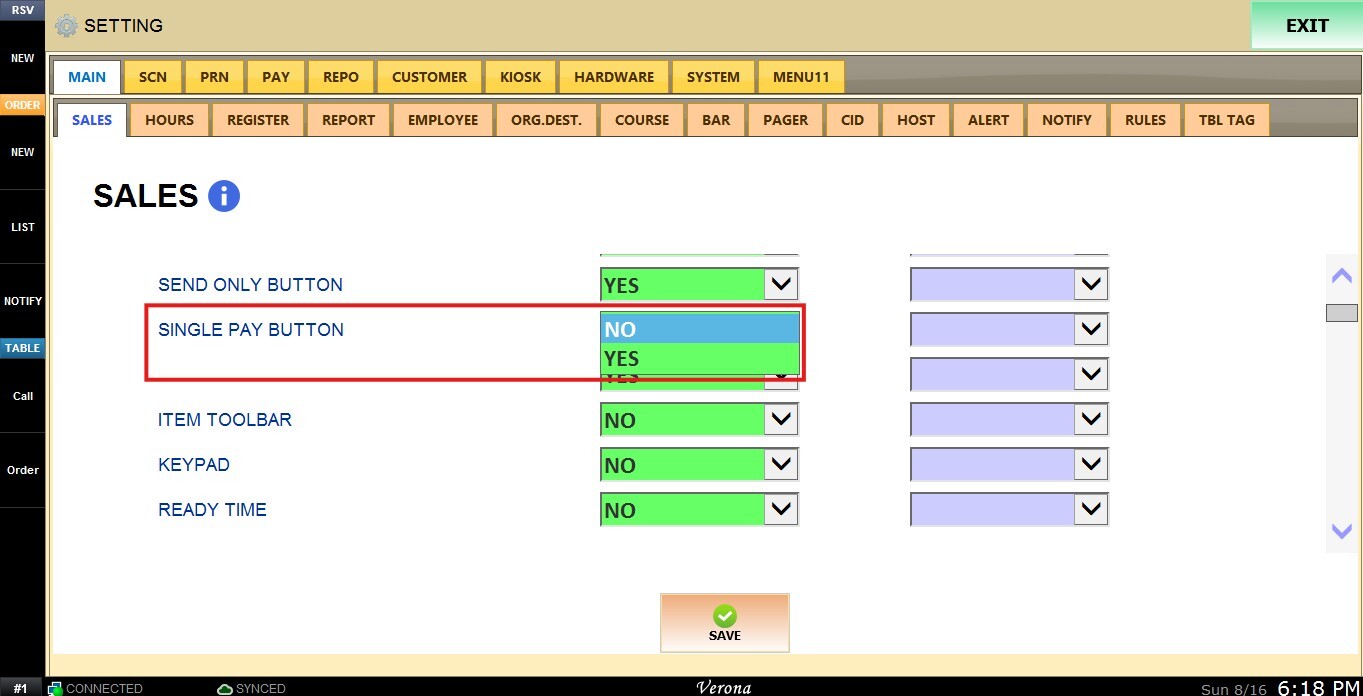
Inside the dropdown menu you have the following options:
1. YES: Enables the single PAY button. The server selects the payment method after pressing PAY.
2. NO: Disables the single PAY button, displaying individual payment method buttons instead.
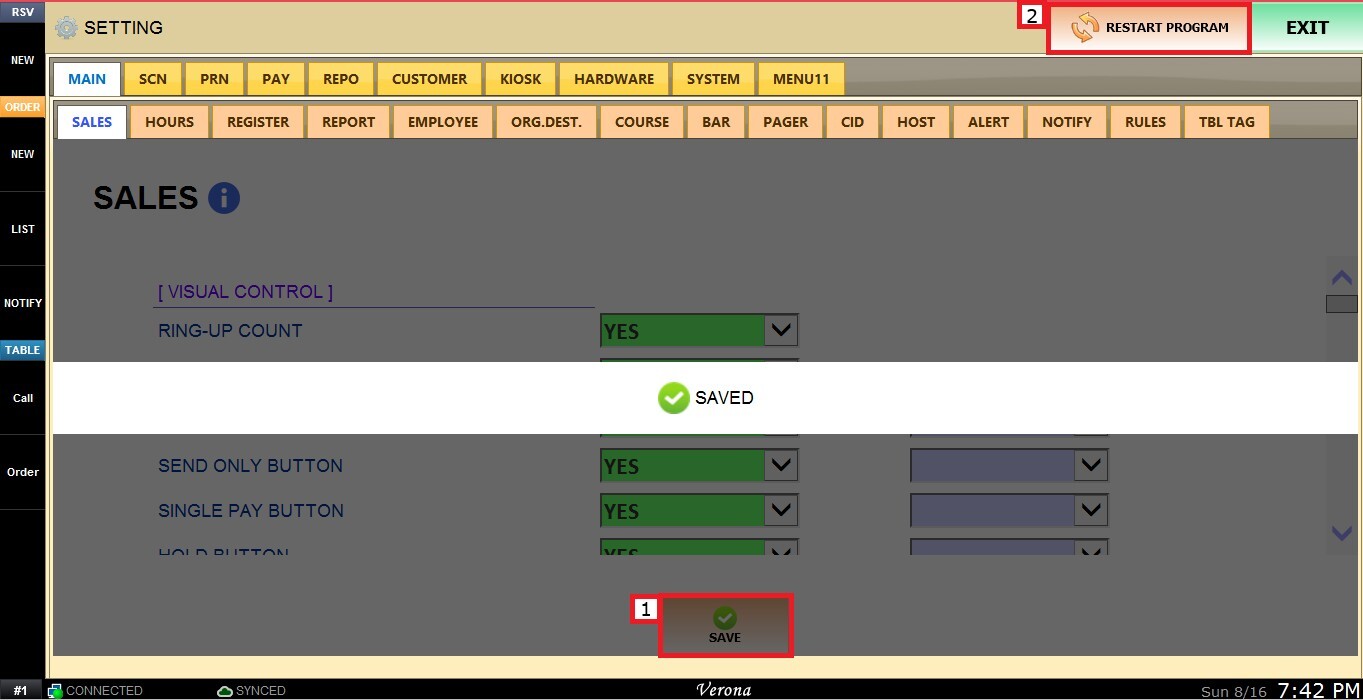
 Click SAVE and RESTART THE PROGRAM to apply the changes.