QR Curbside Order Setting
QR Curbside uses the same ordering settings as Online Ordering. These settings control how QR Curbside orders are processed, including order confirmation, location verification, preparation time, customer messages, order destination, and mandatory menu items.
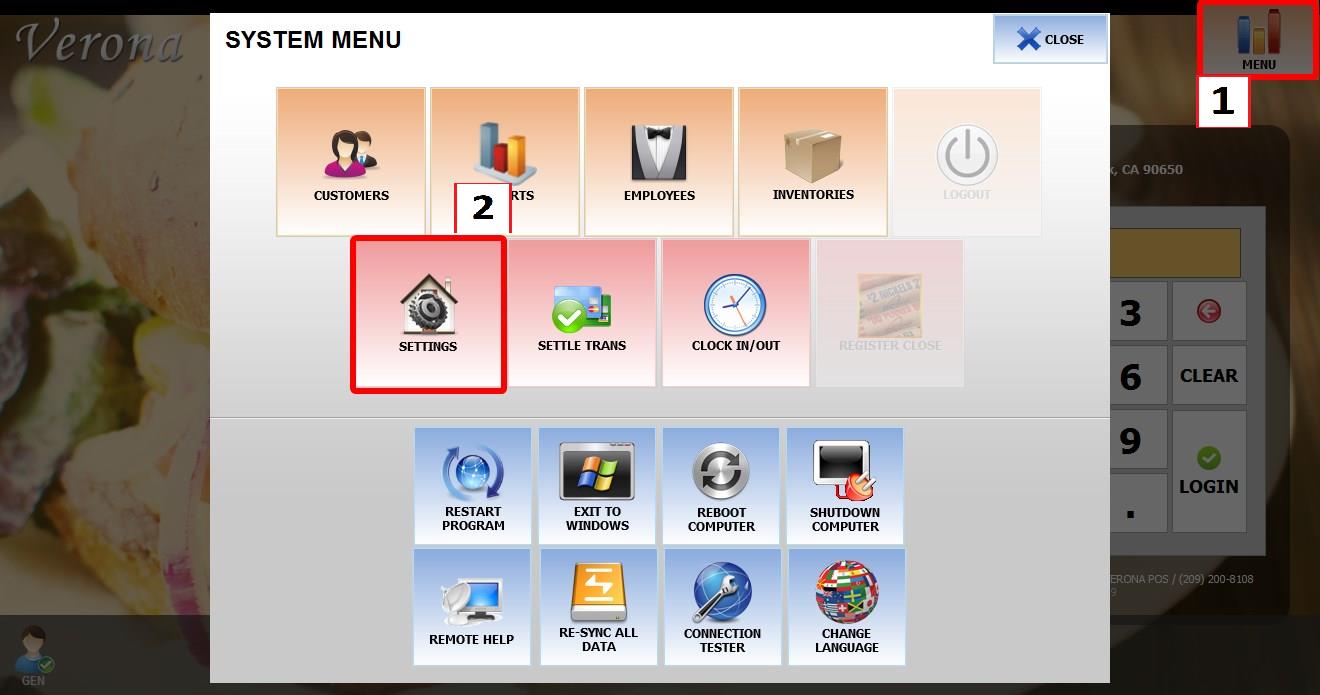
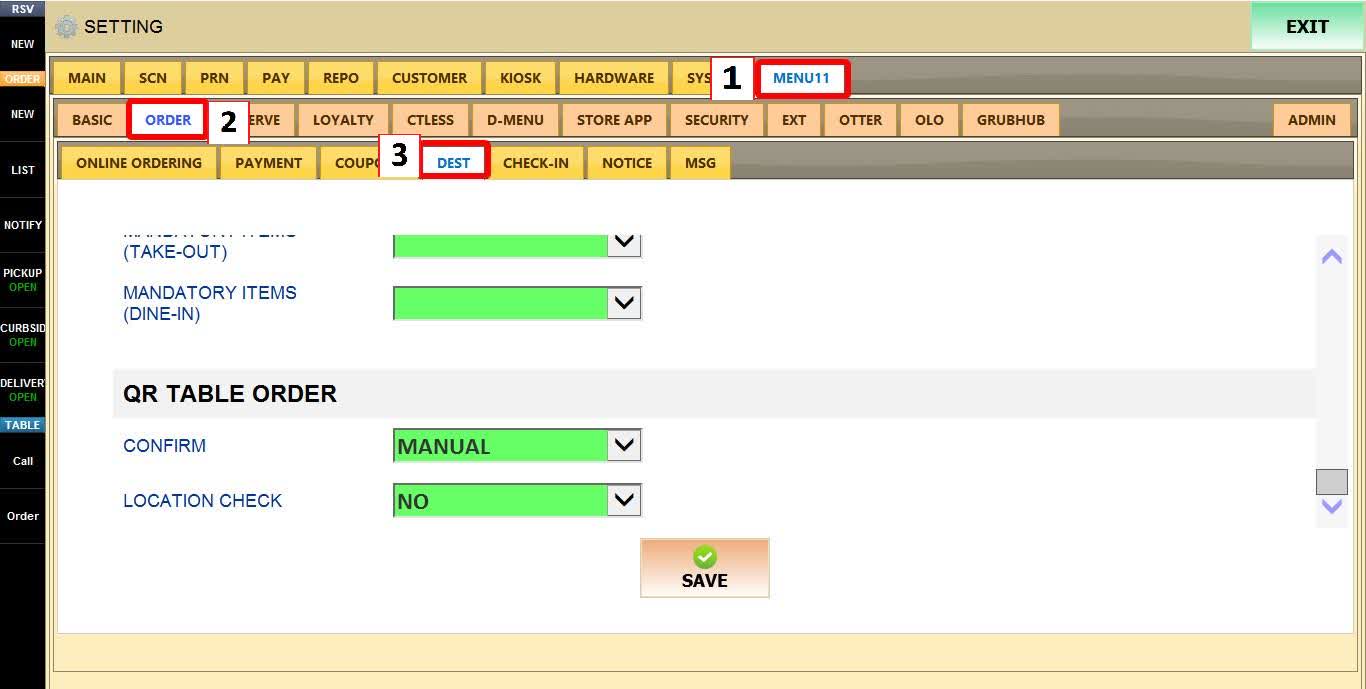
MENU > SETTINGS > MENU11 > ORDERING > DEST
Go to MENU then SETTINGS.
Go to MENU11, then ORDERING, then DEST.
CONFIRM METHOD
Determines how QR Curbside orders are accepted.
1. AUTO: Orders are accepted automatically.
2. MANUAL: Staff must confirm each order in the POS before it is processed.

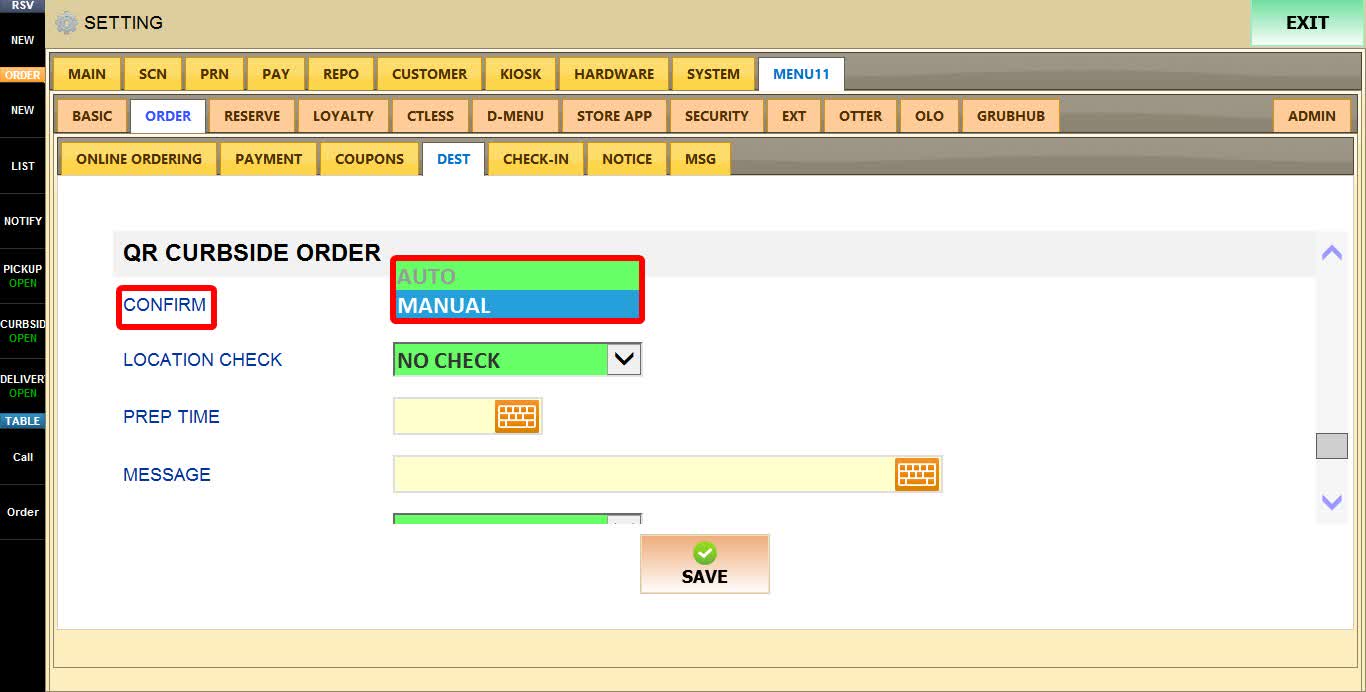
If set to MANUAL.

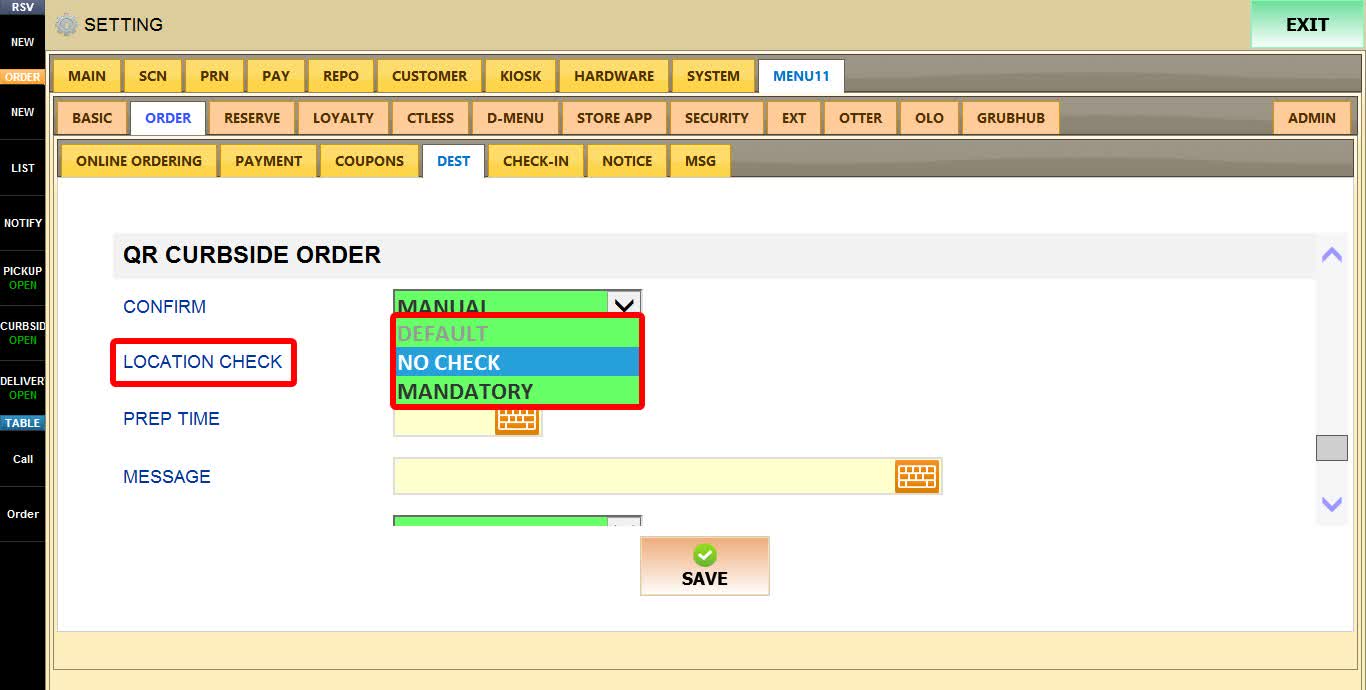
LOCATION CHECK
Determines whether the customer's device location is verified before an order can be placed.
To learn how to configure the LOCATION CHECK please refer to the How to Operate QR Table for Store Guide.
1. DEFAULT: Will ask to optionally turn on location(GPS) setting on the mobile device, if it is disabled.
2. NO CHECK: Allows customers to place orders without verifying their location.
3. MANDATORY: Requires location services to be enabled before an order can be placed.

HINT: When LOCATION CHECK is enabled, customers outside the allowed distance will receive a message indicating they are too far from the store to place an order.
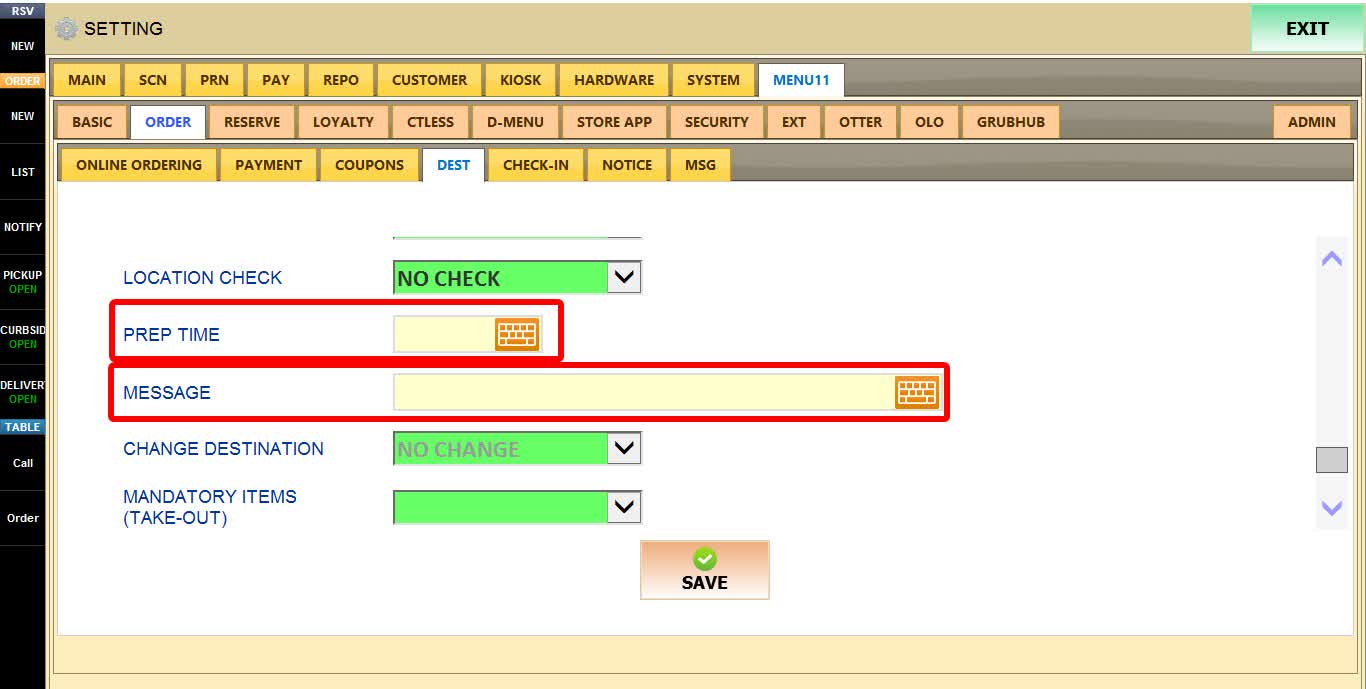
PREP TIME
Specifies the default preparation time, in minutes, displayed when confirming a QR Curbside order.
MESSAGE
Defines the default message displayed to customers using QR Curbside.
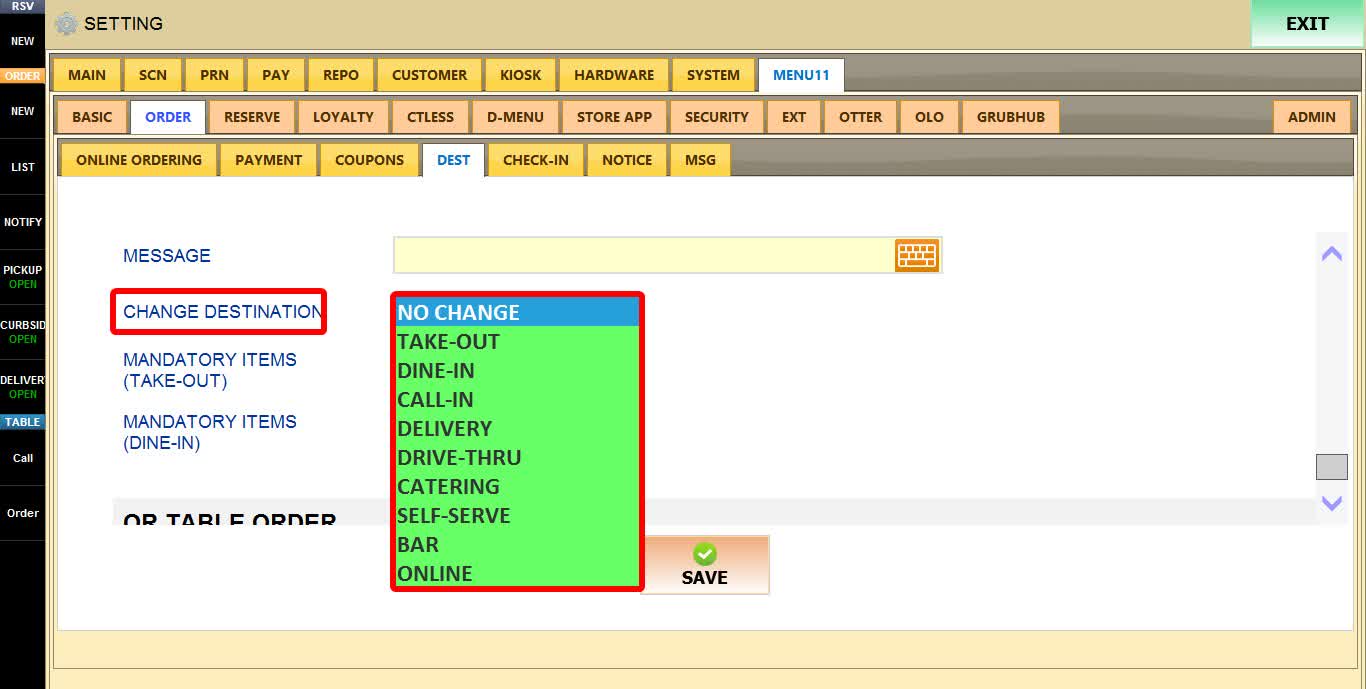
CHANGE DESTINATION
Determines which destination QR Curbside orders are sent to in the POS.
1. NO CHANGE: Sends QR Curbside orders as an Online Order in the POS
2. OTHER DESTINATIONS: Curbside order will be sent as a different destination from the dropdown menu

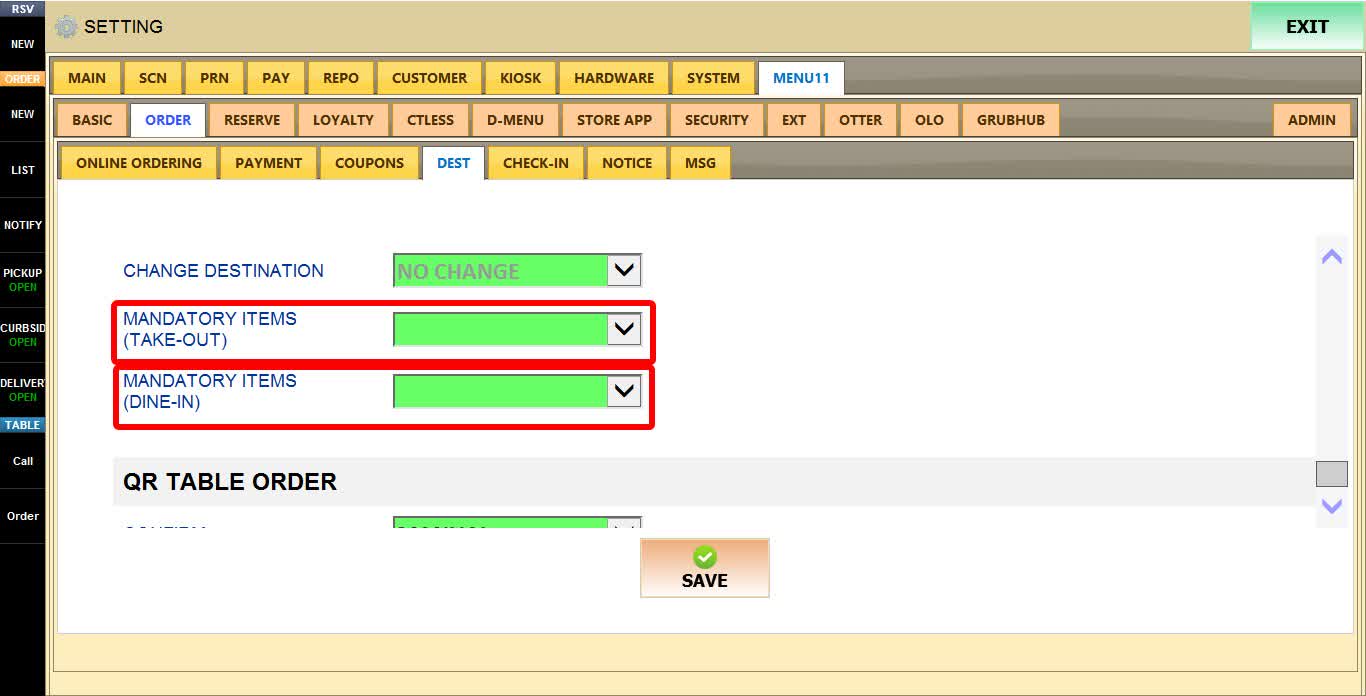
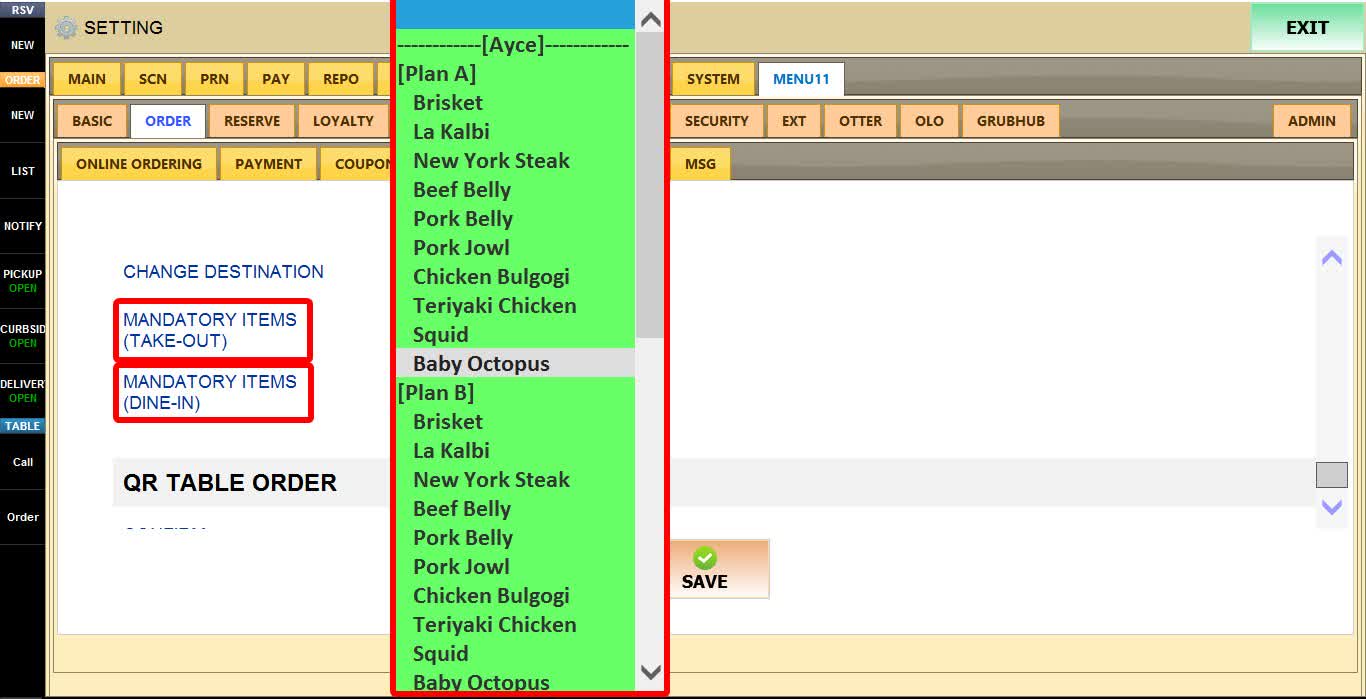
MANDATORY ITEMS (TAKE-OUT & DINE-IN)
Allows you to select a menu item that customers must add to their order before checkout.
Use the dropdown menu to select the required menu item.
Click SAVE
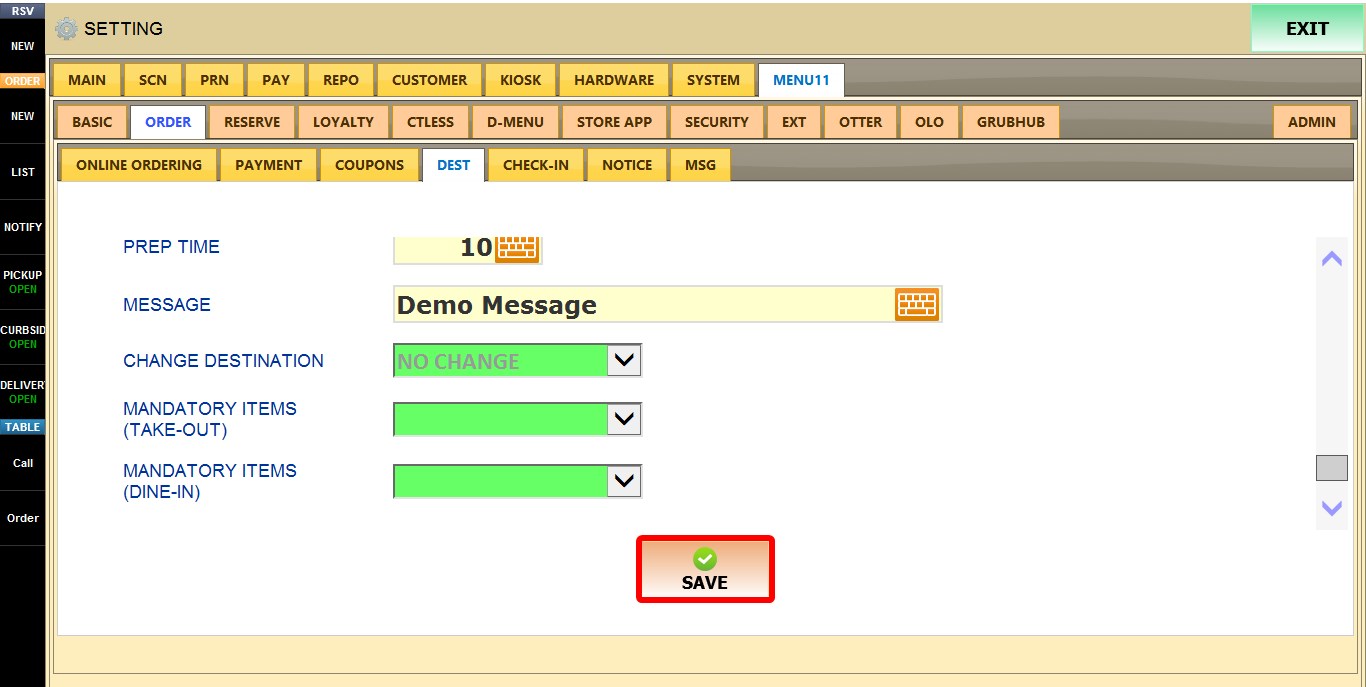
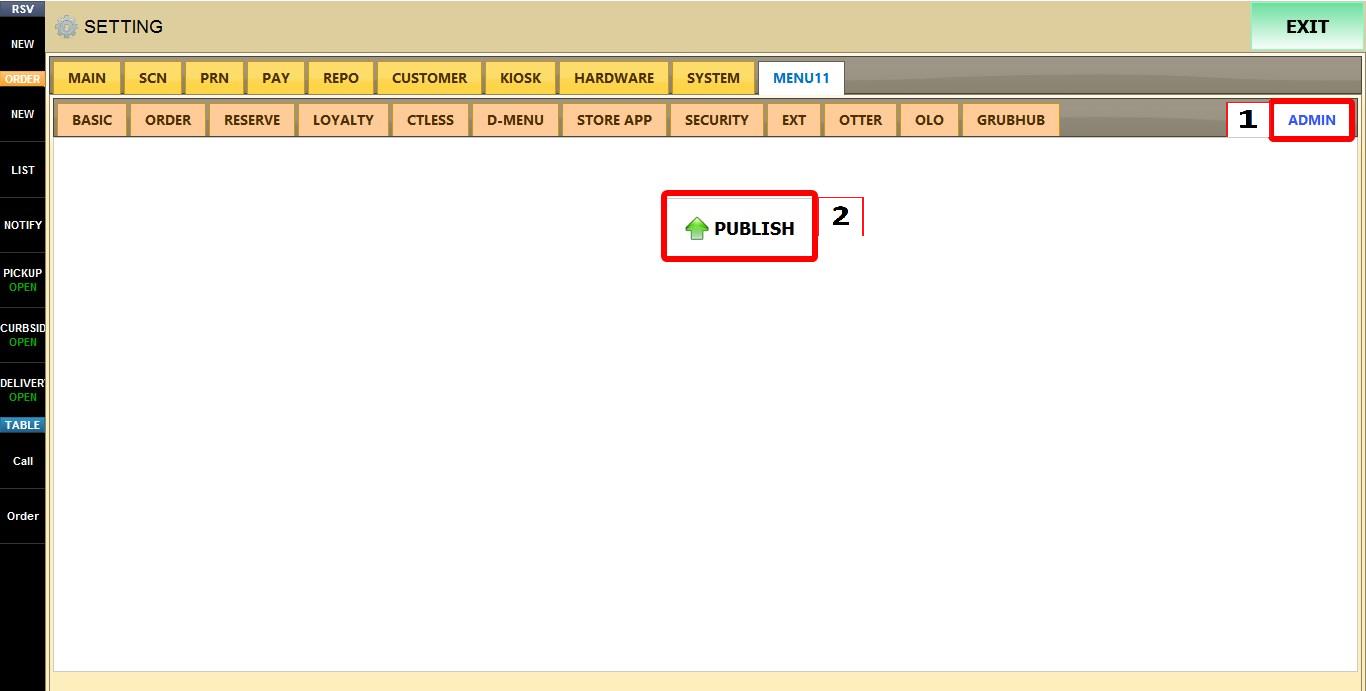
Click ADMIN then PUBLISH to apply the changes.