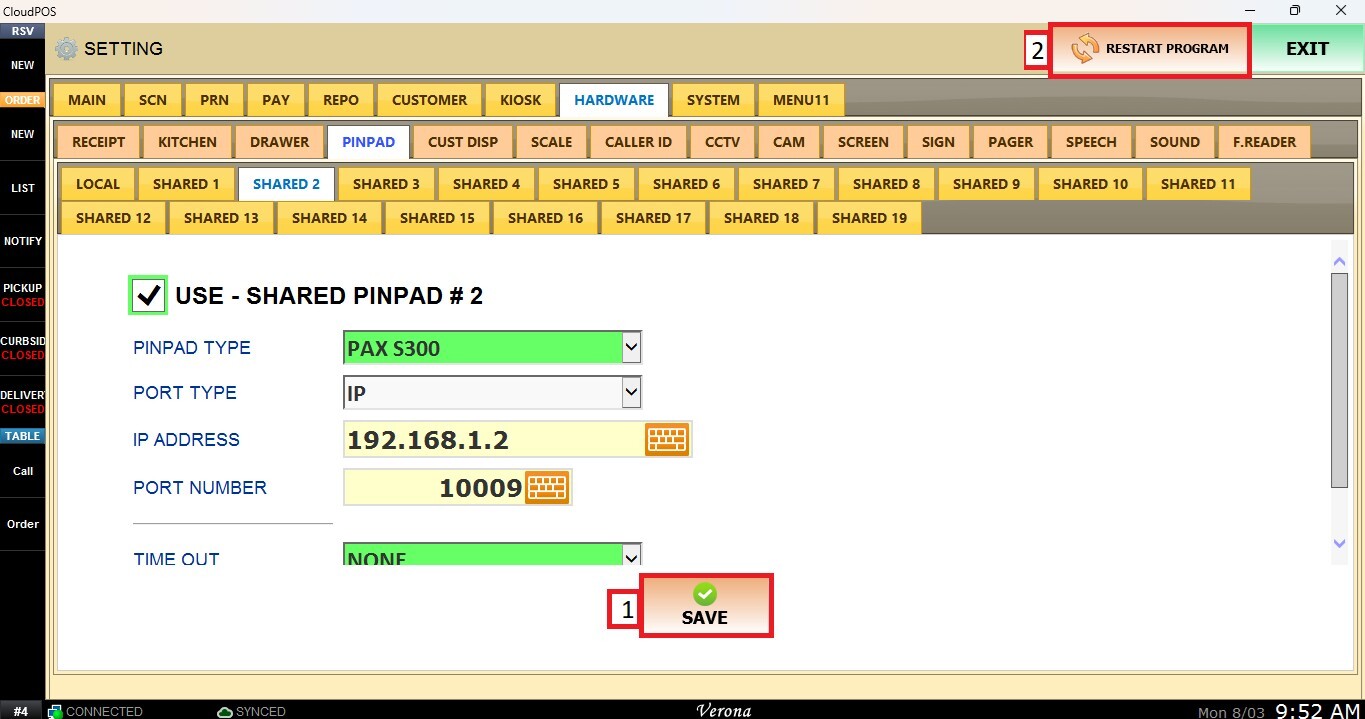
[PinPad] How to setup S300 IP Address
This article explains how to setup the S300 pinpad IP address in the POS configuration after performing a Power Reset. Since the pinpad may obtain a new IP address after the reset, updating the POS configuration ensures proper communication between the POS system and the S300 device.
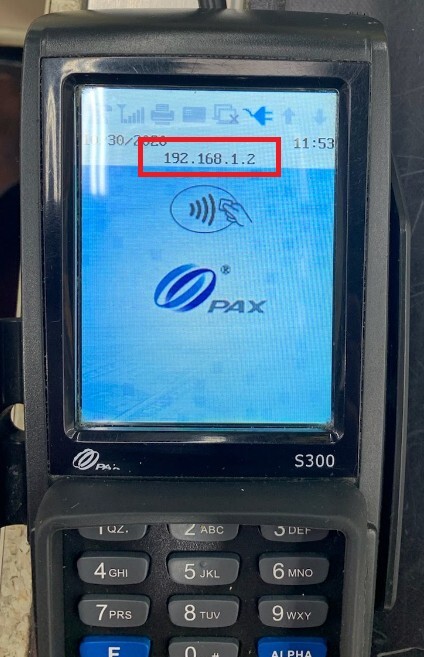
Run the S300 Power Reset and note the IP address of S300 at the top.
On the VeronaPOS
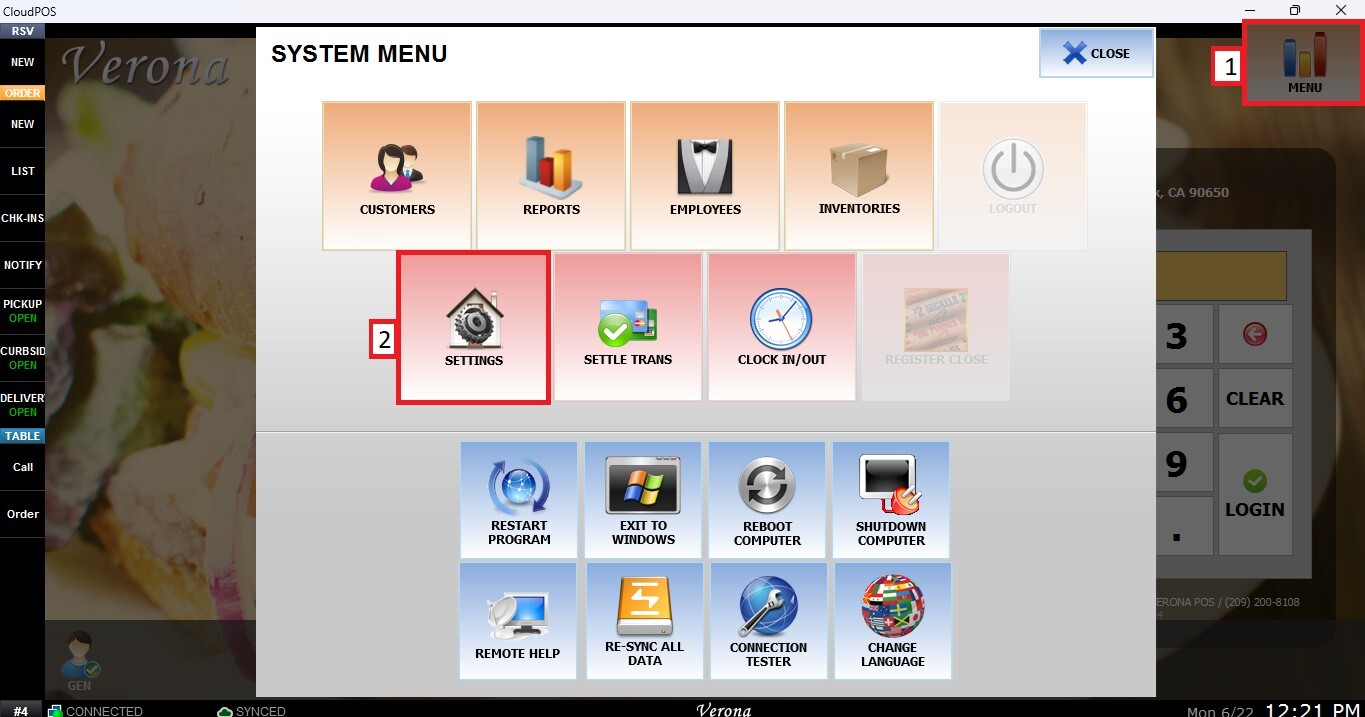
Main Screen > MENU > SETTINGS> HARDWARE> PINPAD> SHARED #
Go to MENU, then SETTINGS.
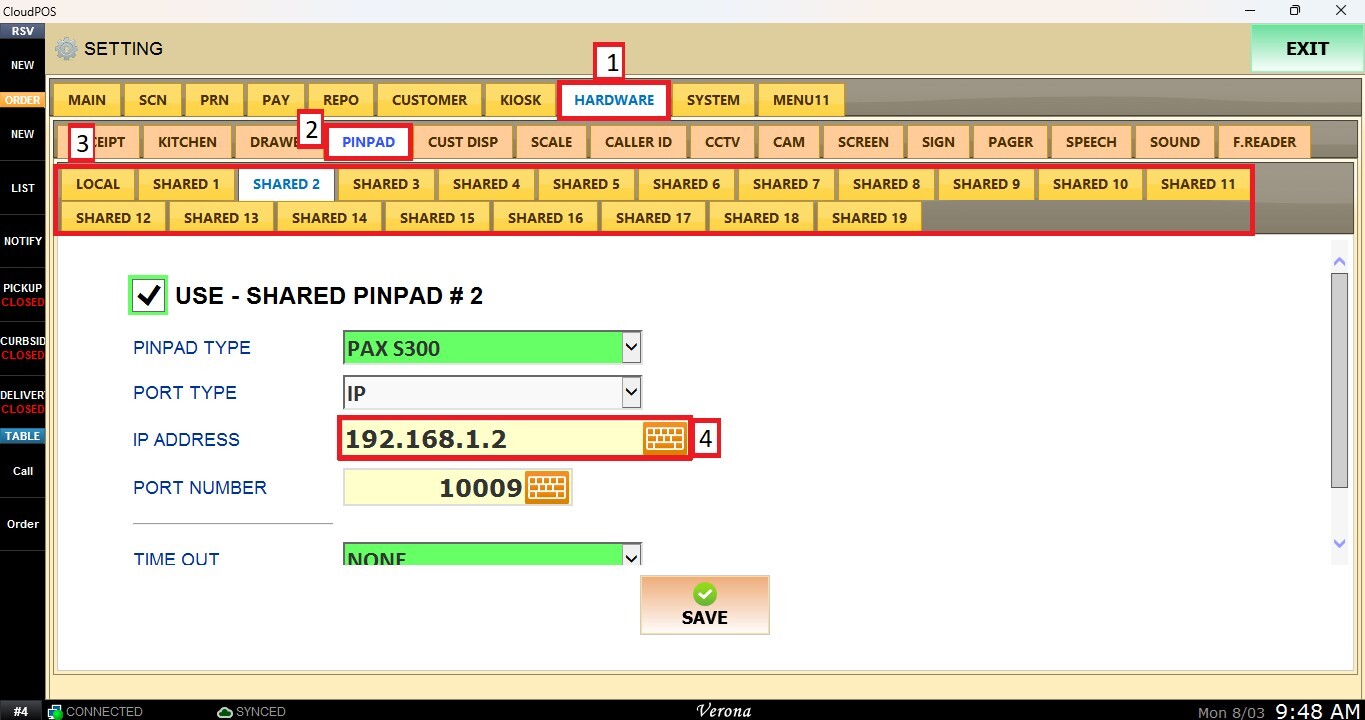
Update the IP Address field with the IP address currently assigned to the pinpad.
Click on SAVE and RESTART PROGRAM on top right corner after you made change.