Hold Button (QSR Only)
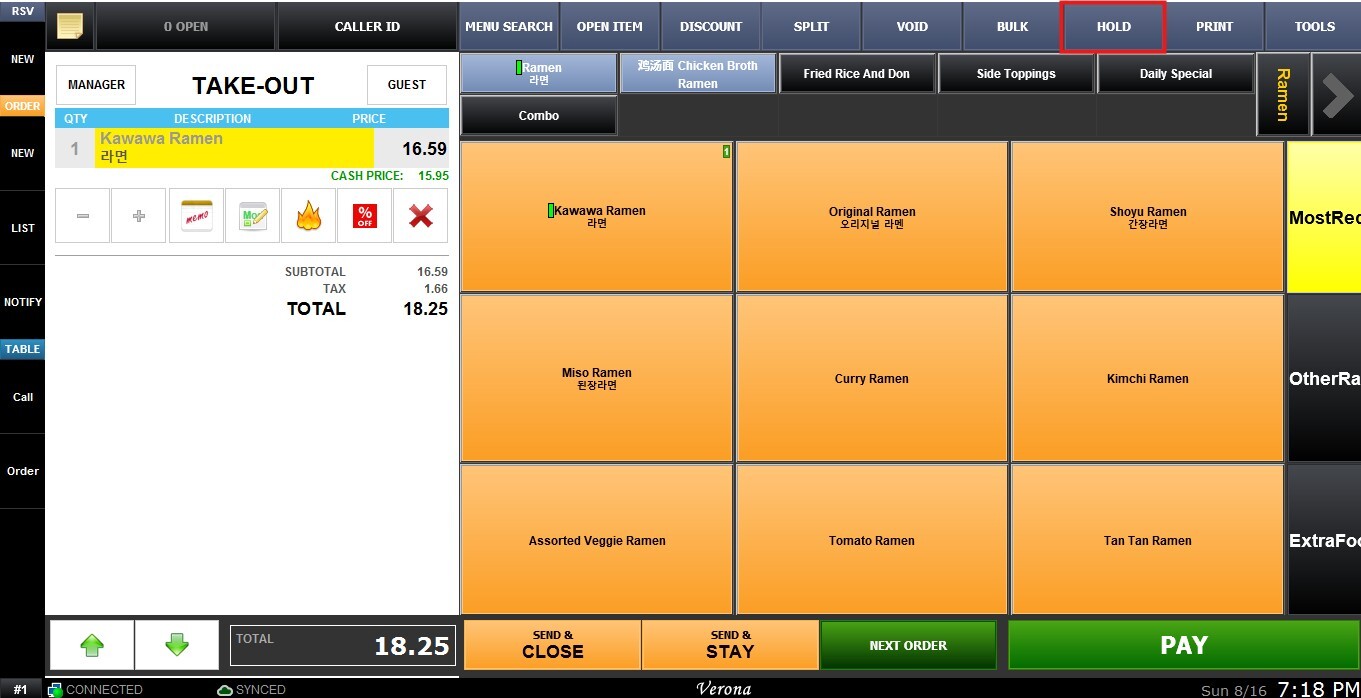
The Hold function allows the user to save an unfinished order for Quick Service Restaurant (QSR), in case payment needs to be received at a later time.
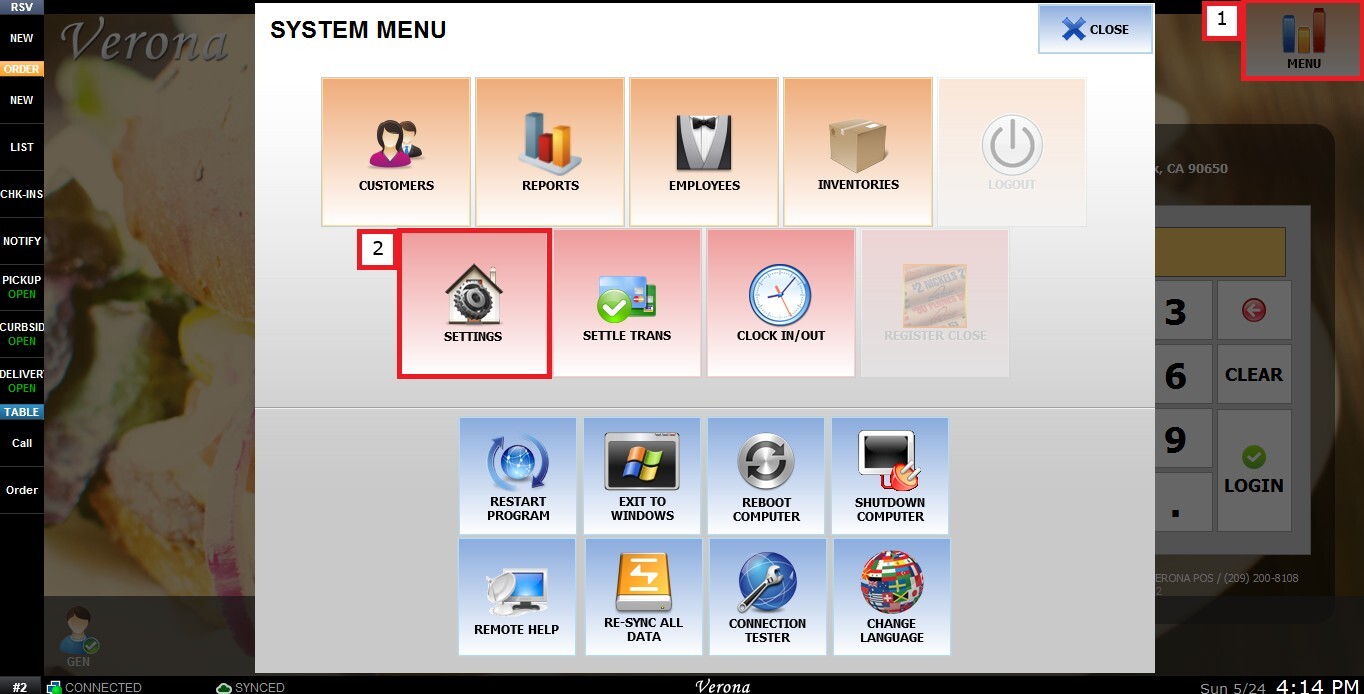
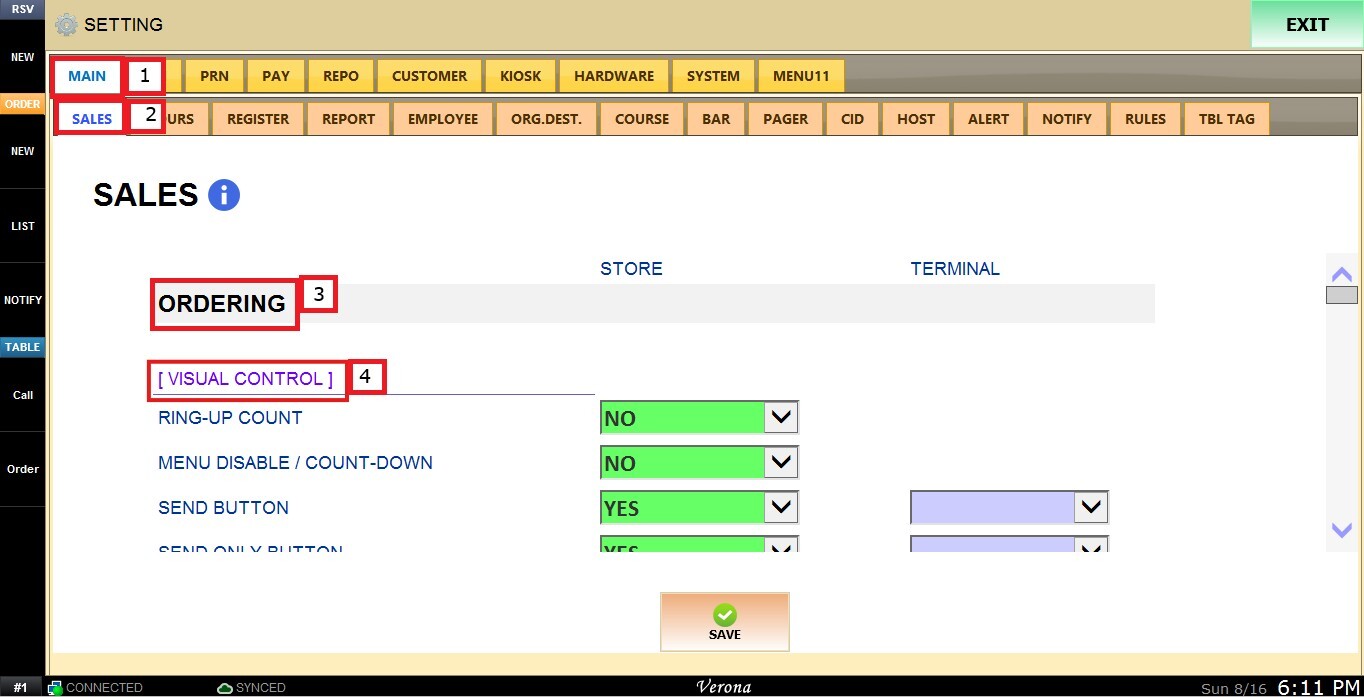
MENU > SETTINGS > MAIN > SALES > ORDERING > HOLD BUTTON.
From the Main Screen, click MENU, then select SETTINGS.
Under MAIN, select SALES, then ORDERING and scroll down until the VISUAL CONTROL section.
HOLD BUTTON
This setting controls whether the Hold button is available on the Sales screen. This function is recommended on QSR.
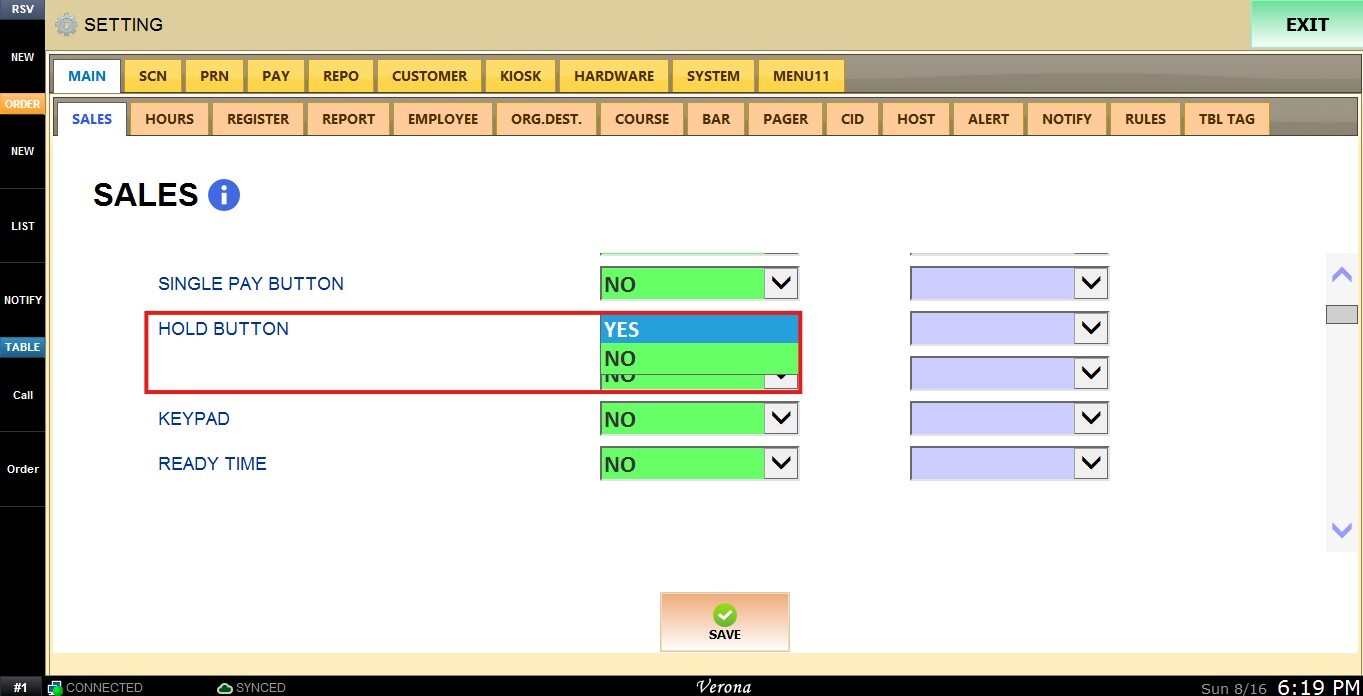
 Inside the dropdown menu you have the following options:
1. YES: Enables the Hold button.
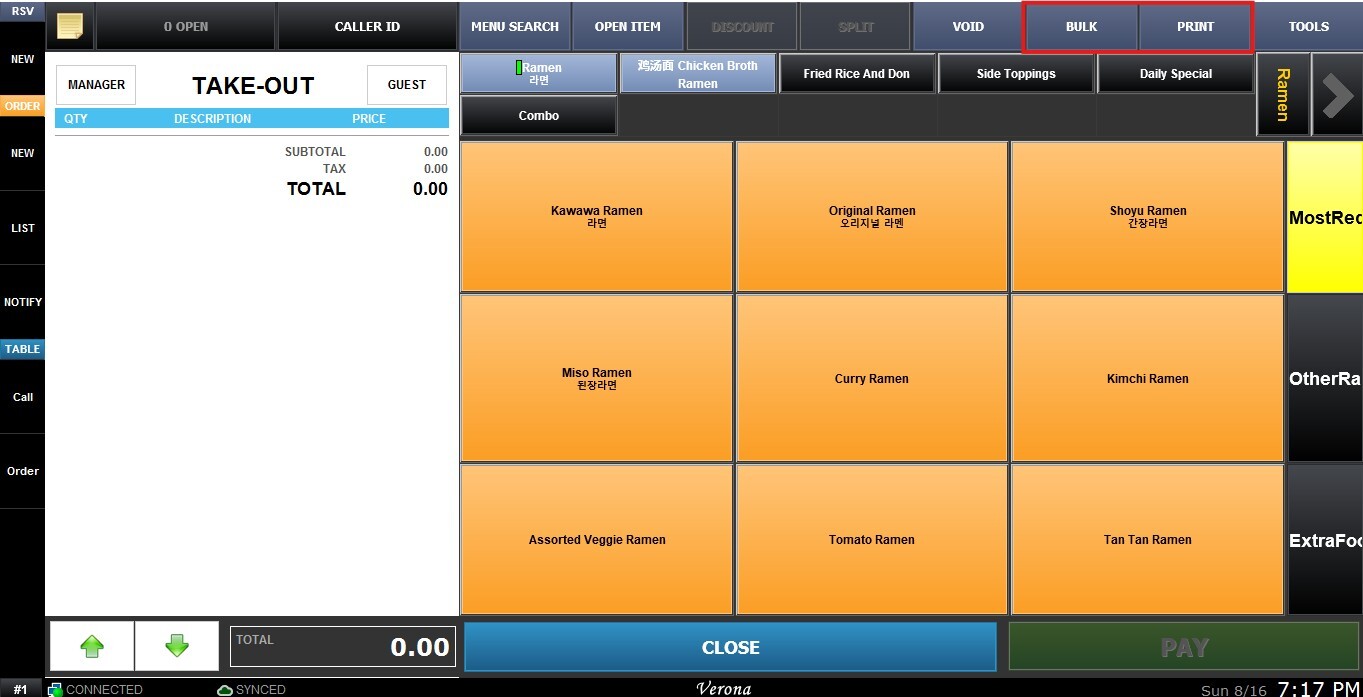
 2. NO: Disables the Hold button.
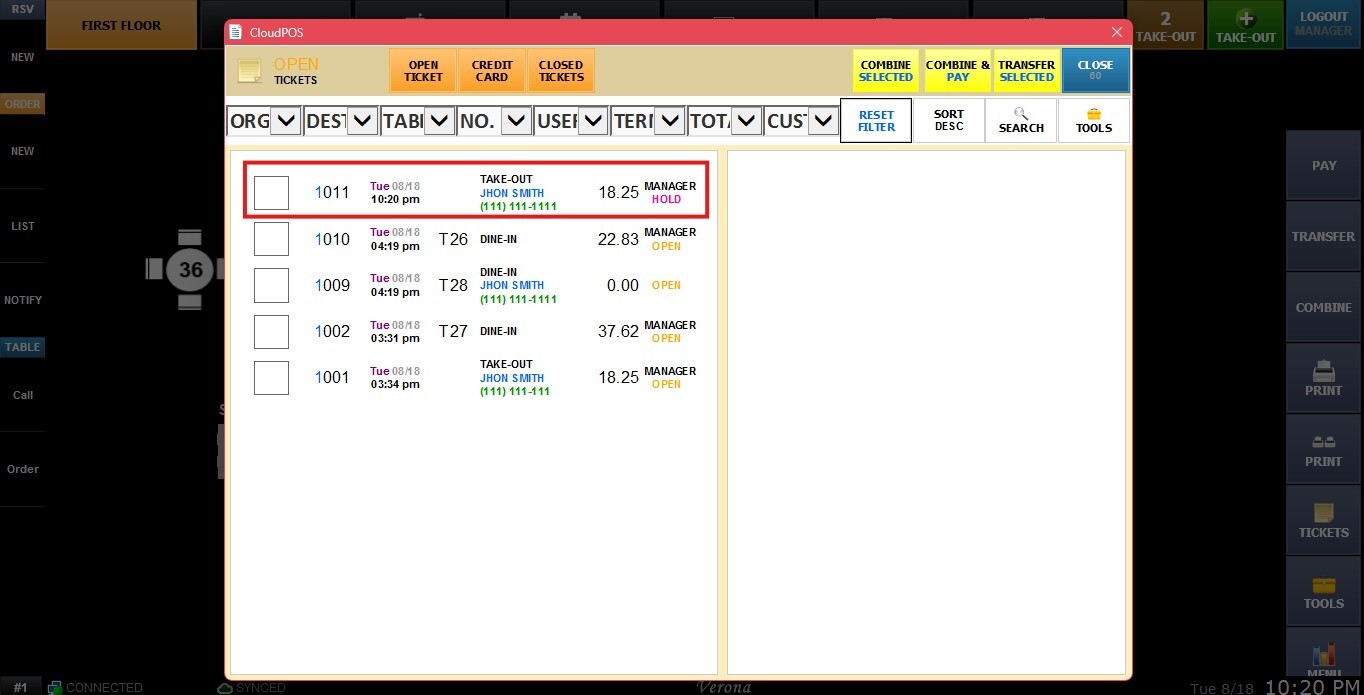
The held ticket will appear on the Open Ticket list. From there, you can open the ticket and continue with the transaction.
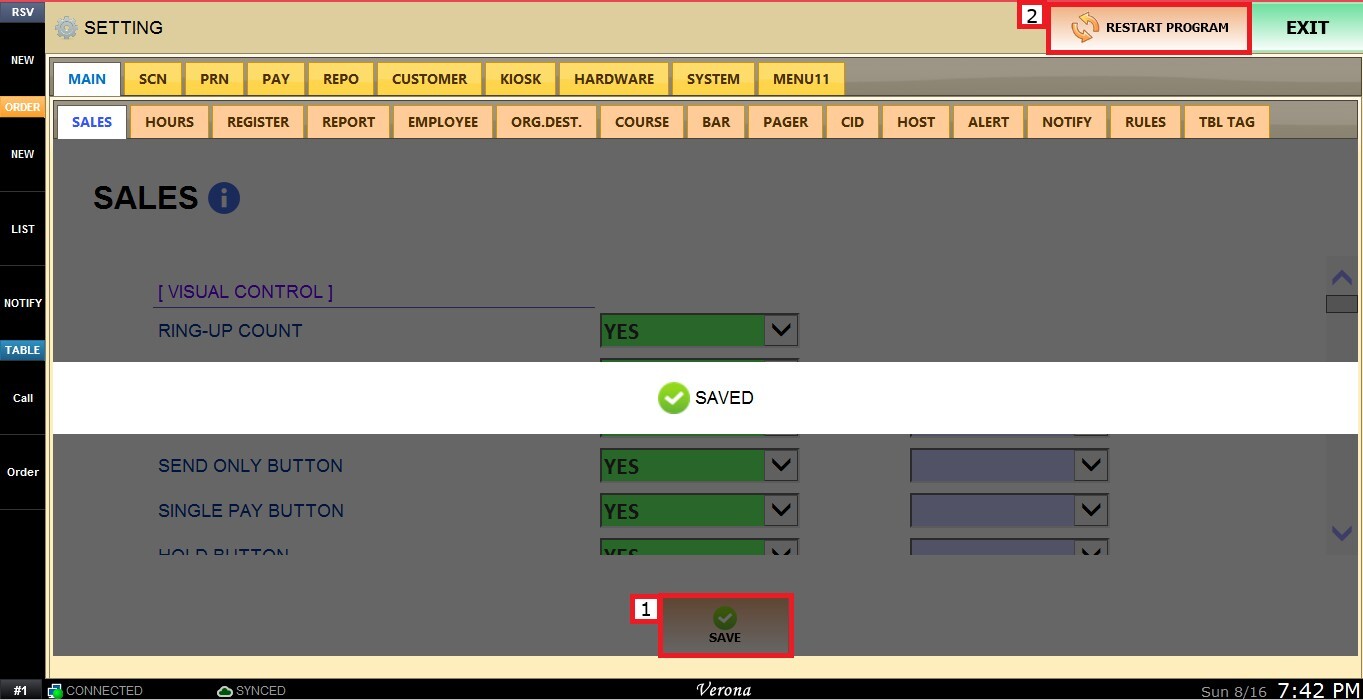
 Click SAVE and RESTART THE PROGRAM to apply the changes.